

ProductPRODUCT
Featured products
Contact Us
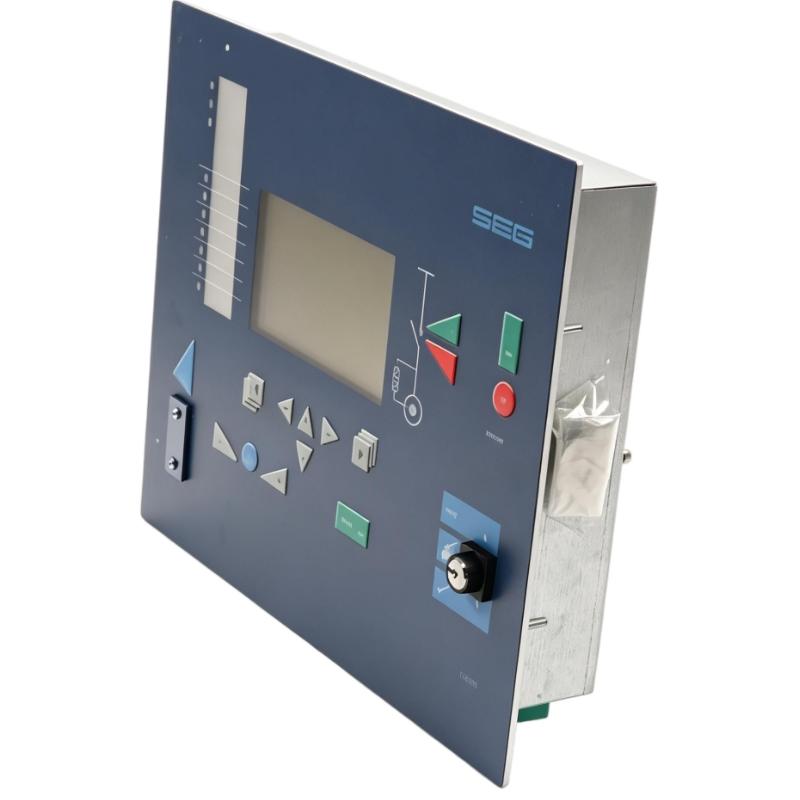
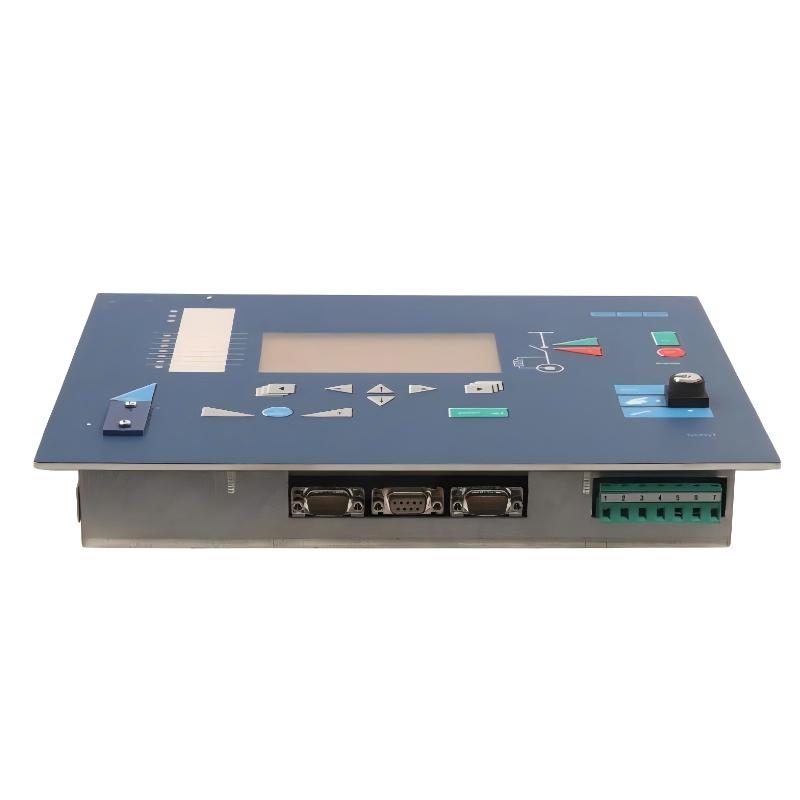
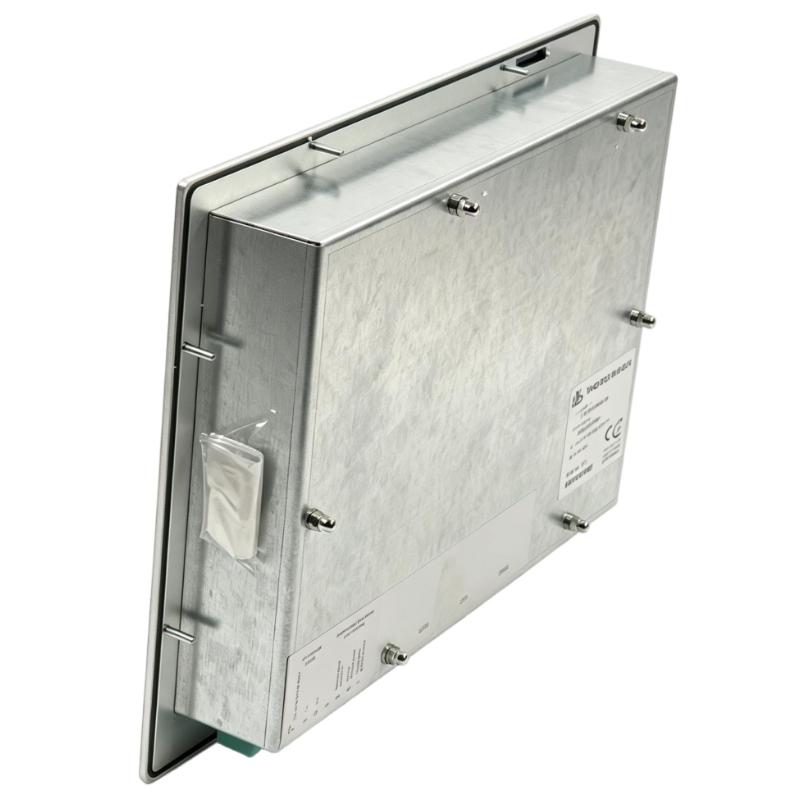
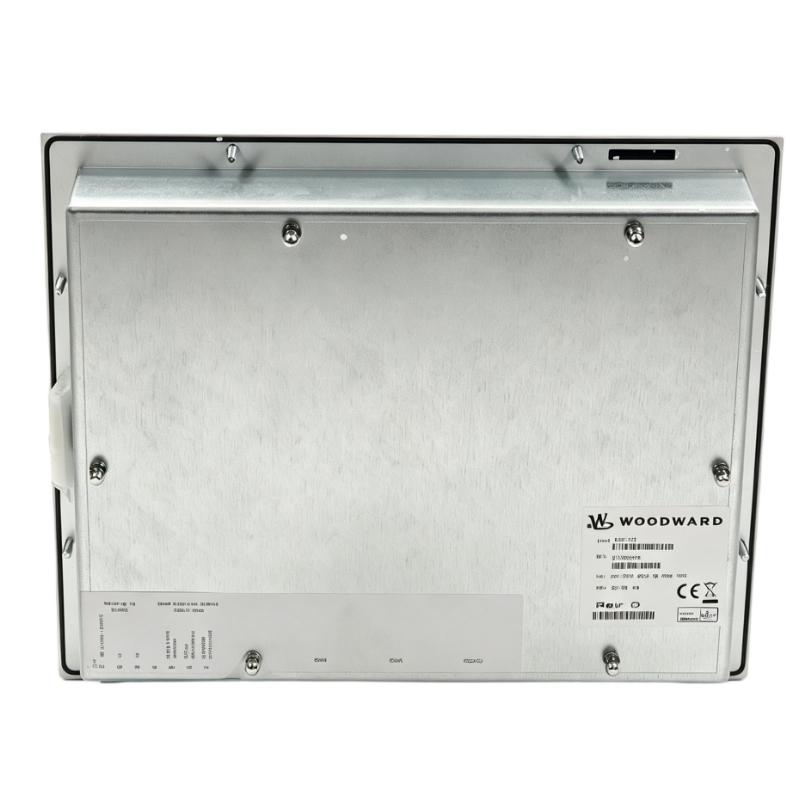
- Woodward
- CMW112
- Operator Panel
- USA
- 160 × 130 × 60 mm
- 0.72 kg
- Xiamen, China
- New & In Stock
- T/T, PayPal, Western Union
- 1 Year
- 1-3 Working Days
- DHL, UPS, TNT, FedEx and EMS.
- 24-Hour Service
- COO
- 7
Our advantage

Global Logistics
We have a 10-year logistics and express cooperation agreement, so our products can be shipped to any place in the world.

Brand new and original
Our products are imported in bulk from the place of origin. Because of the cooperative relationship, our products are all original and 100% new.

24-hour service
We provide 7*24 hours service to our customers. We will be there whenever you need us.

Price advantage
All our products are priced very favorably because we have our own warehouse and supply.
| Company Information | |||
| [email protected] | |||
| Mobile | +8615980777398 | ||
| +8615980777398 | |||
| 15980777398 |
Product Overview
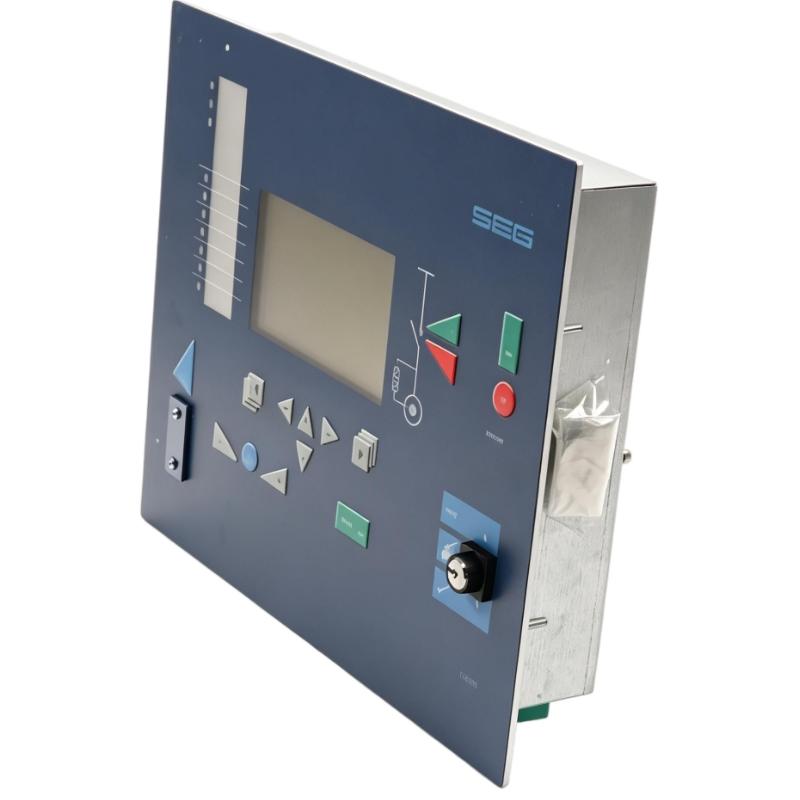
The Woodward CMW112 Operator Panel is a human-machine interface associated with wind turbine control systems. It provides a local interface for operators to access supported control functions and interact with the connected turbine-control equipment.
In a wind power installation, the operator interface helps personnel access operating information and carry out permitted commands without directly interacting with the underlying control hardware. Depending on the turbine’s control configuration, the available functions may include status monitoring, alarm acknowledgment, and access to selected operating settings.
The CMW112 serves as the interface between the operator and the host control system. The controller remains responsible for executing the turbine-control logic, processing sensor inputs, and managing the associated equipment. The operator panel provides access to the functions implemented by that controller rather than independently regulating turbine speed or generator output.
When replacing an existing CMW112, the important considerations are the installed controller, communication arrangement, connector assignments, and application configuration. A replacement panel must match the requirements of the existing system so that operator commands and displayed information continue to function correctly.
Technical Specifications
| Parameter | Specification |
|---|---|
| Manufacturer | Woodward |
| Model / Part Number | CMW112 |
| Product Type | Operator Panel |
| Application | Wind Turbine Control Systems |
| Dimensions | 160 × 130 × 60 mm |
| Weight | 0.72 kg |
Product Features
- Local operator interface: Provides access to supported functions on the connected turbine-control system.
- Control-system interaction: Allows operator inputs to be processed by the host controller according to the configured application.
- Operating-status access: Supports local review of available system information.
- Maintenance support: Provides an interface for operational checks and troubleshooting activities.
- Application-dependent functionality: Available commands and displayed information are determined by the connected control system.
- Model-specific replacement: The CMW112 part number helps identify the required operator panel during maintenance and spare-parts selection.
Working Principle
The CMW112 operates as the operator-interface component of a larger control system. It presents supported information and transfers operator inputs to the connected controller, which determines the appropriate response.
A typical arrangement follows this path:
Operator Input → CMW112 Operator Panel → Host Controller → Turbine-Control Equipment
When an operator selects an available command, the panel passes the input through its implemented interface. The controller evaluates the request against its program, current operating state, and configured interlocks before initiating the corresponding action.
The controller can also supply operating information for presentation at the operator interface. The information available depends on the application software and the functions exposed by the host control system.
The CMW112 does not replace the turbine governor, generator controller, or independent protection equipment. Start, stop, setpoint, and mode-selection functions are available only where the connected control system supports them.
During commissioning, the panel should be checked for correct communication, response to operator inputs, and consistency between displayed information and the host controller. This helps determine whether an operating problem originates in the interface, its connection, or the underlying control system.
Role in the Industrial Control Architecture
The CMW112 occupies the operator-interface layer of the control architecture. It provides local access to supported functions, while the host controller performs the actual control calculations and manages the turbine equipment.
Operator → CMW112 Operator Panel → Host Controller → Turbine-Control Equipment
| System Component | Function |
|---|---|
| Woodward CMW112 | Provides the local operator interface |
| Host Controller | Executes control logic and processes supported commands |
| Communication Connection | Transfers information between the operator panel and controller |
| Speed and Process Sensors | Supply measurements to the control system |
| Actuator System | Executes commands generated by the controller |
| Turbine and Generator | Perform the mechanical and electrical functions of the installation |
| Plant Control System | Coordinates turbine operation with wider plant processes where configured |
| Maintenance Personnel | Use available operating information for inspection and troubleshooting |
Industrial Applications
| Application | Typical Use |
|---|---|
| Wind Turbine Control Systems | Local operator interaction with compatible turbine-control equipment |
| Wind Power Facilities | Accessing available operating information during normal operation |
| Turbine Maintenance Stations | Supporting service checks and troubleshooting |
| Industrial Control Panels | Providing operator access to supported control functions |
| Generator Installations | Reviewing operating information where the panel is supported |
| Equipment Retrofit Projects | Replacing an existing panel after verifying system compatibility |
| Control-System Commissioning | Checking operator inputs and communication with the host controller |
| Distributed Wind Power Sites | Providing local access to compatible turbine-control equipment |
| Turbine Service Operations | Supporting maintenance personnel during equipment inspection |
| Industrial Automation Systems | Providing an operator interface where the control architecture supports the CMW112 |
Installation and Maintenance
- Verify the model reference: Confirm CMW112 against the existing panel identification and the equipment’s parts documentation.
- Check controller compatibility: Identify the connected controller and verify that the replacement panel is supported by the installed control system.
- Inspect the mounting arrangement: Check the panel mounting points and enclosure opening before installation.
- Verify the electrical supply: Use the specified supply requirements for the actual CMW112 hardware revision before connecting power.
- Inspect communication wiring: Check connector assignments, cable condition, and the communication arrangement against the equipment wiring diagrams.
- Check grounding and shielding: Follow the control-panel wiring design for grounding and cable shielding.
- Inspect the panel and connectors: Look for damaged connectors, loose contacts, or housing damage that could affect operation.
- Verify the controller configuration: Confirm that the host controller and application software support the installed operator panel.
- Test communication: Confirm that the panel communicates correctly with the controller and displays the expected operating information.
- Verify operator inputs: Test available commands according to the commissioning procedure and the machine’s operating permissions.
- Investigate abnormal indications: If information is missing or incorrect, inspect the power connection, communication wiring, controller status, and application configuration.
- Record the installation details: Document the panel reference, connected controller, wiring arrangement, and commissioning results.
Compatible System Components
| Component | Function |
|---|---|
| Woodward CMW112 Operator Panel | Provides the local human-machine interface |
| Compatible Woodward Controller | Processes operator commands and supplies supported operating information |
| Communication Cable | Connects the operator panel to the designated controller interface |
| Control Power Supply | Supplies electrical power according to the installed hardware requirements |
| Control Cabinet | Houses the panel and associated control equipment |
| Speed and Process Sensors | Supply measurements to the host controller |
| Actuator Control Equipment | Executes commands generated by the controller |
| Plant Supervisory System | Coordinates wider equipment operation where supported |
| Panel Mounting Hardware | Secures the operator panel in the intended installation |
Recommended Related Models
| Model | Product Type | Selection Consideration |
|---|---|---|
| Woodward CMW112 | Operator Panel | Reference model for replacement and configuration checks |
| Woodward 9907-1182 | 505 Enhanced Digital Control for Steam Turbines | A separate digital turbine controller, not a direct operator-panel replacement |
| Woodward 9907-029 | SPM-A Synchronizer | Used for generator synchronization rather than operator-interface functions |
| Woodward 9905-068 | 2301A Electronic Load Sharing and Speed Control | A separate governing and load-sharing control device |
| Woodward MicroNet Control Systems | Digital Control Platform | Evaluate compatibility with the required operator-interface hardware and software |
Key Advantages
- Provides local access to supported turbine-control functions.
- Separates operator interaction from the controller’s primary control logic.
- Supports operational checks and maintenance activities.
- Identifies the required operator panel through a dedicated model reference.
- Can be integrated into a compatible control architecture after interface verification.
Technical FAQs
What role does the CMW112 perform in a wind turbine control system?
It provides the operator interface for supported functions of the connected control system. The host controller remains responsible for executing control logic and managing turbine operation.
Does the CMW112 independently regulate turbine speed?
No. Turbine governing is performed by the host controller and its associated control equipment. The CMW112 provides access to supported operator functions.
What information should be checked before ordering a replacement panel?
Confirm the existing CMW112 reference, host controller, communication connections, and application configuration. These details help establish whether the replacement will operate correctly within the installed system.
What should be investigated if operator commands are not processed?
Check the panel’s power connection, communication wiring, controller status, and application configuration. Also verify whether the requested command is permitted by the current operating state and configured interlocks.