

ProductPRODUCT
Featured products
Contact Us
- Siemens
- 6AV2124-0JC01-0AX0
- SIMATIC HMI Comfort Panel
- Germany
- 274 × 190 × 62.7 mm
- 2.482 kg
- Xiamen, China
- New & In Stock
- T/T, PayPal, Western Union
- 1 Year
- 1-3 Working Days
- DHL, UPS, TNT, FedEx and EMS.
- 24-Hour Service
- COO
- 3
Our advantage

Global Logistics
We have a 10-year logistics and express cooperation agreement, so our products can be shipped to any place in the world.

Brand new and original
Our products are imported in bulk from the place of origin. Because of the cooperative relationship, our products are all original and 100% new.

24-hour service
We provide 7*24 hours service to our customers. We will be there whenever you need us.

Price advantage
All our products are priced very favorably because we have our own warehouse and supply.
| Company Information | |||
| [email protected] | |||
| Mobile | +8615980777398 | ||
| +8615980777398 | |||
| 15980777398 |
Product Overview
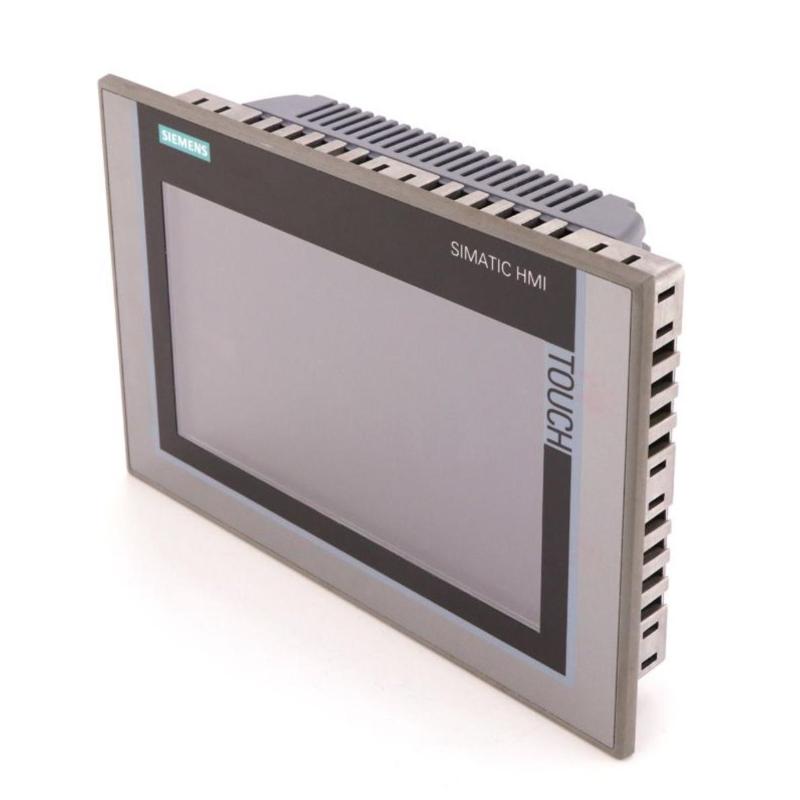
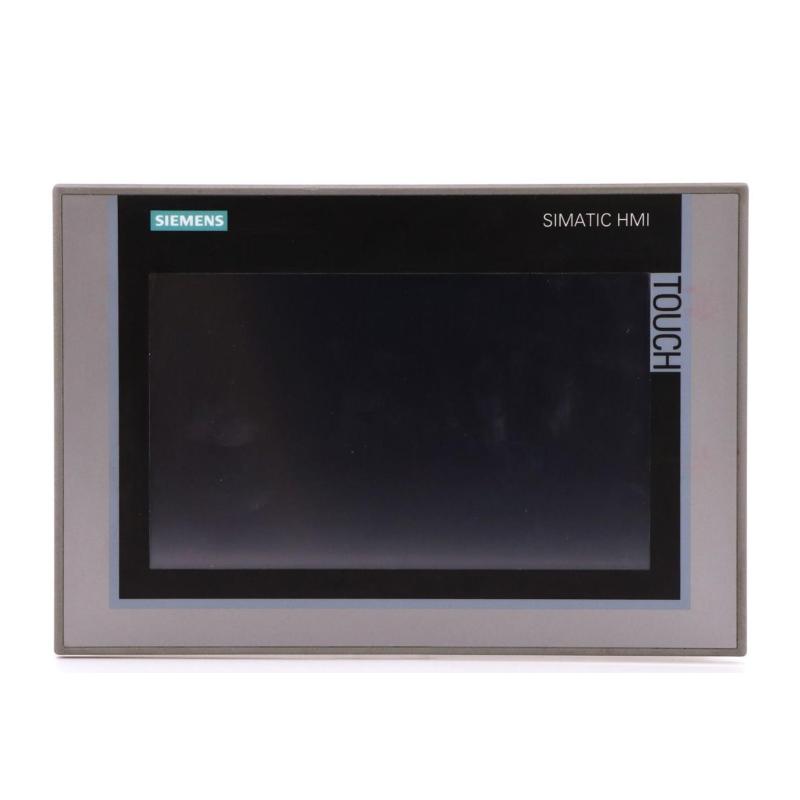
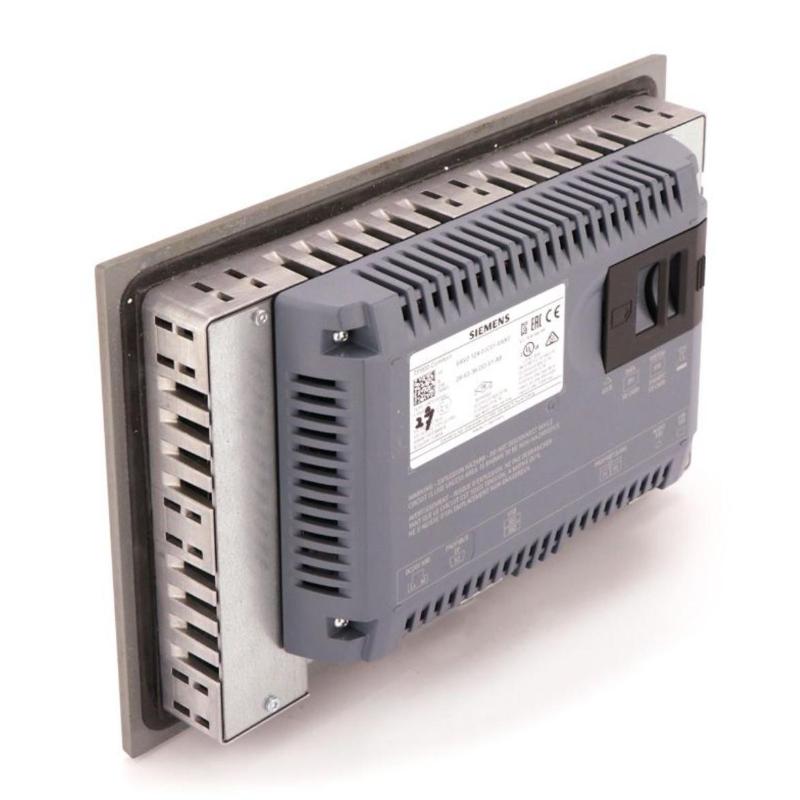
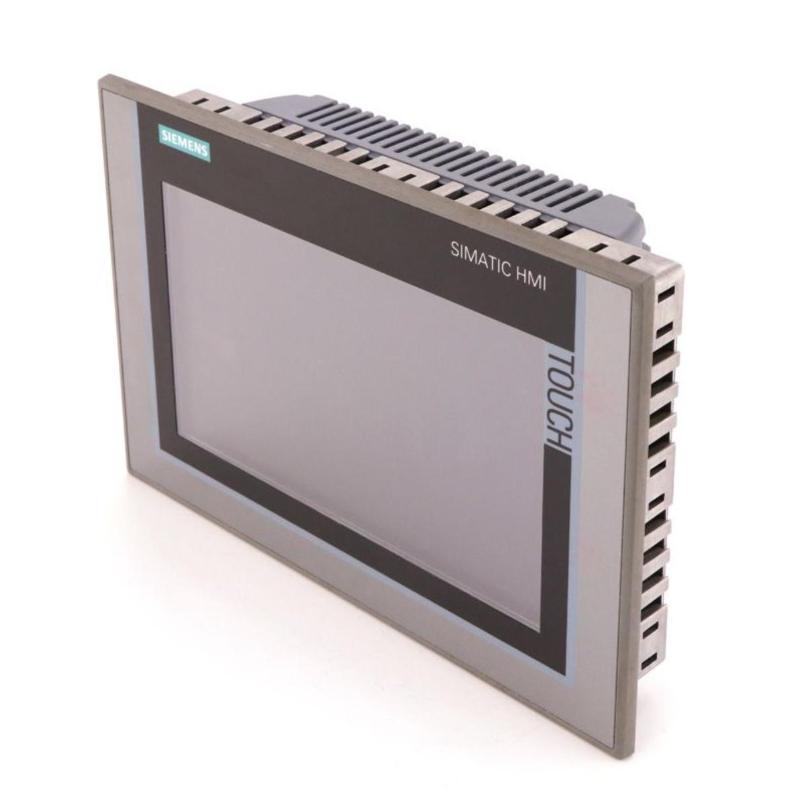
The Siemens 6AV2124-0JC01-0AX0 is a SIMATIC HMI TP900 Comfort Panel used for machine visualization, process monitoring, and operator interaction in industrial automation systems. Its 9-inch widescreen touchscreen provides a local interface for viewing process values, navigating machine functions, acknowledging alarms, and entering operating parameters.
As part of the SIMATIC Comfort Panel family, the TP900 Comfort supports more extensive visualization and diagnostic functions than a basic status terminal. Its 800 × 480 pixel TFT display with 16 million colors allows machine builders to organize equipment graphics, numerical measurements, alarm lists, and operating controls into structured screens. The touchscreen supports direct interaction without a separate physical function-key arrangement.
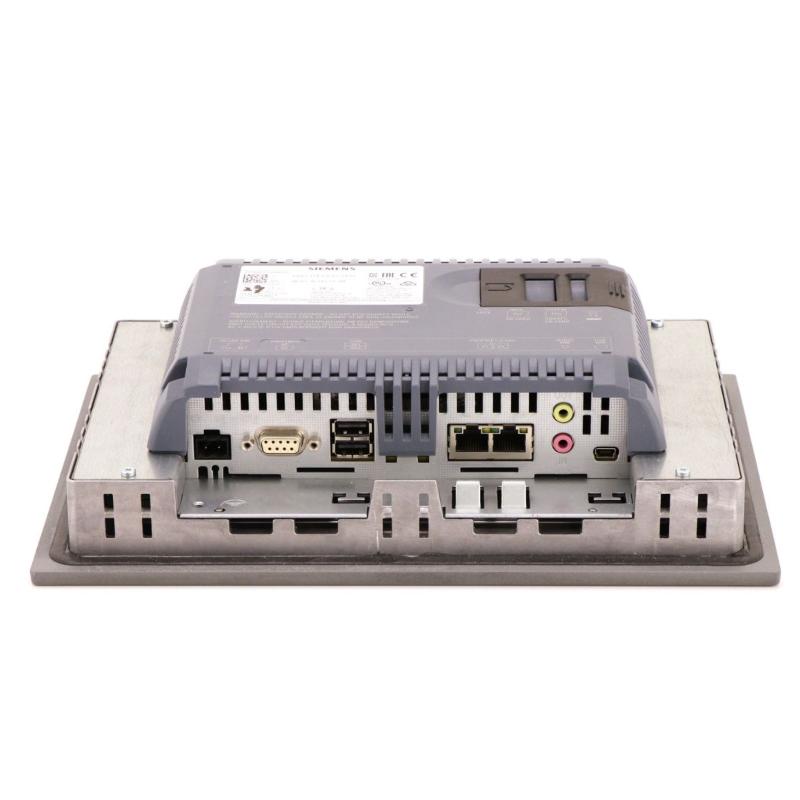
The panel includes PROFINET and MPI/PROFIBUS DP communication interfaces, allowing it to connect to compatible Siemens controllers and supported automation systems. Its 12 MB configuration memory accommodates the HMI project, while Windows CE 6.0 provides the embedded operating environment. The panel can be configured using WinCC Comfort V11 or compatible later engineering software.
In a production facility, the TP900 Comfort can serve as the main operator station for a packaging machine, conveyor system, or process skid. Operators can switch between equipment overview screens, examine alarm messages, view process trends, and enter authorized setpoints. The PLC continues to execute the control logic, evaluate operating conditions, and manage the connected machinery.
The TP900 Comfort is also suitable for installations where the HMI must communicate with established automation equipment using MPI or PROFIBUS DP rather than relying exclusively on Ethernet-based communication. This can be useful when upgrading an existing machine or integrating an operator panel into a control architecture that already contains compatible Siemens devices.
The 6AV2124-0JC01-0AX0 therefore combines graphical operator interaction with industrial communication and engineering-software integration. Its practical value depends on a well-structured HMI project, correctly mapped controller variables, and an operating interface that reflects the actual machine sequence.
Technical Specifications
| Parameter | Specification |
|---|---|
| Manufacturer | Siemens |
| Model | 6AV2124-0JC01-0AX0 |
| Product Family | SIMATIC HMI Comfort Panels |
| Product Type | TP900 Comfort HMI Panel |
| Display Type | TFT widescreen display |
| Screen Size | 9 inches |
| Display Resolution | 800 × 480 pixels |
| Number of Display Colors | 16,777,216 |
| Operating Method | Touch operation |
| Touchscreen Type | Analog resistive |
| Configuration Memory | 12 MB |
| Operating System | Windows CE 6.0 |
| PROFINET Interface | 1, with integrated two-port switch |
| MPI/PROFIBUS DP Interface | 1 |
| USB Interfaces | 2 |
| Rated Supply Voltage | 24 V DC |
| Permissible Supply Voltage | 19.2–28.8 V DC |
| Typical Power Consumption | 18 W |
| Configuration Software | WinCC Comfort V11 or later compatible versions |
| Dimensions | 274 × 190 × 62.7 mm |
| Weight | 2.482 kg |
Product Features
- 9-inch TFT display: Provides a graphical workspace for machine status, process values, alarms, and operating controls.
- 800 × 480 resolution: Supports structured screen layouts for machine monitoring and operator interaction.
- 16-million-color visualization: Helps distinguish operating states, warnings, alarms, and process information.
- Analog-resistive touchscreen: Allows operators to interact directly with configured screen objects and input fields.
- PROFINET connectivity: Supports communication with compatible PLCs and industrial Ethernet networks through the integrated switch.
- MPI/PROFIBUS DP connectivity: Enables integration with compatible Siemens automation architectures using these communication interfaces.
- 12 MB configuration memory: Provides storage for the configured HMI project.
- USB connectivity: Supports compatible engineering, transfer, and service operations.
- WinCC Comfort engineering: Allows machine builders to configure screens, tags, alarms, recipes, and operator functions.
- Alarm management: Supports configured alarm messages, acknowledgement, and diagnostic screens.
- Recipe management: Allows supported HMI projects to organize and handle production parameters and recipe data.
- Process visualization: Supports numerical values, graphical indicators, trends, and equipment-related screen objects.
- Controller integration: Can communicate with supported Siemens and third-party automation systems through the appropriate drivers and protocols.
Working Principle
The TP900 Comfort functions as the visualization and operator-interaction layer of a PLC-based automation system. It receives process data from the controller, presents that information through the configured HMI project, and communicates operator actions back to the control system.
Field Instruments → PLC → PROFINET or MPI/PROFIBUS DP → TP900 Comfort → Operator
During engineering, the machine builder creates the HMI project using compatible WinCC Comfort software. Screens are configured with process indicators, numerical displays, buttons, input fields, alarm views, and navigation elements. Each relevant object is linked to a controller variable or an HMI function.
When the machine is running, the panel reads configured values from the controller and updates the display. For example, a conveyor-control screen may show motor status, line speed, production count, and active faults. Operators can move between screens to inspect individual conveyor sections or access maintenance information.
When an operator changes a permitted setpoint or presses a configured command button, the panel transfers the corresponding action through the established communication connection. The PLC then evaluates the request against its program, interlocks, and current machine conditions. The HMI does not independently determine whether a motor, valve, or other machine component should operate.
Alarm handling provides another important part of the panel’s operation. The HMI can display configured fault messages, identify the affected equipment, and provide access to related diagnostic screens. This helps maintenance personnel investigate a fault without relying exclusively on indicator lamps or external diagnostic equipment.
Correct operation depends on the complete data path. Controller addressing, communication settings, HMI tag definitions, data types, and scaling must agree with the PLC program. During commissioning, engineers should verify displayed values against known controller values and test each configured operator command under controlled conditions.
Role in a Siemens SIMATIC HMI Control Architecture
The TP900 Comfort occupies the operator-interface layer between production personnel and the automation system. It provides the screens and controls used to interact with the machine, while the PLC processes signals and executes the control sequence.
Field Sensors and Actuators → SIMATIC PLC → Industrial Communication Network → TP900 Comfort Panel → Operator
| System Component | Function |
|---|---|
| Siemens 6AV2124-0JC01-0AX0 | Provides graphical visualization and configured operator interaction |
| SIMATIC PLC | Executes machine logic, operating sequences, and interlocks |
| PROFINET Network | Transfers data between compatible controllers and networked devices |
| MPI/PROFIBUS DP Network | Supports communication with compatible automation equipment |
| Digital Input Module | Acquires discrete sensor and equipment states |
| Analog Input Module | Acquires supported process measurement signals |
| Motor Starter or Drive | Controls motor operation according to the machine design |
| Pressure Transmitter | Supplies pressure measurements to the controller |
| Temperature Sensor | Provides temperature information for monitoring or control |
| HMI Alarm Configuration | Defines the presentation and acknowledgement of configured messages |
| Engineering Workstation | Develops, tests, and transfers the HMI project |
The division of responsibilities is important: the HMI displays information and communicates operator requests, whereas the PLC remains responsible for executing the machine-control program. Safety functions must be implemented in the appropriate safety-related architecture rather than relying solely on ordinary HMI commands.
Industrial Applications
| Application | Typical Use |
|---|---|
| Packaging Machinery | Displaying production counts, operating modes, alarms, and setup parameters |
| Conveyor Systems | Monitoring conveyor sections, motor states, and material flow |
| Assembly Lines | Providing operator navigation and equipment-status visualization |
| Material Handling | Presenting machine states and configured manual-control functions |
| Water Treatment | Displaying pump conditions, process measurements, and alarms |
| Industrial Pumping Systems | Monitoring pressure readings, pump status, and operating parameters |
| Food and Beverage Production | Visualizing process conditions and production equipment states |
| Machine Tools | Providing access to machine settings and diagnostic information |
| Plastics Processing | Displaying machine status, process values, and fault messages |
| General Manufacturing | Serving as a local operator interface for PLC-controlled equipment |
Installation and Maintenance
- Confirm the panel model: Verify that 6AV2124-0JC01-0AX0 matches the intended TP900 Comfort application and communication requirements.
- Prepare the mounting location: Check the panel cutout, mounting arrangement, and enclosure conditions against the installation requirements.
- Check the DC supply: Provide a suitable 24 V DC supply within the specified operating range and verify the polarity before energizing the panel.
- Plan the communication connection: Select PROFINET or MPI/PROFIBUS DP according to the controller and network architecture.
- Configure device communication: Set the required device addresses, network parameters, and controller connection settings within the HMI project.
- Develop the HMI screens: Configure process displays, navigation controls, alarm views, input fields, and other required operator functions in compatible WinCC Comfort software.
- Map controller variables: Link screen objects to the correct PLC tags and verify data types, addresses, and scaling.
- Configure operator permissions: Define the permitted actions and access levels where the machine application requires controlled access to settings or commands.
- Test touchscreen operation: Check screen navigation, buttons, input fields, and other configured touch objects.
- Verify data exchange: Confirm that process values update correctly and that communication interruptions can be identified during testing.
- Test operator commands: Check each command against the intended PLC logic, interlocks, and machine operating conditions before production use.
- Maintain project records: Archive the approved HMI project, communication settings, software version, and commissioning results for future maintenance.
Related Components
| Component | Function |
|---|---|
| Siemens 6AV2124-0JC01-0AX0 | Provides operator visualization and touch-based interaction |
| Siemens SIMATIC S7-1200 PLC | Executes compact machine-control applications |
| Siemens SIMATIC S7-1500 PLC | Supports more extensive machine and process control |
| Siemens PROFINET Network Components | Connect compatible controllers, HMI panels, and field devices |
| Siemens PROFIBUS DP Network Components | Support communication with compatible fieldbus devices |
| Siemens Digital Input Modules | Acquire discrete sensor and equipment signals |
| Siemens Analog Input Modules | Acquire supported process measurements |
| Siemens SINAMICS Drives | Control compatible motor applications |
| Industrial 24 V DC Power Supply | Supplies the HMI and other compatible control devices |
| Industrial Ethernet Cable | Carries data between networked automation equipment |
| Engineering Workstation | Develops and transfers the HMI configuration |
Recommended Related Models
| Model / Product Family | Product Type | Typical Application |
|---|---|---|
| Siemens 6AV2124-0GC01-0AX0 | TP700 Comfort HMI Panel | Operator visualization with a 7-inch widescreen display |
| Siemens 6AV2124-0JC01-0AX0 | TP900 Comfort HMI Panel | 9-inch touchscreen visualization with PROFINET and MPI/PROFIBUS DP interfaces |
| Siemens 6AV2124-0MC01-0AX0 | TP1200 Comfort HMI Panel | Operator visualization with a larger display |
| Siemens 6AV2124-0QC02-0AX1 | TP1500 Comfort HMI Panel | Larger-screen visualization for more extensive machine interfaces |
| Siemens SIMATIC S7-1200 | Programmable Logic Controller | Compact machine automation |
| Siemens SIMATIC S7-1500 | Programmable Logic Controller | Advanced machine and process control |
| Siemens WinCC Comfort | HMI Engineering Software | Developing compatible Comfort Panel projects |
Key Advantages
- Provides a 9-inch color touchscreen for machine visualization and operator interaction.
- Supports PROFINET and MPI/PROFIBUS DP communication.
- Integrates with Siemens WinCC Comfort engineering software.
- Supports configured alarms, recipes, process values, and diagnostic screens.
- Can connect to compatible Siemens and third-party automation systems through supported protocols.
- Provides a dedicated operator interface without replacing the PLC’s control responsibilities.
Technical FAQs
How does the TP900 Comfort handle communication with older Siemens PLC systems?
The panel includes an MPI/PROFIBUS DP interface for compatible automation architectures. The PLC model, supported communication protocol, addressing, and HMI driver configuration must match the intended connection.
What can be displayed on a TP900 Comfort screen?
A configured project can display process values, equipment states, alarm messages, trends, recipes, and operator controls. The available information depends on the HMI project, controller variables, and configured visualization objects.
Can the TP900 Comfort communicate with a non-Siemens controller?
Yes, supported third-party controllers can be connected through available communication drivers and protocols, including compatible EtherNet/IP and Modbus implementations. The specific controller and protocol configuration determine whether the required data exchange is supported.
What should be checked if an HMI command appears on screen but the machine does not respond?
Check the HMI tag mapping, communication status, PLC command logic, machine interlocks, and the current operating mode. The panel may successfully send a request while the PLC intentionally prevents the action because the required operating conditions have not been met.