

ProductPRODUCT
Featured products
Contact Us
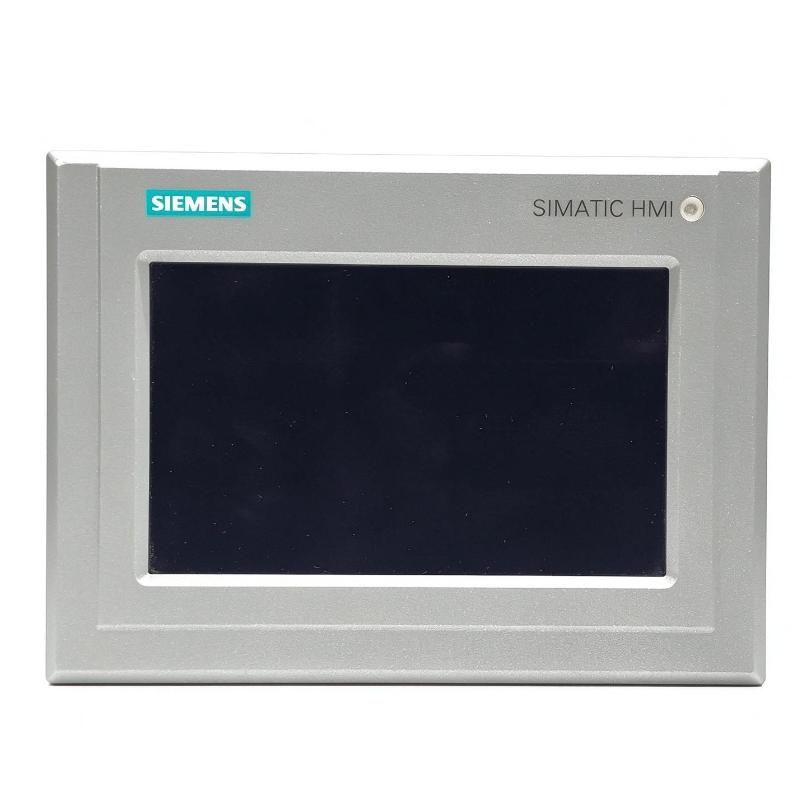
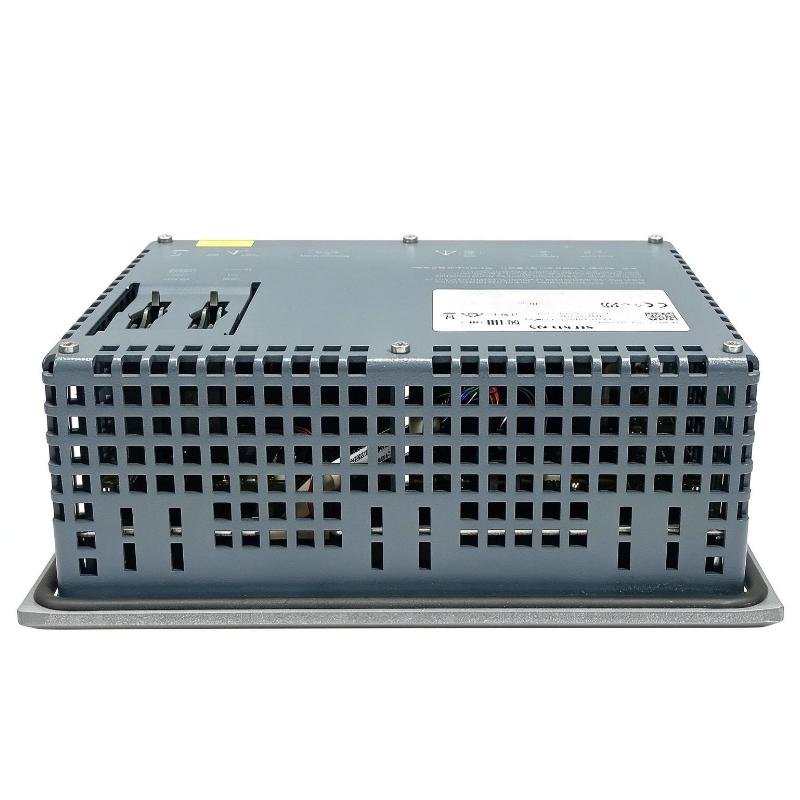
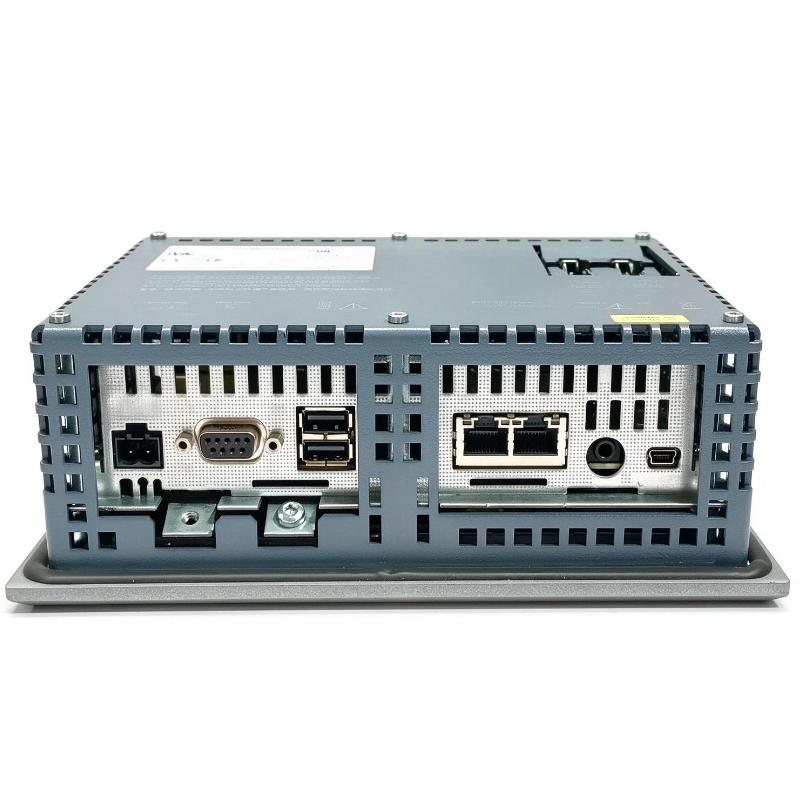
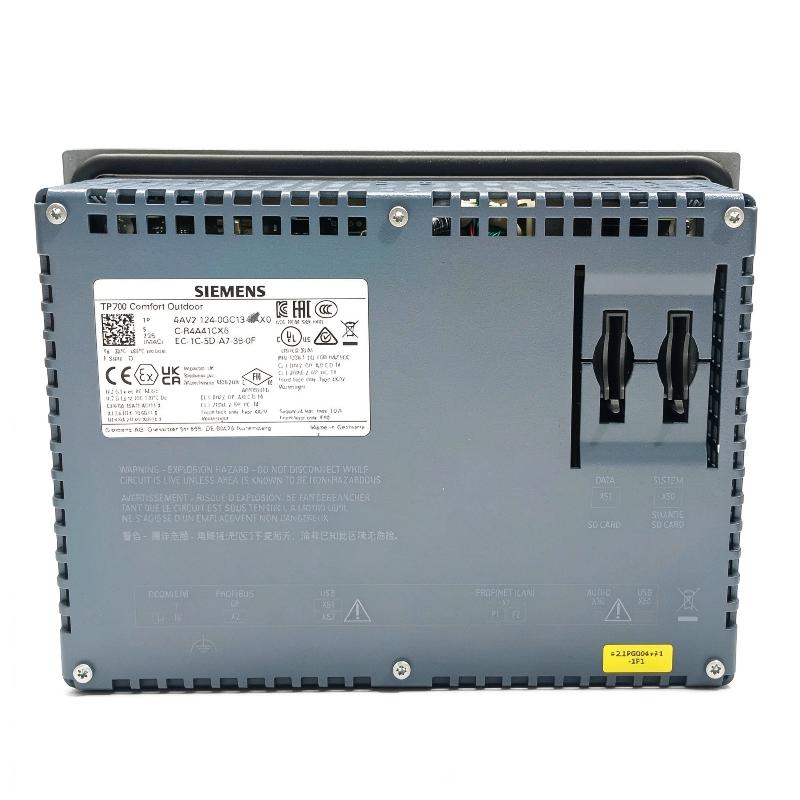
- Siemens
- 6AV2124-0GC13-0AX0
- SIMATIC HMI Comfort Outdoor Panel
- Germany
- 214 × 158 × 64.6 mm
- 1.819 kg
- Xiamen, China
- New & In Stock
- T/T, PayPal, Western Union
- 1 Year
- 1-3 Working Days
- DHL, UPS, TNT, FedEx and EMS.
- 24-Hour Service
- COO
- 4
Our advantage

Global Logistics
We have a 10-year logistics and express cooperation agreement, so our products can be shipped to any place in the world.

Brand new and original
Our products are imported in bulk from the place of origin. Because of the cooperative relationship, our products are all original and 100% new.

24-hour service
We provide 7*24 hours service to our customers. We will be there whenever you need us.

Price advantage
All our products are priced very favorably because we have our own warehouse and supply.
| Company Information | |||
| [email protected] | |||
| Mobile | +8615980777398 | ||
| +8615980777398 | |||
| 15980777398 |
Product Overview
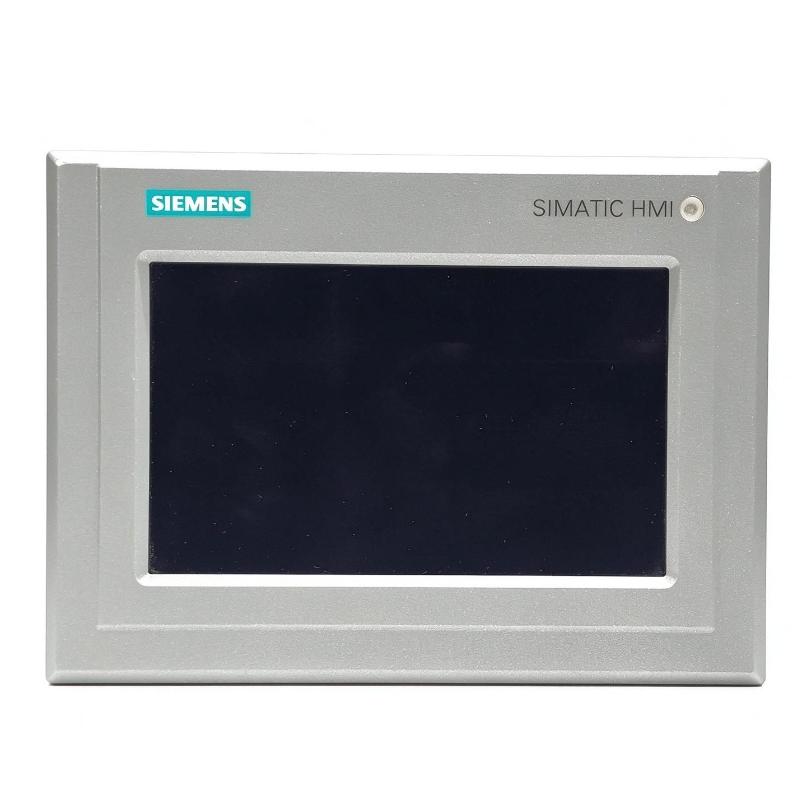
The Siemens 6AV2124-0GC13-0AX0 is a SIMATIC HMI TP700 Comfort Outdoor Panel developed for operator control and machine visualization in industrial environments exposed to sunlight, changing temperatures, and outdoor conditions. It combines a 7-inch widescreen TFT touchscreen with an outdoor-rated front construction, allowing operators to monitor equipment and interact with control systems without requiring the panel to be installed in a conventional indoor environment.
The TP700 Comfort Outdoor retains the visualization and communication capabilities of the standard 7-inch Comfort Panel while adding features intended for outdoor use. Its bonded, daylight-readable display improves visibility under bright ambient lighting, while the UV-resistant, powder-coated aluminum front helps withstand prolonged environmental exposure. The front also provides IP66 protection when installed according to the applicable requirements.
The panel uses an 800 × 480 pixel display with 16 million colors. Operators can view equipment status, process measurements, alarm messages, and configured control screens through the analog-resistive touchscreen. Automatic or manual backlight adjustment helps maintain readability as lighting conditions change.
Communication is available through PROFINET and MPI/PROFIBUS DP interfaces. This allows the panel to connect to compatible Siemens automation systems using Ethernet-based or fieldbus communication, depending on the controller and project configuration. The panel provides 12 MB of configuration memory and is configured using WinCC Comfort V13 SP1 or a compatible later engineering environment.
A typical application is an outdoor pumping station where operators need to view pressure readings, pump status, fault messages, and maintenance information while working near the equipment. The HMI can display the relevant process data and send configured operator commands to the PLC, which remains responsible for the actual control sequence and interlock logic.
The 6AV2124-0GC13-0AX0 is particularly relevant when a standard indoor HMI would face visibility or environmental limitations. Its outdoor construction and extended operating temperature range make it suitable for appropriately engineered outdoor installations, including utility systems, water treatment facilities, and industrial equipment located in exposed areas.
Technical Specifications
| Parameter | Specification |
|---|---|
| Manufacturer | Siemens |
| Model | 6AV2124-0GC13-0AX0 |
| Product Family | SIMATIC HMI Comfort Panels Outdoor |
| Product Type | TP700 Comfort Outdoor HMI Panel |
| Display Type | Bonded, daylight-readable widescreen TFT |
| Screen Size | 7 inches |
| Display Resolution | 800 × 480 pixels |
| Number of Display Colors | 16,777,216 |
| Operating Method | Touch operation |
| Touchscreen Type | Analog resistive |
| Configuration Memory | 12 MB |
| Operating System | Windows CE 6.0 |
| PROFINET Interface | 1 |
| MPI/PROFIBUS DP Interface | 1 |
| Rated Supply Voltage | 24 V DC |
| Permissible Supply Voltage | 19.2–28.8 V DC |
| Operating Temperature | −30 to +60°C, subject to installation conditions |
| Front Protection Rating | IP66 |
| Front Housing Material | Powder-coated, UV-resistant aluminum |
| Configuration Software | WinCC Comfort V13 SP1 or later compatible versions |
| Dimensions | 214 × 158 × 64.6 mm |
| Weight | 1.819 kg |
Product Features
- Daylight-readable display: The bonded TFT screen supports operator visibility in bright outdoor environments.
- 7-inch widescreen format: Provides a dedicated display area for process values, equipment graphics, alarms, and control elements.
- 16-million-color visualization: Allows clear differentiation between operating states, warnings, and process information.
- Analog-resistive touchscreen: Supports touch-based operation through configured HMI screens.
- UV-resistant front construction: The powder-coated aluminum front is intended for exposure to outdoor environmental conditions.
- IP66 front protection: Helps protect the panel front against dust and powerful water jets when properly installed.
- Extended temperature capability: Supports outdoor applications within the specified operating conditions.
- Automatic and manual backlight adjustment: Helps maintain screen readability as ambient lighting changes.
- PROFINET communication: Connects the panel to compatible Ethernet-based automation systems.
- MPI/PROFIBUS DP communication: Supports integration with compatible Siemens fieldbus architectures.
- 12 MB configuration memory: Stores the HMI project and associated configuration data.
- Comfort Panel visualization functions: Supports configured process displays, alarm handling, recipes, and operator interaction.
- Siemens engineering integration: Allows project development through the compatible WinCC Comfort engineering environment.
Working Principle
The 6AV2124-0GC13-0AX0 acts as the operator interface for a compatible automation system. It receives process information from the controller, presents the information through the HMI project, and sends configured operator actions back to the control system.
Field Sensors and Actuators → PLC → PROFINET or MPI/PROFIBUS DP → TP700 Comfort Outdoor → Operator
During engineering, the machine builder creates the HMI screens, links display objects to controller variables, defines alarm messages, and configures the permitted operator actions. The project is then transferred to the panel using the supported engineering connection.
During operation, the HMI reads the configured process values and updates the display. At an outdoor pumping station, for example, the screen may show pump status, discharge pressure, tank level, and active alarms. Operators can navigate between screens and enter permitted commands through the touchscreen.
When an operator requests an action, the HMI communicates the configured command to the PLC. The controller evaluates the machine logic, operating conditions, and interlocks before executing the requested action. The HMI therefore supports operator interaction but does not replace the controller’s responsibility for equipment control.
The outdoor display construction addresses a different requirement from the communication interfaces. Bonded display technology and backlight adjustment support visibility under changing lighting conditions, while the protected front construction helps resist environmental exposure. Correct enclosure mounting, cable routing, and installation remain necessary to achieve the intended protection.
During commissioning, engineers should test both the HMI’s communication and its visual behavior under the expected operating conditions. Process values, alarm messages, command handling, and touchscreen response should all be verified before the panel is released for routine use.
Role in a Siemens Outdoor Automation Architecture
The TP700 Comfort Outdoor occupies the operator-interface layer of an outdoor control installation. It allows personnel to monitor process conditions and issue permitted commands while the PLC and associated control equipment manage the actual machine operation.
Outdoor Field Instruments → SIMATIC PLC → Industrial Communication Network → TP700 Comfort Outdoor → Operator
| System Component | Function |
|---|---|
| Siemens 6AV2124-0GC13-0AX0 | Provides outdoor operator visualization and touch-based interaction |
| SIMATIC PLC | Executes control logic, sequences, and interlock processing |
| PROFINET Network | Transfers data between compatible automation devices |
| MPI/PROFIBUS DP Network | Supports communication with compatible fieldbus equipment |
| Pressure Transmitter | Supplies pressure measurements to the control system |
| Level Transmitter | Provides tank or reservoir level information |
| Temperature Sensor | Supplies temperature measurements where required |
| Motor Starter or Drive | Controls pump, fan, or other motor-driven equipment |
| Digital Input Module | Acquires discrete equipment and sensor states |
| Analog Input Module | Acquires supported process measurement signals |
| Outdoor Electrical Enclosure | Houses associated control equipment according to the installation design |
| Engineering Workstation | Develops and transfers the HMI project |
Industrial Applications
| Application | Typical Use |
|---|---|
| Water Treatment Plants | Monitoring pump status, tank levels, pressure, and process alarms |
| Wastewater Facilities | Providing local operator access to outdoor pumping and treatment equipment |
| Outdoor Pumping Stations | Displaying operating conditions and configured pump commands |
| Utility Infrastructure | Supporting local monitoring of exposed equipment installations |
| Industrial Cooling Systems | Visualizing pump and cooling equipment status in outdoor areas |
| Energy Facilities | Presenting equipment conditions and alarms at outdoor auxiliary systems |
| Agricultural Irrigation | Monitoring pump operation and water distribution equipment |
| Bulk Material Handling | Providing local visualization for outdoor conveyors and transfer equipment |
| Industrial Process Plants | Supporting outdoor operator stations connected to PLC-based systems |
| Remote Equipment Installations | Displaying process data and maintenance information near field equipment |
Installation and Maintenance
- Verify the panel model: Confirm that 6AV2124-0GC13-0AX0 matches the intended outdoor HMI application and communication requirements.
- Prepare the mounting location: Check the panel cutout, mounting arrangement, and enclosure design against the installation requirements.
- Provide the DC supply: Connect a suitable 24 V DC supply within the specified voltage range and verify polarity before energizing the panel.
- Establish environmental protection: Ensure that the mounting arrangement and sealing surfaces support the required front protection rating.
- Plan the communication network: Select PROFINET or MPI/PROFIBUS DP according to the controller and network architecture.
- Configure device communication: Set the necessary network parameters, controller addresses, and connection settings in the HMI project.
- Develop the HMI screens: Create the required process displays, alarm views, navigation controls, and operator input fields using compatible WinCC Comfort engineering software.
- Map controller variables: Link display objects and commands to the correct PLC tags, data types, and communication addresses.
- Check display visibility: Test the screen under representative lighting conditions and configure the backlight adjustment to suit the installation.
- Verify touch operation: Check screen navigation, input fields, and configured buttons across the required operating screens.
- Test communication and commands: Confirm that process values update correctly and that operator actions follow the intended PLC logic and interlocks.
- Maintain project records: Archive the approved HMI project, network settings, software version, and commissioning results for future maintenance.
Related Components
| Component | Function |
|---|---|
| Siemens 6AV2124-0GC13-0AX0 | Provides outdoor operator visualization and touch-based interaction |
| Siemens SIMATIC S7-1200 PLC | Executes compact machine-control applications |
| Siemens SIMATIC S7-1500 PLC | Supports more extensive machine and process control |
| Siemens PROFINET Network Components | Connect compatible controllers, HMI panels, and field devices |
| Siemens PROFIBUS DP Network Components | Support communication with compatible fieldbus devices |
| Siemens Digital Input Modules | Acquire discrete sensor and equipment signals |
| Siemens Analog Input Modules | Acquire supported process measurements |
| Siemens SINAMICS Drives | Control compatible motor applications |
| Industrial 24 V DC Power Supply | Supplies the HMI and other compatible control devices |
| Industrial Communication Cable | Carries data between connected automation equipment |
| Outdoor Control Cabinet | Houses associated control devices according to environmental requirements |
| Engineering Workstation | Develops and transfers the HMI configuration |
Recommended Related Models
| Model / Product Family | Product Type | Typical Application |
|---|---|---|
| Siemens 6AV2124-0GC13-0AX0 | TP700 Comfort Outdoor HMI Panel | Outdoor operator visualization with a 7-inch daylight-readable display |
| Siemens 6AV2124-0GC01-0AX0 | TP700 Comfort HMI Panel | Standard 7-inch Comfort Panel for compatible indoor installations |
| Siemens 6AV2124-0QC13-0AX0 | TP1500 Comfort Outdoor HMI Panel | Outdoor operator visualization with a larger display |
| Siemens 6AG1124-0GC13-2AX0 | SIPLUS HMI TP700 Comfort Outdoor | Outdoor HMI variant based on the TP700 Comfort Outdoor platform |
| Siemens SIMATIC S7-1200 | Programmable Logic Controller | Compact machine automation |
| Siemens SIMATIC S7-1500 | Programmable Logic Controller | Advanced machine and process control |
| Siemens WinCC Comfort | HMI Engineering Software | Developing compatible Comfort Panel projects |
Key Advantages
- Supports operator visualization in outdoor industrial environments.
- Uses a daylight-readable 7-inch touchscreen.
- Combines a UV-resistant front with IP66 front protection.
- Supports PROFINET and MPI/PROFIBUS DP communication.
- Operates within the specified extended temperature range.
- Integrates with compatible Siemens PLC and HMI engineering systems.
Technical FAQs
What makes the TP700 Comfort Outdoor suitable for outdoor installations?
Its bonded, daylight-readable display supports visibility under bright ambient lighting, while the UV-resistant aluminum front and IP66 front protection address environmental exposure. The panel must still be installed according to the applicable mounting and environmental requirements.
How does the outdoor model differ from the standard TP700 Comfort Panel?
The outdoor model adds features for exposed environments, including a daylight-readable bonded display, UV-resistant front construction, and an extended operating temperature range. It retains the 7-inch visualization format and supports PROFINET and MPI/PROFIBUS DP communication.
What is the operating temperature range of the 6AV2124-0GC13-0AX0?
The specified range for vertical installation is −30 to +60°C, subject to the installation orientation and operating conditions. The permitted upper temperature can differ under other mounting arrangements, so the actual installation must remain within the applicable technical limits.
Which engineering software is used to configure this panel?
The TP700 Comfort Outdoor is configurable using WinCC Comfort V13 SP1 or a compatible later version that supports the device. The project must use the correct HMI device selection, controller connection, tag mapping, and communication settings.