

ProductPRODUCT
Featured products
Contact Us
- Siemens
- 6AV2123-2MA03-0AX0
- SIMATIC HMI Basic Panel
- Germany
- 330 × 245 × 54.9 mm
- 2.05 kg
- Xiamen, China
- New & In Stock
- T/T, PayPal, Western Union
- 1 Year
- 1-3 Working Days
- DHL, UPS, TNT, FedEx and EMS.
- 24-Hour Service
- COO
- 4
Our advantage

Global Logistics
We have a 10-year logistics and express cooperation agreement, so our products can be shipped to any place in the world.

Brand new and original
Our products are imported in bulk from the place of origin. Because of the cooperative relationship, our products are all original and 100% new.

24-hour service
We provide 7*24 hours service to our customers. We will be there whenever you need us.

Price advantage
All our products are priced very favorably because we have our own warehouse and supply.
| Company Information | |||
| [email protected] | |||
| Mobile | +8615980777398 | ||
| +8615980777398 | |||
| 15980777398 |
Product Overview
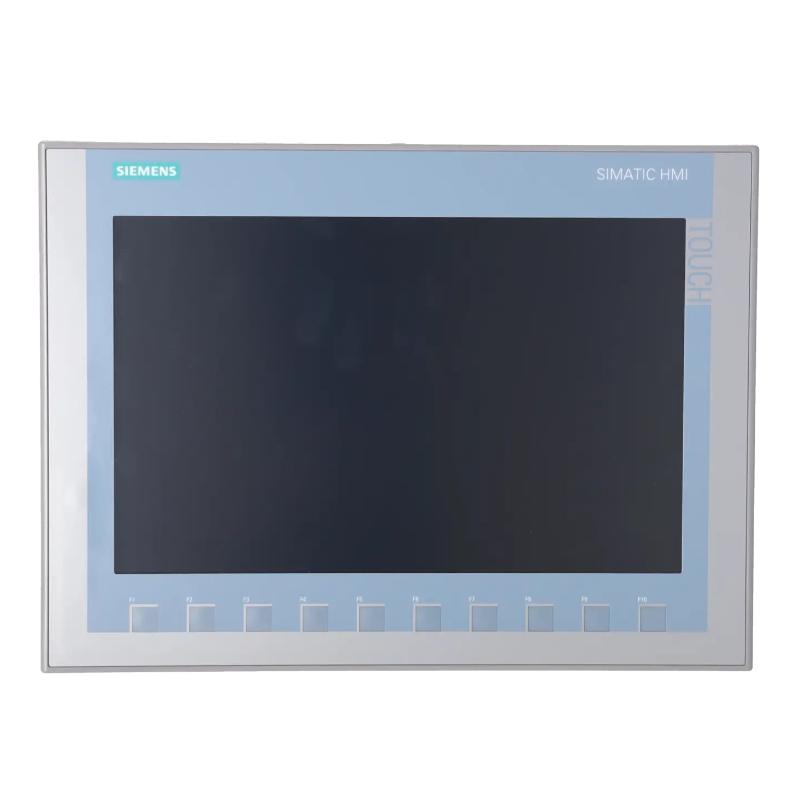
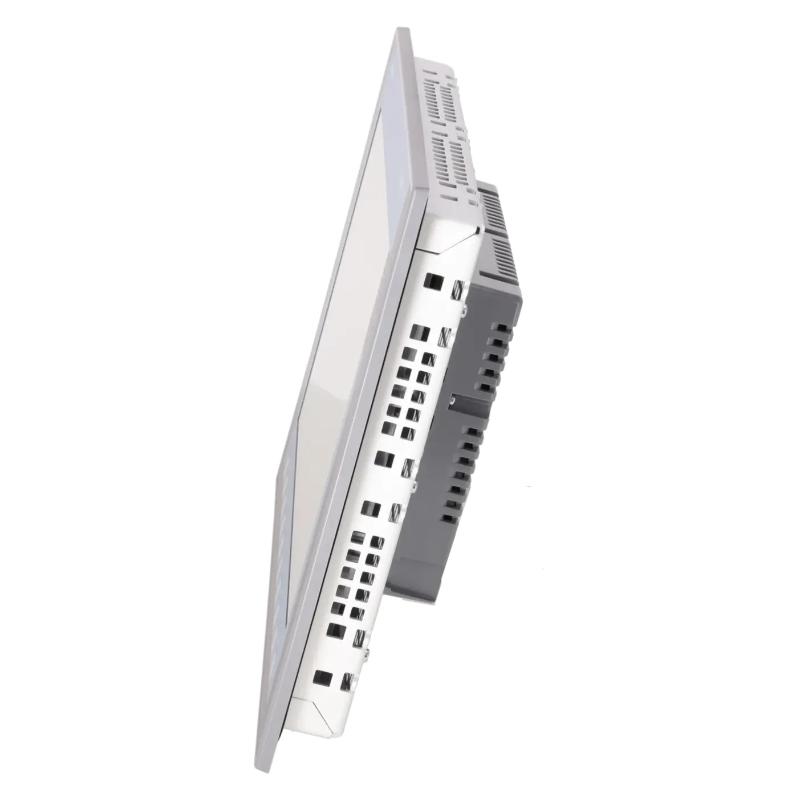
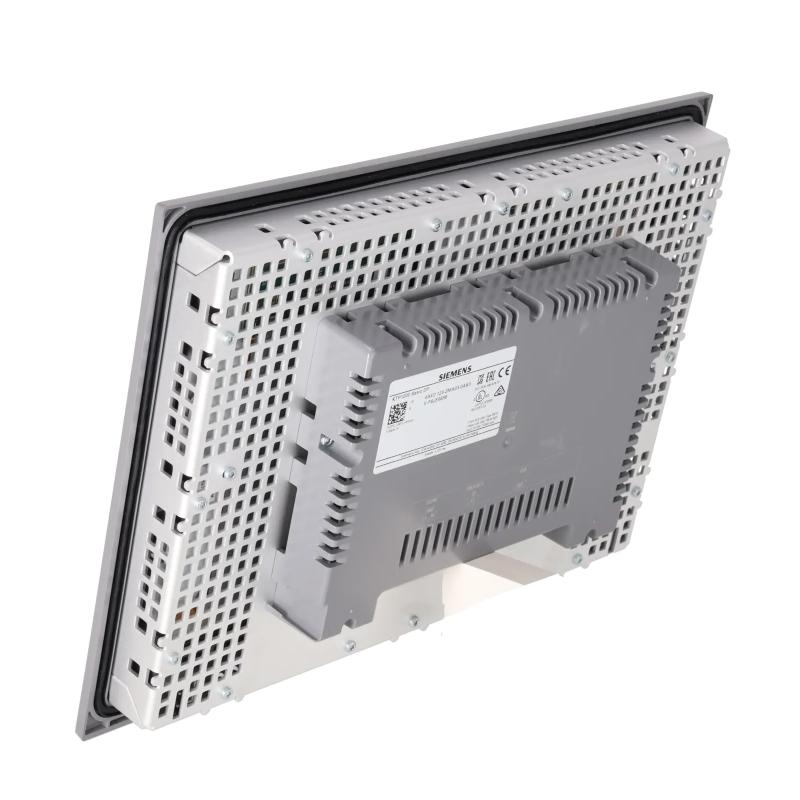
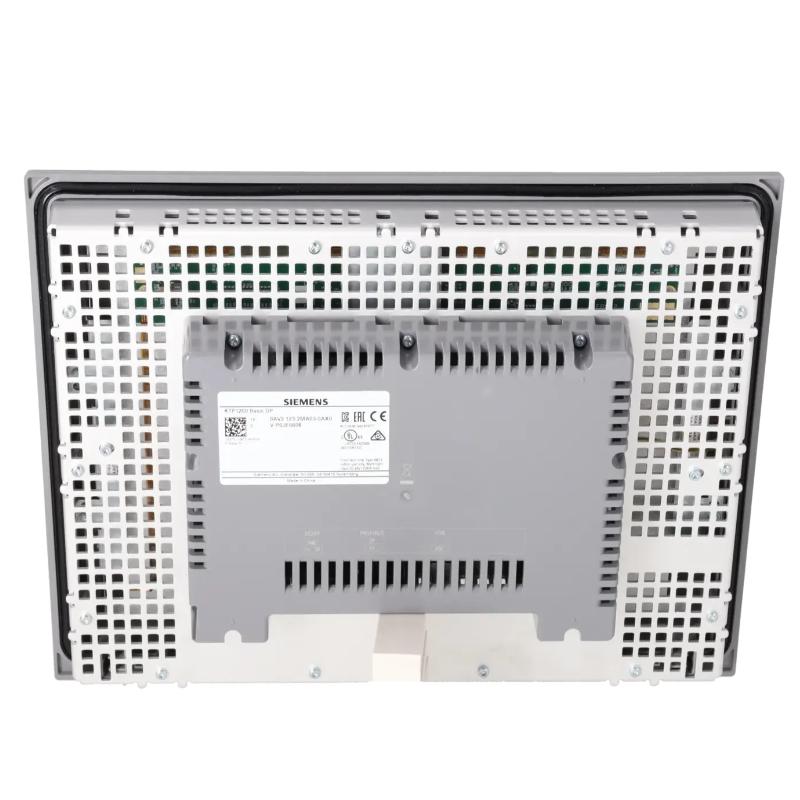
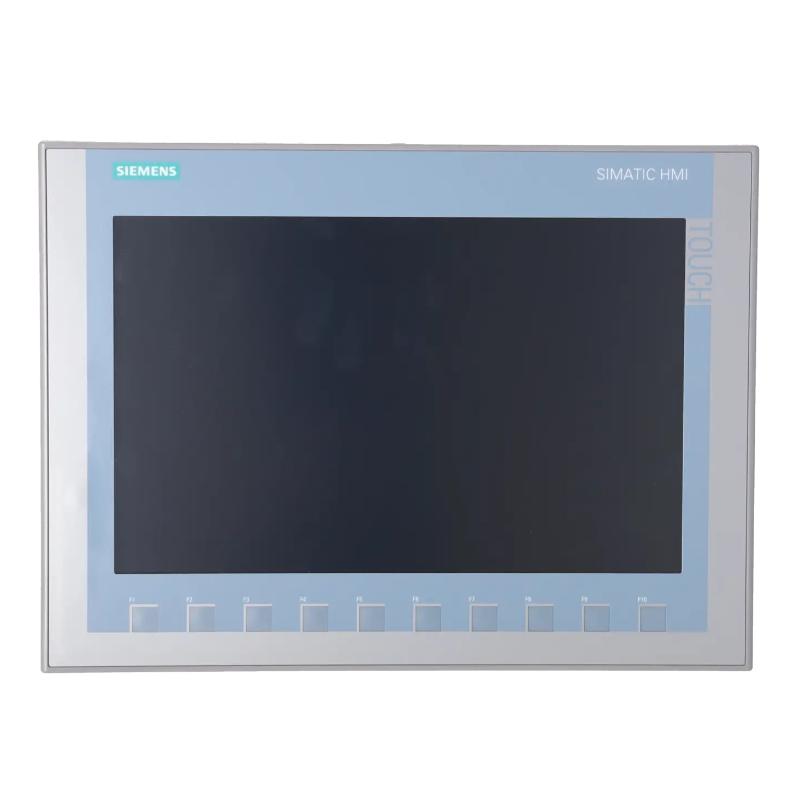
The Siemens 6AV2123-2MA03-0AX0 SIMATIC HMI Basic Panel is an industrial operator interface used for machine monitoring, process visualization, and interaction with PLC-controlled equipment. This model is identified as the KTP1200 Basic DP and combines a 12-inch TFT widescreen display with touchscreen operation and physical function keys. Its larger display area accommodates detailed operating screens, multiple process indicators, and application-specific controls in a single operator station.
In industrial machinery, an HMI gives operators access to the information and commands required for routine production activities. Instead of relying exclusively on individual indicator lamps, pushbuttons, and separate instruments, a configured panel can organize equipment status, process values, alarm messages, and operating selections into a consistent graphical interface. The KTP1200 Basic DP supports this arrangement through screens and controls defined by the machine’s HMI project.
The 12-inch TFT display supports 65,536 colors and a resolution of 1280 × 800 pixels. This resolution allows the interface designer to organize detailed process information, status indicators, numerical fields, and navigation controls without depending on a collection of smaller displays. The touchscreen provides direct interaction with configured screen objects, while ten physical function keys offer an additional method of operating the application.
The defining communication feature of the 6AV2123-2MA03-0AX0 is its PROFIBUS interface. The panel is intended for compatible automation installations that use PROFIBUS for communication between operator stations and controllers. This makes it relevant to existing SIMATIC systems in which the fieldbus architecture is already established. PROFIBUS and PROFINET are different communication interfaces, so this distinction should be considered when selecting a replacement panel or planning an integration into an existing machine.
The panel is configured using WinCC Basic V13 or STEP 7 Basic V13 as the specified minimum engineering generation, subject to the installed device firmware and project requirements. The engineering project defines screen layouts, navigation, PLC tag assignments, alarm behavior, and operator input functions. These settings determine how the panel presents process information and which actions are available to the operator.
In a production environment, the KTP1200 Basic DP can provide access to automatic and manual operating modes, machine status, process measurements, production counters, and configured maintenance screens. For example, an assembly system may use separate pages for station status and fault identification, while a processing machine may display several measurements alongside operating commands. The actual functions depend on the PLC program, available data, and application configuration.
The panel operates as the visualization and operator-input layer rather than as the controller itself. The PLC remains responsible for executing machine sequences, evaluating field signals, and controlling connected equipment. When an operator enters a value or activates a configured command, the HMI transfers the corresponding data through the communication connection, and the controller processes the request according to its program and operating conditions.
Its larger display is particularly useful where operators need to review multiple variables or navigate between several equipment functions. The panel can support machine-level monitoring in packaging, assembly, manufacturing, material handling, and industrial processing applications, provided that the system’s communication and engineering requirements are compatible.
Successful integration requires correct PROFIBUS configuration, appropriate power connections, accurate tag mapping, and a properly engineered HMI project. Screen commands, function-key assignments, and alarm messages should be tested during commissioning to confirm that the displayed information corresponds to the actual process.
The Siemens 6AV2123-2MA03-0AX0 SIMATIC HMI Basic Panel provides a configurable operator interface for compatible PROFIBUS-based automation systems. Its 12-inch display, combined key-and-touch operation, and SIMATIC engineering integration support detailed machine visualization and local operator interaction.
Technical Specifications
| Parameter | Specification |
|---|---|
| Manufacturer | Siemens |
| Model | 6AV2123-2MA03-0AX0 |
| Product Family | SIMATIC HMI Basic Panels, second generation |
| Product Type | KTP1200 Basic DP |
| Display Type | TFT widescreen display with LED backlighting |
| Display Size | 12 inches |
| Display Resolution | 1280 × 800 pixels |
| Number of Display Colors | 65,536 |
| Touchscreen Technology | Analog-resistive |
| Operator Control | Key and touch operation |
| Number of Function Keys | 10 |
| Communication Interface | PROFIBUS |
| Rated Supply Voltage | 24 V DC |
| Permissible Supply Voltage | 19.2–28.8 V DC |
| Engineering Software | WinCC Basic V13 / STEP 7 Basic V13 or compatible later version |
| Primary Function | Industrial machine operation and process visualization |
| Dimensions | 330 × 245 × 54.9 mm |
| Weight | 2.05 kg |
Product Features
- 12-inch TFT widescreen display: Presents process values, equipment states, alarm messages, and configured controls across a spacious graphical interface.
- 1280 × 800 pixel resolution: Supports detailed screen layouts and the simultaneous presentation of multiple operating indicators.
- Combined key and touch operation: Provides direct touchscreen interaction alongside ten physical function keys.
- PROFIBUS communication: Supports data exchange with compatible PLCs and automation equipment using the designated fieldbus interface.
- 65,536 display colors: Allows visual differentiation of process states, graphical objects, and configured messages.
- Configurable screen navigation: Organizes machine functions into application-specific pages for operation, monitoring, and diagnostics.
- PLC tag integration: Connects displayed values and operator input fields to controller variables through the HMI project.
- SIMATIC engineering support: Uses the specified WinCC Basic V13 or STEP 7 Basic V13 engineering generation, subject to firmware compatibility.
- Configurable alarm presentation: Displays application-defined fault and status messages based on the available controller data.
- Dedicated physical function keys: Provides ten keys that can be assigned to appropriate operating functions within the project.
- Machine-level process visualization: Consolidates equipment information and authorized operator commands at a local station.
Working Principle
The Siemens 6AV2123-2MA03-0AX0 operates as the operator interface within a compatible SIMATIC automation system. It exchanges configured process data with the PLC through PROFIBUS, presents that information on the display, and transfers operator inputs according to the functions defined in the HMI project.
Operator Input → HMI Application → PROFIBUS Communication → PLC Logic → Machine Response
The operating process starts with the engineering project. The application designer creates the screen structure, defines navigation paths, assigns process tags, and configures graphical controls. These settings determine which information is visible and how the panel responds when an operator touches a screen object or presses a physical function key.
During operation, the HMI communicates with the connected PLC over PROFIBUS. Configured tags link interface objects to controller variables. A status field may indicate whether a machine is running, while a numerical display can present a temperature, pressure, production count, or other process measurement supplied by the control program.
When an operator enters a value or activates a configured command, the HMI processes the input according to the project settings. The associated data is transferred through the communication connection when required by the configured function. The PLC then evaluates the request against its control logic, operating mode, and applicable interlocks before determining the response.
The display reflects changes in the controller data as communication and project configuration permit. This feedback helps operators determine whether the requested operation has taken effect and whether the process is operating as expected. Configured alarm messages can also present information about abnormal conditions detected by the control system.
The ten physical function keys provide an additional input method for assigned application functions. Their behavior depends on the HMI project and should be checked during commissioning. Clear assignments help operators perform routine actions without unnecessary navigation, particularly on machines where certain functions are used frequently.
Because the KTP1200 Basic DP uses PROFIBUS, its communication configuration must match the connected controller and network architecture. Device addressing, bus configuration, cabling, and PLC communication settings all contribute to successful data exchange. Correct network connectivity must be accompanied by accurate tag assignments and application logic.
The HMI does not replace the PLC’s control responsibilities. It provides the interface through which operators observe the process and submit configured requests. The PLC executes the automation sequence and manages connected field devices, while essential interlocks and machine-protection functions remain within the appropriate control architecture.
After commissioning, the KTP1200 Basic DP provides a local point for monitoring process conditions, reviewing configured alarms, and interacting with the machine. Consistent operation depends on the coordination of the HMI project, PROFIBUS communication, PLC program, and connected equipment.
Role in the Industrial Control Architecture
The 6AV2123-2MA03-0AX0 occupies the operator-interface layer of a compatible SIMATIC control system. It presents information from the PLC and transmits configured operator inputs through PROFIBUS, allowing personnel to interact with the machine without directly accessing the controller program.
Operator → KTP1200 Basic DP → PROFIBUS Network → PLC → Field Devices
| System Component | Function |
|---|---|
| Siemens KTP1200 Basic DP | Provides machine visualization and configured operator input |
| SIMATIC PLC | Executes control logic and manages machine operation |
| PROFIBUS Network | Exchanges configured data between compatible automation devices |
| PLC Digital Input Modules | Acquire discrete signals from sensors and switches |
| PLC Digital Output Modules | Provide control signals to connected equipment |
| PLC Analog Input Modules | Acquire process measurements such as temperature or pressure |
| PLC Analog Output Modules | Supply analog reference signals where required |
| Sensors | Supply measurements and equipment-state information |
| Motor Drives | Control motor operation according to the automation program |
| Actuators | Carry out commands issued by the control system |
| Engineering Software | Defines HMI screens, tags, communication settings, and operator functions |
The panel provides the visualization and operator-input functions, while the PLC and field devices execute the underlying automation tasks. PROFIBUS carries the configured data needed for communication between the HMI and compatible control equipment.
Industrial Applications
| Application | Typical Use |
|---|---|
| Packaging Machinery | Displaying production status, operating modes, process values, and configured commands |
| Assembly Systems | Presenting station conditions, sequence status, and operator instructions |
| Automated Production Lines | Monitoring equipment states and presenting configured fault messages |
| Material-Handling Equipment | Displaying conveyor conditions and selected operating information |
| Industrial Processing Machinery | Visualizing process measurements and operating parameters |
| Manufacturing Equipment | Providing local access to machine status and authorized controls |
| Pumping Systems | Presenting equipment status and process measurements supplied by the PLC |
| Machine Tool Support Systems | Displaying operating conditions and configured diagnostic information |
| Industrial Utility Equipment | Monitoring PLC-controlled equipment through a local operator terminal |
| Existing PROFIBUS Installations | Providing machine-level visualization within compatible fieldbus architectures |
Installation and Maintenance
- Confirm system compatibility: Ensure that the KTP1200 Basic DP meets the application’s visualization requirements and that PROFIBUS is compatible with the intended controller architecture.
- Prepare the mounting location: Check the enclosure opening, installation orientation, and surrounding conditions against the equipment documentation.
- Inspect mounting hardware: Verify that the required mounting components are available and that the panel can be secured according to the installation instructions.
- Verify the DC supply: Confirm that the panel receives the specified 24 V DC supply within the permitted voltage range.
- Connect the PROFIBUS network: Use suitable fieldbus cabling and connectors, following the network topology and installation requirements.
- Configure the HMI project: Set up screen navigation, process tags, input fields, alarms, and function-key assignments using compatible engineering software.
- Check communication settings: Verify the PROFIBUS configuration and controller connection, then confirm that the intended process data is exchanged correctly.
- Validate process tag mapping: Compare displayed measurements and operator input fields with the corresponding PLC variables to identify incorrect assignments.
- Test the physical function keys: Check the configured behavior of all ten keys and confirm that each assigned operation matches the machine’s intended workflow.
- Verify alarms and screen navigation: Test the configured messages, operating pages, process displays, and command objects under representative operating conditions.
- Inspect the panel during servicing: Clean the front operating surface using an appropriate method and inspect the mounting arrangement, connectors, and cabling for damage.
- Maintain project backups: Retain the approved HMI project, communication settings, and relevant configuration records for troubleshooting and future maintenance.
If communication problems occur, inspect the PROFIBUS wiring, connectors, network configuration, and controller status. If displayed values are incorrect, review the tag assignments and PLC data before assuming that the HMI hardware is defective.
Related Components
| Component | Function |
|---|---|
| Siemens 6AV2123-2MA03-0AX0 KTP1200 Basic DP | Provides a 12-inch operator interface with PROFIBUS communication |
| SIMATIC PLC | Executes control logic and manages connected equipment |
| PROFIBUS Cable | Carries data between compatible fieldbus devices |
| PROFIBUS Connectors | Provide the required fieldbus connections |
| PLC Digital Input Module | Acquires discrete signals from field devices |
| PLC Digital Output Module | Supplies discrete control outputs |
| PLC Analog Input Module | Acquires analog process measurements |
| PLC Analog Output Module | Supplies analog reference signals where required |
| Motor Drive | Controls motor operation in compatible automation applications |
| Industrial DC Power Supply | Supplies electrical power to the panel and associated control equipment |
| HMI Engineering Software | Configures screen layouts, process tags, alarms, and communication behavior |
Recommended Related Models
| Model | Product Type | Typical Application |
|---|---|---|
| Siemens 6AV2123-2MA03-0AX0 | SIMATIC HMI KTP1200 Basic DP | 12-inch Basic Panel with key/touch operation and PROFIBUS |
| Siemens 6AV2123-2MB03-0AX0 | SIMATIC HMI KTP1200 Basic | 12-inch Basic Panel with key/touch operation and PROFINET |
| Siemens 6AV2123-2JB03-0AX0 | SIMATIC HMI KTP900 Basic | 9-inch Basic Panel with key/touch operation and PROFINET |
| Siemens 6AV2123-2GB03-0AX0 | SIMATIC HMI KTP700 Basic | 7-inch Basic Panel with key/touch operation and PROFINET |
Key Advantages
- Provides a 12-inch color interface for detailed machine visualization.
- Combines touchscreen interaction with ten physical function keys.
- Supports integration into compatible PROFIBUS-based SIMATIC automation systems.
- Allows application-specific screens, operator commands, and alarm messages.
- Presents multiple process variables and machine states through a centralized interface.
- Supports maintenance and troubleshooting through configured diagnostic information.
Technical FAQs
What distinguishes the KTP1200 Basic DP from the KTP1200 Basic PN?
The KTP1200 Basic DP uses PROFIBUS, whereas the KTP1200 Basic PN uses PROFINET. The appropriate model depends on the communication architecture of the automation system and the interface supported by the connected controller.
How does the 1280 × 800 display resolution benefit the HMI application?
The resolution supports detailed screen layouts and allows the application designer to organize multiple process values, status indicators, and operating controls on the same screen. The actual presentation depends on the HMI project.
What should be checked if the physical function keys do not perform the expected actions?
Check the HMI project configuration, the assignments of the ten function keys, and the associated PLC tags or commands. Confirm that the relevant operating function is available in the current machine mode and that the required communication is working.
Which engineering environment is appropriate for configuring this panel?
The specified minimum engineering generation is WinCC Basic V13 or STEP 7 Basic V13. The actual software version must also be compatible with the panel’s firmware and the project requirements.