

ProductPRODUCT
Featured products
Contact Us
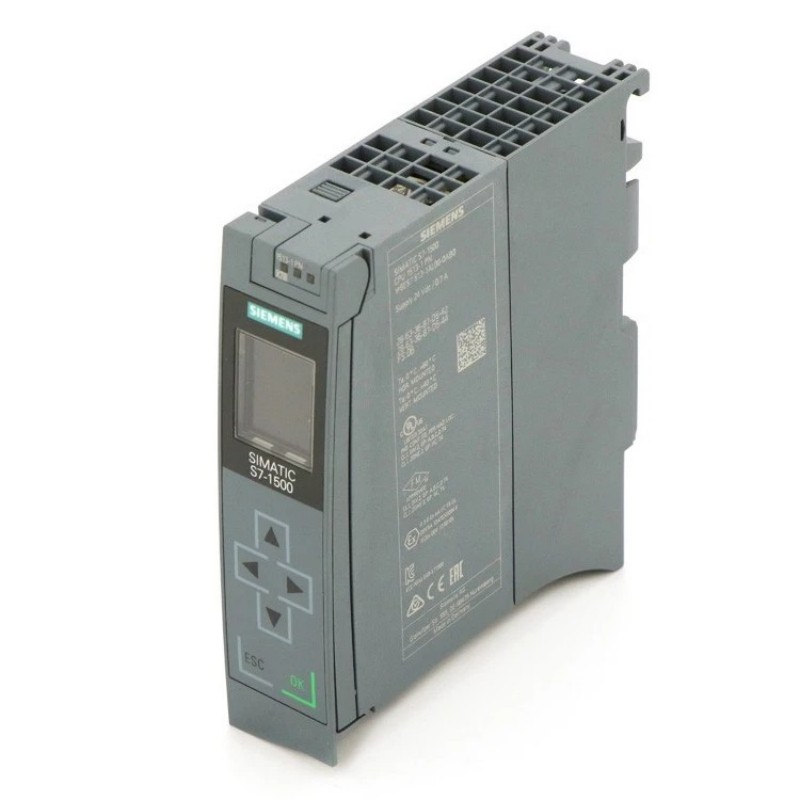
- Siemens
- 6AG1513-1FL02-2AB0
- Central Processing Unit
- Germany
- 35 × 147 × 129 mm
- 0.455 kg
- Xiamen, China
- New & In Stock
- T/T, PayPal, Western Union
- 1 Year
- 1-3 Working Days
- DHL, UPS, TNT, FedEx and EMS.
- 24-Hour Service
- COO
- 26
Our advantage

Global Logistics
We have a 10-year logistics and express cooperation agreement, so our products can be shipped to any place in the world.

Brand new and original
Our products are imported in bulk from the place of origin. Because of the cooperative relationship, our products are all original and 100% new.

24-hour service
We provide 7*24 hours service to our customers. We will be there whenever you need us.

Price advantage
All our products are priced very favorably because we have our own warehouse and supply.
| Company Information | |||
| [email protected] | |||
| Mobile | +8615980777398 | ||
| +8615980777398 | |||
| 15980777398 |
Product Overview
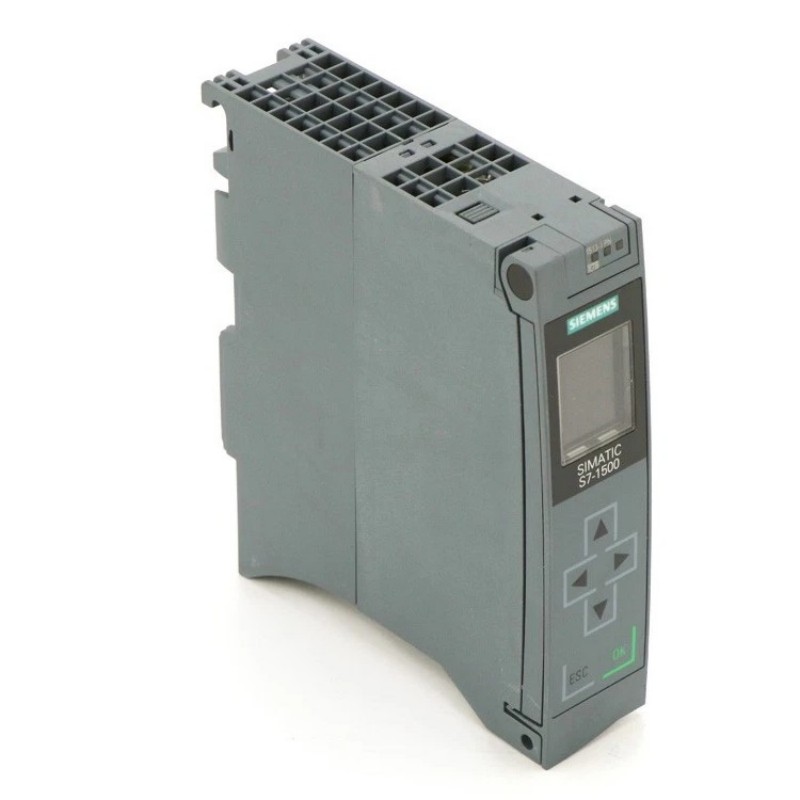
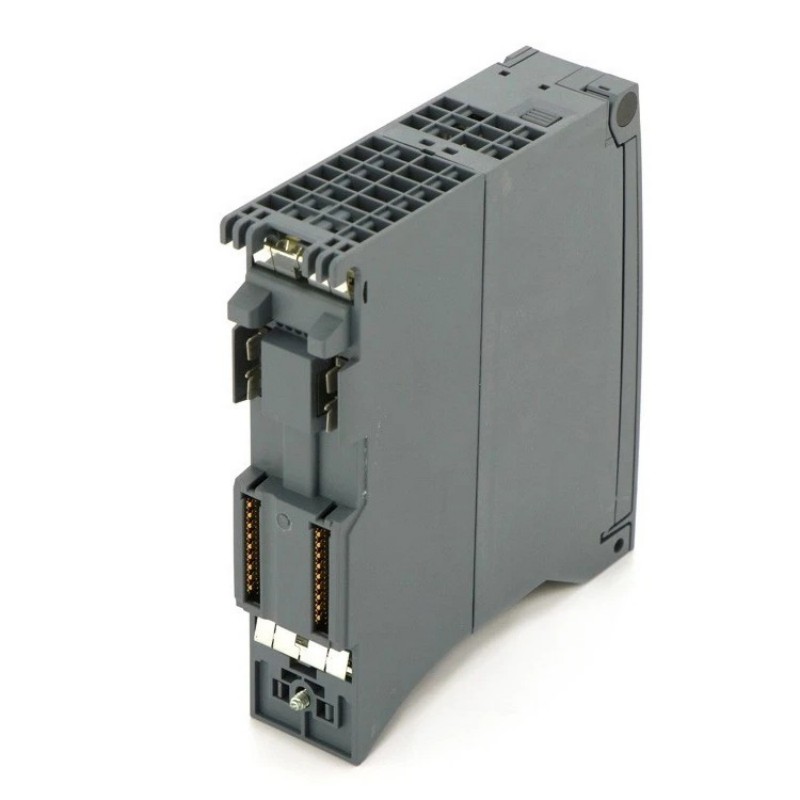
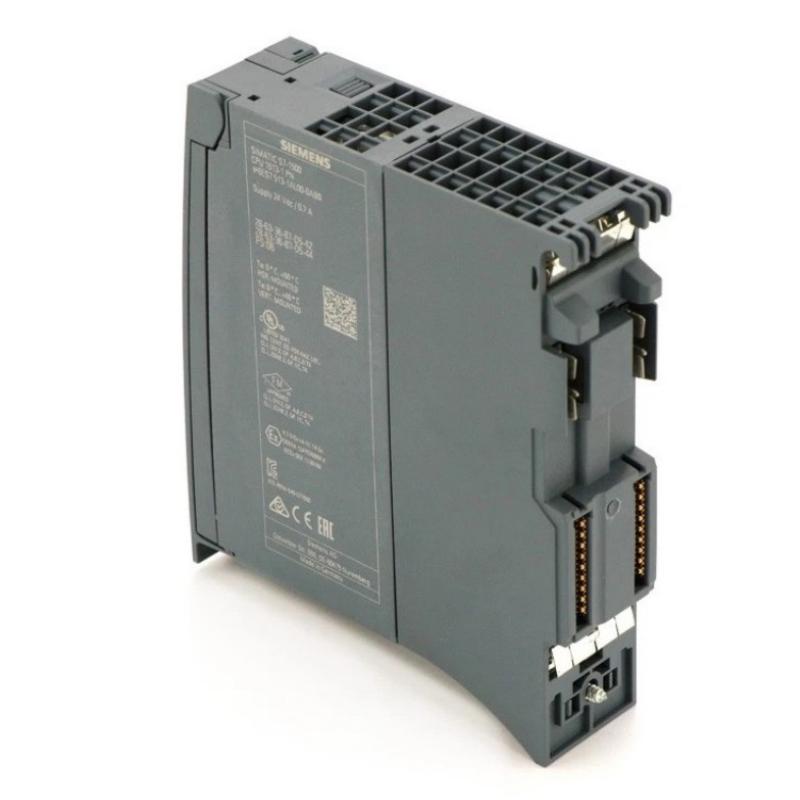
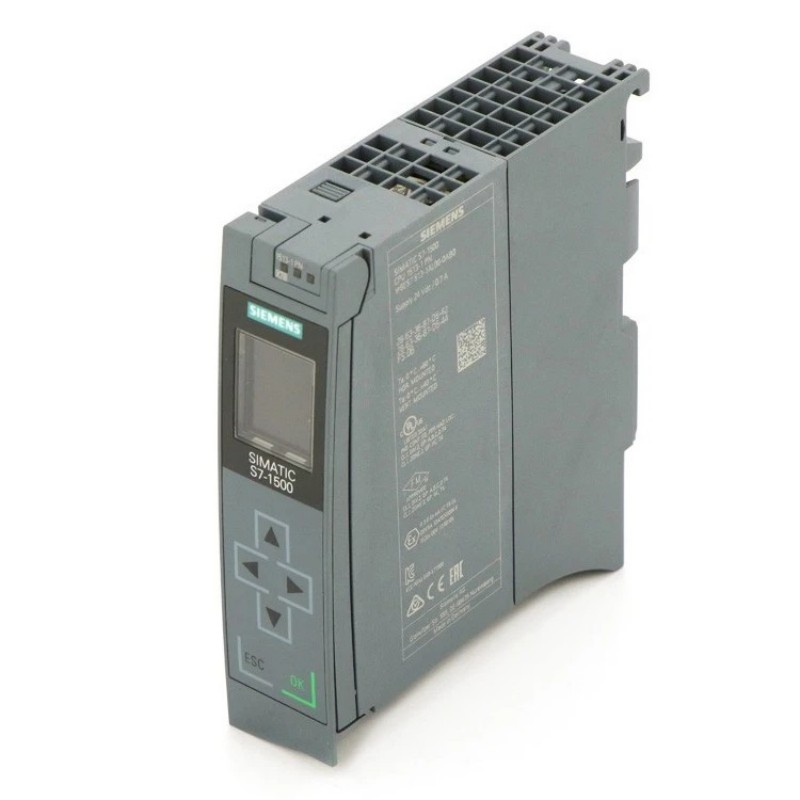
The Siemens 6AG1513-1FL02-2AB0 is a SIPLUS S7-1500 Central Processing Unit used as the main processing unit in an S7-1500 automation system. It executes the user program, evaluates process data, manages controller logic, and coordinates data exchange with connected I/O and communication components.
In a typical machine or production line, field signals are collected through distributed or local I/O modules and transferred to the CPU for program execution. The CPU then determines the required control response and sends commands to output devices such as contactors, valves, actuators, and drives.
As part of the SIPLUS product family, this CPU is suited to industrial automation installations where the application requires the applicable environmental characteristics of SIPLUS hardware. It can be used in control cabinets, machine control systems, production equipment, and other S7-1500-based automation architectures.
Technical Specifications
| Parameter | Specification |
|---|---|
| Product | Siemens 6AG1513-1FL02-2AB0 |
| Product Family | SIPLUS S7-1500 |
| Product Type | Central Processing Unit |
| System Architecture | S7-1500 automation system |
| System Role | Central controller and program execution unit |
| Main Function | User program execution and process control |
| Application | Industrial automation and machine control |
| Environmental Design | SIPLUS industrial automation application |
| Dimensions | 35 × 147 × 129 mm |
| Weight | 0.455 kg |
Product Features
- Central processing capability for S7-1500 automation applications.
- Executes the configured user program and processes controller logic.
- Coordinates data exchange between the CPU, I/O modules, and communication components.
- Supports modular S7-1500 control architectures with local and distributed I/O.
- Suitable for machine automation, production equipment, and industrial control systems.
- SIPLUS construction supports applications requiring the applicable industrial environmental characteristics.
- Helps separate control processing from field signal acquisition, making system troubleshooting more structured.
Working Principle
The CPU operates as the processing center of the automation system. Input data from connected I/O modules is made available to the controller, where the configured application program evaluates process conditions and determines the required control actions.
For example, in a conveyor system, sensors can report motor status, product position, or safety-related process conditions through the I/O system. The CPU processes these signals according to the programmed logic and updates output commands for motor starters, valves, indicators, or other actuators.
Communication functions allow controller data to be exchanged with other system components. During troubleshooting, the CPU should therefore be considered separately from the field I/O and communication path. A failed input signal does not necessarily indicate a CPU problem; the fault may originate from the sensor, wiring, I/O module, network connection, or configuration.
Role in a Siemens S7-1500 Control Architecture
| System Element | Function |
|---|---|
| Engineering Station | Creates, downloads, and diagnoses the control program |
| 6AG1513-1FL02-2AB0 CPU | Executes the control program and coordinates system operation |
| Digital Input Modules | Acquire discrete field signals such as switches and sensors |
| Digital Output Modules | Control discrete actuators and switching devices |
| Analog Input Modules | Acquire process values such as pressure, temperature, or level |
| Analog Output Modules | Send analog commands to drives, valves, or other equipment |
| Communication Modules | Connect the controller with additional networks or devices |
| HMI | Provides operator monitoring, control, and diagnostic information |
| Field Devices | Generate process signals or perform physical control actions |
The CPU sits between the engineering/control layer and the field I/O layer. Its condition directly affects program execution, while the connected I/O and communication components determine how process information reaches and leaves the controller.
Industrial Applications
| Application | Typical Use |
|---|---|
| Machine Automation | Sequence control, interlocking, monitoring, and actuator control |
| Manufacturing Lines | Coordination of production stations, sensors, and actuators |
| Material Handling | Conveyor sequencing, motor control, and product-position management |
| Packaging Equipment | Machine sequences, sensor processing, and coordinated actuator commands |
| Process Equipment | Control of pumps, valves, instrumentation, and operating sequences |
| Utility Systems | Monitoring and control of industrial auxiliary equipment |
| General Industrial Automation | Centralized control of modular S7-1500 automation systems |
Installation and Maintenance
- Check the CPU model against the automation project before installation to avoid hardware and configuration mismatches.
- Inspect the mounting position and ensure the control cabinet provides sufficient space for installation, wiring, and service access.
- Verify the power supply before energizing the CPU and confirm that the supply arrangement matches the system requirements.
- Inspect connectors and terminals for contamination, loose connections, or mechanical damage before commissioning.
- Confirm the hardware configuration in the engineering project before downloading the control program.
- Check communication connections when the CPU cannot exchange data with HMI systems, distributed I/O, or other controllers.
- Review diagnostic information from the automation engineering environment when the CPU reports a fault or enters an unexpected operating state.
- Separate CPU faults from I/O faults during troubleshooting. Confirm whether the problem affects program execution, signal acquisition, or output control.
- Check field wiring when individual process signals are missing even though the CPU and associated I/O modules remain operational.
- Keep the cabinet environment within the applicable operating conditions and prevent excessive contamination, moisture, or heat accumulation.
- Back up the current control project before replacing the CPU so that the required hardware configuration and application program can be restored.
- After CPU replacement, verify system operation through diagnostics, I/O checks, communication tests, and controlled machine operation before returning the equipment to normal production.
Related Components
| Component | Function |
|---|---|
| SIPLUS S7-1500 I/O Modules | Acquire field signals and control field devices |
| Digital Input Modules | Process discrete sensor and switch signals |
| Digital Output Modules | Drive discrete actuators and switching devices |
| Analog Input Modules | Acquire continuous process measurements |
| Analog Output Modules | Generate analog control signals |
| S7-1500 Communication Modules | Extend communication and networking capabilities |
| S7-1500 Power Components | Supply and distribute system power |
| HMI Panels | Operator control, visualization, and diagnostics |
| Engineering System | Hardware configuration, programming, commissioning, and maintenance |
Recommended Related Models
| Model / Product Family | Product Type | Typical Application |
|---|---|---|
| Siemens 6AG1513-1FL02-2AB0 | SIPLUS S7-1500 Central Processing Unit | Central control for S7-1500 automation systems |
| Siemens 6AG1513-1AL02-2AB0 | SIPLUS S7-1500 Central Processing Unit | Machine and industrial process control |
| Siemens 6AG1511-1AK02-7AB0 | SIPLUS S7-1500 Central Processing Unit | Compact and modular S7-1500 control systems |
| Siemens 6AG1511-1FK02-2AB0 | SIPLUS S7-1500 Central Processing Unit | Central processing in S7-1500 applications |
| Siemens SIPLUS S7-1500 I/O Modules | Industrial I/O Modules | Local and distributed field signal processing |
| Siemens SIPLUS S7-1500 Communication Modules | Communication Modules | Industrial controller networking and device communication |
Key Advantages
- Centralized execution of S7-1500 control logic.
- Clear separation between controller processing and field I/O.
- Supports modular automation architectures.
- Suitable for industrial environments covered by the SIPLUS product design.
- Useful for machine, production, and process control applications.
- Simplifies fault isolation by providing a defined central processing point.
Technical FAQs
What is the role of the Siemens 6AG1513-1FL02-2AB0 in an S7-1500 system?
The 6AG1513-1FL02-2AB0 functions as the central processing unit. It executes the application program, processes controller data, and coordinates operation with connected I/O and communication components.
Can a missing field signal indicate a CPU failure?
Not necessarily. A missing signal can originate from the field sensor, wiring, I/O module, communication path, or configuration. The CPU should be checked together with the complete signal path rather than being treated as the only possible fault source.
What should be checked before replacing this CPU?
Verify the exact CPU model, project hardware configuration, program backup, power arrangement, communication connections, and compatibility with the existing S7-1500 architecture. The replacement should also be checked against the configured hardware before commissioning.
How should communication problems involving the CPU be diagnosed?
First check the CPU diagnostic status and communication configuration. Then inspect the physical network connection and connected communication components. If controller execution is normal but only one external device is unavailable, the investigation should focus on that communication path rather than immediately replacing the CPU.