

ProductPRODUCT
Featured products
Contact Us
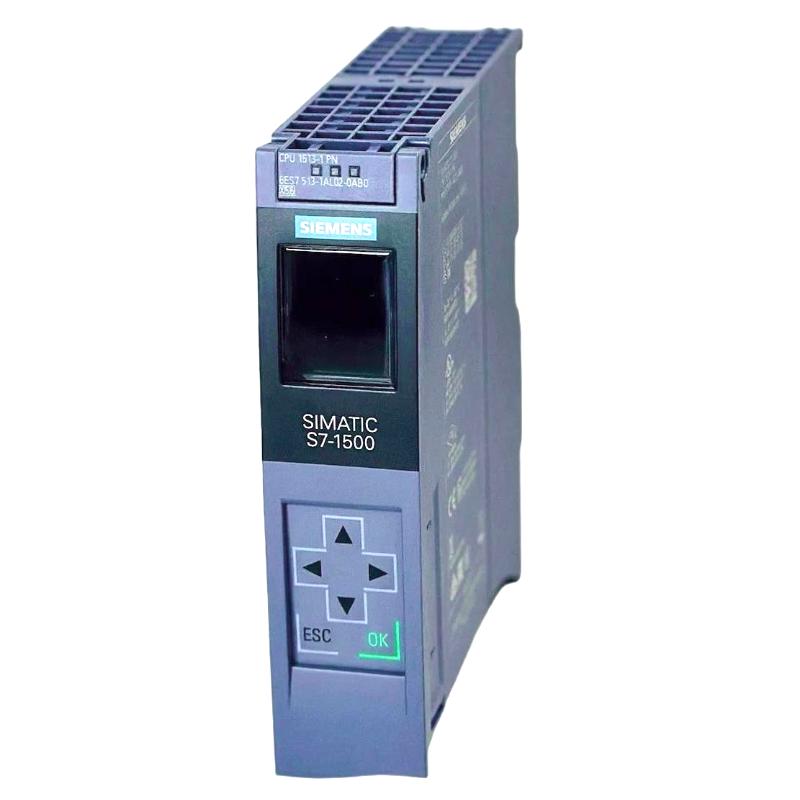
- Siemens
- 6AG1513-1AL02-2AB0
- Central Processing Unit
- Germany
- 35 × 147 × 129 mm
- 0.462 kg
- Xiamen, China
- New & In Stock
- T/T, PayPal, Western Union
- 1 Year
- 1-3 Working Days
- DHL, UPS, TNT, FedEx and EMS.
- 24-Hour Service
- COO
- 28
Our advantage

Global Logistics
We have a 10-year logistics and express cooperation agreement, so our products can be shipped to any place in the world.

Brand new and original
Our products are imported in bulk from the place of origin. Because of the cooperative relationship, our products are all original and 100% new.

24-hour service
We provide 7*24 hours service to our customers. We will be there whenever you need us.

Price advantage
All our products are priced very favorably because we have our own warehouse and supply.
| Company Information | |||
| [email protected] | |||
| Mobile | +8615980777398 | ||
| +8615980777398 | |||
| 15980777398 |
Product Overview
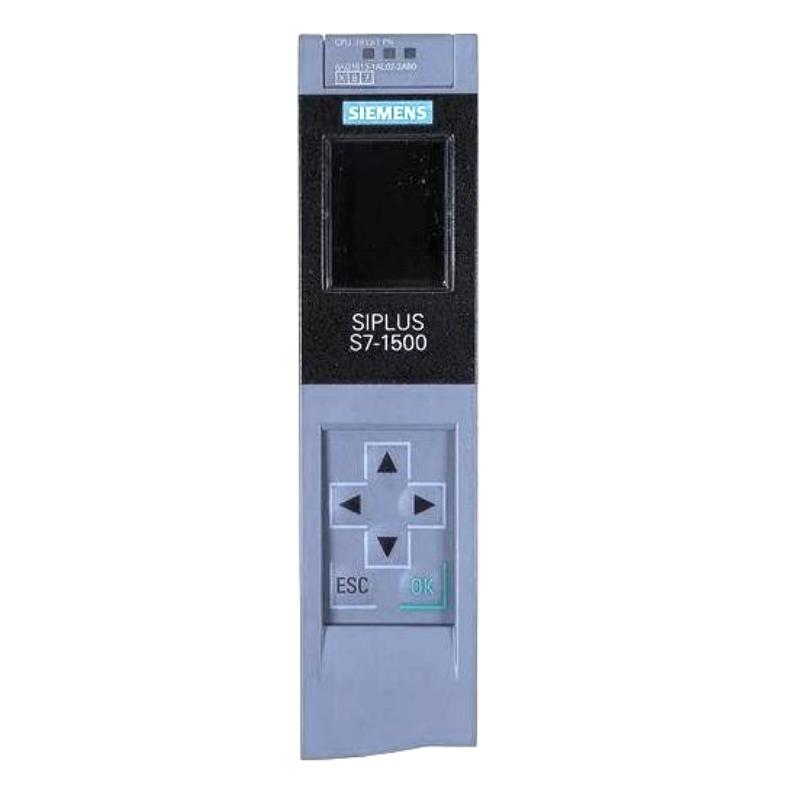
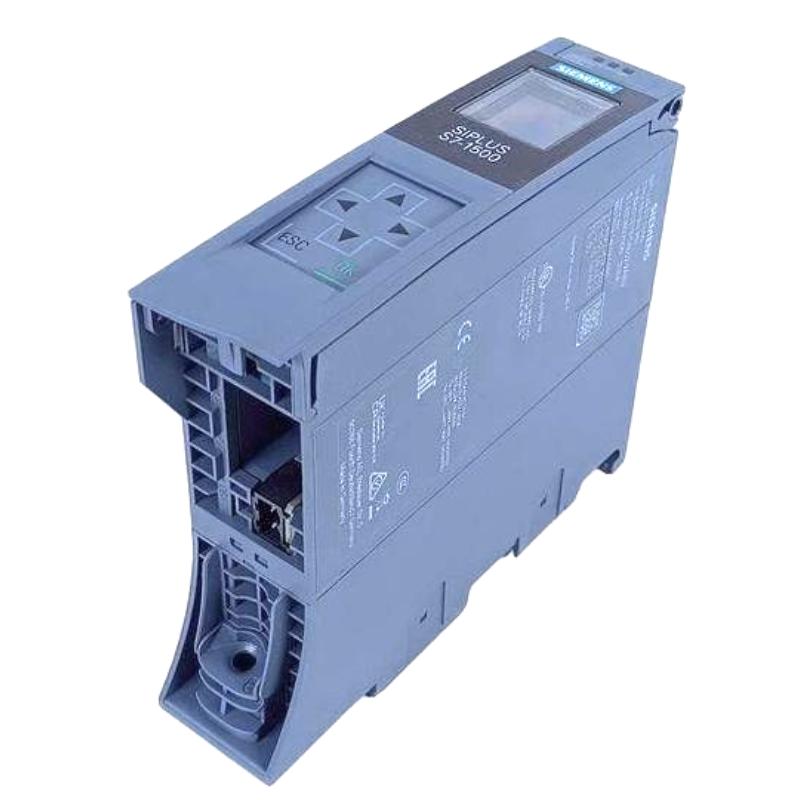
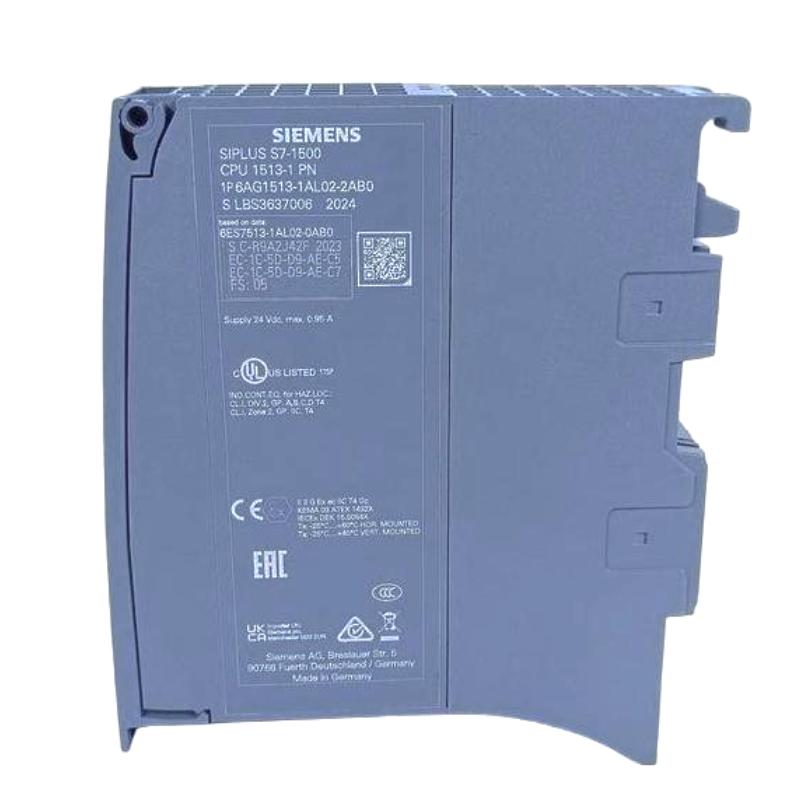
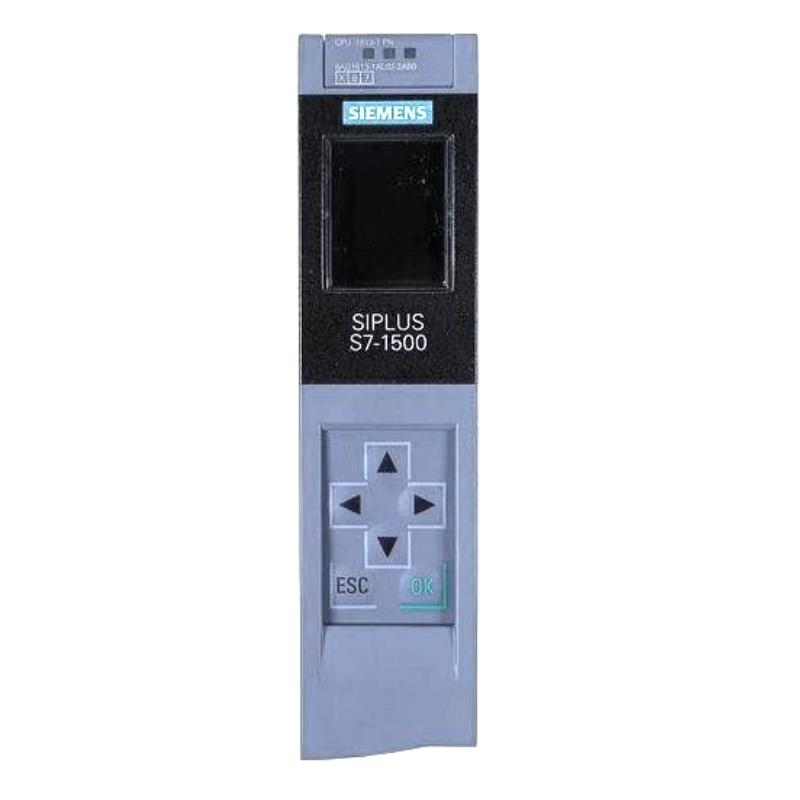
The Siemens 6AG1513-1AL02-2AB0 SIPLUS S7-1500 Central Processing Unit is a CPU for the SIPLUS S7-1500 automation platform, where it executes the application program and coordinates data exchange with connected I/O and automation components.
The CPU sits at the center of the controller architecture. Field signals are acquired through connected input modules, processed according to the configured control logic, and returned as output commands to actuators. Communication with supervisory systems, engineering stations, and other automation devices can also be integrated into the overall control architecture.
As a SIPLUS product, the unit is intended for industrial environments where the application requires the corresponding SIPLUS product characteristics. It can be used in distributed and centralized automation architectures depending on the selected S7-1500 configuration.
Technical Specifications
| Parameter | Specification |
|---|---|
| Product | 6AG1513-1AL02-2AB0 |
| Product Family | SIPLUS S7-1500 |
| Product Type | Central Processing Unit |
| Application | Industrial automation and machine control |
| System Role | Central controller and program execution unit |
| Architecture | S7-1500 automation system |
| Dimensions | 35 × 147 × 129 mm |
| Weight | 0.462 kg |
Product Features
- Central processing unit for the SIPLUS S7-1500 automation platform.
- Executes the configured user application and control logic.
- Coordinates data exchange between the controller and connected I/O.
- Supports integration within modular S7-1500 control architectures.
- Suitable for machine and process automation applications.
- Provides the processing layer between field I/O and higher-level automation functions.
- SIPLUS construction is intended for industrial applications requiring the applicable enhanced environmental characteristics.
Working Principle
The CPU executes the configured automation program cyclically and processes data received from the connected I/O and communication interfaces.
For a typical machine, digital and analog input modules acquire information from sensors, switches, transmitters, and other field devices. The CPU evaluates those values against the programmed logic. Depending on the result, it updates output data for actuators such as contactors, valves, drives, and other controlled equipment.
Communication data can also become part of the control process. A higher-level system may provide commands or setpoints, while the CPU exchanges status and process information with connected automation devices.
During troubleshooting, the CPU should be considered separately from the I/O modules and field devices. If the controller is running but one sensor or actuator is not responding, the problem may be located in the field device, wiring, I/O channel, or configuration. If the CPU itself stops executing the application or multiple parts of the control system become unavailable simultaneously, controller status, power, configuration, and system communication should be examined first.
Role in a SIPLUS S7-1500 Control Architecture
| System Element | Function |
|---|---|
| Engineering Station | Used to configure, program, diagnose, and maintain the automation project |
| 6AG1513-1AL02-2AB0 CPU | Executes the user program and coordinates the automation process |
| S7-1500 I/O Modules | Acquire field signals and provide output commands |
| Communication Interfaces | Exchange data with connected automation and supervisory systems |
| Digital Input Modules | Acquire discrete states from switches, sensors, and interlocks |
| Analog Input Modules | Acquire continuous process measurements |
| Digital Output Modules | Switch discrete field loads |
| Analog Output Modules | Send continuous control signals to field devices |
| HMI / SCADA | Provides operator visualization and supervisory functions |
| Field Devices | Provide process feedback or receive control commands |
Industrial Applications
| Application | Typical Use |
|---|---|
| Machine Automation | Sequence control, interlocks, sensor processing, and actuator control |
| Manufacturing Lines | Coordination of production equipment and distributed I/O |
| Material Handling | Control of conveyors, sensors, motors, and positioning equipment |
| Process Automation | Processing analog and digital process signals |
| Packaging Equipment | Machine sequencing, monitoring, and actuator control |
| Utility Systems | Control and monitoring of pumps, fans, valves, and auxiliary equipment |
| General Industrial Automation | Central control for modular automation systems |
Installation and Maintenance
- Verify the CPU part number
Confirm that 6AG1513-1AL02-2AB0 matches the intended SIPLUS S7-1500 application before installation. - Check the system architecture
Verify that the CPU is compatible with the planned S7-1500 hardware configuration and connected modules. - Inspect the mounting position
Install the CPU correctly on the designated mounting arrangement and ensure that it is mechanically secure. - Check power connections
Verify the controller power supply and associated wiring before commissioning the CPU. - Review the hardware configuration
Make sure the engineering project corresponds to the actual CPU and connected S7-1500 modules. - Check the user program
Confirm that the correct application program and configuration have been loaded before placing the machine into operation. - Inspect communication connections
Check network interfaces, cables, connectors, and communication devices if external systems cannot exchange data with the CPU. - Monitor diagnostic information
Use the available controller diagnostics to identify configuration, hardware, communication, or application-related faults. - Check connected I/O
When individual signals fail, inspect the corresponding I/O module and field wiring before replacing the CPU. - Maintain the cabinet environment
Keep the installation area clean and ensure that temperature, humidity, vibration, and other environmental conditions remain within the applicable system requirements. - Back up the controller project
Maintain a current copy of the application program and hardware configuration to simplify recovery after controller service. - Verify operation after maintenance
After installation or replacement, check CPU status, I/O communication, application execution, alarms, and machine sequence before returning the system to normal operation.
Related Components
| Component | Function |
|---|---|
| SIPLUS S7-1500 I/O Modules | Provide field-level signal acquisition and output control |
| Digital Input Modules | Acquire discrete field signals |
| Digital Output Modules | Control discrete actuators |
| Analog Input Modules | Acquire continuous process measurements |
| Analog Output Modules | Provide analog control signals |
| S7-1500 Communication Modules | Extend system communication functions where required |
| HMI | Provides local operator control and visualization |
| Engineering Station | Supports project configuration and diagnostics |
| Industrial Power Supply | Provides the required controller and system power |
Recommended Related Models
| Model / Product Family | Product Type | Typical Application |
|---|---|---|
| Siemens 6AG1513-1AL02-2AB0 | SIPLUS S7-1500 Central Processing Unit | Central automation control |
| Siemens SIPLUS S7-1500 CPU Family | Central Processing Unit | Industrial machine and process control |
| Siemens 6AG1511-1AK02-7AB0 | SIPLUS S7-1500 Central Processing Unit | Central processing in S7-1500 automation systems |
| Siemens 6AG1511-1FK02-2AB0 | SIPLUS S7-1500 Central Processing Unit | Compact S7-1500 controller applications |
| Siemens SIPLUS S7-1500 I/O Modules | Industrial I/O Modules | Distributed and centralized field signal processing |
| Siemens SIPLUS S7-1500 Communication Modules | Communication Modules | Network and system integration |
Key Advantages
- Provides central program execution for a SIPLUS S7-1500 automation system.
- Coordinates field I/O with programmed control logic.
- Fits modular S7-1500 automation architectures.
- Supports integration of machine, process, and supervisory control functions.
- Suitable for industrial applications requiring the applicable SIPLUS environmental characteristics.
Technical FAQs
What is the role of the Siemens 6AG1513-1AL02-2AB0 CPU?
It serves as the central processing unit of the SIPLUS S7-1500 automation system. The CPU executes the user program, processes input data, updates outputs, and coordinates communication with connected automation components.
What should be checked if the CPU is running but an individual field signal is not working?
Start with the relevant field device and wiring, then check the corresponding input or output module, channel configuration, I/O addressing, and application logic. A single failed signal does not necessarily indicate a CPU problem.
What should be reviewed when replacing this SIPLUS S7-1500 CPU?
Verify the exact CPU part number, hardware configuration, application program, connected modules, communication settings, and project version. The replacement should match the intended system configuration before the controller is returned to service.
How can a CPU communication problem be distinguished from an I/O problem?
Check the scope of the failure. If the CPU cannot communicate with several system components, investigate controller status, network connections, configuration, and common infrastructure. If only one I/O point is affected while the rest of the system operates normally, inspect the corresponding field device, wiring, I/O channel, and configuration.