

ProductPRODUCT
Featured products
Contact Us
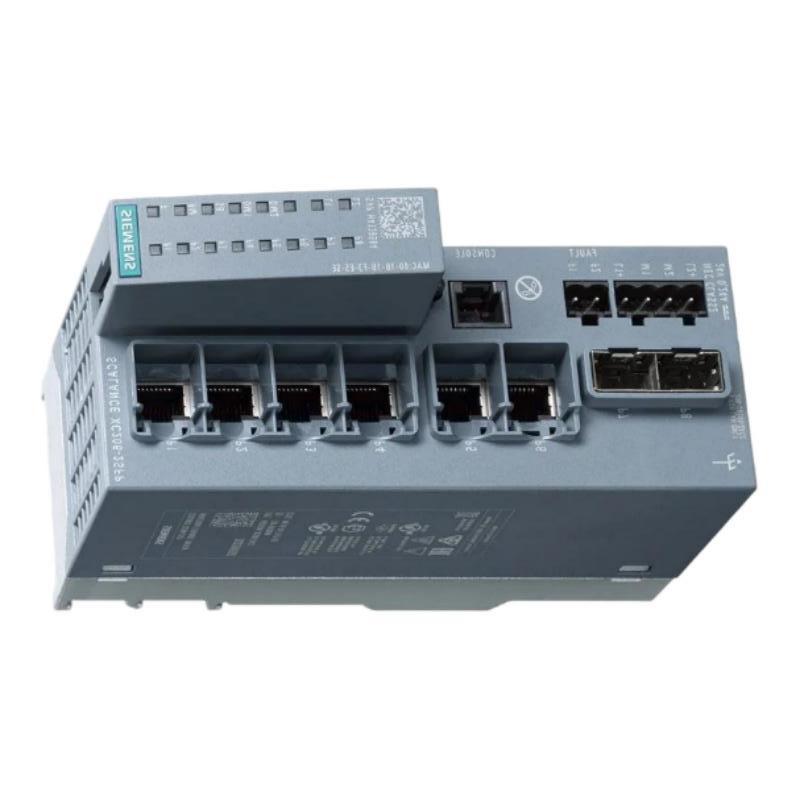
- Siemens
- 6AG1206-2BS00-7AC2
- Manageable Internet Explorer Switch
- Germany
- 60 × 147 × 125 mm
- 0.54 kg
- Xiamen, China
- New & In Stock
- T/T, PayPal, Western Union
- 1 Year
- 1-3 Working Days
- DHL, UPS, TNT, FedEx and EMS.
- 24-Hour Service
- COO
- 32
Our advantage

Global Logistics
We have a 10-year logistics and express cooperation agreement, so our products can be shipped to any place in the world.

Brand new and original
Our products are imported in bulk from the place of origin. Because of the cooperative relationship, our products are all original and 100% new.

24-hour service
We provide 7*24 hours service to our customers. We will be there whenever you need us.

Price advantage
All our products are priced very favorably because we have our own warehouse and supply.
| Company Information | |||
| [email protected] | |||
| Mobile | +8615980777398 | ||
| +8615980777398 | |||
| 15980777398 |
Product Overview
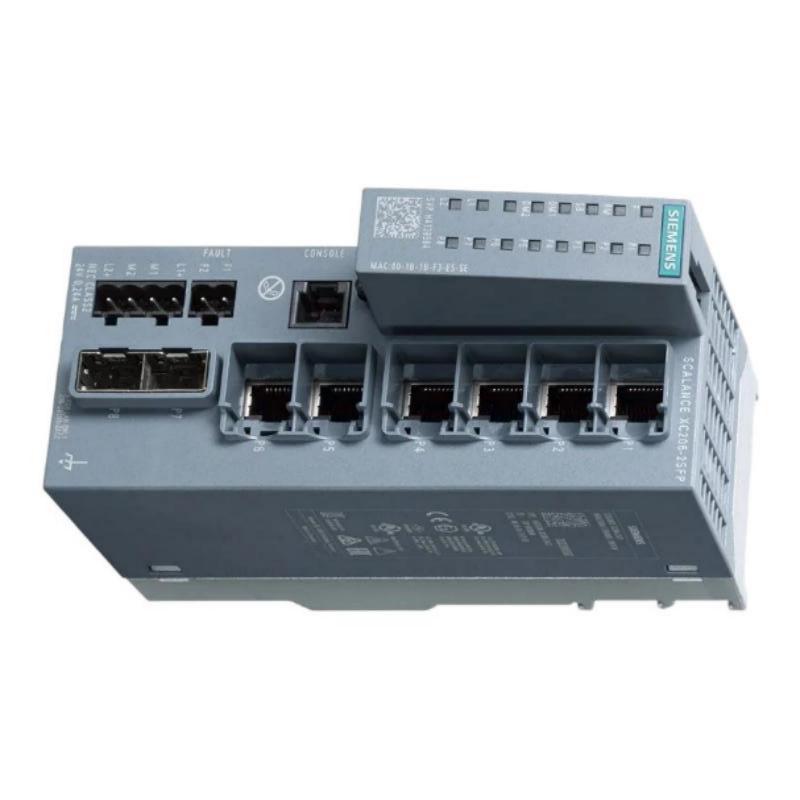
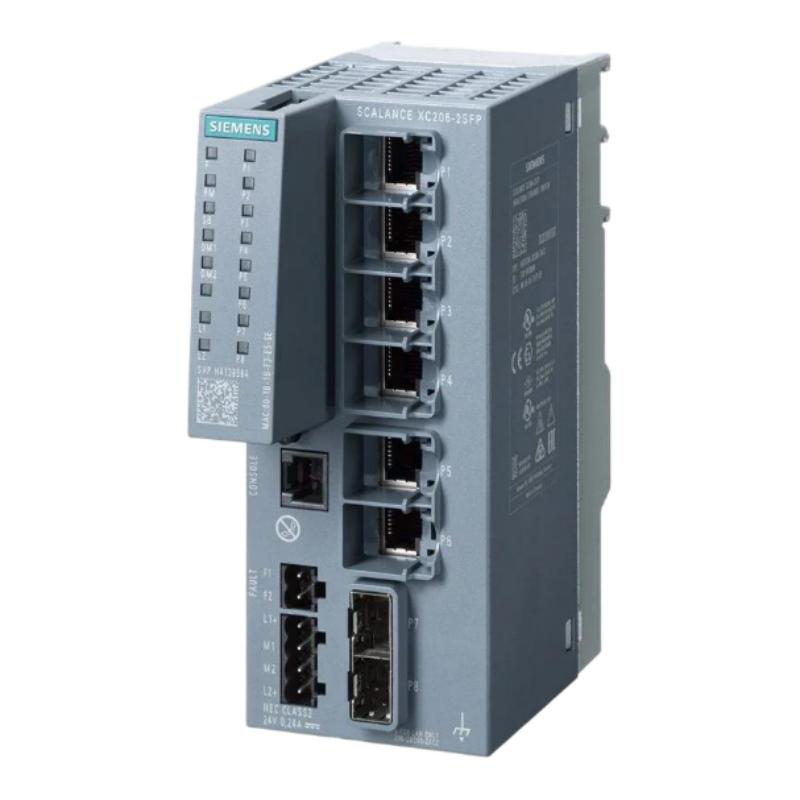
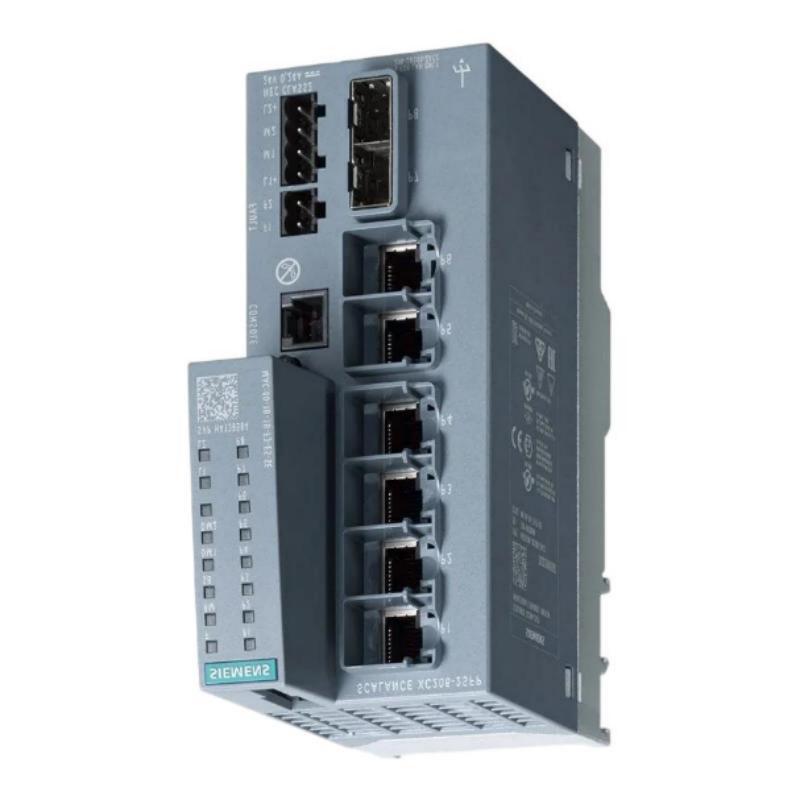
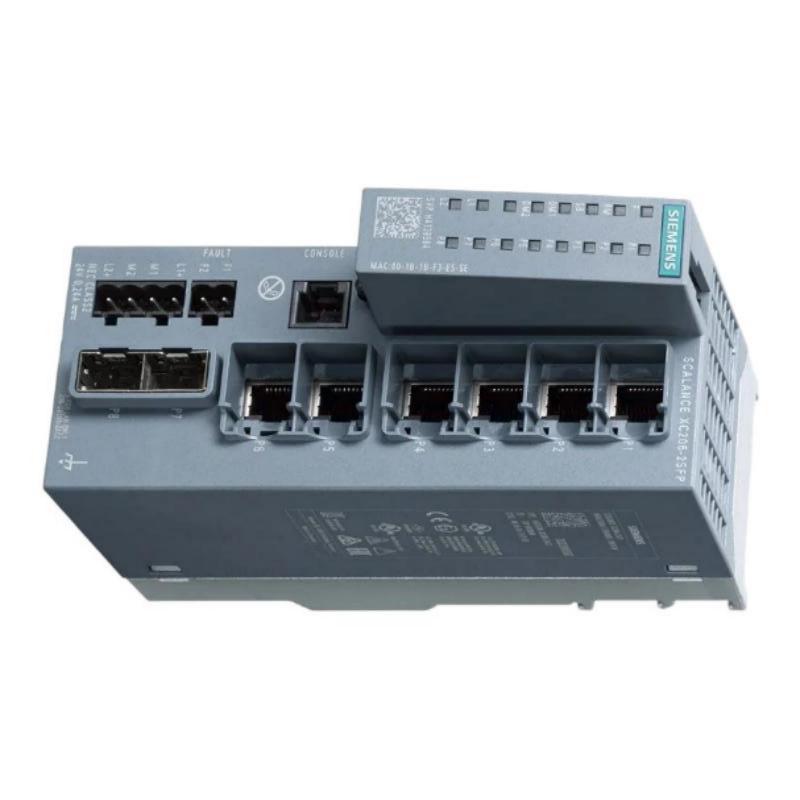
The Siemens 6AG1206-2BS00-7AC2 Manageable Industrial Ethernet Switch is an industrial networking device designed to provide managed Ethernet connectivity for automation, manufacturing, process control, and industrial communication systems. It serves as an important networking component between Ethernet-enabled automation devices, allowing controllers, distributed I/O systems, HMIs, drives, industrial computers, and supervisory equipment to exchange data through an organized industrial network.
Unlike a basic unmanaged switch, a manageable industrial Ethernet switch is intended for applications where network configuration, monitoring, diagnostics, and communication management are important. In modern automation systems, reliable networking is essential because a communication interruption can affect PLC data exchange, operator visualization, remote I/O communication, drive control, and supervisory functions.
The Siemens 6AG1206-2BS00-7AC2 has listed dimensions of 60 × 147 × 125 mm and a weight of approximately 0.54 kg. Its compact physical design makes it suitable for industrial control cabinets, machine automation panels, and other equipment where network hardware must be installed alongside PLCs, power supplies, interface modules, and control components.
The switch can form part of a structured industrial Ethernet architecture in which communication equipment is used to connect multiple automation stations. Depending on the complete hardware configuration and network design, managed switching functions can support network organization, diagnostics, traffic management, and easier maintenance.
Technical Specifications
| Parameter | Specification |
|---|---|
| Manufacturer | Siemens |
| Model | 6AG1206-2BS00-7AC2 |
| Product Type | Manageable Industrial Ethernet Switch |
| Product Family | Siemens Industrial Networking |
| Primary Function | Managed Ethernet switching |
| Communication Type | Industrial Ethernet |
| Network Role | Network connectivity and communication management |
| Installation | Industrial control cabinet / automation network |
| Dimensions | 60 × 147 × 125 mm |
| Weight | 0.54 kg |
| Application | Industrial Automation and Networking |
| Typical Connected Equipment | PLCs, HMIs, remote I/O, drives, industrial PCs |
| Network Management | Manageable Ethernet operation |
| Mounting Environment | Industrial automation equipment |
| System Integration | Industrial Ethernet control architectures |
Exact port count, connector type, supported transmission rates, power specifications, protocols, redundancy functions, environmental ratings, and management features should be verified against the applicable product documentation and hardware revision before installation.
What Is the Siemens 6AG1206-2BS00-7AC2?
The 6AG1206-2BS00-7AC2 is a Siemens Manageable Industrial Ethernet Switch intended for use within industrial communication architectures.
An Ethernet switch connects multiple network devices and forwards data between them. In an industrial environment, the switch may sit between controllers and numerous intelligent devices that continuously exchange process and diagnostic information.
A simplified architecture can be represented as:
PLC → 6AG1206-2BS00-7AC2 → Remote I/O
or:
PLC → Industrial Ethernet Switch → HMI / Drive / Industrial PC
In a larger automation system, several switches can also be interconnected to create a structured plant-wide network.
The manageable characteristics of the device make it suitable for applications where network infrastructure needs to be configured and maintained as part of the overall automation system rather than treated simply as passive connectivity equipment.
Industrial Ethernet Switching Principle
The fundamental task of an Ethernet switch is to receive network frames and forward them toward their intended destination.
When several automation devices are connected to the same network, the switch provides an organized communication path between them. This avoids the need for every device to have a direct physical connection to every other device.
For example:
PLC
↓
Managed Ethernet Switch
↙ ↓ ↘
HMI — Remote I/O — Drive
The switch becomes a central communication point within the automation network.
In a manufacturing facility, multiple switches may be installed at different network levels:
Plant Network → Control Network → Machine Network → Field Devices
This structure can make the network easier to expand and maintain.
Managed Network Operation
One of the primary characteristics of the Siemens 6AG1206-2BS00-7AC2 is its manageable Ethernet architecture.
A manageable switch can provide a more structured approach to network administration than an unmanaged switch. Depending on the actual supported feature set, managed industrial switches can offer functions associated with:
- Network configuration
- Port monitoring
- Communication diagnostics
- Network segmentation
- Traffic management
- Fault detection
- Device status monitoring
- Network redundancy
- Maintenance and troubleshooting
The exact functions available on a particular hardware version should be confirmed before engineering the network.
For industrial maintenance personnel, network management can be particularly useful because communication failures can be investigated from several levels, including physical connections, switch ports, network configuration, and connected automation devices.
Role in Industrial Automation
The Siemens 6AG1206-2BS00-7AC2 can operate as part of the communication infrastructure connecting multiple automation components.
A modern machine may contain many Ethernet-capable devices, including:
- PLC controllers
- Remote I/O stations
- HMIs
- Variable speed drives
- Servo systems
- Industrial PCs
- Vision systems
- Barcode readers
- Engineering stations
- SCADA interfaces
- Diagnostic equipment
These devices require reliable communication channels to exchange control information, status data, diagnostics, and process values.
The Ethernet switch provides the network infrastructure required for these connections.
For example, a PLC may communicate with remote I/O while simultaneously exchanging information with an HMI and drive system through the same industrial network.
PLC Network Integration
The switch can be incorporated into PLC-based automation architectures where Ethernet communication is required.
A typical arrangement may be:
Siemens PLC → 6AG1206-2BS00-7AC2 → Distributed I/O
Additional devices can be connected to the network according to the required system architecture.
During PLC network commissioning, engineers should verify:
- Physical Ethernet connections
- Network addresses
- Device identification
- Communication configuration
- Switch status
- Controller diagnostics
- Remote device status
- Network topology
If the PLC cannot communicate with a remote device, the switch and associated Ethernet connection should be checked before assuming that the PLC itself has failed.
HMI and SCADA Integration
Industrial HMI systems rely on network communication to obtain process values and status information from PLCs and other controllers.
The 6AG1206-2BS00-7AC2 can form part of the communication path between these systems where the network interfaces and protocols are compatible.
A typical configuration may look like:
PLC → Managed Ethernet Switch → HMI
A supervisory system can also be connected:
PLC → Managed Ethernet Network → SCADA
This architecture enables operators to monitor process values, alarms, equipment states, and diagnostic information.
If HMI communication is interrupted, maintenance personnel can use the switch as one of the diagnostic points in the communication path.
Industrial Applications
Factory Automation
The switch can be integrated into factory automation networks connecting PLCs, distributed I/O, HMIs, drives, and industrial computers.
Machine Automation
Machine builders can install manageable Ethernet switches inside control cabinets to provide communication between controllers and intelligent machine components.
Manufacturing Lines
Production lines often contain multiple automation stations. Industrial Ethernet switching can connect these stations while maintaining a structured communication architecture.
Process Automation
Industrial process systems may use Ethernet networks to connect controllers, operator stations, remote I/O, and supervisory equipment.
Material Handling
Conveyors, sorting systems, automated storage equipment, and logistics machinery can contain numerous Ethernet-enabled controllers and field devices.
Energy and Utility Systems
Industrial communication switches can also be incorporated into automation and monitoring systems for utilities and plant infrastructure.
Network Topology
The 6AG1206-2BS00-7AC2 can be incorporated into different network topologies according to the requirements of the automation system.
Star Network
In a star topology, multiple devices connect to a central switch.
PLC
↓
Managed Switch
↙ ↓ ↘
HMI — I/O — Drive
This topology can simplify network organization and troubleshooting.
Line Network
Industrial devices can sometimes be arranged in a line architecture where the selected equipment supports the required connections.
This can be useful for long machine lines or distributed production equipment.
Ring Network
Where supported by the selected hardware and network configuration, a ring topology can provide an alternative communication path if part of the network becomes unavailable.
Ring architectures should be engineered carefully because the actual redundancy behavior depends on the equipment and configured network protocols.
Installation Guidelines
Proper installation is essential for dependable industrial Ethernet communication.
Verify Product Identification
Before installation, verify:
- Complete Siemens part number
- Product designation
- Hardware revision
- Existing network architecture
- Connector configuration
- Power requirements
- Mounting arrangement
The complete reference 6AG1206-2BS00-7AC2 should be checked against the existing system documentation.
Check Cabinet Space
The listed dimensions are:
60 × 147 × 125 mm
The control cabinet should provide adequate room for the switch as well as Ethernet connectors, power wiring, ventilation, and maintenance access.
Install Securely
The switch should be mounted according to the applicable Siemens installation requirements.
Avoid mounting locations exposed to excessive vibration, moisture, contamination, or heat unless the product is specifically rated for those conditions.
Plan Cable Routing
Ethernet cables should be routed in an organized manner and protected against mechanical damage.
Where high-power drives, contactors, or switching equipment are installed nearby, communication cables should be routed to minimize electromagnetic interference.
Power and Network Connection
Before energizing the switch, confirm the applicable power requirements from the product documentation.
Incorrect power connections can cause equipment damage or communication failure.
After the power connection has been verified, inspect the Ethernet connections.
Each network connection should be checked for:
- Correct cable type
- Secure connector
- Correct destination
- Proper routing
- Physical cable condition
A structured cable-labeling system can significantly reduce maintenance time in large control cabinets.
Commissioning Procedure
A systematic commissioning procedure can reduce startup problems.
Step 1: Inspect the Hardware
Confirm that the installed device matches 6AG1206-2BS00-7AC2 and inspect the housing and connectors.
Step 2: Verify Power
Check the power wiring before applying supply voltage.
Step 3: Connect Ethernet Devices
Connect PLCs, HMIs, remote I/O, drives, or other required equipment according to the network design.
Step 4: Check Physical Links
Verify that connected devices establish the expected Ethernet links.
Step 5: Configure Network Parameters
Apply the required network configuration according to the automation architecture.
Step 6: Test Communication
Verify communication between the PLC and connected devices.
Step 7: Test Supervisory Communication
Confirm that HMI, SCADA, engineering stations, or industrial PCs can communicate as required.
Step 8: Record the Configuration
Document network topology, connected ports, addresses, and relevant configuration information.
Troubleshooting the Siemens 6AG1206-2BS00-7AC2
Network problems should be diagnosed from the physical layer toward the application layer.
Complete Network Failure
If several devices simultaneously lose communication, inspect:
- Switch power
- Main Ethernet connections
- Network uplinks
- Common power sources
- Network configuration
- Switch status
- Network topology
A shared network component should be investigated before replacing individual PLCs or field devices.
Single Device Communication Failure
If only one device cannot communicate, check:
- Ethernet cable
- Connector
- Switch connection
- Device network interface
- Network configuration
- Device diagnostics
This can help determine whether the problem is local to the device or related to the network infrastructure.
Intermittent Communication
Intermittent network problems can be caused by:
- Loose connectors
- Damaged Ethernet cables
- Electromagnetic interference
- Poor cable routing
- Temperature effects
- Power instability
- Network configuration problems
- Hardware degradation
Observe the network while checking the physical installation to identify recurring patterns.
Slow or Unstable Communication
Communication quality can be affected by network configuration, excessive traffic, physical cabling problems, electromagnetic interference, or inappropriate network architecture.
Network diagnostics should be reviewed before replacing hardware.
Preventive Maintenance
Regular inspection can help prevent unexpected communication failures.
Inspect Network Cables
Check for crushed, stretched, sharply bent, or mechanically damaged cables.
Check Connectors
Loose or damaged connectors can cause intermittent network links.
Inspect the Control Cabinet
Keep the installation environment within the applicable temperature, humidity, contamination, and vibration limits.
Review Diagnostics
Periodically review available network diagnostics for communication errors or abnormal device conditions.
Maintain Network Documentation
Update network diagrams whenever switches, PLCs, HMIs, or other devices are added or removed.
Keep an Appropriate Spare
For critical production systems, maintaining a correctly identified spare networking device can reduce recovery time after a hardware failure.
Replacement Considerations
When replacing a Siemens 6AG1206-2BS00-7AC2, the complete part number should be verified.
Important identification information includes:
- Full product reference
- Hardware revision
- Product type
- Network interfaces
- Existing configuration
- Connected devices
- Network topology
- Cabinet installation requirements
The listed physical dimensions are:
60 × 147 × 125 mm
The listed weight is:
0.54 kg
Physical similarity between two industrial Ethernet switches does not guarantee interchangeability. Different devices can have different port configurations, communication functions, management features, power requirements, and supported network architectures.
Compatible Automation Components
The switch can be integrated into an automation architecture containing equipment such as:
| Component | Typical Function |
|---|---|
| Siemens PLC | Machine or process control |
| Remote I/O | Distributed signal processing |
| Siemens HMI | Operator visualization |
| Industrial PC | Data processing and supervisory functions |
| Variable Speed Drive | Motor and process control |
| Servo Drive | Motion control |
| SCADA System | Supervisory monitoring |
| Engineering Station | Configuration and diagnostics |
| Industrial Sensors | Process and machine feedback |
| Ethernet Switch | Industrial network connectivity |
Actual compatibility depends on the communication interfaces and network architecture of the complete system.
Engineering Best Practices
A reliable industrial Ethernet system should be designed as an integrated communication architecture.
Plan the Network Topology
Prepare a network diagram before installation and identify the role of each switch and connected device.
Separate Power and Communication Wiring
Where practical, route Ethernet communication cables separately from high-power motor and switching cables.
Label Ports and Cables
Clear identification of network connections simplifies troubleshooting.
Record Network Configuration
Maintain an updated record of network addresses, device names, switch connections, and relevant configuration parameters.
Monitor Communication
Regular network diagnostics can reveal intermittent problems before they become major production interruptions.
Protect Critical Connections
Where network availability is important, use an appropriately engineered topology and redundancy strategy supported by the selected hardware.
Key Advantages
Managed Ethernet Networking
The 6AG1206-2BS00-7AC2 provides a manageable networking solution for industrial Ethernet architectures.
Compact Installation
With dimensions of 60 × 147 × 125 mm, the device can be integrated into relatively compact control cabinets.
Industrial Automation Integration
The switch can form part of networks connecting PLCs, HMIs, remote I/O, drives, industrial PCs, and supervisory equipment.
Network Diagnostics
Manageable network infrastructure can provide useful information for troubleshooting communication problems.
Structured Network Architecture
The switch can serve as a central or distributed communication component within machine-level or plant-level Ethernet networks.
Maintenance-Friendly Design
A properly configured and documented managed network can simplify troubleshooting, maintenance, and future system expansion.
Technical FAQs
What is the Siemens 6AG1206-2BS00-7AC2?
The Siemens 6AG1206-2BS00-7AC2 is a Manageable Industrial Ethernet Switch intended for industrial automation and Ethernet networking applications.
What does a manageable Ethernet switch do?
A manageable Ethernet switch connects multiple network devices while providing network-management capabilities that can assist with configuration, monitoring, diagnostics, and communication management.
Can the 6AG1206-2BS00-7AC2 be used with PLCs?
It can be incorporated into compatible PLC-based Ethernet architectures where the switch interfaces and supported communication functions meet the requirements of the system.
Can an HMI be connected through the switch?
Yes, an HMI can communicate with a PLC through an industrial Ethernet switch when the network interfaces and configuration are compatible.
What are the dimensions of the Siemens 6AG1206-2BS00-7AC2?
The listed dimensions are 60 × 147 × 125 mm.
What is the weight of the 6AG1206-2BS00-7AC2?
The listed weight is approximately 0.54 kg.
Is the 6AG1206-2BS00-7AC2 a PLC module?
No. It is a manageable industrial Ethernet switch. Its primary function is network connectivity and management rather than PLC logic execution.
What can cause an industrial Ethernet communication failure?
Possible causes include damaged cables, loose connectors, incorrect configuration, power problems, electromagnetic interference, network topology problems, connected-device faults, or switch hardware issues.
How should the switch be installed?
Installation should follow the applicable Siemens documentation and the requirements of the complete network architecture. Cabinet space, cable routing, power wiring, grounding, environmental conditions, and network configuration should all be considered.
Should another Ethernet switch be used as a replacement?
A different switch should not automatically be considered interchangeable. The complete product reference, interfaces, management functions, power requirements, and network configuration should be verified before replacement.
Conclusion
The Siemens 6AG1206-2BS00-7AC2 Manageable Industrial Ethernet Switch is a compact networking component designed to support structured Ethernet communication within industrial automation systems. By connecting PLCs, HMIs, distributed I/O, drives, industrial PCs, and other Ethernet-enabled equipment, it can provide an important communication layer within modern control architectures.
With listed dimensions of 60 × 147 × 125 mm and a weight of 0.54 kg, the device is suitable for applications where industrial networking equipment must be installed within control cabinets or distributed automation systems.
Its manageable network architecture can support more organized configuration, monitoring, and troubleshooting compared with basic unmanaged connectivity solutions. However, successful network operation depends on correct cable selection, physical installation, network configuration, topology, cabinet conditions, and compatibility with the connected automation equipment.
For maintenance and replacement work, the complete 6AG1206-2BS00-7AC2 part number should be verified carefully before installation. Combining accurate product identification with systematic network commissioning and preventive maintenance can help maintain stable industrial Ethernet communication and reduce unnecessary automation downtime.