

ProductPRODUCT
Featured products
Contact Us
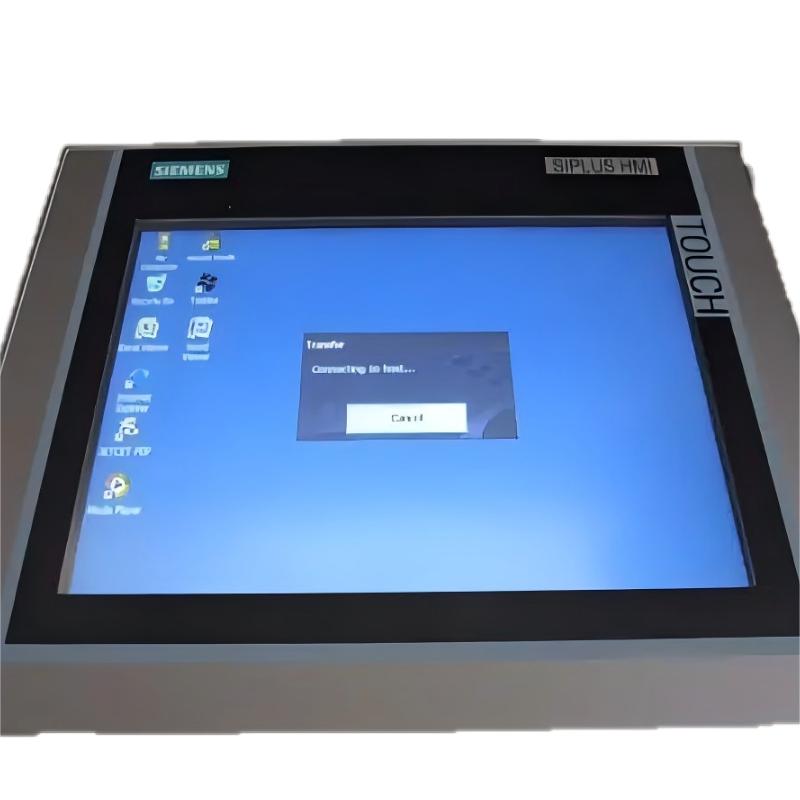
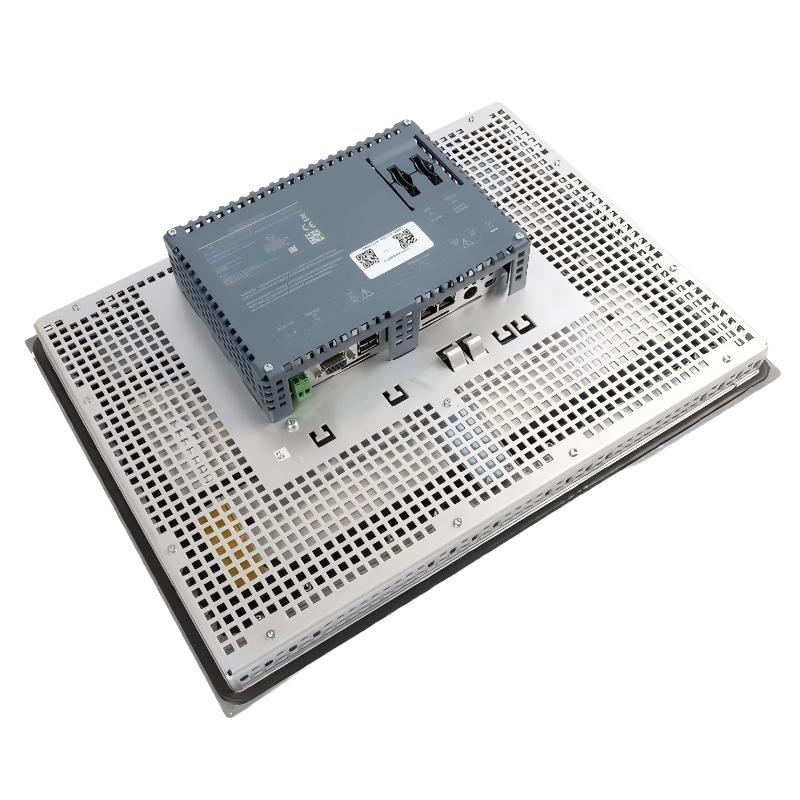
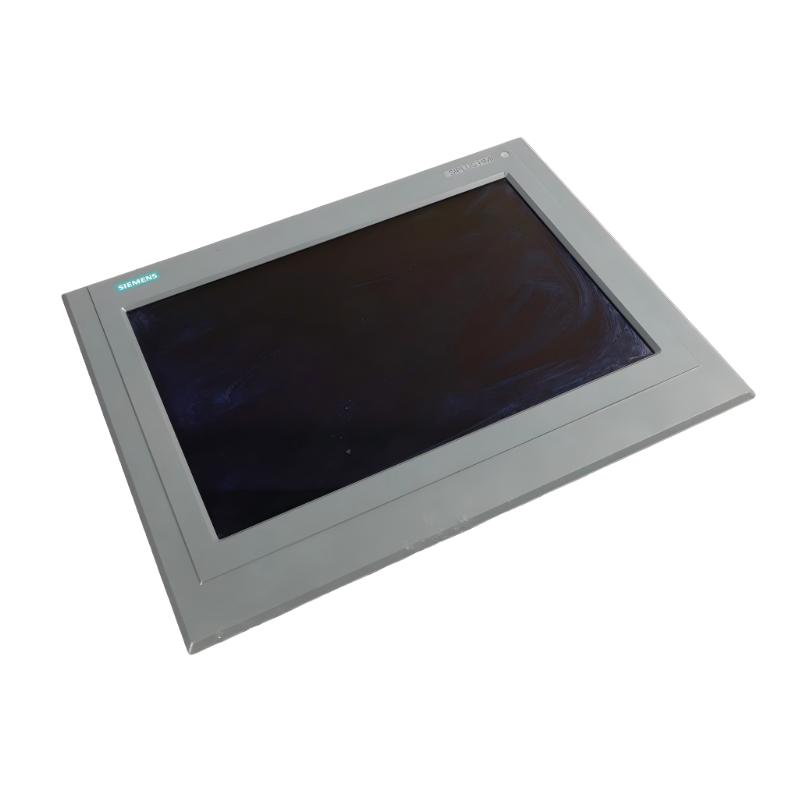
- Siemens
- 6AG1124-0QC13-2AX0
- SIPLUS HMI TP700 Comfort Touch Panel Screen
- Germany
- 415 × 310 mm
- 5.59kg
- Xiamen, China
- New & In Stock
- T/T, PayPal, Western Union
- 1 Year
- 1-3 Working Days
- DHL, UPS, TNT, FedEx and EMS.
- 24-Hour Service
- COO
- 5
Our advantage

Global Logistics
We have a 10-year logistics and express cooperation agreement, so our products can be shipped to any place in the world.

Brand new and original
Our products are imported in bulk from the place of origin. Because of the cooperative relationship, our products are all original and 100% new.

24-hour service
We provide 7*24 hours service to our customers. We will be there whenever you need us.

Price advantage
All our products are priced very favorably because we have our own warehouse and supply.
| Company Information | |||
| [email protected] | |||
| Mobile | +8615980777398 | ||
| +8615980777398 | |||
| 15980777398 |
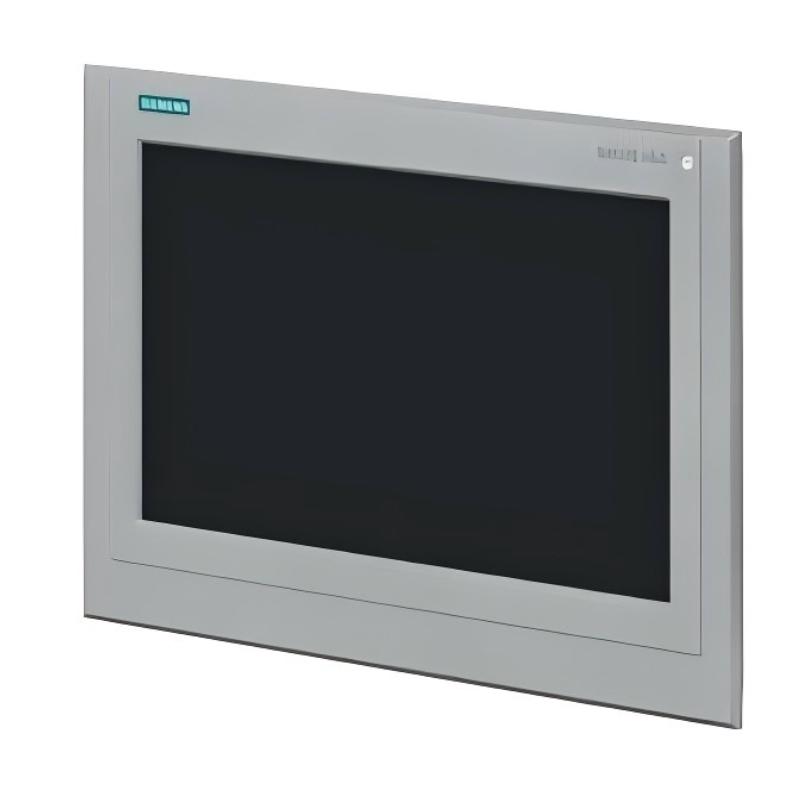
Siemens 6AG1124-0QC13-2AX0 — SIPLUS HMI TP1500 Comfort
1. Product Overview
The Siemens 6AG1124-0QC13-2AX0 is an industrial operator panel in the SIPLUS HMI product family. It is designed for machine operation, process visualization, equipment monitoring, and human-machine interaction in demanding industrial environments.
With its large 15-inch-class widescreen display, touch operation, and industrial communication capabilities, this panel provides operators with a clear interface for viewing production information, monitoring machine status, acknowledging alarms, and entering operating commands. It is suitable for applications where a larger screen helps present complex information in a more organized and readable format.
The SIPLUS designation identifies a version intended for enhanced environmental robustness compared with a standard industrial HMI configuration. When selecting this model, the precise environmental rating, temperature range, coating, and hardware revision should be checked against the exact order code before installation.
The panel is best suited to applications that need a dedicated, permanently installed operator interface rather than a general-purpose computer. It can serve as the main control station for an individual machine, a production cell, a packaging line, or a section of a larger industrial process.
2. Brand and Product Series
| Item | Description |
|---|---|
| Brand | Siemens |
| Product family | SIPLUS |
| Product category | Industrial HMI operator panel |
| Product series | SIPLUS HMI Comfort Panels |
| Product type | Touch-operated operator panel |
| Model number | 6AG1124-0QC13-2AX0 |
| Main purpose | Machine operation, process visualization, alarm handling, and production monitoring |
| Typical installation | Industrial control cabinet, machine panel, or operator station |
| Intended users | Machine builders, system integrators, automation engineers, maintenance teams, and production operators |
The Comfort Panel series is intended for applications that require a more capable visualization interface than a basic operator terminal. Its role is to make machine and process information easier to understand while giving operators convenient access to frequently used controls and diagnostic functions.
SIPLUS models are particularly relevant when the installation environment requires additional environmental protection. However, the exact capabilities of the selected variant should be confirmed from its complete ordering data rather than inferred from the series name alone.
3. Detailed Technical Specifications
The following table summarizes the principal technical characteristics of the 6AG1124-0QC13-2AX0. The dimensions and weight are particularly important when planning a replacement, designing a control cabinet, or preparing a machine-panel cutout.
| Parameter | Specification |
|---|---|
| Model number | 6AG1124-0QC13-2AX0 |
| Product designation | SIPLUS HMI TP1500 Comfort Outdoor |
| Base model | 6AV2124-0QC13-0AX0 |
| Product family | SIPLUS Comfort Panels Outdoor |
| Display type | Widescreen TFT |
| Display size | 15-inch class |
| Display colors | 16 million colors |
| Operating method | Touch operation |
| Configuration memory | 12 MB |
| Operating system | Windows CE 6.0 |
| Configuration software | WinCC Comfort V13 SP1 or later, with the appropriate HSP |
| Ethernet communication | PROFINET |
| Additional communication | MPI / PROFIBUS DP |
| Environmental design | Conformal coating |
| Operating temperature | -30°C to +60°C |
| Front housing width | 415 mm |
| Front housing height | 310 mm |
| Mounting cutout width | 396 mm |
| Mounting cutout height | 291 mm |
| Overall depth | Approximately 77 mm |
| Device weight, without packaging | Approximately 4.0 kg |
| Listed shipping/catalog weight | Approximately 5.596 kg |
| Packaging dimensions | Approximately 450 × 600 × 170 mm |
| Typical mounting location | Panel or control-cabinet door |
| Main function | Industrial visualization and operator control |
Weight clarification: The device weight and the shipping/catalog weight are different measurements. For cabinet loading and mechanical design, use the unboxed device weight. For freight, receiving, and packaging calculations, use the supplier’s shipment data.
Display and Operator Interface
The 15-inch-class widescreen display provides a substantial viewing area for machine graphics, process values, alarm lists, operating buttons, trend displays, and equipment status indicators. This is useful when operators need to view several pieces of information at the same time without switching constantly between screens.
Touch operation allows personnel to interact directly with on-screen controls. Typical screen designs can include start and stop commands, mode selection, setpoint entry, alarm acknowledgement, maintenance screens, and process diagrams. The actual functions depend on the application project developed for the panel.
The large screen is particularly useful for equipment with many operating states or a relatively complicated sequence of operations. A well-organized interface can make it easier for operators to identify the current process state and locate the controls they need.
Communication and System Integration
The panel supports PROFINET communication and an MPI/PROFIBUS DP interface. These connections make it suitable for integration into industrial automation systems using compatible controllers and communication configurations.
PROFINET is commonly used to exchange process data between an HMI and a PLC. The HMI project can use this data to display machine status, operating values, alarms, counters, and other information made available by the control program.
MPI and PROFIBUS DP support integration with compatible legacy automation installations. This can be useful in factories where existing equipment cannot be replaced all at once and the operator interface needs to fit into an established control architecture.
Compatibility should be assessed at the system level. The PLC model, communication interface, project version, available drivers, and controller configuration all need to be considered before commissioning.
Environmental Characteristics
The SIPLUS Outdoor version is intended for applications with more demanding environmental requirements than those normally associated with an ordinary indoor operator panel. Its specified operating temperature range is -30°C to +60°C, and the model description includes conformal coating.
These characteristics can make the panel a candidate for outdoor equipment, exposed industrial installations, and machinery that experiences a wider temperature range than a typical indoor control room.
Environmental suitability still depends on the complete installation. Direct sunlight, condensation, water exposure, dust, vibration, chemical exposure, cabinet ventilation, and the temperature inside the enclosure should all be considered. The temperature rating alone does not establish that an installation is suitable for every outdoor condition.
Mechanical Dimensions and Installation
| Mechanical item | Dimension or weight |
|---|---|
| Front width | 415 mm |
| Front height | 310 mm |
| Panel cutout width | 396 mm |
| Panel cutout height | 291 mm |
| Overall depth | Approx. 77 mm |
| Device weight, unboxed | Approx. 4.0 kg |
| Shipping/catalog weight | Approx. 5.596 kg |
The panel cutout is a key design dimension. A cabinet door or machine panel should be prepared according to the approved installation drawing, including the specified tolerances and mounting clearances.
The installation depth should also be checked carefully. The available space behind the mounting surface must accommodate the panel body, connectors, cables, and the required cable-bending radius. Nearby equipment should not obstruct ventilation or prevent maintenance access.
For retrofit projects, do not assume that an existing cutout is suitable simply because the old panel has a similar screen size. Compare the exact mounting dimensions and installation requirements before removing the existing unit.
4. Product Introduction
The SIPLUS HMI TP1500 Comfort Outdoor is designed to provide a practical operator interface for automated machinery and industrial processes. It connects the human side of an operation with the control system, allowing information generated by the PLC and other compatible equipment to be presented in a form that operators can understand and use.
In an industrial installation, the PLC may handle sequencing, interlocks, sensor inputs, motor commands, and other control functions. The HMI provides the visual and interactive layer. It can show whether a machine is running, waiting for material, in a fault condition, or ready for the next operation, provided the necessary information has been programmed into the project.
The panel is not simply a display. With an appropriate configuration, it becomes a central point for operating commands, alarm review, process monitoring, manual adjustments, and maintenance information. This can reduce the need for operators to rely on separate indicator lamps, pushbuttons, and paper instructions for every machine function.
The Comfort Panel format is particularly suitable for equipment that needs a detailed interface. The larger screen can accommodate multiple information areas, such as a machine overview, production counters, operating mode, alarm messages, and navigation controls. Screen designers can organize these elements into logical pages for production, setup, diagnostics, and maintenance.
The Outdoor variant extends this application concept to installations with more demanding temperature requirements. The combination of a large touch display and a wider specified operating-temperature range makes it worth considering for certain outdoor or environmentally challenging installations, subject to the conditions and limitations in the product documentation.
5. Main Applications
5.1 Outdoor Machinery
The panel may be used as the operator interface for outdoor machinery that needs local status information and operator control. Examples include selected material-handling equipment, industrial utility installations, and machines installed in exposed production areas.
Operators can use the interface to check equipment status, review active alarms, select permitted operating modes, and monitor process values. The suitability of the installation depends on the enclosure, mounting arrangement, exposure conditions, and the environmental limits of all connected components.
5.2 Manufacturing and Production Lines
In a production environment, the panel can provide a consolidated view of the machine’s operating state. A project can display production counts, cycle information, operating modes, fault messages, and selected process variables.
For a production line with several operating stages, separate HMI screens can be created for loading, processing, inspection, unloading, and maintenance. This makes it easier to locate relevant information without crowding every function onto one screen.
5.3 Packaging Machinery
Packaging equipment often combines conveyors, sensors, drives, pneumatic devices, product detection, and sequencing logic. A larger operator panel can present these functions in a structured way.
Possible interface functions include recipe selection, speed settings, production counters, changeover instructions, alarm history, and manual movement controls. These features must be implemented in the HMI project and supported by the control program; they are not automatically available just because the panel is installed.
5.4 Material Handling and Conveying Systems
Conveyors and material-handling systems may require operators to monitor multiple sections, motor states, transfer points, sensors, and fault conditions. A well-designed HMI can provide an overview of the system and let authorized operators navigate to individual sections for more detailed information.
Where a line has multiple zones, the interface can distinguish between normal operation, blocked flow, sensor faults, and stopped equipment. This can help maintenance personnel narrow down the source of a problem.
5.5 Process Equipment
For compatible process equipment, the HMI can display measurements and operating states such as temperature, pressure, flow, tank level, and valve position. The actual values available depend on the installed instrumentation and the PLC program.
The panel can also provide operator inputs for approved setpoints and operating modes. Safety-related functions and protective interlocks must remain implemented in the appropriate control and safety systems rather than relying solely on HMI screen logic.
5.6 Water, Utility, and Infrastructure Equipment
Selected pumping stations, utility skids, and infrastructure installations may benefit from a local touch interface. The panel can present pump status, operating hours, alarm conditions, process measurements, and maintenance information when those data are available from the automation system.
For unattended or remote installations, the HMI should be treated as a local operating and diagnostic interface unless the wider system has separately designed and validated remote monitoring capabilities.
5.7 Maintenance and Troubleshooting Stations
Maintenance screens can be designed to display sensor states, actuator commands, drive faults, operating counters, and diagnostic messages. This helps technicians understand what the control system is reporting without needing to inspect every signal individually.
Access levels can also be configured for different roles, such as operator, technician, and administrator, where supported by the selected software configuration. Password management and access permissions should be planned as part of the overall machine-security design.
6. Product Advantages
6.1 Large and Readable Display Area
The 15-inch-class display provides room for more detailed screen layouts than smaller operator panels. Machine diagrams, status indicators, process values, and alarm information can be arranged so that the operator can see the most important information quickly.
This is especially useful on machines where several functions must be monitored together. A carefully designed interface can reduce unnecessary page changes and make routine operation more straightforward.
6.2 Touch-Based Operation
Touch operation provides a direct way to interact with the machine interface. Operators can select screens, acknowledge alarms, enter values, and activate configured commands through the display.
The interface can be tailored to the work process. Frequently used controls can be placed in prominent locations, while less common maintenance functions can be kept on separate pages to avoid clutter.
6.3 Suitability for a Wider Temperature Range
The specified operating-temperature range of -30°C to +60°C is a notable feature of this Outdoor model. It gives system designers more flexibility when considering installations that experience cold starts or elevated ambient temperatures.
Actual performance depends on the complete installation and must remain within the applicable environmental limits. Cabinet temperature, solar heating, condensation, and the ratings of connected equipment should be evaluated as part of the design.
6.4 Conformal-Coating Design
The product description identifies a conformal coating intended for enhanced environmental robustness. This can be relevant in applications where environmental conditions are more challenging than those in a clean, climate-controlled control room.
Conformal coating should not be treated as a substitute for appropriate enclosure design, correct installation, or compliance with the manufacturer’s environmental restrictions.
6.5 Support for Multiple Industrial Communication Systems
The availability of PROFINET and MPI/PROFIBUS DP interfaces can help the panel fit into different automation architectures. This is useful for projects that need to communicate with compatible newer or legacy control equipment.
The exact communication setup should be checked against the controller, protocol configuration, project software, and any special requirements of the installed system.
6.6 Flexible Screen Design
The larger display can support a range of interface layouts, from a simple machine overview to detailed process and maintenance pages. Screen content can be divided into logical sections, making it easier to distinguish operating commands from status information and diagnostic details.
This flexibility allows the same basic panel type to be applied to different machines while adapting the project to the specific workflow and operator requirements.
6.7 Better Visibility of Alarms and Machine Status
An HMI project can collect alarm messages and present them in a consistent format. Operators can use the display to identify abnormal conditions, read alarm descriptions, and follow defined troubleshooting procedures.
Clear alarm text and useful diagnostic information can reduce ambiguity during a fault. The actual improvement depends on the quality of the alarm design, the PLC diagnostics, and the procedures used by the maintenance team.
6.8 Useful for Retrofit and Modernization Projects
Where an existing system uses compatible automation hardware and communication methods, a Comfort Panel may be considered for a visualization upgrade. The MPI/PROFIBUS DP interface can be particularly relevant when evaluating older installations.
A retrofit still requires a detailed compatibility check. Project migration, communication drivers, operating-system support, software licensing, and the physical cutout all need to be addressed before a replacement decision is made.
7. Recommended Models in the Same Series or Related Product Families
The following five models are alternatives worth considering when comparing screen size, installation environment, and the overall HMI architecture. They are not all direct drop-in replacements. Confirm the complete order code and mechanical specifications before purchase or engineering approval.
| Model number | Product / series | Main parameters | Dimensions and weight | Typical application |
|---|---|---|---|---|
| 6AG1124-0GC13-2AX0 | SIPLUS HMI TP700 Comfort Outdoor family | 7-inch-class HMI; touch operation; industrial visualization; variant-specific environmental rating and interfaces | Exact dimensions and weight should be checked for the selected order code | Compact outdoor machinery and smaller operator stations |
| 6AG1124-0JC13-2AX0 | SIPLUS HMI TP900 Comfort Outdoor family | 9-inch-class HMI; touch operation; process and machine monitoring | Exact dimensions and weight should be checked for the selected order code | Medium-sized machines and equipment with moderate visualization needs |
| 6AG1124-0MC13-2AX0 | SIPLUS HMI TP1200 Comfort Outdoor family | 12-inch-class HMI; touch operation; industrial visualization | Exact dimensions and weight should be checked for the selected order code | Production machinery and operator stations needing a medium-large display |
| 6AG1124-0QC13-2AX0 | SIPLUS HMI TP1500 Comfort Outdoor | 15-inch-class widescreen TFT; 16 million colors; 12 MB configuration memory; PROFINET; MPI/PROFIBUS DP; Windows CE 6.0 | Front: 415 × 310 mm; cutout: 396 × 291 mm; depth: approx. 77 mm; device weight: approx. 4.0 kg | Larger operator stations and outdoor equipment |
| 6AG1124-0UC13-2AX0 | SIPLUS HMI TP1900 Comfort Outdoor family | Large-format Comfort HMI for applications needing a bigger visualization area; exact hardware features vary by variant | Exact dimensions and weight should be checked for the selected order code | Large machines, complex process diagrams, and multi-section equipment |
Selection note: The model numbers above indicate related family variants, but their exact ordering suffixes and availability must be validated before ordering. The smaller and larger screen versions can differ in their interfaces, dimensions, mounting cutouts, configuration memory, and environmental specifications. Do not use the TP1500 mounting dimensions for another screen size.
How to Choose Between These Related Models
– Choose a smaller panel when the machine has a limited number of operating functions, cabinet space is restricted, or a compact display is sufficient.
– Choose a medium-sized panel when operators need a balance between screen area and installation space.
– Choose the TP1500 Outdoor model when a larger display is useful for detailed machine diagrams, alarm lists, multiple status areas, and maintenance pages.
– Choose a larger-format panel when the application requires a wide overview of a complicated process or several equipment sections on one screen.
– Compare environmental variants carefully. A standard indoor Comfort Panel and an Outdoor SIPLUS variant should not be assumed to have the same temperature range or environmental protection.
8. Five Other Popular Models from the Same Brand
These products cover other common areas of industrial automation, including basic operator interfaces, standard Comfort Panels, PLC control, and variable-speed motor control. They are related to the same overall automation ecosystem, but they serve different purposes and are not direct substitutes for the TP1500 Outdoor HMI.
| Model number | Product name | Main parameters | Dimensions and weight | Typical application |
|---|---|---|---|---|
| 6AV2123-2GB03-0AX0 | SIMATIC HMI KTP700 Basic PN | 7-inch-class basic HMI; touch and key operation; PROFINET communication; intended for straightforward machine visualization | Exact housing dimensions and device weight depend on the specified hardware revision; verify before panel design | Compact machines, basic operator control, and simple status displays |
| 6AV2124-0GC01-0AX0 | SIMATIC HMI TP700 Comfort | 7-inch-class Comfort Panel; touch operation; industrial visualization; communication and software compatibility depend on the exact configuration | Exact dimensions and weight should be confirmed for the specific revision | Machines requiring a more capable interface in a smaller format |
| 6ES7214-1AG40-0XB0 | SIMATIC S7-1200 CPU 1214C | PLC controller; integrated digital I/O; Ethernet-based communication; supports machine-control logic | Dimensions and weight vary by CPU version and included accessories; confirm the exact hardware data | Small and medium-sized automation systems |
| 6ES7511-1AK02-0AB0 | SIMATIC S7-1500 CPU 1511-1 PN | PLC CPU; PROFINET communication; designed for more advanced control tasks than basic compact PLC applications | DIN-rail installation; exact dimensions and weight should be checked against the specific CPU version | Production lines, machine automation, and more demanding control tasks |
| 6SL3210-1KE22-6AF1 | SINAMICS G120C family | Variable-frequency drive; used for motor speed control; electrical ratings and supported motor sizes depend on the exact drive version | Physical dimensions and weight depend on the drive frame size and rating; confirm the exact product data | Conveyor drives, pumps, fans, and general industrial motor applications |
Notes on These Alternative Products
KTP700 Basic PN is worth considering when the application needs a straightforward operator interface and does not require the larger display area or broader visualization functions of a Comfort Panel. It may suit a compact machine with a relatively simple set of commands and status information.
TP700 Comfort belongs to the Comfort Panel family and is relevant when a smaller installation footprint is more important than the TP1500’s larger screen. The project and communication requirements should be checked before substituting one panel for another.
S7-1200 CPU 1214C is a controller rather than an HMI. It executes control logic and manages supported I/O and communications. An HMI can present data from a compatible PLC, but it does not replace the PLC’s control responsibilities.
S7-1500 CPU 1511-1 PN is intended for control applications that need a different level of processing and system capability from a compact PLC. Its suitability depends on program complexity, I/O requirements, communications, and the overall automation design.
SINAMICS G120C is a motor-drive product, not an operator panel. It is relevant when the system includes variable-speed motor control. The HMI may display selected drive status and operating values when the drive, PLC, communication configuration, and project are designed to exchange that information.
9. Important Points Before Purchase or Replacement
Before selecting the 6AG1124-0QC13-2AX0, confirm the following items for the intended application.
1. Exact model and suffix: Verify that the complete order number matches the required Outdoor variant. Similar model numbers may represent different environmental or hardware configurations.
2. Display and mounting space: Confirm the front dimensions, mounting cutout, overall depth, and space needed for connectors and cables.
3. Environmental conditions: Check the expected minimum and maximum temperatures, condensation risk, enclosure protection, sunlight exposure, and other site conditions.
4. PLC and communication compatibility: Confirm the required PROFINET or MPI/PROFIBUS DP connection and ensure the selected controller can communicate correctly with the panel.
5. Engineering software: Check the required WinCC version, the appropriate Hardware Support Package, project compatibility, and any software licensing requirements.
6. Existing project migration: For replacement work, verify whether the original project can be reused or must be converted, revised, or rebuilt.
7. Weight and cabinet support: Use the unboxed device weight for mechanical planning and the packaged weight for shipping calculations. Make sure the mounting surface and fasteners are suitable.
8. Lifecycle and long-term support: For a new installation expected to operate for many years, assess the availability of compatible replacement hardware, engineering tools, and spare parts.
10. Summary
The Siemens 6AG1124-0QC13-2AX0 SIPLUS HMI TP1500 Comfort Outdoor is a large-format industrial touch panel designed for machine operation and process visualization in applications with demanding temperature requirements.
Its key characteristics include a 15-inch-class widescreen TFT display, 16 million colors, 12 MB configuration memory, PROFINET and MPI/PROFIBUS DP interfaces, Windows CE 6.0, conformal coating, and a specified operating-temperature range of -30°C to +60°C.
The panel’s approximate front dimensions are 415 × 310 mm, the mounting cutout is 396 × 291 mm, and the overall depth is approximately 77 mm. Its unboxed weight is approximately 4.0 kg, while the listed catalog or shipping weight is approximately 5.596 kg.
It is a reasonable candidate for outdoor machinery, industrial production equipment, packaging systems, material-handling installations, and process equipment that benefit from a larger local operator interface. The final choice should be based on the exact order code, installation conditions, communication requirements, software compatibility, and mechanical design—not screen size alone.