

ProductPRODUCT
Featured products
Contact Us
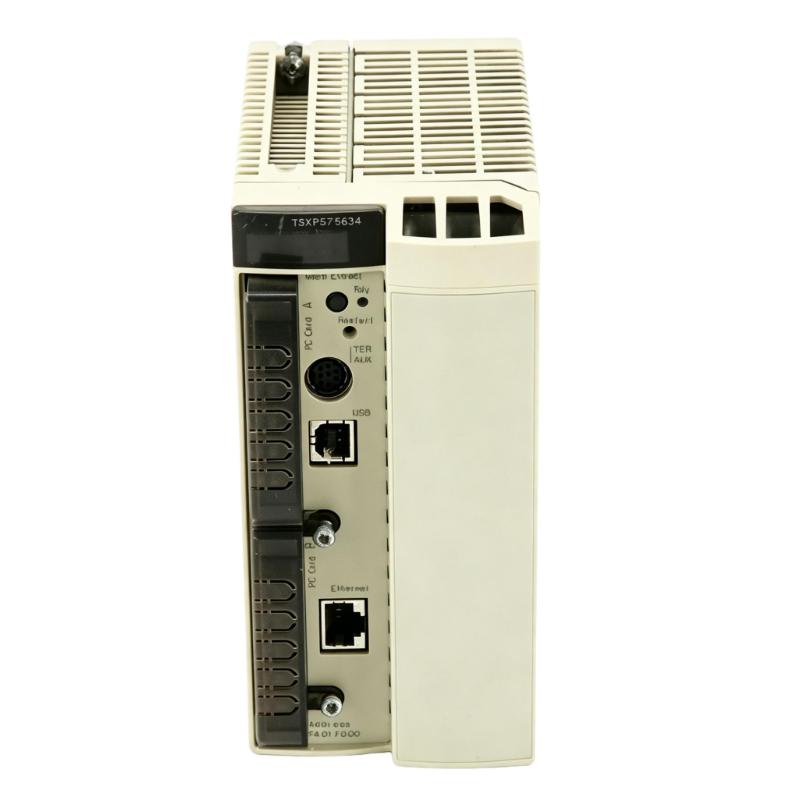
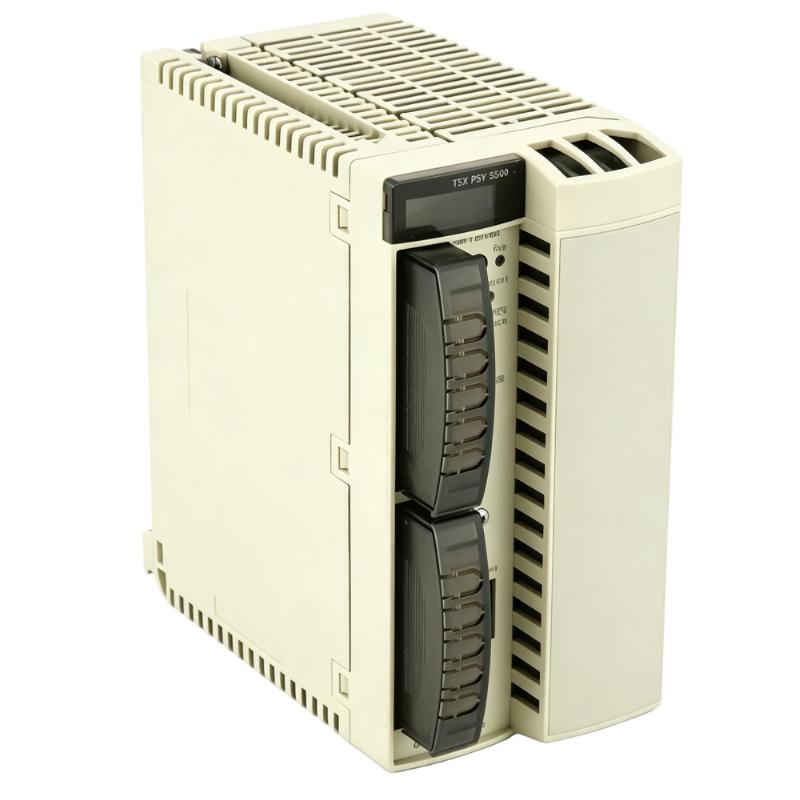
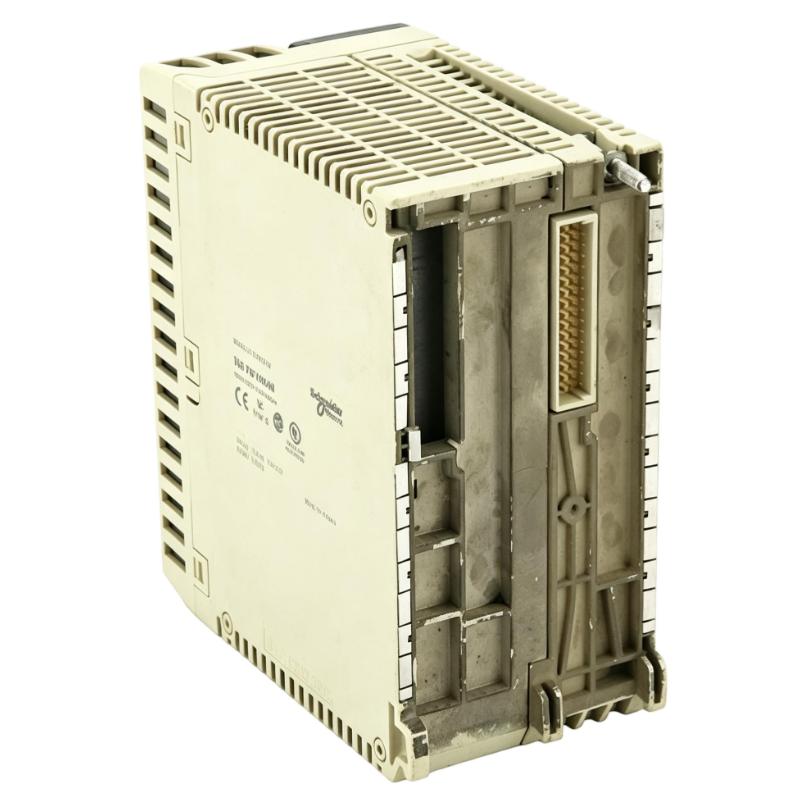
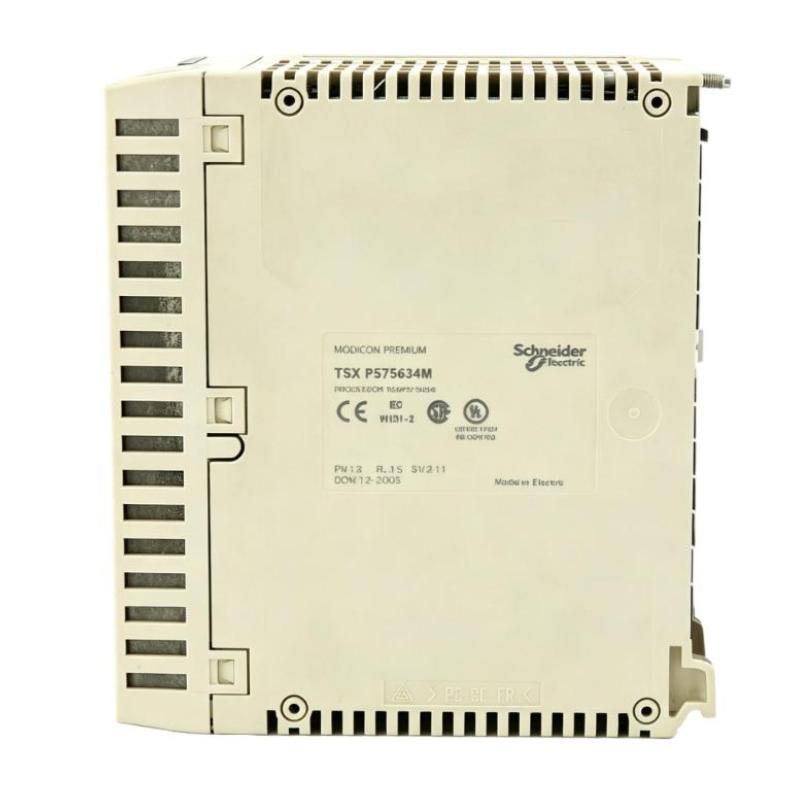
- Schneider
- TSXP575634M
- Unity Processor
- France
- 95 x 180 x 260 mm
- 0.61 kg
- Xiamen, China
- New & In Stock
- T/T, PayPal, Western Union
- 1 Year
- 1-3 Working Days
- DHL, UPS, TNT, FedEx and EMS.
- 24-Hour Service
- COO
- 3
Our advantage

Global Logistics
We have a 10-year logistics and express cooperation agreement, so our products can be shipped to any place in the world.

Brand new and original
Our products are imported in bulk from the place of origin. Because of the cooperative relationship, our products are all original and 100% new.

24-hour service
We provide 7*24 hours service to our customers. We will be there whenever you need us.

Price advantage
All our products are priced very favorably because we have our own warehouse and supply.
| Company Information | |||
| [email protected] | |||
| Mobile | +8615980777398 | ||
| +8615980777398 | |||
| 15980777398 |
1. Product Overview
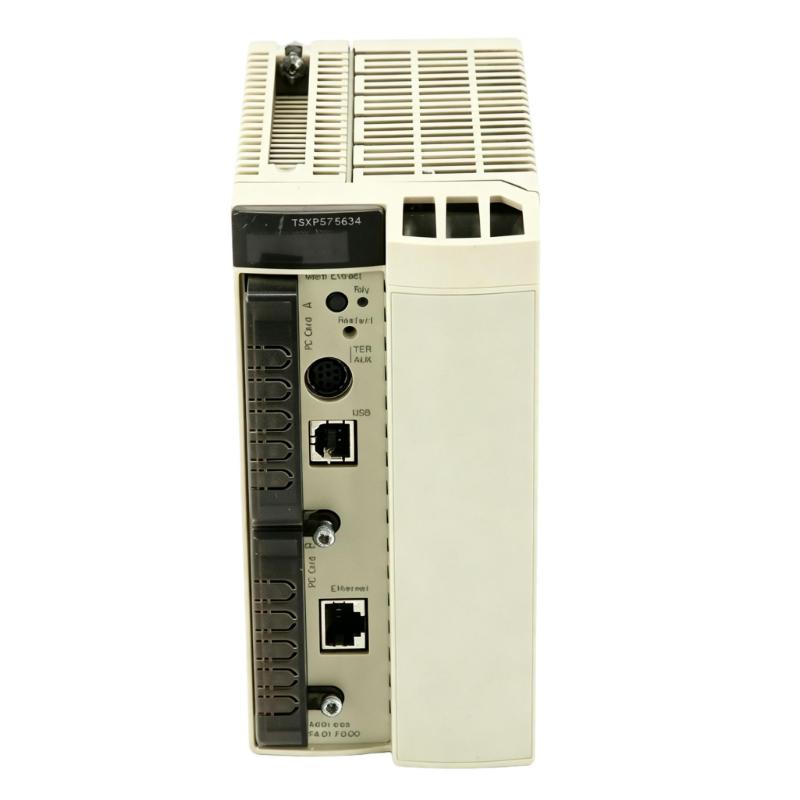
The Schneider Electric TSXP575634M Unity Processor is an industrial programmable logic controller (PLC) processor associated with the Modicon Premium automation platform. It serves as the central processing component of a compatible PLC system, executing application logic, managing data, and coordinating communication with connected input/output modules and other automation equipment.
Designed for industrial control applications, the TSXP575634M is intended for installations requiring reliable program execution, structured task management, and integration with compatible automation hardware. Unity-based programming and configuration tools support application development, controller configuration, and maintenance activities for supported Premium processors.
The processor can be used in suitable manufacturing, machine-control, and process-automation environments where the existing control architecture meets its hardware and software requirements. Because controller compatibility depends on the complete system configuration, engineers should verify the processor’s supported rack, firmware, I/O modules, communication interfaces, and application software before installation or replacement.
The supplied dimensions are 95 × 180 × 260 mm, and the listed weight is 0.61 kg. These specifications assist with product identification, cabinet planning, and spare-parts management.
2. Technical Specifications
| Parameter | Specification |
|---|---|
| Brand | Schneider Electric |
| Model | TSXP575634M |
| Product Type | Unity Processor |
| Product Family | Modicon Premium |
| Controller Category | Programmable Logic Controller (PLC) Processor |
| Programming Environment | Unity Pro, subject to version and hardware compatibility |
| Dimensions | 95 × 180 × 260 mm |
| Weight | 0.61 kg |
| Primary Function | PLC application execution and control-system management |
| Memory Configuration | Verify the supported internal memory and expansion options |
| Communication Interfaces | Confirm the interfaces supported by the exact processor reference |
| Installation | Compatible Modicon Premium rack, subject to hardware verification |
| Application Areas | Machine control, manufacturing, and industrial process automation |
The dimensions and weight above are the supplied product specifications. Detailed performance characteristics, memory capacity, communication functions, firmware requirements, and supported module combinations should be confirmed against the exact product documentation.
3. Function and Working Principle
The TSXP575634M acts as the processing unit of a compatible Modicon Premium PLC station. It executes the control application and manages the information exchange required for the automation system to operate.
A typical PLC operating cycle includes several functions:
- Input acquisition: The controller obtains data from connected digital and analog input modules.
- Program execution: The processor executes the application logic using the supported programming environment.
- Data processing: Internal variables, timers, counters, and other application data are updated according to the program.
- Output control: The controller updates output commands for connected devices according to the configured logic.
- Communication management: The processor exchanges information with supported engineering tools, network devices, and other automation components.
The exact execution model, task configuration, and communication capabilities depend on the processor’s supported hardware and firmware.
Unity-based engineering tools are used to develop, configure, and maintain compatible applications. When maintaining an existing installation, the engineering software version and project format should be checked before transferring a program or replacing a processor.
Correct operation also depends on an appropriate rack configuration, a suitable power supply, compatible I/O modules, and a properly validated application.
4. Role in Industrial Automation Systems
Centralized Control Processing
The processor executes the application logic that coordinates machine operations or industrial processes. It evaluates input information and determines the output actions required by the programmed control strategy.
I/O Coordination
A PLC processor manages data from compatible I/O modules and coordinates their relationship with the application program. The supported number and type of I/O points depend on the processor specifications and the installed system architecture.
Communication and Data Exchange
Industrial control systems often exchange information with operator interfaces, supervisory systems, remote equipment, and other controllers. The processor’s supported interfaces and network configuration determine how these connections are implemented.
Application and Configuration Management
The processor operates with a configured PLC application. Maintaining accurate project files, firmware information, and hardware configuration records helps simplify troubleshooting and replacement procedures.
Legacy System Maintenance
For facilities using established Modicon Premium equipment, a compatible replacement processor can help preserve the existing control architecture. Before replacing hardware, engineers should confirm that the application and surrounding equipment are supported by the selected processor.
5. Industrial Applications
The TSXP575634M may be suitable for existing industrial installations that meet its documented hardware and software requirements.
Manufacturing and Assembly Lines
Manufacturing systems use PLC processors to coordinate production sequences, monitor sensors, and control actuators. A compatible processor executes the programmed logic that connects these operations.
Packaging Machinery
Packaging equipment may require coordinated control of filling, sealing, labeling, conveyor movement, and product handling. PLC logic manages the sequence of operations and the associated interlocks.
Material Handling Systems
Conveyors, transfer stations, sorting equipment, and other material-handling systems rely on coordinated control signals. A properly configured PLC processor can manage the application logic and communication functions required by the installed system.
Process Automation
Industrial processes may involve pumps, valves, motors, instrumentation, and auxiliary equipment. The processor executes the programmed control strategy and processes data from compatible field modules.
Existing Modicon Premium Installations
The processor is relevant to maintenance and lifecycle planning for compatible Premium systems. Replacing an existing processor may reduce the need for a complete control-system migration, provided the application, rack, I/O configuration, and engineering environment remain compatible.
These examples describe potential application environments for compatible PLC hardware. The suitability of the TSXP575634M for a particular installation must be established from its verified specifications and the system design.
6. Installation and System Integration
Correct installation helps protect the processor, preserve application data, and reduce the risk of unexpected downtime. The manufacturer’s installation instructions and site safety procedures must take precedence over this general checklist.
Step 1: Verify the Product Reference
Confirm that the module label identifies the processor as TSXP575634M. Compare the complete part number with the existing component, equipment documentation, and approved spare-parts list.
Step 2: Back Up the PLC Application
Before replacing an existing processor, create and verify a backup of the application and relevant configuration information whenever possible. Record the required software version, communication parameters, and hardware configuration.
Step 3: Isolate the Equipment
Place the controlled machine or process in a safe state. Follow the site’s lockout/tagout procedures and isolate the relevant power sources before removing or installing the processor.
Step 4: Inspect the Rack and Module
Check the processor housing, connectors, and designated rack position for visible damage or contamination. Confirm that the rack and associated hardware are approved for use with the processor.
Step 5: Verify Hardware and Software Compatibility
Check the installed I/O modules, power supply, communication components, and firmware requirements. Confirm that the available Unity engineering software supports the processor and the existing project.
Step 6: Install the Processor
Fit the processor into the designated rack position using the approved installation method. Ensure that it is properly seated and secured. Avoid forcing the module into place.
Step 7: Restore Power and Check Diagnostics
Restore power according to the approved commissioning procedure. Observe the available status indicators and review controller diagnostics using the supported engineering tools.
Step 8: Load or Verify the Application
If the application must be transferred, use a verified project backup and a compatible engineering environment. Confirm the hardware configuration and application status before enabling normal operation.
Step 9: Validate System Operation
Check communication with connected modules and devices. Test the required control sequences, alarms, and interlocks according to the commissioning plan before returning the equipment to production.
7. Common Problems and Troubleshooting
Processor-related faults can arise from power problems, hardware incompatibility, application errors, communication failures, or configuration issues.
| Symptom | Possible Cause | Recommended Action |
|---|---|---|
| Processor does not start normally | Rack power issue, incorrect seating, or hardware fault | Check the power supply, rack connections, and installation |
| PLC reports a configuration error | Unsupported module combination or incorrect project configuration | Compare the installed hardware with the approved configuration |
| Engineering software cannot connect | Communication settings, cable fault, or software incompatibility | Verify the connection method and supported engineering-tool version |
| Application does not execute as expected | Incorrect program, configuration mismatch, or processor fault | Review diagnostics and compare the loaded application with the verified backup |
| Connected I/O modules are unavailable | Connection problem or unsupported hardware arrangement | Check module seating, rack configuration, and controller diagnostics |
| Network communication fails | Interface configuration or connection problem | Verify the supported communication method, cabling, and device settings |
| Fault persists after replacement | The underlying problem may be external to the processor | Check the power supply, rack, I/O modules, application, and communication connections |
7.1 Check Power and Rack Connections
Verify that the rack power supply operates within its specified limits and that the processor is correctly seated. Carry out electrical checks only with appropriate equipment and safe working procedures.
7.2 Review Diagnostic Messages
Record processor status indications and controller error messages before making changes. Diagnostic information helps distinguish hardware problems from application, communication, and configuration faults.
7.3 Verify the Hardware Configuration
Confirm that the processor, rack, power supply, and installed modules form a supported combination. A replacement processor may require a different configuration or firmware level from the original unit.
7.4 Check the Engineering Software
Confirm that the installed Unity software version supports the processor and the project. Differences in software versions or project configuration can complicate program transfer and commissioning.
7.5 Investigate Communication Problems
Inspect relevant cables and connections, verify communication parameters, and check the configuration of connected devices. Use controller diagnostics to determine whether the problem is local to the processor or affects the wider system.
7.6 Evaluate Hardware Replacement
If the fault continues after power, configuration, and associated components have been checked, further testing or replacement may be necessary. Use a verified replacement and complete functional testing before returning the machine to service.
8. Preventive Maintenance
A structured maintenance plan helps support the reliability of industrial PLC installations.
- Maintain verified backups: Keep current copies of application programs and hardware configuration files.
- Monitor controller diagnostics: Record recurring errors and investigate their causes.
- Inspect connections: Check accessible rack and module connections during scheduled maintenance.
- Maintain cabinet conditions: Keep the control cabinet clean and within the specified environmental limits.
- Document hardware revisions: Record processor references, firmware details, and associated module configurations.
- Verify software availability: Maintain access to compatible engineering tools and project files for legacy equipment.
- Protect spare processors: Use appropriate storage conditions and electrostatic discharge precautions.
- Document replacement work: Record the replacement date, product reference, backup status, and commissioning results.
Maintenance intervals should reflect the operating environment, system criticality, and manufacturer’s recommendations.
9. Compatibility and Replacement Considerations
The TSXP575634M should be selected according to the requirements of the installed Modicon Premium system.
| Selection Factor | What to Verify |
|---|---|
| Exact processor reference | Confirm TSXP575634M and any applicable hardware revision |
| Rack compatibility | Verify the supported Premium rack and installation position |
| Programming environment | Confirm Unity Pro compatibility and project requirements |
| Firmware | Check the supported firmware and application requirements |
| Memory configuration | Verify available program and data memory and any expansion options |
| I/O modules | Confirm compatibility with installed digital, analog, and specialized modules |
| Communication interfaces | Verify the interfaces and network functions required by the application |
| Application transfer | Determine how the existing program and configuration will be restored |
| Product condition | Assess storage history, testing status, and physical condition |
| Commissioning | Plan for application, I/O, communication, and functional testing |
A processor with a similar description or physical size is not necessarily a direct substitute. If the TSXP575634M is unavailable, verify the manufacturer’s recommended replacement path and assess any required changes to hardware, software, wiring, communication settings, and application logic.
10. Key Benefits
Centralized Application Execution
The processor executes the PLC application and coordinates the data required by the configured automation system.
Integration with Compatible Premium Hardware
When used in a supported Modicon Premium configuration, the processor can work with the installed rack, I/O modules, and communication components.
Engineering Software Support
The Unity-based programming environment supports application development and maintenance for compatible hardware and software versions.
Support for Existing Automation Equipment
For suitable legacy installations, a correctly matched replacement processor can help maintain the established control architecture without immediately requiring a complete system migration.
Improved Maintenance Planning
Accurate processor identification, application backups, and documented configuration details simplify spare-parts planning and troubleshooting.
These benefits depend on verified product specifications, a supported system configuration, and correct installation and commissioning procedures.
11. Technical FAQs
Q1: What is the Schneider TSXP575634M?
The TSXP575634M is identified as a Unity processor associated with the Schneider Electric Modicon Premium PLC platform. It executes application logic and coordinates supported control-system functions.
Q2: Which programming environment does it use?
The processor is associated with the Unity programming environment. Confirm the compatible Unity Pro version and project requirements before performing maintenance or program transfer.
Q3: What are the dimensions and weight?
The supplied dimensions are 95 × 180 × 260 mm, and the supplied weight is 0.61 kg.
Q4: Is the TSXP575634M compatible with every Modicon Premium rack?
No. Compatibility depends on the supported rack arrangement, processor revision, installed modules, and system configuration. Verify these details before installation.
Q5: Can the original PLC program be transferred to a replacement processor?
Program transfer depends on the application backup, processor compatibility, firmware, and available engineering software. Use a verified project and follow the approved transfer procedure.
Q6: Why might the processor fail to communicate with engineering software?
Possible causes include incorrect communication parameters, cable problems, unsupported software versions, or configuration issues. Check the connection method and review available diagnostic information.
Q7: What should be checked before replacing the processor?
Verify the complete model number, rack compatibility, application backup, software version, firmware requirements, memory configuration, and communication setup.
Q8: Can a newer processor replace the TSXP575634M?
A newer processor may be a migration option, but it should not be assumed to be a direct replacement. Confirm the recommended replacement path and evaluate required hardware and software changes.
Q9: What should be done if faults continue after replacement?
Review the power supply, rack connections, I/O configuration, application, firmware, and communication setup. If the fault persists, follow the approved diagnostic and replacement procedures.
12. Conclusion
The Schneider Electric TSXP575634M Unity Processor is an industrial PLC processing component associated with the Modicon Premium automation platform. It is intended to execute control applications and coordinate data exchange within compatible industrial control systems.
The supplied dimensions of 95 × 180 × 260 mm and weight of 0.61 kg provide useful information for product identification and spare-parts planning. Before installation or replacement, engineers should verify rack compatibility, supported firmware, Unity software requirements, memory configuration, and the availability of a valid application backup.
Careful installation, systematic diagnostic review, and complete commissioning checks help reduce avoidable downtime and support the reliable operation of existing industrial automation equipment.