

ProductPRODUCT
Featured products
Contact Us
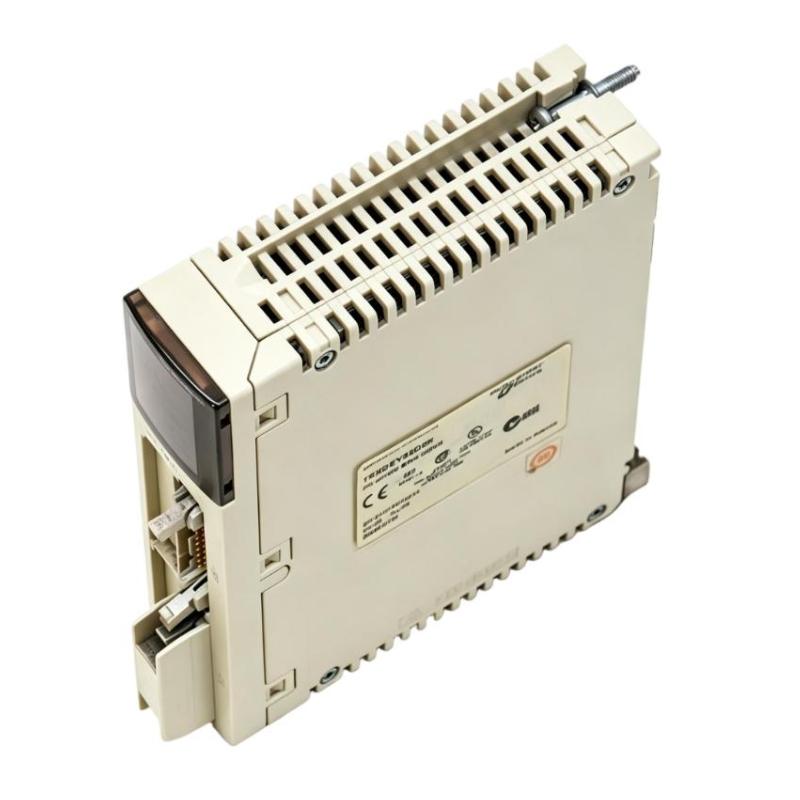
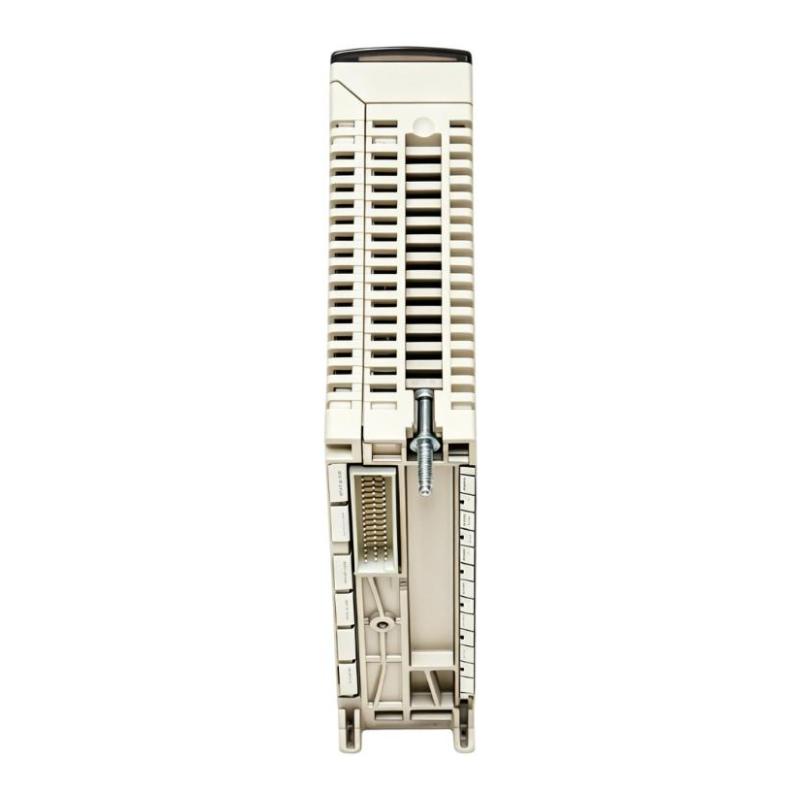
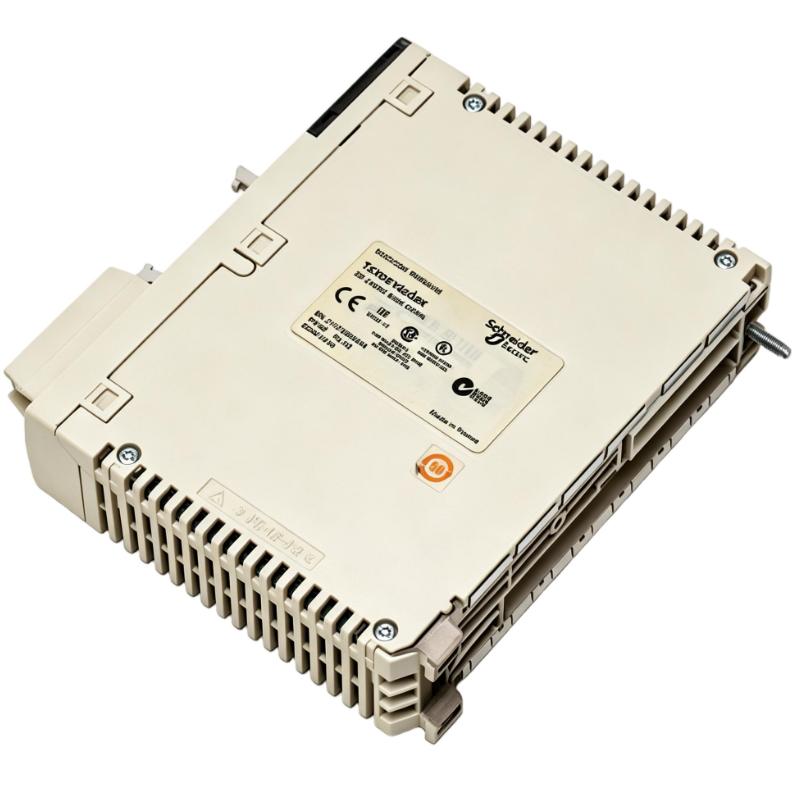
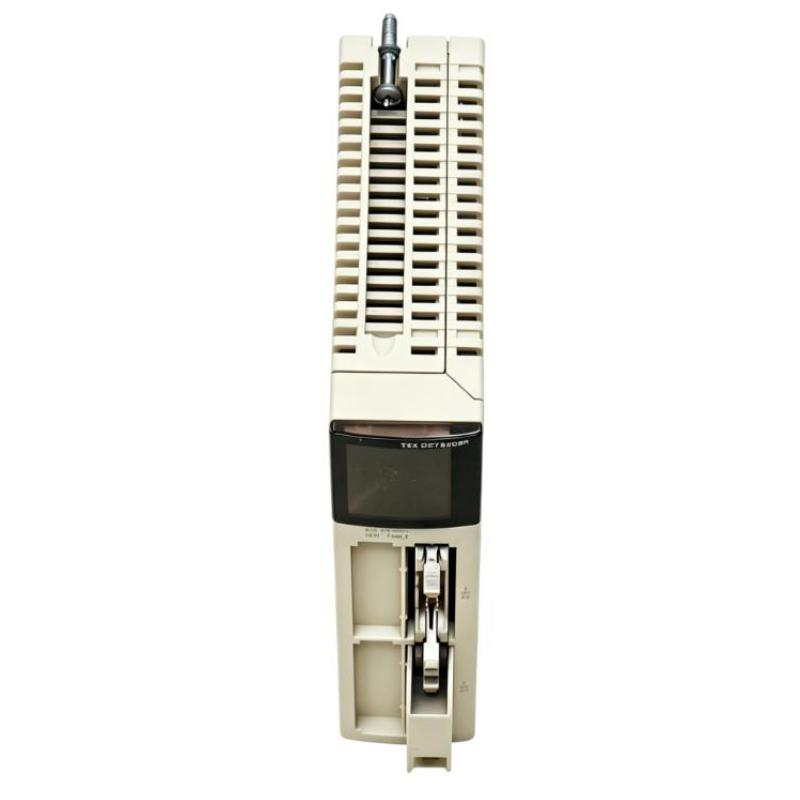
- Schneider
- TSXDEY32D2K
- Discrete Input Module
- France
- 55 × 180 × 260 mm
- 0.3 kg
- Xiamen, China
- New & In Stock
- T/T, PayPal, Western Union
- 1 Year
- 1-3 Working Days
- DHL, UPS, TNT, FedEx and EMS.
- 24-Hour Service
- COO
- 3
Our advantage

Global Logistics
We have a 10-year logistics and express cooperation agreement, so our products can be shipped to any place in the world.

Brand new and original
Our products are imported in bulk from the place of origin. Because of the cooperative relationship, our products are all original and 100% new.

24-hour service
We provide 7*24 hours service to our customers. We will be there whenever you need us.

Price advantage
All our products are priced very favorably because we have our own warehouse and supply.
| Company Information | |||
| [email protected] | |||
| Mobile | +8615980777398 | ||
| +8615980777398 | |||
| 15980777398 |
1. Product Overview
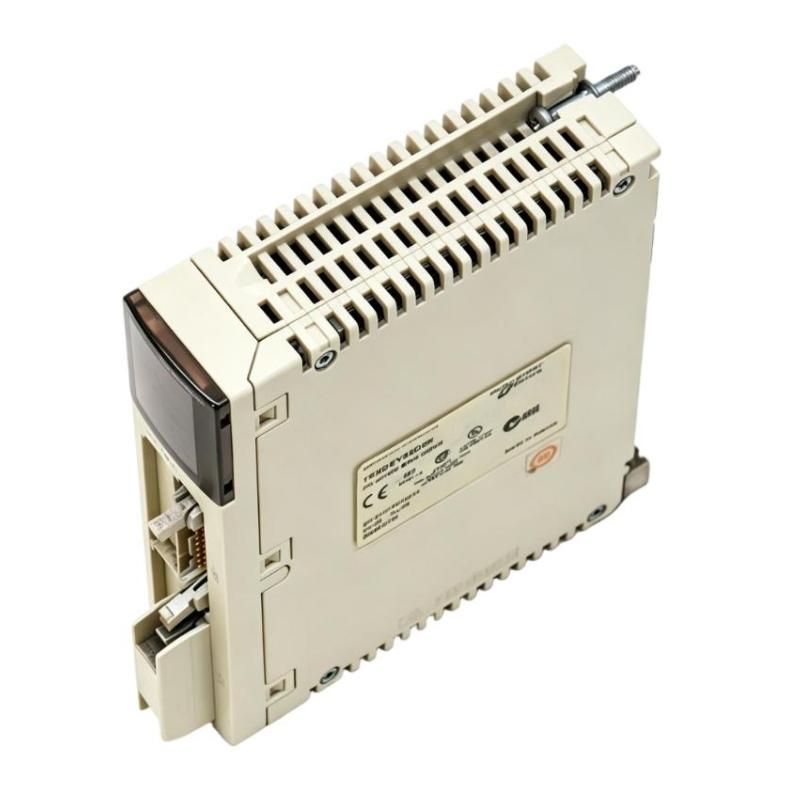
The Schneider Electric TSXDEY32D2K Discrete Input Module is an industrial automation component designed for digital signal acquisition in compatible programmable logic controller (PLC) systems. Discrete input modules provide an interface between field devices and the PLC, allowing the controller to monitor equipment status, detect operating conditions, and execute programmed control sequences.
In automated production environments, digital input signals are essential for monitoring proximity sensors, limit switches, push buttons, auxiliary contacts, and other compatible devices. These signals help the PLC determine whether specific conditions have been met and whether a machine should continue, stop, or move to another stage of its operating sequence.
The Schneider TSXDEY32D2K is identified as a discrete input module, with supplied dimensions of 55 × 180 × 260 mm and a listed weight of 0.3 kg. Before purchasing or installing the module, users should confirm its electrical specifications, input configuration, and compatibility with the intended PLC hardware.
2. Technical Specifications
| Parameter | Specification |
|---|---|
| Brand | Schneider Electric |
| Model Number | TSXDEY32D2K |
| Product Type | Discrete Input Module |
| Dimensions | 55 × 180 × 260 mm |
| Weight | 0.3 kg |
| Product Category | PLC Digital Input Module |
| Primary Function | Acquisition of discrete field signals |
| Typical Applications | Machine monitoring and industrial control |
| PLC Compatibility | Must be verified against the applicable hardware documentation |
Technical note: The dimensions and weight are based on the supplied product information. Although the model designation may indicate a particular input configuration, the exact channel count, rated voltage, input current, wiring arrangement, isolation characteristics, and supported PLC platforms should be verified against the manufacturer’s documentation before installation.
3. Function and Working Principle
A discrete input module receives digital signals from field devices and makes their states available to the PLC. These signals represent conditions that can generally be interpreted as on/off or active/inactive states.
The precise electrical behavior of the TSXDEY32D2K depends on its documented hardware design.
3.1 Digital Signal Acquisition
Field devices generate signals when a physical condition changes. For example, a proximity sensor may detect a metal object, or a limit switch may indicate that a mechanical component has reached a specified position.
The input module receives these signals through its designated terminals or connectors, provided that the signals meet its electrical requirements.
3.2 Input Signal Processing
The module’s internal circuitry processes the incoming electrical signals to establish recognizable input states. Input voltage, current, signal timing, and electrical noise can affect the reliability of signal detection.
Correct wiring and compliance with the specified input characteristics are therefore essential.
3.3 PLC Status Monitoring
The module makes input status information available to the compatible controller. The PLC program can then evaluate these states and use them in machine logic, alarms, interlocks, and production sequences.
For example, a control program may use a sensor input to confirm that a product is present before activating the next production step.
3.4 Integration with Automated Processes
Discrete input data can be combined with timer functions, counter operations, output commands, and other control logic. This allows the PLC to coordinate multiple field devices and respond to changes in operating conditions.
Safety-critical functions require appropriately designed and validated safety circuits or safety-rated equipment. A standard discrete input module should not be assumed to provide safety-rated functionality.
4. Industrial Applications
Discrete input modules are widely used in industrial systems that depend on reliable monitoring of digital field conditions. The suitability of the TSXDEY32D2K for a particular application depends on verified hardware and electrical compatibility.
Manufacturing and Assembly Lines
Digital inputs monitor sensors, machine positions, product presence, and operator controls. The PLC uses these signals to coordinate automated production sequences.
Packaging Equipment
Compatible input devices can indicate product arrival, packaging position, machine-door status, and other operating conditions. These signals support sequence control and production monitoring.
Conveyor Systems
Sensors and limit switches provide information about item detection, conveyor movement, and mechanical end positions. The PLC processes this information to coordinate material handling operations.
Industrial Machinery
Machine tools and automated equipment use discrete signals to monitor operating states, detect component positions, and confirm that specific conditions have been met.
Process Automation
Digital inputs can monitor equipment contacts, process switches, and other field devices. The PLC uses this information for status monitoring, alarm generation, and control sequencing.
Industrial Control Panels
The module can form part of a larger PLC installation containing controllers, power supplies, communication modules, output modules, terminal blocks, and field wiring.
Before integrating the module into any of these applications, confirm its rated input characteristics and compatibility with the installed controller.
5. Installation and System Integration
Proper installation helps ensure reliable input acquisition and minimizes faults caused by wiring errors or incompatible hardware.
Step 1: Verify the Module Model
Confirm the complete model number TSXDEY32D2K against the existing system documentation. Check the controller family, rack or mounting arrangement, connector type, and supported hardware configuration.
Step 2: Isolate Electrical Power
Follow the approved shutdown and electrical isolation procedures before installing or removing the module. Ensure that relevant power sources are isolated and that the equipment is in a safe condition.
Do not remove or insert the module under power unless the applicable equipment documentation explicitly permits it.
Step 3: Inspect the Module
Check the module for physical damage, contamination, bent connectors, or other visible defects. Confirm that the control cabinet provides suitable environmental protection and meets the module’s specified operating conditions.
Step 4: Install the Module
Follow the installation procedure for the compatible PLC platform. Align the module correctly, seat it fully, and secure it according to the manufacturer’s instructions. Avoid applying excessive force to connectors or mounting components.
Step 5: Connect Field Devices
Use the correct wiring diagram to connect compatible sensors, switches, and other digital signal sources. Verify input voltage, polarity, common connections, grounding, and shielding requirements where applicable.
Do not assume that the module supports a particular voltage or wiring method based only on its model name.
Step 6: Configure the PLC Hardware
Use the appropriate engineering software and hardware configuration procedure. Confirm that the PLC recognizes the installed module and that the input addresses correspond to the intended field devices.
Step 7: Test Input Operation
Before resuming full production, activate each relevant field device under controlled conditions. Verify that the module and PLC report the expected input state.
Check for missed signals, unexpected state changes, and incorrect application responses before returning the equipment to normal operation.
6. Common Problems and Troubleshooting
Input-related faults can originate in the field device, wiring, module, controller configuration, or PLC application. A systematic troubleshooting process helps identify the actual source.
6.1 No Input Signal Detected
Possible causes:
- The sensor or switch is not operating.
- Field wiring is disconnected or incorrect.
- The signal voltage is outside the supported range.
- A common or reference connection is missing.
- The hardware configuration is incorrect.
Recommended actions:
Inspect the field device and wiring. Verify the electrical signal using an approved test procedure, then compare the measured condition with the PLC input status and diagnostic information.
6.2 Input Remains Permanently Active or Inactive
Possible causes:
- A faulty or mechanically stuck sensor.
- A short circuit or open circuit.
- Incorrect wiring polarity.
- A damaged input channel.
- An incorrect PLC input address.
Recommended actions:
Check the field device and associated wiring. Compare the physical state with the input state displayed in the engineering software, and verify that the PLC program uses the correct address.
6.3 Intermittent Input Signals
Possible causes:
- Loose terminals or connectors.
- Electrical interference from nearby motors or drives.
- Unstable sensor power.
- Damaged field cables.
- Mechanical vibration affecting switches or connections.
Recommended actions:
Inspect wiring and terminals, verify the field-device power supply, and review cable routing, grounding, and shielding. If necessary, monitor the signal under operating conditions to determine where the intermittent behavior originates.
6.4 Multiple Input Channels Fail
Possible causes:
- Loss of a shared field power supply.
- A common wiring or reference problem.
- Incorrect module installation.
- A controller rack or system-level fault.
- A configuration problem.
Recommended actions:
Check shared supplies and common connections first. Review the PLC’s diagnostic information and confirm that the module is correctly installed and recognized.
6.5 Module Not Recognized by the PLC
Possible causes:
- Hardware incompatibility.
- Incorrect configuration.
- Improper seating or connector damage.
- A fault in the associated rack or controller.
Recommended actions:
Verify the module’s compatibility with the PLC platform. Compare the physical installation with the configured hardware and follow the manufacturer’s diagnostic procedure.
7. Preventive Maintenance Recommendations
Regular inspection of the module and associated signal circuits can help maintain dependable operation.
- Inspect wiring and terminals: Check for loose connections, corrosion, insulation damage, and connector wear.
- Test field devices: Confirm that sensors and switches respond correctly under normal operating conditions.
- Monitor input status: Compare actual device states with the values reported by the PLC.
- Review diagnostic messages: Investigate recurring warnings and input faults.
- Maintain cabinet cleanliness: Keep dust, moisture, and conductive contamination away from electronic components.
- Control electrical interference: Follow recommended grounding, shielding, and cable-separation practices.
- Back up configuration data: Maintain current records of PLC hardware settings and application logic.
- Document maintenance work: Record faulty channels, wiring repairs, replacement details, and test results.
Maintenance frequency should reflect the operating environment, system criticality, and the manufacturer’s recommendations.
8. Compatibility and Replacement Considerations
Selecting a replacement discrete input module requires confirmation of electrical, mechanical, and controller compatibility. Modules that appear similar may have different input voltages, channel arrangements, isolation characteristics, or hardware support requirements.
Before ordering the Schneider TSXDEY32D2K, verify the following:
| Verification Item | What to Confirm |
|---|---|
| Model number | TSXDEY32D2K |
| Dimensions | 55 × 180 × 260 mm |
| Listed weight | 0.3 kg |
| PLC compatibility | Supported controller and installation arrangement |
| Input voltage | Rated electrical input requirements |
| Channel configuration | Confirm the required number and arrangement of inputs |
| Wiring requirements | Check polarity, common connections, and terminal layout |
| Isolation characteristics | Verify the specified electrical isolation |
| Software configuration | Confirm hardware recognition and configuration support |
| Application suitability | Ensure compatibility with connected field devices |
Do not select an alternative module solely because it has similar dimensions or a related model designation. Confirm the full technical specification before replacing the existing component.
9. Key Benefits of Discrete Input Modules
When correctly selected and integrated, discrete input modules provide several benefits in industrial automation.
Reliable Signal Acquisition
The module provides a structured interface for compatible digital field signals, allowing the PLC to monitor machine conditions.
Improved Equipment Monitoring
Input states help the control system identify device status, operator actions, and changes in machine conditions.
Support for Automated Sequencing
The PLC can use input information to coordinate machine cycles, production stages, and output commands.
Easier Fault Diagnosis
Comparing field-device behavior with PLC input status helps maintenance personnel investigate sensor, wiring, and configuration problems.
Integration with PLC-Based Systems
Discrete input modules connect field-level devices to the control layer, supporting coordinated industrial automation.
Actual results depend on correct hardware selection, electrical compatibility, installation quality, and application design.
10. Frequently Asked Questions
What is the Schneider TSXDEY32D2K Discrete Input Module?
It is an industrial PLC component identified as a discrete input module. Its role is to acquire compatible digital field signals for processing by a control system. Exact technical specifications and supported PLC platforms should be confirmed using the applicable documentation.
What are the dimensions of the TSXDEY32D2K?
The supplied dimensions are 55 × 180 × 260 mm.
What is the weight of this module?
The supplied weight is 0.3 kg.
What devices can be connected to a discrete input module?
Depending on the module’s electrical specifications, compatible devices may include push buttons, limit switches, proximity sensors, and auxiliary contacts. All field signals must meet the module’s rated input requirements.
Why might an input channel fail to change state?
Potential causes include a faulty sensor, incorrect wiring, incompatible voltage, a missing common connection, or a problem with the PLC configuration. Troubleshooting should examine the entire signal path.
Can the TSXDEY32D2K replace another Schneider input module?
Compatibility should not be assumed. Confirm the controller platform, electrical input requirements, channel configuration, wiring arrangement, and software support before choosing a replacement.
What information should be checked before ordering?
Verify the complete model number, target PLC system, electrical input specifications, wiring requirements, installation arrangement, dimensions, and weight.
11. Conclusion
The Schneider TSXDEY32D2K Discrete Input Module is an industrial automation component identified for digital field-signal acquisition in compatible PLC systems. Its supplied dimensions are 55 × 180 × 260 mm, and its listed weight is 0.3 kg.
For reliable operation, confirm the module’s exact electrical characteristics and controller compatibility before installation. Correct wiring, appropriate hardware configuration, systematic signal testing, and routine inspection help maintain dependable input monitoring and support stable industrial automation performance.