

ProductPRODUCT
Featured products
Contact Us
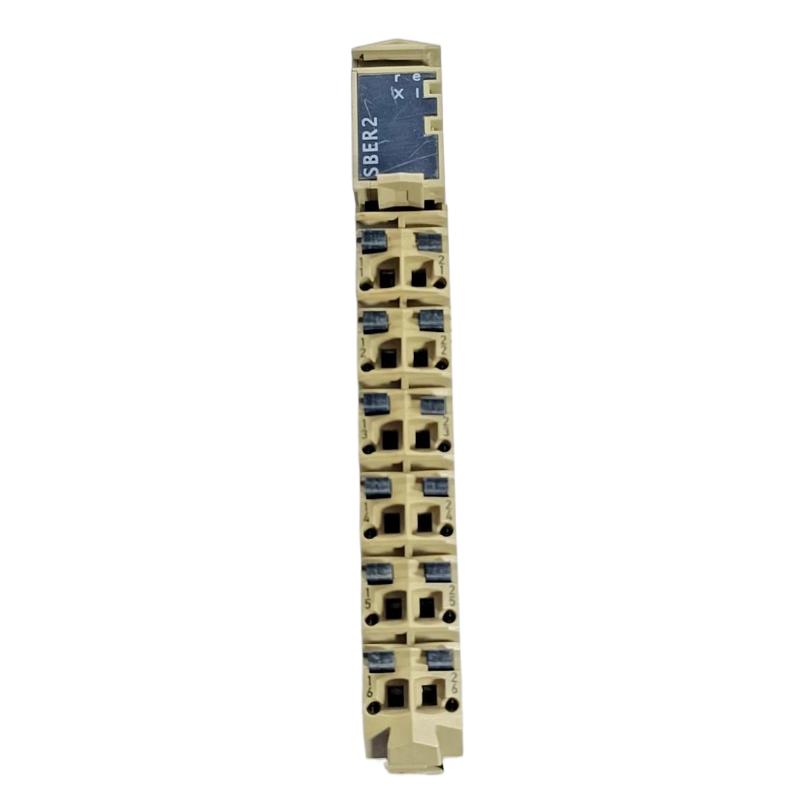
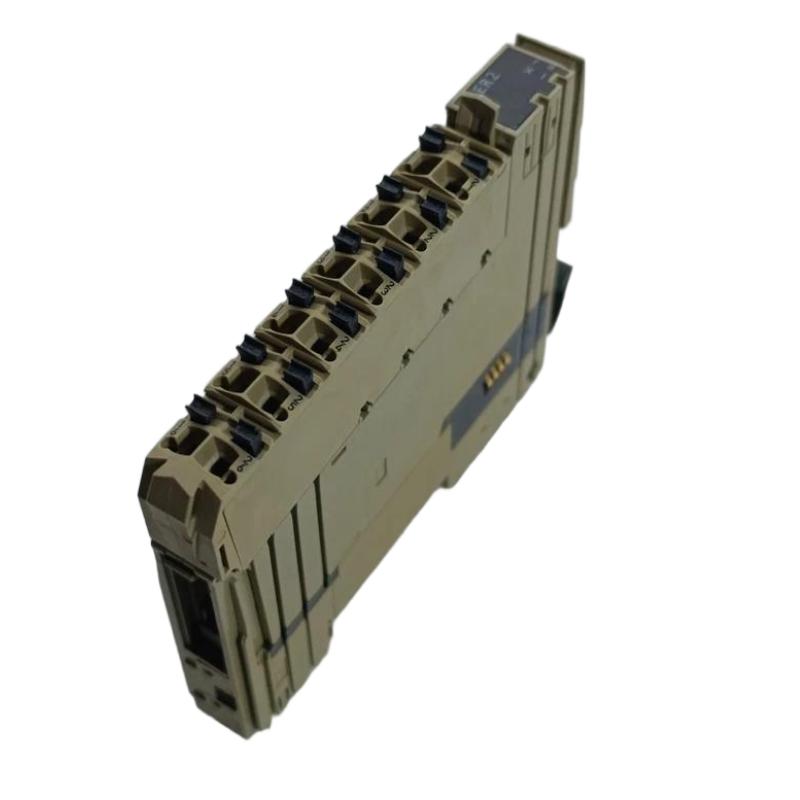
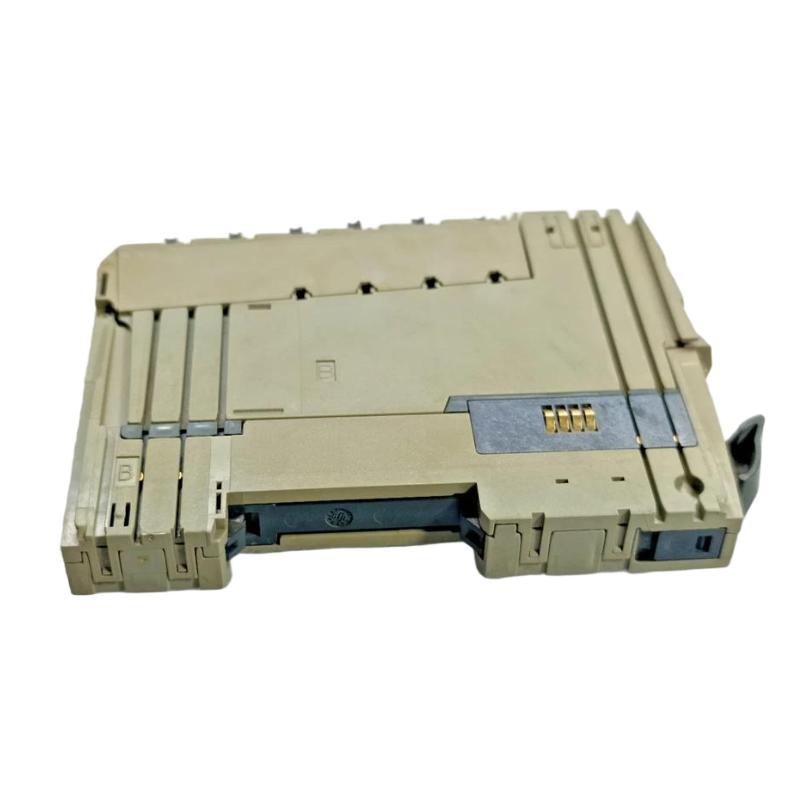
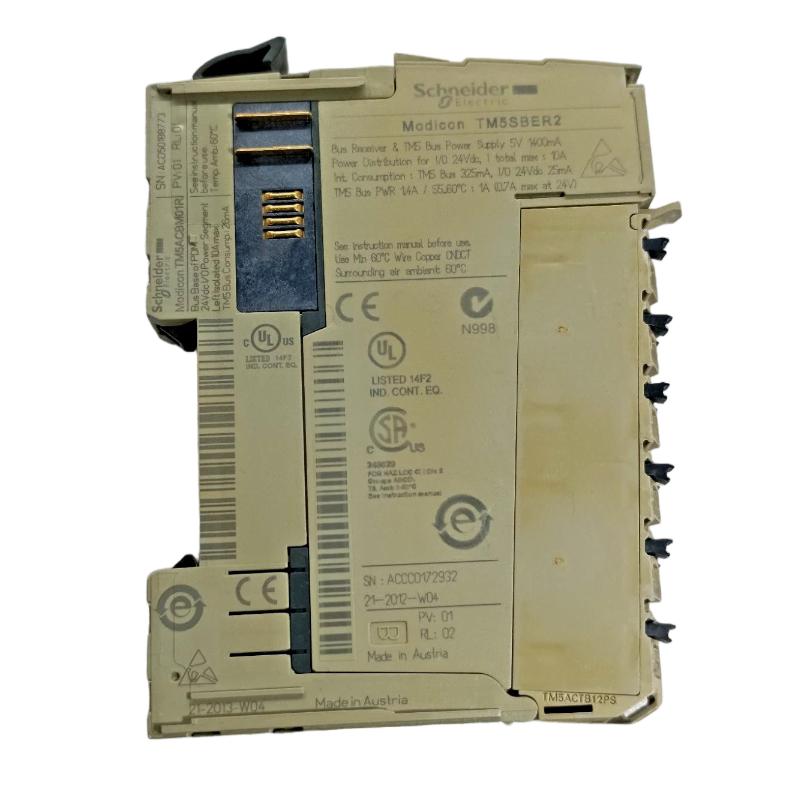
- Schneider
- TM5SBER2
- Remote Receiver Module
- France
- 99 × 12.5 × 75 mm
- 0.025 kg
- Xiamen, China
- New & In Stock
- T/T, PayPal, Western Union
- 1 Year
- 1-3 Working Days
- DHL, UPS, TNT, FedEx and EMS.
- 24-Hour Service
- COO
- 4
Our advantage

Global Logistics
We have a 10-year logistics and express cooperation agreement, so our products can be shipped to any place in the world.

Brand new and original
Our products are imported in bulk from the place of origin. Because of the cooperative relationship, our products are all original and 100% new.

24-hour service
We provide 7*24 hours service to our customers. We will be there whenever you need us.

Price advantage
All our products are priced very favorably because we have our own warehouse and supply.
| Company Information | |||
| [email protected] | |||
| Mobile | +8615980777398 | ||
| +8615980777398 | |||
| 15980777398 |
1. Product Overview
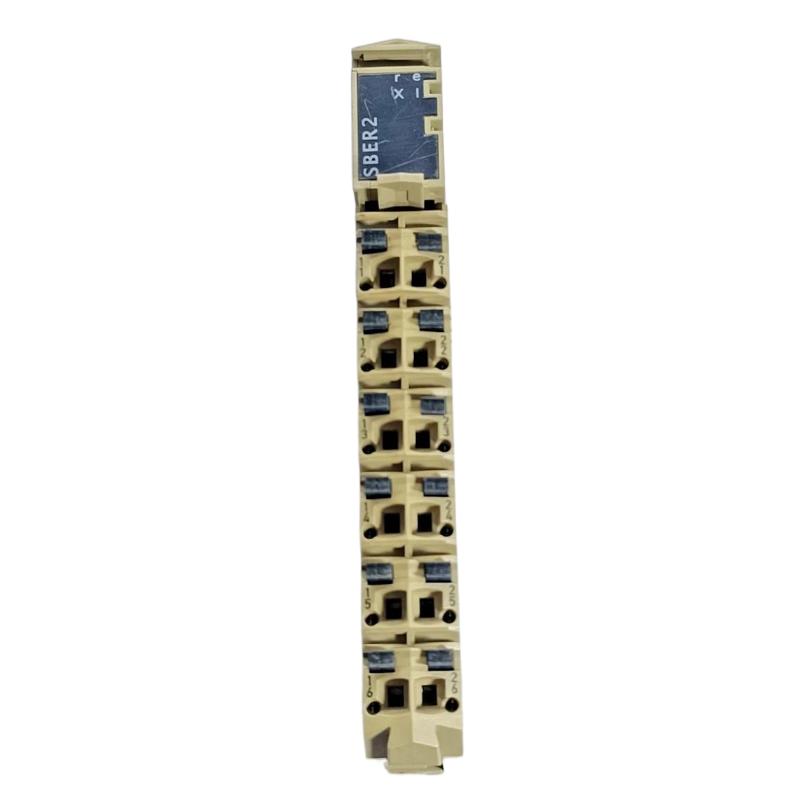
The Schneider TM5SBER2 Remote Receiver Module is an industrial automation component associated with Schneider Electric’s TM5 modular I/O system. Remote receiver modules are used in modular automation architectures to support the connection and integration of remote I/O segments with a compatible controller system.
In industrial applications, control equipment and field devices may be distributed across different sections of a machine or production line. A modular remote I/O architecture helps organize these devices into manageable groups, reducing the need to route every field signal directly to a central control cabinet. The appropriate receiver or interface module provides the designated connection within the system architecture, subject to the specific product’s supported configuration.
The TM5SBER2 is intended for applications where remote I/O integration is required within a compatible Schneider Electric automation installation. Its precise role, supported network or bus arrangement, and compatibility with other TM5 components must be verified using the technical documentation for the exact model.
The supplied dimensions are 99 × 12.5 × 75 mm, and the listed weight is 0.025 kg. These specifications are useful for product identification, spare-parts inventory, and preliminary control cabinet planning.
Before purchasing or installing the module, engineers should confirm its interface function, supported controller platform, connection requirements, hardware configuration, and applicable software support. These details are essential to ensure correct operation in the intended automation system.
2. Technical Specifications
| Parameter | Specification |
|---|---|
| Brand | Schneider Electric |
| Model | TM5SBER2 |
| Product Type | Remote Receiver Module |
| Product Family | TM5 Modular I/O |
| Dimensions | 99 × 12.5 × 75 mm |
| Weight | 0.025 kg |
| Primary Function | Remote I/O system integration, subject to model-specific verification |
| Typical Application | Distributed industrial automation and modular I/O |
| Installation | Compatible TM5 system assembly |
| System Compatibility | Must be verified against the controller and I/O configuration |
Technical note: The exact receiver function, supported bus or interface type, segment limits, connection topology, status indicators, power requirements, and compatibility with specific TM5 modules should be confirmed using the official technical documentation for the TM5SBER2. These details should not be inferred from the model number alone.
3. Function and Working Principle
A remote receiver module serves a defined role in a modular automation architecture. Depending on the specific hardware design, receiver or interface components may provide the designated connection between a remote I/O segment and the wider control system.
The complete architecture determines how data, status information, and control commands are exchanged.
3.1 Remote I/O Integration
Industrial machines often contain sensors and actuators distributed across different physical locations. A modular I/O system allows field signals to be collected and organized close to the equipment they serve.
The appropriate interface or receiver component supports the intended system arrangement. The exact function of the TM5SBER2 should be confirmed against its product documentation before designing or modifying a remote I/O installation.
3.2 Data Exchange within the Control System
A modular automation system requires compatible components and a correctly configured communication or bus architecture. The controller must recognize the installed hardware and establish the expected data exchange with the relevant I/O segments.
Configuration errors, incompatible modules, incorrect connections, or power problems can interrupt this exchange and affect the availability of field data.
3.3 Modular System Organization
A modular I/O architecture separates the overall control system into defined hardware components. This arrangement can make machine design, commissioning, and maintenance more manageable when the selected components are compatible and installed according to the manufacturer’s instructions.
The system designer must verify component order, interface requirements, power distribution, and the permitted configuration for the exact hardware combination.
3.4 Diagnostics and Maintenance
Reliable remote I/O operation depends on identifying faults quickly. Controller diagnostics, hardware status indicators where provided, wiring inspections, and configuration checks can help determine whether a problem originates in the receiver module, connected I/O components, power supply, or controller setup.
Diagnostic features and status indications should be interpreted according to the exact product documentation.
4. Role in Industrial Automation Systems
The Schneider TM5SBER2 Remote Receiver Module can be evaluated for use in a compatible modular I/O architecture where its verified interface function matches the system requirements.
4.1 Distributed Machine Control
Large machines and production lines may contain sensors and actuators located far from the main PLC cabinet. Distributed I/O arrangements can organize these field connections into local groups.
The correct interface hardware allows these groups to participate in the overall control architecture, provided that the selected controller and I/O components support the arrangement.
4.2 Modular Control Cabinet Design
Modular automation components allow system designers to organize hardware according to functional requirements. A receiver or interface module can form part of this structure when used in its documented position and configuration.
Proper component selection helps avoid unnecessary wiring changes and reduces the risk of configuration errors during commissioning.
4.3 Production Line Integration
Production equipment may contain several functional sections, such as material handling, assembly, packaging, and inspection. A compatible modular I/O system can help organize field connections across these sections.
The controller program, hardware configuration, and applicable communication architecture must be designed together to maintain dependable data exchange.
4.4 System Expansion and Maintenance
When a machine is expanded or repaired, engineers must ensure that new or replacement components are compatible with the installed system. Receiver and interface modules should be selected according to the documented hardware architecture rather than their physical appearance alone.
Before adding modules, verify supported configuration limits, connection requirements, power capacity, and software compatibility.
5. Industrial Applications
5.1 Automated Manufacturing Machinery
Manufacturing equipment frequently uses distributed sensors, actuators, and modular control hardware. A compatible remote I/O arrangement can help organize field wiring and support communication with the main controller.
5.2 Packaging and Material Handling
Packaging machines and material-handling systems often include multiple machine sections with their own field devices. Modular I/O architectures can support structured hardware layouts and simplify maintenance when the correct interface components are used.
5.3 Assembly and Inspection Equipment
Automated assembly and inspection stations may require coordinated monitoring and control across several equipment sections. A properly configured modular I/O system can help integrate these devices into the overall PLC architecture.
5.4 Process and Utility Equipment
Industrial utility systems may distribute measurement and control devices across pumps, valves, and auxiliary equipment. The suitability of the TM5SBER2 for a particular installation depends on its confirmed function and the supported system configuration.
5.5 Machine Upgrades and Spare-Parts Replacement
During machine upgrades, maintenance teams may need to replace an existing receiver or interface component. Exact model identification and compatibility verification are essential to avoid introducing communication, configuration, or mechanical problems.
6. Installation and System Integration
Correct installation is essential for reliable operation in a modular I/O system. The following checklist provides general guidance; the manufacturer’s instructions for the exact TM5SBER2 and associated controller take precedence.
6.1 Confirm Model and Hardware Compatibility
Verify the complete model number and confirm that the module is supported by the intended controller and TM5 configuration.
Check the required mounting components, adjacent modules, interface connections, power requirements, and applicable software support. Do not assume that modules with similar dimensions or names are interchangeable.
6.2 Isolate Power Before Installation
Disconnect the relevant power sources before installing, removing, or rewiring the module. Follow site lockout/tagout procedures and confirm that the system is in a safe state.
Use appropriate electrostatic-discharge precautions and follow the specified handling and grounding requirements.
6.3 Check the Intended Installation Position
Confirm the designated location of the module within the hardware assembly. Follow the documented component order and ensure that the required mechanical and electrical connections are correctly established.
Inspect connectors and adjacent components for damage before powering the system.
6.4 Verify Wiring and Connections
Inspect the relevant bus, interface, and power connections according to the product documentation. Ensure that connectors are correctly seated and that wiring follows the required terminal assignments.
Do not make assumptions about pin assignments or connection topology based on another module in the same product family.
6.5 Configure the Controller
Use the applicable engineering software to configure the hardware. Confirm that the selected controller supports the module and that the configured system matches the installed hardware.
Review diagnostic information after configuration and resolve any reported hardware or communication issues before enabling normal operation.
6.6 Commission the System
After confirming the wiring and hardware configuration, restore power in accordance with the commissioning procedure. Check module status indications where available and review the controller’s diagnostic information.
Verify that the intended I/O components are recognized and that the complete system exchanges data as expected. Record the final hardware arrangement and configuration for future maintenance.
7. Troubleshooting Common Problems
Problems involving remote I/O integration may originate from the receiver module, controller configuration, power supply, system connections, adjacent I/O components, or the wider communication architecture.
7.1 Module Not Recognized by the Controller
Possible causes:
- Incorrect hardware configuration.
- Incompatible controller or module combination.
- Incomplete installation.
- Incorrect component arrangement.
- Faulty connection or hardware.
Recommended checks:
- Verify the complete module model number.
- Compare the installed hardware with the controller configuration.
- Check that the module is installed in its documented position.
- Inspect relevant connections after isolating power where required.
- Review controller diagnostics and follow the applicable troubleshooting procedure.
7.2 Communication or Bus Errors
Communication problems may result from incorrect connections, incompatible hardware, configuration errors, or power issues affecting the relevant system components.
Inspect the system connections, confirm component compatibility, and review diagnostic information. Follow the manufacturer’s instructions for checking the specific bus or interface used by the installation.
7.3 Remote I/O Data Unavailable
If the controller cannot access expected I/O data, check the complete data path rather than immediately assuming that the receiver module has failed.
Verify the controller configuration, module status, power availability, interface connections, and condition of the associated I/O components. Where supported, compare diagnostic information from the controller with status indications on the hardware.
7.4 Intermittent System Operation
Intermittent problems can be caused by loose connections, unstable power, environmental conditions outside the specified limits, or an underlying hardware fault.
Inspect the installation under approved maintenance procedures. Check wiring retention, connector condition, power stability, and operating conditions. Review system logs or diagnostics for patterns that may help isolate the problem.
7.5 Errors Following Module Replacement
A replacement module may not operate correctly if the hardware configuration, component arrangement, or compatibility assumptions are incorrect.
Confirm the replacement’s complete model number and supported system role. Check the installed hardware against the configured project and follow the approved commissioning procedure before returning the machine to service.
8. Compatible System Components
A modular automation installation involving a remote receiver module may include the following components. Exact compatibility and component roles must be verified for the TM5SBER2.
| Component | Function |
|---|---|
| Compatible Schneider Electric controller | Executes application logic and manages the control system |
| TM5 modular I/O components | Provide the required field signal interfaces |
| Documented receiver or interface components | Establish the intended connection within the system architecture |
| Suitable power supply | Provides power to the applicable control hardware |
| Field sensors and actuators | Supply measurement signals or perform commanded actions |
| System connectors and wiring | Provide the required electrical and interface connections |
| Engineering software | Supports hardware configuration and diagnostics |
| HMI or supervisory system | Displays operating information through the controller |
| Industrial communication infrastructure | Supports data exchange where required by the architecture |
The final bill of materials should be based on the documented hardware configuration rather than assumptions about compatibility.
9. Replacement and Alternative Selection
When replacing a Schneider TM5SBER2 Remote Receiver Module, engineers should confirm that the proposed replacement provides the same required system function and is supported by the existing hardware architecture.
| Selection Factor | What to Verify |
|---|---|
| Complete model number | Confirm the exact product identification |
| System function | Verify the required receiver or interface role |
| Product family | Check compatibility with the installed TM5 architecture |
| Controller support | Confirm supported hardware and software combinations |
| Connection arrangement | Verify bus, interface, and connector requirements |
| Power requirements | Check the specified supply and distribution arrangement |
| System configuration | Confirm permitted module combinations and component order |
| Physical dimensions | Verify mounting and cabinet-space requirements |
| Diagnostics | Confirm the available status and troubleshooting procedures |
| Environmental conditions | Ensure suitability for the installation environment |
If the original module is unavailable, select an alternative only after confirming functional equivalence and compatibility. Similar dimensions, weight, or product descriptions do not establish that two modules are interchangeable.
10. Key Advantages
Compact physical design: The listed dimensions of 99 × 12.5 × 75 mm support space-conscious control cabinet planning.
Low listed weight: The specified weight of 0.025 kg assists with inventory records and installation planning.
Modular system integration: The product can be evaluated for use in a compatible TM5 modular I/O architecture, subject to confirmation of its exact system role.
Structured hardware organization: A properly designed modular system can help organize I/O components and simplify maintenance across machine sections.
Maintenance traceability: Accurate product identification and documented configuration details can help technicians diagnose faults and select appropriate replacements.
System expansion planning: Verified compatibility information supports more reliable planning for machine upgrades and modular I/O maintenance.
11. Technical FAQs
Q1: What is the Schneider TM5SBER2 Remote Receiver Module?
It is identified as a remote receiver module associated with Schneider Electric’s TM5 modular I/O family. Its exact interface function and supported system arrangement should be confirmed using the product-specific documentation.
Q2: What are the dimensions and weight of the TM5SBER2?
The supplied specifications list dimensions of 99 × 12.5 × 75 mm and a weight of 0.025 kg.
Q3: Can the TM5SBER2 be used with any Schneider Electric PLC?
No. Compatibility depends on the controller platform, supported TM5 hardware configuration, engineering-software support, and the module’s documented role.
Q4: Why might the controller fail to recognize the module?
Potential causes include incorrect hardware configuration, incompatible components, incorrect installation, connection problems, or a hardware fault. Check controller diagnostics and verify the complete installed configuration.
Q5: What should be checked before installing the module?
Confirm the model number, intended installation position, supported controller configuration, connection requirements, power arrangement, and applicable software support. Follow the manufacturer’s installation instructions.
Q6: How can a remote I/O problem be diagnosed?
Review controller diagnostics, check the module’s status indications where available, inspect connections, verify power, and confirm the hardware configuration. Isolate the problem systematically before replacing components.
Q7: What information is needed to select a replacement?
Confirm the exact model number, system role, controller compatibility, interface requirements, supported hardware arrangement, and physical installation requirements. Do not select a replacement based on dimensions alone.
12. Conclusion
The Schneider TM5SBER2 Remote Receiver Module is an industrial automation component associated with Schneider Electric’s TM5 modular I/O family. Its suitability for a specific installation depends on the precise receiver or interface function documented for the model and its compatibility with the controller and connected I/O architecture.
Correct model identification, hardware configuration, connection verification, and commissioning are essential for dependable system operation. Before installation or replacement, engineers should confirm the module’s technical specifications and supported system arrangements using the appropriate product documentation.
For automation engineers, maintenance teams, and industrial spare-parts buyers, verifying the complete model number and system compatibility helps reduce installation errors, improve troubleshooting efficiency, and support reliable maintenance planning.