

ProductPRODUCT
Featured products
Contact Us
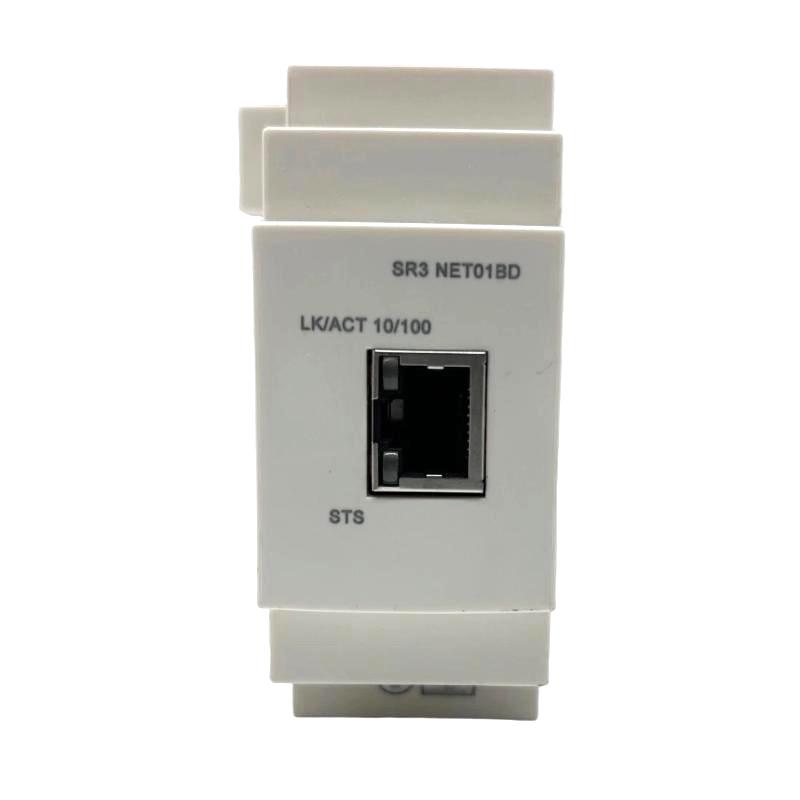
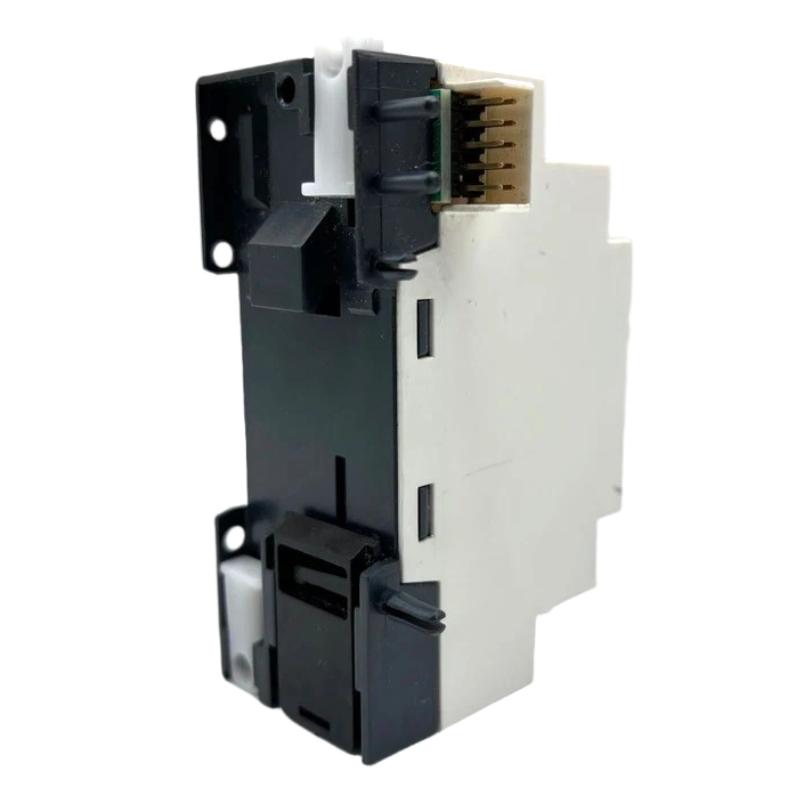
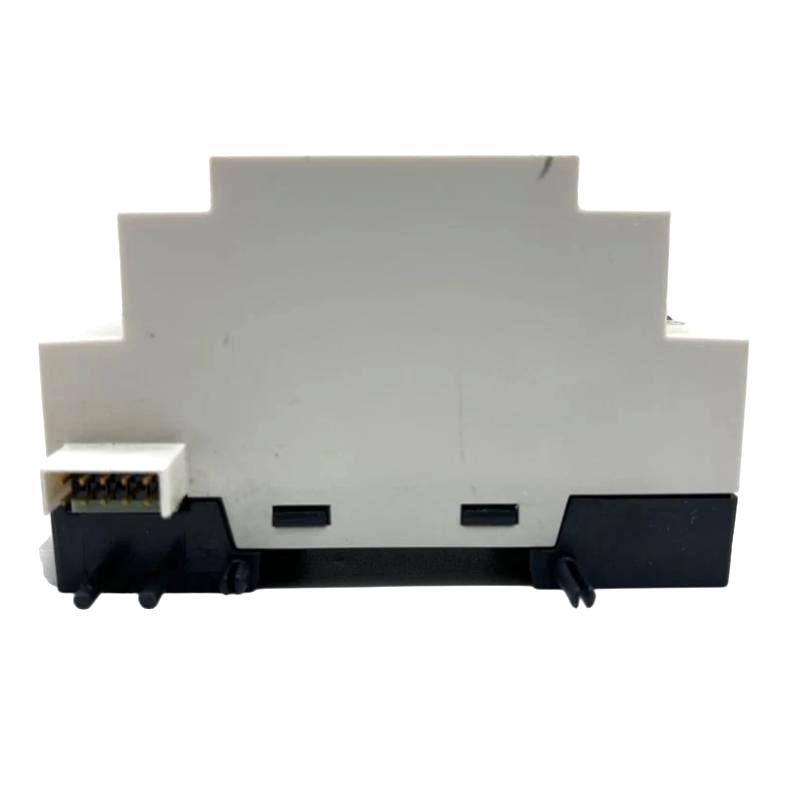
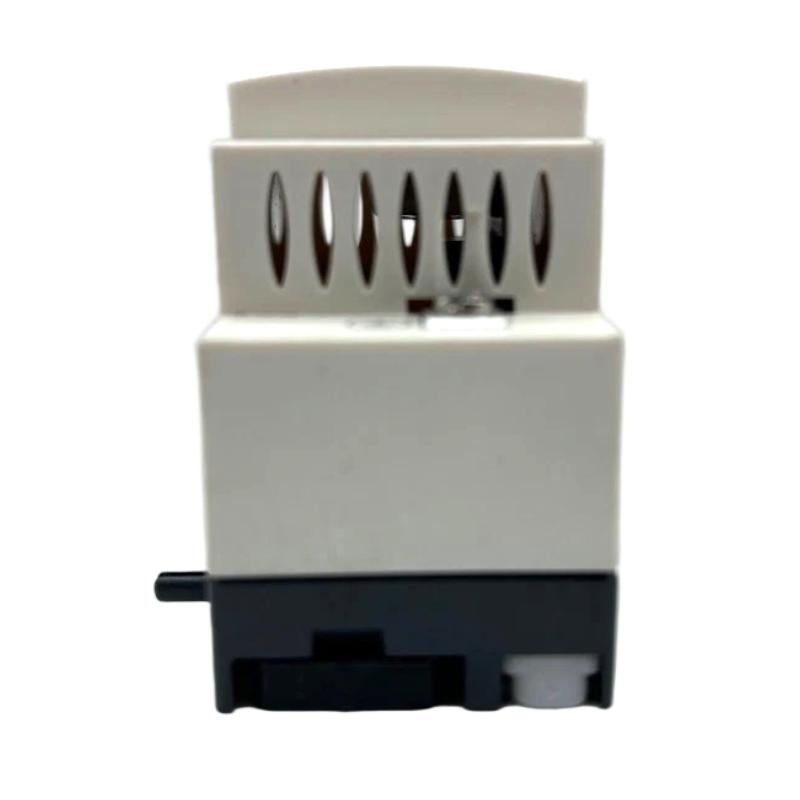
- Schneider
- SR3NET01BD
- Ethernet Communication Module Interface
- France
- 180×57×35mm
- 0.11 kg
- Xiamen, China
- New & In Stock
- T/T, PayPal, Western Union
- 1 Year
- 1-3 Working Days
- DHL, UPS, TNT, FedEx and EMS.
- 24-Hour Service
- COO
- 11
Our advantage

Global Logistics
We have a 10-year logistics and express cooperation agreement, so our products can be shipped to any place in the world.

Brand new and original
Our products are imported in bulk from the place of origin. Because of the cooperative relationship, our products are all original and 100% new.

24-hour service
We provide 7*24 hours service to our customers. We will be there whenever you need us.

Price advantage
All our products are priced very favorably because we have our own warehouse and supply.
| Company Information | |||
| [email protected] | |||
| Mobile | +8615980777398 | ||
| +8615980777398 | |||
| 15980777398 |
Product Overview
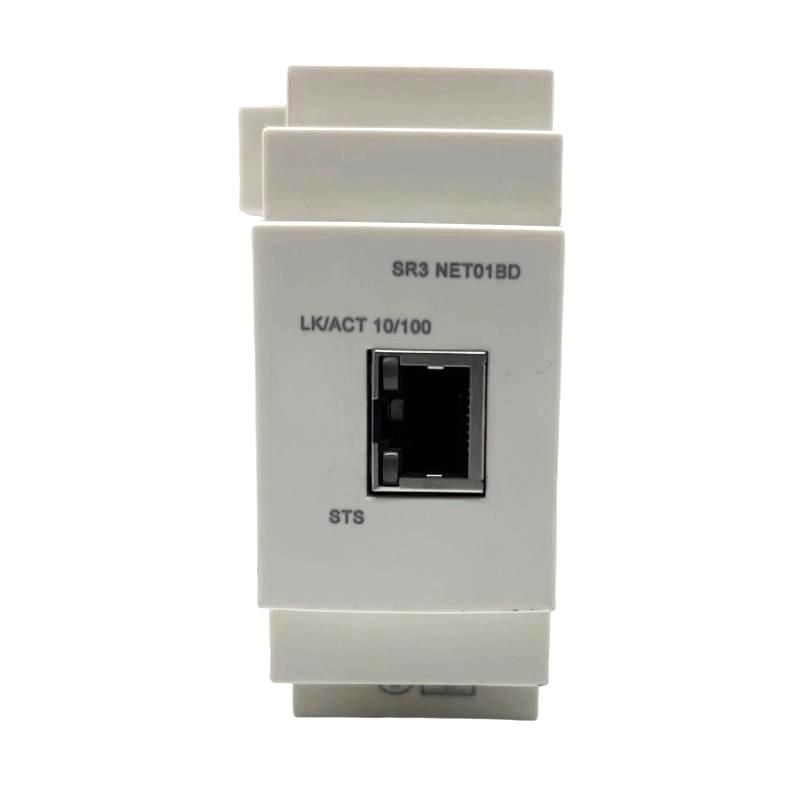
The Schneider Electric SR3NET01BD Ethernet Communication Module Interface is an industrial automation communication component identified for Ethernet-related connectivity within compatible control systems. Communication interfaces help connect automation equipment to supervisory systems, engineering workstations, and other networked devices, supporting data exchange and centralized equipment monitoring.
In industrial automation, communication capabilities are increasingly important for coordinating machines, collecting operating information, and simplifying maintenance. A suitable communication interface can help bridge the gap between local control equipment and a broader automation network, allowing users to access supported status information and configuration functions.
The Schneider SR3NET01BD is supplied with dimensions of 180 × 57 × 35 mm and a weight of 0.11 kg. These physical specifications are useful for inventory management, equipment planning, and replacement logistics.
The exact network functions, supported protocols, connection arrangement, and compatible controller models should be confirmed against the complete product designation and applicable Schneider Electric documentation before installation. In particular, the module’s Ethernet capabilities should not be assumed to include a specific protocol, web interface, or remote-control function unless that feature is explicitly supported.
Technical Specifications
| Parameter | Specification |
|---|---|
| Manufacturer | Schneider Electric |
| Model | SR3NET01BD |
| Product Type | Ethernet Communication Module Interface |
| Product Category | Industrial Automation Communication |
| Primary Function | Network communication interface, subject to exact model verification |
| Communication Medium | Ethernet, as indicated by the supplied product description |
| Supported Protocols | Verify for the exact product variant |
| Network Connector | Confirm from the product documentation |
| Host Equipment | Compatible Schneider Electric control equipment; verify exact compatibility |
| Dimensions | 180 × 57 × 35 mm |
| Weight | 0.11 kg |
| Installation | Follow the specified mounting and connection instructions |
| Typical Application | Industrial equipment connectivity and automation data exchange |
The table reflects the supplied model designation and physical specifications. Network speed, supported protocols, connector type, addressing options, and configuration requirements should be verified before the module is integrated into an operating system.
What Is the Schneider SR3NET01BD?
An Ethernet communication interface is used to exchange data between compatible automation equipment and a network. Depending on its design, such an interface may support monitoring, configuration, diagnostics, or communication with other devices.
A network connection can help make control-system information available to authorized engineering and maintenance personnel. It may also reduce the need for direct local access when the equipment supports remote diagnostics or configuration.
The SR3NET01BD is identified in the supplied description as an Ethernet communication module interface. Its exact role in a particular installation depends on the host equipment, the installed firmware or software, and the communication functions supported by the specific product.
A typical industrial communication arrangement can be represented as:
Control Equipment → Communication Interface → Ethernet Network → Compatible Automation or Supervisory Device
This is a general architecture rather than a confirmation of a specific supported network topology for the SR3NET01BD.
Function and Working Principle
1. Network Connectivity
An Ethernet interface provides a physical and logical connection to a compatible network. The connection allows supported devices to exchange data according to their configured communication methods.
Correct network integration requires suitable cabling, compatible ports, and appropriate configuration on the connected equipment.
2. Data Exchange
Industrial communication systems transfer information such as equipment status, operating values, diagnostic messages, and configuration data when the connected devices and protocol support those functions.
The exact data available through the SR3NET01BD depends on its verified capabilities and the host equipment. It should not be assumed that every internal controller parameter is automatically accessible over the network.
3. Monitoring and Diagnostics
When supported by the complete system, network communication can make selected equipment information available to engineering software or supervisory applications. Maintenance personnel can use this information to investigate communication problems, review equipment status, and reduce the time required for some diagnostic tasks.
The availability of remote diagnostics depends on the module, controller, software, and network configuration.
4. Integration with Automation Networks
A communication interface can serve as one component in a larger industrial network that includes controllers, operator interfaces, engineering workstations, and supervisory systems.
Successful integration requires the communication settings and supported services of each device to be compatible. Network architecture and security requirements should be considered before the system is connected to a wider enterprise network.
Role in Industrial Automation Systems
Industrial automation systems frequently contain multiple layers of control and monitoring. Local controllers execute machine logic, while operator interfaces display information and supervisory systems collect data across equipment or production areas.
A compatible communication interface can support data exchange between these layers.
| Automation Layer | Typical Function |
|---|---|
| Field Devices | Provide sensor signals and equipment feedback |
| Controller | Executes control logic and manages machine operation |
| Communication Interface | Enables supported network data exchange |
| Industrial Ethernet Network | Connects compatible devices |
| HMI | Displays equipment status and operator messages |
| Supervisory System | Collects and presents data from supported equipment |
| Engineering Workstation | Supports configuration, maintenance, and troubleshooting |
The SR3NET01BD should only be assigned a role that is supported by its verified specifications. The presence of an Ethernet-related product description alone does not establish compatibility with every PLC, HMI, SCADA platform, or industrial protocol.
Industrial Applications
Machine Automation
Network connectivity can support equipment monitoring and maintenance in automated machinery when the control platform provides the required communication functions. It may help technicians access selected operating information without relying exclusively on local indicators.
Production-Line Monitoring
In a compatible network architecture, communication interfaces can help transfer supported machine-status information to operator stations or supervisory systems. This can improve visibility across production equipment and simplify the collection of operating data.
Control Cabinet Integration
Communication interfaces are often incorporated into control cabinets alongside controllers, power supplies, terminal blocks, and other automation components. Correct identification and installation are essential to maintain reliable operation.
Equipment Diagnostics
Where the complete system supports network diagnostics, communication connectivity can help maintenance personnel identify unavailable devices, incorrect settings, or network interruptions.
Industrial Data Collection
Compatible automation systems may use network connections to collect selected operating values and status information for monitoring, reporting, or maintenance planning. The exact data collection capabilities depend on the controller and communication services available.
Installation and System Integration
Proper installation begins with confirming the identity of the module and its intended host equipment.
Verify the Product Identity
Check the complete model designation SR3NET01BD on the product label and compare it with the existing installation records. Confirm that the product description, physical connector arrangement, and mounting method correspond to the intended application.
If the module is being purchased as a replacement, do not rely solely on its appearance or dimensions. Similar-looking communication accessories may have different interfaces or compatibility requirements.
Confirm Host-System Compatibility
Before installation, establish which controller or automation product is intended to use the module. Check the supported hardware configuration, required software or firmware, and any installation restrictions.
The exact relationship between the SR3NET01BD and the host control platform must be verified before commissioning.
Prepare the Network Connection
Use network cabling and connectors that meet the requirements of the confirmed hardware. Inspect cable condition, connector integrity, routing, and separation from electrical conductors that may introduce interference.
Where applicable, verify that connected switches and network devices support the required link configuration.
Configure Network Parameters
Depending on the verified product capabilities, network setup may involve parameters such as addressing, device identification, or communication settings. Use the configuration method specified for the actual module and host equipment.
Avoid applying generic Ethernet settings without confirming the requirements of the installed system.
Commission the Communication Link
After installation, verify the physical network connection and check the status indicators or diagnostic functions provided by the equipment. Confirm that the intended devices can communicate and that the expected data is available.
Record the final configuration and test results so that future maintenance can be performed consistently.
Consider Network Security
Industrial network connections should be deployed according to the site’s cybersecurity requirements. Limit access to authorized devices and personnel, document network connections, and avoid exposing control equipment directly to untrusted networks.
Security measures should be based on the functions actually supported by the hardware and the architecture of the complete control system.
Troubleshooting the SR3NET01BD
Communication problems can arise from the interface, the host controller, network cabling, configuration, or connected equipment. A structured approach helps isolate the cause.
No Network Connection
If the system does not establish a network link, inspect:
- Power and operating status of the host equipment
- Correct installation of the communication interface
- Ethernet cable condition
- Connector seating
- Network switch port status
- Compatibility of the connected equipment
- Hardware configuration and diagnostic messages
Check the physical connection first, then review the host system’s supported diagnostics.
Intermittent Communication
Intermittent connectivity may result from damaged cables, loose connectors, electrical interference, network-device faults, or inconsistent configuration.
Inspect the cable route and connectors, check the relevant network equipment, and review available error records. If the problem occurs only during machine operation, investigate whether vibration, cable movement, or electrical noise is affecting the connection.
Connected but Unable to Exchange Data
A physical Ethernet link does not necessarily mean that application-level communication is functioning correctly.
Possible causes include incorrect addressing, incompatible communication settings, unsupported protocols, incorrect device configuration, or software limitations. Confirm that both endpoints support the intended communication method and that the required settings match.
Communication Fault After Module Replacement
If a fault appears after replacing the interface, verify the full model number, installation position, connector arrangement, host-system compatibility, and configuration.
A replacement may require configuration or commissioning steps before normal communication is restored. Do not assume that every communication accessory is interchangeable.
Network Diagnostics Show an Error
Record the exact diagnostic indication before changing the configuration. Check the applicable hardware instructions and host-system diagnostic information to determine whether the fault relates to the interface, network, controller, or another connected device.
Change one setting at a time where practical, and document the result to avoid introducing additional problems.
Maintenance Recommendations
Routine inspection can help maintain reliable network connectivity.
Inspect cables and connectors: Look for damaged insulation, loose connections, contamination, or signs of mechanical stress.
Maintain cabinet conditions: Keep the equipment within the environmental limits specified for the host system.
Review network diagnostics: Monitor recurring communication faults and investigate repeated disconnections.
Document configuration: Maintain records of network settings, connected devices, hardware changes, and commissioning results.
Control access: Apply appropriate access restrictions and network-security practices to connected control equipment.
Verify replacement parts: Check the complete product designation and compatibility before installing a replacement module.
Maintenance procedures should follow the requirements of the actual hardware and the operating site’s safety and cybersecurity policies.
Compatible System Components
The SR3NET01BD may be considered as part of a broader industrial communication arrangement, but specific compatibility must be confirmed before selecting associated products.
| Component Type | General Role |
|---|---|
| Compatible Schneider Electric Controller | Executes control logic and provides the supported host interface |
| Industrial Ethernet Switch | Connects compatible Ethernet devices |
| Ethernet Cable | Carries network data between supported ports |
| HMI or Operator Interface | Displays equipment information when supported |
| Engineering Workstation | Supports configuration and diagnostics |
| Supervisory Software | Collects and presents data from compatible equipment |
| Industrial Power Supply | Provides appropriately rated control power |
| Control Cabinet Accessories | Support mounting, cable routing, and organized wiring |
This list describes common component categories rather than confirming direct compatibility with every product in each category. Verify supported interfaces, communication protocols, and configuration requirements before integration.
Replacement and Procurement Considerations
When sourcing the Schneider SR3NET01BD, confirm the full product designation and its intended function in the existing system.
Important checks include:
- Complete model number
- Product label and revision information, where applicable
- Host equipment and hardware compatibility
- Connector and mounting arrangement
- Supported communication functions
- Required configuration or software
- Product condition and testing status
The supplied physical dimensions are 180 × 57 × 35 mm, and the listed weight is 0.11 kg. These values can support preliminary space planning, inventory management, and shipping calculations.
Before returning equipment to service after a replacement, verify the physical network connection, required settings, communication status, and availability of expected data.
Key Advantages
Network Connectivity for Compatible Equipment
An Ethernet communication interface can help connect supported control equipment to an industrial network, subject to the module’s actual capabilities.
Improved Access to Operating Information
Where supported by the host system, network communication can make selected equipment status and diagnostic information easier to access.
Support for Centralized Monitoring
Compatible networked systems can aggregate data from multiple devices, helping operators understand equipment status and coordinate maintenance activities.
Compact Physical Specifications
With supplied dimensions of 180 × 57 × 35 mm and a weight of 0.11 kg, the product has a relatively light listed weight for inventory and installation planning. Actual mounting clearance must be checked against the equipment design.
Structured Maintenance and Integration
Correct identification, documented configuration, and systematic commissioning can help simplify troubleshooting and reduce the risk of communication errors.
Technical FAQs
What is the Schneider SR3NET01BD?
The SR3NET01BD is described in the supplied product information as an Ethernet communication module interface. Its exact role and compatibility should be confirmed against the full product documentation.
What are the dimensions of the SR3NET01BD?
The supplied dimensions are 180 × 57 × 35 mm.
How much does the SR3NET01BD weigh?
The supplied weight is 0.11 kg.
Does the module support Ethernet communication?
The supplied product description identifies it as an Ethernet communication interface. The supported network functions, protocols, and connection details should be verified for the exact model before integration.
Can it connect directly to any Schneider Electric PLC?
Compatibility should not be assumed across all Schneider Electric controllers. Verify the host product, supported interface, hardware configuration, and applicable software requirements.
What should be checked if communication fails?
Start with the physical connection, cable, connectors, host equipment, network switch, and diagnostic indicators. Then check addressing, configuration, protocol compatibility, and any required software settings.
Can a different communication module replace the SR3NET01BD?
Not necessarily. A replacement must meet the original system’s interface, compatibility, mounting, and communication requirements. Similar dimensions or a similar product name are not sufficient to establish interchangeability.
Conclusion
The Schneider Electric SR3NET01BD Ethernet Communication Module Interface is identified as a network-related automation component intended for use with compatible control equipment. Ethernet communication can support industrial data exchange, equipment monitoring, and maintenance workflows when the module and connected system provide the required functions.
With supplied dimensions of 180 × 57 × 35 mm and a weight of 0.11 kg, the product’s physical specifications are useful for equipment planning and replacement logistics. Reliable integration depends on verifying the complete product identity, host-system compatibility, supported communication functions, network configuration, and installation requirements.
Before purchasing or installing the SR3NET01BD, confirm its exact technical characteristics against the intended control system. Correct identification, careful network setup, and documented commissioning are essential for dependable industrial communication.