

ProductPRODUCT
Featured products
Contact Us
- Schneider
- HMISTO705
- Touch Panel Screen
- France
- 90.4 × 124.9 × 38.8 mm
- 0.22 kg
- Xiamen, China
- New & In Stock
- T/T, PayPal, Western Union
- 1 Year
- 1-3 Working Days
- DHL, UPS, TNT, FedEx and EMS.
- 24-Hour Service
- COO
- 3
Our advantage

Global Logistics
We have a 10-year logistics and express cooperation agreement, so our products can be shipped to any place in the world.

Brand new and original
Our products are imported in bulk from the place of origin. Because of the cooperative relationship, our products are all original and 100% new.

24-hour service
We provide 7*24 hours service to our customers. We will be there whenever you need us.

Price advantage
All our products are priced very favorably because we have our own warehouse and supply.
| Company Information | |||
| [email protected] | |||
| Mobile | +8615980777398 | ||
| +8615980777398 | |||
| 15980777398 |
Product Overview
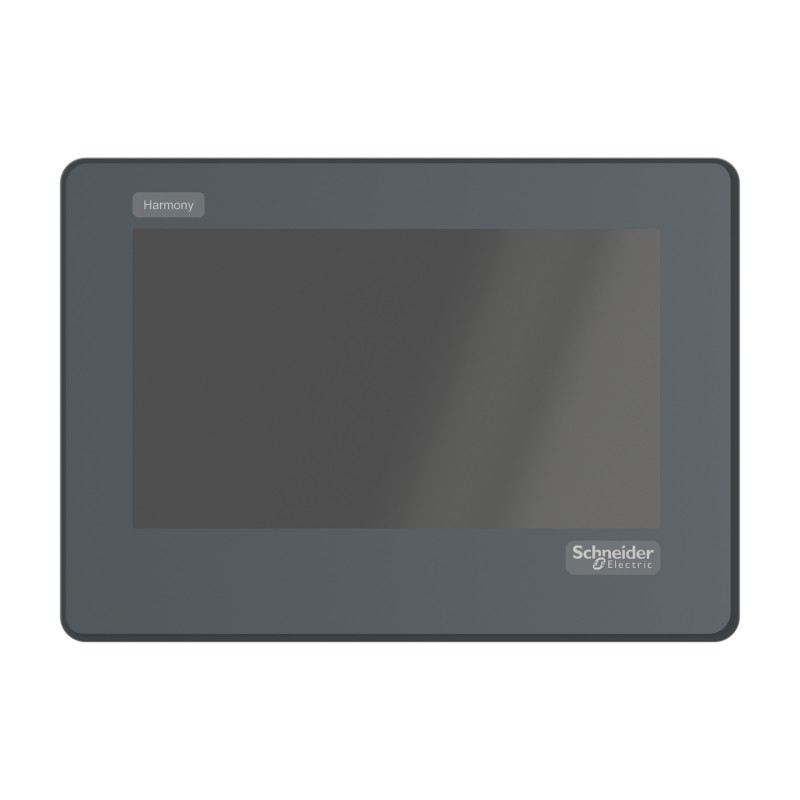
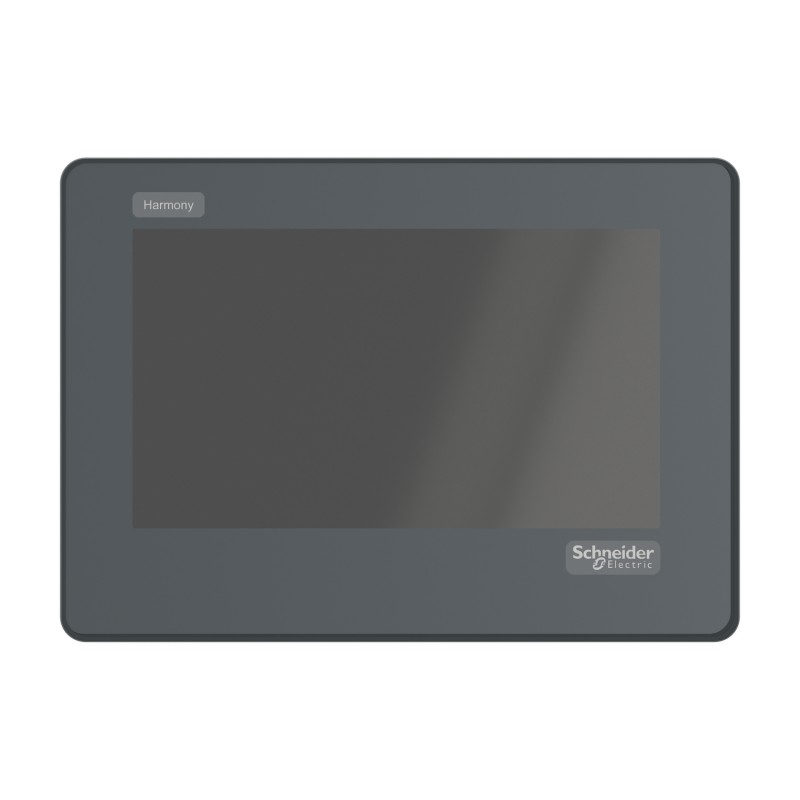
The Schneider Electric HMISTO705 is a 4.3-inch wide color touch panel screen in the Harmony STO & STU series. It provides a compact operator interface for small industrial machines, allowing operators to view equipment status, process values, alarm messages and configured operating controls.
The panel uses a 480 × 272 pixel TFT color display and an analog resistive touchscreen. Its wide-format layout provides space for simple graphic pages, machine status indicators and operator commands without requiring a larger HMI terminal. Typical applications include compact packaging machines, material-handling equipment, small process systems and automation stations using compatible serial-connected controllers.
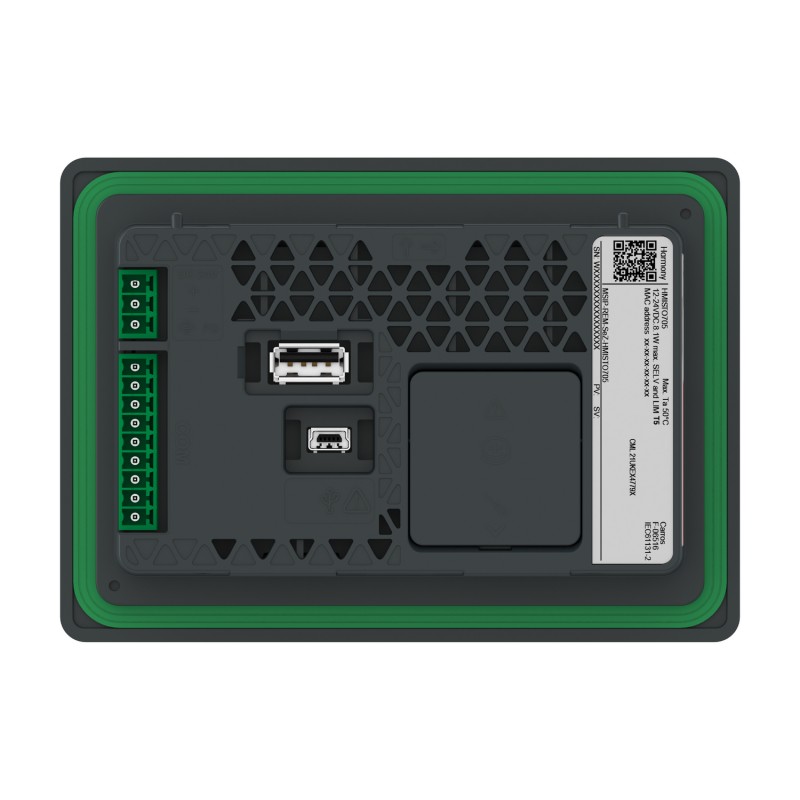
The HMISTO705 features an RS-232C serial interface with a 9-pin connector, along with USB host and device ports. It operates from a 12–24 V DC supply and supports HMI applications developed using EcoStruxure Operator Terminal Expert. The panel handles visualization and operator input, while machine control logic and field I/O depend on the connected controller.
Technical Specifications
| Parameter | Specification |
|---|---|
| Manufacturer | Schneider Electric |
| Model | HMISTO705 |
| Product Series | Harmony STO & STU |
| Product Type | Touch Panel Screen |
| Display Size | 4.3-inch wide |
| Display Type | TFT Color LCD |
| Display Resolution | 480 × 272 pixels |
| Display Colors | 65,536 colors |
| Touch Panel Type | Analog resistive |
| Touch Operation | Single touch |
| Backlight | White LED |
| Backlight Service Life | 50,000 hours or more under specified conditions |
| Rated Input Voltage | 12–24 V DC |
| Input Voltage Limits | 10.2–28.8 V DC |
| Serial Interface | 1 × RS-232C, 9-pin connector |
| USB Interfaces | 1 USB Type-A host port and 1 USB mini-B device port |
| Application Memory | 26 MB |
| Cooling Method | Natural air circulation |
| Operating Temperature | 0–50°C under specified conditions |
| Front Panel Protection | IP65 when correctly installed under specified conditions |
| Programming Software | EcoStruxure Operator Terminal Expert |
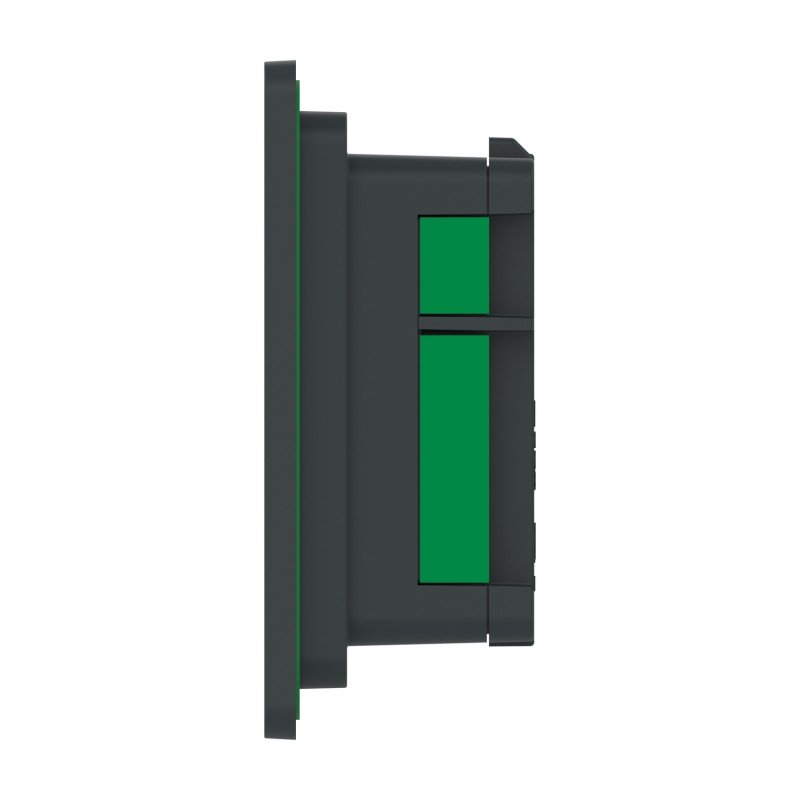
| Mounting Method | Panel mounting with spring clips |
| Panel Cutout | 112.5 × 77.5 mm without adapter |
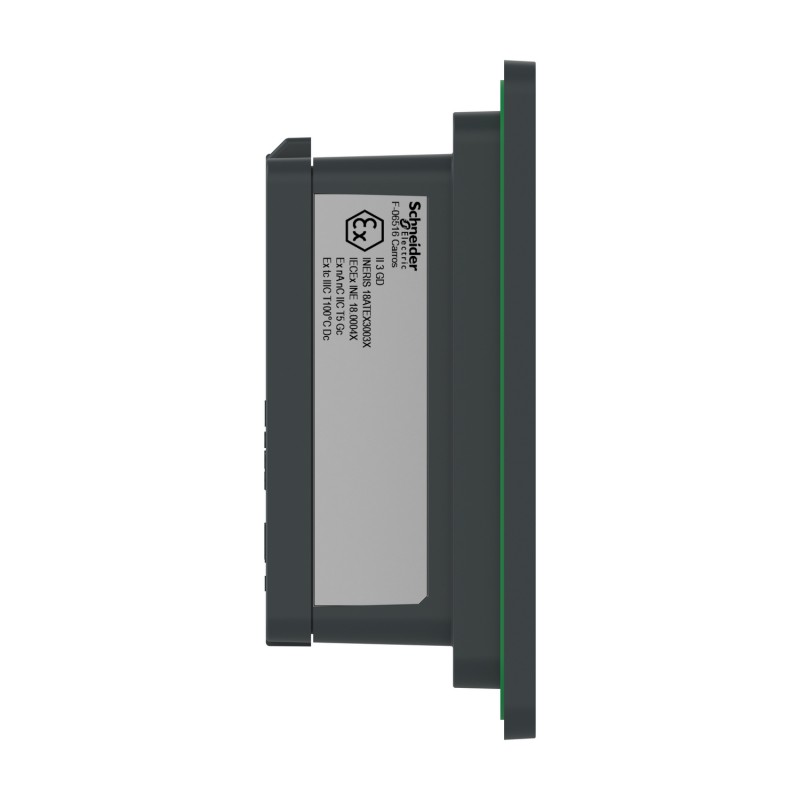
| Dimensions | 90.4 × 124.9 × 38.8 mm |
| Weight | 0.22 kg |
Product Features
- 4.3-inch wide color display: Presents machine states, operating values and configured touch controls on a compact screen.
- 480 × 272 pixel resolution: Supports graphic HMI pages for small machines and simple operator tasks.
- Resistive touchscreen: Enables single-touch selection, navigation and data entry.
- RS-232C communication: Connects to compatible controllers and serial devices through the dedicated 9-pin interface.
- USB host port: Supports applicable USB peripherals within the panel’s operating requirements.
- USB mini-B device port: Provides a connection for supported engineering and device functions.
- 12–24 V DC power input: Accommodates common low-voltage industrial power arrangements.
- Spring-clip mounting: Allows panel installation without conventional screw-fastened mounting brackets.
- Front-panel protection: Supports industrial panel applications when installed according to the specified requirements.
- EcoStruxure Operator Terminal Expert support: Enables development of compatible HMI screens and operator interactions.
Working Principle
The HMISTO705 runs an HMI application that defines screen layouts, displayed values, alarm messages and operator actions. It exchanges information with a compatible controller through its RS-232C serial interface.
For example, a compact machine may use the HMI to display its operating mode, cycle status and fault messages. An operator can select a configured command or enter a permitted setting on the touchscreen. The panel transfers the corresponding data through the serial connection, while the connected controller determines how the command affects the machine.
The USB interfaces support applicable peripheral and engineering functions. Actual communication behavior depends on the connected controller, selected protocol and HMI project configuration. The HMISTO705 is an operator terminal rather than a standalone PLC, so machine sequencing and field I/O are handled by the associated control system.
Role in a Harmony STO & STU HMI Architecture
The HMISTO705 serves as the visualization and operator-input layer in a compact automation system. It presents information received from the controller and sends configured operator commands through its serial interface.
| System Component | Function | Relationship to the HMISTO705 |
|---|---|---|
| HMISTO705 Touch Panel Screen | Displays HMI pages and accepts operator input | Provides the local operator interface |
| PLC or Machine Controller | Executes control logic and manages field I/O | Supplies process data and processes operator commands |
| RS-232C Serial Cable | Carries serial communication signals | Connects the HMI to compatible control equipment |
| USB Peripheral | Provides supported USB functions | Connects through the USB Type-A host port |
| Engineering Workstation | Develops and transfers HMI applications | Configures screens and operator interactions |
| 12–24 V DC Power Supply | Supplies operating power | Powers the touch panel |
| Digital Sensors | Detect machine conditions | Send signals to the connected controller |
| Actuators and Output Devices | Perform machine operations | Are controlled by the controller rather than directly by the HMI |
| Alarm Management Logic | Detects and reports equipment faults | Supplies alarm information displayed by the panel |
Industrial Applications
| Application | Typical Requirement | Role of the HMISTO705 |
|---|---|---|
| Compact Packaging Machines | Cycle monitoring and operator commands | Displays machine states and configured operating controls |
| Material Handling | Status visibility and simple operator interaction | Provides a local interface for connected control equipment |
| Small Assembly Machines | Operator prompts and sequence monitoring | Presents process steps and machine status |
| Food and Beverage Equipment | Basic machine monitoring and alarm display | Shows configured operating values and fault messages |
| Small Process Systems | Local display of process information | Presents values received from the connected controller |
| Pumping Equipment | Operating status and alarm indication | Displays controller data and configured commands |
| Test Stations | Test progress and operator input | Shows test status and accepts permitted inputs |
| Serial-Controlled Automation | Local interaction with compatible serial devices | Uses the RS-232C interface for data exchange |
Installation and Maintenance
- Verify the model reference: Confirm HMISTO705 and its RS-232C interface before installation.
- Check the panel cutout: Prepare the specified 112.5 × 77.5 mm opening when installing without the adapter.
- Inspect the mounting location: Ensure the panel is accessible to operators and that the installation meets the required environmental conditions.
- Confirm the power supply: Provide a suitable DC source within the 10.2–28.8 V permitted input range.
- Isolate power before wiring: Disconnect the supply before connecting or removing power and communication cables.
- Verify serial wiring: Check the 9-pin RS-232C connector, cable wiring and communication parameters against the connected controller.
- Check USB connections: Use the Type-A and mini-B ports only for supported peripheral and engineering functions.
- Inspect the mounting clips: Ensure the spring clips are correctly engaged and the panel is seated securely in the opening.
- Load the HMI application: Transfer a compatible EcoStruxure Operator Terminal Expert project and verify the target device configuration.
- Test screen navigation: Check touch response, page transitions, displayed values and configured operator controls.
- Verify serial communication: Confirm that the panel receives controller data and sends configured commands correctly.
- Record the configuration: Document the HMI project version, serial settings and maintenance actions for future servicing.
Related Components
| Component | Function | Relationship to the HMISTO705 |
|---|---|---|
| PLC or Machine Controller | Executes control logic and manages field devices | Supplies data and processes operator commands |
| RS-232C Serial Cable | Connects compatible serial equipment | Carries data between the HMI and controller |
| USB Type-A Peripheral | Provides supported USB functions | Connects through the host port |
| USB mini-B Cable | Supports applicable device and engineering connections | Connects through the USB device port |
| DC Power Supply | Provides operating power | Supplies the required DC input |
| EcoStruxure Operator Terminal Expert | Creates and configures HMI applications | Used to develop compatible screen projects |
| Schneider HMISTO715 | Harmony STO & STU Touch Panel Screen | Related model with an RS-232C/RS-485 serial interface |
| Schneider HMISTO735 | Harmony STO & STU Touch Panel Screen | Related model with Ethernet connectivity |
| Schneider HMISTU655 | Harmony STO & STU Touch Panel Screen | Related HMI model with a different display and interface arrangement |
| Schneider HMISTU855 | Harmony STO & STU Touch Panel Screen | Larger-display model in the same product family |
Recommended Related Models
| Model | Product Type | Relationship | Selection Consideration |
|---|---|---|---|
| Schneider HMISTO705 | Harmony STO & STU Touch Panel Screen | Main product | 4.3-inch wide color screen with RS-232C communication |
| Schneider HMISTO715 | Harmony STO & STU Touch Panel Screen | Serial-interface variant | Consider when RS-232C/RS-485 communication is required |
| Schneider HMISTO735 | Harmony STO & STU Touch Panel Screen | Ethernet variant | Consider when Ethernet connectivity is required |
| Schneider HMISTU655 | Harmony STO & STU Touch Panel Screen | Related compact HMI | Verify display, mounting and communication requirements |
| Schneider HMISTU855 | Harmony STO & STU Touch Panel Screen | Larger-display alternative | Consider when a larger operator display is required |
Key Advantages
- Provides a compact 4.3-inch wide color touchscreen for local machine operation.
- Offers 480 × 272 pixel resolution for graphic HMI pages.
- Supports RS-232C communication with compatible control equipment.
- Includes USB host and device connections for supported functions.
- Operates from a 12–24 V DC supply.
- Uses spring-clip mounting for panel installation.
- Belongs to the Harmony STO & STU family, with serial and Ethernet variants available.
Technical FAQs
Which serial interface does the HMISTO705 use?
The HMISTO705 uses an RS-232C serial interface with a 9-pin connector. It should be matched with compatible controller hardware, cable wiring and communication settings.
Does the HMISTO705 have a built-in Ethernet port?
No. The HMISTO705 is the RS-232C version of the Harmony STO color panel. The HMISTO735 is the related model with Ethernet connectivity.
What is the permitted DC input voltage range?
The rated input is 12–24 V DC, with permitted input limits of 10.2–28.8 V DC. The power supply and wiring must remain within the specified limits during operation.
Can the HMISTO705 control field devices directly?
The HMISTO705 provides visualization and operator input rather than direct field-I/O control. A connected PLC or compatible controller processes commands and manages the sensors, actuators and machine sequence.