

ProductPRODUCT
Featured products
Contact Us
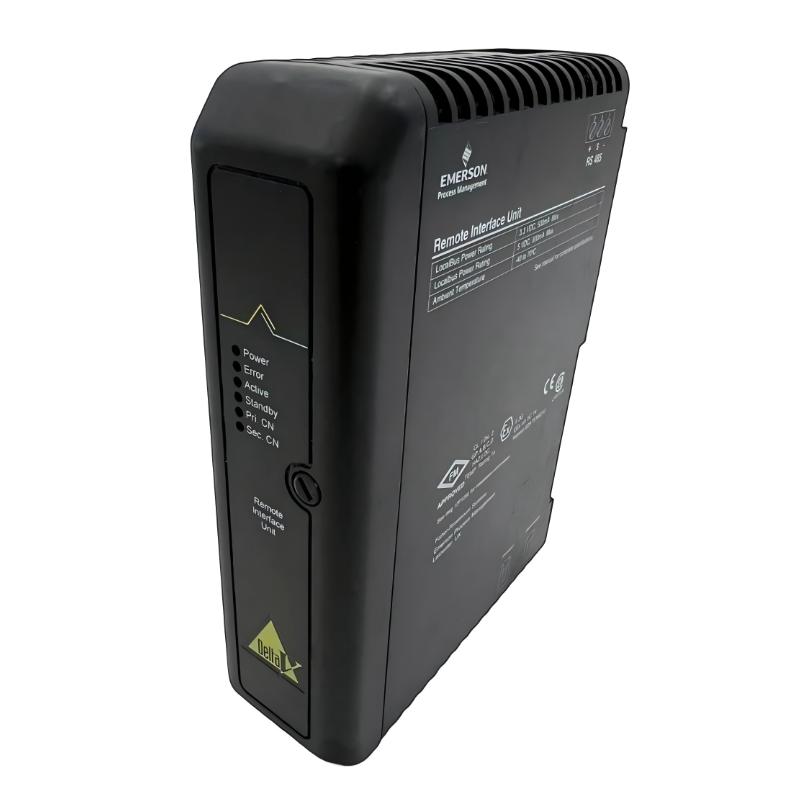
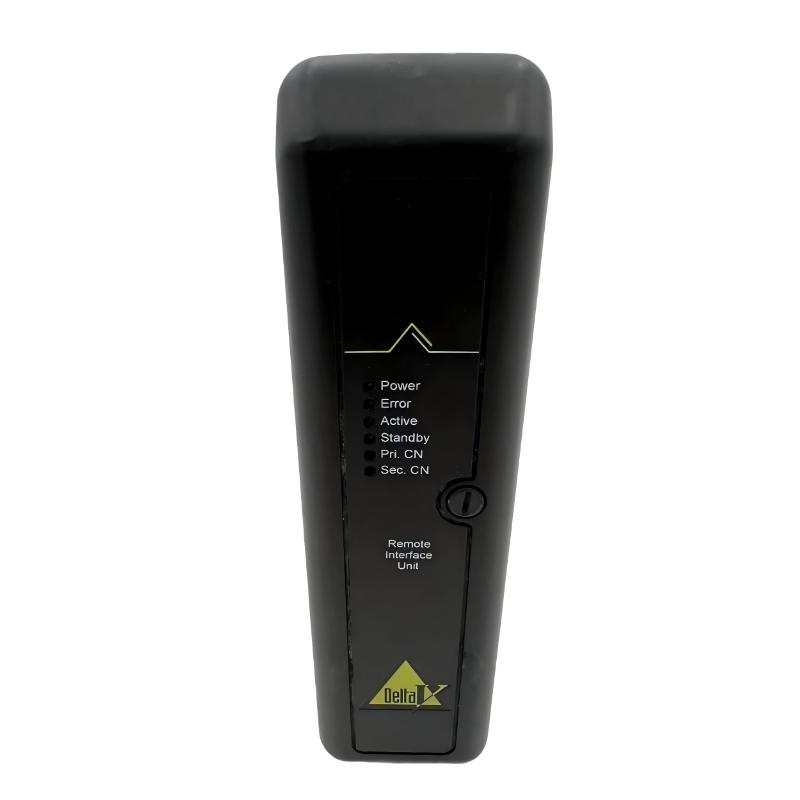
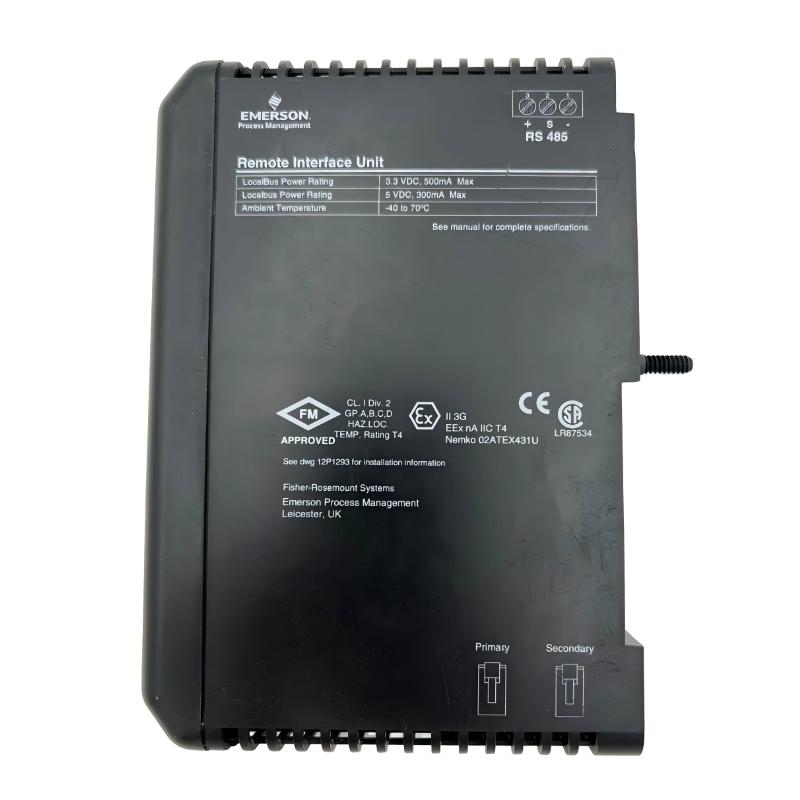
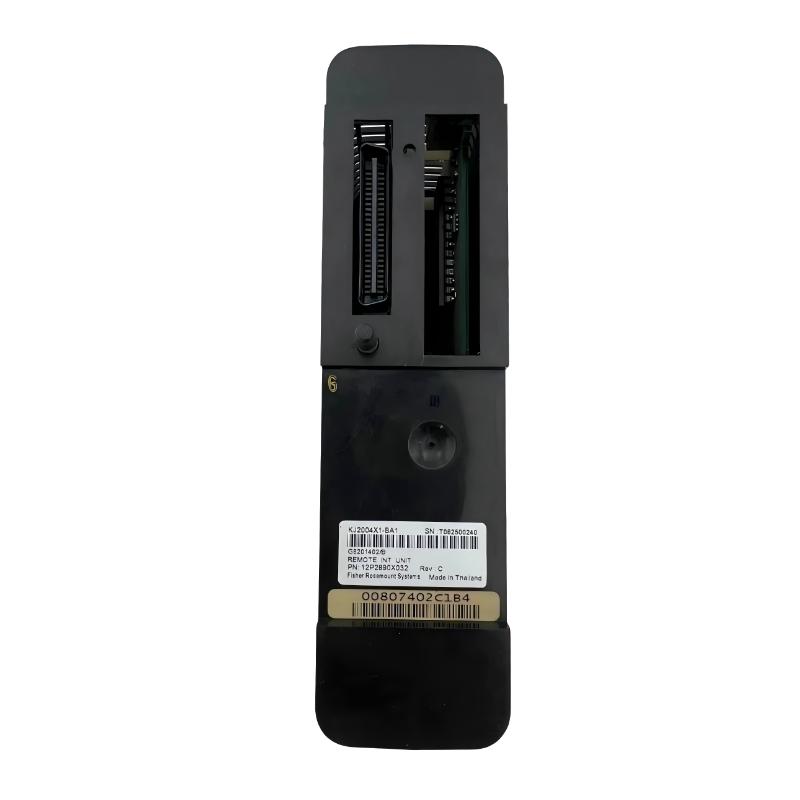
- Emerson
- VE4202
- Remote Interface Unit
- USA
- 107 x 41 x 105 mm
- 0.3 kg
- Xiamen, China
- New & In Stock
- T/T, PayPal, Western Union
- 1 Year
- 1-3 Working Days
- DHL, UPS, TNT, FedEx and EMS.
- 24-Hour Service
- COO
- 4
Our advantage

Global Logistics
We have a 10-year logistics and express cooperation agreement, so our products can be shipped to any place in the world.

Brand new and original
Our products are imported in bulk from the place of origin. Because of the cooperative relationship, our products are all original and 100% new.

24-hour service
We provide 7*24 hours service to our customers. We will be there whenever you need us.

Price advantage
All our products are priced very favorably because we have our own warehouse and supply.
| Company Information | |||
| [email protected] | |||
| Mobile | +8615980777398 | ||
| +8615980777398 | |||
| 15980777398 |
Product Overview
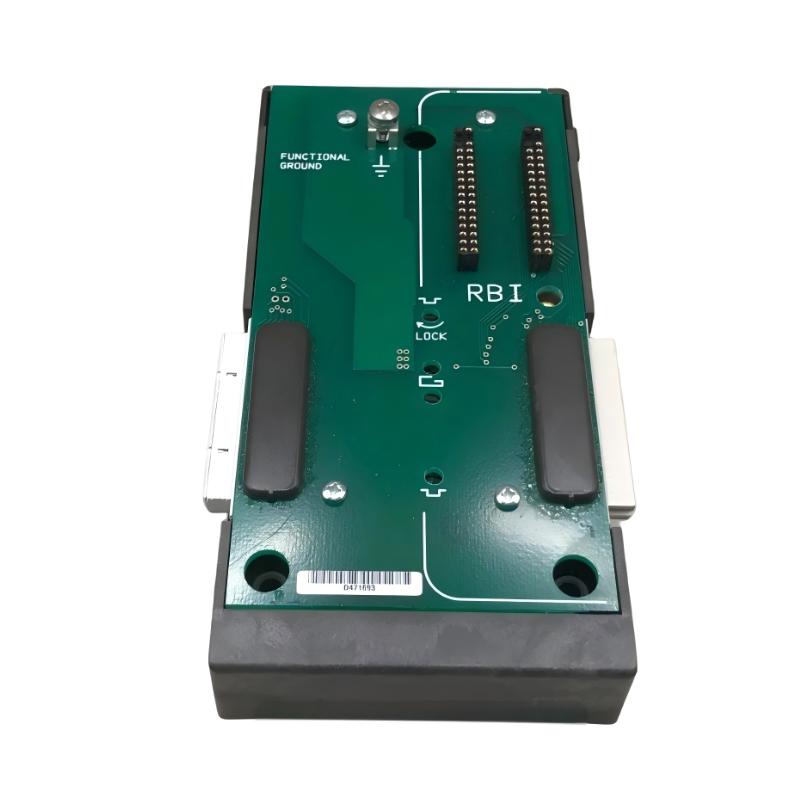
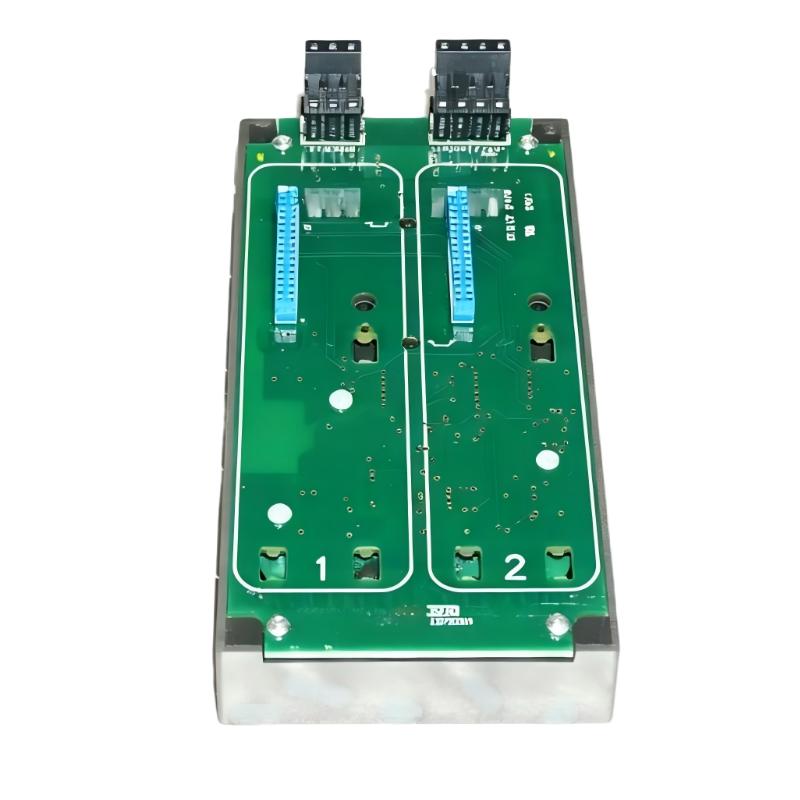
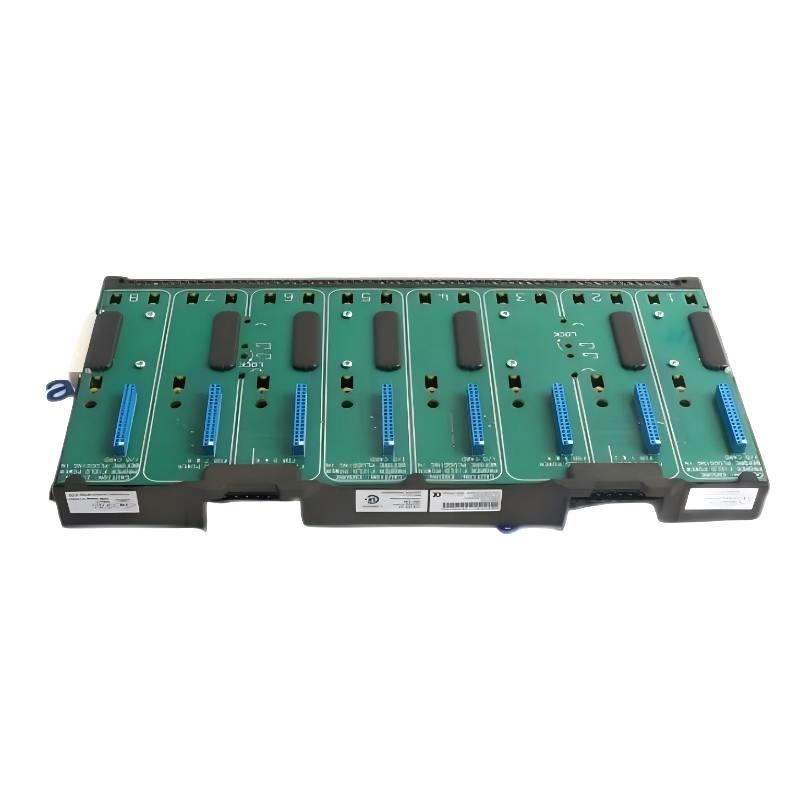
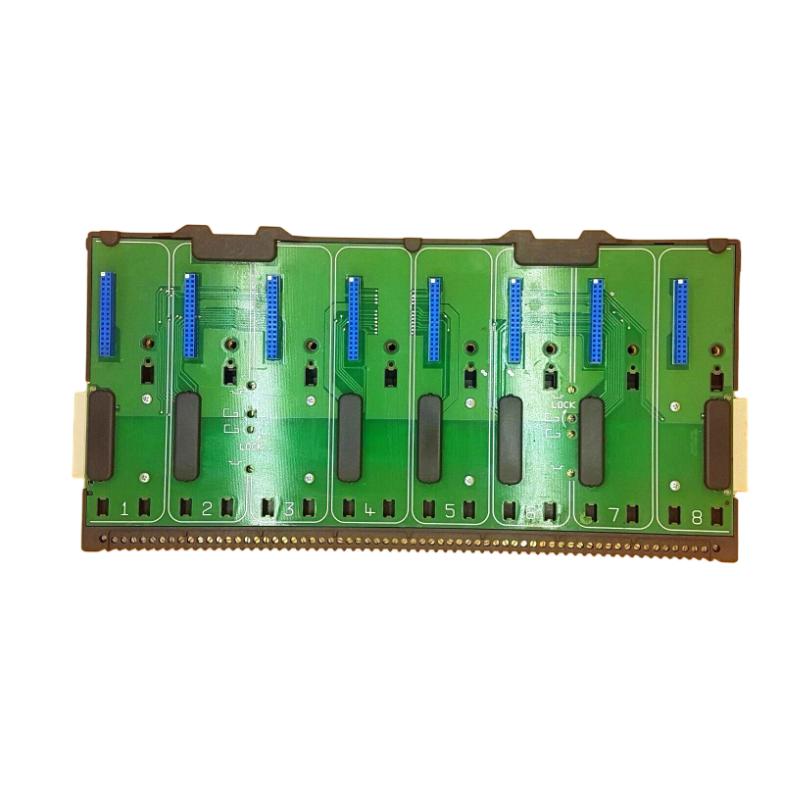
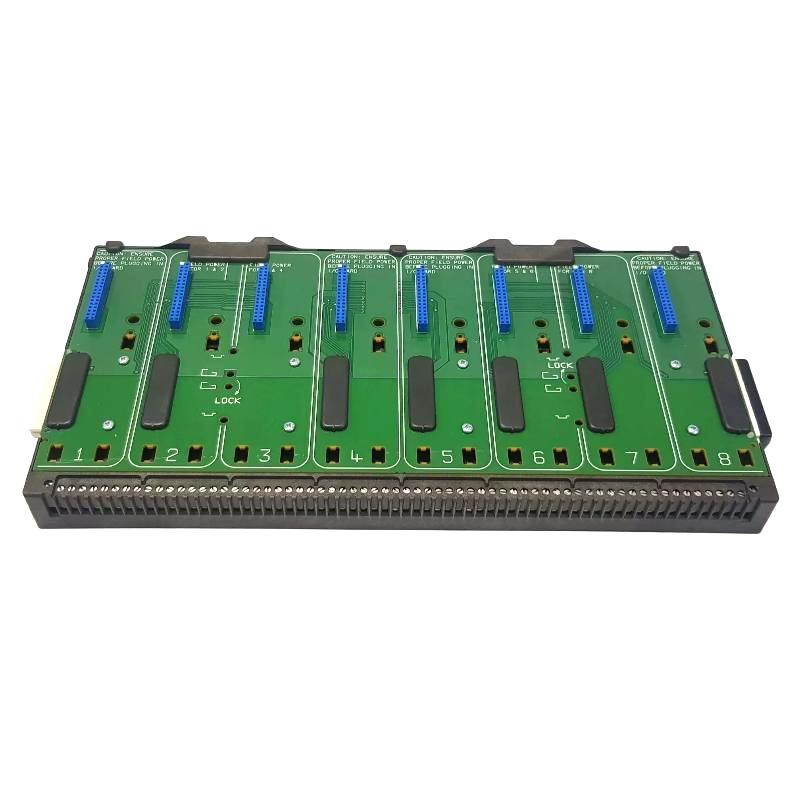
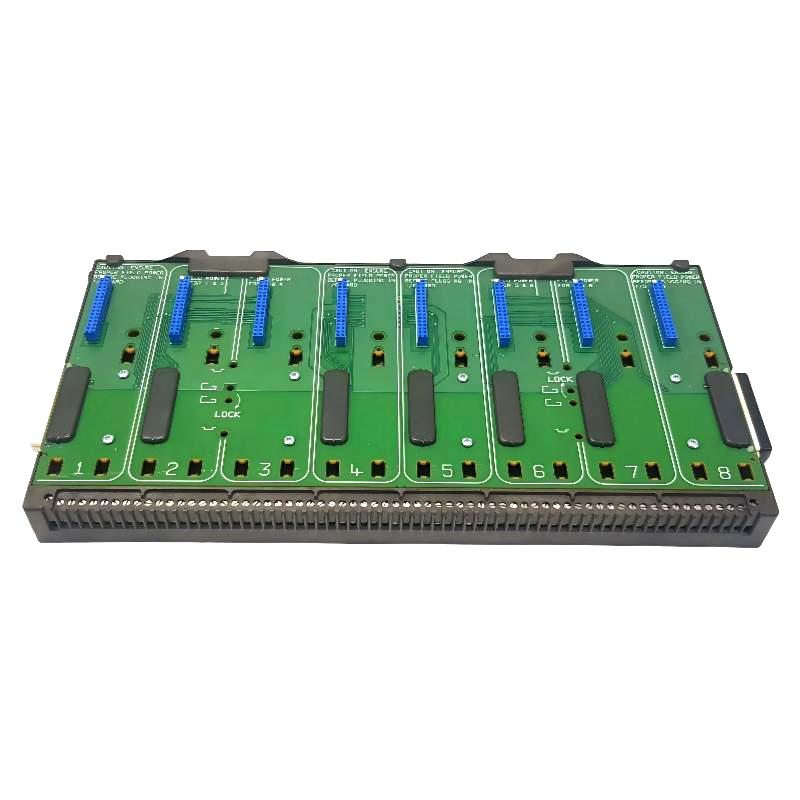
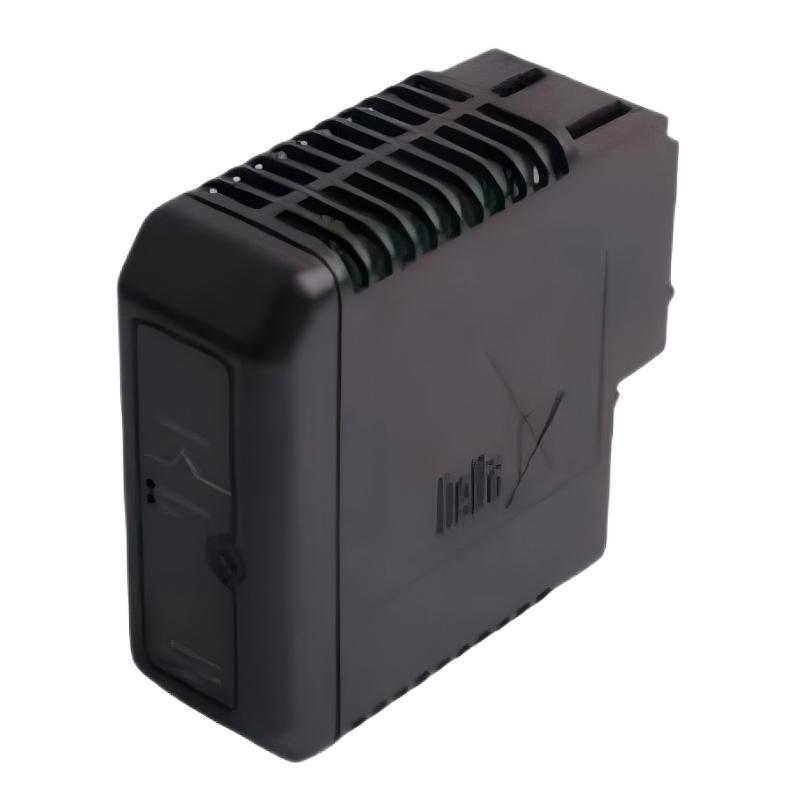
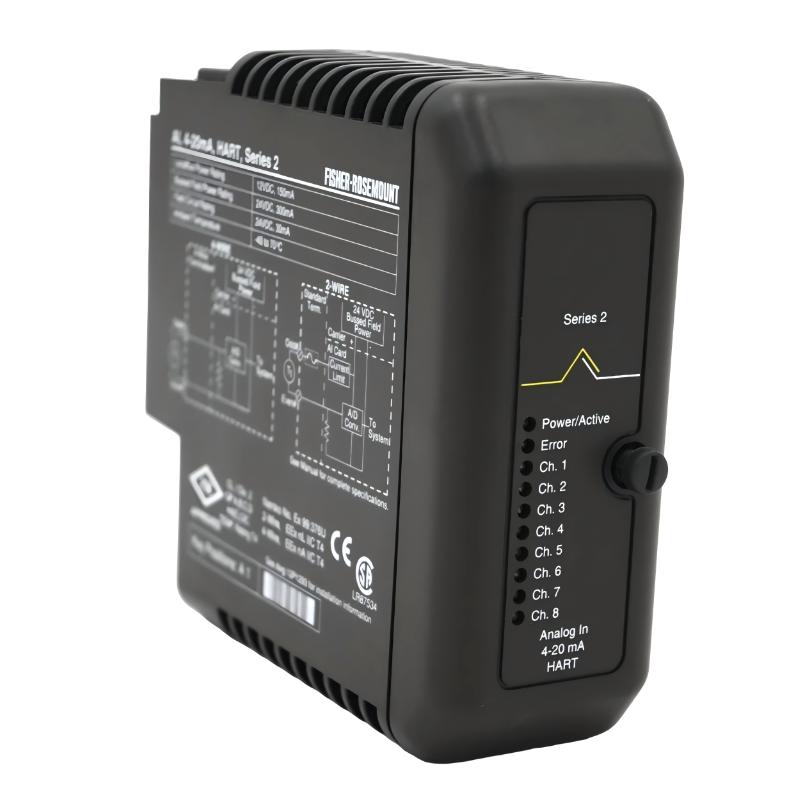
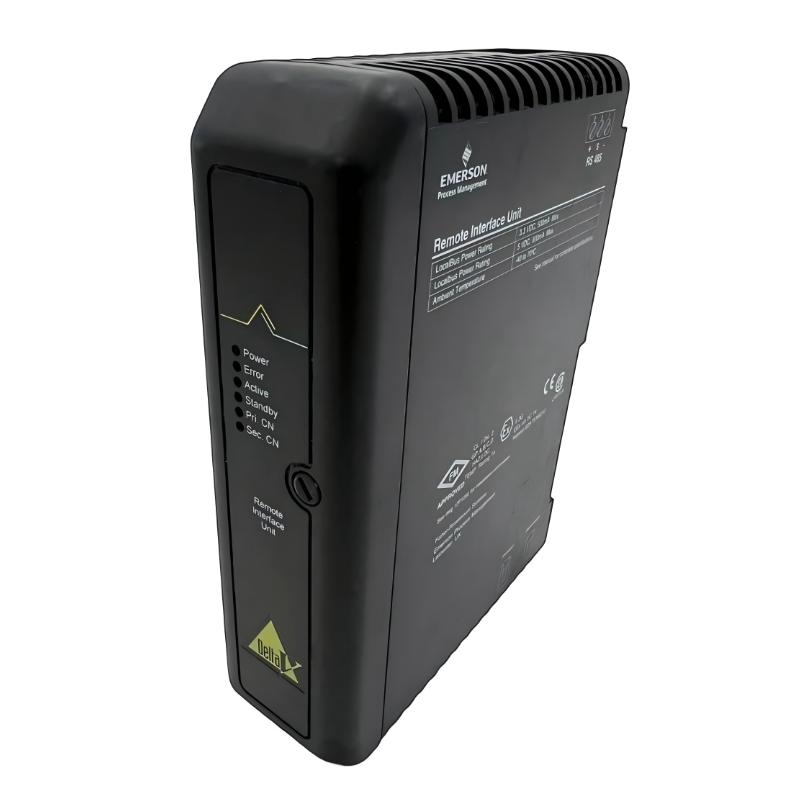
The Emerson VE4202 Remote Interface Unit is an industrial automation interface component designed for use in compatible Emerson process control and distributed automation systems. It provides an organized interface between remote equipment and the associated control-system architecture, helping connect distributed field-level equipment with the broader automation infrastructure.
In modern process plants, control equipment is often distributed across different areas of a facility. Sensors, actuators, remote I/O assemblies, terminal equipment, and other field devices may be physically separated from the main control cabinet or controller. Remote interface equipment provides an important connection layer between these distributed devices and the control system.
The Emerson VE4202 has listed dimensions of 107 × 41 × 105 mm and a weight of approximately 0.3 kg. Its compact physical design makes it suitable for industrial control cabinets where efficient use of installation space is important.
The VE4202 should be considered as part of a complete automation architecture rather than an independent controller. Its actual electrical interfaces, signal characteristics, connection arrangement, and system compatibility depend on the associated Emerson equipment, installation configuration, and applicable hardware revision.
Technical Specifications
| Parameter | Specification |
|---|---|
| Manufacturer | Emerson |
| Model | VE4202 |
| Product Type | Remote Interface Unit |
| Product Family | Emerson VE4200 Series |
| Primary Function | Remote equipment interface and system integration |
| Application | Industrial Automation and Process Control |
| Installation | Compatible industrial control cabinet |
| Dimensions | 107 × 41 × 105 mm |
| Weight | 0.3 kg |
| System Role | Remote interface / signal integration |
| Typical Application | Distributed process-control systems |
The exact electrical and communication characteristics should be verified against the applicable Emerson system documentation and the specific hardware revision before installation or replacement.
What Is the Emerson VE4202?
The Emerson VE4202 Remote Interface Unit is designed to provide an interface point between remote equipment and a compatible Emerson automation system.
Industrial control systems frequently use distributed architectures because field equipment may be located throughout a plant. Instead of bringing every field connection directly to a central cabinet, the system can use remote interface and I/O infrastructure to organize connections closer to the process.
A simplified system architecture can be represented as:
Process Equipment → Field Devices → VE4202 Remote Interface → I/O / Communication Infrastructure → Controller → HMI / SCADA
This arrangement can help separate field-level connections from higher-level control functions while maintaining an organized automation architecture.
The VE4202 itself should not be treated as a general-purpose PLC or process controller. Its function is associated with interface and system connectivity.
Function and Working Principle
Remote Equipment Interface
The main role of the VE4202 is to support the connection of remote equipment to a compatible control-system architecture.
A remote interface unit can provide an organized point through which field-level equipment participates in the larger automation system.
Distributed System Connectivity
Process plants often require equipment to communicate across physically separated areas. Remote interface components help support this distributed arrangement by providing an intermediate connection layer.
This can reduce unnecessary concentration of field wiring in a single control cabinet.
Signal Integration
Depending on the host architecture, information from remote equipment can pass through the interface layer toward the associated I/O, communication, and controller equipment.
The exact signal path depends on the system configuration and should be confirmed before commissioning.
Interface Organization
Large industrial plants can contain substantial quantities of field wiring. Proper interface organization helps technicians identify connections, trace signals, and perform maintenance more efficiently.
The VE4202 can therefore contribute to a structured interface architecture when installed as part of a compatible Emerson system.
Role in Emerson Industrial Automation
The VE4202 can form part of the interface layer in a distributed Emerson process-control system.
A typical automation structure may include:
Field Instrumentation
↓
Remote Interface Equipment
↓
I/O and Communication Layer
↓
Process Controller
↓
Engineering / Operator System
Each level performs a different function.
Field instruments interact directly with the process, while interface and I/O equipment connect those field devices to the control architecture. Controllers execute control logic, and operator systems provide visualization and operational interaction.
The VE4202 belongs to the interface portion of this architecture.
Industrial Applications
The Emerson VE4202 Remote Interface Unit may be suitable for compatible industrial automation installations in several process industries.
Oil and Gas
Oil and gas facilities commonly contain distributed instrumentation and equipment across large process areas. Remote interface equipment can help organize connections between field devices and control infrastructure.
Chemical Processing
Chemical plants use extensive instrumentation to monitor and control process conditions. A distributed interface architecture can help connect remote equipment with the central control system.
Power Generation
Power plants contain control and instrumentation equipment throughout turbine areas, auxiliary systems, electrical rooms, and utility systems. Remote interface components can support distributed automation layouts.
Water and Wastewater
Water-treatment facilities may have pumps, valves, sensors, and other equipment distributed across large process areas. Remote interfaces can support structured connections between these devices and control equipment.
Manufacturing
Manufacturing facilities can use distributed control architectures where production equipment is separated from central automation cabinets.
General Process Automation
The VE4202 can also be incorporated into compatible industrial instrumentation and process-control systems where remote equipment requires an interface to the automation architecture.
System Integration
Correct system integration requires consideration of the complete control architecture.
Important factors include:
- Host Emerson control system
- Associated I/O equipment
- Remote field equipment
- Interface and terminal equipment
- Communication infrastructure
- Cabinet layout
- Cable routing
- Grounding and shielding
- Hardware revision
- System configuration
The VE4202 should be installed according to the requirements of the complete system rather than treated as an isolated component.
Before replacing an existing unit, technicians should document the original installation, including connector locations, associated cables, and cabinet position.
Installation Guidelines
Verify Product Identification
Before installation, confirm that the replacement is correctly identified as:
Emerson VE4202 Remote Interface Unit
The following information should be checked:
- Model number
- Hardware revision
- Product markings
- Connector arrangement
- Installation location
- Associated equipment
- Host-system configuration
Similar-looking interface components should not automatically be considered interchangeable.
Cabinet Installation
The listed dimensions of the VE4202 are:
107 × 41 × 105 mm
The compact dimensions can help accommodate the unit within industrial control cabinets.
During installation, provide sufficient space for:
- Cable routing
- Connector access
- Inspection
- Maintenance
- Mechanical clearance
- Appropriate thermal conditions
Cable Installation
Associated cables should be routed carefully to reduce mechanical stress and potential electrical interference.
Avoid unnecessary proximity to high-power switching equipment where possible.
Cable identification should also be maintained throughout the installation so that future troubleshooting can be performed efficiently.
Grounding and Shielding
Grounding and shielding practices should follow the requirements of the overall Emerson installation.
Improper grounding or poor cable routing can contribute to intermittent system behavior, communication problems, or unstable signals.
Commissioning Procedure
A systematic commissioning procedure helps reduce installation-related problems.
1. Confirm the Hardware
Verify the VE4202 model and applicable revision before connecting the unit.
2. Inspect the Installation
Check mounting, connectors, cables, and surrounding equipment for visible damage or incorrect installation.
3. Verify Wiring
Compare the installed wiring against the approved system documentation.
4. Check Associated Equipment
Confirm that the connected I/O, interface, and control-system components are correctly installed.
5. Apply System Power
Power the equipment according to the applicable system procedures.
6. Check Diagnostics
Monitor available system diagnostics for interface or communication abnormalities.
7. Verify Field Information
Confirm that the expected remote equipment information reaches the associated control-system architecture.
8. Record Commissioning Results
Document the installed model, revision, cabinet position, associated equipment, and test results.
Troubleshooting Guide
Remote Equipment Cannot Be Accessed
If the associated remote equipment cannot be accessed, inspect the entire interface path.
Check:
- VE4202 installation
- Connector seating
- Cable connections
- Associated interface equipment
- I/O equipment
- Controller status
- System configuration
- Available diagnostics
A failure in a connected device or cable can produce symptoms similar to a faulty interface unit.
Intermittent Interface Problems
Intermittent problems may be associated with:
- Loose connectors
- Cable damage
- Poor shielding
- Grounding problems
- Electrical interference
- Mechanical vibration
- Temperature-related conditions
- Associated hardware faults
Physical inspection should be performed before replacing the VE4202.
Incorrect or Missing Field Information
When information from remote equipment is incorrect or missing, trace the signal path systematically:
Field Device → Wiring → VE4202 → Associated I/O / Interface → Controller → Operator System
This approach helps identify whether the problem is located at the field device, wiring, interface, I/O, controller, or operator-system level.
No Apparent Interface Operation
If the interface appears inactive, first check system power and the surrounding equipment.
Verify:
- Power availability
- Connector condition
- Cable integrity
- Associated equipment
- Controller status
- System diagnostics
Replacing the interface unit should generally be considered only after the surrounding installation has been checked.
Preventive Maintenance
Regular inspection of the VE4202 installation can help maintain system reliability.
Connector Inspection
Check connectors periodically for:
- Loose connections
- Mechanical damage
- Contamination
- Improper seating
- Corrosion or moisture exposure
Cable Inspection
Inspect associated cables for abrasion, excessive bending, mechanical damage, and loose connections.
Cabinet Maintenance
Maintain a clean and properly managed control cabinet. Excessive dust, moisture, heat, and vibration can affect electronic equipment and connected infrastructure.
Documentation Maintenance
Keep updated records of:
- Hardware model
- Hardware revision
- Cabinet location
- Cable identification
- Associated I/O
- Control-system configuration
Accurate documentation can significantly reduce maintenance time.
Physical Dimensions and Weight
The Emerson VE4202 has the following listed physical specifications:
Dimensions: 107 × 41 × 105 mm
Weight: 0.3 kg
These values are useful for:
- Cabinet layout planning
- Replacement preparation
- Spare-parts inventory
- Transportation planning
- Equipment identification
When designing or modifying a control cabinet, connector and cable clearance should also be considered rather than relying only on the physical body dimensions.
Replacement Considerations
When replacing an Emerson VE4202 Remote Interface Unit, the complete product identification should be checked carefully.
Recommended verification steps include:
- Confirm the full VE4202 model number.
- Compare the hardware revision where applicable.
- Verify connector arrangement.
- Record the existing cable connections.
- Identify associated I/O and interface equipment.
- Confirm the host-system configuration.
- Inspect the replacement unit before installation.
- Perform functional testing after replacement.
The fact that another Emerson module has similar physical dimensions does not establish electrical or functional compatibility.
For critical process-control applications, replacement should be performed according to the applicable plant maintenance and equipment procedures.
Related Emerson Automation Components
A VE4202 installation may form part of a broader automation system containing several categories of equipment.
| Component | Typical Role |
|---|---|
| Remote Interface Unit | Connects remote equipment with the automation architecture |
| I/O Module | Processes field-level input or output signals |
| Terminal Assembly | Provides organized field wiring connections |
| Carrier Assembly | Supports module installation and interconnection |
| Communication Interface | Transfers information between system components |
| Controller | Executes process-control logic |
| HMI | Provides operator monitoring and interaction |
| Engineering System | Supports configuration and maintenance |
The exact components associated with the VE4202 depend on the target Emerson control-system architecture.
Engineering Best Practices
Reliable operation depends on the complete installation rather than the interface unit alone.
Recommended practices include:
- Verify all equipment identification before installation.
- Maintain accurate wiring documentation.
- Keep signal wiring properly organized.
- Separate sensitive signal cables from high-power conductors where appropriate.
- Maintain effective grounding and shielding.
- Secure connectors against vibration.
- Keep control cabinets clean and dry.
- Record hardware revisions during maintenance.
- Maintain properly identified spare equipment.
- Perform functional checks after replacement.
These practices help reduce unexpected downtime and simplify future troubleshooting.
Key Advantages
Compact Form Factor
The VE4202 measures 107 × 41 × 105 mm, allowing it to be integrated into space-constrained industrial control cabinets.
Remote System Integration
The unit provides an interface point for remote equipment within a compatible Emerson automation architecture.
Distributed Automation Support
Remote interface equipment can help connect field-level equipment located away from central control hardware.
Organized Wiring Architecture
A dedicated interface layer can improve the organization and traceability of distributed field connections.
Maintenance Support
Properly documented interface connections make inspection, troubleshooting, and replacement easier for maintenance personnel.
Technical FAQs
What is the Emerson VE4202?
The Emerson VE4202 is a Remote Interface Unit intended for integration into compatible Emerson industrial automation and process-control systems.
What is the main purpose of the VE4202?
The unit provides an interface between remote equipment and the associated automation architecture, helping integrate distributed equipment into the control system.
What are the dimensions of the VE4202?
The listed dimensions are 107 × 41 × 105 mm.
What is the weight of the VE4202?
The listed weight is approximately 0.3 kg.
Is the VE4202 a PLC controller?
No. The VE4202 is identified as a Remote Interface Unit, rather than a general-purpose PLC controller.
Where can the VE4202 be used?
It can be used in compatible Emerson process-control and industrial automation systems where remote equipment requires an interface to the broader control architecture.
Can another Emerson interface unit replace the VE4202?
Not automatically. Compatibility should be confirmed using the complete model number, revision, connector configuration, associated equipment, and host-system requirements.
What should be checked before replacing the VE4202?
Technicians should verify the model, revision, connectors, wiring, associated I/O equipment, system configuration, and installation location.
What can cause VE4202-related interface problems?
Potential causes include loose connections, damaged cables, incorrect wiring, grounding problems, electrical interference, associated I/O faults, configuration problems, or hardware failure.
Conclusion
The Emerson VE4202 Remote Interface Unit is a compact industrial automation component designed to support remote equipment integration within compatible Emerson process-control architectures. By providing an organized interface layer between distributed field equipment and associated automation hardware, the VE4202 can contribute to structured system design and maintainable distributed control installations.
With listed dimensions of 107 × 41 × 105 mm and a weight of 0.3 kg, the VE4202 is suitable for control cabinet applications where compact equipment and organized interface connections are important.
For installation, replacement, and maintenance, the complete VE4202 identification should be verified against the target Emerson system. Correct wiring, connector inspection, cabinet management, system configuration, and post-installation functional testing are important for reliable operation of the complete automation system.