

ProductPRODUCT
Featured products
Contact Us
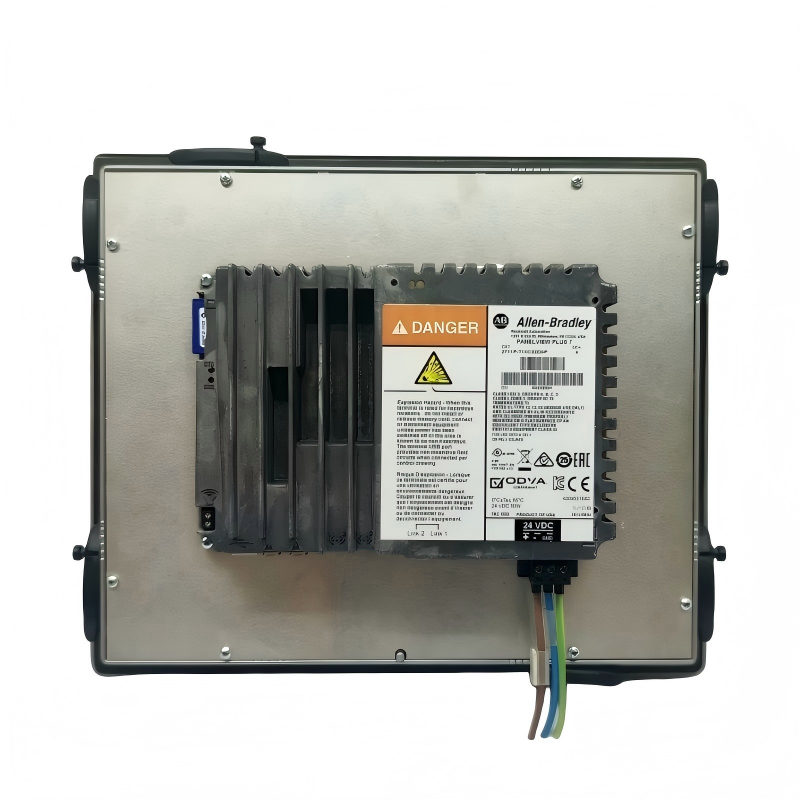
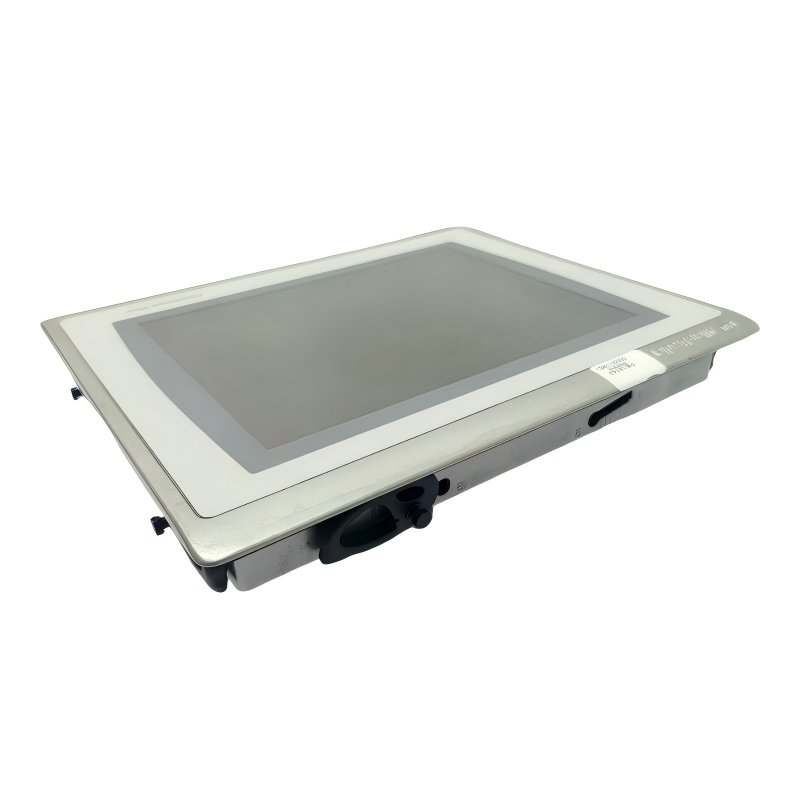
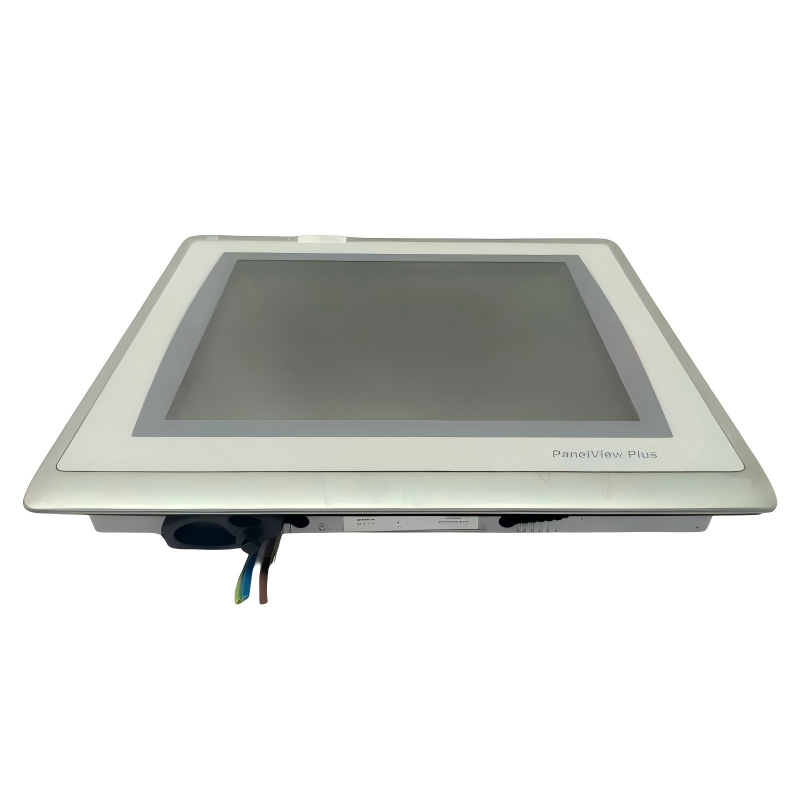
- Allen Bradley
- 2711P-B7C4D8
- Touchscreen Glass Digitizer for PanelView Plus 700 HMI
- USA
- 193 × 290 × 55 mm
- 1.9kg
- Xiamen, China
- New & In Stock
- T/T, PayPal, Western Union
- 1 Year
- 1-3 Working Days
- DHL, UPS, TNT, FedEx and EMS.
- 24-Hour Service
- COO
- 3
Our advantage

Global Logistics
We have a 10-year logistics and express cooperation agreement, so our products can be shipped to any place in the world.

Brand new and original
Our products are imported in bulk from the place of origin. Because of the cooperative relationship, our products are all original and 100% new.

24-hour service
We provide 7*24 hours service to our customers. We will be there whenever you need us.

Price advantage
All our products are priced very favorably because we have our own warehouse and supply.
| Company Information | |||
| [email protected] | |||
| Mobile | +8615980777398 | ||
| +8615980777398 | |||
| 15980777398 |
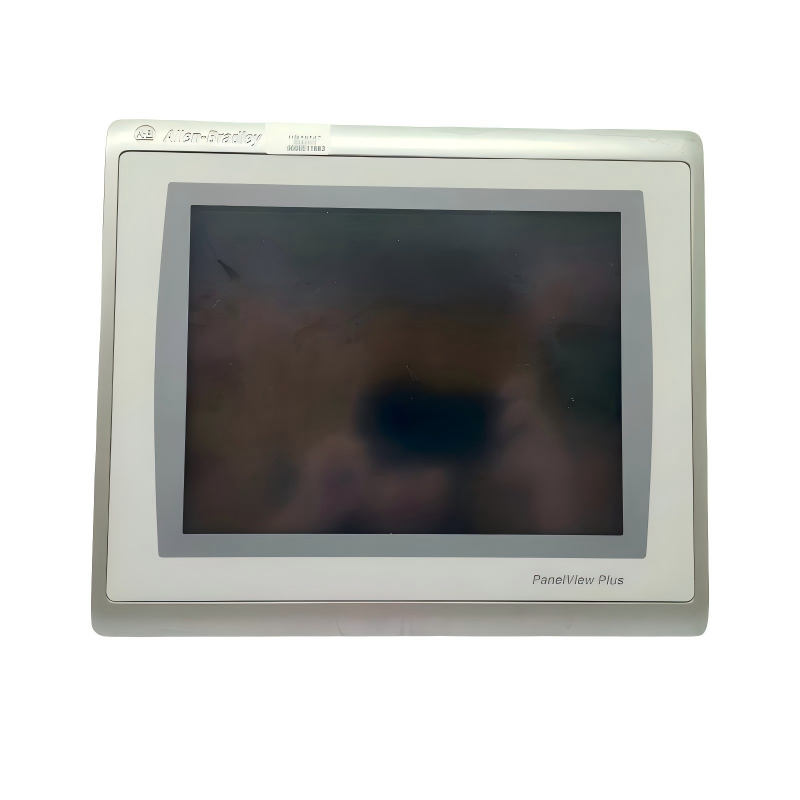
Allen-Bradley 2711P-B7C4D8 Product Overview and Technical Guide
1. Product Introduction
The Allen-Bradley 2711P-B7C4D8 is a model in the PanelView Plus 700 operator-interface product family. This type of industrial Human-Machine Interface (HMI) is designed to provide a visual connection between machine operators and industrial control systems.
An HMI allows operators to monitor machine conditions, view process information, interact with control screens, acknowledge alarms, and perform permitted operating functions. Rather than relying entirely on physical push buttons, indicator lamps, and separate meters, a graphical operator terminal brings many of these functions together on a single display.
In industrial environments, an operator interface can make machine operation more intuitive by presenting important information in a consistent format. Production status, equipment conditions, alarm messages, process values, and operating instructions can be organized into screens that are easy for trained personnel to understand.
The 2711P-B7C4D8 belongs to an established generation of industrial operator terminals. When evaluating this model for a new installation, replacement project, or maintenance application, it is important to confirm the exact catalog configuration, communication interfaces, power requirements, display characteristics, and compatibility with the existing control system.
2. Product Identification
| Parameter | Description |
|---|---|
| Model | 2711P-B7C4D8 |
| Brand | Allen-Bradley |
| Product category | Industrial Human-Machine Interface |
| Product family | PanelView Plus 700 |
| Equipment type | Operator terminal / industrial graphical interface |
| Primary function | Machine monitoring and operator interaction |
| Typical installation | Industrial control cabinet or operator panel |
| Intended environment | Industrial automation and manufacturing |
| Main application | Displaying process information and providing operator controls |
| System role | Interface between operators and a compatible control system |
| Configuration approach | Application-based graphical screens |
| Replacement considerations | Exact catalog suffix, firmware, communication compatibility, mounting, and power requirements |
Identification note: The model number should be checked against the terminal’s nameplate before purchasing a replacement. Similar catalog numbers can represent different hardware, communication options, or configurations, and those differences can affect whether a terminal is suitable for an existing machine.
3. Detailed Technical Specifications
The 2711P-B7C4D8 is a color operator terminal with both touchscreen and keypad input. It is designed for industrial applications where operators need to view machine information and enter commands through a dedicated panel-mounted interface.
The following table summarizes its main technical characteristics. Dimensions and weight are particularly important when checking cabinet space, mounting arrangements, shipping requirements, and replacement compatibility.
| Parameter | Specification |
|---|---|
| Model | 2711P-B7C4D8 |
| Brand | Allen-Bradley |
| Series | PanelView Plus 6 |
| Terminal size class | 700 |
| Display type | Color active-matrix TFT LCD |
| Display size | 6.5 inches diagonally |
| Display resolution | 640 × 480 pixels |
| Display format | VGA, 4:3 |
| Color capability | 18-bit color graphics |
| Operator input | Touchscreen and keypad |
| Touch technology | Analog resistive touchscreen |
| Communication | Ethernet and RS-232 |
| Power input | 24 V DC nominal |
| Operating voltage range | 18–30 V DC |
| Operating system | Windows CE |
| Application environment | FactoryTalk View Machine Edition |
| Memory | Configuration-dependent; confirm hardware revision |
| Front-panel installation | Panel-mounted |
| Approximate terminal dimensions (H × W × D) | 193 × 290 × 55 mm |
| Approximate dimensions in inches | 7.58 × 11.40 × 2.18 in |
| Approximate weight | 1.9 kg |
| Front-panel cutout | Approximately 167 × 264 mm |
| Product condition | Legacy / discontinued model |
| Replacement planning | Verify the proposed replacement against the original application and installation |
Important dimensional note: The dimensions above describe the terminal body, not the required cabinet clearance or the entire installed depth. Connector space, cable bends, mounting clamps, ventilation, and access for maintenance can increase the space required behind the panel. Confirm the exact mechanical drawing for the specific hardware revision before cutting a new panel.
The weight is an approximate figure for planning purposes. The final shipping or installed weight may vary with included accessories and packaging.
4. Product Function and Operating Principle
The 2711P-B7C4D8 functions as the operator-facing part of an automation system. It presents information supplied by compatible controllers and allows an operator to interact with the machine through configured graphical screens.
The terminal does not replace the controller responsible for executing the machine’s control logic. Instead, it provides a practical way for personnel to observe operating conditions and issue authorized commands to that controller.
A typical operating sequence works as follows:
1. The control system monitors machine inputs, operating states, and process values.
2. The HMI application displays relevant information on the terminal screen, such as machine status, temperatures, counters, setpoints, and alarms.
3. The operator selects a screen, enters a value, presses a configured button, or acknowledges an alarm.
4. The terminal communicates the appropriate request to the controller over a supported connection.
5. The control system evaluates the request and executes the action only when its logic and operating conditions permit it.
This arrangement helps separate the responsibilities of machine control and operator interaction. The controller manages the process, while the HMI makes the process easier for people to understand and operate.
For safety-critical functions, emergency stops and other required protective measures must remain implemented through appropriate safety-rated hardware and systems. An ordinary HMI button should not be treated as a substitute for a safety-rated function.
5. Product Introduction: Display and Operator Interface
5.1 Color graphical display
The color display allows equipment status and process information to be presented visually. Engineers can organize operating screens around the needs of a particular machine or production line.
For example, a main screen may show whether the machine is running, stopped, or in a fault condition. Other screens can display process values, maintenance information, production counts, and alarm history.
Color can help distinguish different operating states. A well-designed interface might use consistent visual conventions for normal operation, warnings, faults, and unavailable functions. The effectiveness of these indicators depends on the application design rather than the display hardware alone.
5.2 Touchscreen operation
The touchscreen provides direct interaction with graphical objects on the display. Operators can select navigation buttons, open process screens, acknowledge configured messages, and enter values where the application permits.
Touch operation is useful when a machine requires several operating pages or when a graphical layout is more intuitive than a large collection of physical switches.
Because the touchscreen is resistive, its behavior differs from that of a modern capacitive smartphone screen. The interface is designed for industrial panel use, and touch performance depends on screen condition, calibration where applicable, and the cleanliness and integrity of the front surface.
5.3 Physical keypad
The keypad provides an additional input method alongside touch operation. Depending on the configured application, physical keys can be used for navigation, numeric entry, function selection, and other operator actions.
This combination is valuable in applications where operators prefer tactile input for certain tasks. It also provides a familiar interface for personnel who are accustomed to traditional industrial operator terminals.
The exact behavior of function keys depends on the application configuration. A physical key does not automatically perform a particular machine function unless the application and control system are configured to support it.
6. Communication and System Integration
Communication capability is a central consideration when selecting an industrial HMI. The 2711P-B7C4D8 provides Ethernet and RS-232 connectivity, allowing it to be integrated into compatible automation environments.
Ethernet communication
Ethernet provides a network-based connection to compatible control equipment. Depending on the controller, application, network configuration, and software version, this connection may be used to exchange operating values, machine status, alarm conditions, and operator commands.
For an existing installation, engineers should verify the network addressing scheme, controller communication settings, cable requirements, and any relevant network security restrictions.
RS-232 communication
RS-232 is a serial communication interface used in a variety of industrial and legacy equipment configurations. Its usefulness depends on the devices being connected and the communication protocol required by the application.
Before commissioning, confirm the correct pinout, cable type, serial settings, and supported protocol. A physical connector alone does not guarantee compatibility between two devices.
Application and software compatibility
The terminal is associated with the PanelView Plus 6 generation and uses an application environment based on FactoryTalk View Machine Edition.
Compatibility checks should include:
-
The application development software and project version.
-
The installed terminal firmware.
-
The target controller and its communication settings.
-
Supported communication drivers and protocols.
-
Application memory requirements.
-
Existing screen layouts, alarms, tags, and navigation functions.
-
Backup and restoration procedures.
A replacement terminal should not be assumed to accept an existing application without modification. Differences in firmware, hardware generation, display resolution, communication options, and software support can affect migration.
7. Product Applications
The 2711P-B7C4D8 can be suitable for a range of industrial applications where a compact color HMI is needed to monitor equipment and provide operator access to configured controls.

7.1 Manufacturing and production lines
The terminal can present production status, machine operating modes, cycle counts, fault messages, and process information. Operators can use the configured screens to monitor a station, review operating conditions, and carry out permitted commands.
In a production line, a consistent interface can reduce the time needed to locate information and help personnel identify which part of a process requires attention.

7.2 Packaging and material handling
Packaging equipment commonly requires access to operating status, product counts, selected recipes, conveyor conditions, and alarm messages.
An HMI can bring these functions into a single operator interface, making it easier to switch between screens and review the information relevant to a particular stage of the process.

7.3 Water treatment and utility systems
In compatible installations, the terminal can display pump status, tank levels, flow readings, valve states, and alarm conditions received from the control system.
Operators can use these screens to review system conditions and access permitted operating commands. Actual suitability depends on the environmental requirements, communication design, and control application.

7.4 Motor and equipment control stations
The terminal can act as a local interface for equipment such as conveyors, mixers, pumps, and auxiliary machinery.
Typical screens may show run status, operating mode, fault information, and selected process values. Start, stop, and reset functions must be configured and protected by the appropriate control logic.

7.5 Maintenance and troubleshooting
A properly designed application can display fault messages, diagnostic states, maintenance counters, and information that helps technicians locate a problem.
This can make troubleshooting more systematic by providing a consistent place to review operating conditions before inspecting individual devices or control components.
Other potential application areas
Depending on the machine design and control architecture, similar operator terminals may also be used in assembly equipment, material processing, small production cells, industrial test systems, and OEM machinery.
The important qualification is that the terminal’s suitability depends on the complete installation. Environmental protection, electrical requirements, software compatibility, communication support, and the machine’s operating requirements should all be assessed before use.
8. Product Advantages
8.1 Combines touch and keypad input
The combination of touchscreen and physical keypad input provides flexibility for different operating tasks. Graphical controls are useful for navigation and visual selection, while physical keys can be convenient for numeric entry or repeatable actions.
This mixed-input approach can suit industrial environments where operators need both visual context and direct physical interaction.
8.2 Centralizes operating information
A single terminal can display multiple categories of information, reducing the need for separate displays for every status point or process value.
With a well-organized application, operators can move between overview screens, detailed equipment screens, alarms, and diagnostic pages without leaving the operating station.
8.3 Supports clear visual feedback
Color graphics can help communicate operating modes, warnings, faults, and process changes. A consistent interface design makes it easier for operators to distinguish normal conditions from situations requiring attention.
Good screen design is essential. Labels should be clear, important values should be easy to locate, and critical actions should be protected against accidental selection.
8.4 Provides industrial mounting characteristics
The terminal is designed for panel-mounted industrial applications. Its physical form allows it to be incorporated into a control cabinet or operator station rather than relying on a general-purpose consumer computer.
Proper mounting, grounding, power protection, and environmental installation remain necessary to achieve reliable operation.
8.5 Supports established automation applications
For equipment already using a compatible PanelView Plus application, retaining the existing terminal model or replacing it with a verified compatible unit may reduce the scope of application redesign.
This is particularly relevant for legacy machinery where the existing screen layout, operator workflow, and control-system communication have been developed and tested over many years.
8.6 Can improve troubleshooting efficiency
When alarm descriptions, operating values, and diagnostic screens are configured appropriately, operators and maintenance personnel can access useful information from one location.
The result can be a more consistent troubleshooting process and less dependence on separate handwritten notes or scattered indicators.
8.7 Useful for legacy equipment support
The model may remain relevant for maintenance and spare-parts planning even though it is a discontinued product. Existing machines can continue to rely on established hardware, subject to its condition, availability, and the maintenance requirements of the installation.
For long-term support, however, the age of the platform should be considered alongside the cost of keeping spare units, maintaining project files, and planning a future migration.
9. Limitations and Points to Consider
A balanced product evaluation should consider not only the advantages but also the limitations of an older HMI platform.
Discontinued product status. The 2711P-B7C4D8 is a legacy model. Availability, repair options, firmware support, and access to compatible accessories may be more limited than for newer equipment.
Older operating platform. The terminal belongs to a Windows CE-based generation. Its software environment and capabilities should not be assumed to match those of modern industrial HMI platforms.
Application migration. A newer terminal may differ in display layout, communication capabilities, firmware, software support, or physical mounting. Migration may require engineering work rather than a simple hardware exchange.
Network security. Legacy devices should be evaluated as part of the plant’s security architecture. Unnecessary services and access paths should be restricted, and the device should be isolated from untrusted networks where appropriate.
Physical condition. For used or refurbished equipment, check the screen, keypad, connectors, mounting points, power-up behavior, and communication functions. A successful power-up does not necessarily establish that all features are operating correctly.
Replacement verification. Confirm the exact catalog number and hardware revision before purchasing. A similar-looking terminal may have a different input method, communication configuration, or replacement requirement.
10. Brand and Product Series
| Item | Description |
|---|---|
| Brand | Allen-Bradley |
| Product category | Industrial HMI |
| Product family | PanelView Plus |
| Specific generation | PanelView Plus 6 |
| Terminal class | 700 |
| Interface configuration | Color display with keypad and touchscreen |
| Main purpose | Operator monitoring and machine interaction |
| Typical system environment | Industrial controller and automation network |
| Product status | Discontinued / legacy |
About the brand
Allen-Bradley is an industrial automation brand associated with programmable controllers, operator interfaces, motor control equipment, industrial networking products, and related automation hardware.
Its HMI products are used to provide the operator-facing interface for machines and industrial processes. In a typical system, the HMI works alongside a controller, sensors, actuators, drives, and other equipment rather than replacing those components.
About the PanelView Plus 6 series
PanelView Plus 6 is a generation of graphical industrial operator terminals. The family includes different screen sizes and input configurations, allowing equipment designers to select an interface appropriate to the machine, available panel space, and operator requirements.
The 2711P-B7C4D8 is a 700-class color terminal with both keypad and touchscreen input. Other catalog variants may differ in screen size, touch-only or keypad-only operation, power configuration, or communication options.
When comparing units within the same family, the full catalog number matters. The series name alone is not sufficient to establish electrical, mechanical, or software compatibility.
11. Five Related Models for Consideration
The following models are related to the target unit by product family, terminal size, or application type. They are candidates for comparison rather than guaranteed drop-in replacements.
| Model | Product family / type | Main characteristics | Dimensions | Weight (kg) | Selection notes |
|---|---|---|---|---|---|
| 2711P-K7C4D8 | PanelView Plus 6, 700 | Color display with keypad input | Approximately 193 × 290 × 55 mm | Approximately 1.9 | Related 700-class keypad configuration; verify exact suffix and cutout |
| 2711P-T7C4D8 | PanelView Plus 6, 700 | Color display with touchscreen input | Approximately 179 × 246 × 55 mm | Approximately 1.7 | Touch-only configuration; physical layout differs from the target |
| 2711P-B7C4A8 | PanelView Plus 6, 700 | Keypad and touchscreen configuration; alternate communication variant | Approximately 193 × 290 × 55 mm | Approximately 1.9 | Confirm the communication interface and suffix before selection |
| 2711P-B10C4D8 | PanelView Plus 6, 1000 | Larger color terminal with keypad and touchscreen | Approximately 248 × 399 × 55 mm | Approximately 2.9 | Larger screen class; requires a different panel layout |
| 2711P-B7C22D9P | PanelView Plus 7 Standard, 700 | Newer-generation replacement candidate | Approximately 142 × 184 × 56.5 mm | Approximately 0.70 | Different platform and physical footprint; assess application migration and adapter requirements |
Dimensions and weights are approximate reference values and may vary by hardware configuration. The listed newer-generation unit is a potential engineering replacement, not a direct equivalent in every installation. Verify its exact specifications and required mounting adapter before proceeding.
How to choose among these related models
– For a similar keypad-and-touch operating method: Compare the 2711P-K7C4D8 and other 700-class keypad/touch configurations, paying particular attention to the communication suffix.
– For touch-only operation: The 2711P-T7C4D8 may be relevant where a physical keypad is unnecessary and the application supports the selected configuration.
– For a larger display: The 2711P-B10C4D8 offers a larger terminal class, but cabinet dimensions and the application layout must be reviewed.
– For a newer platform: The 2711P-B7C22D9P is a candidate to evaluate as an engineering replacement. The change in platform, communication, mounting, and application support must be assessed before treating it as a substitute.
12. Five Popular Models from the Same Brand
The models below represent widely used Allen-Bradley automation product types and are relevant when evaluating an HMI alongside the wider control system. Popularity can vary by industry, region, and installed equipment base; the list is intended as a practical comparison shortlist, not a live sales ranking.
| Model | Product category | Main parameters / characteristics | Dimensions | Weight (kg) | Typical role |
|---|---|---|---|---|---|
| 2711P-T10C22D9P | PanelView Plus 7 Standard HMI | 10-inch-class operator terminal; touchscreen configuration; confirm communication and firmware details | Verify exact hardware drawing | Verify exact configuration | Larger graphical operator interface |
| 2711P-T7C22D9P | PanelView Plus 7 Standard HMI | 7-inch-class touchscreen terminal; newer-generation platform | Verify exact hardware drawing | Verify exact configuration | Compact machine operator interface |
| 1769-L30ER | CompactLogix controller | Programmable controller with integrated Ethernet connectivity | Verify exact hardware drawing | Verify exact configuration | Machine and cell control |
| 1769-L33ER | CompactLogix controller | Programmable controller for industrial automation applications | Verify exact hardware drawing | Verify exact configuration | Control logic, equipment coordination, and data exchange |
| 1734-AENTR | POINT I/O network adapter | Ethernet adapter for a distributed I/O system | Verify exact hardware drawing | Verify exact configuration | Connects compatible distributed I/O to an automation network |
These models serve different roles, so they should not be treated as interchangeable alternatives to the 2711P-B7C4D8. The first two are HMI terminals; the other three are controller or I/O components that may form part of the wider automation system.
Exact dimensions and weights for these five models should be checked against the specific hardware revision and catalog configuration. Providing unverified mechanical values would be misleading, especially when cabinet design, shipping, or mounting calculations depend on them.
13. Practical Selection Guide
The most appropriate model depends on whether the priority is maintaining an existing installation, increasing display size, simplifying the operator interface, or moving to a newer platform.
| Requirement | Recommended approach |
|---|---|
| Replace a failed terminal with minimal disruption | Start with the exact 2711P-B7C4D8 catalog number and hardware revision |
| Keep the existing keypad-and-touch workflow | Compare matching keypad/touch configurations |
| Reduce the amount of physical operator input | Evaluate a touch-only model and redesign the application if necessary |
| Improve screen space for complex process displays | Evaluate a larger terminal and confirm cabinet dimensions |
| Migrate to a newer HMI generation | Assess software compatibility, communication changes, mounting, and commissioning requirements |
| Maintain legacy equipment for several more years | Secure a verified spare, retain application backups, and document firmware and communication settings |
| Standardize multiple machines | Compare terminal configurations, application reuse, spare-parts needs, and operator training requirements |
Recommended checks before ordering
1. Read the complete catalog number from the terminal nameplate.
2. Record the hardware revision, firmware version, and any relevant serial or configuration details needed for technical support.
3. Back up the existing HMI project and document the software version used to maintain it.
4. Confirm the controller model, network configuration, communication protocol, and cable arrangement.
5. Measure the panel cutout and the available depth behind the cabinet door.
6. Check the power supply, grounding, environmental conditions, and any required panel protection.
7. For a newer replacement, test the migrated application and operator functions before returning the machine to production.
14. Maintenance and Lifecycle Recommendations
For a legacy terminal such as the 2711P-B7C4D8, lifecycle planning is just as important as the initial product selection.
A practical maintenance plan should include periodic inspection of the display surface, keypad response, mounting hardware, cable connections, and power supply. Operators should report intermittent touch response, unexpected restarts, communication loss, or changes in screen behavior rather than waiting for complete failure.
The original application should be backed up in a controlled location. The backup should include the project files, relevant software-version information, communication settings, and any instructions needed to restore the application. Where possible, maintain a documented procedure for loading and verifying the project on a replacement terminal.
Spare-parts decisions should consider the age and condition of the equipment, the availability of repair services, production downtime costs, and the engineering effort needed to migrate to a newer platform.
If the terminal is used on equipment that is essential to production, a planned migration can be preferable to waiting for an unexpected failure. Such a project should include application conversion, screen testing, communication verification, operator review, and a controlled commissioning process.
15. Overall Product Assessment
The Allen-Bradley 2711P-B7C4D8 is a PanelView Plus 6, 700-class industrial HMI with a color display, keypad-and-touch input, and Ethernet and RS-232 communication. Its main purpose is to provide operators with a graphical interface for viewing process information and interacting with compatible industrial control systems.
Its strengths include the combined input methods, compact industrial operator-terminal format, and relevance to existing installations built around the same product generation. It can be especially useful when maintaining established machinery where the original application and operating workflow are still required.
The main considerations are its discontinued status, legacy software environment, and the need to verify hardware and application compatibility before replacement. A newer terminal may offer a more sustainable long-term solution, but the transition should be treated as an engineering task rather than a simple part-number substitution.
Final recommendation: If the purpose is to maintain existing machinery, begin by verifying the original unit’s catalog number, revision, application backup, and communication configuration. If the purpose is to modernize the equipment, compare a newer HMI against the full installation requirements—including mounting, software, controller communication, security, and commissioning—before selecting the replacement.