
NewsNEWCENTER
Featured products
Contact Us
Allen-Bradley 1606-XL480E-3 Power Supply Troubleshooting Guide
2026-08-12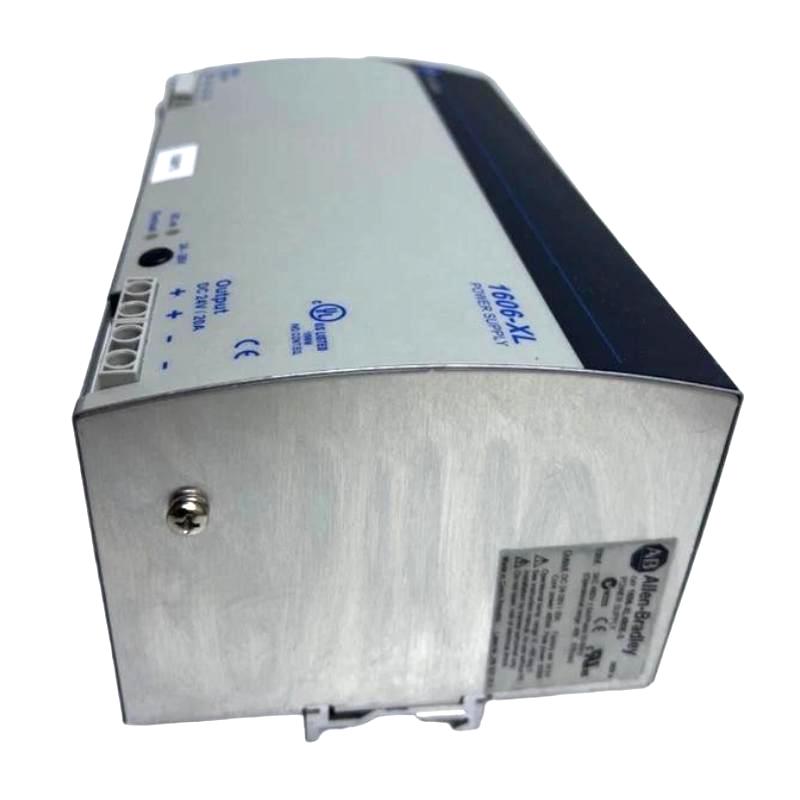
Table of Contents
- Troubleshooting Overview
- Common Fault Symptoms
- Common Failure Causes
- Fault Diagnosis Process
- Repair and Recovery Methods
- Post-Repair Verification
- Troubleshooting Summary
1606-XL480E-3 Troubleshooting Overview
The Allen-Bradley 1606-XL480E-3 Power Supply Troubleshooting Guide provides a systematic approach to diagnosing output voltage problems, power interruptions, overload conditions, wiring faults, and abnormal operation in industrial automation systems.
Because the power supply provides energy to important control equipment, troubleshooting should begin with the incoming power and wiring before concluding that the power supply itself has failed.
Common Fault Symptoms
- No DC output voltage
- Output voltage is unstable
- PLC equipment loses power
- Connected devices restart unexpectedly
- Output voltage drops when the load increases
- Power supply protection becomes active
- Automation equipment operates intermittently
Common Failure Causes
Potential causes of 1606-XL480E-3 power supply problems include:
- Incorrect or missing input power
- Loose input or output terminals
- Incorrect output polarity
- Excessive connected load
- Short circuit on the DC output side
- Insufficient cabinet ventilation
- Abnormal ambient temperature
- Internal power supply failure
Fault Diagnosis Process
The following sequence can help engineers isolate the source of a power supply fault.
- Check the incoming AC supply.
- Inspect the input wiring.
- Check terminal tightness.
- Measure the DC output voltage.
- Inspect downstream wiring for short circuits.
- Check the connected load.
- Temporarily isolate abnormal downstream loads when appropriate.
- Inspect cabinet ventilation and operating temperature.
- Determine whether the power supply continues to operate correctly under a suitable load.
1606_XL480E_3_DIAGNOSTIC

MODEL = 1606-XL480E-3

STEP_01 = INPUT_CHECK
STEP_02 = TERMINAL_CHECK
STEP_03 = OUTPUT_CHECK
STEP_04 = LOAD_CHECK
STEP_05 = SHORT_CIRCUIT_CHECK
STEP_06 = TEMPERATURE_CHECK
STEP_07 = MODULE_TEST
Repair and Recovery Methods
Once the root cause has been identified, corrective actions may include:
- Restore the correct incoming power supply.
- Tighten loose terminals.
- Repair damaged wiring.
- Correct DC polarity.
- Remove excessive loads.
- Repair downstream short circuits.
- Improve cabinet ventilation.
- Correct installation conditions.
- Replace the power supply if an internal hardware failure is confirmed.
Post-Repair Verification
After corrective work, the system should be tested before returning to continuous operation.
- Verify input voltage.
- Measure DC output voltage.
- Check connected load current.
- Confirm PLC operation.
- Verify sensors and other control devices.
- Monitor voltage stability.
- Check for abnormal heating or repeated protection events.
- Record maintenance results.
Troubleshooting Summary
Effective troubleshooting of the Allen-Bradley 1606-XL480E-3 Power Supply requires a structured inspection of input power, terminals, DC wiring, connected loads, environmental conditions, and the power supply itself. A systematic diagnostic process can help identify the actual cause of a power problem, reduce unnecessary component replacement, and improve the reliability of industrial automation systems.
“`