
NewsNEWCENTER
Featured products
Contact Us
GE IS200TGENH1A Terminal Board Installation Guide
2026-05-29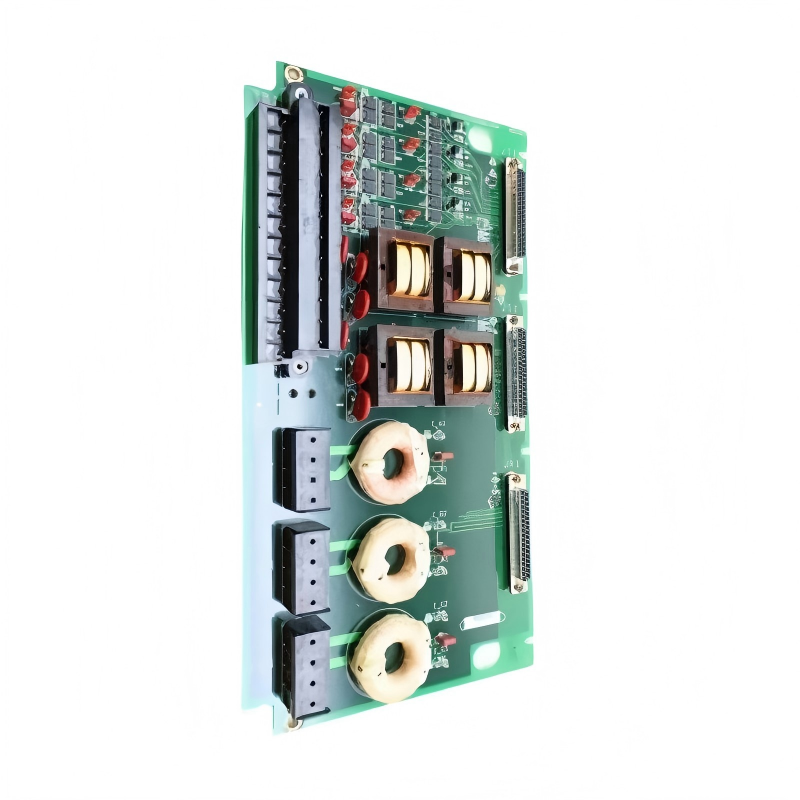
Table of Contents
- GE IS200TGENH1A Terminal Board Installation Overview
- Role of GE IS200TGENH1A in PLC System
- Preparation for Installation of GE IS200TGENH1A
- Wiring Instructions for GE IS200TGENH1A Terminal Board
- Commissioning and System Configuration
- FAQs on Installation
- Conclusion
GE IS200TGENH1A Terminal Board Installation Overview
GE IS200TGENH1A terminal board installation ensures safe and organized electrical connections for PLC I/O modules. During field commissioning, improper mounting often caused intermittent contact, resulting in repeated signal errors.
Role of GE IS200TGENH1A Terminal Board in PLC Systems
The IS200TGENH1A serves as a centralized interface for wiring digital and analog signals. Its design allows secure connections, EMI shielding, and easy maintenance. In one manufacturing plant, proper installation reduced signal interference by 20%, improving system reliability.
Preparation for Installation of GE IS200TGENH1A
- Ensure all power sources to the control cabinet are de-energized.
- Verify terminal board orientation and mounting space.
- Gather appropriate wire ferrules, screws, and labeling tools.
- Inspect the terminal board for any mechanical damage.
- Prepare PLC wiring diagrams for reference during commissioning.
Wiring Instructions for GE IS200TGENH1A Terminal Board
Correct wiring is critical to prevent PLC controller faults. Field experience highlights these best practices:
- Strip wires to the recommended length and insert ferrules for secure contact.
- Follow labeling for signal identification to reduce future troubleshooting time.
- Tighten terminal screws to 0.5–0.6 Nm torque; loose connections can cause 0.2–0.5 V voltage drop.
- Separate power and signal wiring to minimize EMI interference.
One commissioning instance showed that after adjusting screw torque and correcting wire routing, signal errors dropped from 4% to 0.1%.
Commissioning and System Configuration for GE IS200TGENH1A
- Power on the PLC controller and verify that all connected I/O modules are detected.
- Use system configuration software to map terminal board connections to module channels.
- Perform continuity tests for all signals before starting live operation.
- Document installation results for maintenance reference.
Field engineers recommend rechecking all connections after the first 24 hours of system operation to catch early contact issues.
FAQs on GE IS200TGENH1A Installation
Can GE IS200TGENH1A handle mixed analog and digital signals?
Yes, but maintain proper segregation and follow manufacturer’s layout instructions to prevent cross-talk.
Is any special tool needed for terminal screw tightening?
A torque screwdriver is recommended to ensure reliable electrical contact without over-tightening.
How to validate installation after wiring?
Run continuity checks and use PLC system diagnostics to confirm all channels are correctly detected.
Conclusion
Proper installation and commissioning of GE IS200TGENH1A terminal boards ensure reliable PLC system operation, minimize signal errors, and simplify future maintenance. Field-tested installation practices such as torque control, proper labeling, and cable segregation are critical for long-term stability.