

ProductPRODUCT
Featured products
Contact Us
- Schneider
- XBTF034510
- Touchscreen
- France
- 10.4 inches
- 1.5 kg
- Xiamen, China
- New & In Stock
- T/T, PayPal, Western Union
- 1 Year
- 1-3 Working Days
- DHL, UPS, TNT, FedEx and EMS.
- 24-Hour Service
- COO
- 6
Our advantage

Global Logistics
We have a 10-year logistics and express cooperation agreement, so our products can be shipped to any place in the world.

Brand new and original
Our products are imported in bulk from the place of origin. Because of the cooperative relationship, our products are all original and 100% new.

24-hour service
We provide 7*24 hours service to our customers. We will be there whenever you need us.

Price advantage
All our products are priced very favorably because we have our own warehouse and supply.
| Company Information | |||
| [email protected] | |||
| Mobile | +8615980777398 | ||
| +8615980777398 | |||
| 15980777398 |
Product Overview
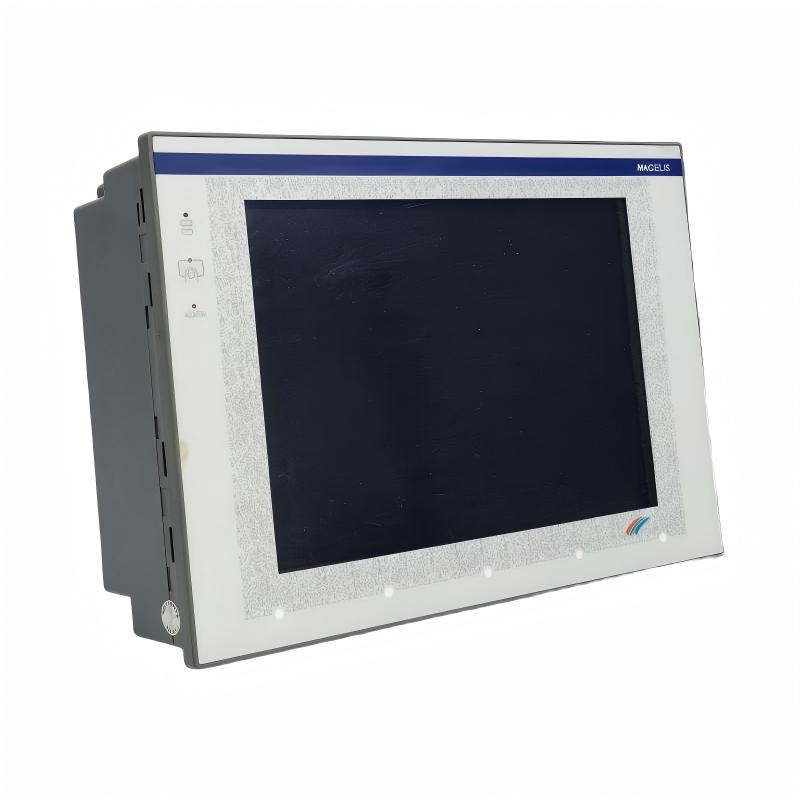
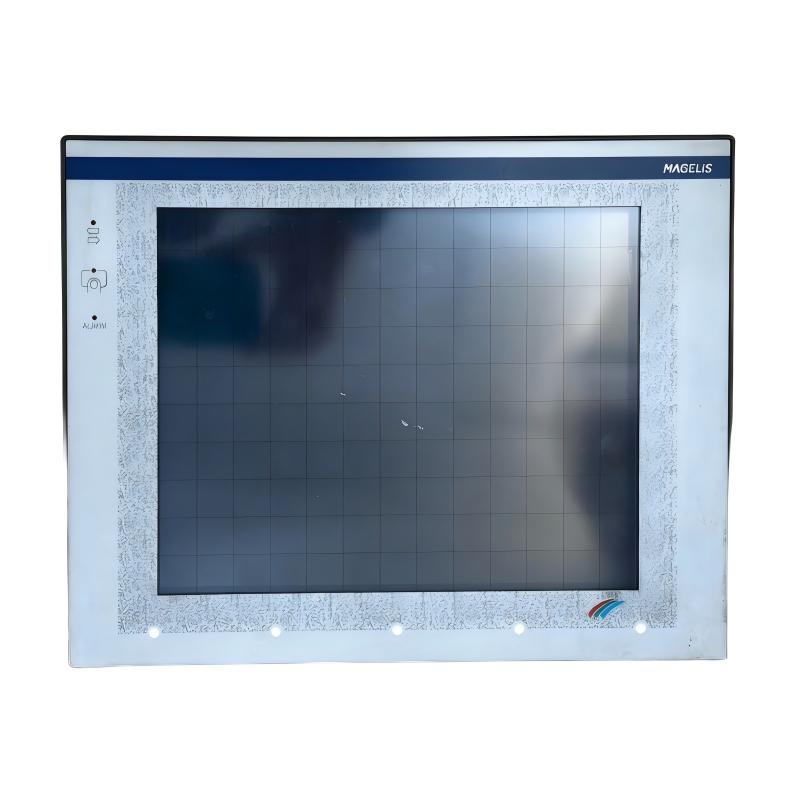
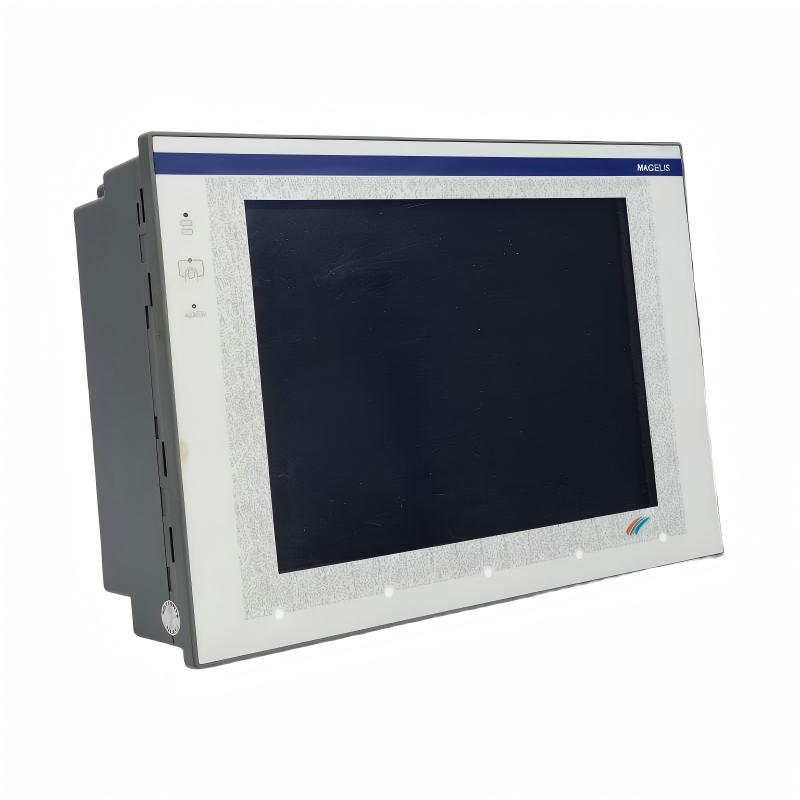
The Schneider Electric XBTF034510 is a 10.4-inch touchscreen human-machine interface (HMI) from the Magelis XBT-F series. Designed for industrial automation systems, this operator terminal provides a graphical interface between machine operators and automated equipment. It allows users to monitor operating conditions, view alarms, access process information, and interact with control systems through a touch-sensitive display.
In industrial environments, an HMI is an important part of the operator-control layer. It presents information collected from PLCs, drives, sensors, and other automation devices in a format that operators can understand. Instead of relying entirely on indicator lamps or physical switches, operators can use graphical screens to view machine status and issue permitted commands.
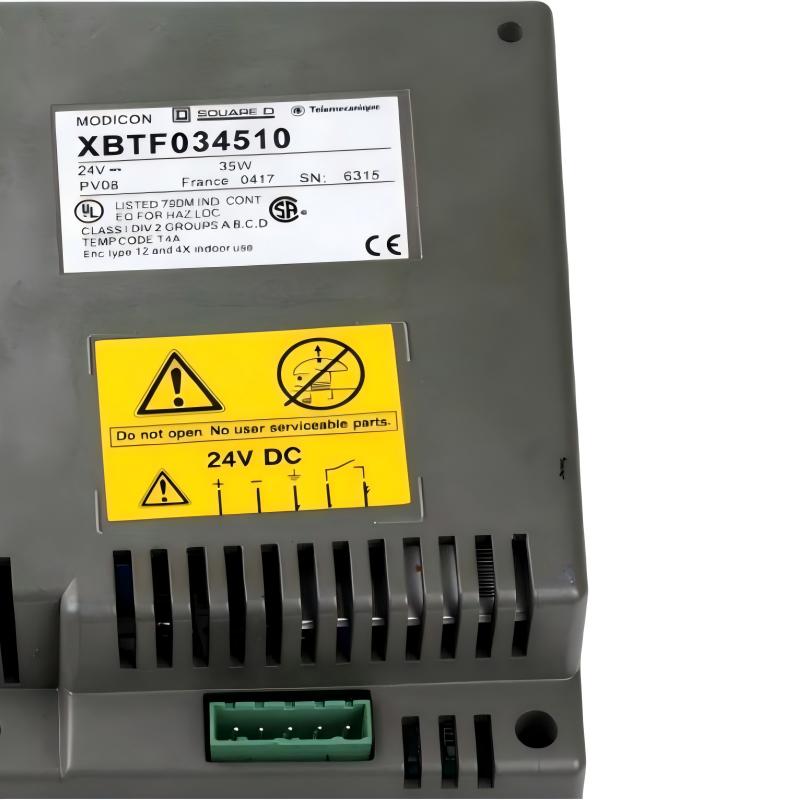
The XBTF034510 features a 10.4-inch color LCD touchscreen with a resolution of 640 × 480 pixels. It operates from a 24 V DC supply and has a rated power consumption of approximately 35 W. Its resistive touchscreen supports operation through direct contact, making it suitable for panel-mounted industrial operator stations.
The terminal supports graphical process displays, variable visualization, alarm information, recipes, and communication with compatible automation equipment. Its communication capabilities depend on the selected protocol and the connected PLC or controller.
The XBTF034510 is a discontinued product. For existing installations, maintaining the original terminal may be necessary to preserve established control-system configurations. When a replacement is required, the complete hardware and software compatibility should be evaluated rather than selecting another HMI based only on screen size.
Technical Specifications
| Parameter | Specification |
|---|---|
| Brand | Schneider Electric |
| Product Series | Magelis XBT-F |
| Model | XBTF034510 |
| Product Type | Human-Machine Interface (HMI) |
| Display Size | 10.4 inches |
| Display Type | Color LCD |
| Resolution | 640 × 480 pixels |
| Touchscreen Type | Resistive touchscreen |
| Touch Configuration | 10 × 13 touch zones |
| Supply Voltage | 24 V DC |
| Operating Voltage Range | 18–30 V DC |
| Power Consumption | Approximately 35 W |
| Application Memory | Depends on installed memory card |
| Alarm Log Capacity | Up to 1,000 events |
| Recipe Capacity | Up to 125 records and 5,000 values |
| Communication | Serial communication; protocol-dependent |
| Supported Protocols | Depends on the configured communication protocol |
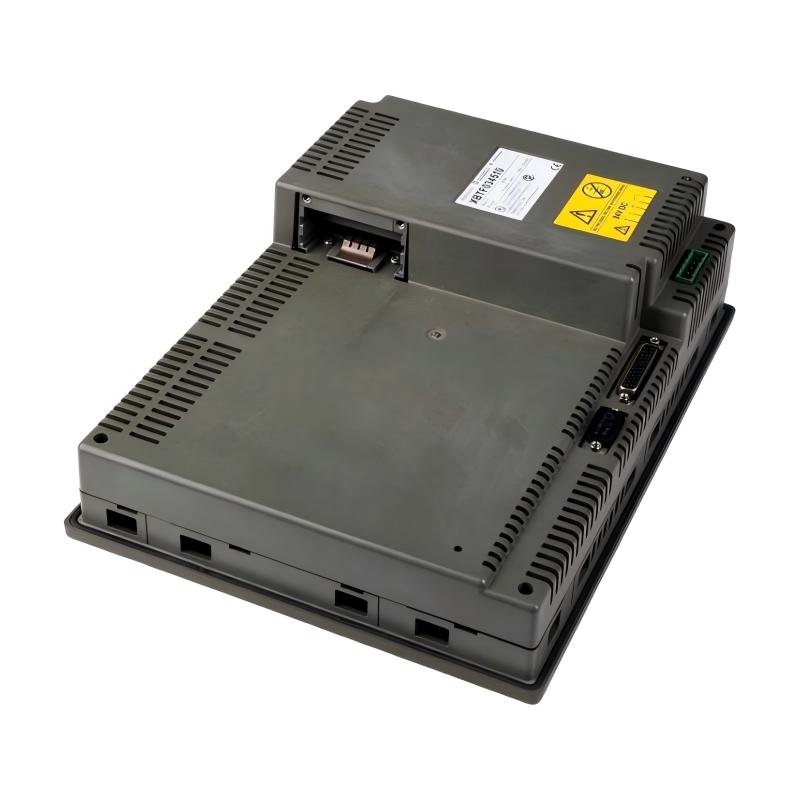
| Front Panel Protection | IP65 |
| Rear Panel Protection | IP20 |
| Operating Temperature | 0°C to 45°C |
| Relative Humidity | 0–85%, non-condensing |
| Provided Weight | 1.5 kg |
| Product Lifecycle | Discontinued |
Note: The supplied weight is retained as the product-listing value. Confirm the exact terminal revision and whether the figure represents the unit alone or a packaged shipment.
Function and Working Principle
The XBTF034510 operates as an operator interface within an industrial automation system. It communicates with compatible controllers and presents process information through graphical screens.
1. Graphical Process Visualization
The terminal can display graphical representations of machine and process conditions. Operators can view equipment status, process variables, operating values, and other configured information.
For example, a production-machine screen may show motor operating status, temperature readings, production counters, and equipment alarms. The information displayed depends on the HMI application developed for the installation.
2. Touchscreen Operation
The 10.4-inch resistive touchscreen provides an interactive interface. Operators can select screen objects, enter values, navigate menus, and activate configured functions.
The resistive touch technology detects pressure applied to the screen. This differs from modern capacitive touchscreens and should be considered when selecting replacement equipment or evaluating operator interaction requirements.
3. Alarm Management
Alarm functions help operators identify abnormal conditions and respond to equipment problems. The terminal can display configured alarm messages and maintain an alarm log.
The documented alarm-log capacity is up to 1,000 events. Actual alarm behavior depends on the application configuration and the information supplied by the connected control system.
4. Recipe and Variable Management
Recipe functions allow configured groups of process values to be stored and selected for different production requirements.
For example, a packaging machine may use different operating parameters for different product sizes. Operators can select a recipe through the HMI, while the controller manages the corresponding machine settings.
The terminal documentation describes support for up to 125 recipe records and 5,000 values, subject to the installed application and memory configuration.
5. Communication with Automation Controllers
The XBTF034510 exchanges data with compatible PLCs and industrial controllers through supported communication protocols. Depending on the selected protocol and system configuration, the HMI can read operating values, display alarms, and transmit operator-entered commands.
Communication compatibility must be checked against the exact PLC model, protocol configuration, cable, and software version.
Role in Industrial Control Systems
The XBTF034510 provides the operator-facing interface in a larger industrial control architecture. It does not normally replace the PLC or perform all machine-control functions independently. Instead, it presents information and operator commands to the underlying control system.
PLC and Controller Interaction
A PLC executes the machine’s control logic, processes sensor signals, and controls output devices. The HMI communicates with the PLC to display selected data and transmit authorized operator inputs.
A typical arrangement may include:
- PLC for machine sequencing and logic execution.
- HMI for operator interaction and process visualization.
- Sensors for temperature, pressure, position, and other measurements.
- Drives for motor-speed control.
- Actuators for mechanical and process operations.
- Industrial communication cables and interfaces for data exchange.
The exact connection method depends on the installed communication protocol.
Operator Monitoring
The terminal allows operators to monitor process values without accessing the PLC program directly. Configured screens may show machine status, operating modes, production information, and alarm conditions.
This can help operators identify abnormal conditions and communicate more effectively with maintenance personnel.
Process Parameter Adjustment
Authorized operators can enter or modify selected process values through the HMI. Examples include speed references, temperature setpoints, timing parameters, and production quantities.
The PLC remains responsible for validating and applying these values according to the machine’s control logic and safety requirements.
Alarm and Maintenance Support
Alarm displays provide information about equipment faults and process abnormalities. Maintenance personnel can use these messages as part of a troubleshooting process, together with PLC diagnostics, drive fault codes, and physical equipment inspections.
Industrial Applications
The Magelis XBTF034510 can be used in industrial systems where graphical operator interaction and process monitoring are required.
1. Manufacturing Production Lines
In manufacturing facilities, the HMI can display machine operating conditions, production counts, process values, and alarm messages. Operators can use the touchscreen to select operating modes and access configured machine functions.
2. Packaging Machinery
Packaging systems often require operators to select product recipes, adjust production settings, and monitor machine status. The XBTF034510’s recipe and graphical display functions can support these tasks when incorporated into a suitable control application.
3. Process Control Equipment
Industrial process equipment may require continuous monitoring of variables such as pressure, temperature, flow, and operating status. The HMI can present these values through configured graphical screens.
The actual control of process equipment remains dependent on the connected PLC or process controller.
4. Material Handling Systems
Conveyors, transfer equipment, and automated material-handling systems can use an HMI to display operating modes, equipment status, and fault messages. Operators may also use configured screens to control permitted functions.
5. Water and Wastewater Equipment
Water-treatment and wastewater installations often use operator terminals to display pump status, tank levels, alarms, and process measurements. The XBTF034510 can serve as an operator interface where its communication protocols and application configuration match the control system.
6. Industrial Machine Retrofits
Existing machines may use the XBTF034510 as part of an established control architecture. During maintenance or retrofit projects, retaining the original terminal can help preserve the existing operator interface and reduce the need for immediate software redesign.
Installation and System Integration
Correct installation is essential for reliable operation and long-term service.
1. Panel Mounting
The XBTF034510 is designed for panel-mounted installation. Before preparing a panel cutout, consult the appropriate installation documentation for the exact mounting dimensions and required clearances.
Ensure that the mounting surface is stable and suitable for the terminal. The front panel must be correctly sealed to maintain its specified protection rating.
2. Power Supply Connection
The terminal operates from a 24 V DC supply, with a documented operating range of 18–30 V DC.
Use a suitable industrial power supply with sufficient current capacity. Verify polarity and voltage before energizing the equipment. Unstable supply voltage or incorrect wiring may cause communication interruptions or unexpected shutdowns.
3. Communication Wiring
The HMI must be connected to a compatible PLC or controller using the appropriate communication interface and cable.
Before installation, verify:
- PLC model and communication interface.
- Selected communication protocol.
- Cable type and pin assignments.
- Communication parameters.
- Software and protocol compatibility.
- Grounding and shielding requirements.
Incorrect communication settings can prevent the HMI from exchanging data with the controller.
4. Application Configuration
The terminal requires an appropriate HMI application. Screen layouts, variables, alarm messages, recipes, and operator functions are defined through the supported development environment.
When maintaining an existing installation, preserve the original project files and record the software version and communication settings whenever possible.
5. Environmental Conditions
The documented front-panel protection is IP65, while the rear panel is rated IP20. The front protection applies when the terminal is installed correctly with the required panel sealing.
The rear of the terminal should be protected from water, conductive dust, and other contaminants. Maintain the specified operating temperature and humidity conditions.
6. Commissioning and Testing
After installation, verify the power supply, display operation, touchscreen response, and communication with the connected controller.
Test the configured screens, operating commands, alarm messages, and recipe functions. Confirm that operator inputs are correctly processed by the PLC and that the machine’s safety interlocks remain effective.
Compatible System Components
The XBTF034510 is designed to operate as part of a wider industrial automation system. Compatibility depends on the controller, communication protocol, application software, and connection hardware.
| Component | Function | Integration Considerations |
|---|---|---|
| Schneider Electric PLC | Executes machine-control logic | Confirm supported communication protocols |
| Modicon controllers | Provide industrial control functions | Check the exact controller and protocol configuration |
| Industrial power supply | Provides 24 V DC power | Ensure stable output and sufficient capacity |
| Communication cable | Connects the HMI to the controller | Verify cable type, connector, and pin assignment |
| Sensors | Provide process measurements | Signals are generally processed by the PLC |
| Variable frequency drive | Controls motor speed | HMI data exchange is normally managed through the PLC or supported protocol |
| Industrial Ethernet or serial network equipment | Provides communication infrastructure | Confirm that the required interface is available on the selected hardware |
| Control cabinet | Houses the HMI and automation equipment | Maintain environmental protection and ventilation |
Not all components listed above are included with the XBTF034510. The actual system configuration depends on the machine design.
Alternative Models and Replacement Considerations
The XBTF034510 is a discontinued Magelis XBT-F terminal. Schneider Electric identifies the HMIGTO5310 touchscreen HMI as a hardware replacement, together with the XBTZGCO3 cutout adapter when replacing an existing XBTF terminal.
| Model | Description | Replacement Considerations |
|---|---|---|
| XBTF034510 | Original Magelis 10.4-inch touchscreen terminal | Existing installed model |
| HMIGTO5310 | Magelis GTO touchscreen HMI | Schneider-identified hardware replacement |
| XBTZGCO3 | Cutout adapter | Required when adapting the existing XBTF panel cutout, where applicable |
| XBTGT5330 | Magelis 10.4-inch touchscreen HMI | May be encountered in replacement discussions; verify exact compatibility and lifecycle |
| XBTGT5340 | Magelis 10.4-inch touchscreen HMI | Requires application, communication, and mechanical compatibility checks |
A replacement project should consider more than screen size. Important checks include:
- Panel cutout and mounting dimensions.
- Display technology and resolution.
- Power supply requirements.
- PLC communication protocol.
- Communication connectors and cable pin assignments.
- HMI project conversion or redevelopment.
- Alarm, recipe, and variable configuration.
- Operator workflow and machine safety requirements.
The HMIGTO5310 replacement may require software redevelopment or project conversion. Schneider Electric identifies Vijeo Designer as the programming software for the HMIGTO5310. The XBTZGCO3 adapter plate is only needed when adapting an existing XBTF terminal cutout.
Key Advantages
Large 10.4-Inch Display
The 10.4-inch screen provides space for graphical machine layouts, process values, operating information, and alarm messages.
Resistive Touchscreen Operation
The resistive touchscreen supports direct operator interaction through pressure-sensitive input.
Graphical Process Monitoring
Configured screens can display machine status, operating values, production information, and process conditions.
Alarm and Event Information
The alarm-log function helps operators review configured equipment and process alarms.
Recipe Management
Recipe functionality supports the storage and selection of production parameter groups.
Industrial Panel-Mount Design
The front-panel IP65 rating supports installation in appropriately sealed industrial operator panels.
Established Magelis Platform
The XBTF034510 is part of the established Magelis XBT-F family and may remain important in legacy automation systems where the original HMI application and communication configuration are still in use.
Technical FAQs
1. What is the Schneider Electric XBTF034510?
It is a Magelis XBT-F series industrial HMI with a 10.4-inch color touchscreen. It is used for operator interaction, machine monitoring, alarm display, and process visualization.
2. What is the display resolution?
The display resolution is 640 × 480 pixels.
3. What power supply does it require?
The XBTF034510 uses a 24 V DC supply, with a documented operating range of 18–30 V DC.
4. What is its power consumption?
Its documented power consumption is approximately 35 W.
5. What type of touchscreen does it use?
It uses a resistive touchscreen with a 10 × 13 touch-zone configuration.
6. Can it communicate with Siemens or Allen-Bradley PLCs?
The Magelis XBT-F platform documentation lists communication protocols for several PLC manufacturers, including Siemens and Allen-Bradley. Actual compatibility depends on the selected protocol, PLC model, communication interface, cable, and application configuration.
7. Is the XBTF034510 discontinued?
Yes. The model is discontinued. Existing units may still be available through industrial spare-parts suppliers, repair providers, and surplus-equipment channels.
8. What is the recommended replacement?
Schneider Electric identifies the Magelis HMIGTO5310 as the hardware replacement, together with the XBTZGCO3 cutout adapter when replacing an existing XBTF terminal.
9. Is the XBTZGCO3 adapter always required?
No. Schneider Electric specifies that the adapter plate is needed only when replacing an existing XBTF terminal and adapting its panel cutout.
10. What should be checked before purchasing a used XBTF034510?
Verify the complete model number, display condition, touchscreen response, power input, communication ports, mounting condition, and operating status. If the terminal is intended for an existing machine, confirm that its application and communication configuration match the installed control system.
Procurement and Maintenance Recommendations
When sourcing the Schneider Electric XBTF034510, verify the complete model number and product condition. Since the terminal is discontinued, suppliers may offer new-old-stock, used, or refurbished units. These conditions should be clearly distinguished during procurement.
For an existing installation, confirm the touchscreen condition, display visibility, communication performance, and availability of the original HMI project. A replacement terminal may require software conversion, new communication settings, or panel modifications.
During maintenance, keep the front panel clean using methods compatible with the manufacturer’s instructions. Inspect the panel seal, mounting clips, power connections, and communication cables. Avoid exposing the rear of the terminal to liquids or conductive contaminants.
For replacement planning, compare the HMIGTO5310 hardware configuration, programming environment, communication interfaces, and panel dimensions with the original installation. Confirm whether the XBTZGCO3 adapter is required before preparing the panel.
Conclusion
The Schneider Electric XBTF034510 Magelis XBT-F is a 10.4-inch industrial touchscreen HMI designed for operator interaction and process visualization. With a 640 × 480 color display, 24 V DC supply, approximately 35 W power consumption, alarm functions, and recipe management capabilities, it provides an operator interface for compatible industrial control systems.
Although the XBTF034510 is discontinued, it remains relevant to maintenance and spare-parts requirements in existing installations. Accurate model identification, communication compatibility, application backup, and replacement planning are important for maintaining reliable operation.