

ProductPRODUCT
Featured products
Contact Us
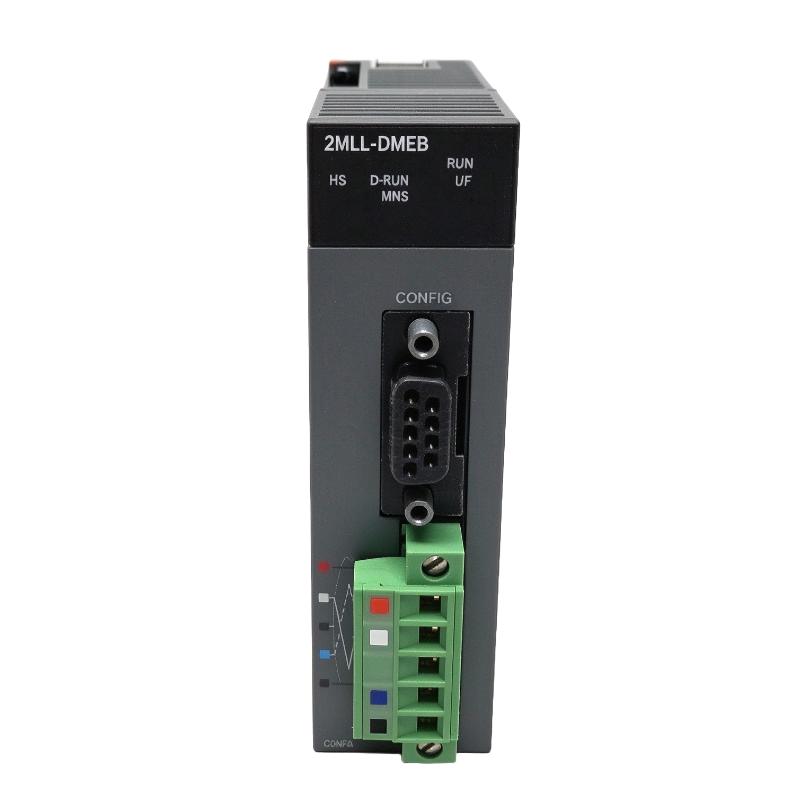
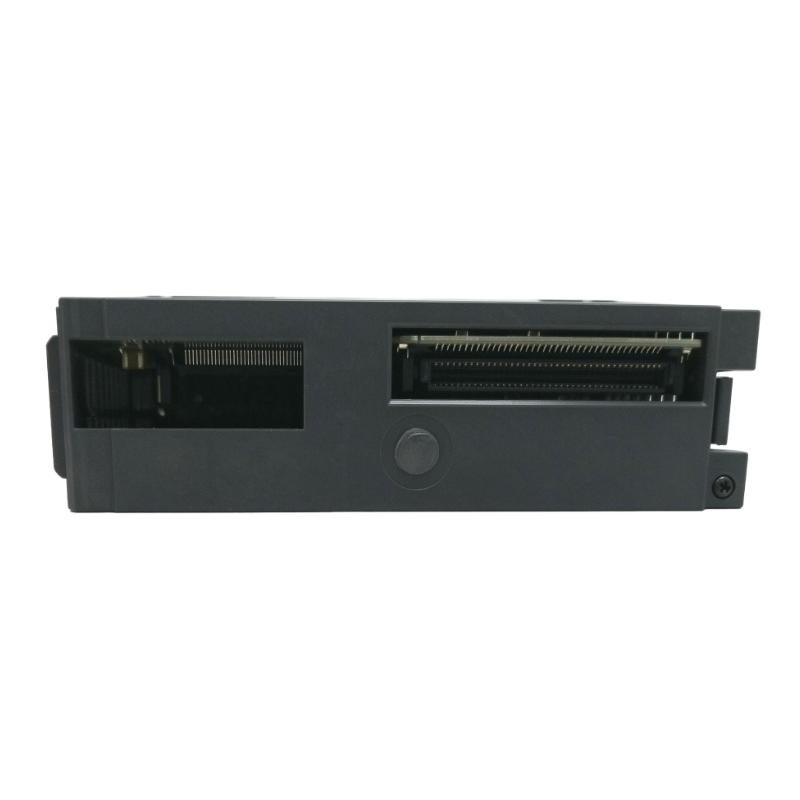
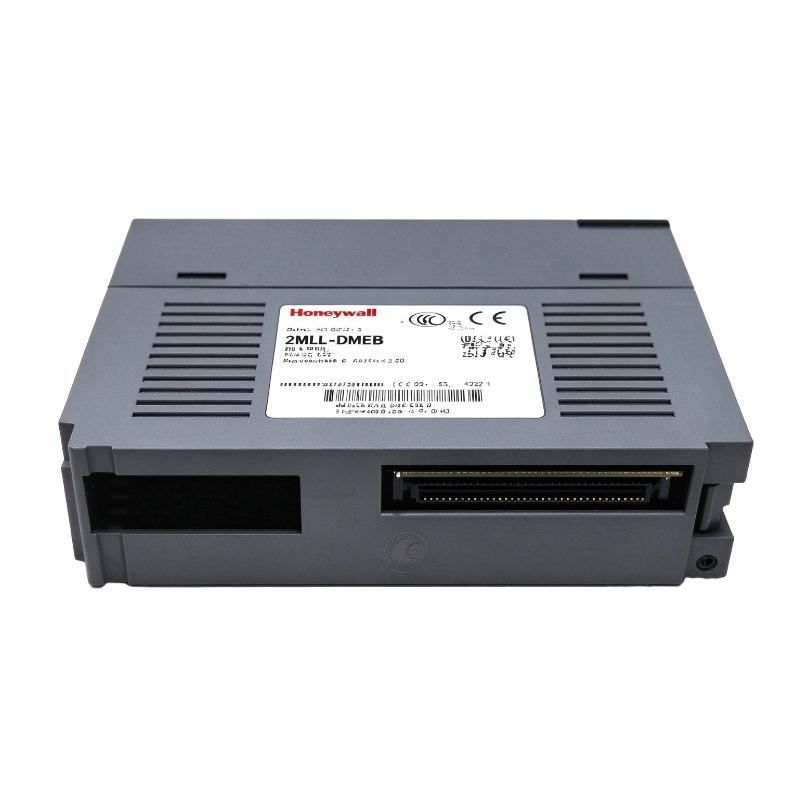
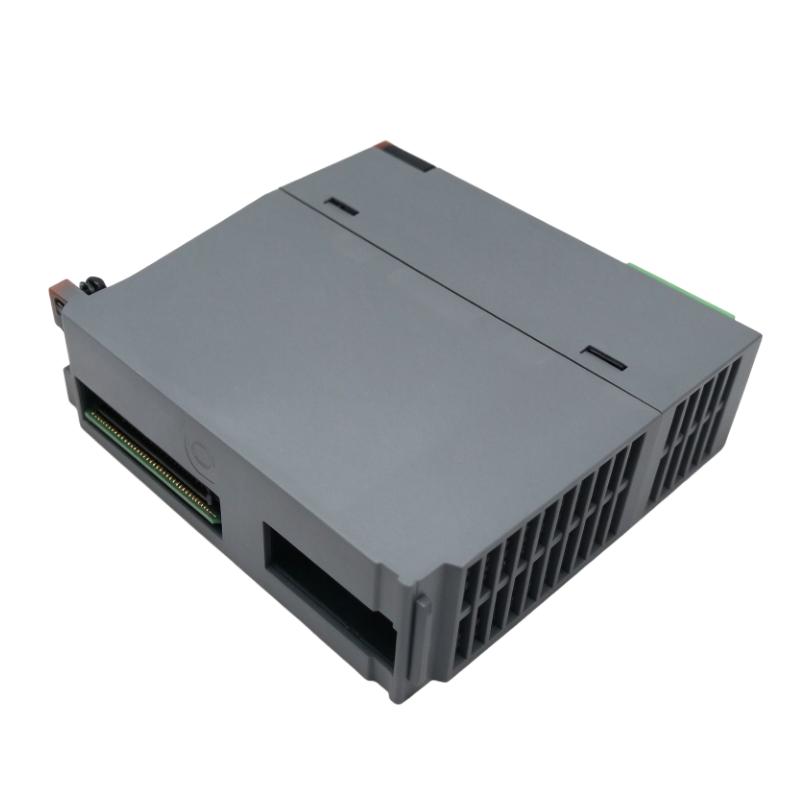
- Honeywell
- 2MLL-DMEB
- DeviceNet Master Interface Module
- USA
- 120 × 25 × 110 mm
- 0.116 kg
- Xiamen, China
- New & In Stock
- T/T, PayPal, Western Union
- 1 Year
- 1-3 Working Days
- DHL, UPS, TNT, FedEx and EMS.
- 24-Hour Service
- COO
- 8
Our advantage

Global Logistics
We have a 10-year logistics and express cooperation agreement, so our products can be shipped to any place in the world.

Brand new and original
Our products are imported in bulk from the place of origin. Because of the cooperative relationship, our products are all original and 100% new.

24-hour service
We provide 7*24 hours service to our customers. We will be there whenever you need us.

Price advantage
All our products are priced very favorably because we have our own warehouse and supply.
| Company Information | |||
| [email protected] | |||
| Mobile | +8615980777398 | ||
| +8615980777398 | |||
| 15980777398 |
Product Overview
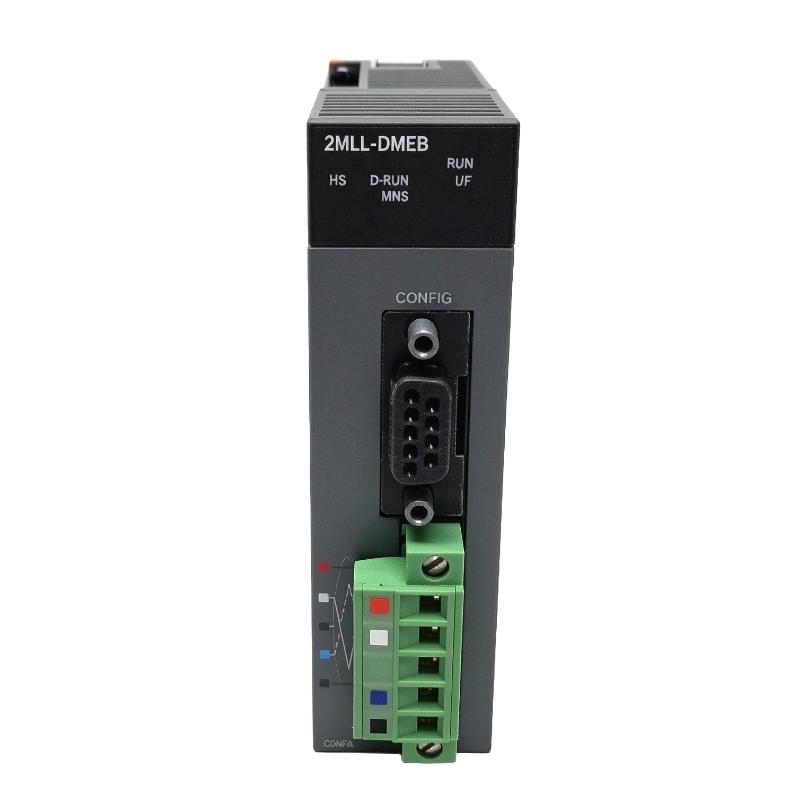
The Honeywell 2MLL-DMEB is a DeviceNet Master Interface Module for the MasterLogic-200 PLC platform. It extends the controller’s communication capabilities by allowing the PLC to exchange data with compatible DeviceNet slave devices over an industrial fieldbus network.
Unlike conventional digital input and output modules, which handle individual electrical signals, a DeviceNet master manages communication with multiple intelligent field devices. These may include remote I/O stations, sensor interfaces, motor control equipment, valve systems, and other DeviceNet-compatible automation components.
In a distributed machine installation, the PLC can use the DeviceNet network to collect equipment status and exchange control information without routing every individual field signal directly back to the main control cabinet. For example, a production line with several remote equipment stations can use DeviceNet communication to exchange operating conditions and control commands through the network.
The 2MLL-DMEB functions as the master-side communication interface. It coordinates data exchange with participating slave devices, while the MasterLogic-200 CPU processes the information within the application program.
The distinction between the DMEB and DMEA model suffixes is important when selecting replacement hardware. Their model identities should not be treated as interchangeable without confirming the hardware revision and communication configuration.
Technical Specifications
| Parameter | Specification |
|---|---|
| Manufacturer | Honeywell |
| Model | 2MLL-DMEB |
| Product Type | DeviceNet Master Interface Module |
| Product Series | MasterLogic-200 |
| Communication Network | DeviceNet |
| Module Function | Master / Scanner |
| Network Role | DeviceNet Master |
| Interface Type | DeviceNet Fieldbus |
| Compatible Devices | DeviceNet Slave Devices |
| Dimensions | 120 × 25 × 110 mm |
| Weight | 0.116 kg |
Product Features
1. DeviceNet Master Communication
The 2MLL-DMEB provides the master-side interface for DeviceNet communication. It allows the MasterLogic-200 PLC system to exchange information with compatible slave devices connected to the fieldbus.
2. Distributed Device Integration
DeviceNet communication allows multiple field devices to participate in the same industrial network. This is useful for installations where sensors, actuators, and remote I/O equipment are distributed across different machine sections.
3. Master/Scanner Functionality
The module operates as a DeviceNet master/scanner interface. It manages communication with participating network devices and exchanges the configured data with the PLC system.
4. Industrial Fieldbus Communication
DeviceNet uses a standardized industrial communication architecture for exchanging control and status information. This allows compatible equipment from different product categories to participate in a common network.
5. Remote I/O Communication
Remote I/O equipment can exchange field information with the PLC through DeviceNet. This arrangement can reduce the need for individual signal wiring between remote machine sections and the central control cabinet.
6. Device Status Monitoring
The PLC can use information received through the DeviceNet network to monitor connected equipment conditions, communication status, and operating feedback.
7. Integration with MasterLogic-200
The module belongs to the MasterLogic-200 communication product family and extends the PLC architecture with DeviceNet connectivity.
8. Distributed Automation Support
DeviceNet is suitable for machine installations with multiple networked devices. Its communication structure supports centralized control of equipment distributed throughout a production system.
Working Principle
The 2MLL-DMEB operates as the master-side interface between the MasterLogic-200 PLC and a DeviceNet network.
After the network configuration is established, the master communicates with participating slave devices according to the configured communication arrangement. Each device exchanges its assigned input, output, or status information through the DeviceNet network.
For example, a remote I/O station installed near a conveyor motor may collect local sensor signals and equipment feedback. Instead of routing every signal individually to the main PLC cabinet, the station exchanges its configured data through DeviceNet. The master interface makes this information available to the PLC application.
The communication process generally involves the following stages:
- Establishing the DeviceNet physical network connection.
- Configuring the master and participating slave devices.
- Assigning network node addresses and communication parameters.
- Establishing the configured master-to-slave communication.
- Exchanging input, output, and status information.
- Making received information available to the PLC application.
- Updating control commands according to the programmed logic.
The MasterLogic-200 DeviceNet architecture supports communication methods such as Poll, Bit-Strobe, Change of State (COS), and Cyclic communication. The specific methods available in an installation depend on the configured module and network devices.
Typical Communication Path:
MasterLogic-200 CPU → 2MLL-DMEB DeviceNet Master → DeviceNet Network → Remote I/O / Sensors / Drives / Other Slave Devices
Example Industrial Operation:
- A remote sensor detects a workpiece entering a production station.
- The local DeviceNet slave device updates its input information.
- The DeviceNet network transfers the information to the master interface.
- The PLC application receives and evaluates the updated data.
- The CPU checks the signal against programmed operating conditions.
- The PLC sends the next control command through the configured network or output system.
Role in MasterLogic-200 Control Architecture
Within the MasterLogic-200 architecture, the 2MLL-DMEB serves as the interface between the PLC controller and the DeviceNet field network.
The CPU remains responsible for executing the application program, while the DeviceNet master handles communication with connected network devices. This separation allows the PLC to manage distributed equipment without treating every remote signal as an individually wired local I/O point.
In a production installation, the module can connect the controller to remote I/O stations, sensor networks, actuator interfaces, and other compatible DeviceNet equipment. The PLC application then uses the exchanged information to coordinate machine operations.
| Control System Component | Function |
|---|---|
| 2MLL-DMEB | DeviceNet master/scanner communication interface |
| 2MLL-DMEA | DeviceNet Master Module, separately identified model |
| 2MLK-CPUS | Standard non-IEC CPU |
| 2MLK-CPUH | High Performance non-IEC CPU |
| 2MLI-CPUS | Standard IEC CPU |
| 2MLI-CPUH | High Performance IEC CPU |
| 2MLI-CPUU | Enhanced IEC CPU |
| 2MLP-ACF1 | Power Supply Module |
| 2MLP-ACF2 | Power Supply Module |
| 2MLB-M04A | Four-Slot Main Base |
| 2MLB-M06A | Six-Slot Main Base |
| 2MLB-E04A | Four-Slot Expansion Base |
| 2MLB-E08A | Eight-Slot Expansion Base |
| Remote DeviceNet I/O | Acquires and controls distributed field signals |
| DeviceNet Slave Devices | Exchange network data with the master |
Industrial Applications
| Application | DeviceNet Communication Function |
|---|---|
| Automotive Manufacturing | Connects distributed equipment and remote I/O stations |
| Packaging Machinery | Exchanges operating data with networked sensors and actuators |
| Conveyor Systems | Coordinates remote equipment status and control information |
| Material Handling | Connects distributed transfer and positioning equipment |
| Assembly Lines | Exchanges station status and component detection information |
| Motor Control Systems | Communicates with compatible networked motor control devices |
| Valve Control Systems | Exchanges operating commands and feedback with compatible valve interfaces |
| Remote I/O Installations | Transfers distributed input and output information |
| Automated Production Equipment | Coordinates multiple networked field devices |
Installation and Maintenance
- Verify the Module Identification: Confirm the complete 2MLL-DMEB model number and distinguish it from the separately identified 2MLL-DMEA.
- Check Base Compatibility: Verify that the module is supported by the intended MasterLogic-200 base and CPU configuration.
- Inspect the Network Connector: Check the DeviceNet connector and associated contacts for damage, contamination, or loose connections.
- Verify Network Wiring: Check the DeviceNet cable arrangement, signal connections, and network topology before commissioning.
- Check Network Power: Verify that the DeviceNet network power supply meets the requirements of the connected equipment.
- Confirm Node Addresses: Ensure that every slave device has a valid and unique network address.
- Review Communication Speed: Configure the network communication speed consistently across the master and connected devices.
- Check Network Termination: Verify that termination resistors are installed at the appropriate ends of the DeviceNet trunk according to the network installation requirements.
- Configure Slave Devices: Confirm that the required slave devices are included in the network configuration and have the correct communication parameters.
- Monitor Communication Status: Check the module’s available status indicators and diagnostic information during startup and normal operation.
- Test Data Exchange: Verify that input, output, and status information is correctly exchanged between the PLC and participating slave devices.
- Maintain Network Documentation: Record node addresses, network topology, device assignments, communication settings, and PLC configuration for future maintenance.
Compatible System Components
| Component | Product Type | Application |
|---|---|---|
| 2MLL-DMEA | DeviceNet Master Module | MasterLogic-200 DeviceNet communication |
| 2MLL-C22A | RS-232C Serial Communication Module | Serial equipment communication |
| 2MLL-C42A | RS-422/485 Serial Communication Module | Dual-channel serial communication |
| 2MLL-CH2A | Combined Serial Communication Module | RS-232C and RS-422/485 communication |
| 2MLL-EFMT | Fast Ethernet Communication Module | Electrical Ethernet connectivity |
| 2MLL-EFMF | Fast Ethernet Communication Module | Fiber-optic Ethernet connectivity |
| 2MLL-PMEA | PROFIBUS-DP Master Module | PROFIBUS-DP network communication |
| 2MLL-PSEA | PROFIBUS Slave Interface Module | PROFIBUS slave communication |
| 2MLI-CPUS | Standard CPU Module | PLC application processing |
| 2MLI-CPUH | High Performance CPU Module | High-performance PLC processing |
| 2MLP-ACF1 | Power Supply Module | Supplies PLC operating power |
| 2MLP-ACF2 | Power Supply Module | Supplies PLC operating power |
| 2MLB-M06A | Main CPU Base | Houses CPU and associated modules |
| 2MLB-E08A | Expansion I/O Base | Supports additional I/O modules |
Recommended Related Models
| Model | Product Description |
|---|---|
| 2MLL-DMEA | MasterLogic-200 DeviceNet Master Module |
| 2MLL-PMEA | MasterLogic-200 PROFIBUS-DP Master Module |
| 2MLL-PSEA | MasterLogic-200 PROFIBUS Slave Interface Module |
| 2MLL-C42A | MasterLogic-200 Dual RS-422/485 Serial Communication Module |
| 2MLL-EFMT | MasterLogic-200 Fast Ethernet Electrical Communication Module |
| 2MLL-EFMF | MasterLogic-200 Fast Ethernet Fiber-Optic Communication Module |
Key Advantages
- DeviceNet master/scanner communication functionality.
- Integration with the MasterLogic-200 PLC architecture.
- Communication with compatible DeviceNet slave devices.
- Support for distributed industrial automation networks.
- Exchange of remote I/O and equipment status information.
- Suitable for networked sensors, actuators, and control equipment.
- Centralized PLC coordination of distributed field devices.
- Reduced dependence on individual point-to-point field signal connections.
Technical FAQs
What is the function of the 2MLL-DMEB in a DeviceNet network?
The 2MLL-DMEB serves as the master-side communication interface. It manages data exchange with participating DeviceNet slave devices and makes the configured information available to the MasterLogic-200 PLC application.
Can the 2MLL-DMEB communicate with remote I/O stations?
DeviceNet supports communication with compatible remote I/O devices. The actual connection depends on the slave device’s DeviceNet compatibility, configuration, and supported communication services.
What is the difference between DeviceNet Poll and Change of State communication?
Poll communication involves the master requesting data from a slave device. Change of State communication allows a device to transmit updated information when its monitored state changes. The appropriate method depends on the device capabilities and application requirements.
What should be checked when DeviceNet slave devices cannot communicate with the master?
Check network power, cable connections, node addresses, communication speed, termination, and slave configuration. Also inspect the master module’s diagnostic indicators and verify that the configured network matches the physical installation.