

ProductPRODUCT
Featured products
Contact Us
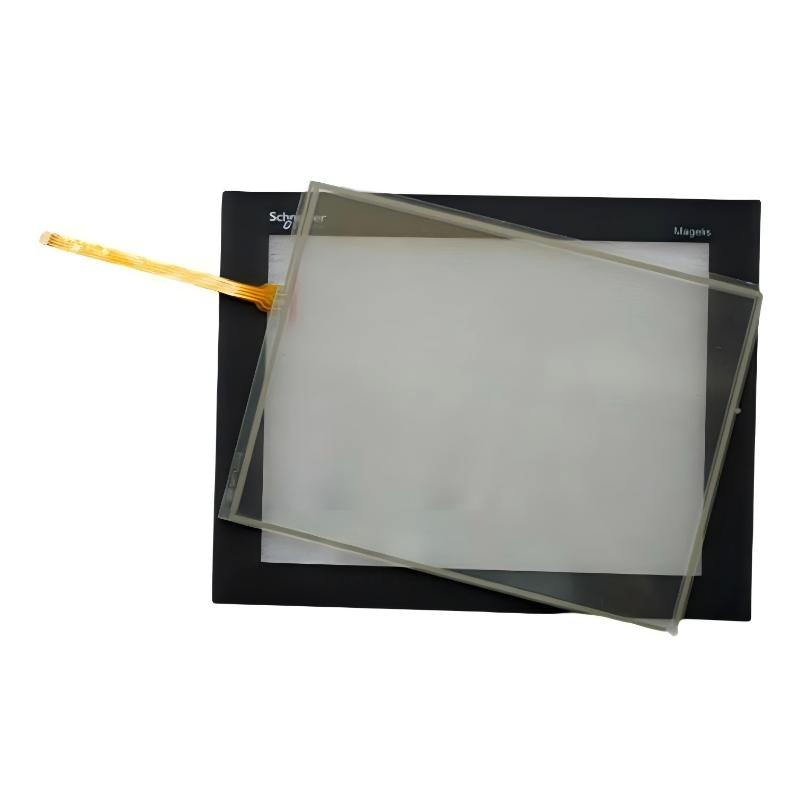
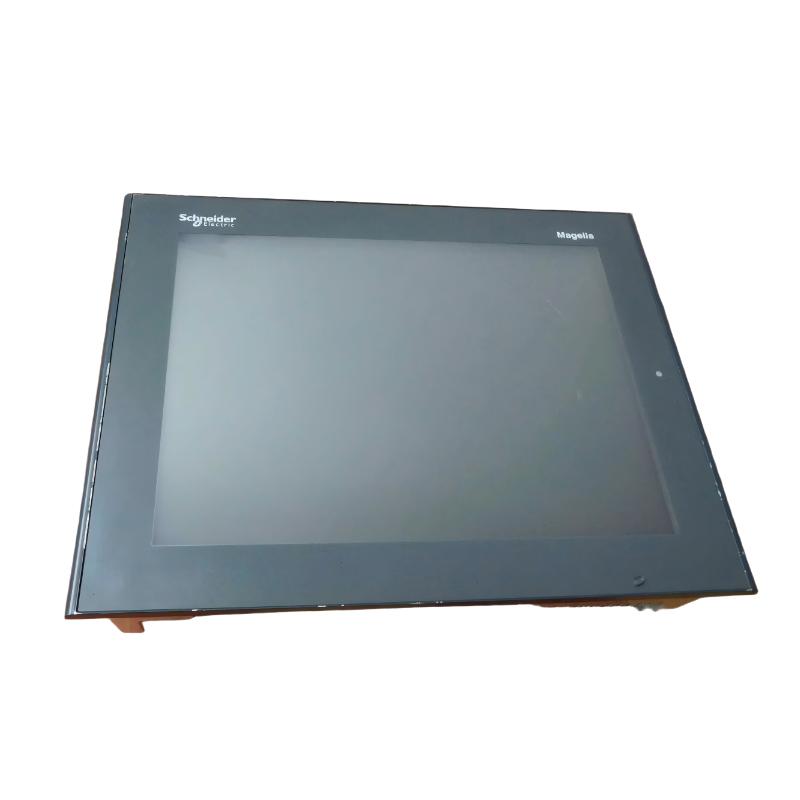
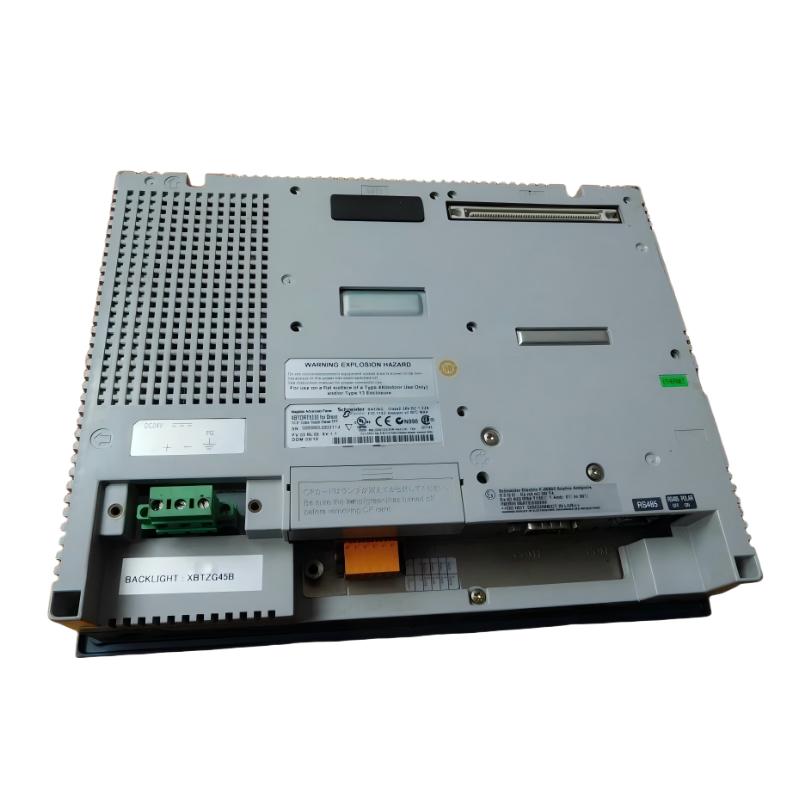
- Schneider
- XBTORT5330
- Advanced Touchscreen Panel
- France
- 270.5 x 212.5 x 57 mm
- 2.5 kg
- Xiamen, China
- New & In Stock
- T/T, PayPal, Western Union
- 1 Year
- 1-3 Working Days
- DHL, UPS, TNT, FedEx and EMS.
- 24-Hour Service
- COO
- 10
Our advantage

Global Logistics
We have a 10-year logistics and express cooperation agreement, so our products can be shipped to any place in the world.

Brand new and original
Our products are imported in bulk from the place of origin. Because of the cooperative relationship, our products are all original and 100% new.

24-hour service
We provide 7*24 hours service to our customers. We will be there whenever you need us.

Price advantage
All our products are priced very favorably because we have our own warehouse and supply.
| Company Information | |||
| [email protected] | |||
| Mobile | +8615980777398 | ||
| +8615980777398 | |||
| 15980777398 |
Product Overview
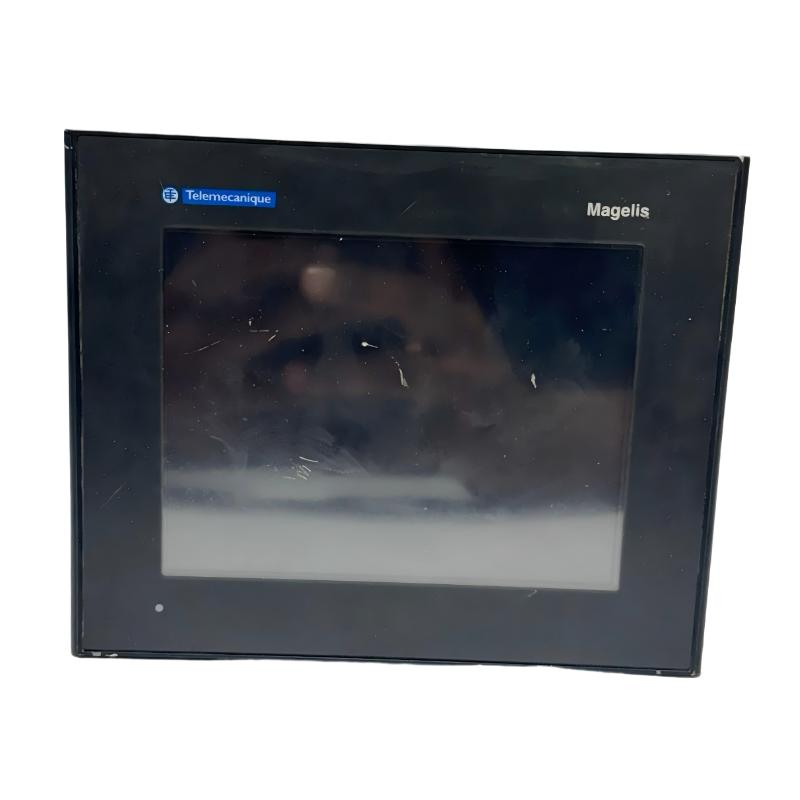
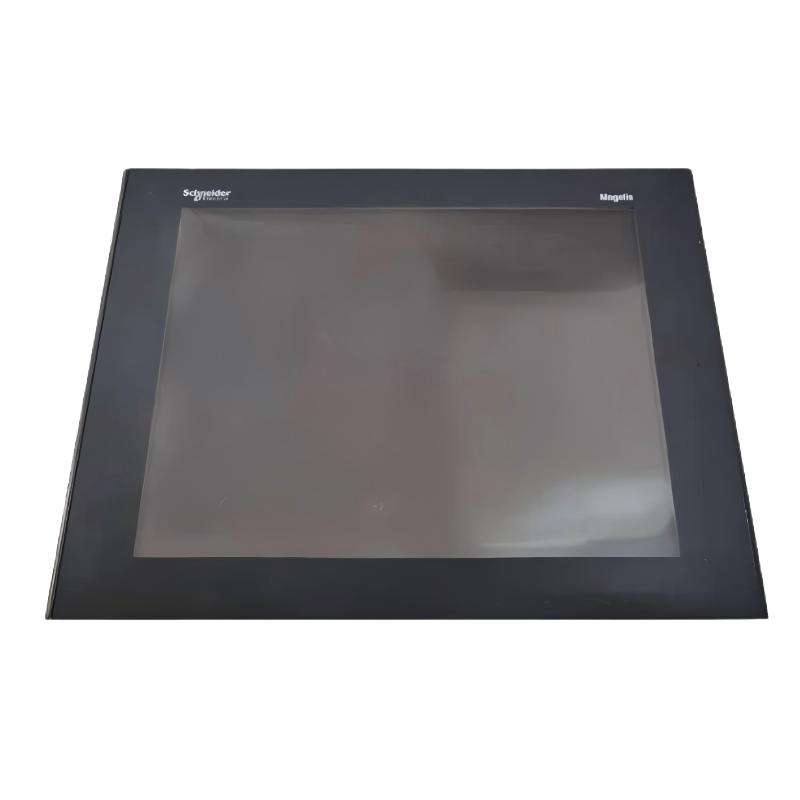
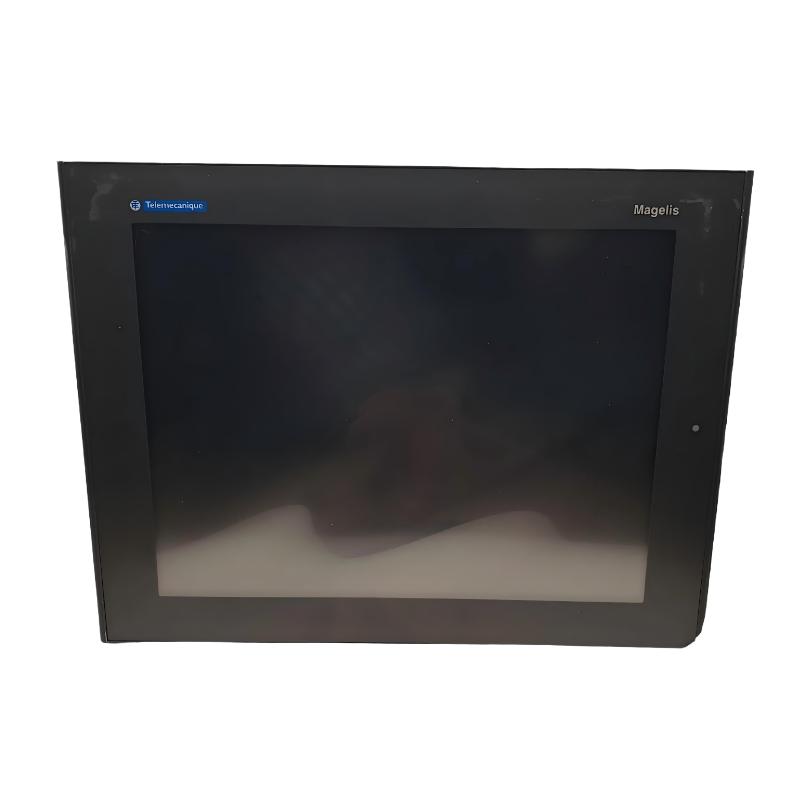
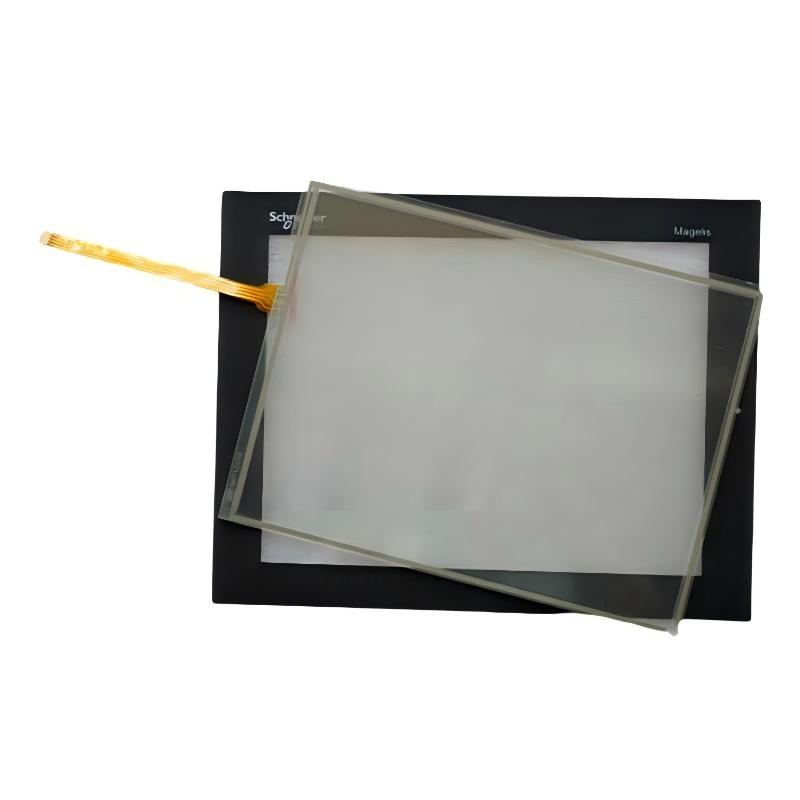
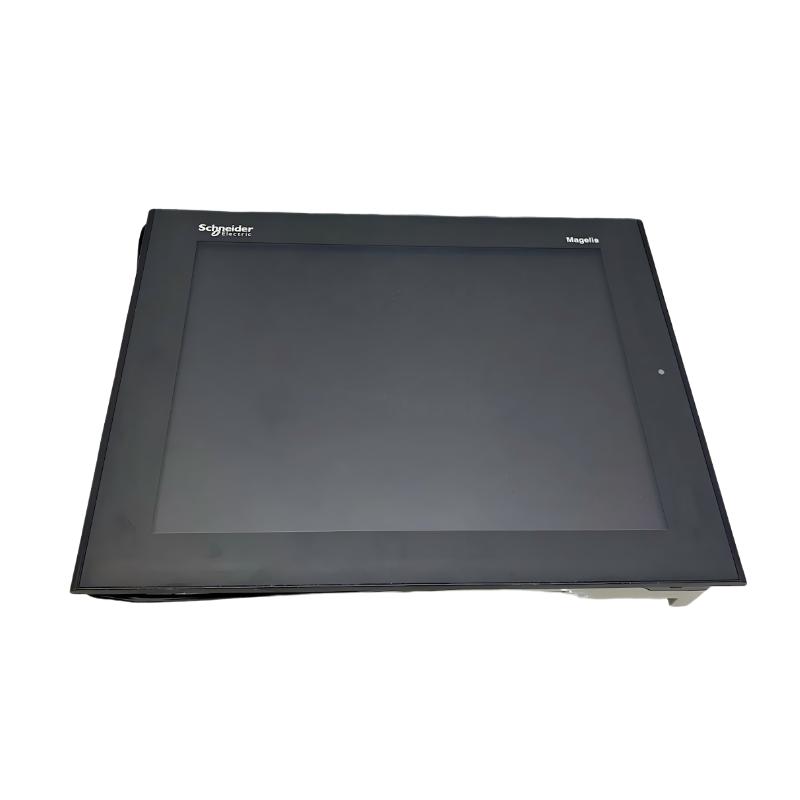
The Schneider Electric XBTORT5330 Advanced Touchscreen Panel is identified in industrial spare-parts listings as a human-machine interface (HMI) touchscreen panel for industrial monitoring and operator interaction. HMI equipment provides a visual interface between operators and automation systems, allowing production information, equipment status, alarms, and control commands to be presented in an accessible format.
In an industrial control environment, an HMI works alongside programmable logic controllers (PLCs), sensors, drives, and other automation components. It can help operators monitor machine conditions, select operating modes, acknowledge alarms, and interact with configured process screens. The actual functions available depend on the panel hardware, application software, and connected control system.
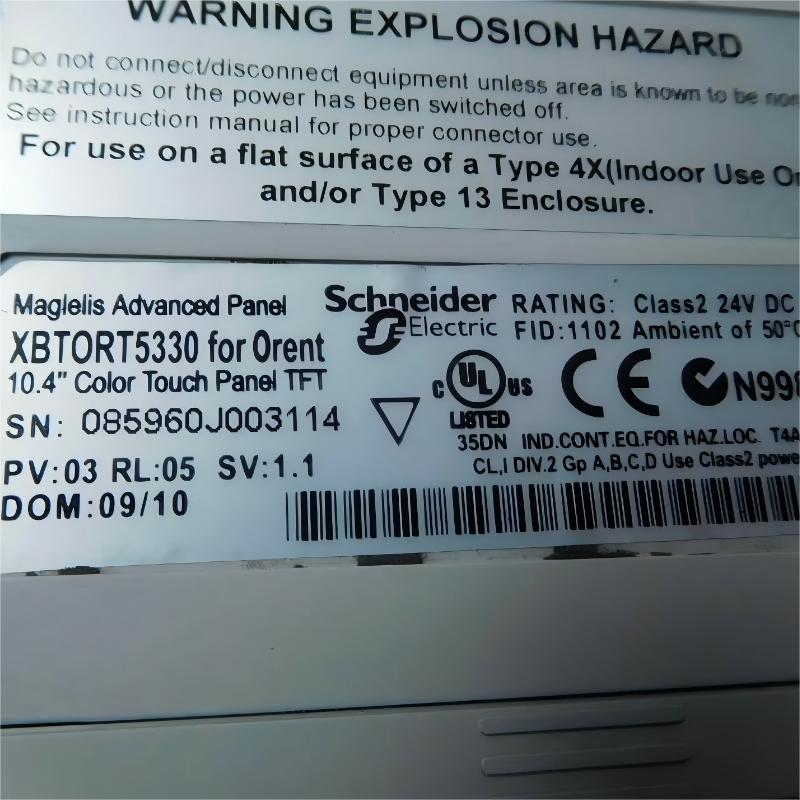
The XBTORT5330 designation appears in industrial parts listings, but publicly available technical information is inconsistent. Some listings associate this model with a 320 × 240 pixel display and 24 V DC power, while the better-documented XBTGT5330 is a different catalog number featuring a 10.4-inch, 640 × 480 pixel VGA color TFT display. These models should not be treated as interchangeable based solely on their similar names.
The supplied dimensions of 270.5 × 212.5 × 57 mm and weight of 2.5 kg match published specifications for the XBTGT5330. Before publishing a definitive specification sheet or purchasing a replacement, confirm the model number printed on the actual device label.
For industrial users, accurate identification is particularly important when replacing an existing HMI. Screen resolution, panel cutout, communication interfaces, application software, and controller compatibility can all affect whether a replacement can be installed without extensive modifications.
Technical Specifications
| Parameter | Specification |
|---|---|
| Brand | Schneider Electric |
| Product Model Provided | XBTORT5330 |
| Product Type | Advanced Touchscreen Panel / HMI |
| Product Family | Magelis-related industrial HMI listings |
| Intended Function | Operator interface and industrial process monitoring |
| Dimensions Provided | 270.5 × 212.5 × 57 mm |
| Weight Provided | 2.5 kg |
| Power Supply | Verify against the device nameplate and applicable model documentation |
| Display Resolution | Confirm exact resolution for XBTORT5330 before procurement |
| Display Technology | Confirm against the installed unit |
| Communication Interfaces | Verify actual hardware configuration |
| Application Software | Confirm software and project compatibility |
| Lifecycle | Verify current availability and service status |
| Typical Applications | Machine operation, process visualization, alarms, and equipment monitoring |
Specification note: The dimensions and weight above are retained from the supplied product information, but they match the documented XBTGT5330 rather than independently confirmed manufacturer specifications for XBTORT5330. Do not use the display, power, or communication specifications of XBTGT5330 as confirmed XBTORT5330 specifications without checking the nameplate and technical documentation.
Function and Working Principle
An industrial touchscreen panel provides a graphical interface for interacting with an automation system. It displays information collected from controllers and allows operators to enter commands through configured screen elements.
1. Process Visualization
An HMI can present machine status, process variables, operating modes, and production information in a graphical format. Depending on the application, the display may include numerical values, equipment diagrams, status indicators, and process trends.
This information helps operators understand the current state of equipment without relying exclusively on physical indicator lights or separate instruments.
2. Operator Command Entry
Touchscreen interfaces allow operators to interact with configured buttons, menus, and data-entry fields. Typical functions include starting or stopping a permitted operating sequence, selecting an operating mode, changing an authorized setpoint, and acknowledging alarms.
Actual command availability is determined by the application program and the control-system design. Safety-related functions must not depend solely on ordinary HMI commands.
3. PLC Communication
In a typical automation architecture, the HMI exchanges data with a PLC or another supported controller through a configured communication interface.
The controller executes the machine logic and manages field devices, while the HMI presents operating information and accepts operator input. Communication protocols, ports, and supported controller families must be confirmed for the exact panel model.
4. Alarm and Diagnostic Display
An HMI application can display alarms and diagnostic messages when the controller detects an abnormal condition. Depending on the system design, alarm screens may show fault descriptions, equipment identifiers, timestamps, and recommended operator actions.
Useful alarm design should distinguish between warnings, process faults, and conditions requiring immediate intervention. An HMI can display diagnostic information, but it does not independently replace the protection functions implemented by the controller or dedicated safety equipment.
5. Application-Dependent Functions
Functions such as historical trends, data logging, recipe management, and network connectivity depend on the panel’s hardware capabilities and the application project. These features should be confirmed rather than assumed from the product’s general description as an advanced touchscreen panel.
Role in Industrial Control Systems
An HMI occupies the operator-interaction layer of an industrial automation system. It connects the information generated by the control system with the people responsible for supervising and operating the process.
PLC and Controller Integration
The HMI may communicate with a PLC to read process values and send authorized commands. For example, an operator could view a motor’s operating state, adjust a permitted speed reference, or select a production mode.
Successful integration depends on controller compatibility, communication settings, data addresses, and the application software used to create the HMI project.
Operator Workstations
The panel can serve as a local interface mounted on a machine enclosure or control cabinet. A well-designed screen layout allows operators to find important information quickly and reduces the need to navigate through unrelated menus.
The physical mounting arrangement, panel cutout, and cable access should be verified before installing a replacement unit.
Process Monitoring
In process-control applications, the HMI can present temperatures, pressures, flow values, operating states, and alarm information supplied by connected controllers. Operators can use these displays to monitor equipment and respond to abnormal conditions.
The accuracy and update rate of the displayed data depend on the controller, communication network, and application configuration.
Maintenance and Troubleshooting
Maintenance personnel can use configured diagnostic screens to review equipment status and identify reported faults. A well-maintained HMI project can make troubleshooting more efficient by presenting relevant alarms and operating information in one location.
However, access to engineering functions and configuration settings should be controlled to prevent unauthorized changes to the automation system.
Industrial Applications
Industrial HMIs are used across many sectors where operators need a direct interface with machinery or automated processes. The specific suitability of the XBTORT5330 depends on its confirmed hardware specifications and compatible application environment.
1. Manufacturing and Assembly Lines
An HMI can display production status, machine modes, cycle information, and equipment alarms. Operators may use it to select authorized recipes or initiate production sequences managed by the PLC.
Clear screen design can improve visibility and help reduce operating errors during routine production.
2. Packaging Machinery
Packaging machines often require operator access to operating modes, counters, fault messages, and production settings. An HMI can consolidate these functions into a local interface.
For replacement projects, confirm that the new panel supports the existing application’s communication protocol and data mapping.
3. Material-Handling Systems
Conveyors, sorting equipment, and transfer systems can use HMI screens to display equipment status, operating sequences, and fault locations. Operators can use this information to coordinate material flow and respond to stoppages.
The HMI itself does not perform the underlying motion or interlocking logic; those functions remain with the appropriate control equipment.
4. Industrial Process Equipment
Process machinery may use an HMI to display instrument readings, operating conditions, and alarm information. The screen layout should emphasize the variables and controls most relevant to the process.
Any setpoint entry or operating command should be validated by the control system and restricted according to the plant’s operating procedures.
5. Utility and Auxiliary Equipment
Pump skids, ventilation equipment, auxiliary machinery, and other industrial systems may use an HMI for local monitoring and operator interaction.
Before selecting this model for a new installation, confirm environmental suitability, communication interfaces, and the availability of compatible engineering software.
Installation and System Integration
Proper installation is necessary for reliable operation and maintainability. Since the exact technical documentation for the XBTORT5330 is limited and some specifications are inconsistent across listings, verify the physical unit before installation.
1. Confirm the Exact Model
Check the complete catalog number on the product label. Do not rely solely on a reseller title, a photograph, or a similar model number.
In particular, distinguish XBTORT5330 from XBTGT5330 and other related Magelis panel models. Similar catalog numbers do not establish identical display specifications or electrical compatibility.
2. Verify Panel Dimensions and Cutout
The supplied dimensions are 270.5 × 212.5 × 57 mm. These dimensions match the published external dimensions of XBTGT5330, but the actual XBTORT5330 unit should be measured or checked against its own mechanical drawing.
The panel cutout is not necessarily the same as the overall external dimensions. Verify cutout width, cutout height, panel thickness, mounting hardware, and rear clearance before modifying the cabinet.
3. Check Power Requirements
Confirm the required supply voltage and current from the device label and the correct installation manual. Do not connect power based only on specifications copied from a related model.
Use a suitable power source and protective arrangement in accordance with the manufacturer’s requirements and applicable electrical codes.
4. Confirm Communication Interfaces
Identify the available ports and supported protocols on the actual panel. Check the PLC model, cable type, network settings, and any communication drivers required by the HMI application.
If the panel is replacing an existing unit, record the original cable connections and communication parameters before removing it.
5. Verify Application Software
A replacement panel may require a compatible engineering-software version, a valid application project, and suitable communication drivers. Back up the existing project whenever possible before making changes.
Do not assume that an application developed for XBTGT5330 can be transferred directly to XBTORT5330 without conversion or compatibility checks.
6. Commission the Interface
After installation, confirm that the display operates correctly and that all configured screens load as expected. Test communication with the controller, data updates, alarm display, authorized operator commands, and recovery after a communication interruption.
Record the final configuration and keep a verified backup of the application project for future maintenance.
Compatible System Components
The following components may be part of an HMI-based automation system. Compatibility must be confirmed for the actual XBTORT5330 hardware and project.
| Component | Function | Compatibility Considerations |
|---|---|---|
| PLC or industrial controller | Executes automation logic | Confirm supported controller and communication protocol |
| Industrial Ethernet or serial cable | Connects the HMI to a controller or network | Match the actual port, pinout, and communication standard |
| 24 V DC power supply | Supplies panel power where required | Confirm the panel’s nameplate voltage and current requirements |
| Control cabinet | Houses and protects the HMI and control equipment | Verify cutout, panel thickness, and environmental protection |
| Sensors and instruments | Provide process measurements | Normally connected through the controller or compatible interface |
| Variable frequency drive | Controls motor operation | HMI commands are possible only when supported by the controller and application |
| Engineering computer | Used to configure or maintain the HMI project | Confirm software version and project compatibility |
| Industrial network equipment | Supports controller and system communication | Confirm supported network interfaces and protocols |
The table describes typical system components rather than a list of accessories included with the panel.
Alternative Models and Replacement Considerations
Schneider Electric’s broader Magelis and Harmony product families include several operator panels, but a replacement must be selected according to the required functionality rather than screen size alone.
| Alternative Model or Family | Considerations |
|---|---|
| Schneider Electric XBTGT5330 | A documented 10.4-inch, 640 × 480 VGA TFT HMI; do not assume it is the same hardware as XBTORT5330 |
| Schneider Electric HMIGTO5310 | A replacement option identified by Schneider Electric for XBTGT5330; confirm project migration and installation compatibility |
| Schneider Electric Harmony GTU components | A modular replacement arrangement may be available for some XBTGT5330 applications; confirm the required display and base unit |
| Other Schneider Electric Harmony HMIs | May suit modernization projects if display, communications, software, and mounting requirements are met |
Before selecting a replacement, compare:
- Complete model and catalog number.
- Display size, resolution, and touch technology.
- Power supply voltage and current.
- Communication ports and supported protocols.
- Existing PLC model and data addressing.
- Engineering software and application compatibility.
- Cabinet cutout and mounting hardware.
- Environmental and protection ratings.
- Availability of service, spare parts, and technical documentation.
For discontinued equipment, a like-for-like replacement may minimize engineering changes, while a newer HMI may require application conversion, cable changes, and commissioning.
Key Advantages
Direct Operator Interaction
A touchscreen HMI provides a convenient interface for displaying process information and accepting configured operator commands.
Centralized Process Information
Configured screens can bring equipment status, process values, and alarms together in one location, helping operators understand the state of the machine.
Integration with Automation Systems
When supported by the hardware and application, an HMI can communicate with a PLC and serve as the local operator interface for an automated process.
Flexible Screen Design
Application software can organize information into process pages, status screens, alarm views, and maintenance displays, subject to the capabilities of the specific model.
Support for Maintenance Workflows
Diagnostic screens can help maintenance teams locate reported faults and review operating conditions, provided the application has been configured to expose the relevant information.
Legacy Equipment Support
Identifying an existing HMI accurately can help industrial facilities maintain older control systems and plan suitable replacement strategies.
Technical FAQs
1. What is the Schneider Electric XBTORT5330?
It is identified in industrial parts listings as an advanced touchscreen panel for HMI applications. Its exact technical specifications should be confirmed from the physical label and model-specific documentation.
2. What are the dimensions of the XBTORT5330?
The supplied dimensions are 270.5 × 212.5 × 57 mm. These dimensions match published specifications for XBTGT5330, so confirm the actual XBTORT5330 mechanical drawing before installation.
3. What is the weight of this panel?
The supplied listing weight is 2.5 kg. Verify whether this represents the bare unit or a packaged product before calculating shipping costs.
4. What power supply does it require?
Public listings for XBTORT5330 are inconsistent. Verify the required voltage and current from the unit’s nameplate and correct technical documentation before connecting it to a power source.
5. What is the display resolution?
Available reseller information is inconsistent: some listings describe XBTORT5330 as a 320 × 240 pixel panel, while XBTGT5330 is documented as a 640 × 480 VGA panel. Confirm the exact model and display specification before publishing or purchasing.
6. Can it communicate with a PLC?
An HMI is designed to exchange information with compatible controllers, but the available interfaces and supported protocols must be confirmed for this exact model. Check the controller, port type, communication settings, and software support.
7. Can XBTORT5330 be replaced with XBTGT5330?
Do not assume direct compatibility. Their catalog numbers differ, and the available technical information indicates possible differences in display and hardware configuration. Compare the complete specifications and application requirements before replacement.
8. What should be checked before purchasing a used unit?
Verify the model label, screen condition, touch response, power connector, communication ports, mounting points, and available test information. Ask for photographs of the actual unit and confirm the seller’s warranty and return terms.
9. Is this panel suitable for a new automation project?
It may be considered when the hardware, software, and communication requirements are confirmed. For a new project, also evaluate the availability of engineering tools, technical support, spare parts, and a suitable current-generation HMI.
10. Why is model verification important?
A model-number mismatch can result in an incorrect power connection, incompatible panel cutout, unsupported communication interface, or unusable HMI project. Confirming the exact catalog number helps avoid these problems.
Procurement and Maintenance Recommendations
Before purchasing the Schneider Electric XBTORT5330, request a clear photograph of the product label and confirm the complete catalog number. Because the supplied dimensions and weight match the published XBTGT5330 specifications, the physical identity of the item should be established before the listing is finalized.
For used or refurbished units, inspect the display for dead pixels, discoloration, cracks, and uneven backlighting. Check touch response across the active screen, inspect connectors and mounting points, and request a functional test when possible.
For replacement projects, back up the existing HMI application and document the controller connection, communication settings, and cabinet cutout. Confirm the availability of compatible engineering software and any required conversion tools.
During service, keep the panel clean using cleaning methods suitable for the screen surface. Prevent liquids from entering the enclosure, inspect connectors and mounting hardware, and maintain the environmental conditions specified for the confirmed model.
When planning an upgrade, compare the existing panel with a supported replacement before changing the hardware. A newer HMI may provide a more sustainable long-term solution, but the migration can require engineering work and renewed commissioning.
Conclusion
The Schneider Electric XBTORT5330 is listed as an industrial advanced touchscreen panel for operator interaction and process monitoring. Its exact electrical and display specifications require careful verification because available listings contain conflicting information.
The supplied dimensions of 270.5 × 212.5 × 57 mm and weight of 2.5 kg match the documented XBTGT5330, a related but differently numbered 10.4-inch HMI. Confirming the exact catalog number, power requirements, communication interfaces, and application compatibility is essential before procurement, installation, or replacement.