

ProductPRODUCT
Featured products
Contact Us
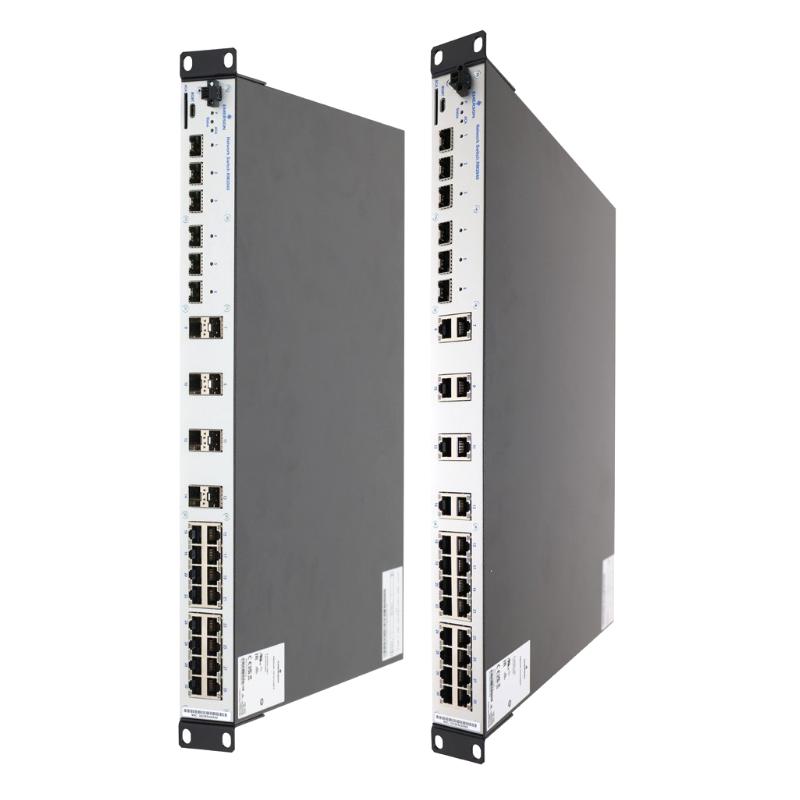
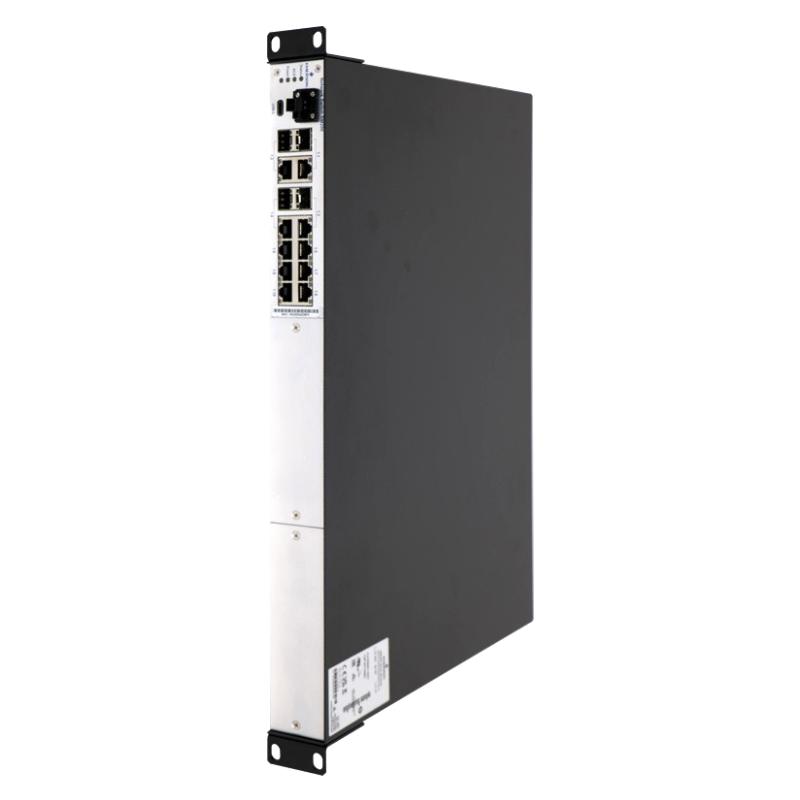
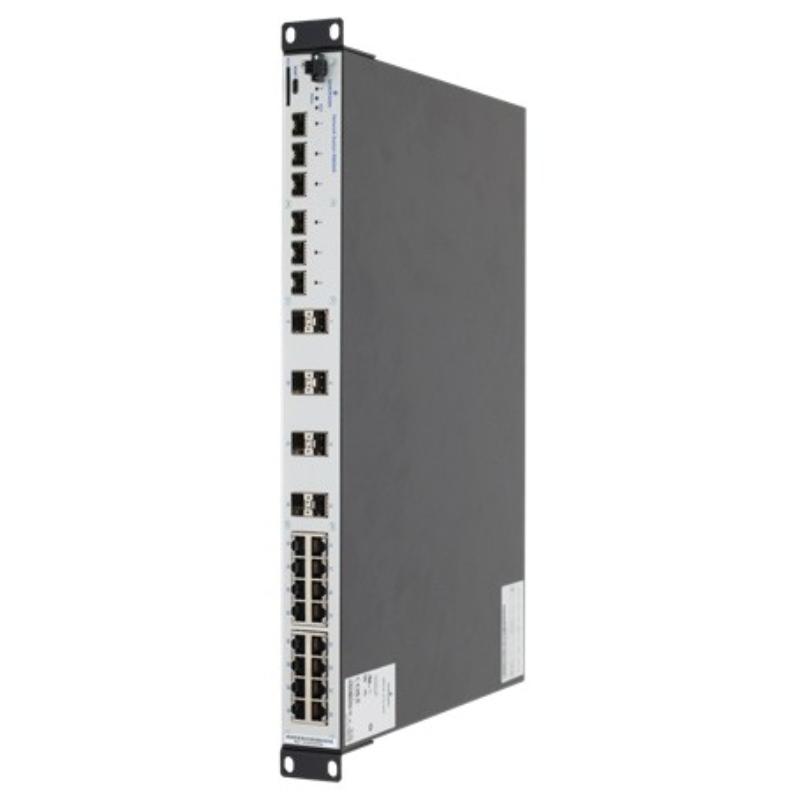
- Emerson
- VE6046P3
- Smart Switch
- USA
- 448 × 44 × 345 mm
- 4.02 kg
- Xiamen, China
- New & In Stock
- T/T, PayPal, Western Union
- 1 Year
- 1-3 Working Days
- DHL, UPS, TNT, FedEx and EMS.
- 24-Hour Service
- COO
- 4
Our advantage

Global Logistics
We have a 10-year logistics and express cooperation agreement, so our products can be shipped to any place in the world.

Brand new and original
Our products are imported in bulk from the place of origin. Because of the cooperative relationship, our products are all original and 100% new.

24-hour service
We provide 7*24 hours service to our customers. We will be there whenever you need us.

Price advantage
All our products are priced very favorably because we have our own warehouse and supply.
| Company Information | |||
| [email protected] | |||
| Mobile | +8615980777398 | ||
| +8615980777398 | |||
| 15980777398 |
Product Overview
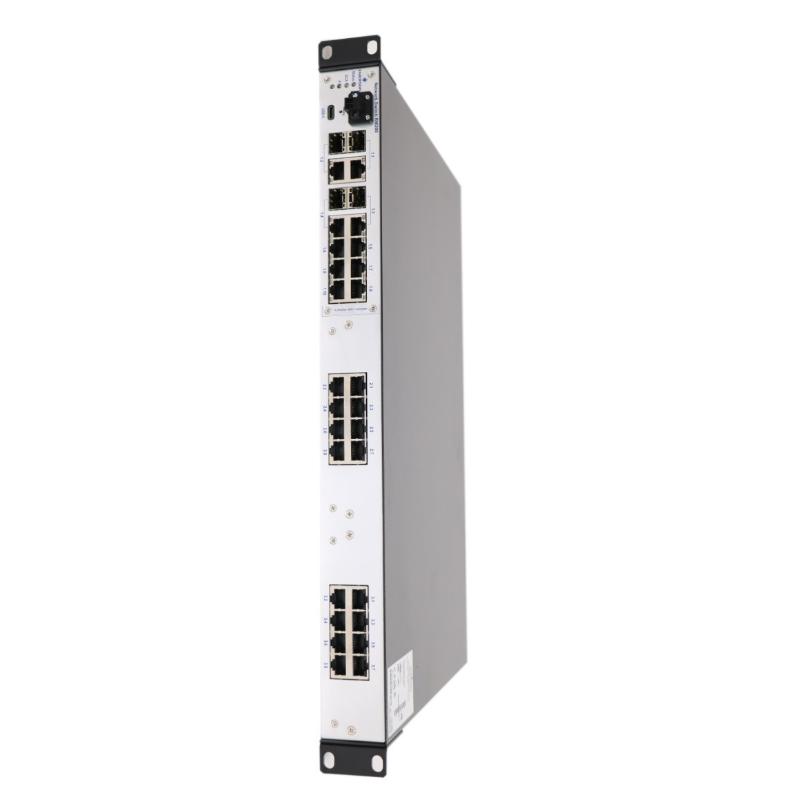
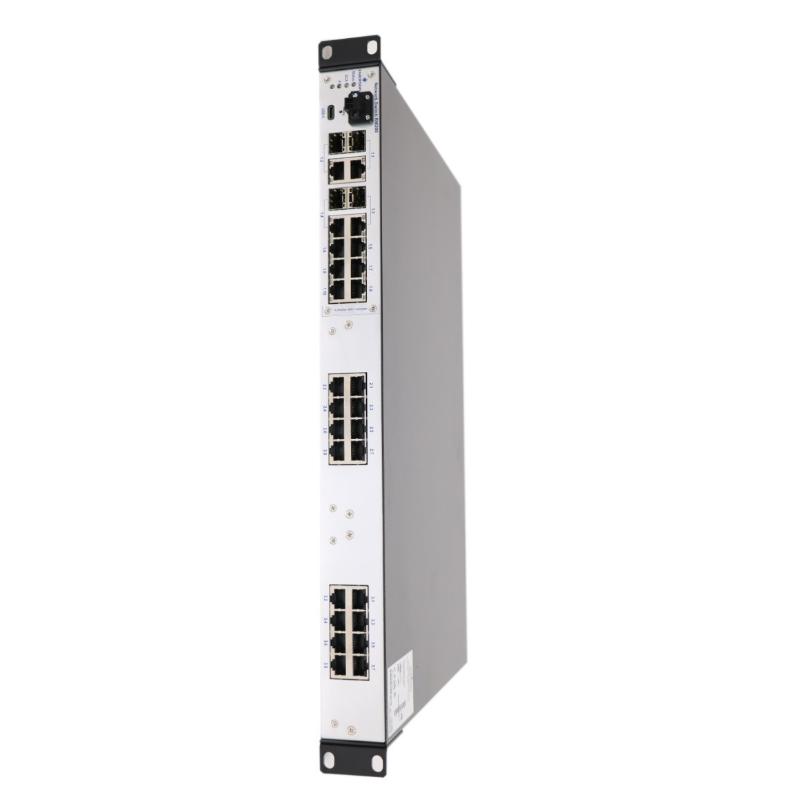
The Emerson VE6046P3 is a 24-port DeltaV Smart Switch used to connect industrial Ethernet devices within a DeltaV control network. It belongs to the VE6046 family of fixed-port rack-mount switches, providing copper Ethernet connections for controllers, operator workstations, engineering stations, and other compatible network equipment. The P3 ordering variant is associated with the European power-cord configuration.
In a process plant, network communication links the control room with controllers and the equipment responsible for monitoring production. The VE6046P3 can serve as an access switch for a group of Ethernet-connected devices, allowing them to exchange control data, operating information, and engineering traffic over the plant’s configured network. For example, a process unit may connect several control-system workstations and network devices through the switch while using its uplink connections to reach another network segment.
The switch has 24 fixed 10/100BASE-TX copper Ethernet ports, together with two Gigabit uplink interfaces that support copper or compatible SFP transceiver connections. This arrangement separates the larger group of device connections from the higher-speed links used to connect the switch to the wider control network. The uplink interfaces can also be used when interconnecting switches to accommodate a larger network.
Unlike the modular VE6048 family, the VE6046P3 uses a fixed port configuration. Its connection capacity is established by the switch hardware rather than by adding expansion media modules. This makes it suitable for installations where the required number of copper access ports is already known and a modular switch chassis is unnecessary.
For an existing DeltaV installation, engineers should verify the network topology, uplink requirements, controller and workstation connections, power arrangement, and management compatibility before selecting this switch. The P3 suffix also matters when checking the supplied power-cord configuration for the intended installation.
Technical Specifications
| Parameter | Specification |
|---|---|
| Manufacturer | Emerson |
| Model | VE6046P3 |
| Product Family | DeltaV Smart Switches |
| Product Type | Smart Switch |
| Switch Category | Industrial Ethernet Workgroup Switch |
| Access Ports | 24 × 10/100BASE-TX copper Ethernet |
| Access Port Connector | RJ45 |
| Uplink Ports | 2 × 10/100/1000 Mbps copper / SFP-compatible uplinks |
| Fiber Transceiver Compatibility | Compatible VE6050-series transceivers, subject to interface requirements |
| Switching Method | Store-and-forward Ethernet switching |
| Power Supply | AC |
| Operating Voltage | 100–240 V AC |
| Frequency | 47–63 Hz |
| Power Consumption | 16 W, excluding additional transceiver power requirements |
| Power-Cord Variant | European power cord |
| Configuration and Diagnostics | DeltaV Smart Switch setup and diagnostic tools, subject to software compatibility |
| Management Interface | Serial setup interface |
| USB Interface | Supports applicable switch software upgrade procedures |
| Mounting | 19-inch control cabinet |
| Protection Class | IP20 |
| Dimensions | 448 × 44 × 345 mm |
| Weight | 4.02 kg |
Product Features
- 24 copper Ethernet ports: Connects multiple network devices using 10/100BASE-TX Ethernet.
- Gigabit uplink connectivity: Provides two higher-speed uplink interfaces for upstream connections or switch interconnection.
- SFP transceiver support: Allows compatible VE6050-series transceivers to be used for supported uplink arrangements.
- Fixed-port architecture: Maintains a defined 24-port access configuration without requiring expansion media modules.
- DeltaV network integration: Supports industrial Ethernet connectivity in compatible DeltaV control-network installations.
- Rack-mount construction: Fits suitable 19-inch control cabinets.
- Serial setup access: Supports applicable configuration and diagnostic procedures through the designated serial interface.
- USB service interface: Supports applicable switch software upgrade operations.
- European power-cord variant: The P3 ordering suffix identifies the corresponding power-cord configuration.
Working Principle
The VE6046P3 forwards Ethernet frames between connected devices according to their destination MAC addresses. When a controller sends information to a workstation or another network device, the switch receives the Ethernet frame, examines its forwarding information, and directs the frame to the appropriate port when the destination is known.
A typical network arrangement is:
DeltaV Controllers / Workstations / Network Devices → VE6046P3 Smart Switch → Uplink Network → Other Control-System Devices
The 24 copper access ports support connections to compatible Ethernet devices operating at 10 or 100 Mbps. These ports are suitable for many control-system endpoints, including workstations and network-connected automation equipment. The actual communication available to each device depends on its network interface, protocol, addressing, and the overall network configuration.
The two uplink interfaces support 10/100/1000 Mbps connections. Depending on the selected interface and transceiver, an uplink can connect the VE6046P3 to another switch or an upstream network device. A compatible optical transceiver may be useful when the network design calls for a fiber connection between cabinets or equipment areas.
The switch operates at the Ethernet switching layer. It does not execute PLC logic, calculate process-control algorithms, or determine the operating state of connected machinery. Instead, it transports network traffic between devices so that the control system can exchange data.
For a DeltaV network, correct connection planning remains essential. Engineers should identify the intended access and uplink ports, confirm the supported transceivers, and check the network architecture before connecting the switch. Where redundant paths or specialized control-network functions are required, the complete network design and supported switch configuration must be reviewed rather than relying on the physical port count alone.
Role in a DeltaV Control Network
The VE6046P3 serves as a network access and aggregation point within a compatible DeltaV control network. It brings multiple Ethernet connections together and provides uplinks to other network segments, helping organize the physical connections between control-system equipment.
Controllers and Workstations → VE6046P3 → Upstream Switch / Control Network → Other Network Segments
| System Element | Function |
|---|---|
| VE6046P3 Smart Switch | Forwards Ethernet traffic between connected devices |
| Copper Access Ports | Connect compatible Ethernet endpoints at 10/100 Mbps |
| Gigabit Uplink Interfaces | Connect the switch to upstream equipment or another switch |
| DeltaV Controllers | Execute control strategies and exchange process data |
| Operator Workstations | Display process values, alarms, and control-system information |
| Engineering Workstations | Support applicable system engineering and maintenance activities |
| Compatible SFP Transceivers | Provide supported optical or other compatible uplink connections |
| Ethernet Cabling | Carries network traffic between connected devices |
| Control-Network Infrastructure | Provides the wider communication paths between system components |
Industrial Applications
| Application | Typical Use |
|---|---|
| Distributed Control Systems | Connecting multiple Ethernet devices within a DeltaV network |
| Process Manufacturing | Carrying network traffic between controllers, workstations, and other control-system devices |
| Chemical Processing Plants | Aggregating control-network connections for a process area |
| Oil and Gas Facilities | Connecting compatible automation equipment within an industrial network |
| Refinery Control Rooms | Providing copper Ethernet connections for networked control-system equipment |
| Power and Utilities | Connecting supported workstations and automation devices |
| Engineering and Operator Stations | Bringing several control-system endpoints into a common network segment |
| Industrial Network Cabinets | Providing fixed-port Ethernet connectivity in a rack-mounted installation |
| Control-Network Expansion | Adding access ports where the existing architecture supports another switch |
| Inter-Switch Connectivity | Linking network segments through the supported uplink interfaces |
Installation and Maintenance
- Confirm the model suffix: Verify that VE6046P3 matches the required fixed-port switch configuration and European power-cord variant.
- Inspect the mounting location: Check the 19-inch rack or cabinet arrangement and provide sufficient clearance for cabling and ventilation.
- Verify the power supply: Confirm that the AC supply is within the specified 100–240 V range and 47–63 Hz frequency range.
- Check the supplied power cord: Ensure that the power-cord configuration and plug are appropriate for the installation location.
- Plan the port allocation: Assign access ports to the intended controllers, workstations, and network devices before connecting cables.
- Verify Ethernet cabling: Use suitable copper Ethernet cables and inspect connectors for damage, poor termination, or loose connections.
- Review uplink requirements: Determine whether each upstream connection will use copper Ethernet or a compatible SFP transceiver.
- Confirm transceiver compatibility: Check the selected VE6050-series transceiver against the intended uplink interface and fiber or copper connection requirements.
- Check network topology: Verify the switch’s position in the control network and ensure that connections follow the approved network design.
- Inspect link indicators: After powering up the switch, check the port LEDs and confirm that connected devices establish the expected Ethernet links.
- Review network diagnostics: Use the supported setup and diagnostic procedures to investigate connectivity problems, unexpected traffic behavior, or port-link failures.
- Document the installation: Record the switch model, port assignments, uplink connections, transceiver types, power arrangement, and commissioning results for future maintenance.
Compatible System Components
| Component | Function |
|---|---|
| DeltaV Controllers with Ethernet Interfaces | Exchange control-system data through the network |
| DeltaV Operator Workstations | Access process displays, alarms, and operator functions |
| DeltaV Engineering Workstations | Support compatible configuration and maintenance tasks |
| Industrial Ethernet Devices | Connect to the switch through compatible 10/100BASE-TX interfaces |
| Upstream Ethernet Switches | Extend the network and provide connections to other network segments |
| Compatible VE6050-Series SFP Transceivers | Support compatible uplink connections |
| Copper Ethernet Cables | Connect access ports and supported copper uplinks |
| Compatible Fiber-Optic Cabling | Connect supported optical transceivers between network devices |
| AC Power Connection | Supplies operating power to the switch |
| 19-Inch Rack or Control Cabinet | Supports the switch’s rack-mount installation |
| DeltaV Network Configuration and Diagnostic Tools | Support applicable network setup, monitoring, and troubleshooting procedures |
Recommended Related Models
| Model | Product Type | Selection Consideration |
|---|---|---|
| Emerson VE6047P3 | DeltaV Smart Switch | Provides a fixed 8-port copper access configuration with Gigabit uplinks for smaller installations |
| Emerson VE6046P1 | DeltaV Smart Switch | Provides the 24-port configuration with a North American power-cord variant |
| Emerson VE6046P2 | DeltaV Smart Switch | Provides the 24-port configuration with a United Kingdom power-cord variant |
| Emerson VE6046P4 | DeltaV Smart Switch | Provides the 24-port configuration with an Australian power-cord variant |
| Emerson VE6048 | Modular DeltaV Smart Switch | Suitable where a modular rack-mount switch and additional port expansion are required |
Key Advantages
- Provides 24 fixed copper Ethernet access ports for compatible industrial network devices.
- Includes two Gigabit uplink interfaces for upstream network connectivity.
- Supports compatible VE6050-series SFP transceivers for applicable uplink configurations.
- Fits a rack-mounted DeltaV control-network architecture.
- Offers a fixed-port alternative where modular switch expansion is unnecessary.
- Uses the P3 power-cord variant for installations requiring the corresponding European configuration.
Technical FAQs
What is the difference between the VE6046P3 and the VE6048?
The VE6046P3 is a fixed 24-port copper switch with two Gigabit uplink interfaces. The VE6048 is a modular switch platform that starts with a smaller fixed port arrangement and can be expanded with compatible media modules. The VE6046P3 is appropriate when a fixed 24-port configuration meets the network requirements, while the VE6048 is more suitable when additional port types or future expansion are needed.
What does the P3 suffix mean on the VE6046P3?
The P3 suffix identifies the European power-cord variant in the VE6046 ordering family. It does not indicate a different access-port count. When replacing a switch, confirm the power-cord requirements and the complete model number rather than selecting a unit based only on the VE6046 base designation.
Can the VE6046P3 use fiber-optic uplinks?
The switch has two uplink interfaces that support compatible VE6050-series SFP transceivers. A fiber connection requires a suitable transceiver, matching fiber type and connector, and a compatible connection at the other end. The optical link budget and required transmission distance should be checked as part of the network design.
Can the VE6046P3 be connected to another switch to expand the network?
Yes, the uplink interfaces can be used to connect the VE6046P3 to another compatible switch. The network design must account for addressing, traffic flow, and any required redundancy or loop-protection arrangements. The VE6046 family does not support switch stacking, so additional capacity is achieved through network interconnection rather than treating multiple switches as one stacked unit.