

ProductPRODUCT
Featured products
Contact Us
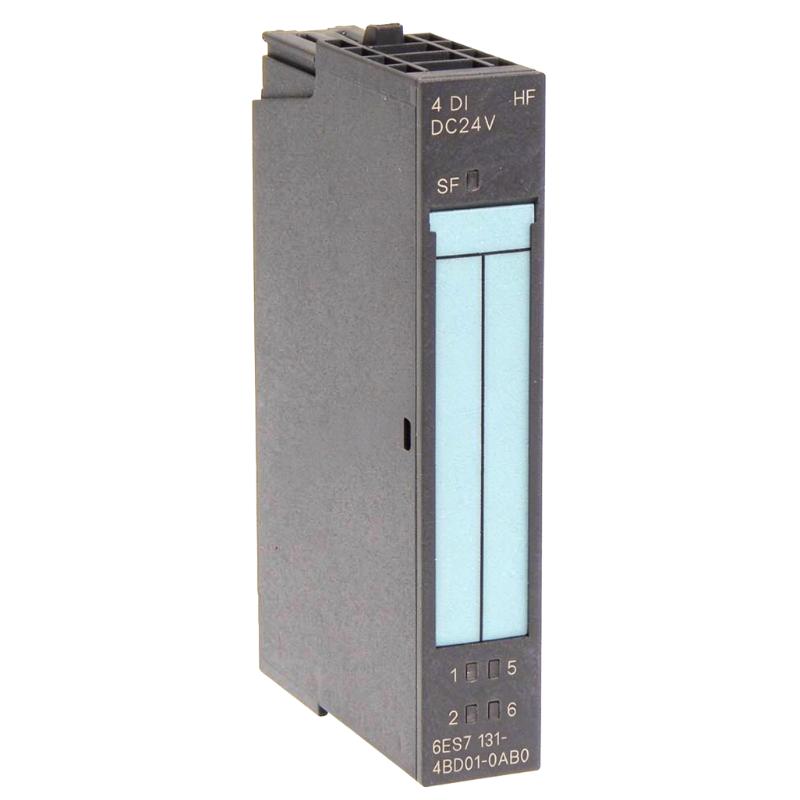
- Siemens
- 6ES7131-4BD01-0AA0
- Digital Input Electronic Module
- Germany
- 15 × 81 × 52 mm
- 0.174 kg
- Xiamen, China
- New & In Stock
- T/T, PayPal, Western Union
- 1 Year
- 1-3 Working Days
- DHL, UPS, TNT, FedEx and EMS.
- 24-Hour Service
- COO
- 4
Our advantage

Global Logistics
We have a 10-year logistics and express cooperation agreement, so our products can be shipped to any place in the world.

Brand new and original
Our products are imported in bulk from the place of origin. Because of the cooperative relationship, our products are all original and 100% new.

24-hour service
We provide 7*24 hours service to our customers. We will be there whenever you need us.

Price advantage
All our products are priced very favorably because we have our own warehouse and supply.
| Company Information | |||
| [email protected] | |||
| Mobile | +8615980777398 | ||
| +8615980777398 | |||
| 15980777398 |
Product Overview
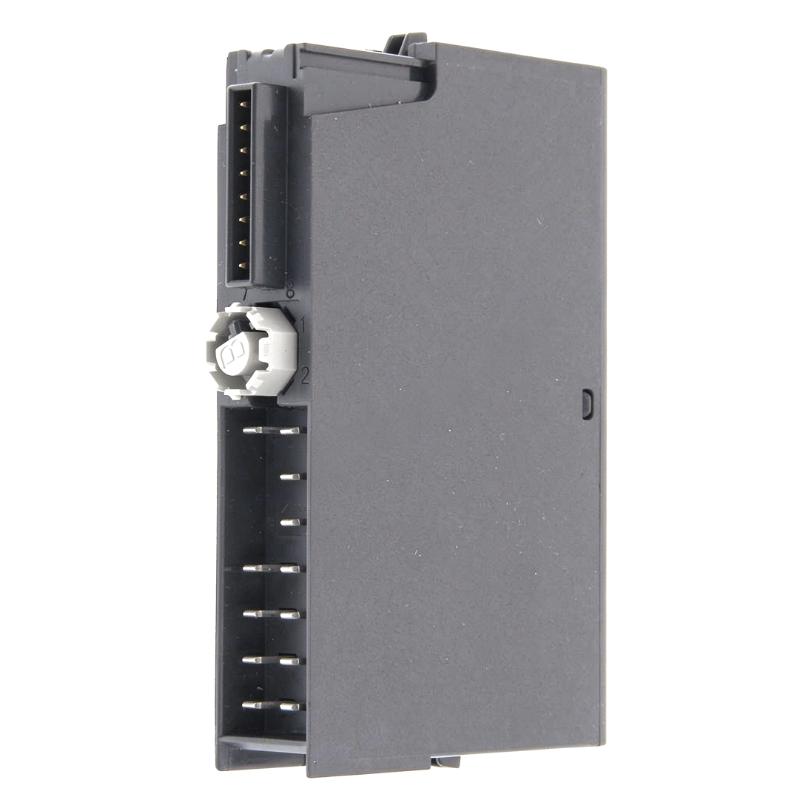
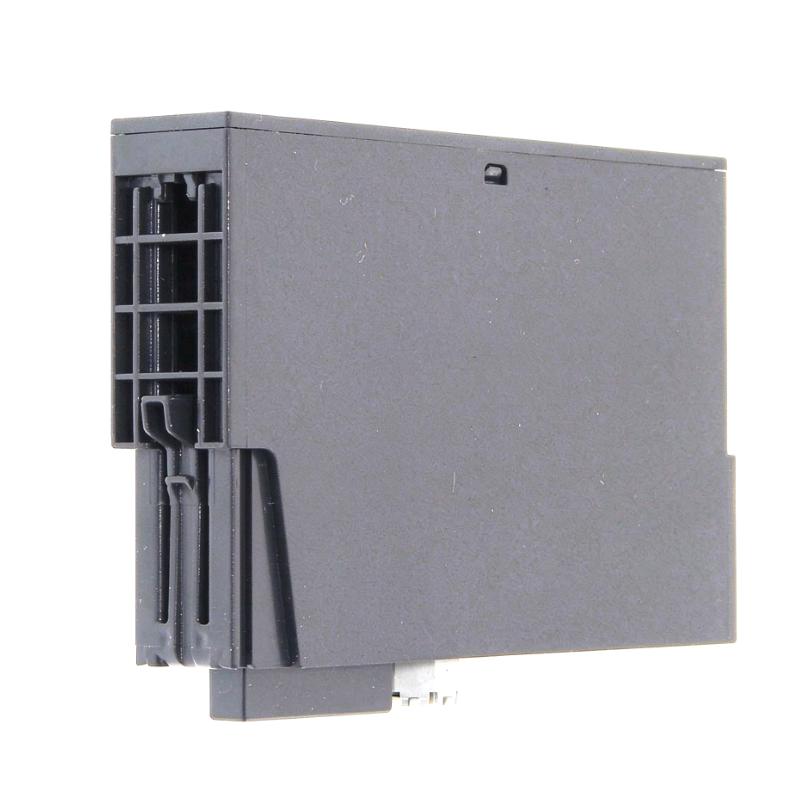
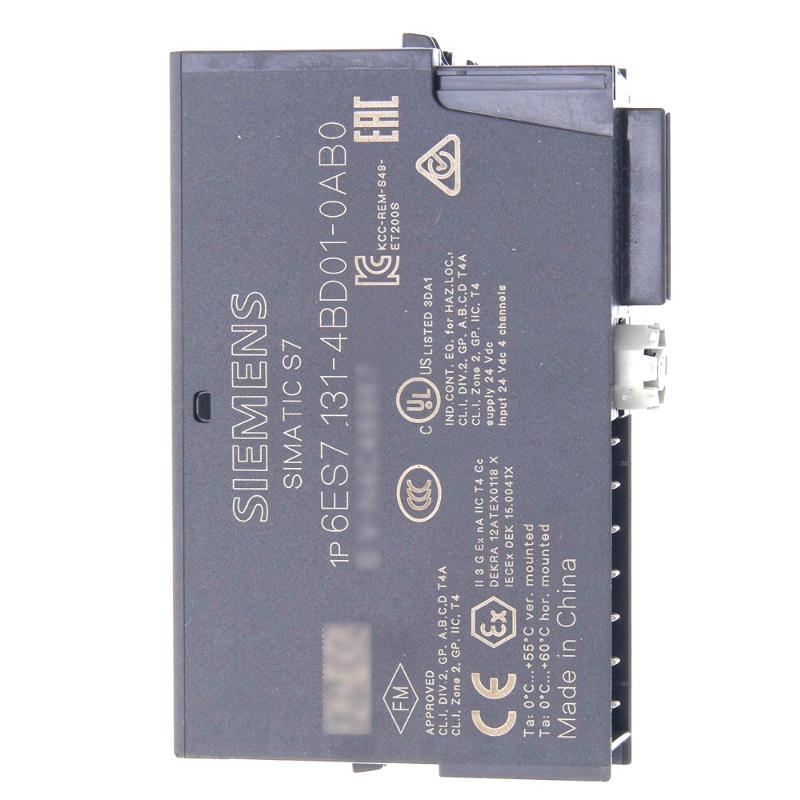
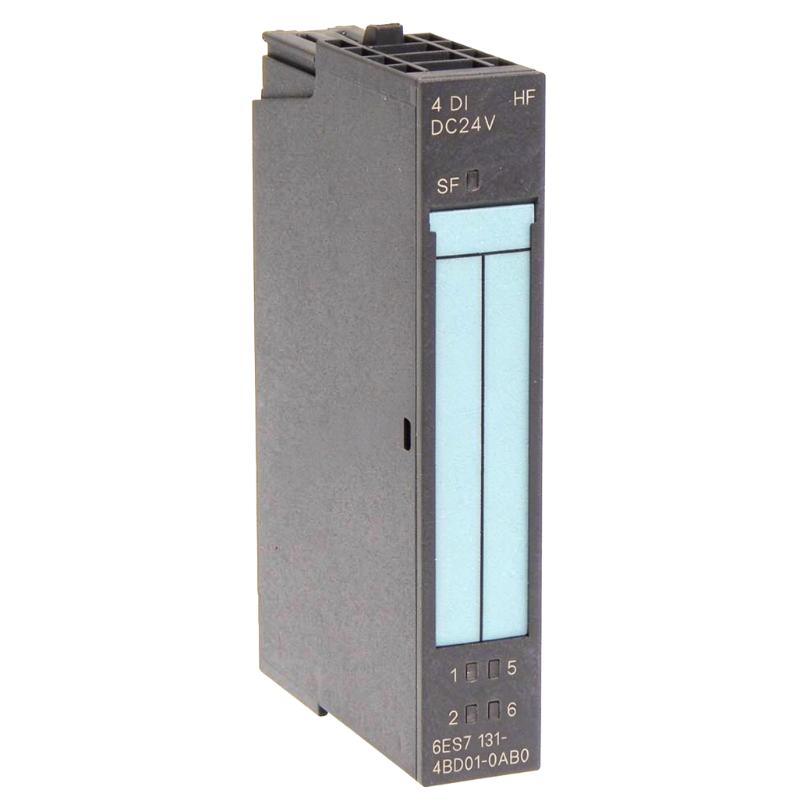
The Siemens 6ES7131-4BD01-0AA0 is a four-channel digital input electronic module for the SIMATIC ET 200S distributed I/O system. Identified as the 4DI DC24V ST version, it accepts standard 24 V DC switching signals from field devices and transfers their states to the control system through the ET 200S station bus.
In a production line, several sensors may need to be monitored at the same machine station. A conveyor section, for example, may use separate proximity switches to detect incoming workpieces, confirm their position at a processing point, monitor a stopper mechanism, and verify that a component has left the station. The four input channels allow these signals to be collected through one electronic module rather than assigning an individual module to every signal.
The 6ES7131-4BD01-0AA0 is intended for conventional discrete signal acquisition. It supports switches and compatible proximity sensors, including suitable two-wire sensors. Each channel has a green status LED, giving commissioning technicians a quick way to compare the electrical input state with the actual condition of the connected field device.
As part of the ET 200S platform, the module is installed with a compatible terminal module and operates within a distributed I/O station connected to a PLC. This arrangement is useful when sensors are located around a machine or production cell and their signals need to be collected close to the equipment.
The ST designation is relevant when selecting a replacement. Although other ET 200S input modules may share the same nominal voltage and physical format, channel count, input delay, diagnostics, and other functions can differ. The complete article number should therefore be checked against the installed hardware configuration.
Technical Specifications
| Parameter | Specification |
|---|---|
| Manufacturer | Siemens |
| Model | 6ES7131-4BD01-0AA0 |
| Product Family | SIMATIC ET 200S |
| Product Type | Digital Input Electronic Module |
| Module Designation | 4DI DC24V ST |
| Number of Digital Inputs | 4 |
| Rated Input Voltage | 24 V DC |
| Signal Level for Logic 0 | -30 to +5 V DC |
| Signal Level for Logic 1 | +15 to +30 V DC |
| Typical Input Current | 7 mA at 24 V DC |
| Typical Input Delay | 3 ms |
| Input Delay Range | 2–4.5 ms |
| Input Characteristic | IEC 61131, Type 1 |
| Channel Status Indication | Green LED per input |
| Diagnostic Function | Not supported |
| Hardware Interrupts | Not supported |
| Two-Wire Sensor Compatibility | Supported, subject to the specified leakage-current limit |
| Maximum Permissible Two-Wire Sensor Leakage Current | 1.5 mA |
| Sensor Supply Output Current | Up to 500 mA |
| Backplane Bus Current Consumption | 10 mA maximum at 3.3 V DC |
| Typical Power Dissipation | 0.7 W |
| Potential Isolation | Inputs isolated from the backplane bus; channels are not isolated from each other |
| Supports Isochronous Operation | No |
| Maximum Cable Length, Unshielded | 600 m |
| Maximum Cable Length, Shielded | 1,000 m |
| Dimensions | 15 × 81 × 52 mm |
| Weight | 0.174 kg |
Product Features
- Four digital input channels: Collects four independent binary signals from compatible field devices.
- 24 V DC signal interface: Supports standard industrial switching signals from sensors and switches.
- Standard input response: Uses a typical 3 ms input delay, with a specified range of 2–4.5 ms.
- Individual channel indicators: Green LEDs show the state of each digital input.
- Two-wire sensor support: Accepts compatible two-wire proximity sensors within the specified leakage-current limit.
- Modular ET 200S integration: Operates within a distributed I/O station using the appropriate terminal module.
- Backplane bus isolation: Separates the input circuitry from the station backplane bus.
- Straightforward signal acquisition: Suits routine machine-status, presence-detection, and position-monitoring tasks.
Working Principle
The 6ES7131-4BD01-0AA0 converts incoming electrical switching signals into digital input states that can be read by the connected PLC. Its role is signal acquisition rather than sequence control: the controller determines what the machine should do after an input changes.
A typical signal path is:
Field Sensors or Switches → 6ES7131-4BD01-0AA0 → ET 200S Backplane Bus → Interface Module → PLC
When a sensor activates, the voltage presented at its input channel moves into the module’s logic-1 range of +15 to +30 V DC. A voltage in the -30 to +5 V DC range is recognized as logic 0. The input circuitry processes the transition according to its specified response characteristics before the state becomes available to the control system.
Consider a packaging machine with four discrete signals: product detected, clamp closed, cylinder retracted, and finished item discharged. Each signal can be wired to a separate input channel. The PLC reads these states and uses them to determine whether the next machine operation can proceed.
The module has a typical input delay of 3 ms, with a specified range of 2–4.5 ms for both switching directions. This is suitable for many conventional switching applications, but it should be considered when monitoring short pulses or signals associated with fast machine cycles.
The green channel LEDs provide a direct visual indication of the input states. If a sensor changes state but the corresponding LED does not respond as expected, troubleshooting can begin with the sensor supply, output signal, wiring, terminal assignment, and channel connection. Since this standard module does not support diagnostic functions, fault identification may require checks elsewhere in the control system.
Role in a SIMATIC ET 200S Distributed I/O Architecture
Within an ET 200S station, the 6ES7131-4BD01-0AA0 serves as a local interface for four digital field signals. It allows multiple sensors or switches in one machine area to share a single input module while keeping their signals available to the central control program.
Field Devices → 4DI DC24V ST Module → ET 200S Backplane Bus → Interface Module → PLC
| System Element | Function |
|---|---|
| 6ES7131-4BD01-0AA0 | Acquires four standard 24 V DC digital input signals |
| Compatible ET 200S Terminal Module | Provides the module’s mounting and electrical connection interface |
| ET 200S Backplane Bus | Transfers input data within the distributed I/O station |
| ET 200S Interface Module | Connects the station to the control network |
| SIMATIC PLC | Processes input states and executes machine logic |
| 24 V DC Power Supply | Supplies compatible sensors and associated control circuits |
| Proximity Sensors | Detect product presence, position, or movement |
| Limit Switches | Report mechanical end positions and operating states |
| Pushbuttons and Selector Switches | Provide operator commands to the control system |
The module provides input acquisition only. Network communication, sequence logic, and the response to each signal depend on the selected interface module, controller, hardware configuration, and PLC program.
Industrial Applications
| Application | Typical Use |
|---|---|
| Conveyor Systems | Detecting workpiece presence, transfer position, and discharge status |
| Packaging Machinery | Monitoring product sensors and machine-position switches |
| Assembly Lines | Confirming component presence at successive workstations |
| Pneumatic Automation | Reading cylinder end-position switches |
| Material Handling Equipment | Collecting discrete signals from stops, guides, and transfer mechanisms |
| Machine Tools | Monitoring limit switches and auxiliary machine states |
| Automated Production Cells | Consolidating local sensor signals in a distributed I/O station |
| Inspection Stations | Reading part-present and fixture-position signals |
| Industrial Handling Systems | Monitoring loading and unloading sequences |
| General Manufacturing | Acquiring standard binary signals for PLC-based machine control |
Installation and Maintenance
- Verify the article number: Confirm that the installed module or replacement is 6ES7131-4BD01-0AA0, rather than a similar ET 200S input variant.
- Check terminal-module compatibility: Ensure that the electronic module is used with a suitable terminal module and that the station arrangement matches the system documentation.
- Confirm the field supply voltage: Verify that the connected sensors and switches operate within the specified 24 V DC input requirements.
- Review the wiring assignment: Identify the four input channels and confirm that each field signal is connected to the intended terminal.
- Check sensor compatibility: For two-wire sensors, verify that the off-state leakage current does not exceed the specified 1.5 mA limit.
- Inspect common and supply connections: Check the sensor supply, reference connections, and terminal contacts for loose wiring or contamination.
- Verify channel status indicators: Operate each field device and compare its actual state with the corresponding green input LED.
- Check the PLC address assignment: Confirm that the hardware configuration maps the module’s input channels to the addresses used by the control program.
- Evaluate input timing: If short signals are being missed, consider the module’s 2–4.5 ms input-delay range and the timing of the sensor, PLC scan, and machine sequence.
- Inspect cable routing: Keep signal wiring properly organized and follow the installation requirements for grounding, shielding, and separation from interference sources.
- Troubleshoot without assuming built-in diagnostics: Because the module does not support diagnostic functions, check the field device, wiring, power supply, terminal module, and controller configuration systematically.
- Record maintenance findings: Document the module reference, channel assignments, observed signal states, and any wiring or configuration changes made during servicing.
Compatible System Components
| Component | Function |
|---|---|
| Siemens SIMATIC ET 200S Terminal Module | Provides the mounting and electrical connection interface |
| Siemens ET 200S Interface Module | Connects the distributed I/O station to the control network |
| Siemens SIMATIC S7 PLC | Processes input states and executes machine logic |
| 24 V DC Power Supply | Supplies compatible field sensors and control circuits |
| Three-Wire Proximity Sensor | Detects the presence or position of a target |
| Compatible Two-Wire Proximity Sensor | Supplies a discrete switching signal within the module’s electrical limits |
| Limit Switch | Reports mechanical position or end-of-travel status |
| Pushbutton or Selector Switch | Provides operator commands to the control system |
| ET 200S Backplane Bus | Transfers I/O data between the electronic module and interface module |
Recommended Related Models
| Model / Product Family | Product Type | Typical Application |
|---|---|---|
| Siemens 6ES7131-4BB01-0AA0 | SIMATIC ET 200S Digital Input Electronic Module, 2DI DC24V ST | Applications requiring two standard 24 V DC digital inputs |
| Siemens 6ES7131-4BB01-0AB0 | SIMATIC ET 200S Digital Input Electronic Module, 2DI DC24V HF | Two-channel applications requiring configurable input delays and additional diagnostic functions |
| Siemens 6ES7131-4BD01-0AA0 | SIMATIC ET 200S Digital Input Electronic Module, 4DI DC24V ST | Four-channel standard digital signal acquisition |
| Siemens 6ES7132 Series | SIMATIC ET 200S Digital Output Electronic Modules | Switching compatible actuators and other discrete output loads |
| Siemens SIMATIC ET 200S | Distributed I/O System | Modular field-level signal acquisition and control |
Key Advantages
- Four 24 V DC input channels for standard industrial switching signals.
- Individual green LEDs for checking channel states during commissioning.
- Compatibility with suitable two-wire sensors and conventional switches.
- Modular integration into an ET 200S distributed I/O station.
- Typical 3 ms input delay for routine machine-status and position-monitoring tasks.
Technical FAQs
How many sensors can the 6ES7131-4BD01-0AA0 monitor?
The module has four digital input channels and can acquire four separate binary signals. The actual sensor arrangement depends on the wiring design, available sensor supply, terminal module, and the requirements of the machine-control application.
Can the module detect a short pulse from a fast-moving component?
The module has a typical input delay of 3 ms, with a specified range of 2–4.5 ms. Whether a pulse is detected depends on its duration and the complete system’s timing. For very short pulses or high-speed counting, an input module specifically intended for that task may be more appropriate.
Does the 6ES7131-4BD01-0AA0 report sensor faults directly to the PLC?
This standard input module does not support a built-in diagnostic function. The PLC can read the input states, but identifying a sensor fault may require additional monitoring logic, external diagnostic devices, or electrical checks during troubleshooting.
What should be checked when an input LED remains off even though the sensor is activated?
First check the sensor’s supply voltage, output signal, wiring, common connections, and terminal assignment. Then verify the module’s seating, terminal-module connections, and PLC hardware configuration. Confirm that the signal voltage reaches the module’s logic-1 threshold before considering module replacement.