

ProductPRODUCT
Featured products
Contact Us
- Allen Bradley
- 20-750-PNET
- PROFINET IO Kit
- USA
- 16 × 130 × 83 mm
- 0.06 kg
- Xiamen, China
- New & In Stock
- T/T, PayPal, Western Union
- 1 Year
- 1-3 Working Days
- DHL, UPS, TNT, FedEx and EMS.
- 24-Hour Service
- COO
- 5
Our advantage

Global Logistics
We have a 10-year logistics and express cooperation agreement, so our products can be shipped to any place in the world.

Brand new and original
Our products are imported in bulk from the place of origin. Because of the cooperative relationship, our products are all original and 100% new.

24-hour service
We provide 7*24 hours service to our customers. We will be there whenever you need us.

Price advantage
All our products are priced very favorably because we have our own warehouse and supply.
| Company Information | |||
| [email protected] | |||
| Mobile | +8615980777398 | ||
| +8615980777398 | |||
| 15980777398 |
Product Overview
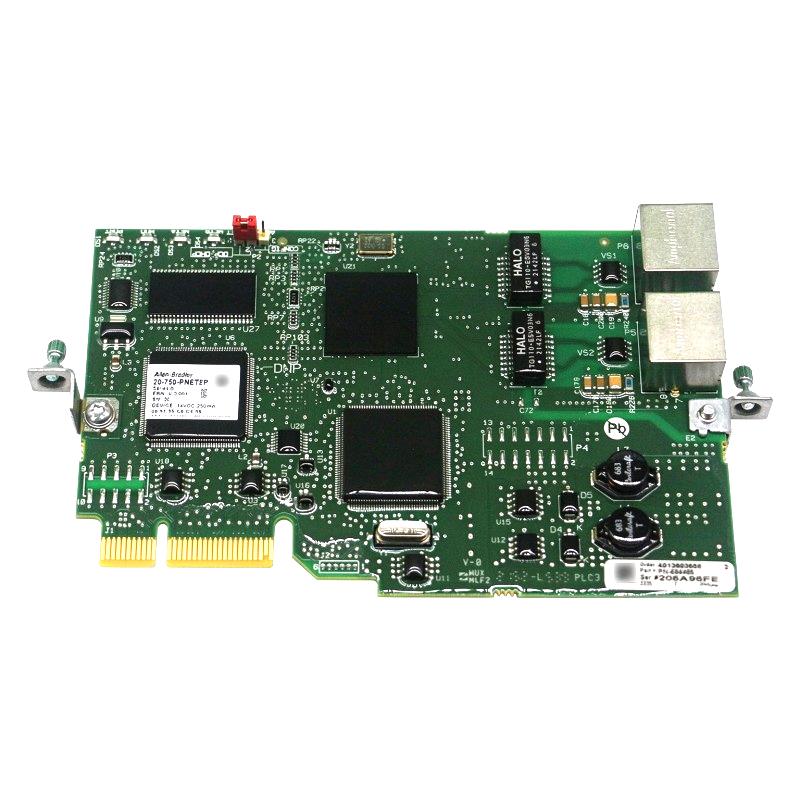
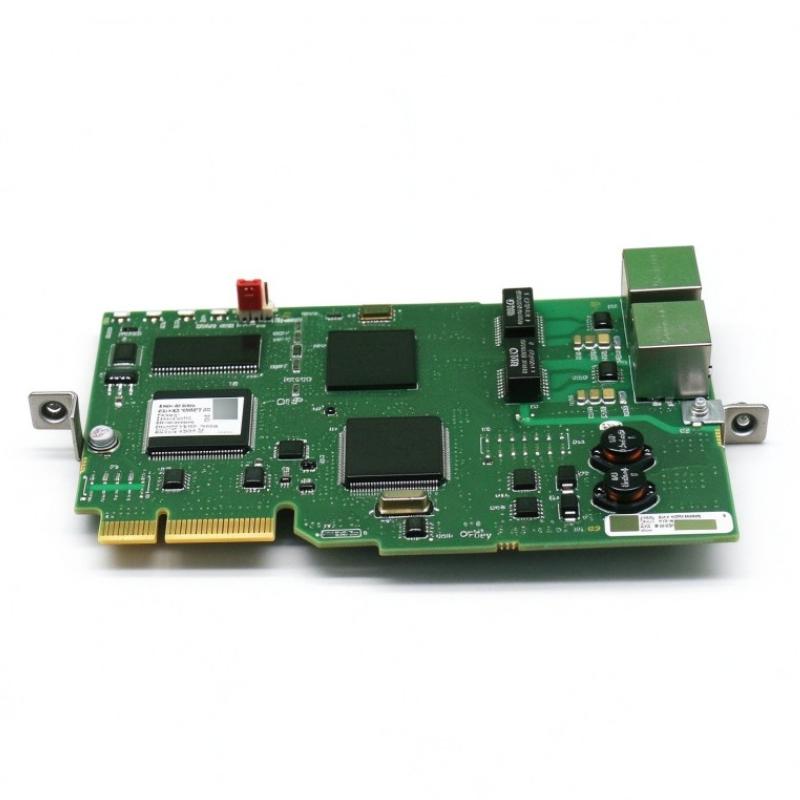
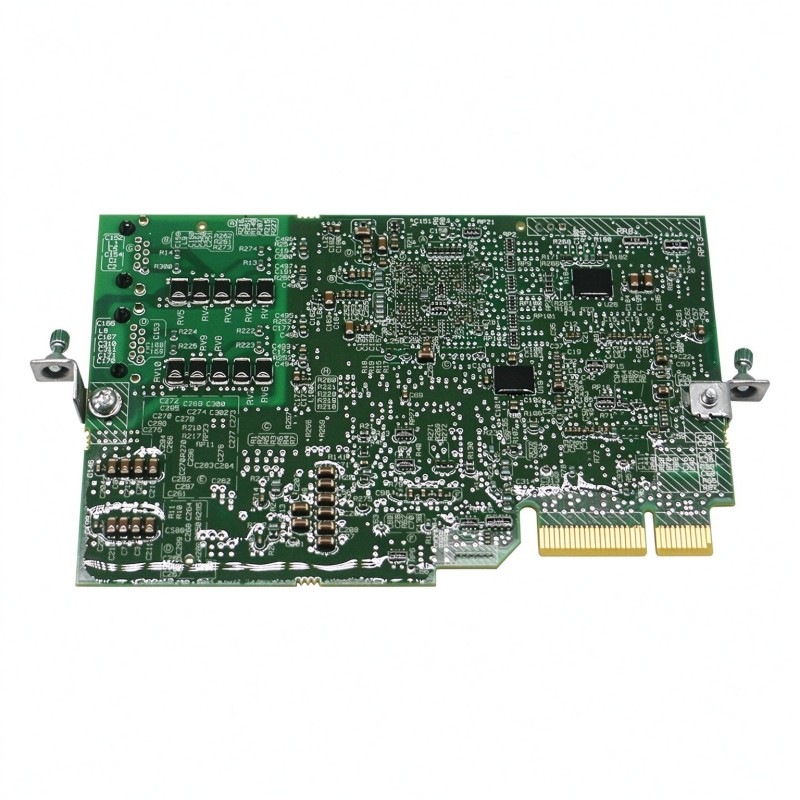
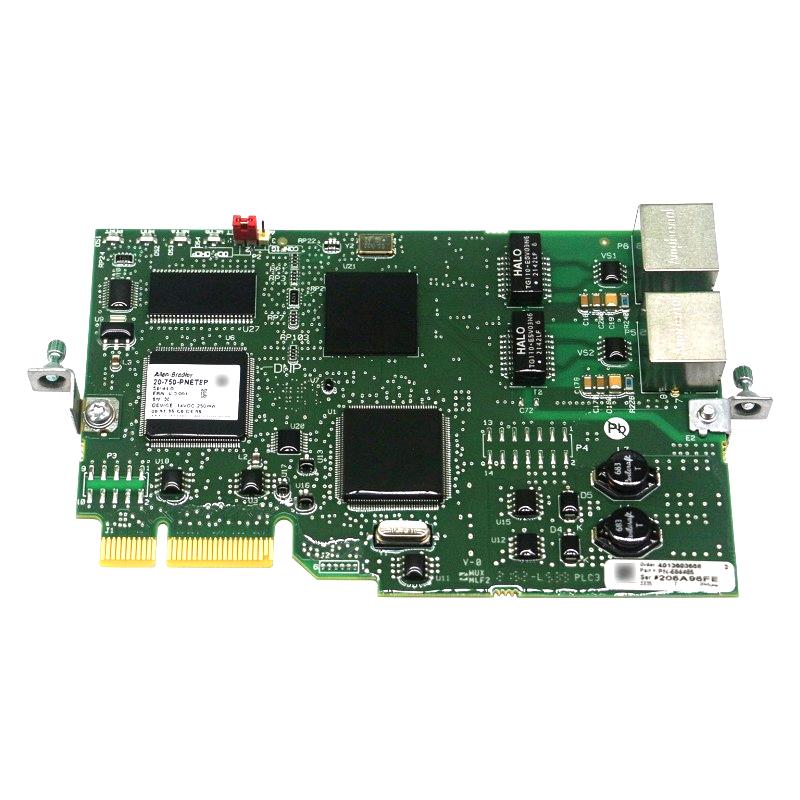
The Allen Bradley 20-750-PNET PowerFlex 750 PROFINET IO Kit is a communication option module that connects compatible PowerFlex 750-Series AC drives to a PROFINET industrial Ethernet network. It allows the drive to exchange control commands, operating status, and other configured data with a PROFINET-capable PLC or automation controller. Rather than controlling the motor independently, the module provides the communication link between the drive’s internal control system and the wider automation network.
The kit is intended for installations where PowerFlex 750 drives must communicate with controllers that use PROFINET IO. In a production line, for example, a PLC can issue drive commands as part of a machine sequence while receiving information about drive status, operating conditions, and faults. This arrangement allows motor control to be coordinated with sensors, conveyors, processing equipment, and other networked devices.
The 20-750-PNET supports PROFINET communication at 10/100 Mbps and uses the PowerFlex Drive Peripheral Interface (DPI) to communicate with the host drive. Its PROFINET network connection and drive-side interface serve different purposes: the network side exchanges data with the automation controller, while the DPI connection transfers supported commands and information between the option module and the drive.
This distinction is important when integrating the module into an existing system. Installing the option does not replace the PowerFlex drive’s motor-control functions or change the electrical characteristics of the motor circuit. Instead, it allows the drive to participate in a PROFINET-based control architecture, with the actual motor behavior determined by the drive configuration, parameter settings, and commands received from the controller.
The module supports integration with PROFINET IO controllers through the corresponding device description files. The GSDML file allows compatible engineering software to identify the module and configure its communication data. The correct file version should be selected for the installed option firmware and the controller engineering environment. An incorrect device description or incompatible configuration can prevent the controller from establishing the intended cyclic data exchange.
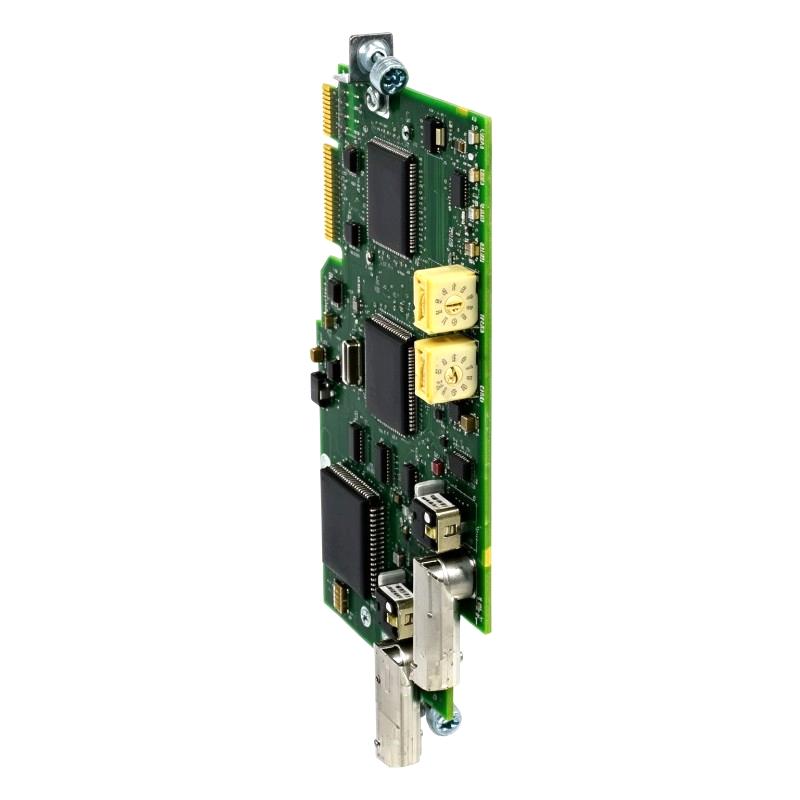
The 20-750-PNET uses a configurable network address selection arrangement. During installation, the network-address selection settings must be checked against the addressing method used by the automation system. The module’s assigned network identity, controller configuration, and network parameters must agree before cyclic communication can operate as expected.
The option module is intended for installation in a supported communication-option port of a compatible PowerFlex 750-Series drive. The drive must be de-energized before the module is installed or removed, and the module must be secured and grounded according to the applicable installation instructions. Correct seating and connection are essential because the drive-side interface carries both communication and the module’s operating power.
The 20-750-PNET draws its operating power from the drive-side interface, with a specified drive-side consumption of 250 mA at 14V DC. The published technical data lists no separate network-side power consumption for this module. Engineers should use the correct drive and option-module documentation when assessing compatibility, installation requirements, and communication behavior.
Once configured, the module enables the controller to exchange supported cyclic process data with the PowerFlex drive. Depending on the drive parameters and network configuration, this can include command information, reference values, operating feedback, and status information. The exact data exchanged depends on the selected configuration and the capabilities of the connected drive.
The option is useful in installations where PROFINET is the established plant-network standard, especially when the PowerFlex drive must operate alongside PLCs, remote I/O, and other PROFINET devices. Network design should account for addressing, device naming, data-update requirements, and the communication load of the complete system.
The Allen Bradley 20-750-PNET PowerFlex 750 PROFINET IO Kit provides a dedicated communication path between compatible PowerFlex 750-Series drives and PROFINET-based automation systems. Its role is to connect drive-level operation with controller-level coordination while leaving motor regulation to the host drive.
Technical Specifications
| Parameter | Specification |
|---|---|
| Manufacturer | Allen Bradley |
| Model | 20-750-PNET |
| Product Family | PowerFlex 750-Series |
| Product Type | PROFINET IO Communication Option Kit |
| Communication Network | PROFINET IO |
| Network Data Rate | 10/100 Mbps |
| Drive-Side Protocol | DPI |
| Drive-Side Data Rate | 500 kbps |
| Drive-Side Power Consumption | 250 mA at 14V DC |
| Network-Side Power Consumption | None specified in the technical data |
| Network Configuration | PROFINET device configuration |
| Device Description File | GSDML |
| Host Equipment | Compatible PowerFlex 750-Series AC drives |
| Installation Interface | Supported PowerFlex 750-Series communication-option port |
| Supported Drive Ports | Port 4, 5, or 6, subject to the host-drive configuration |
| Network Address Configuration | IP address selection arrangement |
| Primary Function | Drive command, status, and process-data communication |
| Dimensions | 16 × 130 × 83 mm |
| Weight | 0.06 kg |
Product Features
- PROFINET IO communication: Connects compatible PowerFlex 750-Series drives to PROFINET-based automation networks.
- 10/100 Mbps network support: Provides the specified Ethernet data rates for network communication.
- DPI drive interface: Transfers supported commands and status information between the option module and host drive.
- Cyclic process-data exchange: Supports configured drive command and feedback data between the controller and drive.
- GSDML-based configuration: Allows compatible PROFINET engineering tools to identify and configure the device.
- Drive-powered operation: Draws its specified operating power from the host drive interface.
- Configurable network addressing: Supports network integration using the module’s designated address-selection arrangement.
- PowerFlex 750-Series integration: Adds communication functionality without replacing the drive’s motor-control circuitry.
- Industrial automation connectivity: Allows drive operation to be coordinated with PLC logic and other compatible networked equipment.
Working Principle
The 20-750-PNET acts as a communication bridge between a PROFINET IO controller and a compatible PowerFlex 750-Series drive. It receives supported process data from the controller, transfers the corresponding information through the drive-side DPI interface, and returns configured drive status and feedback to the network.
PROFINET IO Controller → 20-750-PNET → DPI Interface → PowerFlex Drive → Motor
During system startup, the engineering environment identifies the drive and configures the option module using the appropriate GSDML file. The controller and device must be configured with compatible communication settings, including the device identity, network addressing, and expected process-data arrangement. The controller can then establish the communication relationship required for the application.
When the controller sends a command or reference value, the option module receives the relevant PROFINET data and transfers supported information through the DPI interface. The PowerFlex drive processes the command according to its own parameters, operating mode, and configured control source. For example, a speed reference may be used by the drive’s control functions to regulate motor operation when the drive is configured to accept that reference from the network.
The drive returns supported status and feedback information through the DPI interface. The option module transfers the configured information back to the PROFINET controller, allowing the PLC program to evaluate drive status and coordinate subsequent machine actions. A controller can use this information to sequence equipment, monitor operating states, and respond to reported drive conditions.
The content of the exchanged data depends on the configured process-data format and the host drive’s available functions. Engineers must therefore confirm that the controller’s output and input data definitions match the settings expected by the option module and drive. A network connection alone does not guarantee that the intended command or feedback values will be interpreted correctly.
Network addressing is another essential part of operation. The device must be identifiable on the PROFINET network, and its configured identity must match the controller’s project configuration. Incorrect address settings, an unsuitable GSDML file, or inconsistent data definitions can prevent successful communication even when the physical connection is intact.
The module’s DPI interface provides the connection to the host drive’s internal communication architecture. The drive supplies the module’s specified operating power through this interface, so correct installation and seating are important. A loose connection or an unsupported installation position can interfere with communication between the option and the drive.
The 20-750-PNET does not independently regulate motor current or generate the drive’s motor-control algorithm. Those functions remain within the PowerFlex drive. The option module delivers the communication needed for an external controller to supervise and coordinate the drive through the configured network interface.
During normal operation, the controller and drive exchange process data according to the configured communication relationship. The controller determines machine-level commands, the option module transfers the supported data, and the PowerFlex drive applies the commands within its configured operating limits. This arrangement integrates drive control into the broader automation sequence.
Role in the Industrial Control Architecture
The 20-750-PNET occupies the communication layer between a PROFINET controller and a PowerFlex 750-Series drive. It allows the controller to exchange supported commands and feedback without replacing the drive’s local motor-control functions.
PLC / PROFINET IO Controller → PROFINET Network → 20-750-PNET → DPI → PowerFlex 750 Drive → Motor
| System Component | Function |
|---|---|
| Allen Bradley 20-750-PNET | Provides PROFINET communication for a compatible PowerFlex drive |
| PROFINET IO Controller | Exchanges process data and coordinates drive operation |
| PROFINET Network | Carries configured command, status, and feedback information |
| GSDML Device Description | Defines the device information used by compatible engineering software |
| PowerFlex 750-Series AC Drive | Regulates motor operation according to configured commands and parameters |
| DPI Interface | Transfers supported information between the option module and the host drive |
| Industrial Motor | Converts the drive’s electrical output into mechanical movement |
| Engineering Workstation | Supports network configuration, device integration, and troubleshooting |
| Industrial Ethernet Infrastructure | Provides the physical network connections required by the automation system |
The controller manages the machine sequence, the communication module transfers drive data, and the PowerFlex drive performs the actual motor regulation.
Industrial Applications
| Application | Typical Use |
|---|---|
| Conveyor Systems | Coordinates PowerFlex drive commands with PLC-controlled material movement |
| Packaging Machinery | Exchanges speed references and drive status during packaging sequences |
| Manufacturing Lines | Integrates drive operation into PROFINET-based machine control |
| Material-Handling Equipment | Coordinates compatible drives with upstream and downstream equipment |
| Process Machinery | Connects variable-frequency drives to a PROFINET supervisory controller |
| Automated Assembly | Synchronizes drive operation with sensor states and machine sequences |
| Pumping Systems | Allows compatible drive operation to be monitored and commanded through the network |
| Fan and Blower Systems | Integrates drive status and configured operating references into plant control |
| Industrial Retrofit Projects | Adds PROFINET connectivity to compatible PowerFlex 750-Series installations |
| Distributed Automation Systems | Connects drive-level control to a common PROFINET IO architecture |
Installation and Maintenance
- Verify drive compatibility: Confirm that the host PowerFlex 750-Series drive supports the 20-750-PNET and the intended option-module installation arrangement.
- De-energize the drive: Isolate the drive from its power source and follow the required discharge and electrical safety procedures before installing or removing the module.
- Select the correct installation port: Confirm that the chosen communication-option port is supported by the host drive and does not conflict with the existing option configuration.
- Inspect the module interface: Check the connector and mounting points for damage or contamination before fitting the option.
- Secure the module properly: Seat the module fully and tighten the retaining hardware according to the installation instructions to maintain a secure connection and grounding path.
- Configure the network identity: Set the required address-selection settings and configure the corresponding device information in the PROFINET controller project.
- Use the appropriate GSDML file: Confirm that the device description is suitable for the module and the engineering software version used by the project.
- Match process-data definitions: Verify the controller’s configured input and output data against the supported option and drive configuration.
- Check Ethernet connectivity: Inspect the network cable, connectors, switch ports, and device status during commissioning.
- Verify drive command sources: Confirm that the drive is configured to accept commands and reference values from the intended network source before testing remote operation.
- Monitor communication diagnostics: Check the controller and drive diagnostics for device-recognition errors, communication interruptions, or inconsistent process data.
- Maintain configuration records: Retain the module identification, firmware details, GSDML version, network settings, and drive parameters for future service work.
If communication fails, check the device identity, addressing configuration, GSDML selection, network connection, and drive-side DPI interface. If the controller can communicate with the module but the drive does not respond as expected, also verify the host drive’s command source, operating mode, and relevant parameters.
Related Components
| Component | Function |
|---|---|
| Allen Bradley 20-750-PNET PowerFlex 750 PROFINET IO Kit | Provides PROFINET communication for compatible PowerFlex 750-Series drives |
| Allen Bradley PowerFlex 750-Series AC Drive | Performs motor regulation and responds to configured drive commands |
| PROFINET IO Controller | Exchanges process data with the communication option |
| PROFINET-Compatible PLC | Executes machine logic and coordinates networked equipment |
| GSDML Device Description File | Enables compatible engineering software to identify and configure the option |
| Industrial Ethernet Switch | Connects the controller, drive communication infrastructure, and other network devices |
| Industrial Ethernet Cable | Carries PROFINET network traffic |
| Engineering Workstation | Supports controller configuration and communication troubleshooting |
| Industrial Motor | Receives controlled electrical power from the PowerFlex drive |
| Control Cabinet | Houses the drive, communication infrastructure, and associated electrical equipment |
Recommended Related Models
| Model | Product Type | Typical Application |
|---|---|---|
| Allen Bradley 20-750-PNET | PowerFlex 750 PROFINET IO Kit | Connects compatible PowerFlex 750-Series drives to PROFINET networks |
| Allen Bradley 20-750-PNET2P | PowerFlex 750 Dual-Port PROFINET IO Kit | Provides a related dual-port PROFINET option for compatible PowerFlex 750-Series applications |
| Allen Bradley 20-750-ENETR | PowerFlex 750 EtherNet/IP Option Kit | Connects compatible PowerFlex 750-Series drives to EtherNet/IP networks |
| Allen Bradley 20-750-PBUS | PowerFlex 750 PROFIBUS DP Option Kit | Provides PROFIBUS DP communication for compatible PowerFlex 750-Series drives |
| Allen Bradley 20-750-DNET | PowerFlex 750 DeviceNet Option Kit | Connects compatible PowerFlex 750-Series drives to DeviceNet networks |
Key Advantages
- Adds PROFINET IO connectivity to compatible PowerFlex 750-Series drives.
- Supports 10/100 Mbps PROFINET network communication.
- Transfers configured drive commands and feedback through the DPI interface.
- Supports controller integration using a compatible GSDML device description.
- Allows drive operation to be coordinated with PLC logic and other networked equipment.
- Uses the host drive interface for its specified operating power.
Technical FAQs
What must be configured before the 20-750-PNET can exchange data with a PLC?
The controller project must include the appropriate GSDML device description and matching device configuration. Network identity, addressing, and process-data definitions must also agree with the installed module and host drive settings.
Does the 20-750-PNET directly control motor speed?
No. The module transfers supported commands and reference values to the PowerFlex drive. The drive performs motor regulation according to its configured control mode, parameter settings, and operating limits.
How should the 20-750-PNET be installed in a PowerFlex 750-Series drive?
The drive must be de-energized and the required electrical safety procedures followed before installation. Fit the module into a supported communication-option port, secure the retaining hardware, and verify the drive-side connection before restoring power.
What should be checked if PROFINET communication is established but the drive does not follow the controller command?
Verify the configured process-data mapping and confirm that the drive is set to accept the relevant command or reference from the network. Also inspect drive status, operating mode, interlocks, and parameter settings to determine whether the command is being received but not applied.