

ProductPRODUCT
Featured products
Contact Us
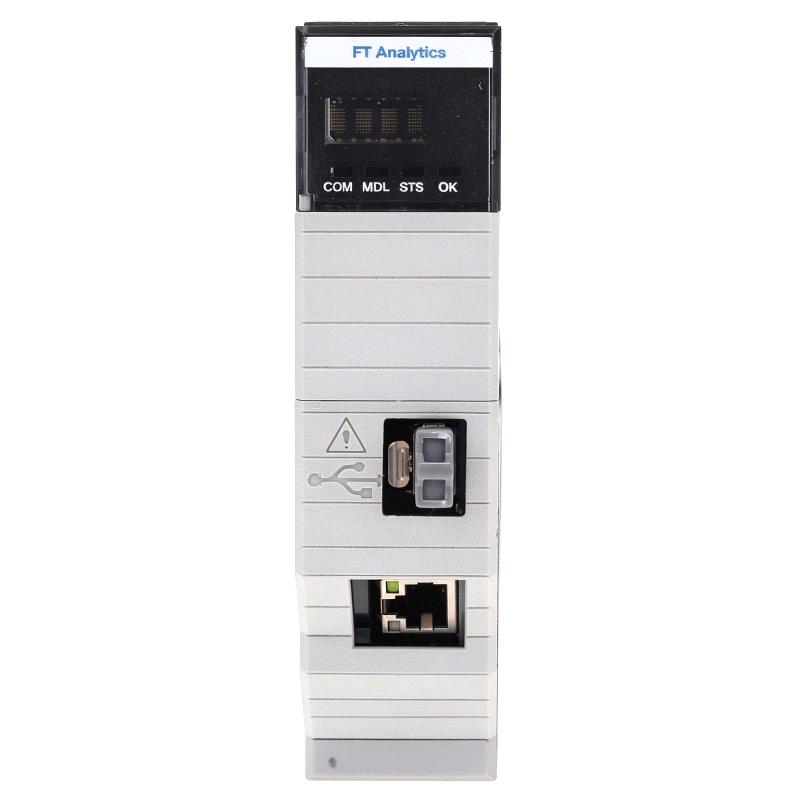
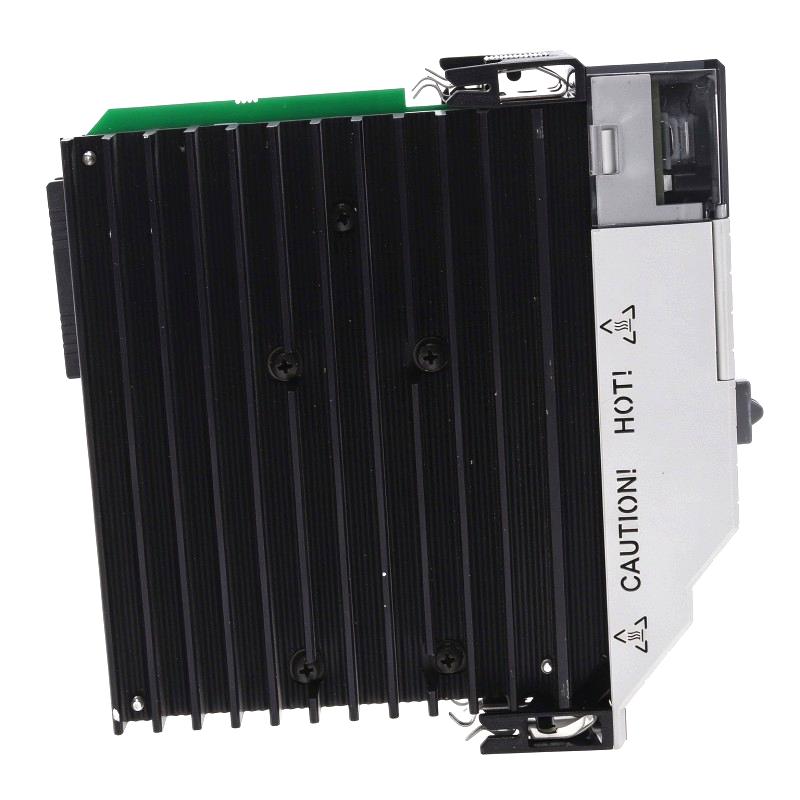
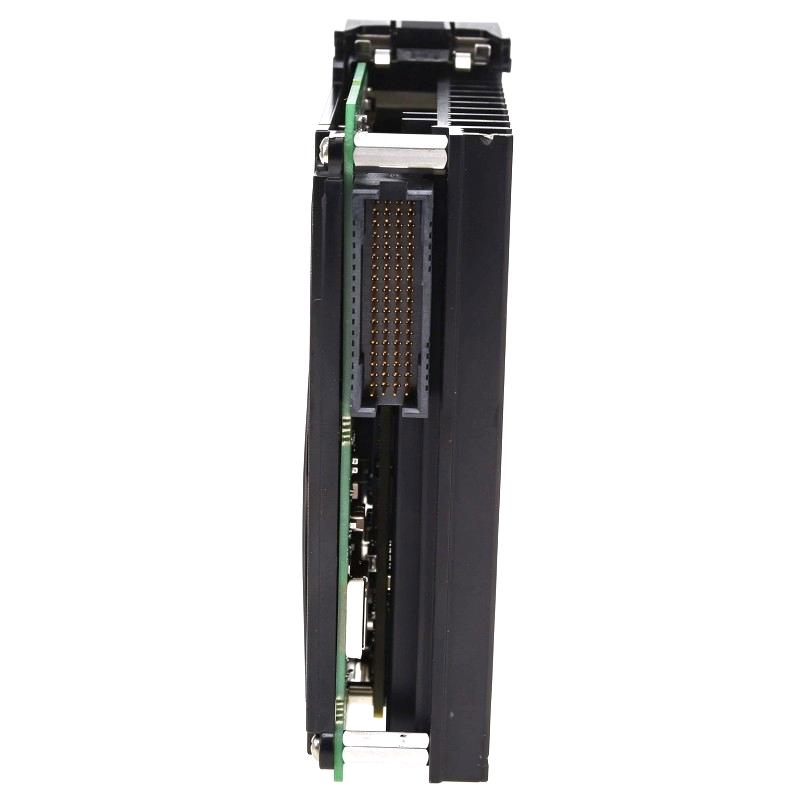
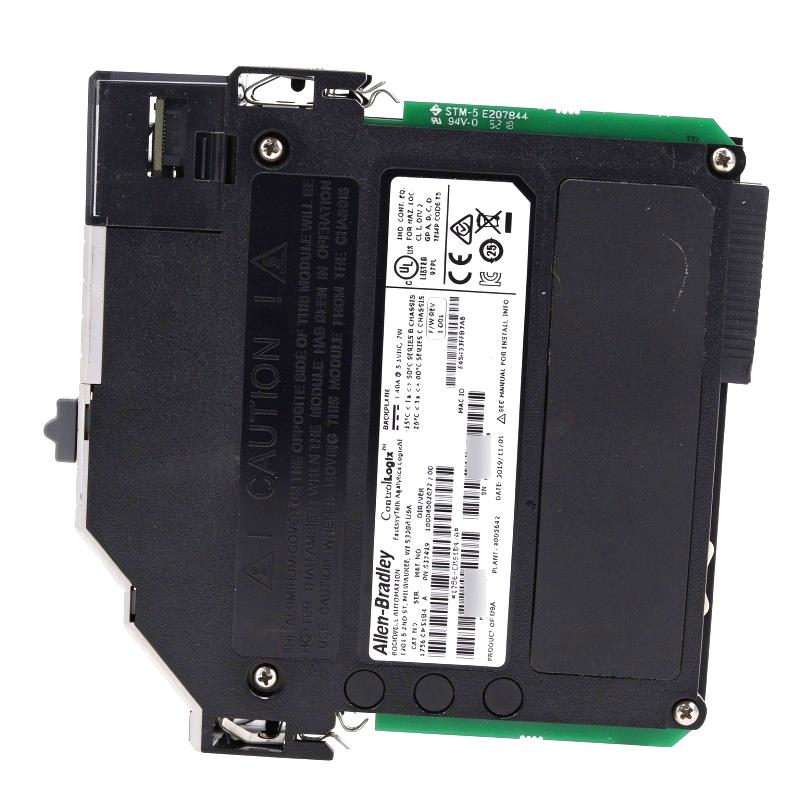
- Allen Bradley
- 1756-CMS1C1
- Compute Module
- USA
- 130 × 35 × 121 mm
- 0.394 kg
- Xiamen, China
- New & In Stock
- T/T, PayPal, Western Union
- 1 Year
- 1-3 Working Days
- DHL, UPS, TNT, FedEx and EMS.
- 24-Hour Service
- COO
- 5
Our advantage

Global Logistics
We have a 10-year logistics and express cooperation agreement, so our products can be shipped to any place in the world.

Brand new and original
Our products are imported in bulk from the place of origin. Because of the cooperative relationship, our products are all original and 100% new.

24-hour service
We provide 7*24 hours service to our customers. We will be there whenever you need us.

Price advantage
All our products are priced very favorably because we have our own warehouse and supply.
| Company Information | |||
| [email protected] | |||
| Mobile | +8615980777398 | ||
| +8615980777398 | |||
| 15980777398 |
Product Overview
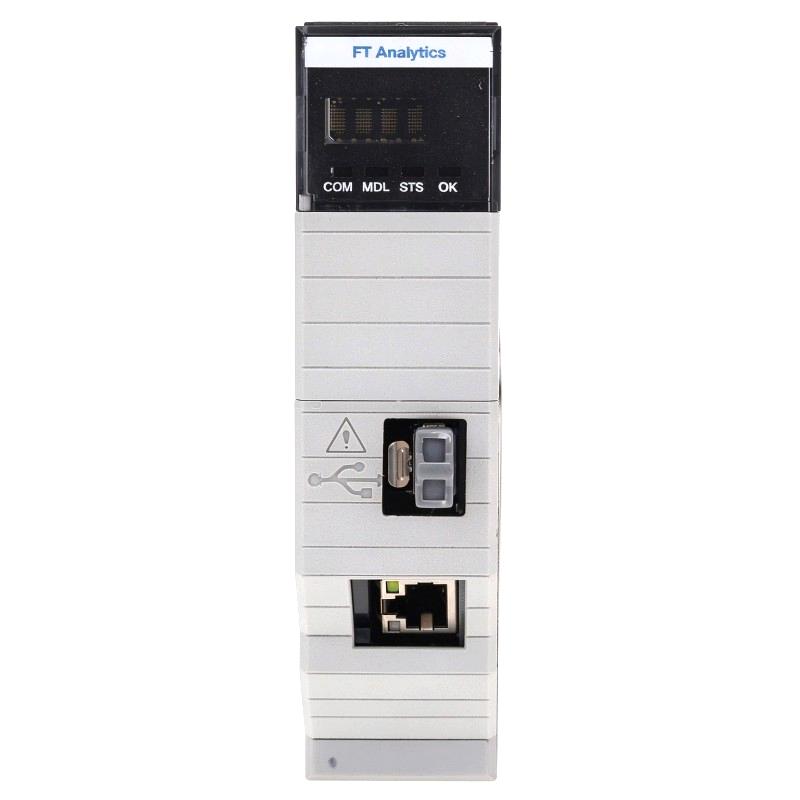
The Allen Bradley 1756-CMS1C1 Compute Module brings a separate Linux computing environment into a ControlLogix chassis. Rather than handling field signals or executing the main PLC control program, it runs custom applications that can exchange data with a compatible ControlLogix controller. This makes it useful when a machine or production line needs additional software capabilities without moving every application task to a separate industrial computer.
The module combines an Intel Atom dual-core processor, 4 GB of onboard memory, and a 32 GB solid-state drive. Its embedded operating system is Debian Linux, 32-bit, and it does not include a preloaded user application. The software environment is therefore intended for application development and deployment based on the requirements of the individual automation system.
Consider a packaging line where the ControlLogix controller manages conveyor movement, filling sequences, machine interlocks, and sensor feedback. A separate application may be needed to collect production counts, organize operating records, or exchange selected controller values with a plant database. The 1756-CMS1C1 can host that application inside the control chassis, while the controller continues to handle its established automation tasks.
Communication with the controller is available through the supported backplane application programming interface (API). The module also has two Gigabit Ethernet ports for network communication, together with DisplayPort and USB 3.0 interfaces. These connections support different application and peripheral requirements, depending on the software installed and the way the system is configured.
The choice of operating system is a practical consideration when planning an application. The 1756-CMS1C1 runs a 32-bit Debian Linux environment, so software packages, libraries, and executable files must be compatible with that platform. Applications developed exclusively for 64-bit Linux or Windows may require changes before they can run successfully.
The compute module is best viewed as an extension of the automation system’s computing capabilities, not as a substitute for its controller. PLC sequencing, essential interlocks, and safety-related functions must remain within the appropriate control architecture. Custom applications can then handle supporting tasks such as data processing, reporting, and communication with external software.
For system integrators, the practical benefit is the ability to combine controller data with application-level computing in one chassis-based installation. The actual value depends on the software developed for the task, the data that needs to be exchanged, and the network and maintenance requirements of the plant.
Technical Specifications
| Parameter | Specification |
|---|---|
| Manufacturer | Allen-Bradley |
| Model | 1756-CMS1C1 |
| Product Type | ControlLogix Compute Module |
| Product Family | ControlLogix Bulletin 1756 |
| Processor | Intel Atom Dual-Core CPU |
| Onboard Memory | 4 GB |
| Solid-State Drive Capacity | 32 GB |
| Embedded Operating System | Debian Linux, 32-bit |
| Preloaded User Application | None |
| Controller Communication | ControlLogix system backplane API |
| Ethernet Interfaces | 2 Gigabit Ethernet ports |
| USB Interface | 1 USB 3.0 port |
| Display Interface | DisplayPort |
| Backplane Voltage | 5.1V DC |
| Current Rating | 1.40 A |
| Power Consumption | 7 W |
| Power Dissipation | 7 W maximum |
| Thermal Dissipation | 23.88 BTU/hr |
| Chassis Slot Requirement | 1 slot |
| Compatible Chassis | 1756-A4, 1756-A7, 1756-A10, 1756-A13, 1756-A17 Series B and Series C |
| Operating Temperature | Series B chassis: -25 to +50°C; Series C chassis: -25 to +60°C |
| Relative Humidity | 5–95%, non-condensing |
| Dimensions | 130 × 35 × 121 mm |
| Weight | 0.394 kg |
Product Features
- Embedded Linux environment: Runs Debian Linux in a 32-bit environment for compatible custom applications.
- Dual-core processing: Uses an Intel Atom processor for application-level computing alongside the ControlLogix controller.
- Local solid-state storage: Provides 32 GB of storage for the operating system, application files, and local data.
- Onboard memory: Includes 4 GB of RAM for supported software workloads.
- Backplane API communication: Allows compatible applications to exchange information with a ControlLogix controller.
- Dual Gigabit Ethernet: Supports network communication with compatible industrial and plant-level systems.
- DisplayPort output: Supports connection to a compatible display for applications requiring local visual access.
- USB 3.0 interface: Accommodates compatible peripherals used by the application or maintenance workflow.
- Chassis-based installation: Integrates with a compatible ControlLogix chassis and receives power through the backplane.
- Custom application deployment: Allows developers to build software around the specific data and integration needs of the installation.
Working Principle
The 1756-CMS1C1 works as an embedded computer alongside the ControlLogix controller. When powered through the chassis backplane, its processor runs Debian Linux and loads the installed application. The application uses the supported communication interfaces to access controller data or exchange information with other devices.
ControlLogix Controller ↔ Backplane API ↔ 1756-CMS1C1 ↔ Custom Application ↔ Plant Network
For example, a production line may need to record machine cycle counts and operating status for shift reports. The ControlLogix controller continues to execute the machine program and update its data. A custom application on the 1756-CMS1C1 can retrieve selected values through the backplane API, format the information, and send it to a compatible database or reporting system.
The backplane API is the software interface used to exchange information with the controller. The application must be configured to access the required data and must handle communication errors, unavailable values, and interrupted connections. A successful physical connection alone does not guarantee that an application is reading the intended controller data correctly.
The two Ethernet ports support communication with external networked systems. Depending on the application, they may be used for data exchange, application services, or communication with other compatible devices. Network addressing and connection arrangements must follow the requirements of the installed software and plant network. When both ports are used for EtherNet/IP communication, the applicable documentation specifies separate networks with different subnets.
The onboard SSD stores the operating system and application files, while the 4 GB of memory supports the running software. Developers should account for the application’s resource demands, particularly if it performs continuous logging, retains large files, or runs multiple services. Storage management and log rotation can help prevent application problems caused by exhausted disk space.
Because the operating system is 32-bit Debian Linux, the application and its dependencies must be compatible with that environment. Software written for another operating system or architecture may need to be adapted. Testing should cover application startup, controller communication, network recovery, and behavior after an unexpected application shutdown.
The compute module does not replace the controller’s main control program. Its role is to handle custom computing tasks while the ControlLogix controller remains responsible for its programmed machine operations. This separation helps keep application-level data processing distinct from the control functions that directly govern equipment.
Role in a ControlLogix Automation System
Within a ControlLogix installation, the 1756-CMS1C1 provides an additional software environment for tasks that are not best handled directly in the PLC program. It can work with selected controller data and pass processed information to other applications, extending the system beyond basic machine sequencing and I/O handling.
Field Devices → ControlLogix I/O → ControlLogix Controller → Backplane API → Compute Module → External Software
| System Component | Function |
|---|---|
| Allen-Bradley 1756-CMS1C1 | Hosts custom Linux applications and handles application-level data processing |
| ControlLogix Controller | Executes machine logic, sequencing, and controller-level operations |
| ControlLogix Chassis | Houses compatible modules and supplies backplane power |
| Backplane API | Supports communication between the compute application and controller |
| Industrial Ethernet Network | Connects the compute module to compatible external systems |
| Plant Data Server | Stores or processes information supplied by the application |
| HMI or SCADA Platform | Displays machine conditions, process values, and alarms |
| Engineering Workstation | Supports software development, testing, and maintenance |
| ControlLogix I/O Modules | Acquire field signals and operate connected devices |
| Industrial Network Infrastructure | Provides the communication paths required by the application |
The compute module’s actual function depends on the software deployed, the controller data accessed, and the external systems involved.
Industrial Applications
| Application | Typical Use |
|---|---|
| Production Data Collection | Gathering controller values, cycle counts, and machine status for production records |
| Manufacturing Execution Integration | Exchanging selected equipment data with production management software |
| Machine Monitoring | Processing operating information for custom monitoring applications |
| Industrial Data Analysis | Preparing collected controller data for reporting and analysis |
| Custom Linux Software | Running application-specific programs within a compatible ControlLogix chassis |
| Production Traceability | Organizing operating records for batch tracking and manufacturing reviews |
| Process Information Integration | Transferring selected controller values to compatible plant-level applications |
| Test and Measurement | Processing test results alongside controller-based equipment operation |
| Industrial Network Applications | Running custom services that communicate with external devices over Ethernet |
| Control System Upgrades | Adding application computing capability to an existing compatible ControlLogix architecture |
The module is suitable for application workloads that fit its operating system, memory, storage, and communication capabilities. Systems requiring guaranteed real-time execution or safety-rated processing need hardware and software specifically qualified for those functions.
Installation and Maintenance
- Confirm chassis compatibility: Check that the selected ControlLogix chassis supports the 1756-CMS1C1 and the intended system configuration.
- Calculate backplane power: Include the module’s 5.1V DC, 1.40 A requirement when calculating the power demand of the complete chassis.
- Inspect the installation slot: Check the backplane connector and module seating area for visible damage or contamination before installation.
- Plan the network arrangement: Determine the intended use of both Ethernet ports and configure network addressing according to the plant’s requirements.
- Install the module: Follow the applicable chassis installation procedure and confirm that the module is seated correctly.
- Check Linux startup: Verify that Debian Linux starts normally and that the module’s status indications are consistent with normal operation.
- Review software compatibility: Confirm that the application and its required libraries support the 32-bit Debian Linux environment.
- Configure controller access: Set up the backplane API communication and verify that the application can retrieve the intended controller data.
- Test Ethernet communication: Check network connectivity, IP addressing, and access to the required external systems.
- Review application security: Manage user permissions and credentials, and disable unnecessary services according to the plant’s security procedures.
- Test recovery behavior: Confirm how the application responds to network interruptions, unavailable controller data, and application restarts.
- Maintain application records: Document software versions, network settings, configuration changes, observed faults, and corrective actions.
When a problem occurs, distinguish between a controller communication issue, a Linux application fault, a network configuration error, and a chassis power problem. Reviewing application logs and testing the relevant communication path can help identify the cause without making unnecessary changes to the controller program.
Related Components
| Component | Function |
|---|---|
| Allen-Bradley 1756-CMS1C1 | Runs custom Debian Linux applications within a compatible ControlLogix chassis |
| ControlLogix Controller | Executes the main automation program and supplies controller data |
| ControlLogix Chassis | Houses the compute module and compatible automation modules |
| ControlLogix Power Supply | Supplies the chassis backplane power |
| Industrial Ethernet Switch | Connects the compute module to the intended plant network |
| Compatible DisplayPort Monitor | Provides a local display for supported applications |
| USB Peripheral | Supports compatible local input or maintenance functions |
| Engineering Workstation | Provides a platform for software development and testing |
| Plant Data Server | Receives or stores information processed by the custom application |
| Backplane API | Supports data exchange between the compute application and controller |
Recommended Related Models
| Model | Product Type | Typical Application |
|---|---|---|
| Allen-Bradley 1756-CMS1C1 | ControlLogix Compute Module, Debian Linux 32-bit | Custom applications requiring the 32-bit Debian environment and 32 GB SSD |
| Allen-Bradley 1756-CMS1B1 | ControlLogix Compute Module, Windows 10 IoT Enterprise 64-bit | Applications developed for the supported embedded Windows environment |
| Allen-Bradley 1756-CMS1D1 | ControlLogix Compute Module, Debian Linux 64-bit | Applications requiring a compatible 64-bit Debian Linux environment |
| Allen-Bradley 1756-CMS1H1 | ControlLogix Compute Module, Red Hat Linux 64-bit | Applications developed for the supported Red Hat Linux environment |
| Allen-Bradley 1756-CMEE1Y1 | Embedded Edge Compute Module | Edge computing applications using its embedded software platform |
| Allen-Bradley 1756-A7 | ControlLogix Seven-Slot Chassis | Housing compatible ControlLogix controllers and compute modules |
Key Advantages
- Adds a custom Linux computing environment to a compatible ControlLogix chassis.
- Supports application-level access to ControlLogix controller data through the backplane API.
- Combines a dual-core processor, 4 GB of memory, and 32 GB of solid-state storage.
- Provides two Gigabit Ethernet ports for supported network communication.
- Includes DisplayPort and USB 3.0 interfaces for compatible peripherals.
- Keeps custom application processing separate from the controller’s primary machine-control program.
Technical FAQs
What software environment is available on the 1756-CMS1C1?
The module runs embedded Debian Linux in a 32-bit environment and does not include a preloaded user application. The required software must be developed or deployed separately and must be compatible with the module’s operating system and processor architecture.
How does an application read data from a ControlLogix controller?
The application uses the supported backplane API to communicate with a compatible controller. Developers must implement the necessary data-access functions and handle connection errors, unavailable values, and communication recovery within the application.
Can the 1756-CMS1C1 perform the same role as a ControlLogix controller?
No. The compute module runs general-purpose Linux applications, whereas the ControlLogix controller executes the primary automation program. Machine sequencing, essential interlocks, and safety-related functions must remain assigned to the appropriate control hardware and validated software.
What needs to be considered when connecting both Ethernet ports?
The network arrangement must follow the applicable module documentation and the intended communication protocols. When both ports are used for EtherNet/IP communication, they should be connected to separate EtherNet/IP networks with different subnets. IP addressing and application connectivity should be tested before the system enters production.