

ProductPRODUCT
Featured products
Contact Us
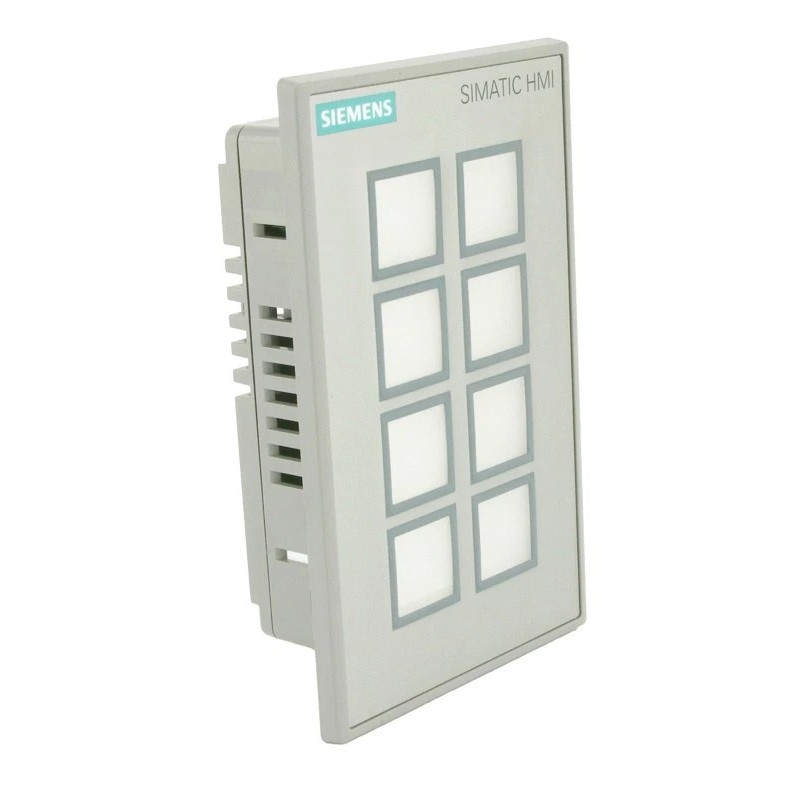
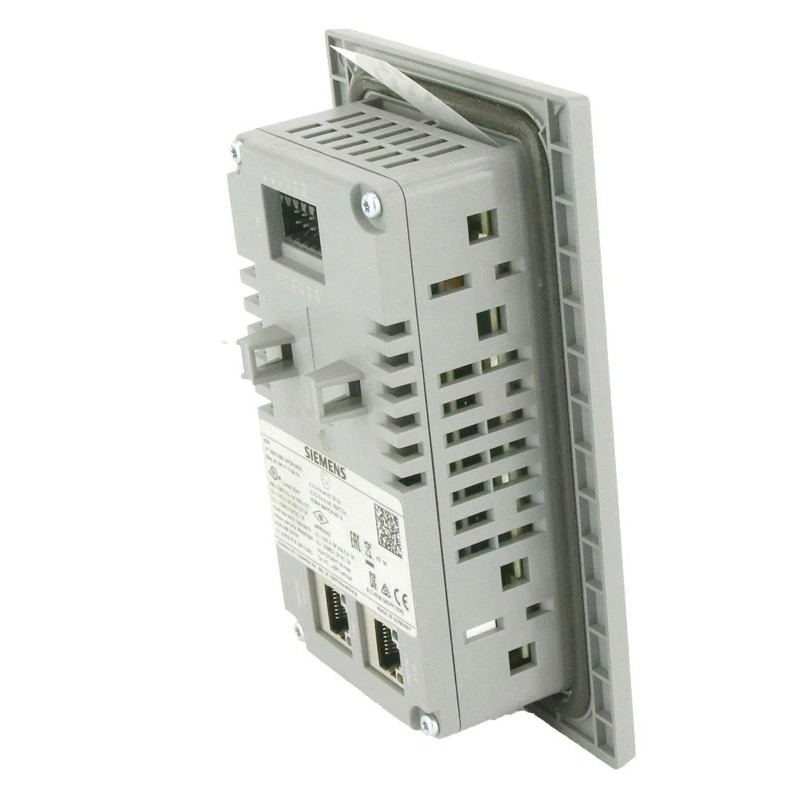
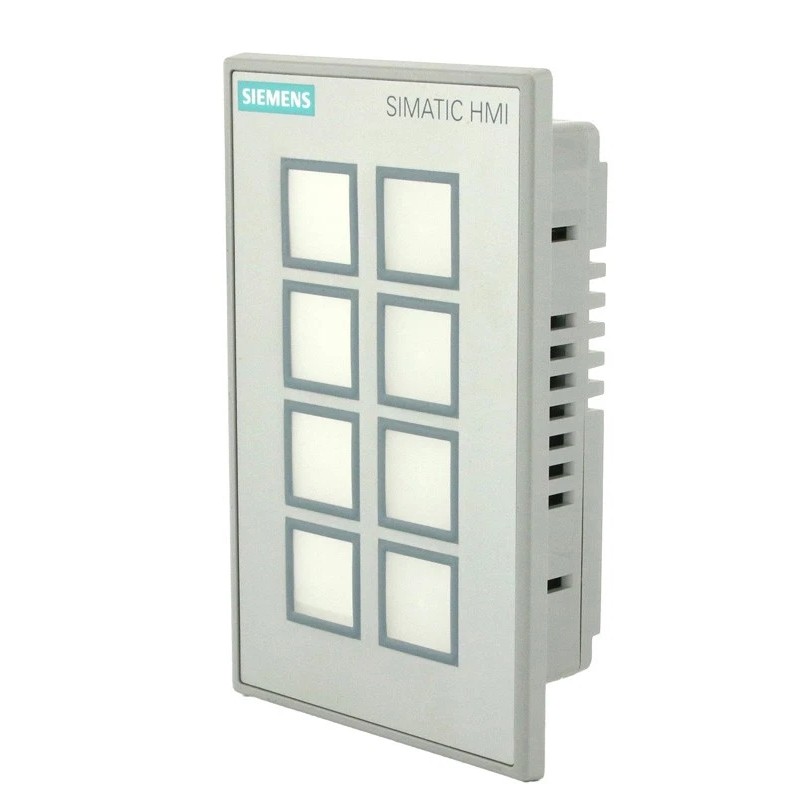
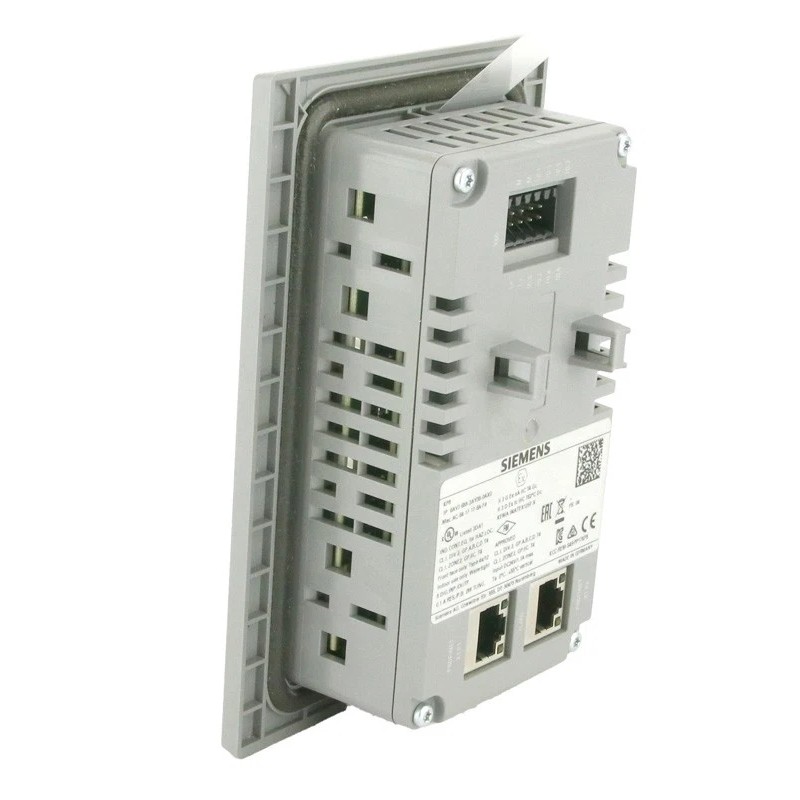
- Siemens
- 6AV3688-3AY36-0AX0
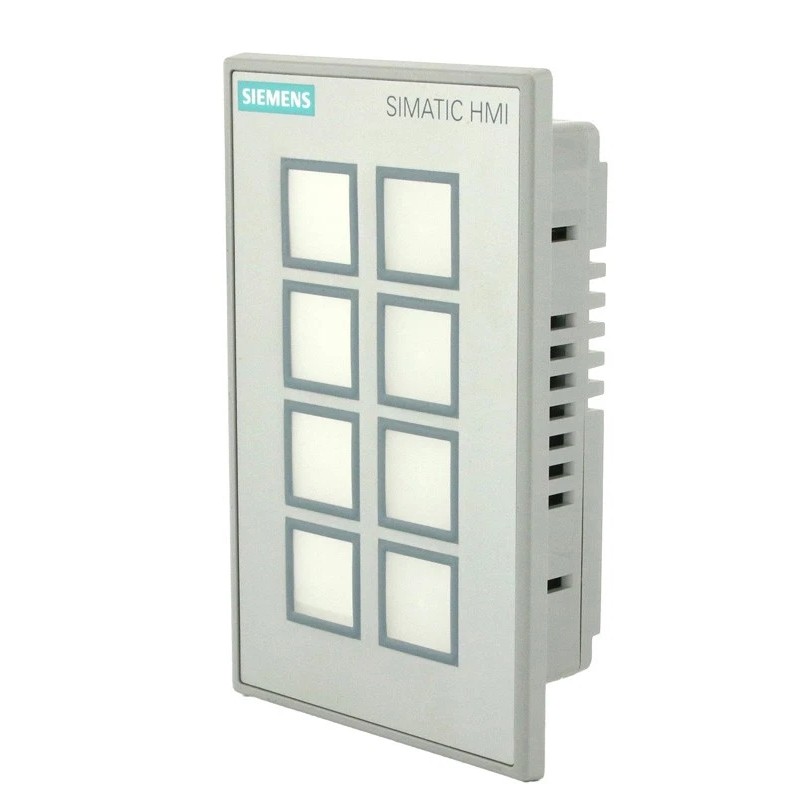
- SIMATIC HMI Key Panel
- Germany
- 98 × 155 × 49 mm
- 0.306 kg
- Xiamen, China
- New & In Stock
- T/T, PayPal, Western Union
- 1 Year
- 1-3 Working Days
- DHL, UPS, TNT, FedEx and EMS.
- 24-Hour Service
- COO
- 5
Our advantage

Global Logistics
We have a 10-year logistics and express cooperation agreement, so our products can be shipped to any place in the world.

Brand new and original
Our products are imported in bulk from the place of origin. Because of the cooperative relationship, our products are all original and 100% new.

24-hour service
We provide 7*24 hours service to our customers. We will be there whenever you need us.

Price advantage
All our products are priced very favorably because we have our own warehouse and supply.
| Company Information | |||
| [email protected] | |||
| Mobile | +8615980777398 | ||
| +8615980777398 | |||
| 15980777398 |
Product Overview
The Siemens 6AV3688-3AY36-0AX0 SIMATIC HMI Key Panel is a SIMATIC HMI KP8 PN operator panel featuring eight configurable short-stroke keys, multicolored LED indicators and PROFINET communication. It provides direct access to machine commands and operating-status information without requiring a full graphical HMI display.
In production machinery, operators often need a small number of frequently used controls close to the equipment they operate. A KP8 PN panel can be installed at a packaging station, assembly workstation or machine access point, allowing operators to issue configured commands and identify operating states through the illuminated keys. The actual function assigned to each key depends on the PLC program and panel configuration.
The panel also incorporates eight configurable digital input/output connections. These can be used for supported discrete signal arrangements, reducing the need for separate components when the application can use the panel’s integrated I/O. Two PROFINET interfaces and an integrated switch support connection to a compatible industrial Ethernet network.
Unlike the KP8F PN variant, the 6AV3688-3AY36-0AX0 is the standard KP8 PN configuration and does not provide the same integrated PROFIsafe functionality. This distinction matters when selecting an operator panel for machinery that requires safety-related communication. The required key functions, digital I/O arrangement and controller compatibility should be established before the panel is integrated into an existing control system.
Technical Specifications
| Parameter | Specification |
|---|---|
| Manufacturer | Siemens |
| Model / Order Number | 6AV3688-3AY36-0AX0 |
| Product Family | SIMATIC HMI KP8/KP8F/KP32F |
| Product Type | SIMATIC HMI KP8 PN Key Panel |
| Product Category | Industrial Operator Panel |
| Number of Keys | 8 |
| Key Type | Short-stroke keys |
| Key Configuration | Parameterizable |
| LED Indicators | Multicolored |
| LED Color Modes | 5: red, green, blue, yellow and white |
| Communication Interface | PROFINET |
| Ethernet Interfaces | 2 |
| Integrated Ethernet Switch | Yes |
| Configurable Digital Connections | 8 DI/DO pins |
| Supply Voltage | 24 V DC |
| Power Loop-Through | Supported through the connector |
| Configuration Software | STEP 7 V5.5 or later, subject to applicable configuration requirements |
| Mounting Type | Front mounting |
| Mounting Method | Clamp terminals |
| Dimensions | 98 × 155 × 49 mm |
| Weight | 0.306 kg |
Product Features
- Eight configurable keys: Assigns direct operator commands to frequently used machine functions.
- Multicolored LED indication: Displays configured operating states using five available color modes.
- PROFINET communication: Connects the panel to compatible PLC-based automation systems.
- Integrated digital I/O: Provides eight configurable digital input/output connections for supported applications.
- Dual Ethernet interfaces: Supports connection to the industrial network through the integrated switch.
- 24 V DC supply: Uses the specified DC supply arrangement, with power loop-through supported at the connector.
- Front-mounted installation: Fits into a prepared control-panel opening using the specified mounting arrangement.
- Configurable operator behavior: Allows key functions and indicator behavior to be established through the automation project.
- Standard KP8 PN configuration: Suits applications that require conventional operator interaction over PROFINET rather than the integrated PROFIsafe functionality of a KP8F PN.
Working Principle
The KP8 PN translates physical key operations into signals that can be processed by the connected automation controller. When an operator presses a configured key, the panel communicates the corresponding input information through PROFINET. The PLC evaluates the input against its control logic and determines whether the requested machine action should proceed.
The integrated LEDs provide visual feedback based on the configured application. For example, a key may illuminate green when a function is available, yellow when a process requires attention, or red when the control program identifies a particular fault condition. These are application examples rather than fixed meanings; the actual color and behavior are determined by the machine configuration.
The eight digital connections can be configured as inputs or outputs within the supported limits. Their use depends on the electrical characteristics of the connected devices and the I/O configuration. The two Ethernet interfaces and integrated switch provide the network connection between the operator panel and the automation system.
Because the KP8 PN is not the KP8F PN safety variant, ordinary key inputs should not be treated as safety-rated signals. Emergency-stop functions, protective interlocks and other safety requirements must be implemented through the appropriate safety devices and validated control architecture.
Role in a SIMATIC HMI and PLC Control Architecture
The 6AV3688-3AY36-0AX0 serves as a local operator interface within a PROFINET-based machine-control system. It combines command entry, visual feedback and configurable discrete connections in one panel.
Operator Input → KP8 PN Key Panel → PROFINET Network → SIMATIC PLC → Machine Control Devices
| System Component | Function | Relationship to the KP8 PN |
|---|---|---|
| 6AV3688-3AY36-0AX0 KP8 PN | Provides key operation and LED indication | Serves as the local operator interface |
| SIMATIC PLC | Executes machine-control logic | Processes key inputs and determines machine responses |
| PROFINET Network | Exchanges control and status data | Connects the panel to compatible automation devices |
| Integrated Ethernet Switch | Supports network connections | Connects the panel through its two Ethernet interfaces |
| Digital Input/Output Devices | Exchange discrete electrical signals | Use the panel’s configurable digital connections where appropriate |
| 24 V DC Power Supply | Supplies operating power | Powers the panel according to its electrical requirements |
| Machine Sensors | Detect process conditions and equipment states | Supply information to the PLC or configured I/O |
| Machine Actuators | Perform physical operations | Execute commands issued by the control system |
| Engineering Software | Configures communication and application behavior | Defines key assignments, LED behavior and I/O use |
| Safety Controller and Safety Devices | Handle safety-related functions | Provide safety functions separately from the standard KP8 PN operator interface |
Industrial Applications
| Application | Typical Equipment | Role of the KP8 PN |
|---|---|---|
| Packaging Machinery | Filling, sealing and wrapping machines | Provides direct access to configured operating commands |
| Assembly Automation | Automated assembly stations | Supports local operation and status indication |
| Manufacturing Lines | Distributed machine-control stations | Gives operators access to frequently used functions |
| Material Handling | Conveyors and transfer equipment | Supports local commands and process-state feedback |
| Machine Tools | Automated production equipment | Provides a compact interface for selected machine functions |
| Industrial Control Cabinets | Panel-mounted operator stations | Combines key operation with PROFINET communication |
| Production Workcells | PLC-controlled workstations | Supports operator interaction at the point of use |
| General Industrial Automation | Machines with a limited set of operator commands | Provides physical keys and visual feedback without a full display |
Installation and Maintenance
- Verify the order number: Confirm that 6AV3688-3AY36-0AX0 matches the required KP8 PN configuration and the intended application.
- Check the mounting opening: Verify the panel cutout and mounting-plate thickness against the applicable installation drawing.
- Plan the installation location: Allow sufficient room for the panel connectors, Ethernet cables and power wiring.
- Isolate the electrical supply: Disconnect the applicable power and communication connections according to the machine’s safety procedures before installation or maintenance.
- Inspect the mounting surface: Ensure that the enclosure opening is clean, correctly prepared and free from damage that could affect panel seating.
- Secure the panel: Install the unit using the specified clamp-terminal mounting arrangement and check that the front interface is seated correctly.
- Connect the 24 V DC supply: Verify the supply voltage, polarity and wiring arrangement before energizing the panel.
- Connect the PROFINET network: Use suitable Ethernet cabling and connect the panel according to the planned network topology.
- Wire the digital connections: Check the I/O assignments and electrical requirements against the application wiring diagram.
- Configure key assignments: Set the required key functions, LED indications and communication parameters in the engineering project.
- Test the operator interface: Verify key response, LED behavior, digital I/O operation and PROFINET communication under controlled commissioning conditions.
- Record maintenance findings: Document the panel reference, configuration changes, wiring modifications and any diagnostic issues identified during testing.
Related Components
| Component | Function | Relationship to the KP8 PN |
|---|---|---|
| SIMATIC PLC | Executes machine-control logic | Processes operator commands and returns status information |
| PROFINET Cable | Carries industrial Ethernet communication | Connects the panel to the automation network |
| 24 V DC Power Supply | Supplies operating power | Powers the panel according to its electrical requirements |
| Digital Input/Output Devices | Exchange discrete signals | Connect to the configured I/O arrangement where supported |
| Machine Sensors | Detect process conditions | Provide signals for the PLC or digital I/O |
| Machine Actuators | Perform physical operations | Respond to commands issued by the control system |
| Control Cabinet | Houses control equipment and operator interfaces | Provides the panel mounting location |
| Engineering Software | Configures device and application behavior | Defines key assignments, LED indication and communication |
| SIMATIC HMI KP8F PN | Provides key operation with PROFIsafe support | Related variant for applications requiring compatible safety communication |
| PROFINET Switch | Connects industrial Ethernet devices | May be used as part of the wider network infrastructure where required |
Recommended Related Models
| Model / Product | Product Type | Relationship | Selection Consideration |
|---|---|---|---|
| Siemens 6AV3688-3AF37-0AX0 | SIMATIC HMI KP8F PN Key Panel | Related eight-key panel with PROFIsafe support | Consider when integrated safety-related communication is required |
| Siemens 6AV3688-3EH47-0AX0 | SIMATIC HMI KP32F PN Key Panel | Related key panel with 32 short-stroke keys and PROFIsafe support | Consider when more operator keys and a different safety I/O arrangement are needed |
| Siemens 6AV3688-3XY38-3AX0 | SIMATIC HMI KP8 Empty Front | Empty-front panel design for standard 22.5 mm operator controls | Consider for modular operator-panel assemblies |
| Siemens SIMATIC S7-1200 | PLC Family | Controller family for compatible automation applications | Verify PROFINET communication and the required I/O configuration |
| Siemens SIMATIC S7-1500 | PLC Family | Controller family for machine and plant automation | Select according to the control architecture and performance requirements |
Key Advantages
- Provides eight configurable physical keys with multicolored LED indication.
- Connects to compatible PLC systems over PROFINET.
- Integrates eight configurable digital input/output connections.
- Includes two Ethernet interfaces and an integrated switch.
- Supports local machine operation without a full graphical HMI display.
- Uses a defined panel-mounting arrangement for control cabinets and operator stations.
Technical FAQs
How does the KP8 PN differ from the KP8F PN?
The KP8 PN is the standard operator-panel variant, with eight configurable keys, multicolored LEDs, PROFINET communication and eight configurable digital connections. The KP8F PN adds PROFIsafe support and safety-related digital input connections for compatible fail-safe applications.
Can the eight keys be assigned different functions for different machines?
Yes. Key assignments and LED behavior are configured according to the application. The PLC program and panel configuration determine how each key operates and which status information is indicated.
What should be considered when using the integrated digital I/O?
Check the electrical characteristics of the connected devices, the configured input/output assignments and the supported signal arrangement. Wiring must follow the panel’s connection requirements and the machine’s electrical design.
Does the panel require a graphical HMI project to operate?
The KP8 PN is a key-based operator panel rather than a conventional graphical touchscreen. Its keys, LEDs and communication behavior still require the appropriate device configuration and PLC application logic for the intended machine functions.