

ProductPRODUCT
Featured products
Contact Us
- Siemens
- 6AV3678-3XC30-XC30
- SIMATIC HMI Service Pack
- Germany
- 189 × 126 × 34 mm
- 0.5 kg
- Xiamen, China
- New & In Stock
- T/T, PayPal, Western Union
- 1 Year
- 1-3 Working Days
- DHL, UPS, TNT, FedEx and EMS.
- 24-Hour Service
- COO
- 6
Our advantage

Global Logistics
We have a 10-year logistics and express cooperation agreement, so our products can be shipped to any place in the world.

Brand new and original
Our products are imported in bulk from the place of origin. Because of the cooperative relationship, our products are all original and 100% new.

24-hour service
We provide 7*24 hours service to our customers. We will be there whenever you need us.

Price advantage
All our products are priced very favorably because we have our own warehouse and supply.
| Company Information | |||
| [email protected] | |||
| Mobile | +8615980777398 | ||
| +8615980777398 | |||
| 15980777398 |
Product Overview
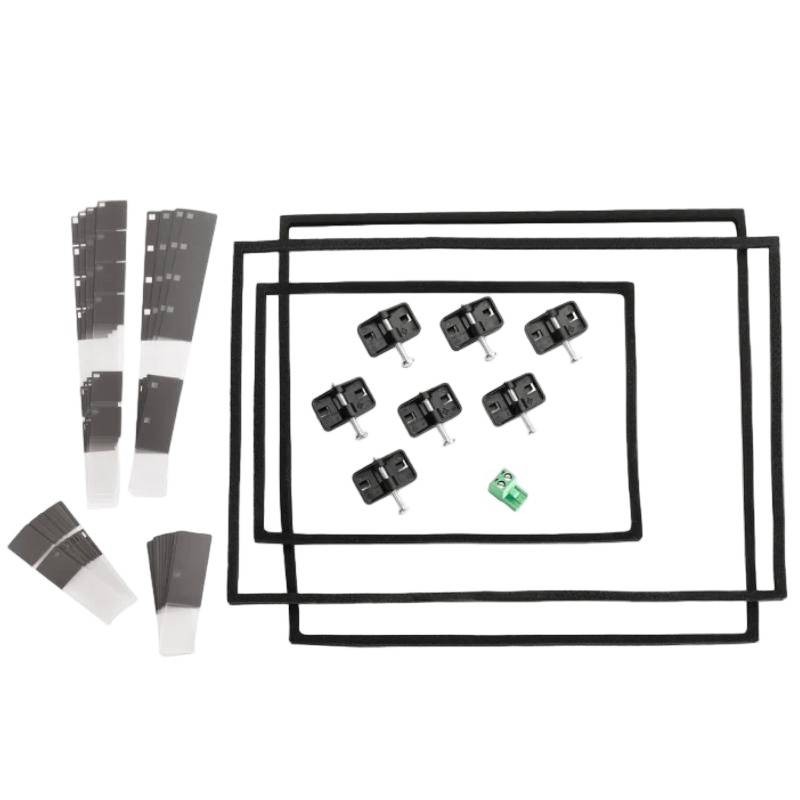
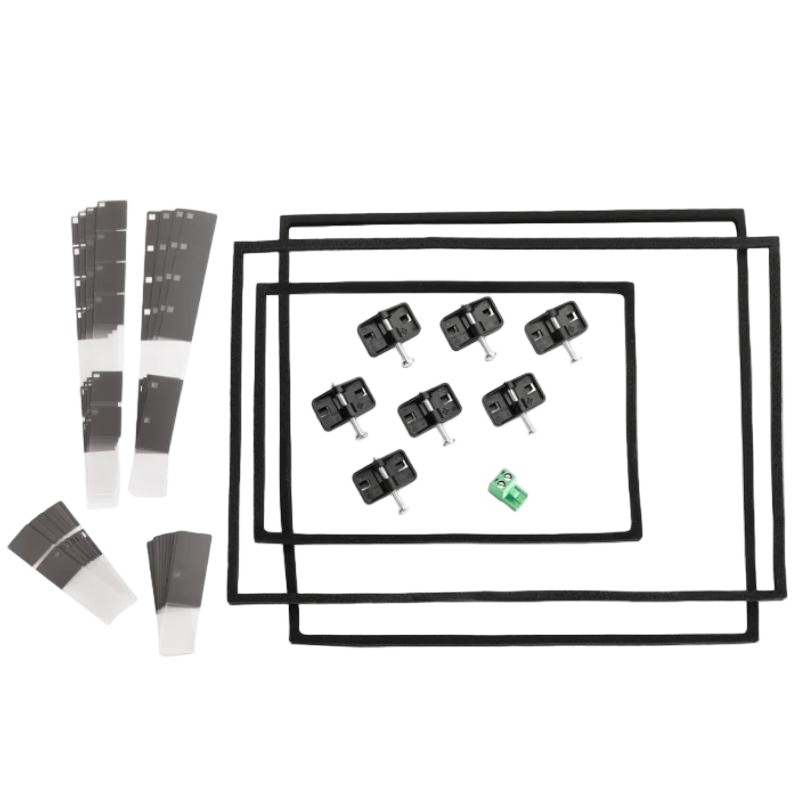
The Siemens 6AV3678-3XC30-XC30 SIMATIC HMI Service Pack is a maintenance spare-parts package associated with Siemens SIMATIC HMI pushbutton panels. The service pack reference 6AV3678-3XC30 is listed for PP7, PP17 I and PP17 II panel families, with components intended to support servicing and restoration of the operator panel’s installation and electrical connections.
For maintenance teams working with established machine-control installations, a service pack can be useful when a panel needs to be removed and refitted or when its mounting and terminal components require replacement. Having the appropriate service parts available helps avoid sourcing individual components separately during a planned maintenance shutdown.
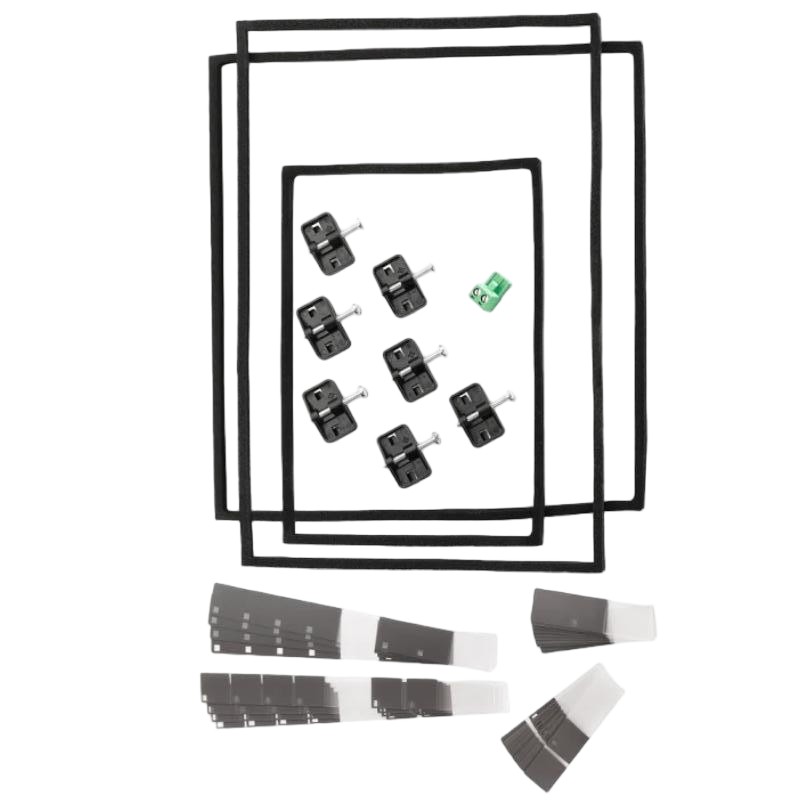
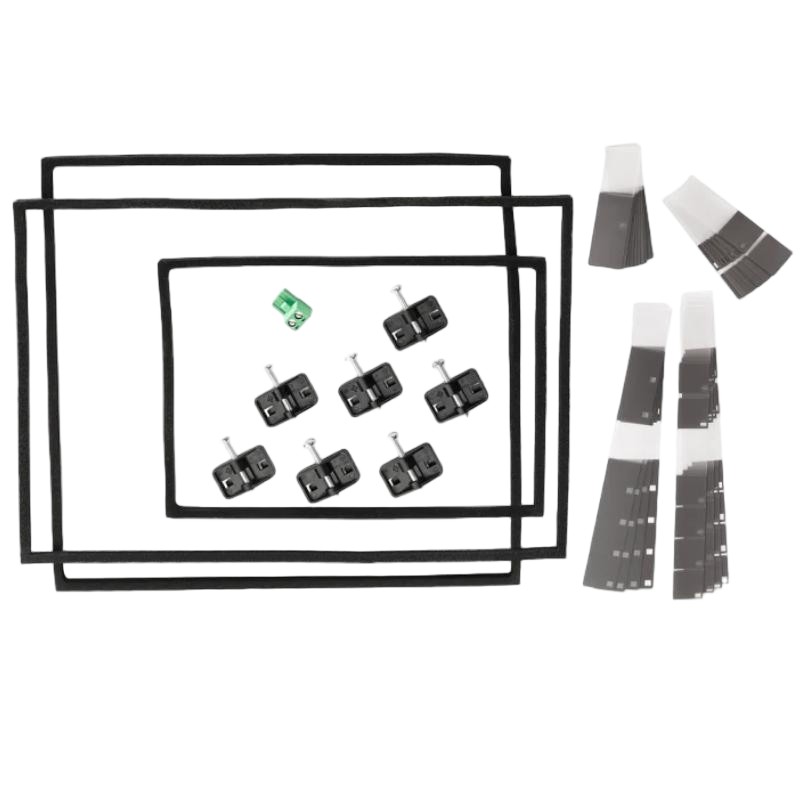
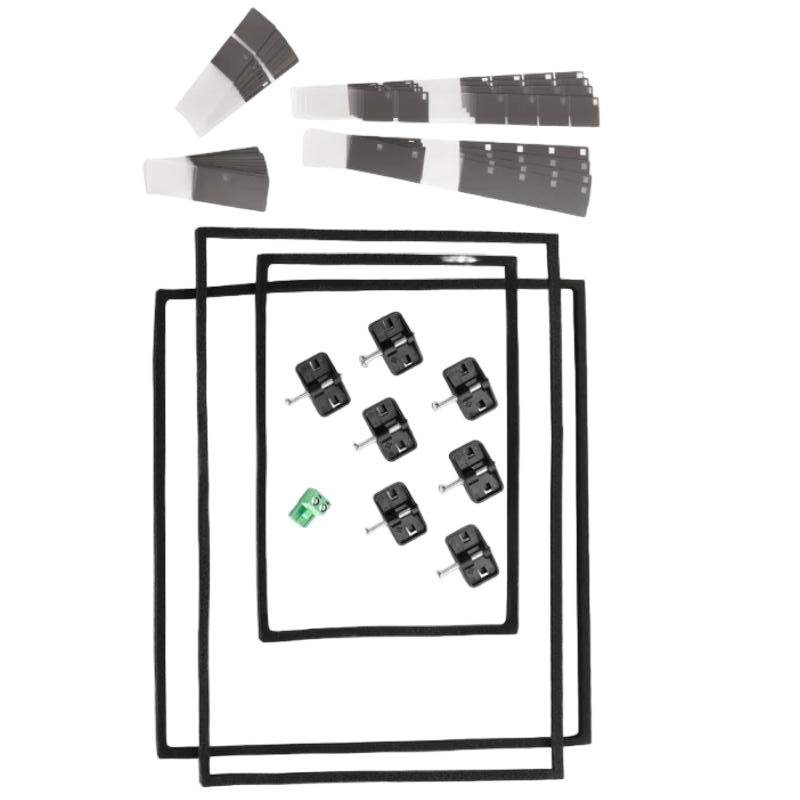
The service package is associated with mounting seals, mounting clamps and electrical terminal blocks. These parts serve different purposes: the seal supports the panel’s mounting interface, the clamps secure the panel in its installation opening, and the terminal blocks provide connection points for the applicable electrical circuits.
The supplied product title includes the extended reference 6AV3678-3XC30-XC30. The documented service-pack reference is 6AV3678-3XC30, so the exact ordering reference and package contents should be checked against the equipment being serviced before the parts are used.
Technical Specifications
| Parameter | Specification |
|---|---|
| Manufacturer | Siemens |
| Model / Order Number | 6AV3678-3XC30-XC30 |
| Associated Service-Pack Reference | 6AV3678-3XC30 |
| Product Family | SIMATIC HMI |
| Product Type | HMI Service Pack |
| Product Category | Operator Panel Service Parts |
| Intended Equipment | SIMATIC HMI Pushbutton Panels |
| Associated Panel Families | PP7, PP17 I and PP17 II |
| Main Components | Mounting seal, mounting clamps and terminal blocks |
| Service Function | Replacement of specified panel mounting and connection components |
| Dimensions | 189 × 126 × 34 mm |
| Weight | 0.5 kg |
Product Features
- Panel mounting parts: Includes service components associated with mounting and securing compatible HMI panels.
- Mounting seal: Supports the sealing interface between the operator panel and its installation opening.
- Mounting clamps: Secure the panel in its mounting position.
- Electrical terminal blocks: Provide connection points for the applicable power and I/O wiring.
- Maintenance-oriented package: Groups specified service components for panel maintenance.
- Equipment-specific selection: Compatibility depends on the HMI panel family and the required service configuration.
- Spare-parts identification: The order reference helps maintenance teams distinguish the intended service package from other SIMATIC HMI accessories.
Working Principle
Unlike an HMI panel or controller, the service pack does not execute control logic, display process data or communicate with a PLC. It contains replacement parts used when maintaining the physical installation and electrical connections of a compatible operator panel.
The mounting seal sits at the panel-to-enclosure interface, while the mounting clamps hold the panel in place. Terminal blocks provide the connection points needed for the applicable electrical circuits. Each component must be installed in its designated position to maintain the intended mechanical fit and electrical connection.
During panel replacement or refurbishment, worn seals, damaged clamps or compromised terminal connections may need attention. Using the correct service parts helps restore the original mounting arrangement without substituting components based only on appearance.
The service pack itself does not establish panel compatibility with a PLC or replace the HMI’s operating software. Those requirements depend on the installed panel, its electrical configuration and the automation system in which it operates.
Role in a SIMATIC HMI Operator Station
The service pack supports the physical installation and electrical connection of a compatible SIMATIC HMI pushbutton panel. The panel remains the operator interface; the service parts help maintain its mounting and connection arrangements.
Operator Panel → Mounting Seal and Clamps → Electrical Terminal Connections → PLC and Machine-Control System
| System Component | Function | Relationship to the Service Pack |
|---|---|---|
| 6AV3678-3XC30 HMI Service Pack | Supplies specified replacement parts | Supports servicing of compatible operator panels |
| SIMATIC HMI Pushbutton Panel | Provides local operator controls | Uses the applicable mounting and connection components |
| Mounting Seal | Seals the panel-to-enclosure interface | Replaced when damaged or when required by servicing |
| Mounting Clamps | Secure the panel in the mounting opening | Hold the operator panel in position |
| Power Terminal Block | Provides the applicable power connection | Supports reconnection during panel servicing |
| Digital I/O Terminal Blocks | Provide electrical connection points for applicable signals | Support wiring restoration where included in the package |
| PLC | Executes machine-control logic | Exchanges signals with the operator station according to the installed configuration |
| Control Cabinet or Enclosure | Houses the panel and associated equipment | Provides the mechanical installation opening |
| Field Wiring | Carries power and control signals | Must be reconnected to the correct terminals |
| HMI Configuration | Defines the panel’s configured operating behavior | Remains separate from the mechanical service parts |
Industrial Applications
| Application | Typical Equipment | Role of the Service Pack |
|---|---|---|
| Machine-Building Facilities | SIMATIC HMI pushbutton panels | Supports planned panel maintenance |
| Manufacturing Lines | Operator stations on production machinery | Helps restore mounting and connection components during servicing |
| Packaging Equipment | Local operator interfaces | Supports maintenance of compatible panel installations |
| Material Handling Systems | Machine-mounted pushbutton panels | Provides specified replacement mounting and terminal parts |
| Industrial Control Cabinets | HMI panels installed in enclosure doors | Supports panel removal and refitting |
| Equipment Refurbishment | Existing SIMATIC HMI installations | Helps replace worn or damaged service components |
| Plant Maintenance Workshops | Spare-parts inventory for established machinery | Supports preparation for scheduled HMI maintenance |
| Production-System Upgrades | Existing operator stations undergoing service work | Helps maintain the panel’s specified mounting arrangement |
Installation and Maintenance
- Verify the order reference: Check the supplied 6AV3678-3XC30-XC30 designation against the required service-pack reference and the installed panel.
- Identify the HMI panel: Confirm whether the equipment belongs to the supported PP7, PP17 I or PP17 II family.
- Isolate the electrical supply: Follow the machine’s safety procedure before disconnecting panel wiring or removing terminal blocks.
- Document existing connections: Record terminal assignments and wire identification before dismantling the panel.
- Remove the panel carefully: Release the mounting clamps and withdraw the panel without damaging the enclosure opening or connected wiring.
- Inspect the mounting interface: Check the seal, enclosure opening and clamp contact points for damage or contamination.
- Check the terminal blocks: Inspect the applicable connection components for cracks, damaged contacts or other signs of deterioration.
- Match replacement components: Confirm that each service part corresponds to the intended panel and connection arrangement.
- Fit the mounting seal: Position the seal correctly at the designated interface, avoiding twists, gaps or trapped debris.
- Reconnect the wiring: Install the applicable terminal blocks and restore each conductor according to the documented wiring arrangement.
- Secure and test the panel: Refit the mounting clamps, restore power under the approved procedure and check the panel’s basic operation.
- Record the service work: Document the replacement parts, panel identification and any wiring or mounting issues found during maintenance.
Related Components
| Component | Function | Relationship to the Service Pack |
|---|---|---|
| SIMATIC HMI PP7 Panel | Provides local operator interaction | Associated panel family for the service package |
| SIMATIC HMI PP17 I Panel | Provides operator controls and status indication | Associated panel family for the service package |
| SIMATIC HMI PP17 II Panel | Provides local machine operation | Associated panel family for the service package |
| Mounting Seal | Seals the panel-to-enclosure interface | One of the service components |
| Mounting Clamps | Secure the operator panel | Support panel installation and removal |
| Power Terminal Block | Provides an electrical connection point | Supports power wiring where included |
| Digital I/O Terminal Blocks | Connect applicable digital signals | Support restoration of panel wiring |
| Control Cabinet | Houses the operator panel and control equipment | Provides the mounting location |
| PLC | Executes machine logic | Communicates with the operator interface according to the system configuration |
| HMI Wiring | Carries electrical power and signals | Must be correctly reconnected after servicing |
Recommended Related Models
| Model / Product | Product Type | Relationship | Selection Consideration |
|---|---|---|---|
| Siemens 6AV3678-3XC30 | SIMATIC HMI Service Pack | Base service-pack reference associated with the supplied designation | Confirm the exact ordering reference and package contents |
| Siemens SIMATIC HMI PP7 | HMI Pushbutton Panel | Associated panel family | Match the service parts to the installed panel |
| Siemens SIMATIC HMI PP17 I | HMI Pushbutton Panel | Associated panel family | Verify the panel version and terminal arrangement |
| Siemens SIMATIC HMI PP17 II | HMI Pushbutton Panel | Associated panel family | Confirm the mounting and connection requirements |
| Siemens 6AV3678-1CC10 | SIMATIC HMI Service Pack | Separate service package associated with OP7, OP17 and TD17 equipment | Do not substitute without confirming equipment compatibility |
Key Advantages
- Groups specified HMI mounting and connection service parts.
- Supports maintenance of compatible SIMATIC HMI pushbutton panels.
- Helps restore panel mounting and electrical connections after servicing.
- Provides an identifiable service-pack reference for spare-parts management.
- Supports planned maintenance of existing operator stations.
Technical FAQs
Which HMI panels are associated with the 6AV3678-3XC30 service pack?
The service-pack reference is associated with PP7, PP17 I and PP17 II pushbutton panels. Confirm the installed panel variant and exact service-pack designation before selecting replacement parts.
What types of components are included in this service package?
The documented package includes mounting seals, mounting clamps and terminal blocks for the applicable power and digital I/O connections. Confirm the required package contents before maintenance.
Does the service pack contain an HMI display or PLC controller?
No. It is a service-parts package rather than an operating HMI device or PLC module. Its role is to support maintenance of the panel’s mounting and electrical connection components.
What should be checked before reinstalling a serviced HMI panel?
Inspect the mounting seal, clamps, terminal blocks and enclosure opening. Confirm the wiring assignments and ensure that all components are fitted correctly before restoring the electrical supply.