

ProductPRODUCT
Featured products
Contact Us
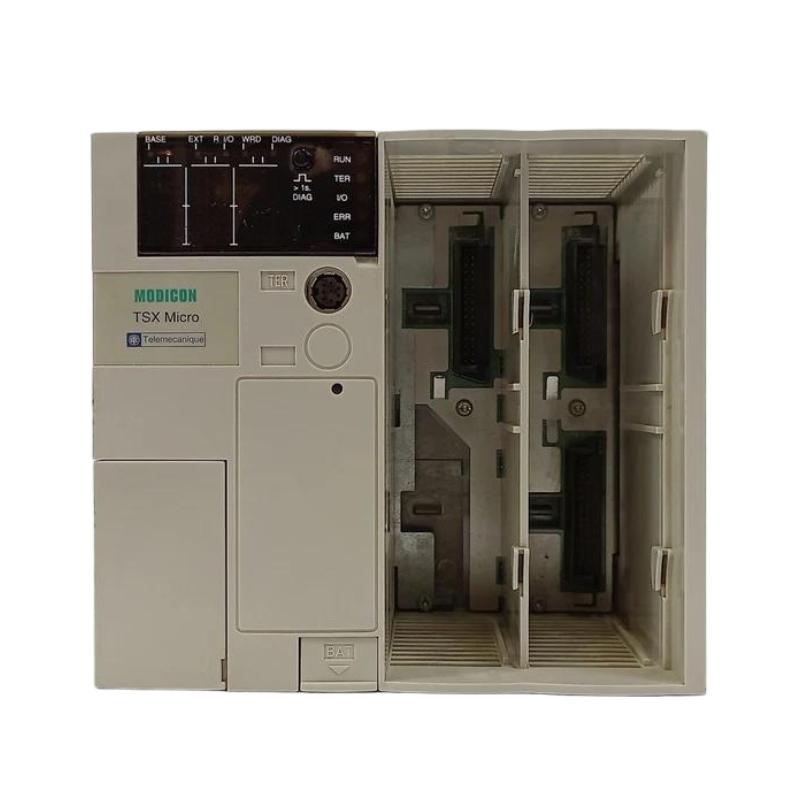
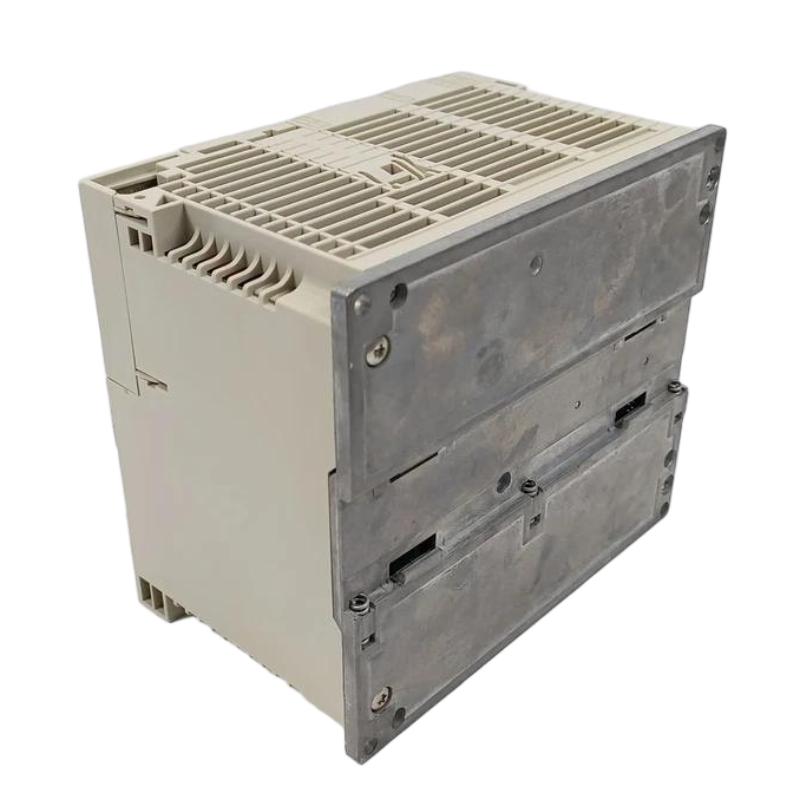
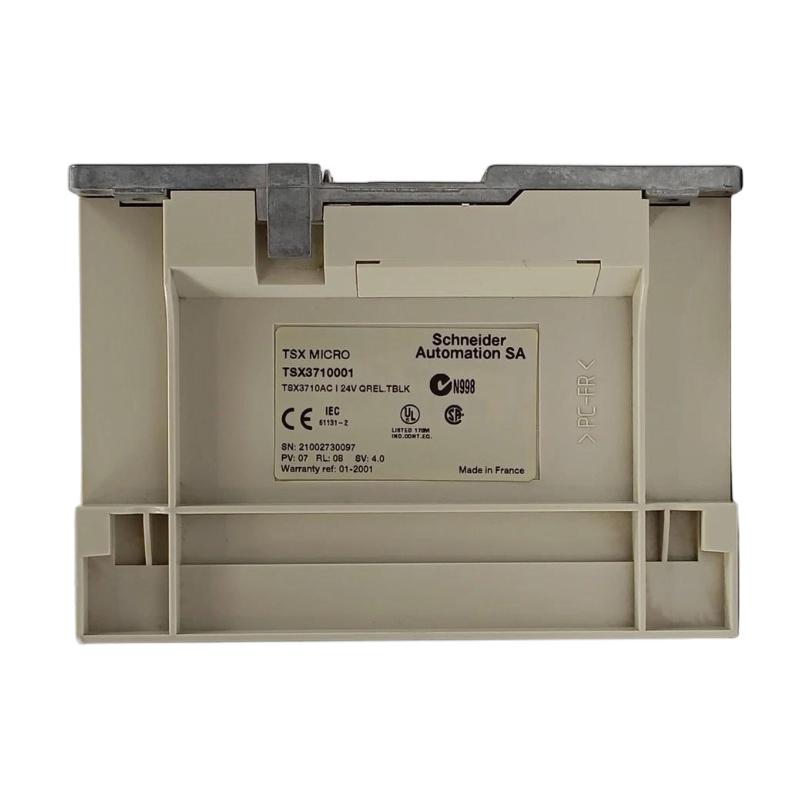
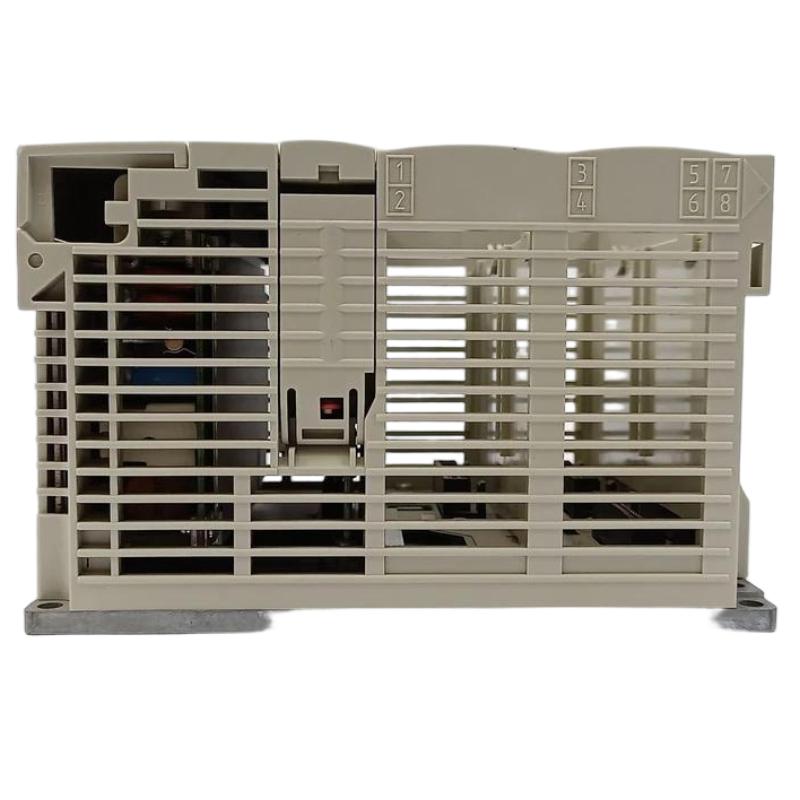
- Schneider
- TSX3710001
- Compact Micro CPU Module
- France
- 170 × 135 × 150 mm
- 1.8 kg
- Xiamen, China
- New & In Stock
- T/T, PayPal, Western Union
- 1 Year
- 1-3 Working Days
- DHL, UPS, TNT, FedEx and EMS.
- 24-Hour Service
- COO
- 4
Our advantage

Global Logistics
We have a 10-year logistics and express cooperation agreement, so our products can be shipped to any place in the world.

Brand new and original
Our products are imported in bulk from the place of origin. Because of the cooperative relationship, our products are all original and 100% new.

24-hour service
We provide 7*24 hours service to our customers. We will be there whenever you need us.

Price advantage
All our products are priced very favorably because we have our own warehouse and supply.
| Company Information | |||
| [email protected] | |||
| Mobile | +8615980777398 | ||
| +8615980777398 | |||
| 15980777398 |
1. Product Overview
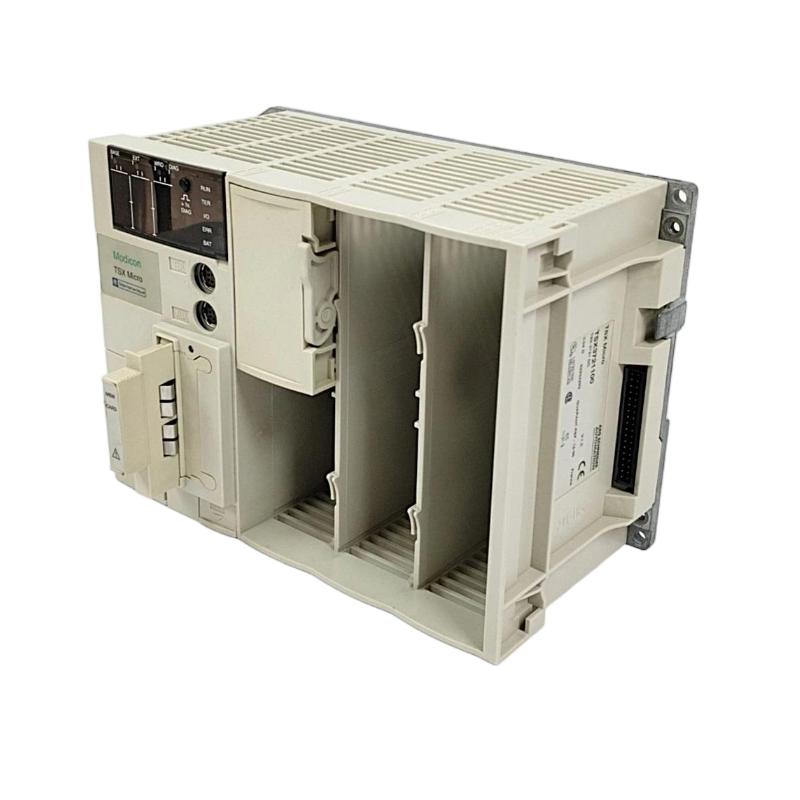
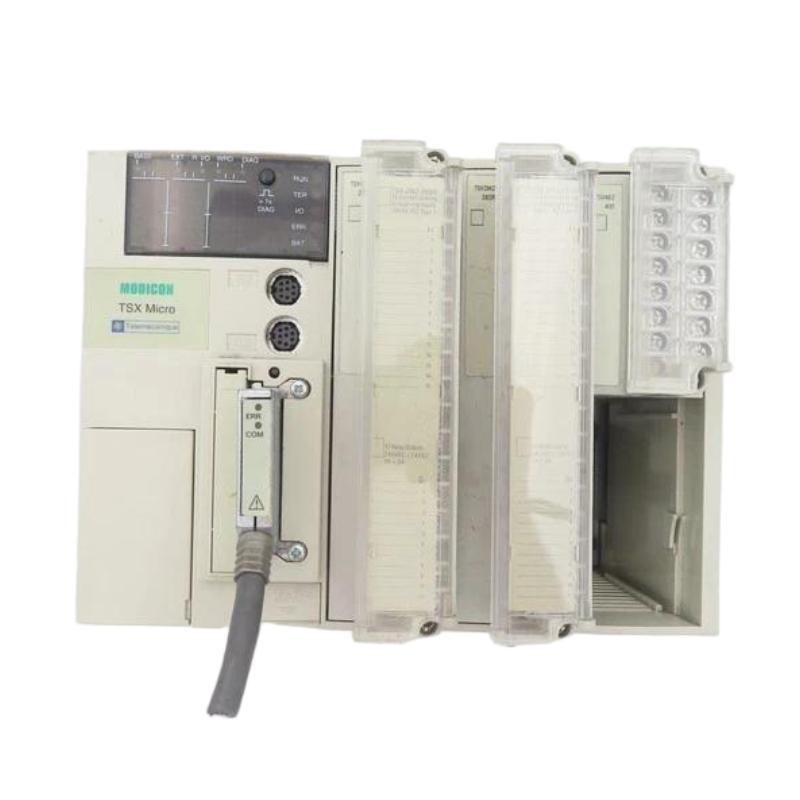
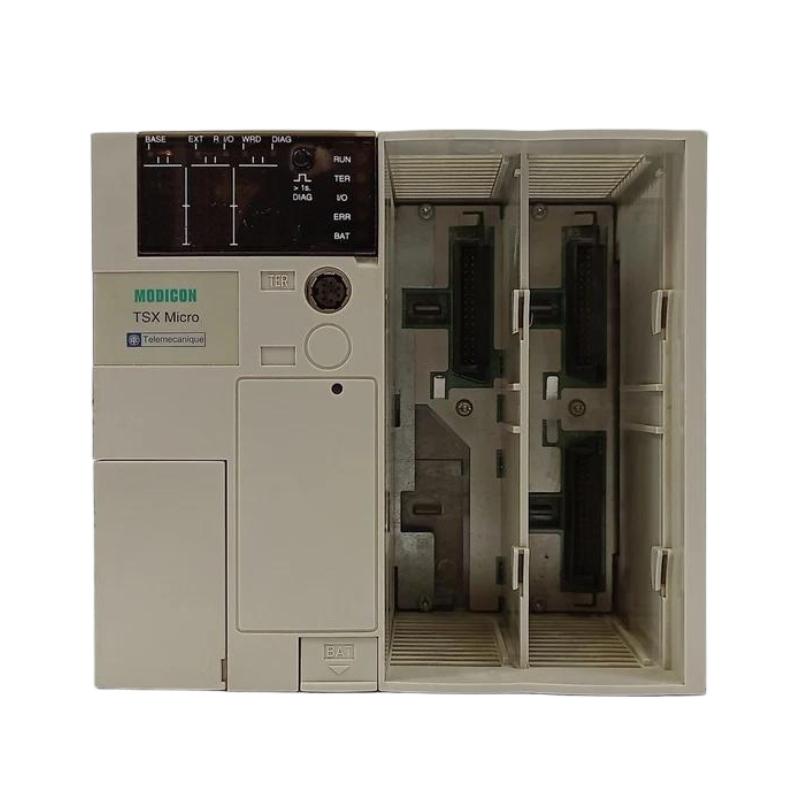
The Schneider Electric TSX3710001 Compact Micro CPU Module is an industrial automation controller associated with the Modicon TSX Micro PLC family. Designed for programmable control applications, a CPU module serves as the processing center of an automation system, executing control logic and coordinating operations between configured input and output devices.
In industrial environments, PLC controllers are used to automate machine sequences, monitor field signals, manage equipment interlocks, and coordinate production processes. A CPU module plays a central role in determining how the system responds to sensor inputs, operator commands, and programmed operating conditions.
The TSX3710001 is relevant to facilities maintaining existing automation installations, particularly where legacy PLC hardware remains integrated into production machinery. When replacing or purchasing this module, engineers should confirm the complete model number, hardware configuration, electrical requirements, communication interfaces, and compatibility with the original PLC program.
Because legacy controllers may have specific programming and system requirements, physical similarity alone does not establish interchangeability. The exact product revision and installed system configuration should be verified before installation.
2. Technical Specifications
| Parameter | Specification |
|---|---|
| Brand | Schneider Electric |
| Model Number | TSX3710001 |
| Product Type | Compact Micro CPU Module |
| Product Family | Modicon TSX Micro |
| Dimensions | 170 × 135 × 150 mm |
| Weight | 1.8 kg |
| Primary Function | PLC program execution and automation control |
| Application | Industrial machinery and process automation |
| Installation | According to the original system configuration |
| Power Requirements | Verify using the exact product documentation and nameplate |
| Communication Interfaces | Confirm the interfaces supported by the specific unit |
| I/O Compatibility | Verify the installed controller and expansion configuration |
| Programming Software | Confirm compatibility with the original controller and project |
The dimensions and weight above are based on the supplied product information. Electrical ratings, memory capacity, communication protocols, and detailed I/O capabilities should be verified before purchase or installation.
3. Function and Working Principle
The CPU module processes the user program and coordinates the control functions of a PLC-based automation system. Its operation depends on the installed hardware, program, and configuration.
3.1 Program Execution
The controller executes programmed instructions to determine the required response to changing machine conditions. These instructions may include logic operations, timers, counters, sequence control, and equipment interlocks.
For example, a production machine may require several conditions to be satisfied before a motor can start. The PLC evaluates the configured input states and program conditions before issuing the relevant output command.
3.2 Input Signal Processing
Field input devices provide information about the operating environment. Depending on the installation, these may include limit switches, proximity sensors, pushbuttons, pressure switches, and level sensors.
The CPU uses the configured input information to evaluate operating conditions and determine the next control action. Reliable operation therefore depends on correct field wiring, compatible I/O hardware, and accurate input assignments.
3.3 Output Control
After processing the program, the controller updates the relevant output states through the supported output hardware. These outputs may operate contactors, indicator lamps, solenoid valves, or other industrial devices through appropriately rated interfaces.
The output type, electrical rating, and load capacity must be confirmed from the installed hardware specifications. The CPU model alone does not establish the electrical capabilities of every connected output circuit.
3.4 System Coordination
The CPU operates as part of a larger automation system that may include power supplies, input/output modules, field instruments, operator interfaces, and communication equipment.
Correct integration ensures that signals are processed consistently and that machine operations follow the intended control sequence.
4. Role in Industrial Automation
The TSX3710001 can be relevant to maintenance and modernization work involving compatible legacy PLC installations.
Machine control: Executes programmed operating sequences for industrial machinery.
Signal processing: Evaluates configured input states and uses them to determine control responses.
Equipment coordination: Coordinates programmed actions between connected field devices and supported I/O hardware.
Interlocking: Applies programmed conditions to prevent certain operations from proceeding when required operating conditions are absent. Safety-critical functions must use appropriately designed and validated safety systems.
Legacy equipment maintenance: May help maintain existing machinery where the original controller architecture remains in service.
For established production lines, maintaining the original configuration and preserving the PLC application program can be as important as replacing the hardware itself.
5. Typical Industrial Applications
Manufacturing Equipment
PLC controllers can manage machine sequences, sensor feedback, actuator commands, and equipment status monitoring. The TSX3710001 may be considered for maintenance of compatible installations using this controller family.
Conveyor Systems
Conveyor applications may use PLC logic to control motor-start sequences, monitor material-position sensors, and coordinate transfers between sections of a production line.
Packaging Machinery
Packaging equipment often relies on coordinated sequences involving sensors, actuators, and operator commands. A compatible CPU can execute these programmed operations within the limits of the installed system.
Material Handling
Material-handling equipment may use PLC control to coordinate movement, monitor operating states, and manage programmed interlocks between different machine sections.
Process and Utility Equipment
In suitable installations, PLC logic can monitor equipment conditions and coordinate discrete control operations. Specialized analog measurement or process-control functions depend on the available modules and application design.
Legacy System Refurbishment
The module may be relevant when maintaining older control panels, restoring production machinery, or sourcing spare parts for an established automation system.
6. Installation and System Integration
Correct installation requires verification of the hardware, electrical connections, program, and system configuration.
Step 1: Confirm the Model Number
Check the complete TSX3710001 model designation and compare the replacement unit with the existing hardware. Inspect the label, mounting arrangement, connectors, and overall condition.
Do not select a replacement based solely on dimensions or a similar product-family name.
Step 2: Back Up the PLC Program
Before removing a functioning CPU, obtain a verified backup of the application program and available configuration data. Record relevant communication parameters, I/O assignments, and application settings.
If the original program is unavailable, establish a valid recovery or reconstruction plan before proceeding.
Step 3: Isolate Electrical Power
Shut down the equipment according to the site’s approved maintenance procedures. Isolate the relevant power sources and verify that the work area is safe before disconnecting any wiring.
Electrical installation and commissioning should be performed by qualified personnel.
Step 4: Inspect the Installation
Check the mounting area, wiring, connectors, grounding, and cabinet condition. Look for loose terminals, corrosion, overheating, contamination, and mechanical damage.
Confirm that the installation meets the applicable environmental and electrical requirements.
Step 5: Install the CPU Module
Mount the unit using the intended hardware and reconnect the verified wiring according to the approved drawings.
Before energizing the equipment, confirm the required supply characteristics, terminal assignments, protective measures, and compatibility of connected components.
Step 6: Restore the Program and Configuration
Use a compatible programming environment and connection method to restore the correct PLC project. Verify that the program and configuration are appropriate for the target hardware.
Do not assume that a project created for a different controller can be transferred without changes.
Step 7: Complete Commissioning Tests
After completing the electrical and configuration checks, energize the system under controlled conditions.
Verify controller status, input states, output behavior, communication, and the expected operating sequence. Test relevant interlocks and protective functions before returning the machine to production.
7. Troubleshooting Common Problems
Problem 1: CPU Module Does Not Start
Possible causes:
- Incorrect or missing supply voltage.
- Loose or damaged electrical connections.
- Power-supply malfunction.
- Internal controller hardware failure.
Recommended troubleshooting:
- Verify the supply requirements against the exact product specifications.
- Inspect power connections after safely isolating the equipment.
- Check relevant status indicators and protective devices.
- If the supply is correct but the CPU remains inactive, arrange qualified hardware diagnosis.
Problem 2: PLC Program Does Not Execute as Expected
Possible causes:
- Incorrect program or configuration.
- Incomplete program transfer.
- Unexpected field input conditions.
- Logic conditions or interlocks preventing the intended operation.
Recommended troubleshooting:
- Confirm that the correct project has been loaded.
- Review controller status information and available diagnostic messages.
- Compare the current configuration with the approved backup.
- Check the relevant input conditions before modifying the application logic.
Problem 3: Input Signals Are Incorrect
Possible causes:
- Incorrect field wiring.
- Failed sensors or switches.
- Incompatible I/O hardware.
- Incorrect channel assignments.
Recommended troubleshooting:
- Compare wiring with the approved electrical drawings.
- Inspect the field device and its connections.
- Check the relevant input state using a supported diagnostic method.
- Verify channel assignments and hardware compatibility.
Problem 4: Outputs Do Not Operate
Possible causes:
- The program conditions for the output are not satisfied.
- An interlock is active.
- Output hardware or field wiring has failed.
- The connected load exceeds the supported rating.
Recommended troubleshooting:
- Check the logic conditions that control the output.
- Verify the configured output state.
- Inspect the output circuit and connected device using approved procedures.
- Confirm the output hardware’s electrical rating and load requirements.
Never bypass protective circuits or force outputs on operating equipment without an authorized, controlled test procedure.
Problem 5: Programming Communication Fails
Possible causes:
- Incompatible programming software.
- Incorrect communication settings.
- Faulty cable or interface.
- Unsupported connection method.
Recommended troubleshooting:
- Confirm that the programming environment supports the specific controller.
- Check the required interface and connection procedure.
- Inspect the cable and connectors.
- Verify the communication parameters and project configuration.
Problem 6: Intermittent PLC Operation
Possible causes:
- Unstable power.
- Loose terminals.
- Electrical interference.
- Excessive cabinet temperature.
- Age-related component deterioration.
Recommended troubleshooting:
- Review the fault history and operating conditions.
- Inspect grounding, wiring, and cabinet ventilation.
- Check for recurring supply interruptions.
- Arrange further diagnosis if the problem persists.
8. Compatible System Components
The TSX3710001 should be integrated only with components verified for the actual controller configuration.
| Component Category | Compatibility Considerations |
|---|---|
| Power supply | Confirm voltage, supply type, and required ratings |
| Digital input devices | Verify signal characteristics and input compatibility |
| Digital output hardware | Confirm output type, load ratings, and channel assignments |
| Analog I/O modules | Verify support within the installed system configuration |
| Programming cable or interface | Confirm compatibility with the controller and software |
| Programming software | Verify support for the specific TSX Micro controller |
| Field sensors | Check electrical characteristics and wiring assignments |
| Actuators and contactors | Confirm appropriate interface hardware and load ratings |
| Mounting hardware | Verify mechanical fit and required clearances |
| Operator interface | Confirm communication and application compatibility |
The exact compatible components depend on the original installation. Verify the complete hardware configuration before ordering parts or modifying the control system.
9. Replacement and Alternative Selection
When a TSX3710001 fails, selecting a replacement requires more than matching the product dimensions.
| Replacement Option | Evaluation Criteria |
|---|---|
| Exact TSX3710001 replacement | Confirm complete model identity, condition, and operating status |
| Compatible legacy CPU | Verify hardware configuration, program compatibility, and I/O arrangement |
| Modern PLC replacement | Evaluate program migration, communication changes, and I/O compatibility |
| Complete control-system upgrade | Assess lifecycle support, engineering costs, downtime, and future expansion |
For an exact replacement, verify the hardware details and ensure that the original program and system configuration can be restored.
For migration to a modern controller, assess wiring modifications, communication requirements, programming changes, and commissioning effort. Safety-related functions must be reviewed and validated as part of the migration.
When sourcing a legacy module, confirm its testing status, physical condition, included accessories, and applicable warranty or return terms.
10. Key Advantages
- Centralized control processing: Executes the configured PLC program and coordinates supported control operations.
- Legacy maintenance support: Can be relevant to the continued operation of compatible existing automation systems.
- Structured troubleshooting: Allows maintenance teams to investigate supply, program, I/O, and communication problems systematically.
- Potentially reduced replacement effort: An exact, verified replacement may avoid an immediate full control-system redesign.
- Application continuity: Restoring the correct controller and program can help return compatible machinery to its intended operating sequence.
Actual performance and suitability depend on the controller’s condition, original application, installed hardware, and availability of appropriate technical support.
11. Frequently Asked Questions
Q1: What is the Schneider TSX3710001 Compact Micro CPU Module?
The TSX3710001 is identified as a Schneider Electric Compact Micro CPU Module associated with the Modicon TSX Micro family. It is intended for PLC-based industrial control applications compatible with the specific hardware configuration.
Q2: What are the dimensions and weight of the TSX3710001?
The supplied dimensions are 170 × 135 × 150 mm, and the supplied weight is 1.8 kg.
Q3: What should I check before purchasing this module?
Confirm the full model number, hardware condition, electrical requirements, system configuration, programming compatibility, and the seller’s testing and warranty terms.
Q4: Can the TSX3710001 replace another TSX Micro CPU?
Not automatically. Compatibility depends on the exact CPU model, hardware configuration, application program, I/O arrangement, and communication requirements.
Q5: Why might the CPU fail to start?
Possible causes include an incorrect supply, loose connections, a power-supply fault, or internal hardware damage. Begin with the specified electrical checks and use qualified service personnel for further diagnosis.
Q6: Can I migrate from the TSX3710001 to a modern PLC?
A migration may be possible, but it requires a detailed assessment of the existing program, field wiring, I/O, communication interfaces, and machine operating requirements.
Q7: Is a program backup necessary before replacing the CPU?
Yes. A verified backup and configuration record can significantly simplify restoration and reduce the risk of unexpected operating differences after replacement.
12. Conclusion
The Schneider Electric TSX3710001 Compact Micro CPU Module is intended for PLC-based automation applications within compatible industrial control systems. As the central processing element, the CPU executes programmed logic and coordinates the configured inputs, outputs, and equipment operations.
For maintenance teams and spare-parts buyers, successful replacement depends on accurate model identification, verified electrical and software compatibility, a reliable program backup, and controlled commissioning. These steps help reduce installation risks and support the dependable restoration of existing machinery.
For long-term planning, evaluate the TSX3710001 within the context of the installed system’s service life, spare-parts availability, and future migration requirements. Careful verification before purchase and installation helps prevent compatibility problems and unnecessary production downtime.