

ProductPRODUCT
Featured products
Contact Us
- Schneider
- TSX08H04MKCX
- HMI Panel
- France
- 170 × 120 × 50 mm
- 0.5 kg
- Xiamen, China
- New & In Stock
- T/T, PayPal, Western Union
- 1 Year
- 1-3 Working Days
- DHL, UPS, TNT, FedEx and EMS.
- 24-Hour Service
- COO
- 5
Our advantage

Global Logistics
We have a 10-year logistics and express cooperation agreement, so our products can be shipped to any place in the world.

Brand new and original
Our products are imported in bulk from the place of origin. Because of the cooperative relationship, our products are all original and 100% new.

24-hour service
We provide 7*24 hours service to our customers. We will be there whenever you need us.

Price advantage
All our products are priced very favorably because we have our own warehouse and supply.
| Company Information | |||
| [email protected] | |||
| Mobile | +8615980777398 | ||
| +8615980777398 | |||
| 15980777398 |
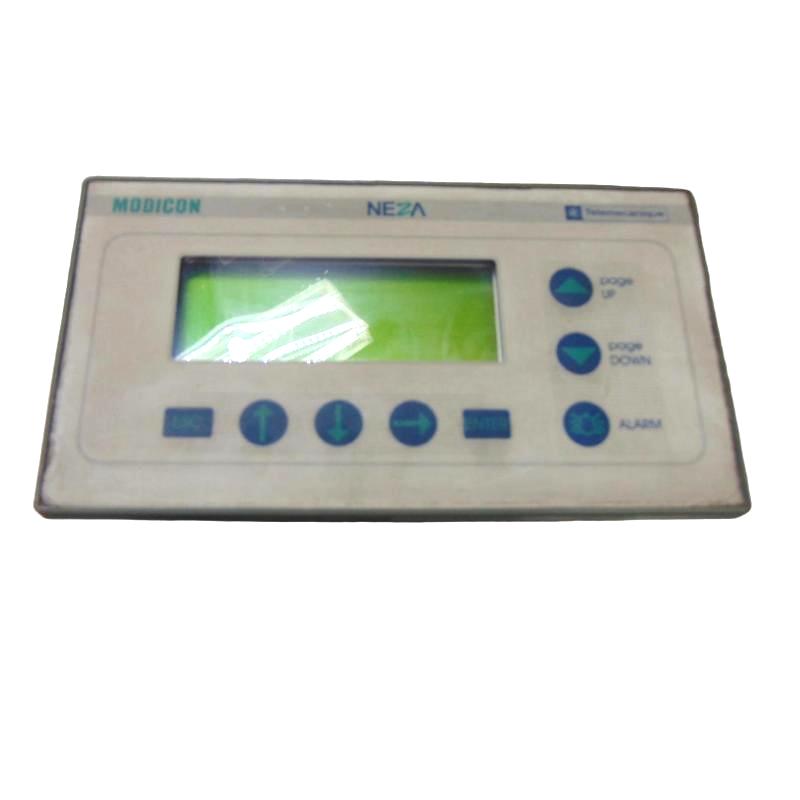
1. Product Overview
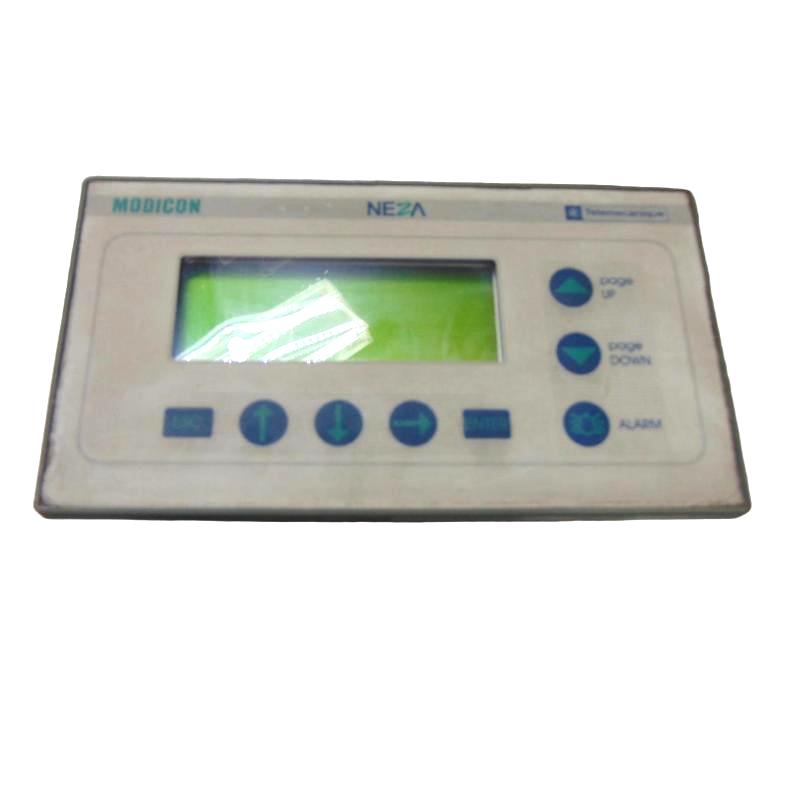
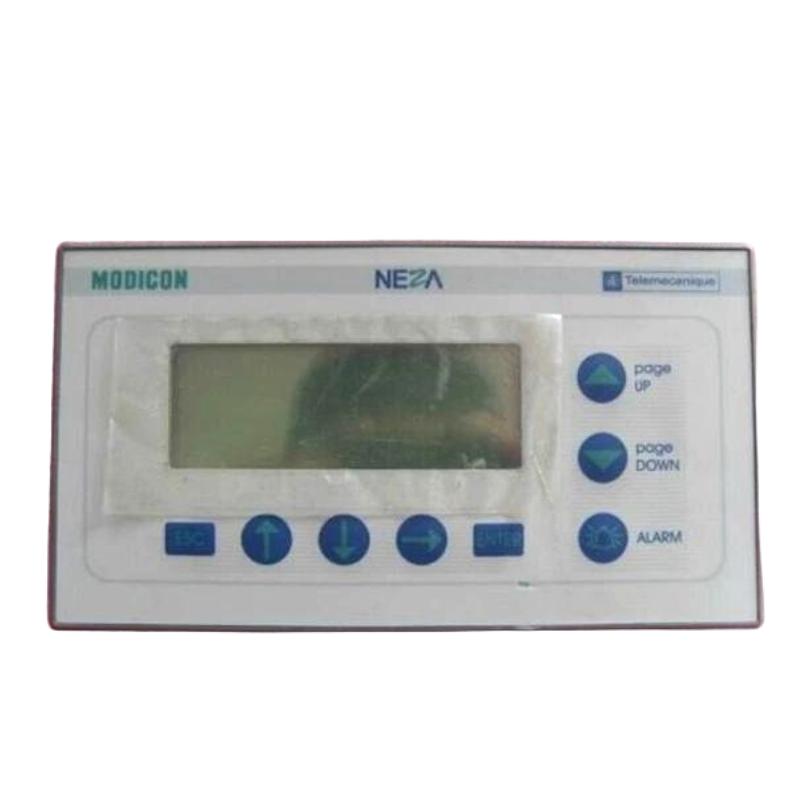
The Schneider Electric TSX08H04MK HMI Panel is identified as a human-machine interface (HMI) product used in industrial automation environments. HMI equipment provides an operator-facing interface for monitoring machine conditions, viewing operating information, and interacting with compatible control systems.
In an industrial control environment, an HMI panel can serve as the connection between machine operators and the underlying PLC-based control process. Depending on the capabilities of the specific model, an operator interface may display equipment status, process variables, alarms, and operating menus, while providing access to supported commands and settings.
The TSX08H04MK is supplied with stated dimensions of 170 × 120 × 50 mm and a weight of 0.5 kg. These compact dimensions can be useful when planning an installation in a control cabinet, machine enclosure, or equipment panel with limited space.
Before integrating this model into an existing automation system, it is important to verify its exact hardware characteristics, display specifications, communication interfaces, power requirements, and supported programming software. The model reference and physical dimensions alone are not sufficient to establish compatibility with a particular PLC or communication protocol.
For industrial maintenance teams, system integrators, and spare-parts purchasers, confirming the full model number is essential when sourcing a replacement HMI panel.
2. Technical Specifications
| Parameter | Description |
|---|---|
| Brand | Schneider Electric |
| Model | TSX08H04MK |
| Product Type | HMI Panel |
| Application | Industrial operator interface |
| Primary Function | Operator monitoring and interaction with compatible automation equipment |
| Display Specifications | Verify against the exact model documentation |
| Touchscreen or Keypad Type | Verify against the exact hardware revision |
| Communication Interfaces | Verify before system integration |
| Supported Communication Protocols | Confirm compatibility with the target controller |
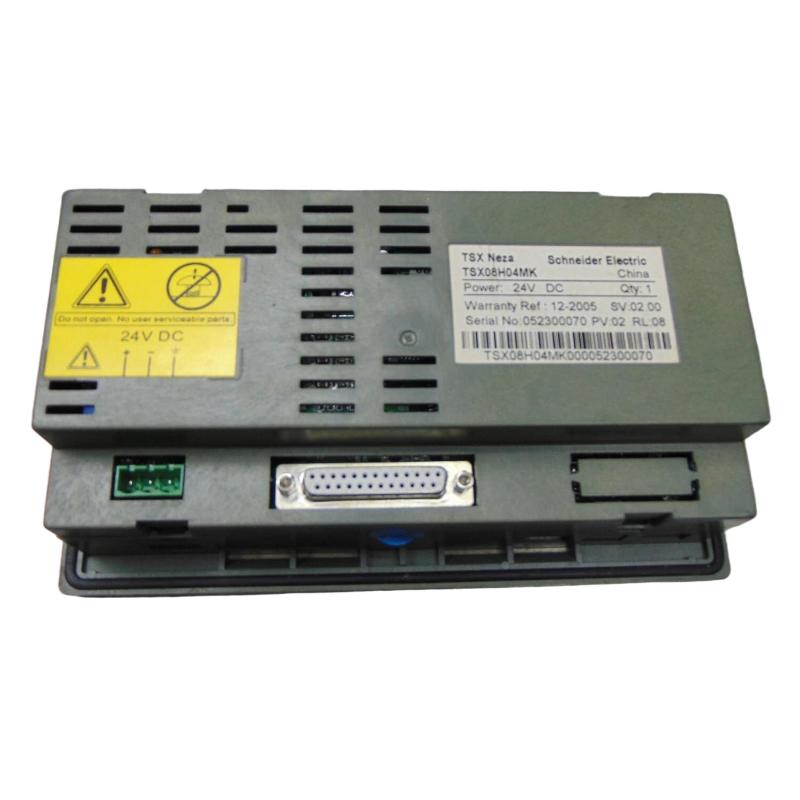
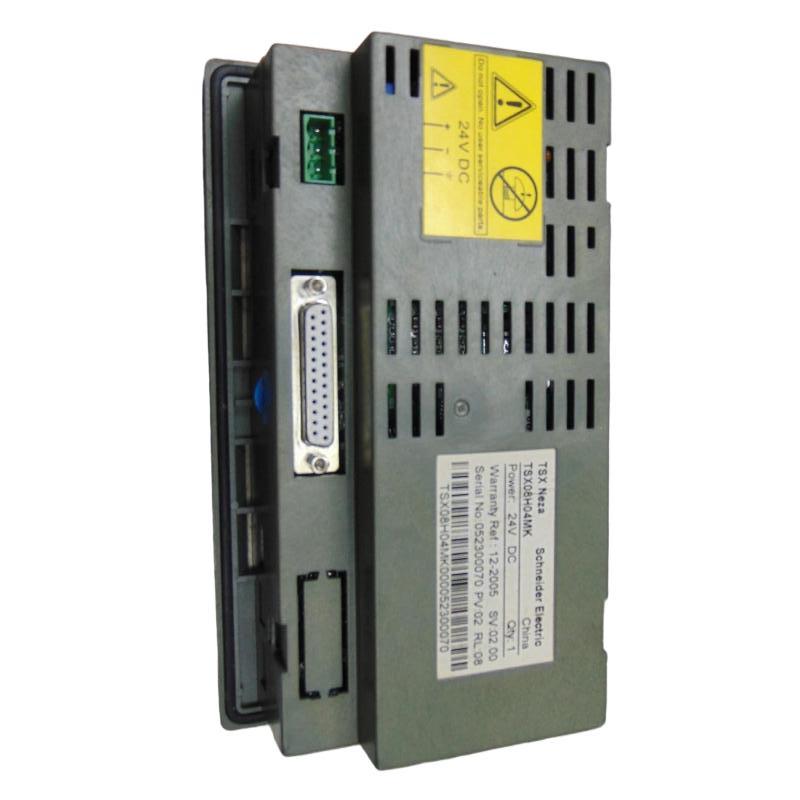
| Rated Supply Voltage | Verify from the product nameplate |
| Programming Software | Confirm the software compatible with this exact model |
| Dimensions | 170 × 120 × 50 mm |
| Weight | 0.5 kg |
Technical note: Detailed electrical and display specifications should be confirmed from the product label and the documentation for the exact TSX08H04MK reference. Do not assume that specifications from other Schneider Electric HMI families apply to this model.
3. Function and Working Principle
3.1 Operator Information Display
An HMI provides a visual interface through which operators can review information generated by a PLC or another compatible control system.
Depending on the supported functions of the installed panel, this information may include:
- Machine operating status.
- Process measurements and operating values.
- Alarm and fault messages.
- Equipment operating modes.
- Maintenance information and diagnostic messages.
The information displayed depends on the configured application and the data made available by the connected controller.
3.2 Operator Input and Commands
HMI systems may allow operators to enter values, select operating modes, acknowledge alarms, or issue authorized commands.
The available controls depend on the specific panel hardware and application design. Any operator command must be validated by the PLC program and implemented with appropriate safety interlocks.
An HMI should not be treated as a substitute for dedicated safety circuits or safety-rated control equipment.
3.3 Communication with Automation Controllers
In a typical industrial installation, the HMI exchanges data with a PLC through a supported communication interface and protocol.
The controller provides the process information, while the HMI displays selected values and may send permitted operator inputs back to the control program.
Successful communication requires compatible interfaces, correct wiring, matching communication parameters, and suitable software configuration. These details must be verified for the TSX08H04MK before commissioning.
4. Role in Industrial Automation Systems
HMI panels help make automated machinery easier to monitor and operate. Rather than requiring operators to interpret controller diagnostics directly, a properly configured interface can present relevant information in a structured and understandable format.
The potential roles of an HMI panel include:
- Machine monitoring: Displays operating conditions and selected process values.
- Operator interaction: Provides access to supported commands and settings.
- Alarm presentation: Shows fault messages configured in the application.
- Maintenance assistance: Helps technicians identify operating states and investigate reported problems.
- Production visibility: Presents relevant machine information to authorized personnel.
The precise functions available on the TSX08H04MK depend on its hardware capabilities, software environment, and compatibility with the connected control equipment.
5. Industrial Applications
Manufacturing Machinery
In manufacturing equipment, an HMI can provide operators with a centralized interface for reviewing machine status, selecting operating modes, and responding to alarms.
Packaging Equipment
Packaging systems may use operator panels to display machine sequences, production status, and fault information. The panel must be compatible with the installed PLC and the application developed for the equipment.
Material Handling Systems
Conveyors and automated handling equipment often require an operator interface for monitoring operating conditions and viewing faults. An appropriately configured HMI can help operators understand the machine’s current state.
Industrial Process Equipment
In process-related applications, HMI systems may display measurements, setpoints, alarms, and operating modes supplied by the control system. The actual variables and controls depend on the application program.
Equipment Maintenance and Replacement
When an existing operator panel fails or becomes unreliable, identifying the original model is important for preserving the existing installation. A replacement must match not only the mounting dimensions but also the communication, power, and software requirements.
These applications describe common HMI uses. Suitability for a specific installation should be determined from the actual capabilities and compatibility requirements of the TSX08H04MK.
6. Installation and System Integration
Correct installation helps prevent communication problems, electrical faults, and mechanical damage.
Step 1: Verify the Exact Model
Check the nameplate and confirm the complete reference is TSX08H04MK. Record any additional revision or identification information present on the product.
Compare the replacement with the existing panel and confirm the required mounting arrangement and connector locations.
Step 2: Confirm Electrical Requirements
Before connecting power, verify the rated supply voltage, polarity, current requirements, and grounding instructions from the exact product documentation.
Never apply power based solely on the ratings of a visually similar Schneider Electric HMI.
Step 3: Check Controller Compatibility
Identify the PLC or controller that will communicate with the panel. Confirm that the HMI supports the controller’s communication interface, protocol, and application environment.
If replacing an existing panel, record the current communication settings and application version before removing the original unit.
Step 4: Install the Panel Securely
Use the mounting method specified for the product. Ensure that the panel is supported securely and that the installation does not place excessive stress on connectors or cables.
The supplied dimensions are 170 × 120 × 50 mm. Confirm the actual panel cutout and clearance requirements separately; external dimensions do not establish the required cutout size.
Step 5: Connect Communication Wiring
Use the correct cable and connector for the supported interface. Check the wiring diagram, signal assignments, grounding, and cable routing.
Where possible, keep communication wiring separated from high-current conductors and sources of electrical interference.
Step 6: Configure the HMI Application
Use the software and project format supported by the exact panel model. Verify screen configuration, controller addressing, communication parameters, displayed variables, and operator permissions.
Do not assume that a project developed for another HMI model can be transferred without conversion or modification.
Step 7: Commission the Installation
After checking the wiring and mounting, restore power according to the equipment’s commissioning procedure.
Confirm that the panel starts correctly, communicates with the controller, displays valid data, and responds as expected to authorized operator inputs. Test alarm presentation and recovery behavior before returning the machine to normal service.
7. Troubleshooting Common Problems
Problem 1: The HMI Does Not Power On
Possible causes:
- Incorrect supply voltage.
- Loose or damaged power wiring.
- A failed external power supply.
- Damaged connectors or internal hardware.
Recommended checks:
- Verify the rated supply voltage for the exact model.
- Measure the supply at the appropriate connection point.
- Inspect the wiring and connector condition.
- Check the external supply and protective devices.
- Review the product’s documented startup indicators.
Disconnect power before inspecting or modifying wiring.
Problem 2: The HMI Starts but Does Not Communicate with the PLC
Possible causes:
- Incorrect cable or connector.
- Unsupported communication protocol.
- Incorrect controller address or communication parameters.
- Incompatible application configuration.
- A fault in the controller or communication interface.
Recommended checks:
Confirm the supported interface, verify cable connections, compare communication settings, and inspect the PLC and HMI diagnostic messages. If the panel was recently replaced, check whether the correct project and controller configuration have been loaded.
Problem 3: Displayed Values Are Incorrect
Incorrect displayed values may result from a mismatch between the HMI application and the PLC data structure.
Check variable addresses, data types, scaling formulas, engineering units, and the application version. Compare the displayed value with the corresponding PLC value using the supported programming or diagnostic tools.
Problem 4: The Screen Is Blank or Difficult to Read
Possible causes include a display hardware fault, incorrect display configuration, inadequate power, or a problem with the application startup process.
Check the panel’s status indicators and startup behavior. Follow the troubleshooting instructions for the exact hardware before attempting a reset or replacing the panel.
Problem 5: Operator Inputs Do Not Work
If buttons, touch inputs, or other operator controls do not produce the expected response, verify the panel’s actual input method and the application configuration.
Check whether the relevant control is enabled, whether the PLC accepts the command under the current operating conditions, and whether an interlock prevents the requested action.
Problem 6: The Replacement Panel Cannot Load the Existing Application
An application may be incompatible because of differences in hardware, firmware, project format, or programming software.
Confirm the exact panel reference and supported software version. Preserve the original project file before making changes, and follow the manufacturer’s approved conversion or migration procedure where applicable.
8. Compatible System Components
The following table identifies typical component categories used with industrial HMI installations. Actual compatibility with the TSX08H04MK must be confirmed before purchase or integration.
| Component | Purpose |
|---|---|
| Compatible PLC | Supplies control data and processes operator commands |
| Industrial 24 V DC Power Supply | Provides power if supported by the panel’s rated input |
| Communication Cable | Connects the HMI to the compatible controller |
| PLC Programming Software | Used to configure controller variables and application logic |
| HMI Configuration Software | Used to create or maintain the supported operator interface project |
| Industrial Enclosure | Protects the panel and associated wiring |
| Protective Grounding Components | Support the electrical installation’s grounding arrangement |
| Compatible Connectors | Provide the specified power and communication connections |
Do not select components based on brand alone. Confirm electrical ratings, connector types, communication standards, and software support for the exact model.
9. Replacement and Alternative Selection
When sourcing a replacement for the TSX08H04MK, matching the original reference is the preferred approach.
| Selection Criterion | What to Verify |
|---|---|
| Manufacturer | Schneider Electric |
| Model Number | TSX08H04MK |
| Product Type | HMI Panel |
| Dimensions | 170 × 120 × 50 mm |
| Weight | 0.5 kg |
| Power Supply | Confirm rated input voltage and current |
| Communication Interface | Confirm connector and protocol requirements |
| Software Compatibility | Verify project format and supported configuration software |
| Mounting | Confirm panel cutout, mounting method, and clearance |
| Application Transfer | Verify project compatibility and any conversion requirements |
A panel with similar dimensions may still be unsuitable if its communication interfaces, electrical requirements, display functions, or software environment differ. Confirm these details before approving an alternative.
10. Key Advantages
Compact Form Factor
The stated dimensions of 170 × 120 × 50 mm allow the panel to be considered for installations where mounting space is limited.
Operator-Facing Interface
An HMI can present controller data and machine information in a format that is easier for operators to understand than raw PLC diagnostics.
Support for Industrial Monitoring
When correctly configured with compatible automation equipment, the panel can help operators monitor machine states and respond to application-defined alarms.
Maintenance Convenience
A clearly identified model reference helps maintenance teams and purchasing departments source replacement equipment and preserve records of the installed hardware.
Integration with PLC-Based Control
The panel can serve as part of an HMI-PLC architecture when the communication interface, application software, and controller configuration are compatible.
11. Technical FAQs
Q1: What is the Schneider TSX08H04MK?
The TSX08H04MK is identified as a Schneider Electric HMI panel. Its detailed display and communication functions should be confirmed from the documentation for the exact model.
Q2: What are its dimensions and weight?
The stated dimensions are 170 × 120 × 50 mm, and the weight is 0.5 kg.
Q3: Can the panel connect to any Schneider Electric PLC?
No. Compatibility depends on the supported communication interface, protocol, controller model, and application software.
Q4: What power supply does the TSX08H04MK require?
The rated input voltage and current should be verified from the product nameplate or exact technical documentation before power is applied.
Q5: Can an existing HMI project be reused on a replacement panel?
Possibly, but project compatibility depends on the panel hardware, firmware, programming software, and project format. Verify these requirements before transferring the application.
Q6: What should be checked if the HMI cannot communicate with the PLC?
Check the communication cable, connector assignments, protocol, addressing, communication parameters, controller status, and application configuration.
Q7: Is matching the physical dimensions enough when choosing a replacement?
No. Power requirements, communication interfaces, mounting dimensions, software compatibility, and application functionality must also be verified.
Q8: What information should be recorded before replacing the panel?
Record the complete model number, power supply rating, communication settings, PLC model, project version, mounting arrangement, and any diagnostic messages.
12. Conclusion
The Schneider Electric TSX08H04MK HMI Panel is identified as an industrial operator-interface product with stated dimensions of 170 × 120 × 50 mm and a weight of 0.5 kg. HMI panels play an important role in PLC-based systems by presenting operating information and providing an interface for authorized operator interaction.
For successful installation or replacement, the most important considerations are model verification, electrical compatibility, communication configuration, mounting requirements, and supported HMI software.
Before purchasing the TSX08H04MK, confirm its detailed specifications against the exact product reference and the requirements of the existing automation system. This helps reduce compatibility risks and supports reliable equipment maintenance.