

ProductPRODUCT
Featured products
Contact Us
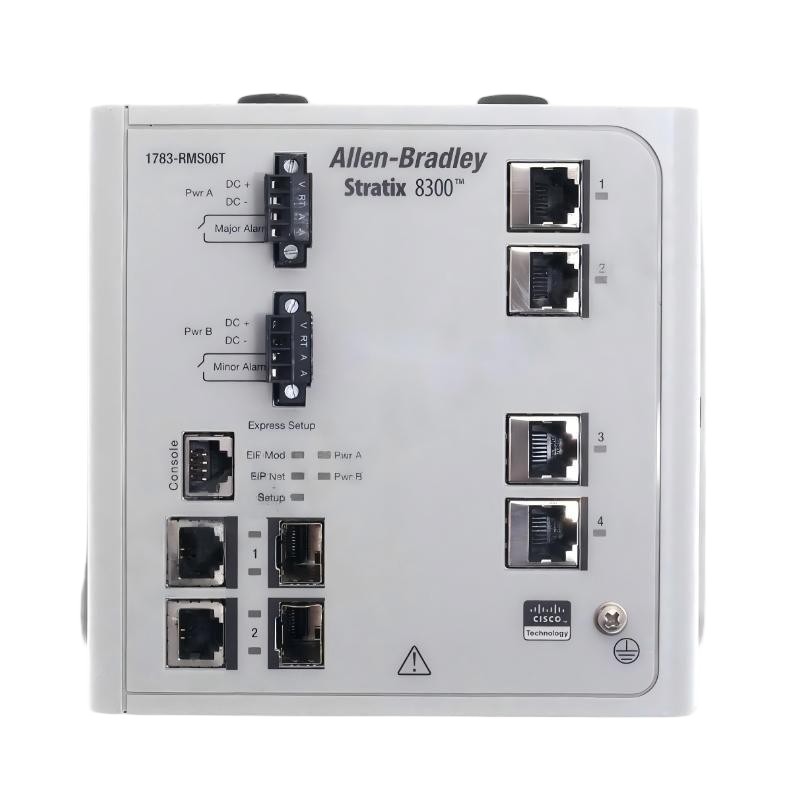
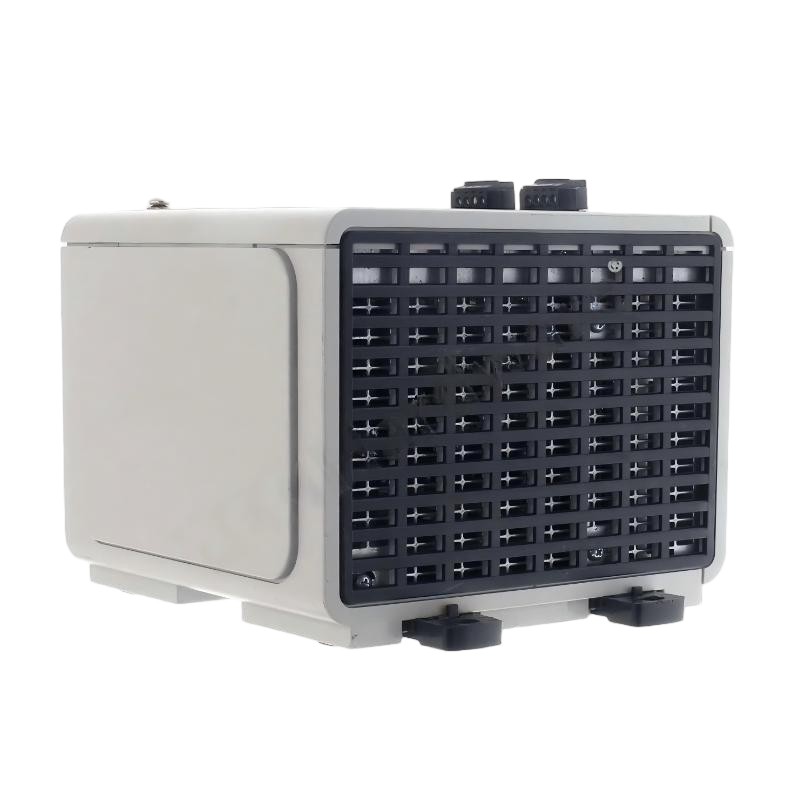
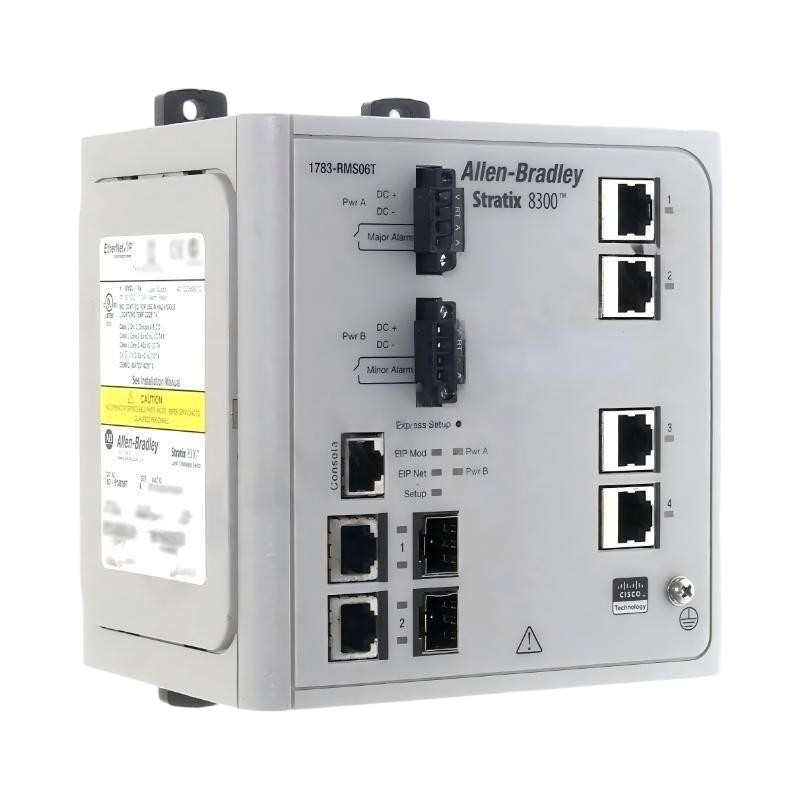
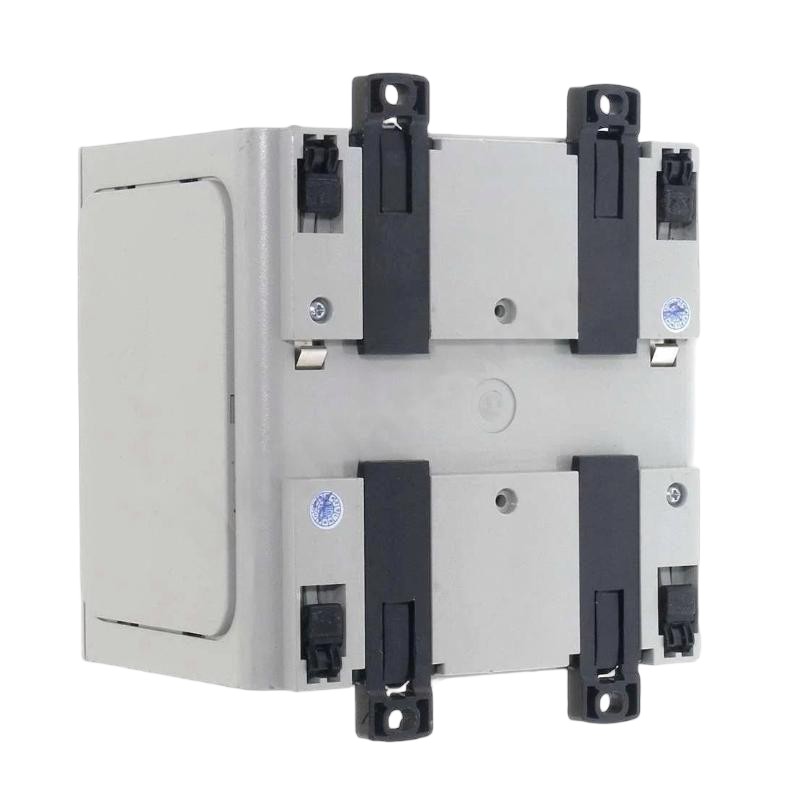
- Allen Bradley
- 1783-RMS06T
- Ethernet Switch
- USA
- 153 × 117.5 × 148 mm
- 1.91 kg
- Xiamen, China
- New & In Stock
- T/T, PayPal, Western Union
- 1 Year
- 1-3 Working Days
- DHL, UPS, TNT, FedEx and EMS.
- 24-Hour Service
- COO
- 23
Our advantage

Global Logistics
We have a 10-year logistics and express cooperation agreement, so our products can be shipped to any place in the world.

Brand new and original
Our products are imported in bulk from the place of origin. Because of the cooperative relationship, our products are all original and 100% new.

24-hour service
We provide 7*24 hours service to our customers. We will be there whenever you need us.

Price advantage
All our products are priced very favorably because we have our own warehouse and supply.
| Company Information | |||
| [email protected] | |||
| Mobile | +8615980777398 | ||
| +8615980777398 | |||
| 15980777398 |
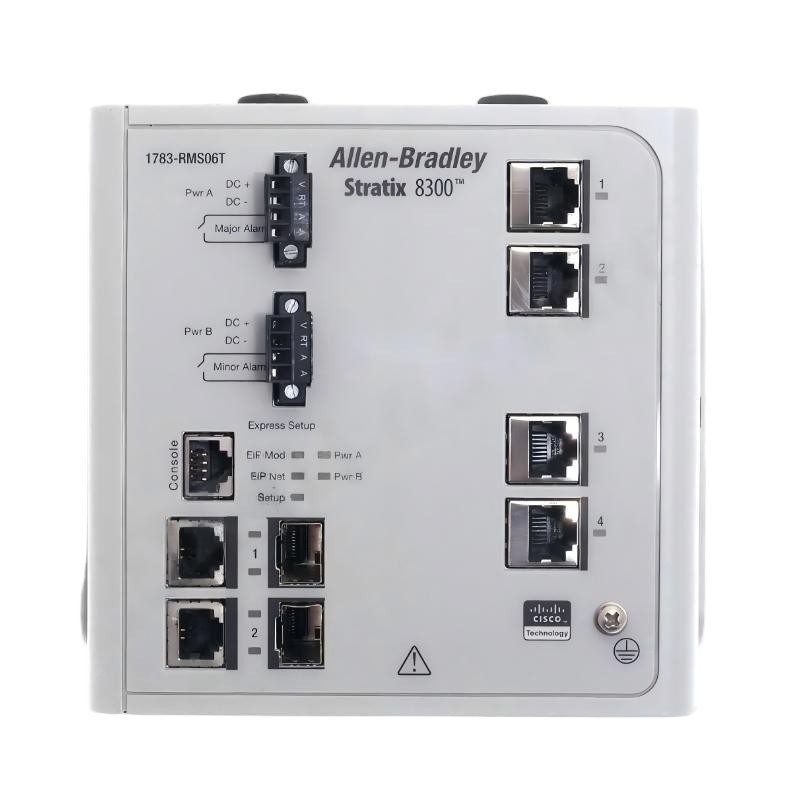
Product Overview
The Allen Bradley 1783-RMS06T Stratix 8300 6-Port Ethernet Switch is an industrial networking device used to connect Ethernet-enabled equipment within a control system. In a production line, for example, a switch can link PLCs, operator interfaces, engineering workstations, and other network devices so they can exchange control data, diagnostic information, and operating status.
The Stratix 8300 family is intended for industrial Ethernet applications where network communication needs to support machine operation and coordination across multiple devices. A switch in this environment forms part of the infrastructure connecting the control layer with the equipment it supervises. Network layout and configuration influence how traffic moves between connected devices and how the system responds to communication faults.
The 1783-RMS06T is identified as a six-port Ethernet switch. Its port count can suit installations that need to connect a limited group of industrial devices within a machine cell, control cabinet, or local automation network. When integrating it into an existing system, engineers need to consider the required port connections, network topology, traffic requirements, and compatibility with the surrounding industrial Ethernet infrastructure.
Technical Specifications
| Parameter | Specification |
|---|---|
| Manufacturer | Allen-Bradley |
| Model | 1783-RMS06T |
| Product Family | Stratix 8300 |
| Product Type | Ethernet Switch |
| Device Category | Industrial Networking Equipment |
| Number of Ports | 6 |
| Primary Function | Ethernet network connectivity |
| Network Application | Industrial Ethernet |
| Typical Connected Equipment | PLCs, HMIs, engineering workstations, and network devices |
| System Role | Local industrial network connectivity |
| Installation Context | Industrial control cabinet or suitable equipment enclosure |
| Network Integration | Machine-level or industrial control network |
| Dimensions | 153 × 117.5 × 148 mm |
| Weight | 1.91 kg |
Product Features
- Six-port connectivity: Provides Ethernet connection points for a group of industrial network devices.
- Stratix 8300 platform: Belongs to Allen-Bradley’s Stratix industrial networking product family.
- Industrial automation integration: Can connect compatible controllers, operator interfaces, and other Ethernet-enabled equipment.
- Local network organization: Helps establish communication between devices within a machine cell or control system.
- Cabinet-level deployment: Can be incorporated into an industrial network installation with appropriate mounting and wiring arrangements.
- Network topology support: Can form part of a network layout selected to meet the system’s connectivity and communication requirements.
- Maintenance access: A clearly documented port and cable layout helps technicians trace connections during troubleshooting.
- System expansion planning: Port allocation can be planned around the devices currently installed and the anticipated needs of the automation network.
Working Principle
The 1783-RMS06T connects Ethernet devices through its available network ports. When a PLC exchanges information with an HMI or another networked device, the switch forwards Ethernet traffic according to its supported switching behavior and configuration.
Consider a machine cell containing a controller, an operator panel, and an engineering workstation. The switch provides the physical network connections that allow these devices to communicate. The controller continues to execute the machine logic, while the HMI exchanges operating information and the workstation performs permitted engineering or diagnostic tasks.
A typical connection arrangement is:
PLC → 1783-RMS06T Ethernet Switch → HMI / Engineering Workstation / Other Network Devices
In a larger installation, the switch may also connect to an upstream industrial network. The complete network design determines which devices can communicate, how traffic is organized, and whether additional network controls are required. Correct port assignment and cable labeling are particularly useful when technicians need to identify a communication fault without disturbing unrelated equipment.
Role in an Industrial Ethernet Control Architecture
The 1783-RMS06T serves as a network connectivity point between Ethernet-enabled devices. It supports communication within the local automation network, while the PLC and other connected equipment perform their respective control, visualization, and engineering functions.
PLC / HMI / Engineering Workstation → 1783-RMS06T → Local Industrial Ethernet Network
| System Element | Function |
|---|---|
| 1783-RMS06T Stratix 8300 | Connects industrial Ethernet devices through its available ports |
| Allen-Bradley PLC | Executes machine or process control logic |
| HMI | Displays machine status, alarms, and operating information |
| Engineering Workstation | Runs programming, configuration, and diagnostic software |
| Upstream Network Connection | Links the local network to other network segments where required |
| Industrial Ethernet Cabling | Carries Ethernet communication between connected devices |
| Additional Industrial Switch | Extends network connectivity when more connection points are required |
| Network Monitoring Tools | Assist with communication diagnostics and network troubleshooting |
The actual architecture depends on the required network topology, supported switch capabilities, connected equipment, and the communication requirements of the application.
Industrial Applications
| Application | Typical Use | Role in the Network |
|---|---|---|
| Machine Control Cabinets | Connecting a PLC, HMI, and engineering interface | Establishes local device communication |
| Packaging Equipment | Linking controllers and operator interfaces | Supports data exchange during production sequences |
| Conveyor Systems | Connecting control devices and monitoring equipment | Supports communication across material-handling equipment |
| Assembly Lines | Networking controllers within a production cell | Connects automation devices involved in coordinated operations |
| Industrial Test Stations | Linking test controllers and engineering workstations | Supports configuration and diagnostic communication |
| Manufacturing Cells | Connecting multiple Ethernet-enabled devices | Organizes local network connections |
| Process Equipment | Providing network connections for control and monitoring devices | Supports communication within the equipment network |
| System Integration Projects | Connecting devices during commissioning and testing | Simplifies the organization of local Ethernet connections |
Installation and Maintenance
- Confirm the model number, 1783-RMS06T, and verify that the switch is suitable for the intended industrial network application.
- Review the network topology and identify the devices that will connect to each available port.
- Isolate the relevant power supply before installation or wiring, following the site’s electrical safety procedures.
- Check the mounting location and confirm that the installation environment meets the applicable product requirements.
- Mount the switch securely and ensure that its installation does not obstruct access to connections or indicators.
- Connect the power supply according to the required electrical arrangement and the applicable wiring instructions.
- Connect Ethernet cables to the planned ports and label both ends of each cable.
- Verify that the connected devices use compatible network settings and communication configurations.
- Energize the equipment and check the available status indicators for expected power and link conditions.
- Test communication between the connected devices and confirm that the intended network paths are functioning.
- If communication fails, inspect cable seating, link indicators, device addressing, port assignments, and any applicable switch configuration.
- Record the port map, connected devices, network settings, and maintenance findings for future troubleshooting.
When diagnosing an intermittent connection, check the affected port and cable first, then compare the connection status with the behavior of the connected device. If multiple devices lose communication simultaneously, investigate the shared network path and power supply before changing individual PLC or HMI settings.
Related Components
| Component | Function |
|---|---|
| Allen-Bradley CompactLogix PLC | Executes machine-level control logic |
| Allen-Bradley ControlLogix PLC | Provides control for larger automation systems |
| Allen-Bradley PanelView HMI | Displays operating information and provides an operator interface |
| Industrial Ethernet Cables | Connect controllers, HMIs, and network equipment |
| Additional Stratix Ethernet Switch | Provides additional network connection points where required |
| Engineering Workstation | Runs programming and diagnostic applications |
| Industrial Network Monitoring Tools | Assist with connection and communication troubleshooting |
| Industrial Power Supply | Supplies electrical power to compatible network equipment |
Recommended Related Models
| Model / Product Family | Product Type | Application Context |
|---|---|---|
| Allen-Bradley 1783-RMS06T | Stratix 8300 6-Port Ethernet Switch | Local industrial Ethernet connectivity |
| Allen-Bradley Stratix 5700 | Managed Industrial Ethernet Switch | Machine-level network connectivity and management |
| Allen-Bradley Stratix 5400 | Managed Industrial Ethernet Switch | Industrial network aggregation and distribution |
| Allen-Bradley Stratix 5200 | Managed Industrial Ethernet Switch | Industrial Ethernet connectivity for automation equipment |
| Allen-Bradley Stratix 5800 | Managed Industrial Ethernet Switch | Industrial network applications requiring broader switching capabilities |
| Allen-Bradley CompactLogix 5380 | Programmable Automation Controller | Machine control and automation |
| Allen-Bradley ControlLogix 5580 | Programmable Automation Controller | Larger machine and process control systems |
Key Advantages
- Connects multiple Ethernet-enabled devices within a local industrial network.
- Provides six ports for planned device connections.
- Supports communication between controllers, HMIs, and engineering equipment.
- Helps organize machine-level Ethernet wiring.
- Simplifies connection tracing when port assignments and cables are documented.
Technical FAQs
1. What is the main function of the Allen-Bradley 1783-RMS06T?
The 1783-RMS06T is identified as a Stratix 8300 six-port Ethernet switch. It connects compatible Ethernet devices within an industrial automation network so they can exchange data and communicate with other network resources.
2. How many devices can connect directly to the 1783-RMS06T?
The model designation identifies it as a six-port switch, giving it six Ethernet connection points. The number of devices that can communicate across the wider network may be greater if the installation includes additional switches or other network infrastructure.
3. Can the switch connect a PLC and an HMI on the same network?
Yes, a compatible PLC and HMI can be connected through an Ethernet switch when their network settings and communication configurations are appropriate. The PLC program, HMI configuration, and network addressing must also support the intended communication.
4. What should be checked if a connected device loses Ethernet communication?
Start by checking the Ethernet cable, port connection, link indicators, and device network settings. If several devices are affected, inspect the shared network path and switch power supply. A documented port map helps identify which connections may be involved.