

ProductPRODUCT
Featured products
Contact Us
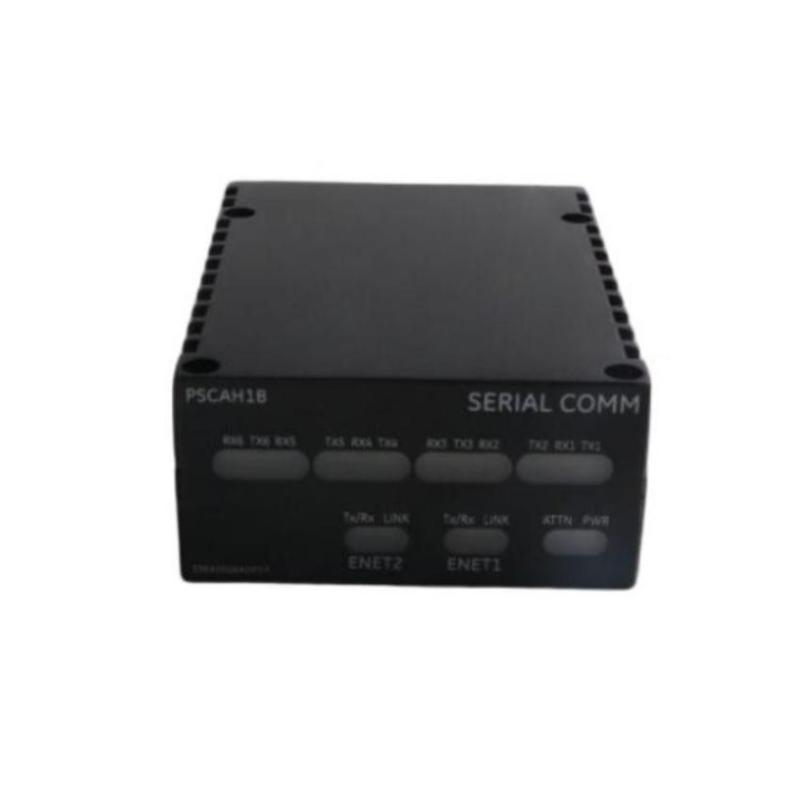
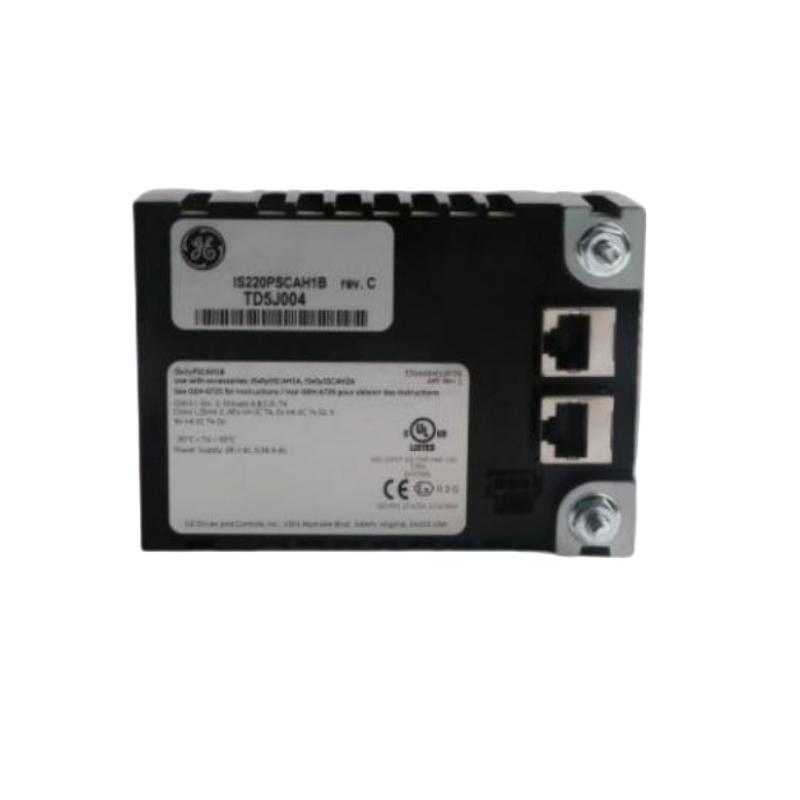
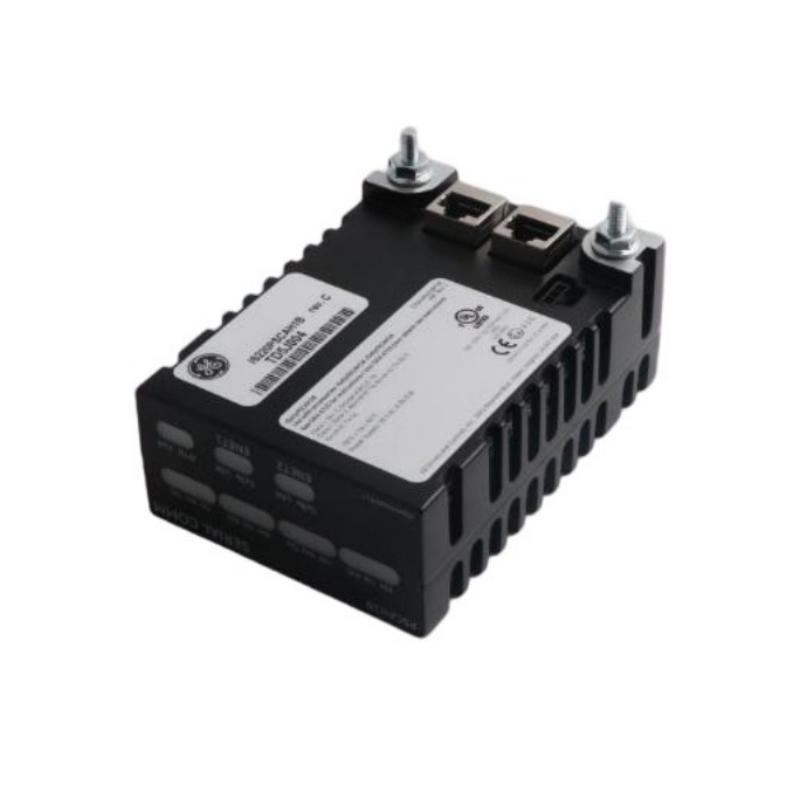
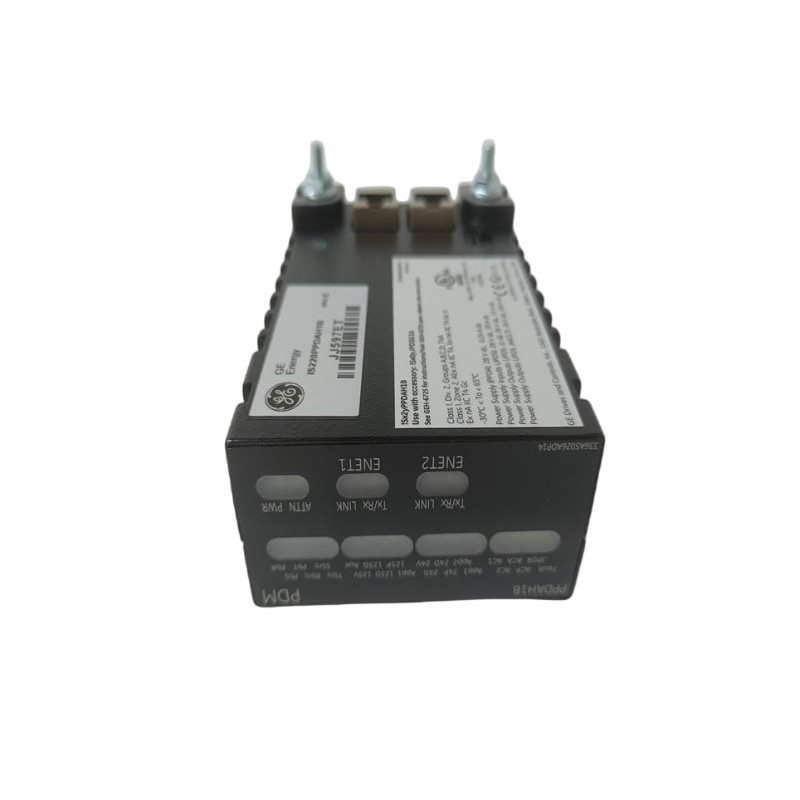
- GE
- IS220PSCAH1B
- Serial Communication I/O Package
- USA
- 82.6 × 41.9 mm
- 0.8 kg
- Xiamen, China
- New & In Stock
- T/T, PayPal, Western Union
- 1 Year
- 1-3 Working Days
- DHL, UPS, TNT, FedEx and EMS.
- 24-Hour Service
- COO
- 36
Our advantage

Global Logistics
We have a 10-year logistics and express cooperation agreement, so our products can be shipped to any place in the world.

Brand new and original
Our products are imported in bulk from the place of origin. Because of the cooperative relationship, our products are all original and 100% new.

24-hour service
We provide 7*24 hours service to our customers. We will be there whenever you need us.

Price advantage
All our products are priced very favorably because we have our own warehouse and supply.
| Company Information | |||
| [email protected] | |||
| Mobile | +8615980777398 | ||
| +8615980777398 | |||
| 15980777398 |
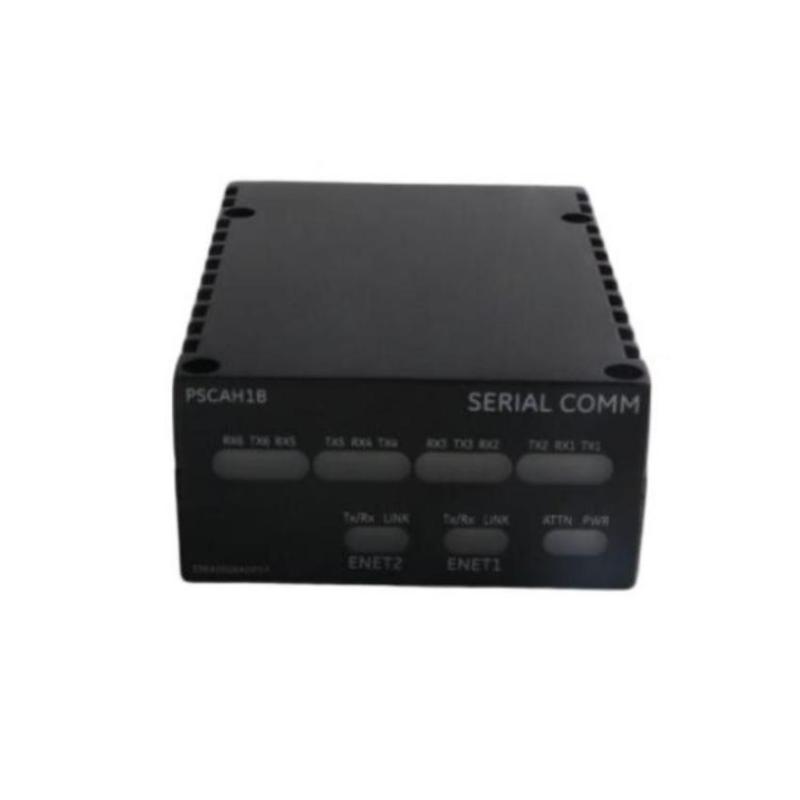
Product Overview
The GE IS220PSCAH1B Serial Communication I/O Package is a specialized industrial automation component designed to provide serial communication and I/O interface functionality within compatible GE control system architectures. Communication between field devices, controllers, intelligent instruments, and supervisory systems is an essential part of modern industrial automation, and reliable communication hardware helps ensure that operational data can move between different layers of the control system.
The IS220PSCAH1B is intended for applications where serial communication is incorporated into an industrial control architecture. It can serve as an interface between compatible serial devices and the associated control system, allowing information from external equipment to become part of a broader monitoring, control, and diagnostic environment.
The listed physical dimensions of the GE IS220PSCAH1B are 82.6 × 41.9 mm, with a listed weight of 0.8 kg. Its compact form factor makes it suitable for integration into industrial control equipment where communication interfaces must coexist with controllers, I/O packages, terminal assemblies, power components, and other automation hardware.
The exact serial communication protocol, port configuration, electrical interface characteristics, supported device types, communication parameters, connector arrangement, and system-specific functions should be verified against the applicable hardware revision and host-system documentation before installation or replacement.
Technical Specifications
| Parameter | Specification |
|---|---|
| Manufacturer | General Electric (GE) |
| Model | IS220PSCAH1B |
| Product Type | Serial Communication I/O Package |
| Product Family | GE IS220 Series |
| Primary Function | Serial communication and I/O interface |
| Communication Type | Serial communication |
| Application | Industrial control and automation |
| Dimensions | 82.6 × 41.9 mm |
| Weight | 0.8 kg |
| Installation | Compatible GE industrial control equipment |
| System Role | Communication and I/O interface |
| Typical Application | Industrial automation, control, monitoring, and data communication |
The exact supported serial standards, protocols, baud rates, channel configuration, electrical signal levels, isolation characteristics, terminal assignments, and diagnostic functions should be confirmed for the specific IS220PSCAH1B installation.
What Is the GE IS220PSCAH1B?
The GE IS220PSCAH1B is a Serial Communication I/O Package designed to support communication between compatible industrial equipment and a GE control architecture.
Industrial automation systems frequently combine multiple types of equipment. A turbine controller, PLC, intelligent sensor, protection device, meter, drive, or other electronic system may need to exchange information with another controller or supervisory platform.
Serial communication provides one method for transferring this information.
The general architecture can be represented as:
Intelligent Field Device → Serial Communication Interface → Control System → HMI / SCADA
The IS220PSCAH1B can form part of the communication interface layer within this architecture.
Rather than operating as a standalone control system, the package should be considered a component of a larger industrial automation network whose exact functionality depends on the associated equipment and configuration.
Serial Communication in Industrial Automation
Serial communication is widely used in industrial control systems because it provides a practical method for transferring digital information between electronic devices.
Depending on the system architecture, serial communication can be used for:
- Device status information
- Process measurements
- Diagnostic information
- Equipment commands
- Configuration data
- Alarm information
- Operational parameters
- Maintenance information
- Controller-to-device communication
A communication interface converts the requirements of the connected devices into a form that can be processed by the associated control system.
The exact protocol and physical interface supported by a particular installation should always be verified before connecting external equipment.
Function of a Serial Communication I/O Package
The primary role of a serial communication I/O package is to provide an interface between serial devices and the control architecture.
A simplified communication sequence is:
- An external device generates operational data.
- The data is transmitted through the serial interface.
- The communication I/O package receives the information.
- The data is transferred into the associated control architecture.
- The controller interprets the received information.
- The information can be displayed, recorded, or used by control logic.
- Commands or data may be transmitted back to the external device where supported.
This bidirectional information flow allows industrial devices to participate in a coordinated automation system.
Role in Industrial Control Systems
Modern industrial control systems often consist of multiple interconnected layers.
A typical architecture may include:
Field Equipment → I/O Interface → Controller → Communication Network → HMI / SCADA
The IS220PSCAH1B can occupy an interface position within this structure.
Its communication role may allow the control system to exchange information with external serial devices, depending on the application.
Communication data can potentially support:
- Equipment monitoring
- Process supervision
- Alarm management
- Device diagnostics
- Status reporting
- Configuration management
- Maintenance analysis
- Automated control sequences
The exact functions depend on the connected devices and control-system software.
Communication Data Flow
Reliable communication depends on the complete data path rather than the interface module alone.
A typical path can be represented as:
External Device → Cable → Serial Interface → Control System → Application Software
Each part of the path can influence communication reliability.
Potential causes of communication problems include:
- Incorrect wiring
- Incorrect communication parameters
- Damaged cables
- Poor grounding
- Electrical interference
- Incorrect device configuration
- Connector problems
- Address conflicts
- Protocol mismatch
- Hardware failure
For this reason, communication troubleshooting should be performed systematically.
Industrial Applications
Turbine Control Systems
Industrial turbines often contain numerous electronic devices that must exchange information with control and monitoring systems.
Serial communication interfaces can support communication with compatible auxiliary equipment and intelligent devices.
Power Generation
Power-generation facilities contain controllers, monitoring equipment, meters, protection systems, and auxiliary devices.
A communication I/O package can form part of the data-exchange architecture connecting these systems.
Industrial Process Automation
Manufacturing and process plants commonly use intelligent instruments and controllers that communicate digitally.
The IS220PSCAH1B can be incorporated into a compatible architecture where serial communication is required.
Equipment Monitoring
Serial communication allows equipment status and diagnostic information to be transferred to higher-level monitoring systems.
This can improve visibility into the operating condition of connected equipment.
Supervisory Control
When integrated with appropriate control software, communication data can be displayed through operator interfaces or supervisory systems.
Installation Guidelines
Correct installation is important for maintaining reliable serial communication.
Verify the Hardware
Before installation, confirm the complete identification:
GE IS220PSCAH1B
The model number should be compared with the system documentation and existing hardware.
Inspect the Package
Before installation, inspect the component for:
- Physical damage
- Connector damage
- Contamination
- Signs of overheating
- Mechanical deformation
- Loose components
Verify the Communication Architecture
Before connecting an external device, confirm:
- Required communication interface
- Device compatibility
- Wiring arrangement
- Communication parameters
- Addressing requirements
- Control-system configuration
The exact values should come from the applicable system documentation.
Check Cable Routing
Communication cables should be routed appropriately to minimize exposure to electrical interference.
Where necessary, communication wiring should be separated from high-power motor and switching circuits.
Serial Communication Wiring
Communication reliability depends heavily on correct wiring.
Before commissioning, verify the complete communication path.
Important considerations include:
Correct Termination
The cable should be connected according to the approved wiring diagram.
Cable Condition
Inspect the cable for:
- Broken conductors
- Damaged insulation
- Loose terminals
- Excessive bending
- Connector damage
- Moisture ingress
Shielding and Grounding
Appropriate shielding and grounding practices can help reduce electrical interference.
Cable Separation
Communication cables should be routed appropriately relative to high-voltage and high-current conductors.
Connector Security
Loose connectors can cause intermittent communication failures and should be inspected during troubleshooting.
Communication Configuration
Successful serial communication requires compatible settings on the connected devices.
Depending on the specific architecture, parameters may include:
- Communication protocol
- Device address
- Transmission speed
- Data format
- Parity
- Stop-bit configuration
- Communication timeout
- Message structure
The exact settings are application-specific and should not be assumed solely from the IS220PSCAH1B model number.
Both ends of a communication link must use compatible configuration parameters.
Commissioning Procedure
After installation, the communication interface should be commissioned systematically.
Step 1: Verify Hardware
Confirm that the IS220PSCAH1B is installed correctly and that all connectors are secure.
Step 2: Check Wiring
Compare the installed communication wiring with the approved system documentation.
Step 3: Verify Device Configuration
Confirm that the connected serial device is configured according to the system requirements.
Step 4: Check Communication Status
Review available system diagnostics for communication errors, device status, or interface faults.
Step 5: Test Data Exchange
Verify that valid information can be transferred between the external device and the control system.
Step 6: Monitor Operation
Observe communication stability during normal operation and verify that no recurring errors appear.
Troubleshooting the GE IS220PSCAH1B
Communication faults should be diagnosed systematically.
No Communication
If the control system cannot communicate with an external serial device, inspect:
- Power supply
- Communication cable
- Connector condition
- Wiring
- Device address
- Communication parameters
- Protocol compatibility
- System configuration
- Interface diagnostics
A communication failure does not automatically indicate a defective I/O package.
Intermittent Communication
Intermittent communication may be caused by:
- Loose connectors
- Damaged cables
- Electrical interference
- Grounding problems
- Incorrect communication settings
- Device instability
- Temperature-related issues
- Hardware degradation
If communication becomes unstable only when nearby equipment operates, electrical interference should be investigated.
Communication Timeout
Timeout conditions may result from:
- Incorrect communication speed
- Incorrect addressing
- Protocol mismatch
- Excessive communication delay
- Cable problems
- External device failure
- Configuration errors
The communication path should be checked from the external device to the control application.
Corrupted Data
Unexpected or invalid data may indicate:
- Incorrect data format
- Communication parameter mismatch
- Electrical interference
- Cable problems
- Protocol configuration problems
- Device-side configuration errors
The sending and receiving devices should be checked together.
Diagnostic Strategy
A practical troubleshooting sequence is:
External Device → Communication Cable → Connector → IS220PSCAH1B → Control Network → Controller → Application Software
This method helps isolate the location of the problem.
If only one connected device is affected, the device or its individual communication path should be investigated first.
If several devices lose communication at the same time, common power, network, controller, or configuration problems should be considered.
This distinction can prevent unnecessary replacement of functioning hardware.
Preventive Maintenance
Regular inspection can improve long-term communication reliability.
Inspect Communication Cables
Check for:
- Mechanical damage
- Insulation deterioration
- Loose connections
- Excessive bending
- Moisture
- Connector wear
Check Connectors
Connectors should remain clean, secure, and properly engaged.
Monitor Diagnostic Information
Communication error counters, alarms, and system diagnostics can provide useful information about developing problems.
Maintain Cabinet Conditions
The control cabinet should be protected from excessive dust, moisture, vibration, and heat.
Document Configuration
Communication parameters and connected-device information should be documented so that maintenance personnel can restore the system efficiently after service work.
Physical Dimensions and Mechanical Planning
The GE IS220PSCAH1B has listed dimensions of:
82.6 × 41.9 mm
The listed weight is:
0.8 kg
These values should be considered during cabinet layout, equipment replacement, inventory management, and maintenance planning.
Additional space may be required for connectors, communication cables, cable bends, service access, and adjacent equipment.
The physical dimensions alone should not be used to determine installation compatibility.
Integration with HMI and SCADA Systems
Communication data acquired through the IS220PSCAH1B can become part of a larger supervisory architecture.
A simplified arrangement is:
Serial Device → IS220PSCAH1B → Control System → HMI / SCADA
Depending on the application, information received from external equipment may be used to display:
- Device status
- Process values
- Alarm information
- Diagnostic conditions
- Equipment operating states
- Maintenance information
The HMI or SCADA system can then provide operators with a centralized view of connected equipment.
The exact data available depends on the connected device and application software.
System Integration Considerations
When integrating the IS220PSCAH1B into an existing automation system, engineers should consider:
- Connected-device compatibility
- Communication architecture
- Protocol requirements
- Cable length and routing
- Electrical noise
- Grounding
- Addressing
- Data configuration
- Controller software
- Diagnostic requirements
- Maintenance access
A complete system review is recommended before changing communication hardware or adding new serial devices.
Replacement Considerations
When replacing the GE IS220PSCAH1B, verify the complete model designation and system configuration.
Important identification information includes:
- Full model number
- Revision designation
- Existing installation position
- Connector arrangement
- Communication wiring
- Connected equipment
- Control-system configuration
- Software settings
A different GE communication module should not automatically be considered a direct replacement.
Similar-looking components can have different communication functions, electrical interfaces, and system compatibility requirements.
Engineering Best Practices
Reliable serial communication depends on good system engineering as well as hardware quality.
Recommended practices include:
Maintain Accurate Wiring Documentation
Communication wiring diagrams should be updated whenever field modifications are performed.
Record Communication Parameters
Device addresses and communication settings should be documented.
Separate Communication and Power Wiring
Where practical, communication cables should be routed away from high-power switching circuits.
Monitor Communication Trends
Repeated communication errors may indicate a developing cable, grounding, configuration, or hardware problem.
Keep Spare Hardware Properly Stored
Replacement modules should be stored in appropriate environmental conditions and protected against mechanical and electrostatic damage.
Key Advantages
Dedicated Serial Communication Interface
The IS220PSCAH1B provides a specialized interface for serial communication within compatible industrial control systems.
Compact Form Factor
With listed dimensions of 82.6 × 41.9 mm, the package can be incorporated into appropriately designed control equipment.
Industrial Automation Integration
The module can connect compatible serial devices with the broader automation architecture.
Supports Digital Data Exchange
Serial communication allows equipment status, process information, diagnostics, and commands to be exchanged where supported by the system.
Suitable for Monitoring and Control Architectures
Communication data can be integrated into controller, HMI, SCADA, and diagnostic applications.
Lightweight Construction
The listed weight of 0.8 kg facilitates handling during installation and maintenance.
Technical FAQs
What is the GE IS220PSCAH1B?
The GE IS220PSCAH1B is a Serial Communication I/O Package designed to provide serial communication and I/O interface functionality within compatible GE industrial control systems.
What is the main function of the IS220PSCAH1B?
Its primary function is to provide an interface for serial communication between compatible external equipment and the associated control architecture.
What are the dimensions of the IS220PSCAH1B?
The listed dimensions are 82.6 × 41.9 mm.
How much does the IS220PSCAH1B weigh?
The listed weight is approximately 0.8 kg.
What types of information can serial communication transfer?
Depending on the connected equipment and protocol, serial communication can transfer process data, equipment status, diagnostics, alarms, configuration information, and control commands.
What can cause communication failure?
Potential causes include incorrect wiring, damaged cables, loose connectors, incorrect communication parameters, protocol mismatch, electrical interference, device faults, configuration problems, or hardware failure.
Can another GE serial communication module replace the IS220PSCAH1B?
A different module should not be assumed to be interchangeable. The complete model number, revision, communication interface, connected equipment, and host-system requirements should be verified before replacement.
How can intermittent communication be diagnosed?
Check the external device, communication cable, connectors, grounding, electrical interference, communication settings, system diagnostics, and the I/O package in sequence.
Is the IS220PSCAH1B suitable for turbine automation?
It can form part of a compatible GE industrial control architecture used for turbine and other process automation applications where serial communication is required.
Conclusion
The GE IS220PSCAH1B Serial Communication I/O Package is a specialized industrial automation interface designed to support serial data communication within compatible GE control architectures. By connecting serial devices with the wider control system, it can contribute to equipment monitoring, data acquisition, diagnostics, supervisory control, and automated industrial operations.
The package has listed dimensions of 82.6 × 41.9 mm and a weight of 0.8 kg, providing a compact solution for industrial control installations where communication and I/O functions must be integrated into a larger automation system.
Reliable operation depends on the complete communication path, including external devices, cables, connectors, grounding, communication parameters, control-system configuration, and the interface hardware itself. When communication problems occur, technicians should therefore diagnose the complete signal path rather than assuming that the IS220PSCAH1B is the source of the fault.
For replacement and integration work, the complete GE IS220PSCAH1B model designation should be verified carefully. Exact communication protocols, electrical interface characteristics, port configuration, supported devices, and system-specific functions should be confirmed against the applicable hardware revision and control-system documentation before commissioning.