

ProductPRODUCT
Featured products
Contact Us
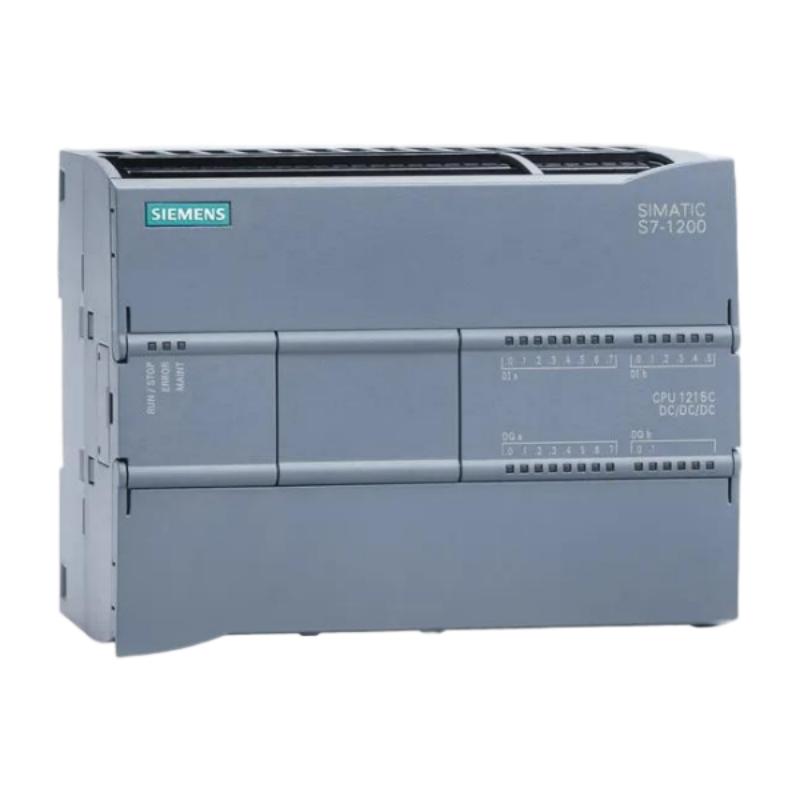
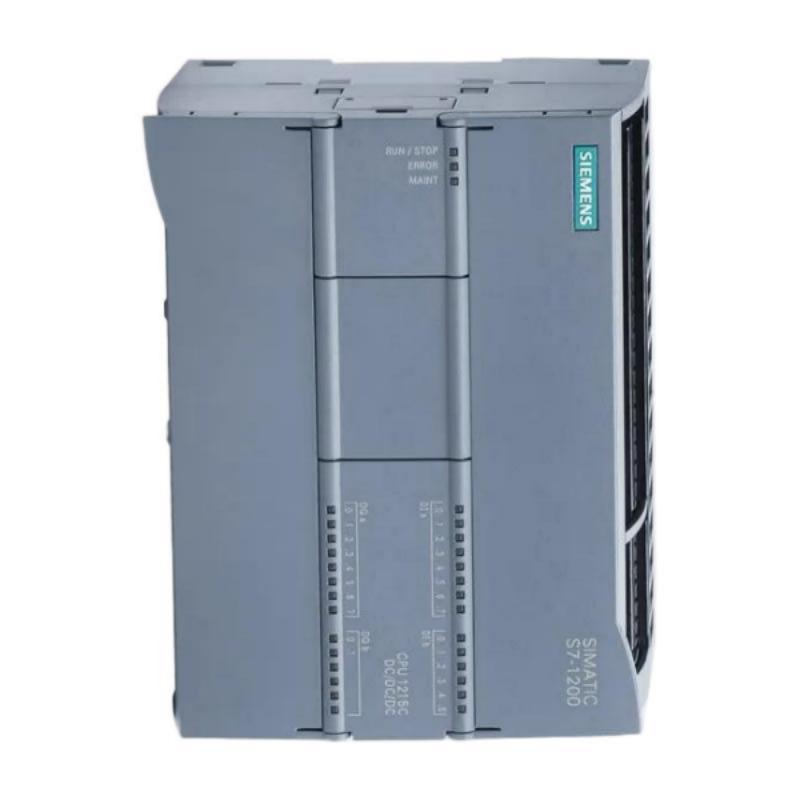
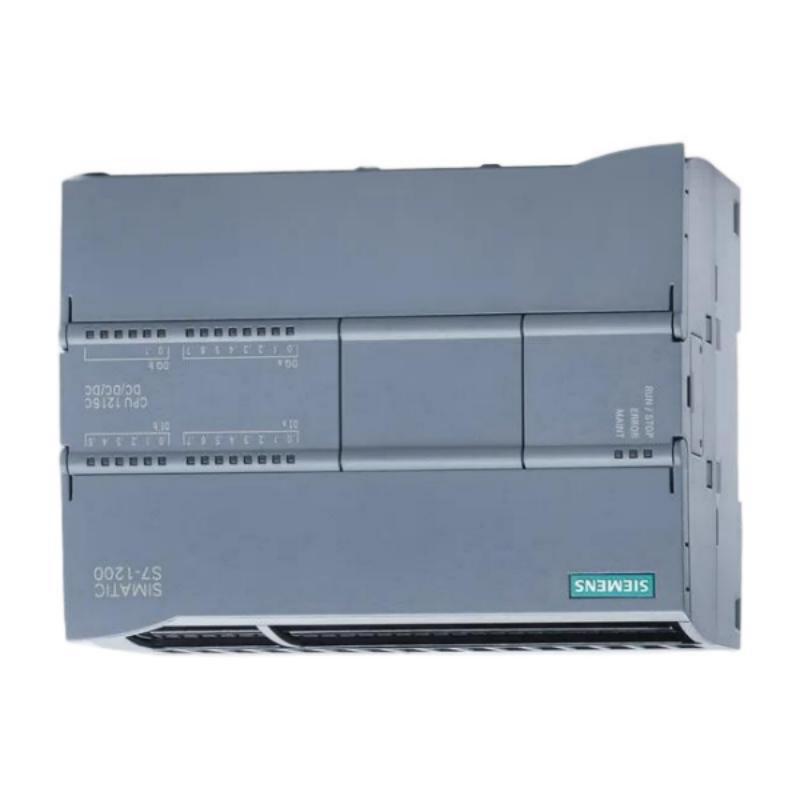
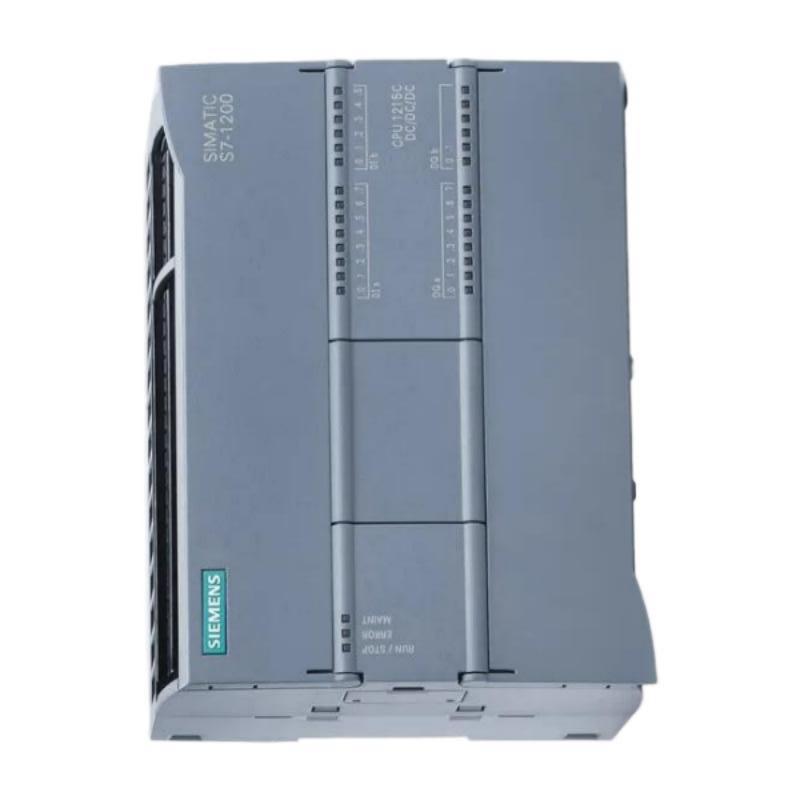
- Siemens
- 6AG1215-1AG40-5XB0
- Central Processing Unit
- Germany
- 130 × 100 × 75 mm
- 0.5 kg
- Xiamen, China
- New & In Stock
- T/T, PayPal, Western Union
- 1 Year
- 1-3 Working Days
- DHL, UPS, TNT, FedEx and EMS.
- 24-Hour Service
- COO
- 4
Our advantage

Global Logistics
We have a 10-year logistics and express cooperation agreement, so our products can be shipped to any place in the world.

Brand new and original
Our products are imported in bulk from the place of origin. Because of the cooperative relationship, our products are all original and 100% new.

24-hour service
We provide 7*24 hours service to our customers. We will be there whenever you need us.

Price advantage
All our products are priced very favorably because we have our own warehouse and supply.
| Company Information | |||
| [email protected] | |||
| Mobile | +8615980777398 | ||
| +8615980777398 | |||
| 15980777398 |
Product Overview
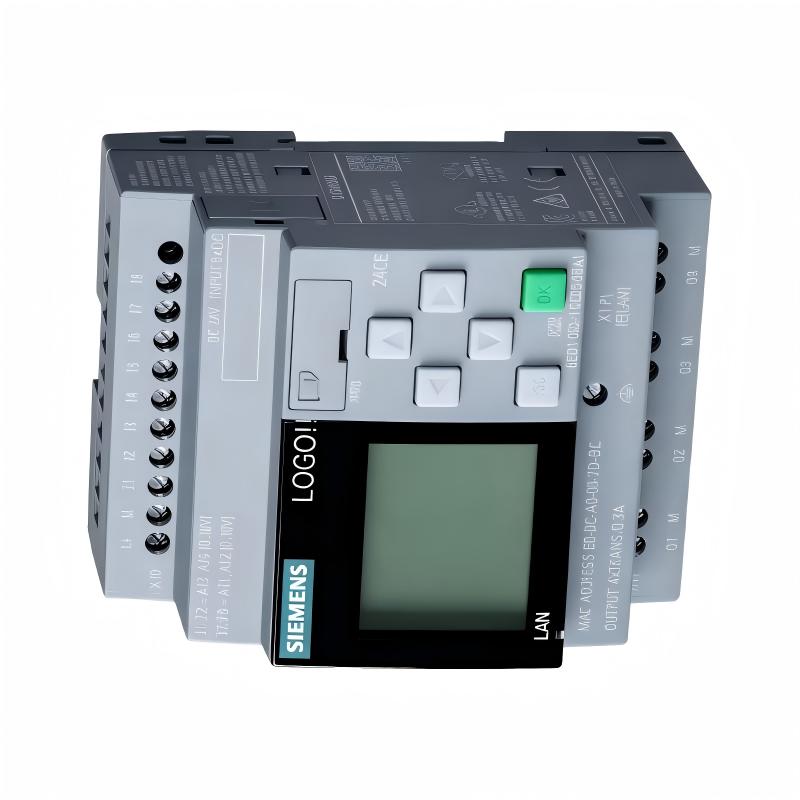
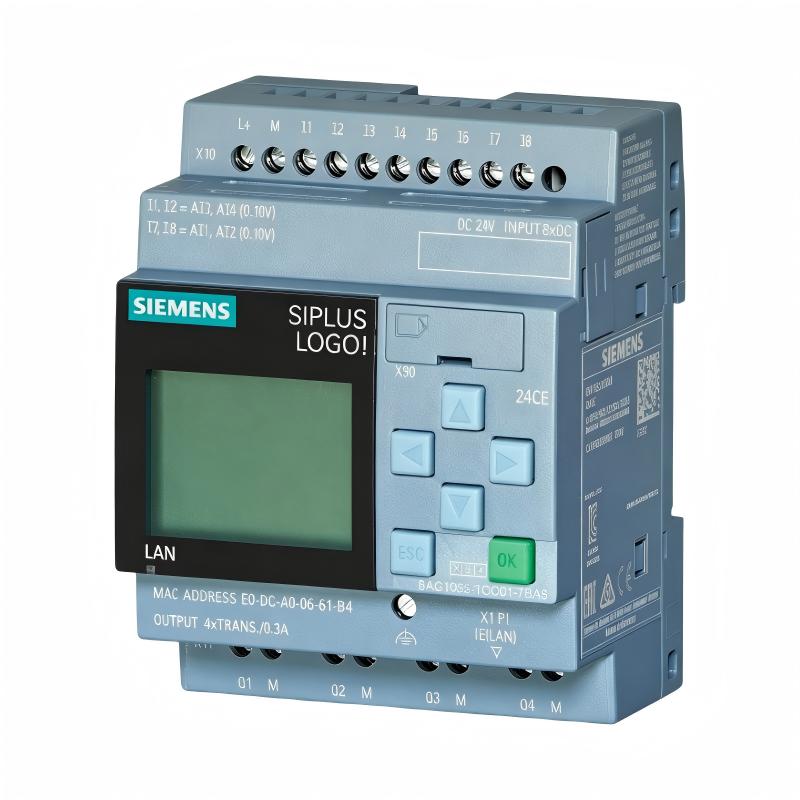
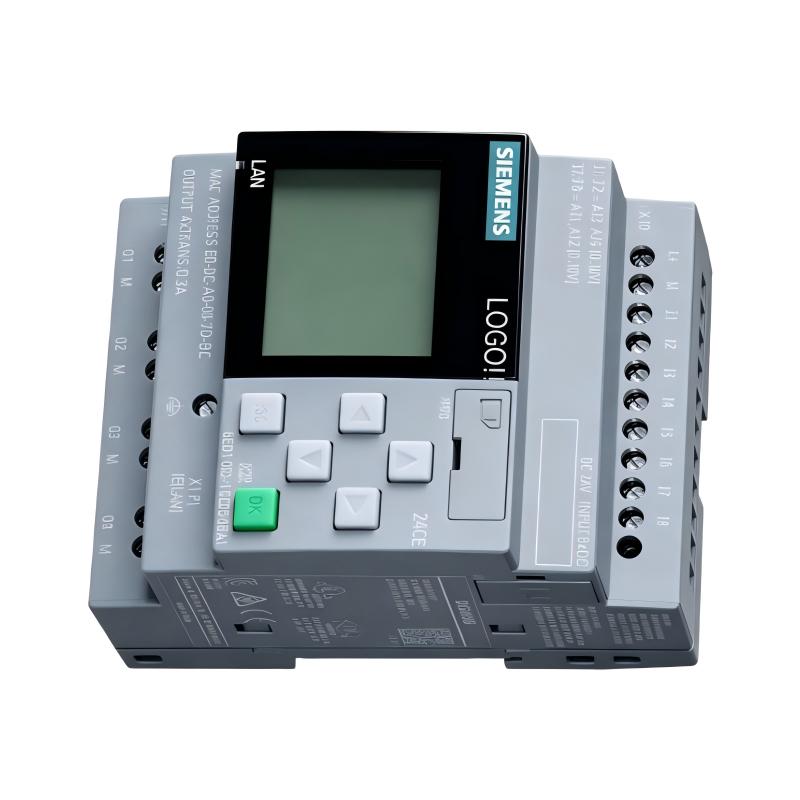
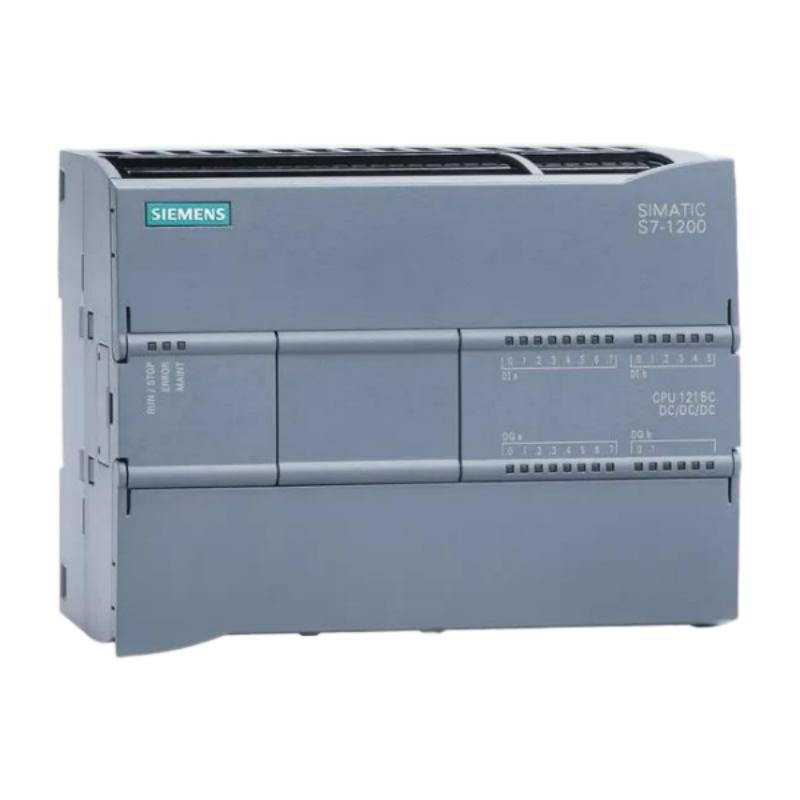
The Siemens 6AG1215-1AG40-5XB0 Central Processing Unit is an industrial automation controller designed to serve as the central processing element within a compatible Siemens control system. As a CPU, it is responsible for executing application logic, processing input information, managing output commands, and coordinating the operation of connected automation equipment.
Central processing units form the core of programmable automation systems. Field devices provide process information to the controller, the CPU evaluates this information according to the programmed control logic, and the resulting commands are transferred to output devices and other system components. This continuous processing cycle allows automated equipment to perform coordinated operations without requiring constant manual intervention.
The Siemens 6AG1215-1AG40-5XB0 has listed dimensions of 130 × 100 × 75 mm and a weight of approximately 0.5 kg. These physical characteristics are important when planning control cabinet layouts, mounting arrangements, wiring access, and maintenance clearance.
A typical automation structure can be represented as:
Field Devices → I/O System → CPU → Control Outputs → Machines and Processes
The exact communication interfaces, memory capacities, integrated I/O characteristics, supported protocols, performance specifications, and firmware capabilities should be verified against the specific product configuration and applicable Siemens system documentation.
Technical Specifications
| Parameter | Specification |
|---|---|
| Manufacturer | Siemens |
| Model | 6AG1215-1AG40-5XB0 |
| Product Type | Central Processing Unit |
| Product Family | Siemens Industrial Automation / SIMATIC Platform |
| Primary Function | Central processing and automation control |
| Application | Industrial PLC and machine/process automation |
| Controller Role | Executes user program and coordinates automation functions |
| Dimensions | 130 × 100 × 75 mm |
| Weight | 0.5 kg |
| Installation | Industrial control cabinet / compatible automation system |
| Typical Applications | Machine control, process automation, equipment coordination |
Exact CPU memory, communication ports, integrated I/O points, processing performance, firmware functions, and supported protocols should be confirmed for the exact 6AG1215-1AG40-5XB0 configuration.
What Is the Siemens 6AG1215-1AG40-5XB0?
The Siemens 6AG1215-1AG40-5XB0 is a central processing unit intended to execute automation programs and coordinate connected control-system components.
In a programmable logic controller architecture, the CPU is responsible for processing the information exchanged between the automation program and the physical process.
A simplified PLC operating cycle is:
Read Inputs → Execute Program → Update Outputs → Perform Diagnostics → Repeat
This cycle occurs continuously during normal operation.
The CPU can therefore be considered the decision-making center of the automation system. It receives process information, evaluates programmed instructions, performs logical operations, and determines the appropriate control response.
Depending on the overall system configuration, the CPU may operate together with:
- Digital input modules
- Digital output modules
- Analog input modules
- Analog output modules
- Communication modules
- HMI panels
- Industrial networks
- Remote I/O stations
- Engineering software
- Supervisory systems
The exact supported architecture should be verified for the specific hardware configuration.
Central Processing Function
Input Processing
The CPU receives information from connected input devices and I/O modules.
Input information can represent:
- Sensor states
- Equipment status
- Process measurements
- Switch positions
- Alarm conditions
- Operator commands
- Machine feedback
The controller processes this information according to the user program.
Program Execution
The CPU executes the programmed automation logic.
Depending on the application, this logic may include:
- Boolean operations
- Timers
- Counters
- Comparisons
- Mathematical calculations
- Sequencing
- Interlocking
- Equipment coordination
- Alarm handling
The program determines how the automation system responds to changing process conditions.
Output Control
After processing the input information and executing the program, the CPU determines the required output states.
These commands may control:
- Motors
- Valves
- Relays
- Contactors
- Solenoids
- Indicators
- Drives
- Other automation equipment
The actual output hardware is generally provided by the applicable I/O system.
PLC Control Cycle
The operating cycle of a PLC CPU is central to understanding its role in automation.
1. Input Acquisition
The CPU or associated I/O system obtains current field information.
2. Program Execution
The CPU executes the user application according to the programmed logic.
3. Output Update
The resulting output states are transferred to the associated output interfaces.
4. Diagnostic Processing
The control system can evaluate operating conditions and detect applicable system faults.
5. Cycle Repetition
The process repeats continuously during normal operation.
This repeated control cycle allows industrial equipment to respond to changing conditions in real time.
Role in Industrial Automation
The Siemens 6AG1215-1AG40-5XB0 can serve as the central control element of an automation system.
A typical architecture may contain:
Sensors → Input Modules → CPU → Output Modules → Actuators
Communication systems and operator interfaces can be connected around this central control structure.
The CPU can coordinate the operation of multiple devices according to programmed sequences.
For example, in an automated production process:
- A sensor detects the arrival of a workpiece.
- The input system transfers the status to the CPU.
- The CPU evaluates the programmed conditions.
- The CPU activates an output command.
- An actuator performs the required operation.
- A feedback signal confirms the result.
- The next sequence begins.
This type of closed-loop coordination is fundamental to PLC-based automation.
Industrial Applications
Machine Automation
The CPU can be used as the control center for automated machinery involving sensors, actuators, motors, drives, and operator interfaces.
Typical functions include:
- Machine sequencing
- Motion-related coordination
- Equipment interlocking
- Production-cycle control
- Alarm handling
Manufacturing Systems
Manufacturing lines often require coordinated operation of multiple machines and stations.
A central CPU can manage the logic required to synchronize these operations.
Material Handling
Conveyors, transfer systems, sorting equipment, and packaging machinery often depend on PLC control.
The CPU can process sensor signals and coordinate motor, actuator, and machine commands.
Process Automation
Industrial process systems use controllers to manage pumps, valves, heaters, motors, and other process equipment.
The CPU can execute control strategies based on process inputs and programmed operating conditions.
Building and Utility Automation
Automation systems for utilities and facility equipment may also use programmable controllers to coordinate pumps, fans, ventilation equipment, and other systems.
Communication and System Integration
A PLC CPU rarely operates as an isolated component.
Modern automation architectures can connect the CPU with:
- HMI systems
- Engineering workstations
- Remote I/O
- Industrial Ethernet
- Distributed controllers
- Drives
- Sensors
- SCADA platforms
- Other PLCs
Communication allows information to move between different parts of the automation system.
Typical information exchanged may include:
- Process values
- Equipment status
- Control commands
- Alarm information
- Diagnostic information
- Configuration data
The exact communication interfaces and protocols supported by the 6AG1215-1AG40-5XB0 should be verified for the applicable hardware and firmware configuration rather than assumed from the general CPU designation.
Program and Data Management
The CPU serves as the execution environment for the automation application.
A PLC project normally contains several categories of information:
- User program
- Hardware configuration
- Data structures
- Parameters
- Control logic
- Diagnostic settings
- Communication configuration
Proper management of these elements is important when commissioning or replacing a CPU.
Before modifying an operating control system, engineers should ensure that the current project configuration and backup information are available.
Installation Guidelines
Verify the CPU Identification
Before installation, confirm the complete part number:
Siemens 6AG1215-1AG40-5XB0
Also check:
- Hardware revision
- Firmware requirements
- Mounting arrangement
- Associated I/O modules
- Communication connections
- Existing control-system configuration
Cabinet Installation
The listed CPU dimensions are 130 × 100 × 75 mm.
The cabinet layout should provide sufficient space for:
- CPU body
- Wiring
- Connectors
- Adjacent modules
- Ventilation
- Maintenance
- Removal and replacement
The listed weight is 0.5 kg and should also be considered when evaluating mechanical support.
Electrical Connections
All connections should be made according to the applicable system documentation.
Before energizing the system, verify:
- Power connections
- Communication wiring
- I/O connections
- Grounding
- Network connections
Incorrect connections can result in startup faults or unexpected equipment behavior.
Commissioning Procedure
A structured commissioning process helps ensure that the CPU and connected automation system operate correctly.
Step 1: Inspect the Installation
Verify that the CPU is securely mounted and that there is sufficient clearance around the installation.
Step 2: Check Connections
Inspect power, communication, and I/O connections.
Step 3: Verify Hardware Configuration
Confirm that the configured hardware matches the installed automation system.
Step 4: Download or Verify the Application
Ensure that the appropriate control program and configuration are available for the intended application.
Step 5: Check Diagnostic Status
Review CPU and system diagnostic information before enabling automatic operation.
Step 6: Test Inputs
Verify that expected field signals are correctly detected.
Step 7: Test Outputs
Under controlled conditions, verify that the CPU generates the expected output commands.
Step 8: Test Automatic Sequences
Run the equipment through representative operating sequences.
Step 9: Record Baseline Conditions
Record normal CPU status, diagnostic information, and system operating conditions.
Troubleshooting the Siemens 6AG1215-1AG40-5XB0
When troubleshooting a PLC CPU, it is important to determine whether the problem originates from the CPU, the application program, the I/O system, communication network, or connected equipment.
CPU Does Not Start
Possible areas to inspect include:
- Power supply
- Wiring
- CPU installation
- Hardware configuration
- Firmware compatibility
- Diagnostic indicators
- Associated modules
The CPU should not be assumed to be defective until these areas have been checked.
Program Does Not Execute Correctly
If the CPU is operating but the machine does not behave as expected, inspect:
- Application logic
- Input conditions
- Output logic
- Timers and counters
- Interlocks
- Program parameters
- Hardware configuration
A programming or configuration problem can produce symptoms similar to a hardware fault.
Inputs Are Not Detected
If expected input information is missing, check the complete signal path:
Field Device → Input Module → I/O System → CPU
Possible causes include:
- Sensor problems
- Wiring faults
- Input-module problems
- Configuration errors
- Communication faults
Outputs Do Not Operate
If the control logic appears correct but an output does not respond, investigate:
- Program conditions
- Output configuration
- Output module
- Wiring
- Field device
- External power
Communication Problems
Communication faults may be associated with:
- Network wiring
- Configuration
- Addressing
- Communication hardware
- Firmware compatibility
- Connected devices
The CPU should only be replaced after the communication path has been checked.
Preventive Maintenance
Although PLC CPUs generally require limited physical maintenance, regular system-level inspection is valuable.
Inspect Connections
Check power and communication connections for looseness, contamination, and physical damage.
Monitor Diagnostic Information
Repeated diagnostic warnings may indicate developing problems.
Maintain Cabinet Conditions
The control cabinet should be kept clean and protected from excessive heat, moisture, dust, and vibration.
Back Up the Control Program
Maintain current backups of:
- User programs
- Hardware configurations
- Parameters
- Communication settings
- Relevant system documentation
A current backup can significantly reduce downtime during CPU replacement.
CPU Replacement Considerations
When replacing a Siemens 6AG1215-1AG40-5XB0, the complete identification should be verified.
Important information includes:
- Full order number
- Hardware revision
- Firmware compatibility
- Existing program
- Hardware configuration
- I/O modules
- Communication architecture
- Network settings
A CPU that has similar physical dimensions should not automatically be considered a compatible replacement.
The listed 130 × 100 × 75 mm dimensions are useful for cabinet planning, but functional compatibility must also be confirmed.
Program Backup and Recovery
Before replacing a PLC CPU, engineers should identify the current control-system backup.
A complete recovery package may include:
- PLC application
- Hardware configuration
- Communication settings
- Data configuration
- HMI project
- Network configuration
- Device parameters
After installation, the replacement CPU should be configured and tested before the system is returned to normal production.
System Diagnostics
A modern PLC control system provides multiple layers of diagnostic information.
A systematic diagnostic process can begin with:
CPU Status → Hardware Diagnostics → Communication Status → I/O Status → Field Equipment
This approach helps determine whether the fault is centralized in the CPU or located elsewhere.
For example, if the CPU is operating normally but one sensor value is missing, replacing the CPU may not resolve the problem. The input channel, wiring, sensor, or communication path may require investigation instead.
Cabinet Design and Mechanical Planning
The physical dimensions of the Siemens 6AG1215-1AG40-5XB0 are:
130 × 100 × 75 mm
The listed weight is:
0.5 kg
These values should be included when planning:
- DIN-rail or cabinet installation
- Adjacent module spacing
- Wiring routes
- Connector access
- Maintenance clearance
- Cooling and ventilation
- Module removal
Adequate space around the CPU makes future maintenance easier and reduces mechanical stress on connected wiring.
Engineering Best Practices
Maintain Current Documentation
Keep the PLC program, hardware configuration, network configuration, and electrical drawings synchronized with the actual installation.
Use Controlled Program Changes
Application modifications should be tested and documented before being introduced into a production system.
Monitor Diagnostics
Repeated CPU, communication, or I/O warnings should be investigated before they develop into larger operational problems.
Maintain Program Backups
A current backup is essential for efficient recovery after hardware replacement or unexpected system failure.
Document Firmware and Hardware Versions
Recording hardware and firmware information helps engineers evaluate compatibility when replacement components are required.
Key Advantages
The Siemens 6AG1215-1AG40-5XB0 provides several important functions within a compatible PLC-based automation architecture:
- Centralized automation processing
- Execution of programmable control logic
- Coordination of I/O operations
- Support for automated equipment sequences
- Integration with industrial control systems
- Suitable for machine and process automation
- Compact 130 × 100 × 75 mm physical dimensions
- Listed weight of 0.5 kg
- Supports structured system diagnostics
- Can coordinate field devices, I/O systems, and operator interfaces
Technical FAQs
What is the Siemens 6AG1215-1AG40-5XB0?
The Siemens 6AG1215-1AG40-5XB0 is a Central Processing Unit designed to perform control and processing functions within a compatible Siemens industrial automation system.
What is the role of a PLC CPU?
A PLC CPU executes the user program, processes input information, determines output states, performs control calculations, and coordinates connected automation equipment.
What are the dimensions of the 6AG1215-1AG40-5XB0?
The listed dimensions are 130 × 100 × 75 mm.
How much does the CPU weigh?
The listed weight is approximately 0.5 kg.
Can the CPU operate without I/O modules?
The practical operation of a PLC system depends on the application and system architecture. A CPU typically works together with appropriate I/O and communication components to interact with the physical process.
What can cause a PLC CPU fault?
Possible causes include power problems, configuration errors, firmware issues, communication faults, hardware problems, environmental conditions, or problems in associated modules.
What should be checked before replacing the CPU?
Engineers should verify the complete order number, hardware revision, firmware requirements, program backup, hardware configuration, I/O architecture, and communication settings.
Can another Siemens CPU with similar dimensions replace it?
Physical dimensions alone are not sufficient to establish compatibility. The CPU’s hardware configuration, firmware, memory, communication capabilities, I/O architecture, and application requirements should all be verified.
How should a PLC CPU be maintained?
Maintenance should focus on system diagnostics, connection inspection, cabinet environmental conditions, program backups, configuration management, and monitoring of connected I/O and communication equipment.
Why is program backup important?
A current application and hardware configuration backup can significantly reduce recovery time when a CPU must be replaced or a control system must be restored.
Conclusion
The Siemens 6AG1215-1AG40-5XB0 Central Processing Unit serves as a central processing element for compatible industrial PLC and automation systems. By executing programmed control logic, processing input information, managing output decisions, and coordinating connected system components, the CPU provides the computational foundation required for automated machine and process control.
The unit has listed dimensions of 130 × 100 × 75 mm and a weight of 0.5 kg, making these specifications important for control cabinet design, mounting, wiring access, and maintenance planning.
Reliable PLC operation depends on the entire automation architecture. Power supply, I/O modules, communication networks, application logic, configuration, firmware, and field equipment can all influence system behavior. For this reason, troubleshooting should evaluate the complete control system rather than immediately assuming that the CPU itself has failed.
For installation, commissioning, maintenance, or replacement, the complete Siemens 6AG1215-1AG40-5XB0 order number and applicable hardware configuration should be verified. Detailed memory, communication, I/O, firmware, and performance specifications should be confirmed against the documentation applicable to the exact hardware version.
When correctly configured and integrated, the 6AG1215-1AG40-5XB0 provides a central processing platform for coordinated PLC control, helping industrial systems execute programmed sequences, manage field I/O, monitor equipment, and maintain reliable automated operation.