

ProductPRODUCT
Featured products
Contact Us
- GE
- IS220PDIAH1BC
- Discrete I/O Module
- USA
- 178 x 20 x 159 mm
- 0.8 kg
- Xiamen, China
- New & In Stock
- T/T, PayPal, Western Union
- 1 Year
- 1-3 Working Days
- DHL, UPS, TNT, FedEx and EMS.
- 24-Hour Service
- COO
- 4
Our advantage

Global Logistics
We have a 10-year logistics and express cooperation agreement, so our products can be shipped to any place in the world.

Brand new and original
Our products are imported in bulk from the place of origin. Because of the cooperative relationship, our products are all original and 100% new.

24-hour service
We provide 7*24 hours service to our customers. We will be there whenever you need us.

Price advantage
All our products are priced very favorably because we have our own warehouse and supply.
| Company Information | |||
| [email protected] | |||
| Mobile | +8615980777398 | ||
| +8615980777398 | |||
| 15980777398 |
Product Overview
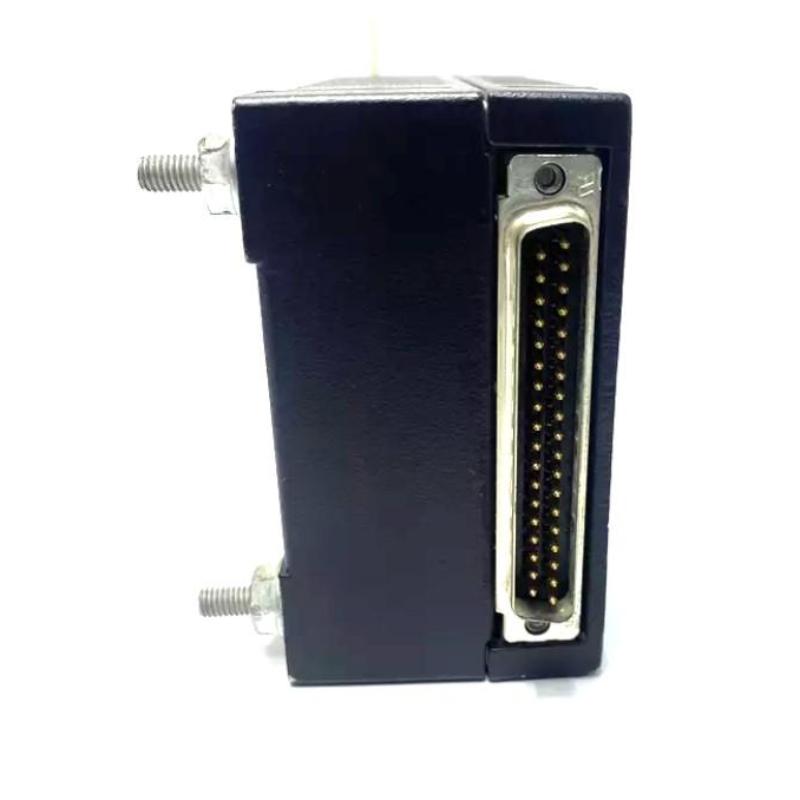
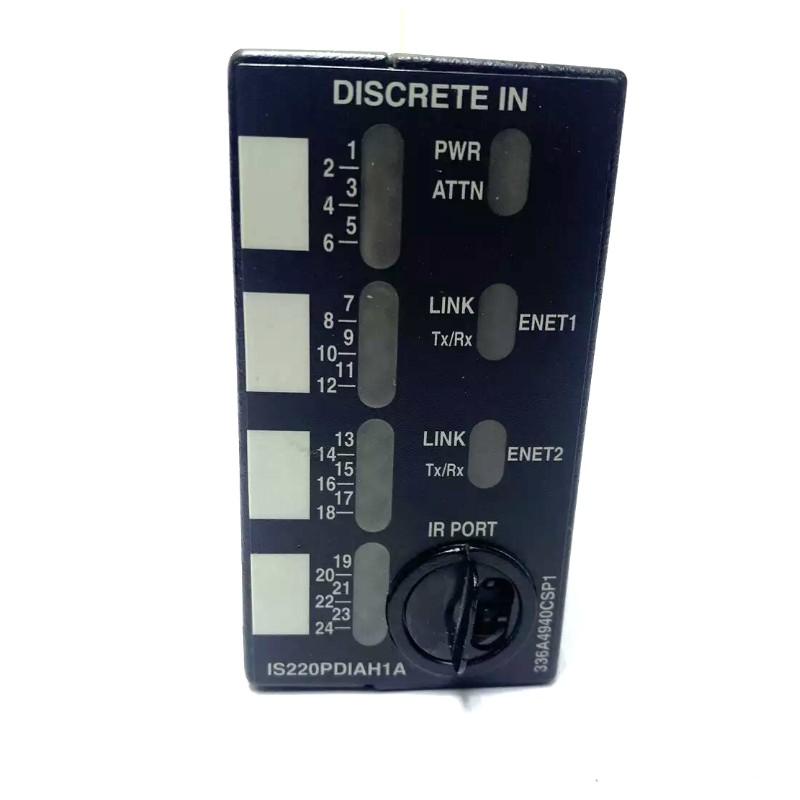
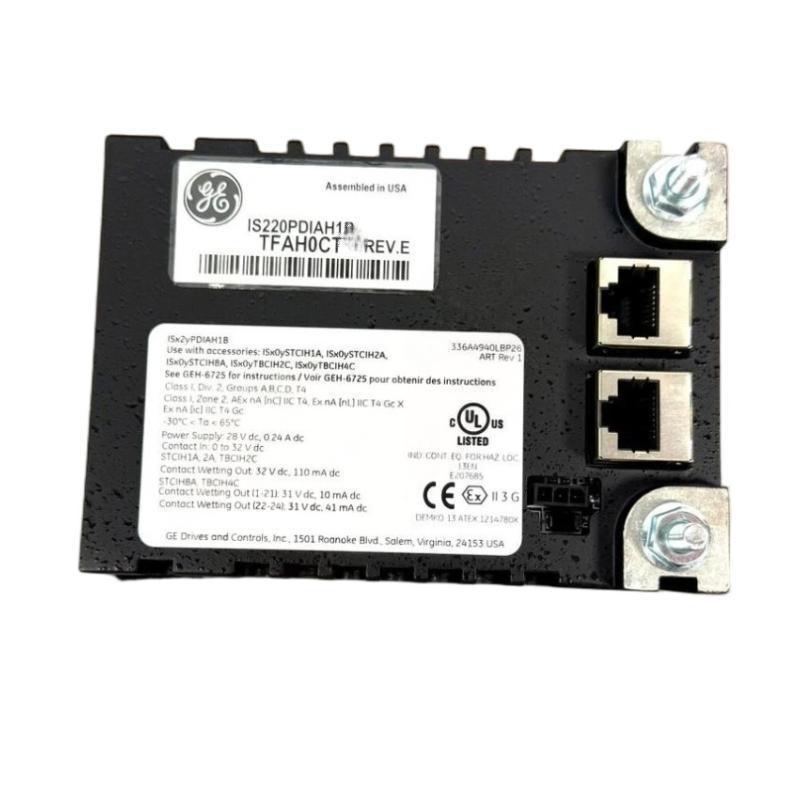
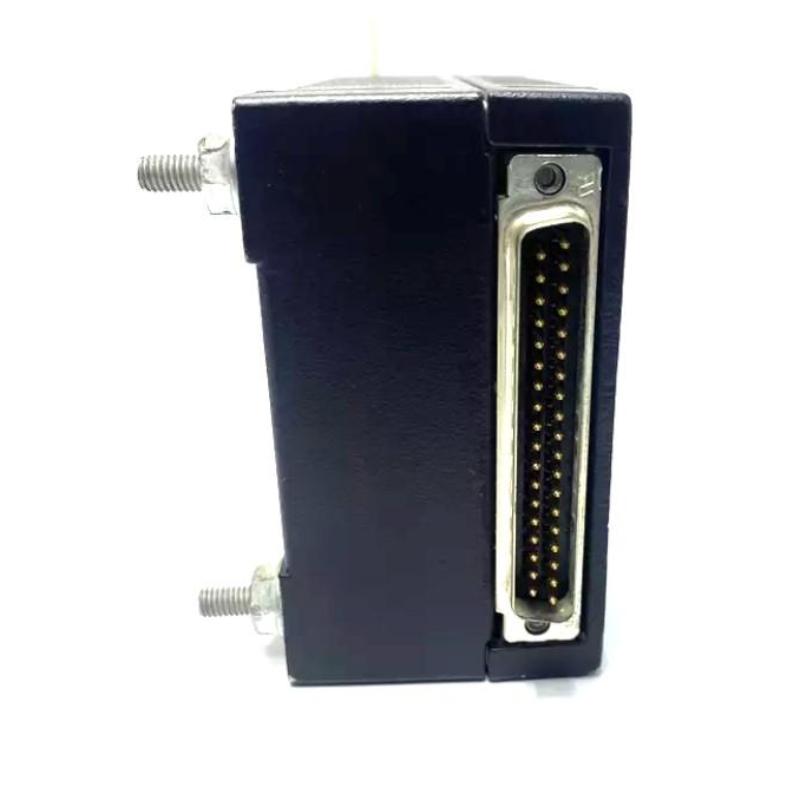
The GE IS220PDIAH1BC Discrete I/O Module is an industrial automation interface component designed to connect discrete field signals with a compatible GE control architecture. As part of the GE IS220 family, the module serves within the I/O layer of an automation system, helping transfer digital equipment status information toward the controller and distribute discrete control commands toward field devices.
Discrete I/O is widely used throughout industrial automation because many operating conditions are represented by clearly defined states rather than continuously changing values. A motor can be running or stopped, a valve can be open or closed, and a switch can be active or inactive. These states provide important information for process monitoring, equipment sequencing, interlocking, and automated control.
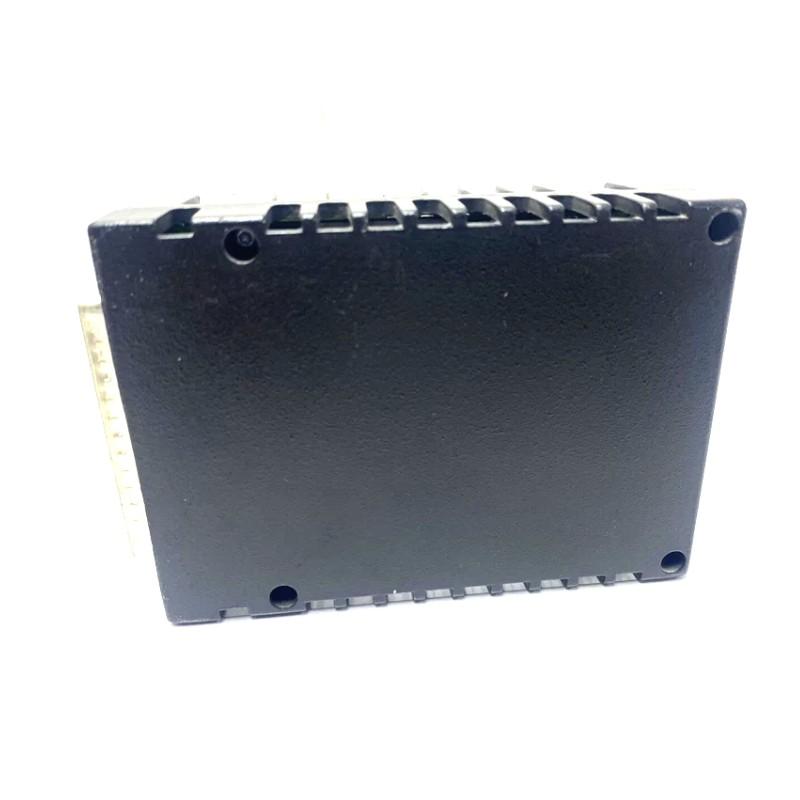
The GE IS220PDIAH1BC has listed dimensions of 178 × 20 × 159 mm and a weight of approximately 0.8 kg. The 20 mm profile provides a relatively narrow installation footprint, while the overall dimensions should be considered carefully when planning cabinet space, connector access, wiring, and maintenance clearance.
Within a typical automation architecture, the module can participate in a signal path such as:
Field Devices ↔ Discrete I/O Interface ↔ Control Processor ↔ HMI / SCADA
The precise input and output channel arrangement, electrical ratings, signal levels, isolation, protection functions, terminal assignments, and communication characteristics should be verified against the applicable hardware revision and host-system documentation.
Technical Specifications
| Parameter | Specification |
|---|---|
| Manufacturer | General Electric (GE) |
| Model | IS220PDIAH1BC |
| Product Type | Discrete I/O Module |
| Product Family | GE IS220 Series |
| Primary Function | Discrete input and output interface |
| Signal Type | Digital / discrete |
| Application | Industrial Automation and Control |
| Interface Role | Field-device and controller interface |
| Dimensions | 178 × 20 × 159 mm |
| Weight | 0.8 kg |
| Installation | Compatible GE industrial control equipment |
| Typical Applications | Process monitoring, equipment control, sequencing, interlocks |
Exact channel count, input/output voltage, current capability, isolation, protection, terminal arrangement, and other detailed electrical specifications should be confirmed for the specific IS220PDIAH1BC configuration.
Understanding the GE IS220PDIAH1BC
The GE IS220PDIAH1BC is a discrete I/O interface module designed to participate in the exchange of digital signals between industrial field equipment and the control system.
In a modern automation installation, field equipment continuously provides information about its operating condition. A switch may indicate that a machine has reached a limit, a relay may indicate that equipment is energized, or a protective device may provide a fault signal.
The controller interprets these signals as part of its programmed logic.
At the same time, the controller may generate commands that need to be transmitted to external equipment. These commands can include start, stop, enable, disable, open, close, or alarm functions.
The discrete I/O module forms part of this interface architecture.
A simplified relationship is:
Field Status → Discrete Input → Control Logic → Discrete Output → Field Equipment
This makes the module an important link between software-based automation logic and physical industrial processes.
Discrete I/O Operating Concept
Discrete Input Processing
Discrete inputs represent defined states received from external equipment.
Examples can include:
- Running status
- Stopped status
- Fault status
- Valve position
- Limit-switch state
- Equipment ready
- Interlock status
- Alarm contact
The control system can use these states to make decisions based on programmed operating sequences.
For example, a controller may wait for a motor-running feedback signal before allowing the next stage of a process to begin.
Discrete Output Processing
Discrete outputs allow the control system to send defined commands to field equipment.
Depending on the application, outputs may be associated with:
- Start commands
- Stop commands
- Valve commands
- Relay activation
- Solenoid control
- Equipment enable signals
- Alarm circuits
- Interposing devices
The actual output circuit and load capability must be confirmed from the system-specific documentation.
Role in Industrial Control Architecture
The IS220PDIAH1BC can be viewed as part of the interface layer connecting the control processor with the physical process.
A simplified automation architecture may look like:
Sensors / Switches → I/O Layer → Controller → I/O Layer → Actuators
The input side provides the controller with information about what is happening in the process.
The output side allows the controller to influence what happens next.
This interaction supports automated control functions such as:
- Equipment sequencing
- Start/stop control
- Interlocks
- Alarm handling
- Machine status monitoring
- Process permissives
- Equipment coordination
Reliable discrete I/O is therefore important for both normal process operation and fault detection.
Industrial Applications
Process Control
Industrial process systems contain numerous discrete signals associated with pumps, valves, motors, switches, alarms, and equipment status.
The IS220PDIAH1BC can form part of the I/O architecture used to integrate these signals into automated control.
Power and Energy Equipment
Power-generation and energy systems use digital signals to monitor equipment states, protective conditions, and operating sequences.
Discrete I/O can provide the interface required for these functions.
Turbine Control Systems
Turbine-related control systems may contain many digital status and command signals.
These can include equipment permissives, auxiliary system status, alarm conditions, and control commands.
The exact application depends on the host system.
Manufacturing Automation
Production machinery frequently relies on discrete signals for machine sequencing and equipment coordination.
Examples include:
- Limit switches
- Machine-ready signals
- Motor status
- Safety-related status contacts
- Actuator commands
Pumping and Utility Systems
Pumps, fans, compressors, valves, and other utility equipment often use digital status and command signals.
Discrete I/O can integrate these devices with centralized automation.
Discrete Input Applications
The input side of the system can provide the controller with real-time information about external equipment.
Motor Status
A digital feedback contact can indicate whether a motor or starter is operating.
Valve Position
Open and closed position switches can provide confirmation of valve status.
Equipment Faults
Protective devices can generate discrete fault signals that the controller uses for alarms or sequence control.
Limit Switches
Mechanical equipment can use limit switches to indicate that a moving component has reached a defined position.
Equipment Ready Signals
External devices may provide a ready or permissive condition before another machine is allowed to operate.
Alarm Contacts
External monitoring devices can provide digital alarm states to the control system.
Discrete Output Applications
The output side of the I/O architecture can be used to issue commands to external devices.
Typical applications include:
- Relay energization
- Contactor control
- Solenoid operation
- Valve commands
- Equipment start/stop
- Alarm activation
- Machine sequencing
- Equipment enable signals
In many industrial installations, an output circuit may operate an intermediate relay or interface device rather than directly driving a large electrical load.
The exact circuit design should always be verified before commissioning.
Physical Characteristics and Cabinet Planning
The listed dimensions of the GE IS220PDIAH1BC are 178 × 20 × 159 mm, with a listed weight of 0.8 kg.
The relatively narrow 20 mm dimension can help with dense cabinet layouts, but the complete installation envelope must also include connection and maintenance space.
Cabinet planning should account for:
- Module dimensions
- Connector access
- Cable routing
- Cable bend radius
- Adjacent modules
- Ventilation
- Maintenance clearance
- Module removal
The 0.8 kg listed weight should also be included in mechanical mounting calculations.
Physical dimensions alone should not be used to determine electrical compatibility.
Installation Guidelines
Verify the Module Identification
Before installation, confirm the complete part number:
GE IS220PDIAH1BC
Also verify:
- Hardware revision
- Installation position
- Connector configuration
- Associated terminal equipment
- Existing wiring
- Host control architecture
This is particularly important when several IS220-series modules are installed in the same control system.
Inspect the Module
Before installation, inspect the module for visible damage.
Check for:
- Damaged housing
- Bent connector pins
- Cracked components
- Corrosion
- Contamination
- Signs of overheating
- Mechanical damage
Verify Field Wiring
All field connections should be checked against approved electrical documentation.
Incorrect connections may lead to:
- Incorrect input states
- Unexpected output activation
- Equipment alarms
- Intermittent operation
- Field-device malfunction
Confirm Cabinet Conditions
The installation environment should be suitable for industrial electronic equipment.
Excessive heat, moisture, dust, vibration, or conductive contamination should be avoided.
Wiring and Signal Integrity
Discrete signals generally use defined electrical states, but reliable operation still depends heavily on proper wiring.
Potential problems can arise from:
- Loose terminals
- Damaged cables
- Incorrect wiring
- Connector contamination
- Electrical interference
- Poor grounding
- Improper cable routing
Signal wiring should be organized carefully within the control cabinet.
Where appropriate, signal and communication wiring should be separated from high-power conductors and equipment that may generate significant electromagnetic interference.
Commissioning Procedure
A controlled commissioning procedure helps confirm correct operation before the system is placed into normal service.
Step 1: Confirm Mechanical Installation
Verify that the module is correctly installed and securely supported.
Step 2: Verify Connections
Check all applicable field, terminal, and interface connections.
Step 3: Check System Recognition
Confirm that the control architecture recognizes the applicable I/O interface.
Step 4: Test Input States
Use known field conditions to verify that input states are correctly detected.
Step 5: Test Output States
Under controlled conditions, test the required output commands.
Step 6: Confirm Field Response
Verify that external equipment responds correctly to the corresponding commands.
Step 7: Verify Interlocks
Confirm that required permissive and interlock logic prevents inappropriate equipment operation.
Step 8: Document Normal Conditions
Record normal I/O states and diagnostic information for future troubleshooting.
Troubleshooting the GE IS220PDIAH1BC
A structured troubleshooting process should consider the entire signal path rather than assuming that an electronic module is immediately responsible for a fault.
Missing Input Signal
If an expected digital input is not detected, inspect:
- Field device
- Sensor or switch
- Field wiring
- Terminal connections
- Module connectors
- Module status
- Control-system configuration
The problem may exist outside the I/O module.
Incorrect Input State
An input that remains active or inactive unexpectedly can be caused by:
- Faulty field contacts
- Wiring problems
- Incorrect configuration
- Electrical interference
- Terminal problems
- Module-level faults
Testing the field circuit independently can help isolate the problem.
Output Does Not Respond
If the controller generates an output command but the field device does not respond, inspect:
- Control logic
- Output configuration
- Module status
- Field wiring
- External power
- Terminal hardware
- Field device
Output Remains Active
If an output does not turn off, check:
- Controller logic
- Interlock conditions
- Output configuration
- External relay circuits
- Wiring
- Field equipment
Intermittent I/O Operation
Intermittent faults may be caused by:
- Loose connections
- Cable damage
- Electrical noise
- Vibration
- Temperature changes
- Power instability
- External equipment faults
Intermittent problems should be monitored while checking the complete signal path.
Diagnosing Common-System Problems
When multiple I/O points fail simultaneously, common infrastructure should be investigated before replacing individual modules.
Potential common causes include:
- Control-system power problems
- Communication issues
- Shared terminal problems
- Configuration errors
- Controller faults
- Common wiring issues
A useful diagnostic sequence is:
Controller → Module Status → Terminal Interface → Wiring → Field Device
This approach helps identify the actual failure point and avoids unnecessary replacement.
Preventive Maintenance
Regular maintenance can help maintain reliable I/O operation.
Inspect Connectors
Check for:
- Loose connections
- Corrosion
- Contamination
- Mechanical damage
Inspect Wiring
Look for:
- Broken conductors
- Damaged insulation
- Loose terminals
- Excessive bending
- Cable strain
Monitor Diagnostic Information
Repeated I/O or communication warnings can provide early indications of developing problems.
Maintain Cabinet Conditions
Keep the control cabinet clean and maintain suitable environmental conditions.
Inspect Field Equipment
Because discrete I/O interfaces directly with external devices, field equipment should also be included in maintenance inspections.
Replacement and Compatibility
When replacing the GE IS220PDIAH1BC, verify the complete module identification before removing existing hardware.
Important information includes:
- Full model number
- Revision
- Installation position
- Connector arrangement
- Associated terminal equipment
- Field wiring
- Host-system configuration
The listed dimensions of 178 × 20 × 159 mm can be used for mechanical planning, but they do not establish electrical or functional compatibility.
A module from the same product family should not automatically be treated as a direct replacement simply because it has similar dimensions.
Discrete I/O and Equipment Sequencing
One important application of discrete I/O is automated equipment sequencing.
A typical sequence might operate as follows:
Equipment Ready → Start Command → Equipment Running → Feedback Confirmed → Next Process Step
The controller uses discrete inputs to determine the current state and discrete outputs to issue commands.
For example, after issuing a start command, the control system may wait for a running-status input before allowing the next stage of the sequence.
If the expected feedback does not appear, the system can generate an alarm or prevent further operation depending on the programmed control strategy.
This interaction demonstrates why both input and output reliability are important.
Interlocks and Permissive Signals
Discrete I/O frequently participates in interlock logic.
A controller may require several conditions before an output is permitted to activate.
For example:
System Ready + Equipment Available + Permissive Confirmed = Start Command Allowed
If one condition is missing, the output may remain inactive.
This approach helps coordinate equipment and prevent inappropriate operating sequences.
The actual implementation depends on the application and programmed control logic.
System Integration
The GE IS220PDIAH1BC can operate as part of a larger industrial control architecture containing multiple functional layers.
| System Component | Typical Function |
|---|---|
| Field Switches | Provide digital status |
| Sensors | Detect defined equipment conditions |
| Terminal Assemblies | Organize field wiring |
| IS220PDIAH1BC | Discrete I/O interface |
| Control Processor | Executes control logic |
| Engineering System | Configuration and diagnostics |
| HMI | Operator interface |
| SCADA | Supervisory monitoring |
| Relays / Actuators | Execute physical commands |
The exact components and architecture depend on the host GE control system.
Cabinet Layout Considerations
The 178 × 20 × 159 mm dimensions should be included in cabinet engineering calculations.
Designers should allow additional space for:
- Connectors
- Field wiring
- Cable routing
- Maintenance access
- Module removal
- Adjacent hardware
- Ventilation
The 0.8 kg weight should also be considered when evaluating the mechanical mounting arrangement.
A well-organized cabinet makes commissioning and future troubleshooting considerably easier.
Engineering Best Practices
Maintain Accurate I/O Documentation
Document the relationship between I/O points, controller logic, terminals, and field equipment.
Label Wiring Clearly
Proper labeling makes troubleshooting and maintenance faster.
Test Outputs Under Controlled Conditions
Because discrete outputs can activate real equipment, commissioning tests should be performed with appropriate operational precautions.
Monitor Repeated Faults
Recurring I/O errors should be investigated for underlying causes.
Keep Replacement Hardware Properly Stored
Spare modules should be protected from moisture, contamination, mechanical impact, and inappropriate handling conditions.
Verify Configuration After Replacement
After installing a replacement module, confirm that the control system recognizes it correctly and that the expected I/O behavior has been restored.
Key Advantages
The GE IS220PDIAH1BC provides several practical benefits within a compatible industrial automation architecture:
- Discrete input and output interface capability
- Connection between field equipment and control logic
- Support for digital equipment status monitoring
- Support for discrete control commands
- Suitable for sequencing and interlock applications
- Compact 178 × 20 × 159 mm physical dimensions
- Listed weight of 0.8 kg
- Suitable for industrial control cabinet installation
- Supports systematic field-to-controller troubleshooting
- Can participate in larger GE control-system architectures
Technical FAQs
What is the GE IS220PDIAH1BC?
The GE IS220PDIAH1BC is a Discrete I/O Module designed to interface digital field signals with a compatible GE industrial control system.
What is discrete I/O used for?
Discrete I/O is used to monitor and control defined equipment states such as ON/OFF, open/closed, running/stopped, and active/inactive.
What types of devices can be connected to discrete I/O?
Depending on the system configuration, discrete I/O can interface with switches, relays, contactors, valves, solenoids, equipment-status contacts, alarms, and other digital field devices.
What are the dimensions of the IS220PDIAH1BC?
The listed dimensions are 178 × 20 × 159 mm.
How much does the IS220PDIAH1BC weigh?
The listed weight is approximately 0.8 kg.
Is the IS220PDIAH1BC a PLC processor?
No. It is an I/O interface component rather than a standalone PLC CPU.
What can cause a missing discrete input?
Possible causes include field-device faults, damaged wiring, loose connections, terminal problems, incorrect configuration, connector issues, or module faults.
What can cause a discrete output problem?
Potential causes include control logic, configuration, wiring, external power, field-device problems, terminal-interface faults, or module-level issues.
How should an IS220PDIAH1BC fault be diagnosed?
The most effective approach is to trace the complete signal path from the controller through the module and terminal wiring to the field device.
Can another GE IS220 module replace the IS220PDIAH1BC?
A different IS220 module should not be assumed to be interchangeable. The complete model number, revision, electrical characteristics, I/O configuration, and host-system requirements should be verified.
Are exact channel and electrical specifications included here?
Only the specifications supplied for this product have been treated as exact values. Detailed channel counts, voltage levels, current capacity, isolation, protection, and terminal assignments should be confirmed against the applicable technical documentation.
Conclusion
The GE IS220PDIAH1BC Discrete I/O Module is an industrial automation interface component designed to connect discrete field signals with compatible GE control-system architecture. By providing an interface for digital input and output information, it can support equipment monitoring, control commands, process sequencing, alarms, permissives, and interlock functions.
The module has listed dimensions of 178 × 20 × 159 mm and a weight of 0.8 kg. These physical specifications are important when planning control cabinet installation, wiring access, maintenance clearance, and mechanical support.
Reliable discrete I/O performance depends on the complete system rather than the module alone. Field devices, wiring, terminal assemblies, controller logic, configuration, power circuits, and environmental conditions can all contribute to I/O problems.
For installation, commissioning, troubleshooting, or replacement, the complete GE IS220PDIAH1BC model designation and applicable revision should be verified. Detailed electrical characteristics and I/O assignments should also be confirmed for the intended control architecture before the module is placed into service.
When correctly integrated into a compatible GE automation system, the IS220PDIAH1BC provides a structured interface between field-level digital signals and control logic, supporting dependable equipment monitoring and discrete control in industrial environments.