

ProductPRODUCT
Featured products
Contact Us
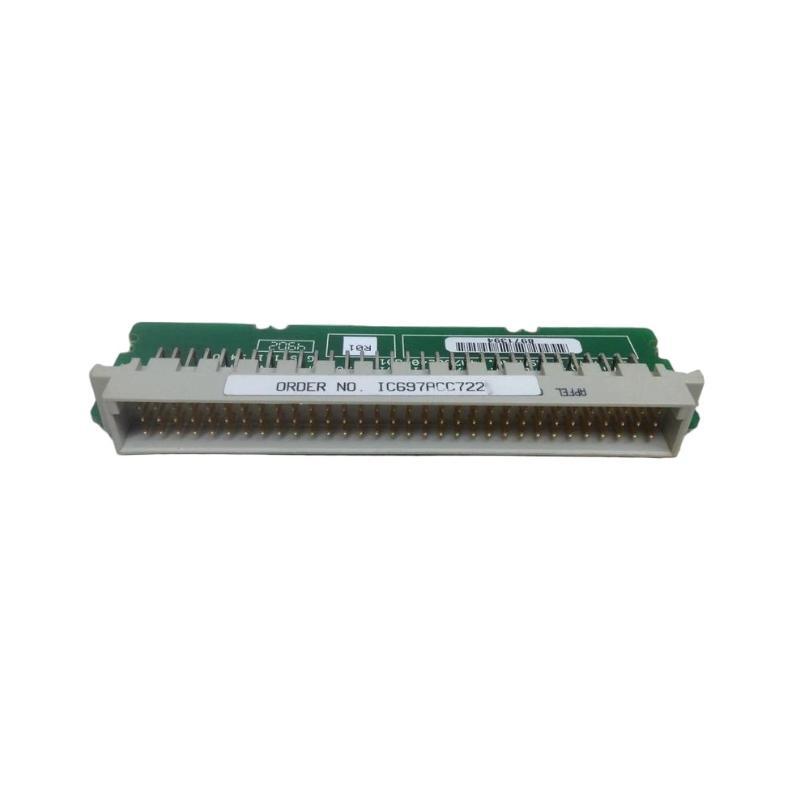
- GE
- IC697ACC722
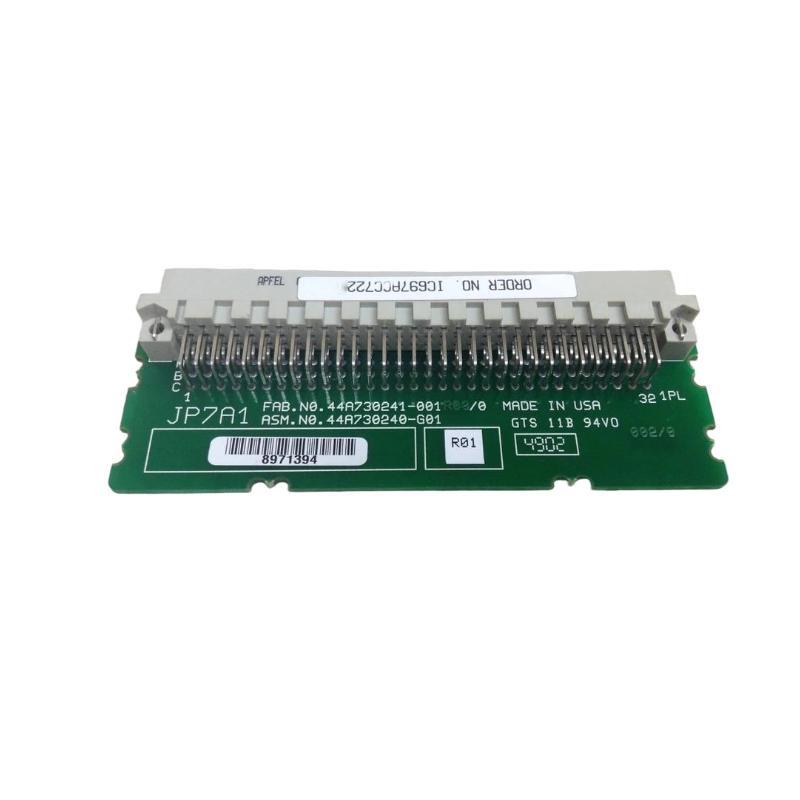
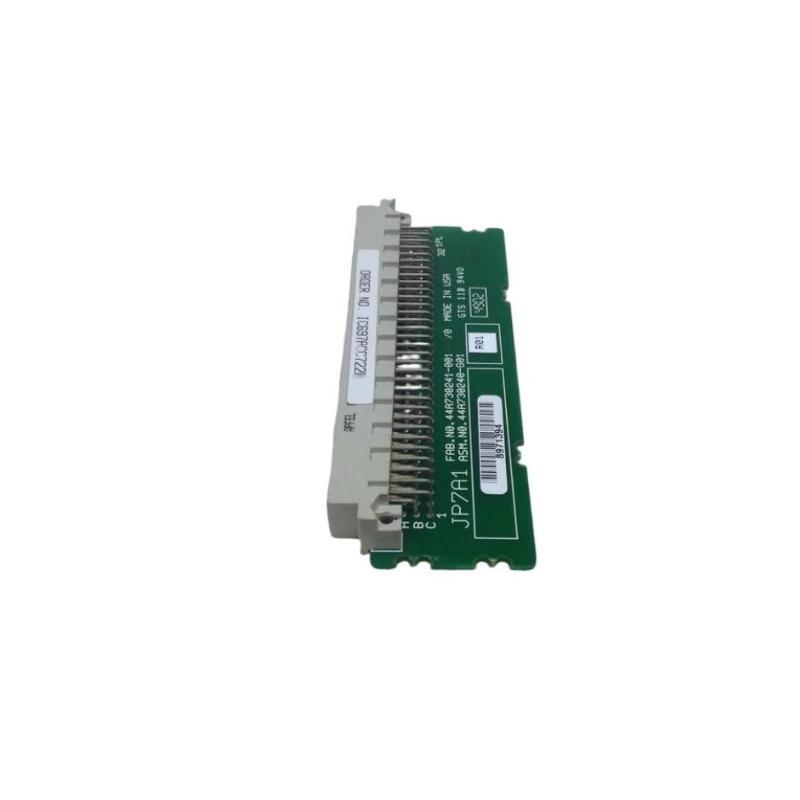
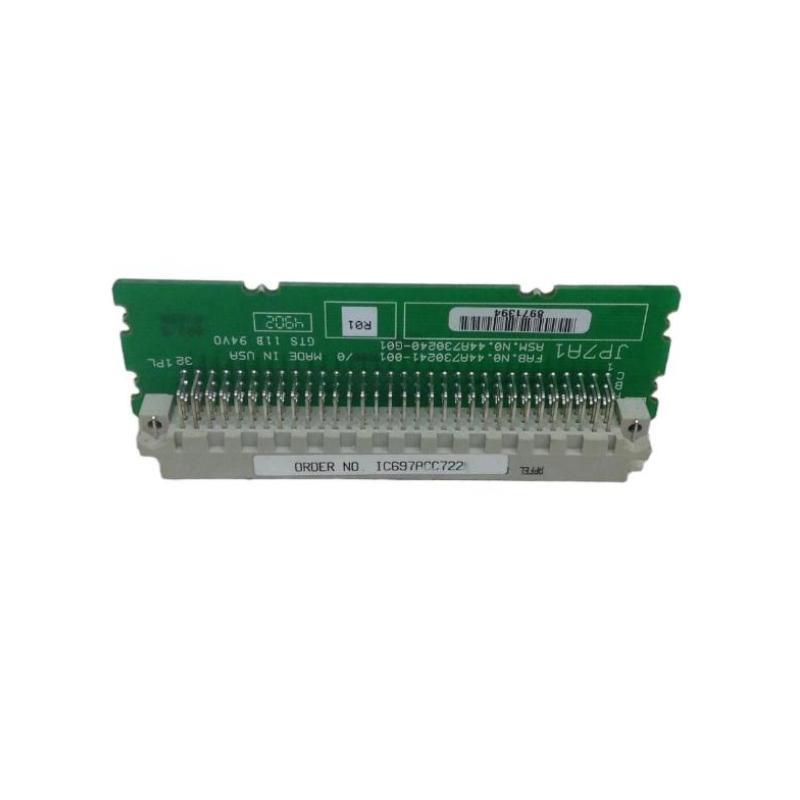
- VME Backplane Connector
- USA
- 150 × 25 × 15 mm
- 0.08 kg
- Xiamen, China
- New & In Stock
- T/T, PayPal, Western Union
- 1 Year
- 1-3 Working Days
- DHL, UPS, TNT, FedEx and EMS.
- 24-Hour Service
- COO
- 64
Our advantage

Global Logistics
We have a 10-year logistics and express cooperation agreement, so our products can be shipped to any place in the world.

Brand new and original
Our products are imported in bulk from the place of origin. Because of the cooperative relationship, our products are all original and 100% new.

24-hour service
We provide 7*24 hours service to our customers. We will be there whenever you need us.

Price advantage
All our products are priced very favorably because we have our own warehouse and supply.
| Company Information | |||
| [email protected] | |||
| Mobile | +8615980777398 | ||
| +8615980777398 | |||
| 15980777398 |
Product Overview
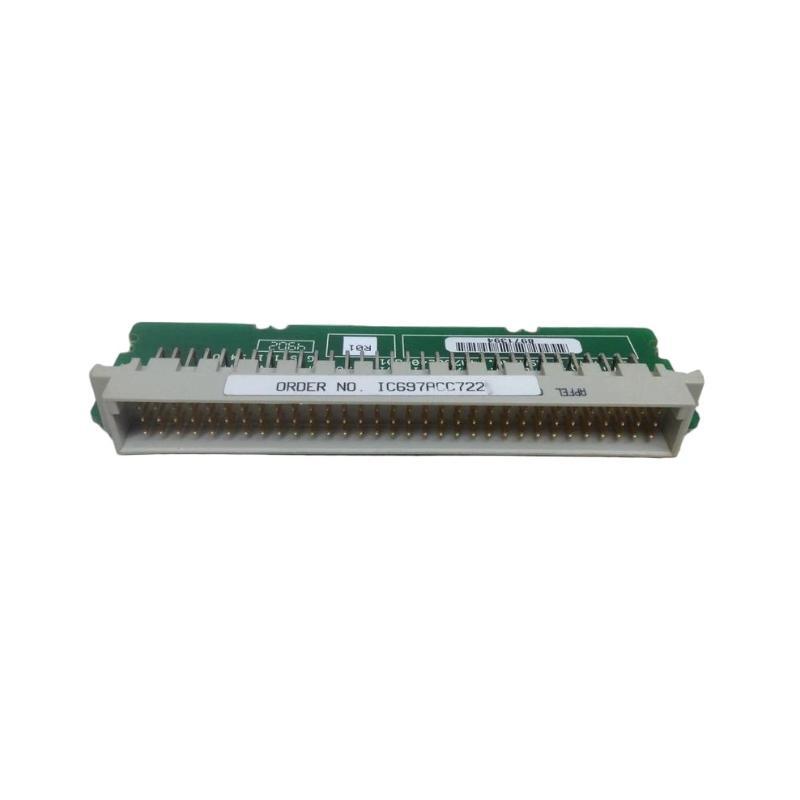
The GE IC697ACC722 VME Backplane Connector is an interconnection component used in compatible GE industrial automation and programmable controller systems. Its primary purpose is to provide a reliable electrical and mechanical interface between VME-based system components and the corresponding backplane.
In industrial control hardware, the backplane forms the internal communication and power-distribution structure that allows installed modules to operate as part of a coordinated system. A dependable connector is therefore essential for maintaining stable electrical contact between modules and the backplane.
The GE IC697ACC722 has supplied dimensions of 150 × 25 × 15 mm and a listed weight of 0.08 kg. Its compact form is suitable for integration into industrial controller assemblies where reliable board-to-backplane connectivity is required.
Product Identification
| Parameter | Specification |
|---|---|
| Manufacturer | GE |
| Model | IC697ACC722 |
| Product Type | VME Backplane Connector |
| Product Category | Industrial Control Interconnection Component |
| Primary Function | Backplane Electrical Connection |
| Interface | VME Backplane |
| Dimensions | 150 × 25 × 15 mm |
| Weight | 0.08 kg |
| Installation | Compatible GE Control Hardware |
| Application | PLC / Industrial Automation Systems |
| Maintenance | Connector and Contact Inspection |
Technical Specifications
| Technical Item | Specification |
|---|---|
| Brand | GE |
| Model Number | IC697ACC722 |
| Product Type | VME Backplane Connector |
| Function | Module-to-Backplane Interconnection |
| Interface Type | VME |
| Dimensions | 150 × 25 × 15 mm |
| Weight | 0.08 kg |
| Installation Type | Backplane Mounted |
| Application | Industrial Control System |
| Maintenance Requirement | Periodic Connector Inspection |
| Primary Concern | Electrical Contact Integrity |
What Is a VME Backplane Connector?
A VME backplane connector provides the physical and electrical connection between an installed controller or interface board and the system backplane.
A simplified architecture is:
Controller / Interface Module
↓
VME Backplane Connector
↓
VME Backplane
↓
Other System Modules
↓
Power and Internal Data Communication
The connector must maintain reliable contact for the system to exchange power, control signals, address information, and data between compatible modules.
A poor connector connection can therefore affect an entire system rather than only one individual signal.
Main Functions
Backplane Interconnection
Provides the physical interface between compatible system hardware and the VME backplane.
Electrical Signal Transfer
Maintains electrical continuity for signals passing between modules and the backplane.
Mechanical Alignment
Helps ensure that the associated module or board is correctly positioned relative to the backplane.
System Reliability
A clean, secure connector connection helps reduce intermittent communication and system faults.
Typical Industrial Applications
The GE IC697ACC722 may be used in compatible GE industrial control systems involving VME-based hardware.
Typical applications include:
Manufacturing Automation
- Production line control
- Machine automation
- Material handling
- Packaging systems
Process Control
- Process monitoring
- Instrumentation
- Pump control
- Valve control
Power Automation
- Plant control systems
- Generator monitoring
- Auxiliary automation
Infrastructure
- Water treatment
- Industrial pumping
- Remote control systems
Installation Guide
1. Verify Compatibility
Before installing the connector, confirm:
- Correct model number
- VME interface compatibility
- Host equipment
- Backplane configuration
- Connector position
- Mechanical dimensions
Do not install a connector based solely on appearance or dimensions.
2. Isolate System Power
Backplane connectors are associated with internal electrical circuits. Before installation or replacement:
- Stop the controlled process.
- Shut down the controller.
- Disconnect applicable power sources.
- Follow lockout/tagout procedures.
- Verify that the equipment is safe to access.
3. Inspect the Backplane
Before installing the connector, inspect the mating backplane interface for:
- Bent contacts
- Contamination
- Corrosion
- Mechanical damage
- Foreign objects
- Misalignment
Any damaged backplane should be addressed before installing a replacement connector.
4. Inspect the IC697ACC722
Check the connector for:
- Damaged contact surfaces
- Cracked housing
- Bent pins or contacts
- Deformation
- Contamination
- Mechanical damage
Do not install a visibly damaged component.
5. Prepare the Installation Area
Keep the connector and mating interface clean.
Avoid touching contact surfaces unnecessarily because oils, dirt, or contaminants can affect long-term electrical contact reliability.
6. Install the Connector
Align the IC697ACC722 with the compatible VME backplane interface.
Insert the connector carefully and evenly.
The supplied dimensions are:
150 × 25 × 15 mm
The supplied weight is:
0.08 kg
Verify that the connector is fully seated and correctly aligned.
7. Check Mechanical Security
After installation, verify:
- Connector is fully seated
- Mounting hardware is secure
- No excessive mechanical stress is present
- Adjacent components are not obstructed
Do not force the connector if resistance is encountered.
8. Reassemble the Equipment
Restore any covers, retaining hardware, module brackets, or protective components removed during maintenance.
Make sure that no tools or foreign objects remain inside the controller enclosure.
9. Restore Power
Restore system power according to the approved maintenance procedure.
Observe:
- Controller startup
- Module status
- Diagnostic indicators
- Communication status
10. Verify System Operation
Confirm:
- Controller starts normally
- Modules are recognized
- Internal communication is stable
- No unexpected diagnostic faults appear
- Connected I/O operates normally
Commissioning Checklist
| Item | Verification |
|---|---|
| Correct IC697ACC722 Verified | Confirmed |
| VME Compatibility Checked | Confirmed |
| Power Isolated | Confirmed |
| Backplane Inspected | Confirmed |
| Connector Inspected | Confirmed |
| Connector Correctly Installed | Confirmed |
| Mechanical Security Verified | Confirmed |
| Modules Reinstalled | Confirmed |
| Controller Powered | Confirmed |
| Diagnostics Checked | Confirmed |
| System Communication Verified | Confirmed |
Troubleshooting Guide
Controller Does Not Start Normally
Possible causes include:
- Poor backplane connection
- Connector not fully seated
- Damaged contacts
- Backplane power problem
- Module installation problem
Inspect the connector and backplane before replacing the controller.
Intermittent System Communication
Possible causes:
- Loose connector
- Contaminated contacts
- Vibration
- Connector wear
- Backplane contact problem
Inspect the complete connection between the module and backplane.
Multiple Modules Fail Simultaneously
When several modules lose communication or become unavailable at the same time, investigate common system components first.
Possible causes include:
- Backplane connection problem
- Connector fault
- Rack power issue
- Backplane fault
A shared backplane connection problem is more likely than several independent module failures occurring simultaneously.
Module Not Recognized
Possible causes include:
- Connector not fully seated
- Incorrect module position
- Damaged contacts
- Backplane fault
- Configuration problem
Remove and inspect the module and connector according to the applicable maintenance procedure.
Intermittent Faults During Vibration
Possible causes:
- Loose mechanical connection
- Worn contacts
- Improper module seating
- Excessive vibration
Inspect the mechanical mounting and connector engagement.
Communication Errors Increase With Temperature
Possible causes include:
- Contact degradation
- Thermal expansion
- Poor electrical connection
- Excessive cabinet temperature
Inspect the connector and monitor the system’s operating temperature.
Visible Corrosion or Contamination
Corrosion may result from:
- Humidity
- Condensation
- Chemical exposure
- Poor enclosure conditions
Address the environmental cause and replace damaged connection components as necessary.
Connector Cannot Be Seated
Possible causes include:
- Incorrect component
- Incorrect orientation
- Bent contacts
- Foreign material
- Damaged mating interface
Never force the connector into position. Inspect both mating surfaces before continuing.
Preventive Maintenance
Monthly Inspection
Check:
- Module seating
- Controller status
- Diagnostic indicators
- Signs of vibration
Quarterly Inspection
Inspect:
- Connector condition
- Backplane interface
- Mounting hardware
- Dust accumulation
- Environmental conditions
Annual Maintenance
Perform:
- Detailed backplane inspection
- Connector inspection
- Cabinet cleaning
- Mechanical mounting inspection
- System diagnostic review
Maintenance Checklist
| Inspection Item | Status |
|---|---|
| Connector Housing Inspected | ✓ |
| Contact Area Checked | ✓ |
| Backplane Interface Inspected | ✓ |
| Module Seating Verified | ✓ |
| Mounting Hardware Checked | ✓ |
| Dust and Contamination Checked | ✓ |
| Vibration Conditions Reviewed | ✓ |
| System Diagnostics Checked | ✓ |
| Communication Verified | ✓ |
Replacement Considerations
When replacing a GE IC697ACC722, technicians should verify the complete mechanical and electrical configuration.
| Check Item | Reason |
|---|---|
| Model Number | Confirms correct component |
| VME Compatibility | Ensures correct interface |
| Connector Dimensions | Ensures physical fit |
| Contact Arrangement | Ensures electrical compatibility |
| Backplane Type | Confirms system compatibility |
| Mounting Arrangement | Ensures secure installation |
| Environmental Conditions | Supports long-term reliability |
| Adjacent Modules | Prevents mechanical interference |
Compatible System Components
The IC697ACC722 functions as part of a larger industrial controller architecture.
| Component | Function |
|---|---|
| GE Controller Module | Executes Control Functions |
| VME Backplane | Internal System Interconnection |
| Power Supply | Provides System Power |
| I/O Modules | Processes Field Signals |
| Communication Modules | Provides Network Communication |
| Terminal Blocks | Field Wiring Interface |
| Control Cabinet | Protects System Hardware |
| Cooling System | Controls Operating Temperature |
Exact compatibility depends on the installed GE hardware configuration.
Key Advantages
Reliable Backplane Connection
Provides a dedicated interface for connecting compatible VME-based hardware to the system backplane.
Compact Construction
The supplied dimensions of 150 × 25 × 15 mm allow installation within compact controller assemblies.
Lightweight Design
With a listed weight of 0.08 kg, the connector is easy to handle during maintenance.
Supports System Communication
A properly installed connector helps maintain electrical continuity between system modules and the backplane.
Maintenance-Friendly
Connector inspection and replacement can be incorporated into routine industrial control-system maintenance.
Frequently Asked Questions
What is the GE IC697ACC722?
The GE IC697ACC722 is a VME Backplane Connector used to provide an electrical and mechanical connection between compatible GE system hardware and a VME backplane.
What are its dimensions?
The supplied dimensions are:
150 × 25 × 15 mm
What is its weight?
The supplied weight is:
0.08 kg
What does a VME backplane connector do?
It provides the electrical interface through which compatible modules communicate with and receive required connections from the system backplane.
What can cause intermittent backplane faults?
Common causes include:
- Loose connections
- Contaminated contacts
- Connector wear
- Mechanical vibration
- Backplane damage
Why can a connector fault affect multiple modules?
The backplane is a shared system infrastructure. A poor connection can interrupt common power or communication paths used by multiple modules.
Should contact surfaces be cleaned during maintenance?
Contact cleaning should only be performed using an approved procedure and suitable materials for the specific connector and equipment. Improper cleaning can damage contact surfaces.
Can the connector be installed while the system is powered?
Unless the host equipment explicitly supports a safe live-service procedure, power should be isolated before servicing the backplane connection.
Installation Checklist
| Item | Status |
|---|---|
| Correct IC697ACC722 Identified | ✓ |
| Host Equipment Verified | ✓ |
| VME Interface Confirmed | ✓ |
| Power Isolated | ✓ |
| Backplane Inspected | ✓ |
| Connector Inspected | ✓ |
| Contact Condition Verified | ✓ |
| Connector Installed | ✓ |
| Mechanical Security Checked | ✓ |
| Modules Reinstalled | ✓ |
| Controller Restarted | ✓ |
| Communication Verified | ✓ |
Conclusion
The GE IC697ACC722 VME Backplane Connector is a compact interconnection component that supports reliable electrical and mechanical connectivity within compatible GE industrial control systems. Although the connector itself is relatively small, its condition can have a significant effect on system reliability because the backplane provides shared connections for multiple controller and I/O components.
The supplied IC697ACC722 dimensions are 150 × 25 × 15 mm, with a listed weight of 0.08 kg. During installation or replacement, technicians should verify the VME interface, connector orientation, contact condition, mechanical alignment, and backplane compatibility.
When troubleshooting intermittent module failures or multiple communication problems, the backplane connector should be considered as part of the common system infrastructure. Checking connector seating, contamination, mechanical stability, and backplane condition can help identify faults before replacing expensive PLC modules.
With correct installation and periodic inspection, the GE IC697ACC722 can support stable internal connections and reliable operation of compatible GE industrial automation and VME-based control equipment.