

- Home
- >
- GE Fanuc
- >
- GE IC695CBL001 Cable
- >
ProductPRODUCT
Featured products
Contact Us
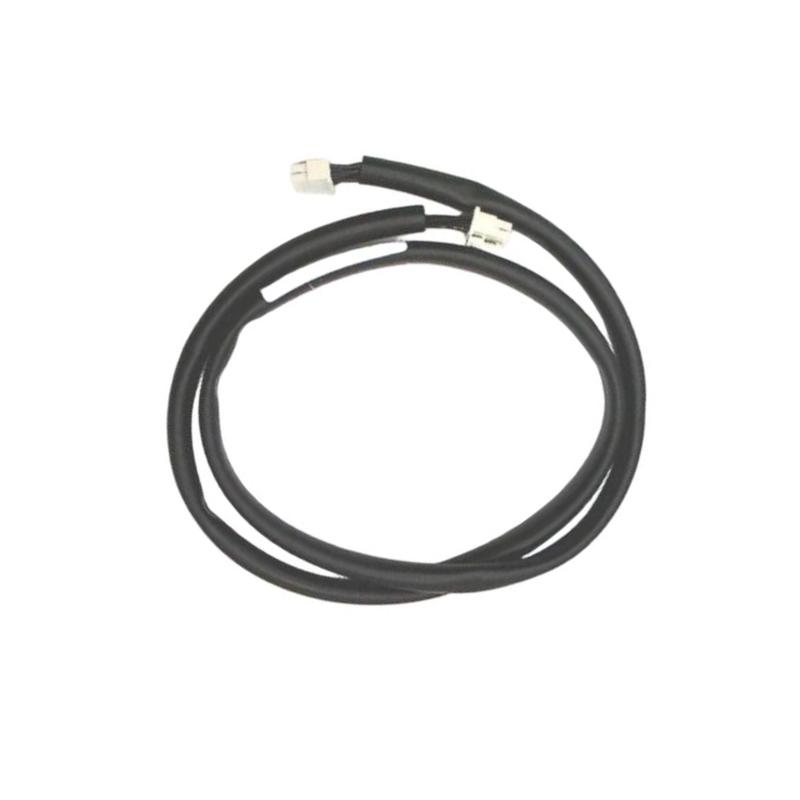
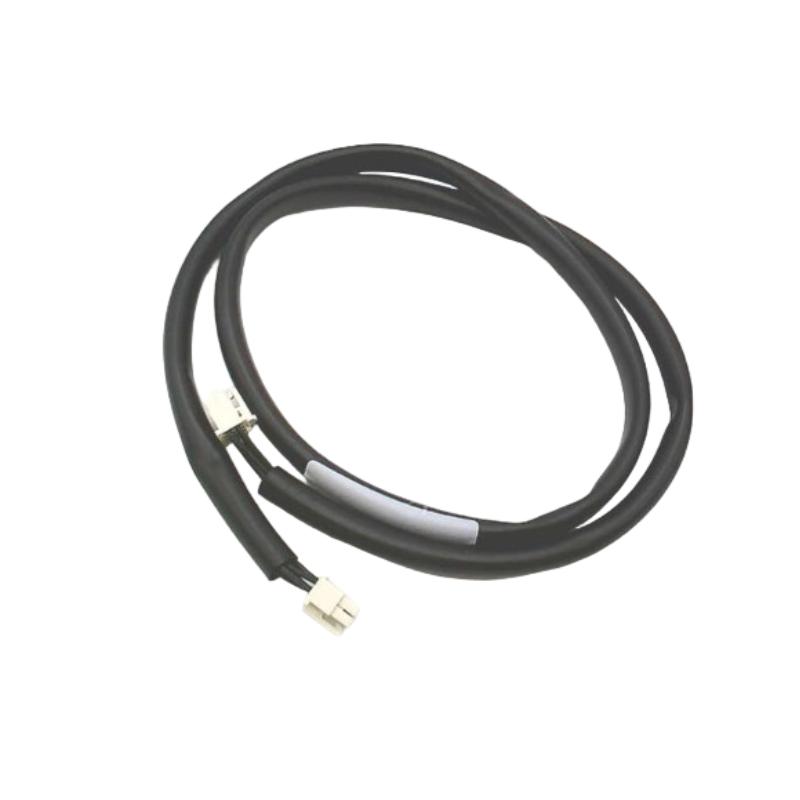
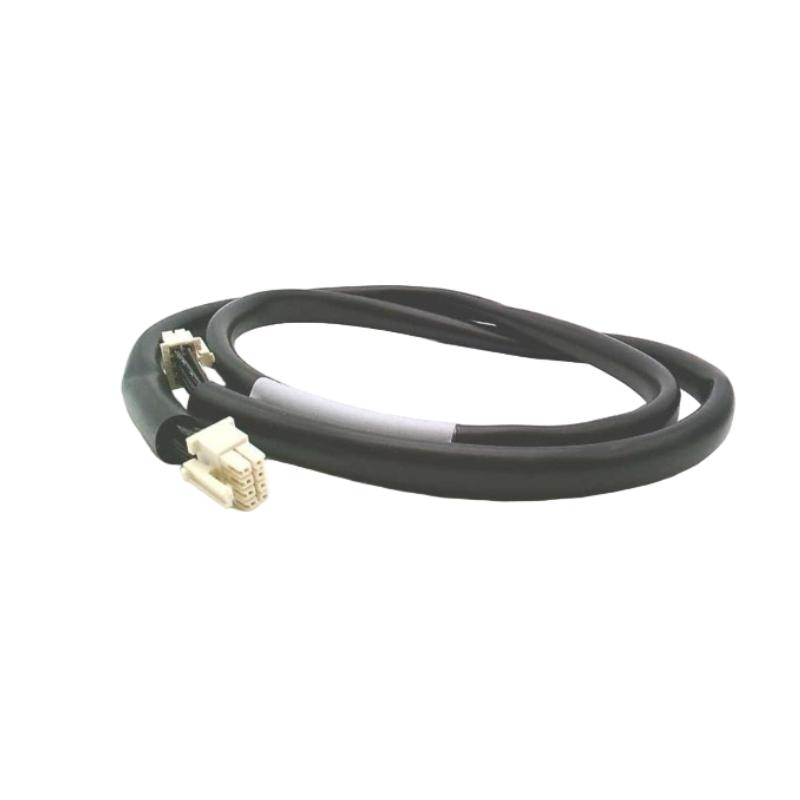
- GE
- IC695CBL001
- Cable
- USA
- 3 feet
- 3 kg
- Xiamen, China
- New & In Stock
- T/T, PayPal, Western Union
- 1 Year
- 1-3 Working Days
- DHL, UPS, TNT, FedEx and EMS.
- 24-Hour Service
- COO
- 40
Our advantage

Global Logistics
We have a 10-year logistics and express cooperation agreement, so our products can be shipped to any place in the world.

Brand new and original
Our products are imported in bulk from the place of origin. Because of the cooperative relationship, our products are all original and 100% new.

24-hour service
We provide 7*24 hours service to our customers. We will be there whenever you need us.

Price advantage
All our products are priced very favorably because we have our own warehouse and supply.
| Company Information | |||
| [email protected] | |||
| Mobile | +8615980777398 | ||
| +8615980777398 | |||
| 15980777398 |
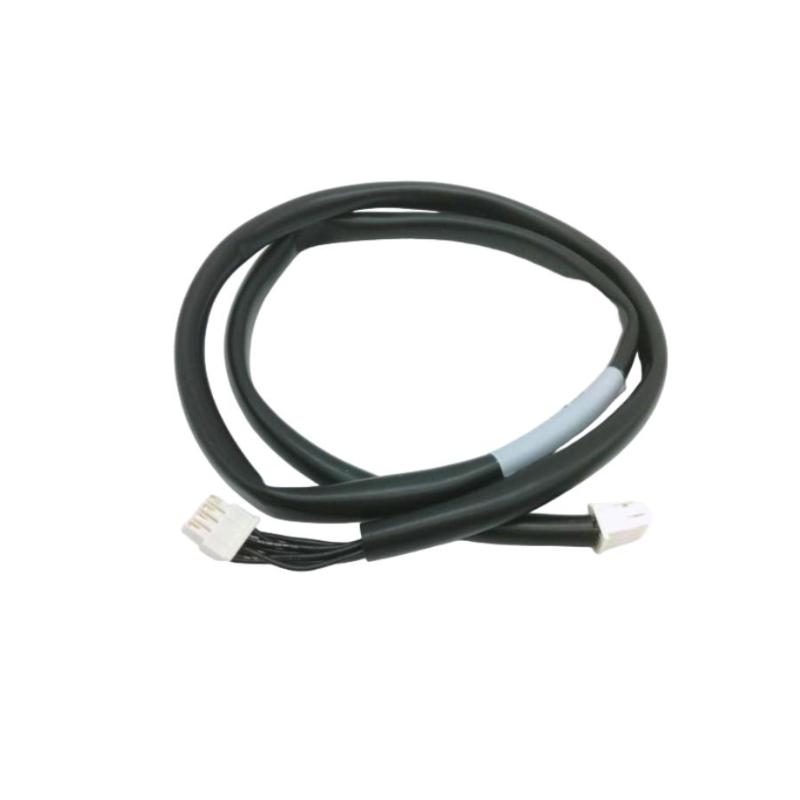
Product Overview
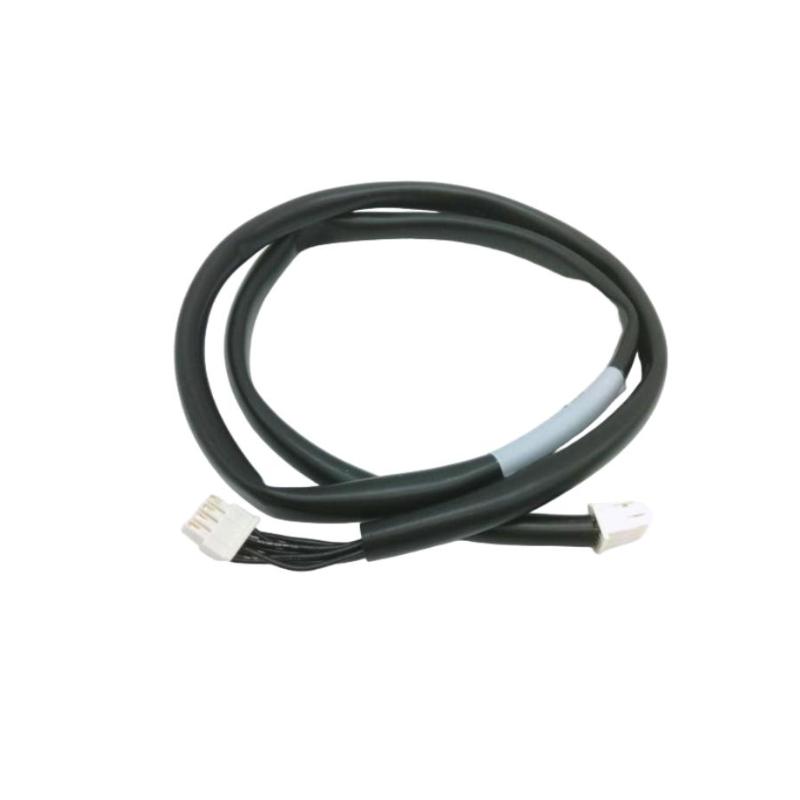
The GE IC695CBL001 is an industrial communication and connection cable designed for use with the GE PACSystems RX3i automation platform and compatible industrial control equipment. The cable provides a reliable physical connection between controllers, I/O modules, programming devices, or related system components, ensuring stable data transmission and dependable system operation.
Industrial communication cables are essential components of PLC systems because they carry data and control signals between devices. A damaged, improperly installed, or incorrectly routed cable can lead to communication failures, intermittent data loss, controller faults, and unnecessary production downtime.
The IC695CBL001 features a cable length of 3 feet (approximately 0.91 m), making it suitable for short-distance cabinet wiring and equipment interconnection. The shipping weight is approximately 3 kg. Built for industrial environments, the cable offers durable insulation, secure connector interfaces, and resistance to electrical interference when installed according to recommended wiring practices.
Product Identification
| Parameter | Specification |
|---|---|
| Manufacturer | GE |
| Product Series | PACSystems RX3i |
| Model | IC695CBL001 |
| Product Type | Industrial Connection Cable |
| Primary Function | Device Communication / Signal Connection |
| Compatible Platform | GE PACSystems RX3i |
| Cable Length | 3 feet (approximately 0.91 m) |
| Shipping Weight | 3 kg |
| Installation | Industrial Control Cabinet |
| Application | PLC System Connection |
| Cable Construction | Industrial Grade |
| Operating Environment | Industrial Automation |
Technical Specifications
| Technical Item | Specification |
|---|---|
| Product Family | PACSystems RX3i |
| Cable Model | IC695CBL001 |
| Product Category | Industrial Communication Cable |
| Cable Length | 3 ft (0.91 m) |
| Shipping Weight | 3 kg |
| Connection Type | Industrial Equipment Connection |
| Installation Method | Direct Connection |
| Cable Routing | Control Cabinet |
| Signal Type | Communication / Control Signal |
| Mechanical Protection | Industrial Cable Jacket |
| Operating Mode | Continuous Industrial Service |
Main Functions
The IC695CBL001 provides a dependable electrical connection between compatible industrial automation devices.
Typical applications include:
- PLC-to-I/O connections
- Controller communication
- Rack interconnections
- Programming equipment connections
- Communication interface connections
- Maintenance and diagnostic connections
- System expansion wiring
- Equipment commissioning
Signal flow:
PLC / Controller
↓
IC695CBL001 Cable
↓
Connected Device
↓
Communication Exchange
↓
Automation System
Working Principle
The cable provides a low-resistance electrical pathway for transmitting communication or control signals between connected devices.
Its primary functions include:
- Establish a secure physical connection.
- Maintain stable signal transmission.
- Reduce communication errors caused by poor connections.
- Minimize signal loss over short distances.
- Support continuous industrial operation.
Proper connector engagement and correct cable routing are essential for maintaining communication reliability.
Typical Industrial Applications
The GE IC695CBL001 is commonly used in:
- Factory automation
- Process control systems
- Power generation
- Oil and gas facilities
- Chemical plants
- Water treatment
- Pharmaceutical production
- Food and beverage manufacturing
- Mining operations
- Steel production
- Pulp and paper mills
- Machine automation
Installation Guide
1. Verify Product Information
Confirm the cable identification:
GE IC695CBL001
Verify that the cable is compatible with the intended equipment.
2. Inspect the Cable
Before installation inspect:
- Cable jacket
- Connectors
- Pins
- Locking hardware
- Strain relief
- Identification label
Do not install the cable if mechanical damage is present.
3. Verify Cable Length
Confirm that the available 3-foot (0.91 m) cable length is appropriate for the installation.
Avoid stretching the cable during installation.
4. Power Down Equipment
Before connecting:
- Shut down the controller.
- Remove system power where required.
- Follow lockout/tagout procedures.
- Verify safe working conditions.
5. Connect the Cable
Attach the cable to both devices.
Verify:
- Correct connector orientation
- Fully seated connectors
- Locking mechanism engagement
- Secure fastening
Do not force connectors into position.
6. Route the Cable
Route the cable carefully to avoid:
- Sharp bends
- Excessive tension
- Twisting
- Pinching
- Abrasion
Maintain the recommended bend radius throughout the installation.
7. Separate Signal and Power Wiring
To minimize electrical interference:
- Keep communication cables separate from high-voltage wiring.
- Avoid routing alongside motor power cables.
- Use dedicated cable trays where possible.
8. Inspect Grounding
Verify:
- Cabinet grounding
- Connector shielding (if applicable)
- Proper grounding of connected equipment
Good grounding improves communication stability.
9. Verify Connections
Inspect both cable ends to ensure:
- Secure locking
- Proper alignment
- No damaged contacts
- No loose connectors
10. Restore Power
After installation:
- Restore power.
- Start the PLC.
- Verify communication.
- Confirm normal system operation.
Commissioning Procedure
Step 1
Inspect cable routing.
Step 2
Verify connector engagement.
Step 3
Power the automation system.
Step 4
Confirm communication between connected devices.
Step 5
Check controller diagnostics for communication errors.
Step 6
Monitor system performance during normal operation.
Troubleshooting Guide
Fault 1 — No Communication
Possible causes:
- Loose connector
- Incorrect connection
- Damaged cable
- Controller fault
- Communication configuration error
Fault 2 — Intermittent Communication
Possible causes:
- Loose connector
- Cable movement
- Mechanical vibration
- Connector contamination
- Damaged conductors
Fault 3 — Communication Timeout
Possible causes:
- Poor connector contact
- Cable damage
- Controller communication settings
- Connected device failure
Fault 4 — Communication Errors
Possible causes:
- Electrical interference
- Improper grounding
- Damaged shielding
- Connector wear
Fault 5 — Connector Will Not Lock
Inspect:
- Connector alignment
- Locking mechanism
- Foreign material
- Mechanical damage
Fault 6 — Cable Jacket Damage
Possible causes:
- Abrasion
- Sharp edges
- Excessive bending
- Mechanical impact
Replace the cable if internal conductors may have been damaged.
Fault 7 — Bent Connector Pins
Possible causes:
- Incorrect insertion
- Mechanical impact
- Mishandling during installation
Inspect connectors carefully before reconnecting.
Fault 8 — Communication Stops During Machine Operation
Possible causes:
- Cable vibration
- Loose connector
- Electromagnetic interference
- Damaged cable
Inspect routing and connector security.
Fault 9 — PLC Diagnostic Alarm
Possible causes:
- Communication interruption
- Cable fault
- Incorrect device configuration
- Hardware failure
Review controller diagnostic information before replacing components.
Fault 10 — Physical Cable Damage
Possible causes:
- Crushing
- Excessive tension
- Improper routing
- Chemical exposure
- Heat damage
Replace the cable if insulation or conductors are compromised.
Diagnostic Workflow
Follow this troubleshooting sequence:
PLC Controller
↓
IC695CBL001 Cable
↓
Connector A
↓
Cable Assembly
↓
Connector B
↓
Connected Device
↓
Communication Verification
This structured approach helps isolate wiring problems quickly and reduces unnecessary replacement of controllers or modules.
Preventive Maintenance
Routine maintenance should include:
Mechanical Inspection
- Cable jacket
- Connectors
- Locking hardware
- Strain relief
Electrical Inspection
- Connector contacts
- Signal continuity
- Cable integrity
- Grounding
Installation Inspection
- Cable routing
- Bend radius
- Fastening
- Separation from power wiring
Environmental Inspection
- Dust
- Moisture
- Oil contamination
- Heat exposure
- Mechanical vibration
Preventive Maintenance Checklist
| Inspection Item | Recommended Action |
|---|---|
| Cable Jacket | Inspect for damage |
| Connectors | Clean and inspect |
| Connector Lock | Verify secure engagement |
| Cable Routing | Check for sharp bends |
| Grounding | Verify continuity |
| Cable Supports | Inspect fastening |
| Communication Status | Monitor diagnostics |
| Cabinet Condition | Clean and inspect |
Replacement Procedure
- Record the cable routing.
- Shut down the automation system.
- Remove power where required.
- Disconnect both cable ends.
- Inspect connectors and mating ports.
- Install the replacement IC695CBL001.
- Route the cable correctly.
- Secure the cable.
- Verify connector locking.
- Restore system power.
- Confirm communication.
- Monitor system operation.
Key Advantages
- Reliable industrial communication
- Durable industrial cable construction
- Compact 3-foot length for cabinet installations
- Secure connector design
- Easy installation and replacement
- Stable signal transmission
- Reduced communication interruptions
- Suitable for demanding industrial environments
- Supports long-term system reliability
- Compatible with GE PACSystems RX3i applications
Frequently Asked Questions
What is the GE IC695CBL001?
The GE IC695CBL001 is an industrial connection cable used to establish reliable communication or signal connections between compatible GE PACSystems RX3i automation components.
What is the cable length?
The cable length is 3 feet (approximately 0.91 meters).
What is the shipping weight?
Approximately 3 kg.
Where is this cable typically used?
It is commonly used for PLC system connections, communication interfaces, programming connections, rack interconnections, and other industrial automation applications.
Why is communication intermittent?
Possible causes include loose connectors, damaged conductors, poor cable routing, electrical interference, connector contamination, or mechanical vibration.
Why should communication cables be separated from power cables?
Separating communication and power cables helps reduce electromagnetic interference, improving signal quality and communication reliability.
When should the cable be replaced?
Replace the cable if it shows physical damage, insulation failure, damaged connectors, bent pins, or persistent communication problems that cannot be resolved through inspection and maintenance.
How can cable life be extended?
Use proper routing practices, avoid excessive bending or tension, protect the cable from mechanical damage, maintain clean connectors, and inspect the cable regularly during preventive maintenance.
Conclusion
The GE IC695CBL001 Cable provides a dependable connection solution for GE PACSystems RX3i industrial automation systems. With a 3-foot (0.91-meter) cable length and a shipping weight of 3 kg, it is designed for short-distance equipment interconnections within industrial control cabinets.
Proper installation, secure connector engagement, careful cable routing, and routine preventive maintenance are essential for maintaining stable communication and minimizing downtime. By following a structured installation and troubleshooting procedure, engineers can ensure reliable data transmission, extend cable service life, and improve the overall performance and reliability of RX3i automation systems.