
NewsNEWCENTER
Featured products
Contact Us
Allen-Bradley 1734-ADN/B Point I/O DeviceNet Adapter Module Troubleshooting
2026-07-21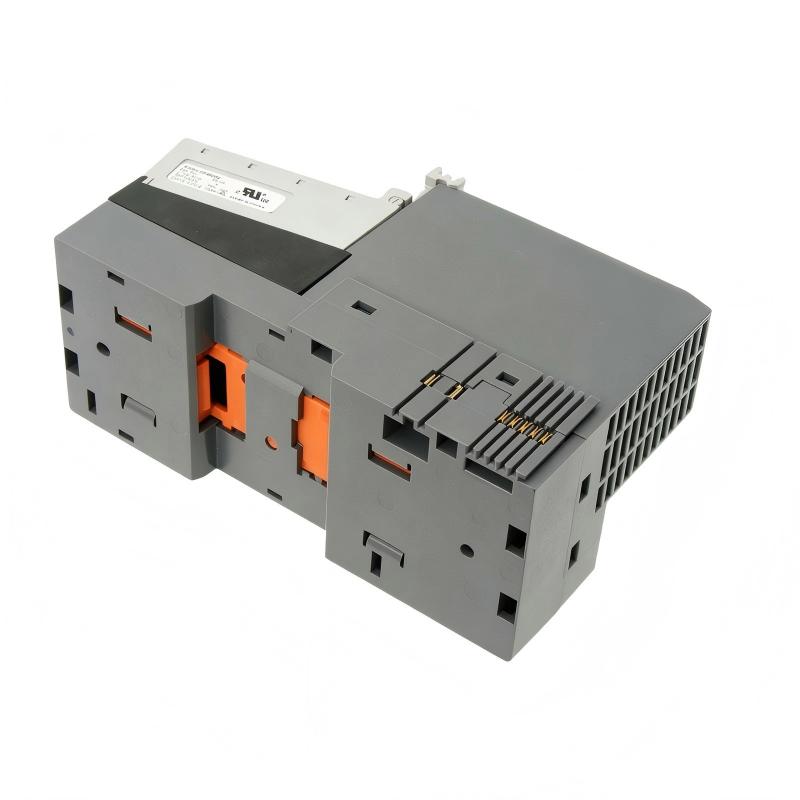
Table of Contents
- Field Case: 1734-ADN/B DeviceNet Communication Failure Analysis
- 1734-ADN/B Adapter Module Fault Symptoms
- DeviceNet Communication Fault Diagnosis Process
- Common Causes of 1734-ADN/B Faults
- 1734-ADN/B Troubleshooting Procedure
- Fault Repair and Recovery Actions
- Post-Repair Testing and Verification
- FAQs on 1734-ADN/B Troubleshooting
- Engineering Summary
Field Case: 1734-ADN/B DeviceNet Communication Failure Analysis
The Allen-Bradley 1734-ADN/B Point I/O DeviceNet Adapter Module Troubleshooting process requires a complete inspection of the DeviceNet network, power supply, node configuration, and connected POINT I/O modules.
In one industrial automation application, the remote I/O station suddenly stopped exchanging data with the controller. The operator found that the connected field devices were no longer updating correctly, and the DeviceNet network displayed communication abnormalities.
Engineers performed a systematic Fault Diagnosis process and discovered that the adapter module itself was functioning normally. The actual problem was caused by incorrect node addressing and unstable DeviceNet cable connection.
This case shows that 1734-ADN/B troubleshooting should focus on the complete communication system rather than replacing the adapter module immediately.
1734-ADN/B Adapter Module Fault Symptoms
Common fault symptoms found during maintenance include:
- DeviceNet communication failure
- Adapter status alarm
- POINT I/O modules not detected
- Input and output data not updating
- Network connection interruption
- Controller unable to communicate with remote I/O
- Intermittent I/O data loss
These symptoms may be caused by network wiring problems, power issues, incorrect configuration, or adapter communication faults.
DeviceNet Communication Fault Diagnosis Process
A complete Fault Diagnosis procedure should include the following steps:
- Check adapter status indicators
- Review DeviceNet network alarms
- Verify 24V DC power supply
- Inspect DeviceNet cable connections
- Check node address settings
- Verify baud rate configuration
- Test communication recovery
This diagnostic method helps engineers determine whether the problem originates from the adapter module, network wiring, controller configuration, or connected I/O modules.
Common Causes of 1734-ADN/B Faults
The most common causes of Point I/O DeviceNet Adapter Module faults include:
- Incorrect DeviceNet wiring
- Wrong node address configuration
- Incorrect baud rate setting
- Unstable 24V DC power supply
- Missing network termination resistor
- Damaged communication cable
- Incorrect I/O configuration
- Excessive network communication load
In industrial applications, many DeviceNet communication failures are caused by installation and configuration problems rather than adapter hardware damage.
1734-ADN/B Troubleshooting Procedure
A practical troubleshooting workflow includes:
- Record current network fault information
- Check adapter module status
- Verify DeviceNet power condition
- Inspect communication cable wiring
- Confirm node address and baud rate
- Check connected POINT I/O modules
- Restart and verify communication
1734_ADN_FAULT_DIAG

MODEL = 1734-ADN/B
CHECK = DEVICENET_STATUS
CHECK = POWER_INPUT
CHECK = NODE_ADDRESS
CHECK = NETWORK_WIRING
CHECK = IO_CONFIGURATION
During one maintenance case, engineers found that a remote I/O station frequently disconnected from the controller. After checking the network, they discovered that the DeviceNet cable shielding was improperly connected, causing communication interference. After correcting the shielding method, the system returned to stable operation.
Fault Repair and Recovery Actions
After identifying the fault source, engineers can perform the following recovery actions:
- Correct DeviceNet wiring errors
- Adjust node address settings
- Restore correct baud rate configuration
- Repair damaged communication cables
- Stabilize 24V DC power supply
- Reconfigure I/O communication parameters
Many 1734-ADN/B communication problems can be solved through proper inspection and adjustment without replacing the complete adapter module.
Post-Repair Testing and Verification
After completing troubleshooting, engineers should perform final verification:
- Confirm adapter status is normal
- Verify DeviceNet communication stability
- Check all POINT I/O modules
- Test input and output data exchange
- Monitor network operation
- Record maintenance results
A complete verification process ensures that the distributed I/O system returns to reliable operation.
FAQs on 1734-ADN/B Troubleshooting
Why does the 1734-ADN/B lose DeviceNet communication?
Possible causes include wiring errors, incorrect node settings, power problems, network interference, or configuration issues.
Should the adapter module be replaced after a communication fault?
No. Engineers should first complete Fault Diagnosis because many problems are caused by external network conditions.
What is the first troubleshooting step?
The first step is checking adapter status information and verifying DeviceNet network conditions.
Engineering Summary
The Allen-Bradley 1734-ADN/B Point I/O DeviceNet Adapter Module Troubleshooting process requires systematic inspection of network wiring, power supply, communication parameters, and I/O configuration. Field experience shows that accurate Fault Diagnosis can quickly restore DeviceNet communication while reducing unnecessary hardware replacement and improving industrial automation system reliability.