

ProductPRODUCT
Featured products
Contact Us
- Siemens
- 6AV2123-2MB03-0AX0
- SIMATIC HMI Basic Panel
- Germany
- 330 × 245 × 54.9 mm
- 2.05 kg
- Xiamen, China
- New & In Stock
- T/T, PayPal, Western Union
- 1 Year
- 1-3 Working Days
- DHL, UPS, TNT, FedEx and EMS.
- 24-Hour Service
- COO
- 4
Our advantage

Global Logistics
We have a 10-year logistics and express cooperation agreement, so our products can be shipped to any place in the world.

Brand new and original
Our products are imported in bulk from the place of origin. Because of the cooperative relationship, our products are all original and 100% new.

24-hour service
We provide 7*24 hours service to our customers. We will be there whenever you need us.

Price advantage
All our products are priced very favorably because we have our own warehouse and supply.
| Company Information | |||
| [email protected] | |||
| Mobile | +8615980777398 | ||
| +8615980777398 | |||
| 15980777398 |
Product Overview
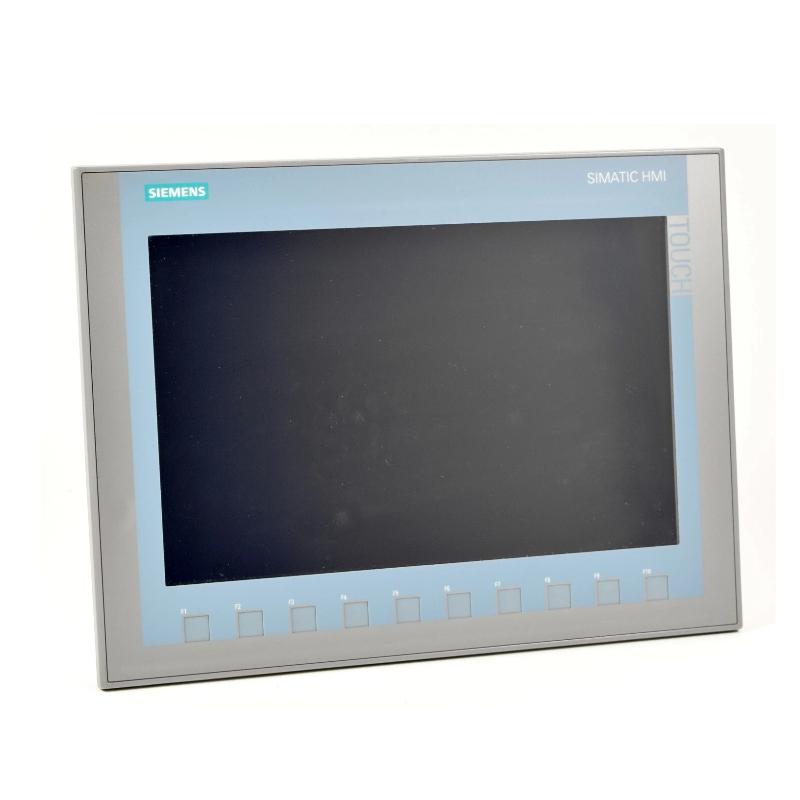
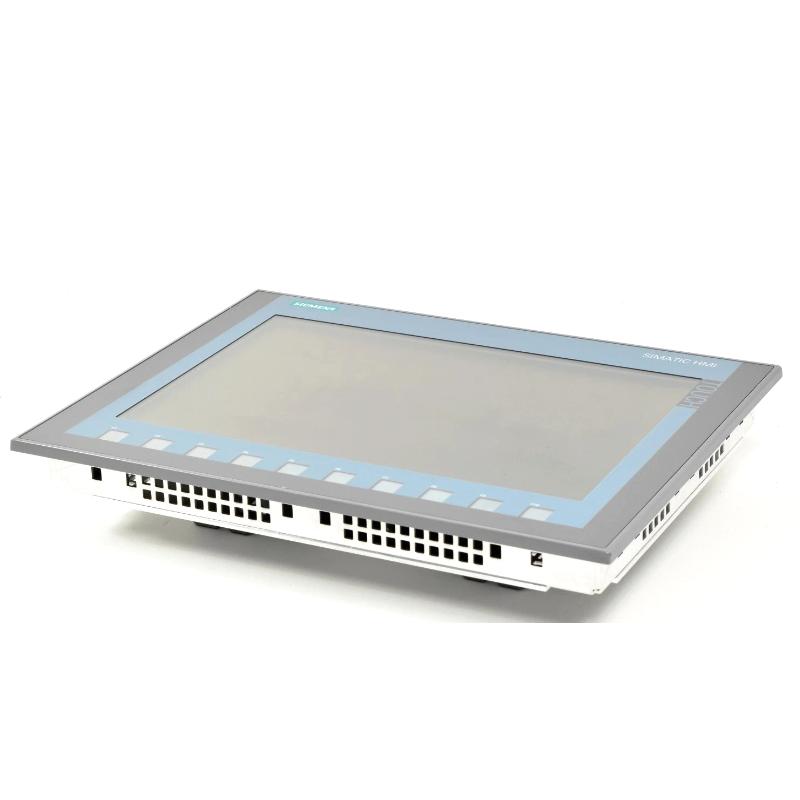
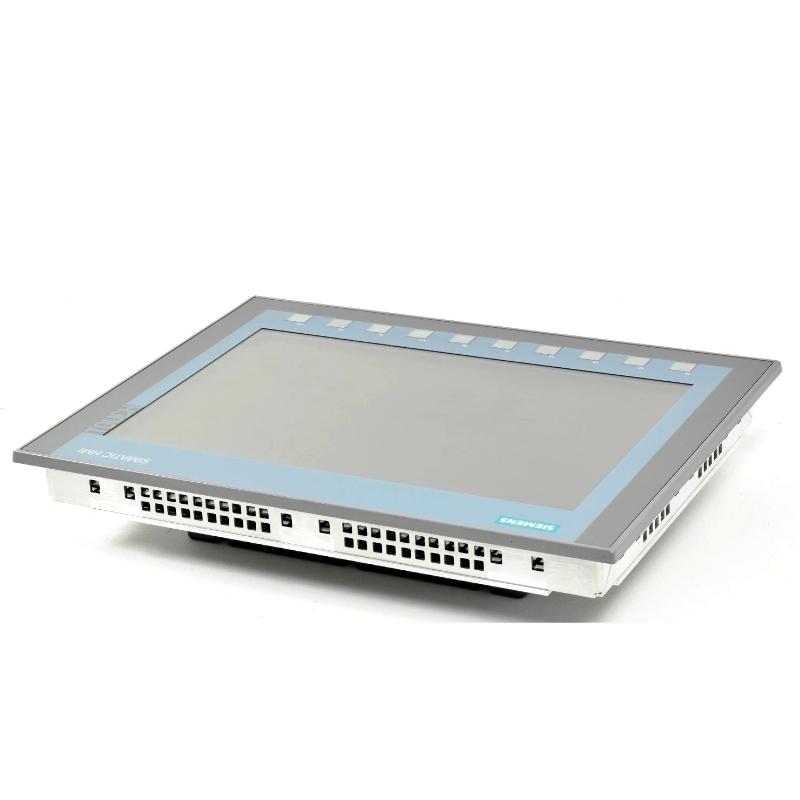
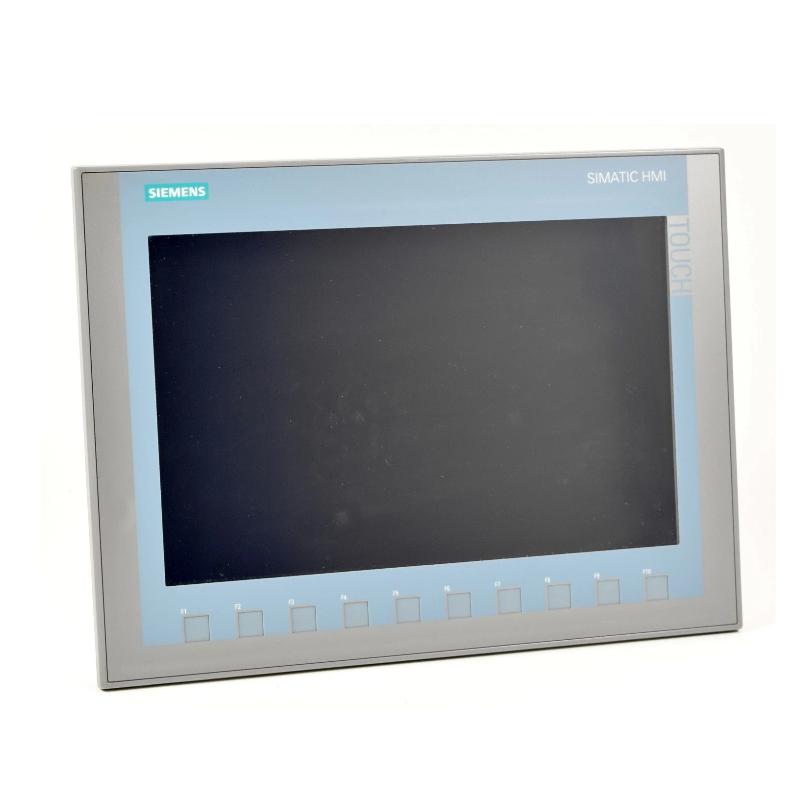
The Siemens 6AV2123-2MB03-0AX0 is a SIMATIC HMI KTP1200 Basic Panel from the second-generation Basic Panels range. It combines a 12-inch TFT widescreen display with key and touch operation, giving operators a local interface for monitoring machine conditions, entering commands, and interacting with PLC-controlled equipment.
The KTP1200 Basic is suited to industrial applications where operators need more than a basic status display. Its combination of touchscreen operation and physical function keys supports different working styles, including selecting screens, acknowledging alarms, entering process values, and navigating machine functions. The physical keys can be particularly useful when operators need repeatable controls alongside graphical screen elements.
The panel uses a 1280 × 800 pixel display with 65,536 colors. This resolution allows machine builders to organize process values, equipment states, alarm messages, and operating controls across a single HMI screen. The widescreen format also provides room for displaying related information together, such as motor status alongside pressure readings or production counters.
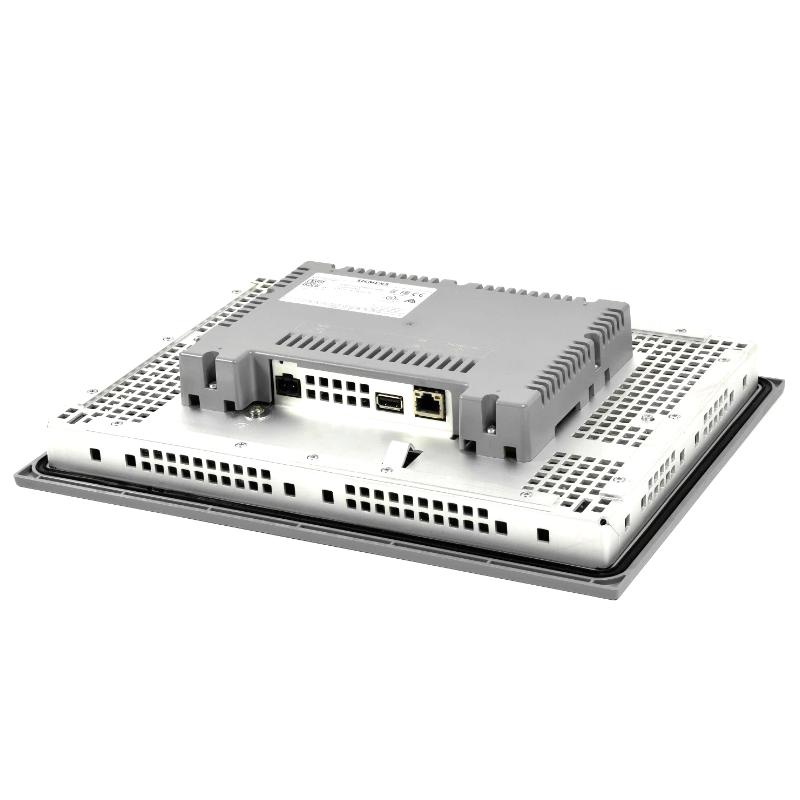
For communication with the automation system, the 6AV2123-2MB03-0AX0 includes a PROFINET interface. It can be configured using WinCC Basic V13 or STEP 7 Basic V13, allowing the HMI project to be developed within the Siemens engineering environment. The panel supports communication with compatible SIMATIC controllers and other supported automation systems through the applicable protocols and drivers.
In a packaging machine, for example, the KTP1200 Basic can display production speed, operating mode, fault messages, and manual-control screens. An operator can use the touchscreen to select a machine page and the function keys to execute frequently used navigation or operating commands. The actual machine response depends on the PLC program and the permissions assigned to each operation.
The 6AV2123-2MB03-0AX0 is an operator interface rather than a PLC or a standalone motion controller. It presents information and exchanges commands with the automation system, while the controller executes the machine logic. This separation makes the panel suitable for machine-level visualization, operator interaction, and maintenance diagnostics within a properly engineered control architecture.
Technical Specifications
| Parameter | Specification |
|---|---|
| Manufacturer | Siemens |
| Model | 6AV2123-2MB03-0AX0 |
| Product Family | SIMATIC HMI Basic Panels, Second Generation |
| Product Type | KTP1200 Basic HMI Panel |
| Display Type | TFT widescreen display with LED backlighting |
| Screen Size | 12 inches |
| Display Resolution | 1280 × 800 pixels |
| Number of Display Colors | 65,536 |
| Operating Method | Key and touch operation |
| Number of Function Keys | 10 |
| Touchscreen Type | Analog resistive |
| Rated Supply Voltage | 24 V DC |
| Permissible Supply Voltage | 19.2–28.8 V DC |
| PROFINET Interface | 1 |
| USB Interface | 1 |
| Industrial Ethernet Interface | 1 |
| Configuration Software | WinCC Basic V13 / STEP 7 Basic V13 |
| Dimensions | 330 × 245 × 54.9 mm |
| Weight | 2.05 kg |
Product Features
- 12-inch TFT display: Provides a graphical workspace for machine status, process values, alarms, and operator controls.
- 1280 × 800 resolution: Supports detailed screen layouts for applications with multiple process variables and equipment indicators.
- 65,536 display colors: Allows visual differentiation between operating states, warnings, alarms, and normal process values.
- Combined key and touch operation: Supports touchscreen navigation alongside physical function keys.
- Ten function keys: Provides dedicated physical controls that can be assigned functions within the HMI project.
- Analog resistive touchscreen: Supports touch-based operation through the panel’s graphical interface.
- PROFINET communication: Connects the HMI to compatible industrial controllers and automation networks.
- USB connectivity: Supports compatible service and data-handling tasks.
- Siemens engineering integration: Allows project configuration through WinCC Basic V13 or STEP 7 Basic V13.
- Multiple controller connections: Supports communication with compatible automation systems through available drivers and protocols.
- Alarm and diagnostic visualization: Allows machine faults and operating messages to be presented through configured HMI screens.
- Flexible screen organization: Supports machine overviews, equipment-specific pages, parameter entry, and maintenance displays.
Working Principle
The 6AV2123-2MB03-0AX0 operates as the visualization and operator-interaction layer of an automation system. It exchanges data with a compatible controller, displays the information defined in the HMI project, and sends operator actions to the control system.
Operator Input → KTP1200 Basic HMI → PROFINET Communication → PLC → Machine Equipment
During engineering, the machine builder creates screens containing process values, status indicators, buttons, input fields, alarm displays, and navigation elements. These objects are linked to controller variables or HMI functions according to the project configuration.
When the machine is running, the panel reads the configured process data and displays the current equipment state. For example, a pump-control screen might show the pump’s operating status, a pressure measurement, a start command, and an alarm indicator. The displayed values depend on the data supplied by the PLC and the communication configuration.
When an operator touches a screen button or presses an assigned function key, the HMI executes the corresponding configured action. A start command may write a request to a PLC variable, but the PLC must still evaluate interlocks, operating conditions, and the machine sequence before energizing the equipment.
The panel also supports alarm visualization and operator guidance. If the controller reports a fault, the HMI can display the associated message and provide access to relevant diagnostic screens. This helps operators distinguish between normal operating conditions and faults requiring intervention.
Communication configuration is essential to correct operation. The HMI project must use the appropriate controller address, communication driver, variable mapping, and screen logic. A working display alone does not establish that every command is correctly mapped, so commissioning should include tests of both displayed values and operator actions.
Role in a Siemens SIMATIC HMI Control Architecture
The KTP1200 Basic occupies the operator-interface layer between the machine’s control system and its users. It presents the process information supplied by the PLC and allows authorized operator actions to be communicated to the controller.
Field Sensors and Actuators → PLC → PROFINET Network → KTP1200 Basic HMI → Operator
| System Component | Function |
|---|---|
| Siemens 6AV2123-2MB03-0AX0 | Displays machine information and accepts configured operator input |
| SIMATIC PLC | Executes control logic, sequences, and interlock processing |
| PROFINET Network | Transfers data between compatible automation devices |
| Industrial Ethernet Infrastructure | Supports network connectivity where required |
| Pressure Transmitter | Supplies pressure measurements to the control system |
| Temperature Sensor | Provides temperature information for monitoring and control |
| Motor Starter or Drive | Controls motor operation in accordance with the machine design |
| Digital Input Module | Acquires discrete equipment and sensor states |
| Analog Input Module | Acquires supported analog process measurements |
| HMI Alarm System | Presents configured faults, warnings, and operating messages |
| Engineering Workstation | Develops and transfers the HMI and PLC projects |
The PLC remains responsible for executing machine-control logic. The HMI project defines how information is displayed and how operator actions are communicated, while the underlying control program determines whether a requested action is permitted.
Industrial Applications
| Application | Typical Use |
|---|---|
| Packaging Machinery | Displaying production status, operating modes, alarm messages, and setup controls |
| Conveyor Systems | Monitoring conveyor sections, motor states, and operating sequences |
| Assembly Lines | Providing operator navigation and equipment-status visualization |
| Material Handling | Displaying machine states and configured manual-control functions |
| Water Treatment | Presenting pump status, tank measurements, and process alarms |
| Industrial Pumping Systems | Monitoring pressure, flow, and pump operating conditions |
| Food and Beverage Production | Displaying process parameters and production equipment status |
| Machine Tools | Providing operator access to machine settings and diagnostic information |
| Plastics Processing | Monitoring process values, machine states, and alarm conditions |
| General Manufacturing | Serving as the local HMI for PLC-controlled production equipment |
Installation and Maintenance
- Confirm the panel model: Verify that 6AV2123-2MB03-0AX0 matches the required KTP1200 Basic configuration and the intended application.
- Prepare the mounting location: Check the panel cutout, mounting arrangement, and enclosure conditions against the installation requirements.
- Check the DC supply: Provide a regulated 24 V DC supply within the specified operating range and verify the polarity before connection.
- Plan the communication network: Establish the PROFINET connection and assign the network parameters required by the HMI project.
- Connect the engineering interface: Use the appropriate connection method to transfer the configured project from the engineering workstation.
- Develop the HMI screens: Configure the required process displays, navigation elements, alarm messages, input fields, and operator controls.
- Map controller variables: Link displayed values and operator commands to the correct PLC tags and communication addresses.
- Configure function keys: Assign the ten physical function keys according to the intended screen navigation or machine-operation requirements.
- Test the touchscreen: Check touch response across the configured operating screens and confirm that displayed controls respond as intended.
- Verify communication: Confirm that process values update correctly and that communication faults are reported appropriately.
- Test operator commands: Check each command against the PLC logic, interlocks, and permitted machine operating conditions before releasing the equipment for production.
- Maintain project records: Save the approved HMI project, communication settings, firmware information, and commissioning results for future maintenance.
Related Components
| Component | Function |
|---|---|
| Siemens 6AV2123-2MB03-0AX0 | Provides local operator visualization and control interaction |
| Siemens SIMATIC S7-1200 PLC | Executes machine logic in compatible automation architectures |
| Siemens SIMATIC S7-1500 PLC | Provides controller functionality for more extensive automation systems |
| Siemens PROFINET Network Components | Connect compatible controllers, HMI panels, and field devices |
| Siemens Digital Input Modules | Acquire discrete equipment signals |
| Siemens Analog Input Modules | Acquire supported analog process signals |
| Siemens SINAMICS Drives | Control compatible motor applications |
| Industrial 24 V DC Power Supply | Supplies the HMI and other compatible control devices |
| Industrial Ethernet Cable | Carries communication data between networked equipment |
| Engineering Workstation | Develops and transfers the HMI configuration |
| Machine Sensors and Actuators | Supply process measurements and perform physical actions |
Recommended Related Models
| Model / Product Family | Product Type | Typical Application |
|---|---|---|
| Siemens 6AV2123-2DB03-0AX0 | KTP400 Basic HMI Panel | Compact operator interface with a smaller display |
| Siemens 6AV2123-2GA03-0AX0 | KTP700 Basic HMI Panel | Machine visualization with a 7-inch display |
| Siemens 6AV2123-2GB03-0AX0 | KTP700 Basic HMI Panel | Basic operator interface with key and touch operation |
| Siemens 6AV2123-2JB03-0AX0 | KTP900 Basic HMI Panel | Operator visualization with a 9-inch display |
| Siemens 6AV2123-2MA03-0AX0 | KTP1200 Basic HMI Panel | Alternative KTP1200 Basic configuration |
| Siemens SIMATIC S7-1200 | Programmable Logic Controller | Compact machine control and process automation |
| Siemens SIMATIC S7-1500 | Programmable Logic Controller | Advanced machine and process control |
| Siemens SIMATIC WinCC Basic | HMI Engineering Software | Developing compatible Basic Panel projects |
Key Advantages
- Combines touchscreen operation with ten physical function keys.
- Provides a 12-inch display for machine visualization and operator interaction.
- Supports PROFINET communication with compatible automation systems.
- Integrates with Siemens HMI engineering software.
- Allows configured alarms, process values, and machine commands to be presented through a local interface.
- Supports machine-level operation and troubleshooting within a PLC-based architecture.
Technical FAQs
What is the difference between the KTP1200 Basic and a PLC?
The KTP1200 Basic is an HMI panel used to display information and receive operator input. A PLC executes the machine’s control logic, processes input signals, and controls outputs. The two devices work together but perform different functions.
Which engineering software is used for the 6AV2123-2MB03-0AX0?
The panel is configurable from WinCC Basic V13 or STEP 7 Basic V13. The engineering project must be developed for the appropriate KTP1200 Basic device and use compatible communication settings.
Can the panel communicate with controllers other than Siemens SIMATIC PLCs?
Yes. The panel supports communication with certain third-party automation systems through available drivers and protocols, including supported EtherNet/IP and Modbus TCP/IP applications. Compatibility depends on the controller, protocol implementation, and HMI project configuration.
What should be checked when the HMI displays stale process values?
Check the PROFINET connection, device addressing, controller communication status, variable mapping, and PLC tag updates. If communication is restored but individual values remain incorrect, review the corresponding HMI tag definitions and controller logic.