

ProductPRODUCT
Featured products
Contact Us
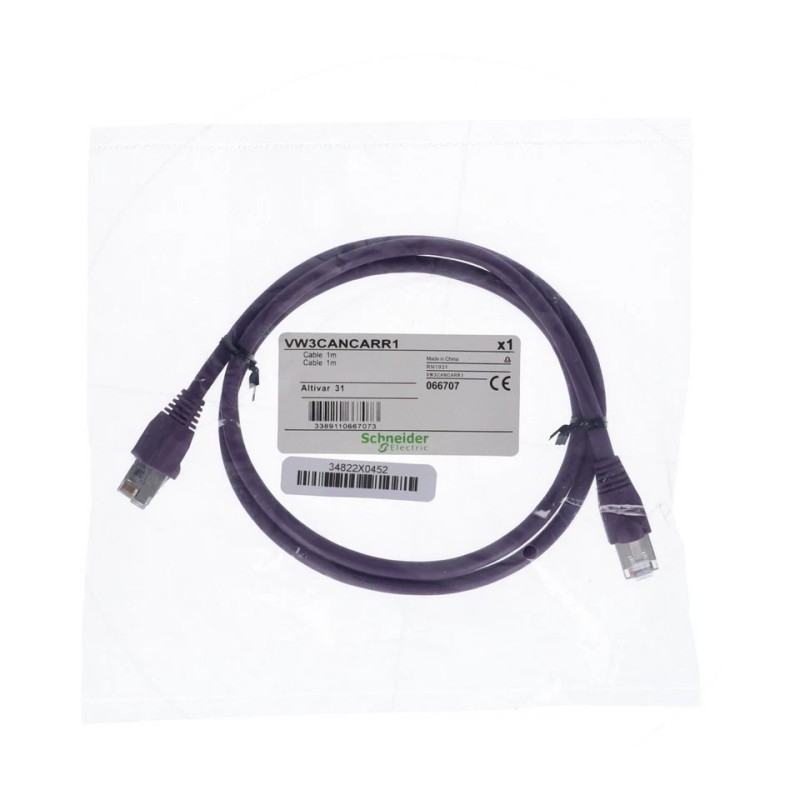
- Schneider
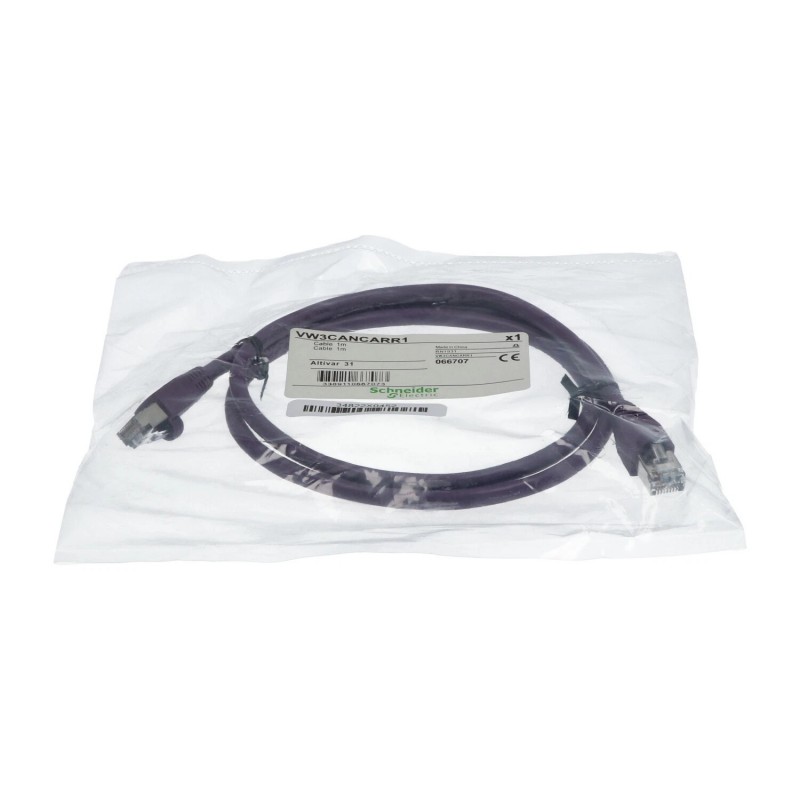
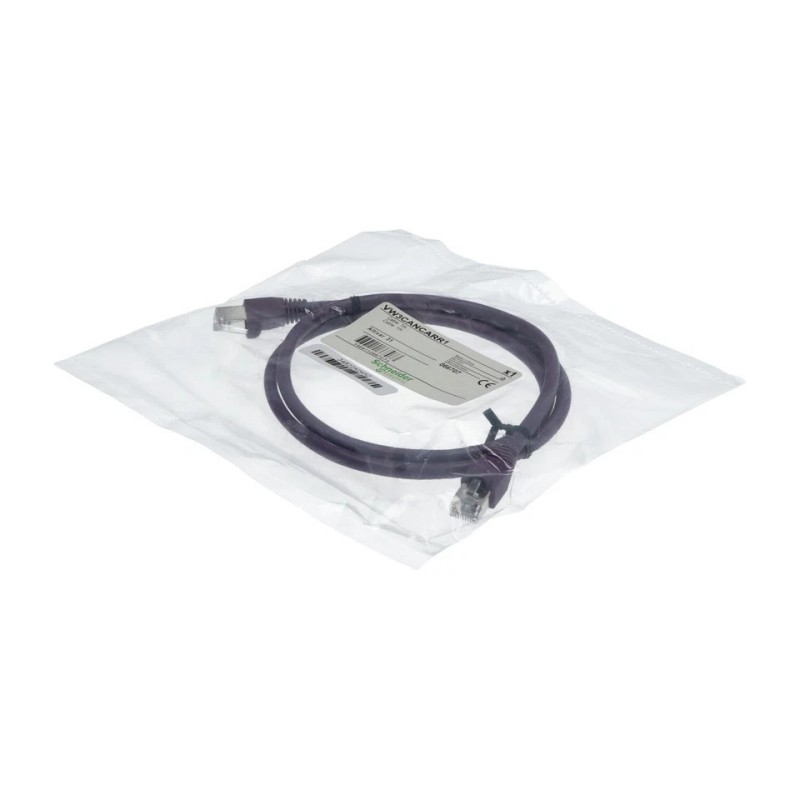
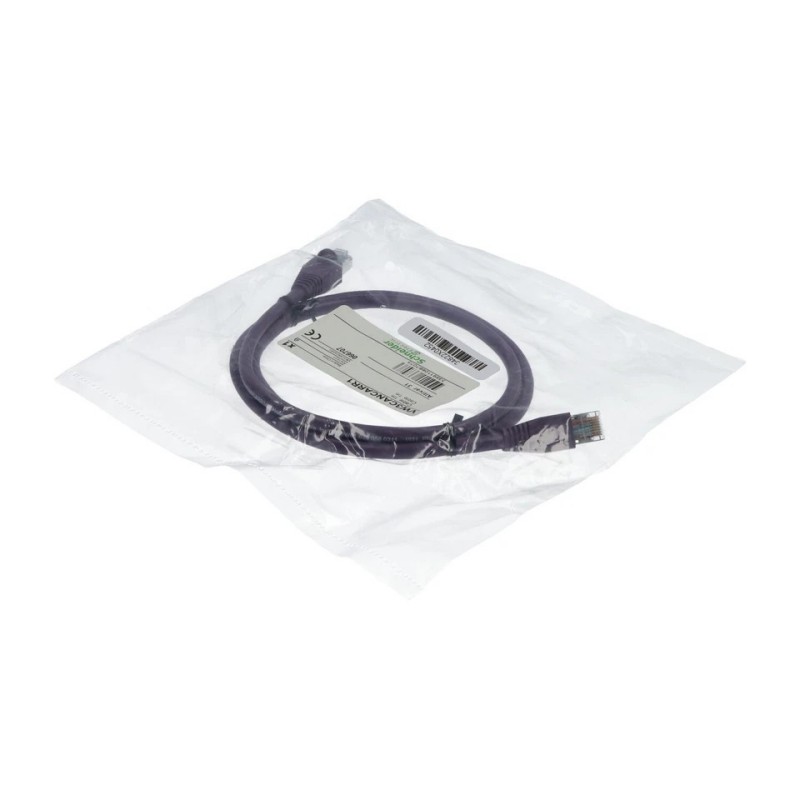
- VW3CANCARR1
- Connecting
- France
- 1 meter
- 0.5 kg
- Xiamen, China
- New & In Stock
- T/T, PayPal, Western Union
- 1 Year
- 1-3 Working Days
- DHL, UPS, TNT, FedEx and EMS.
- 24-Hour Service
- COO
- 2
Our advantage

Global Logistics
We have a 10-year logistics and express cooperation agreement, so our products can be shipped to any place in the world.

Brand new and original
Our products are imported in bulk from the place of origin. Because of the cooperative relationship, our products are all original and 100% new.

24-hour service
We provide 7*24 hours service to our customers. We will be there whenever you need us.

Price advantage
All our products are priced very favorably because we have our own warehouse and supply.
| Company Information | |||
| [email protected] | |||
| Mobile | +8615980777398 | ||
| +8615980777398 | |||
| 15980777398 |
1. Product Overview
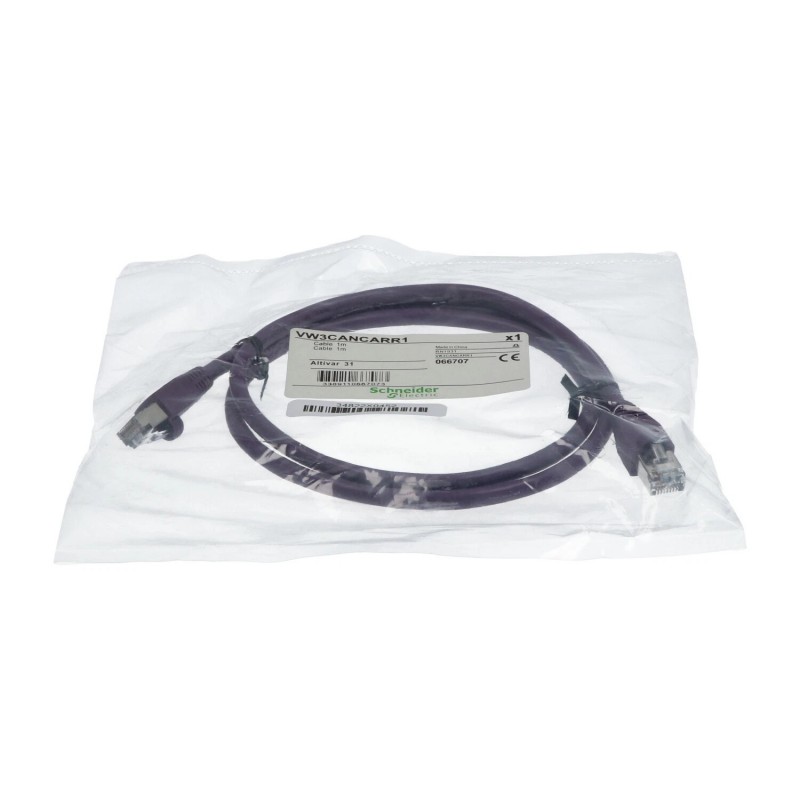
The Schneider VW3CANCARR1 Connecting Cable is an industrial automation accessory intended to provide a physical electrical connection between compatible equipment interfaces. Connecting cables are essential components in industrial control systems, supporting equipment integration, organized wiring, and the transfer of signals according to the cable’s designated function.
With a specified cable length of 1 meter and a supplied weight of 0.5 kg, the VW3CANCARR1 can be evaluated for applications requiring a defined connection distance between compatible devices. Selecting the correct cable is important for maintaining dependable connections and preventing problems caused by incompatible connectors, incorrect wiring, or unsuitable cable specifications.
The exact connector arrangement, pin assignment, electrical characteristics, and intended equipment pairing should be verified against the product label and applicable Schneider Electric documentation. These details should not be inferred from the model number alone.
2. Technical Specifications
| Parameter | Specification |
|---|---|
| Brand | Schneider Electric |
| Model | VW3CANCARR1 |
| Product Type | Connecting Cable |
| Cable Length | 1 meter |
| Weight | 0.5 kg |
| Application | Industrial automation equipment connectivity, subject to compatibility verification |
| Connector Type | Confirm from the product label and technical documentation |
| Electrical Characteristics | Verify according to the intended application |
| Pin Configuration | Confirm before connection |
| Communication Function | Verify the designated function for this model |
| Compatible Equipment | Confirm the supported equipment models |
| Installation Requirements | Follow the applicable equipment and cable installation instructions |
The cable length and weight above are the supplied product specifications. The listed weight of 0.5 kg may warrant verification against the product label or packaging before procurement, particularly if the value is intended to represent the cable alone.
Connector details, conductor arrangement, shielding, electrical ratings, and approved applications should also be confirmed before installation.
3. Function and Working Principle
A connecting cable establishes an electrical path between designated interfaces on compatible devices. Depending on its specific design, it may carry control signals, communication data, feedback signals, or other electrical connections required by an automation system.
The Schneider VW3CANCARR1 should be used only for its documented connection function. The exact signal type and supported equipment combination must be confirmed before use.
In a typical industrial installation, the cable connects two designated interfaces. When the connector types, contact arrangement, and electrical characteristics match the requirements of both devices, the cable supports the intended signal or connection path.
The following factors are important when evaluating the cable:
- Connector compatibility: Confirm that both cable ends match the designated equipment interfaces.
- Pin assignment: Check that the contact arrangement corresponds to the approved connection diagram.
- Electrical suitability: Verify the required signal type and applicable electrical operating limits.
- Cable length: Ensure that the 1-meter length is appropriate for the installation layout.
- Mechanical protection: Prevent excessive bending, pulling, crushing, and abrasion.
- System compatibility: Confirm that both connected devices support the intended connection.
Careful verification helps prevent connection errors and reduces unnecessary troubleshooting.
4. Role in Industrial Automation Systems
Industrial automation systems depend on correctly specified cables to connect control devices, drives, interface modules, and other equipment. The appropriate cable must match the intended connection function and the interfaces of the connected devices.
4.1 Electrical Connectivity
A correctly selected cable provides the designated physical connection between compatible equipment. Proper connector engagement and the correct pin arrangement are essential for dependable operation.
4.2 Equipment Integration
Automation installations may contain multiple interconnected devices. Model-specific cables help maintain the intended connection arrangement when selected according to the equipment manufacturer’s requirements.
4.3 Cabinet and Machine Layout
The 1-meter cable length provides a defined distance for preliminary installation planning. Engineers should consider the actual distance between connection points, the routing path, and the space needed to avoid tension at the connectors.
4.4 Maintenance and Replacement
Accurate cable identification helps technicians select the appropriate replacement during repairs. The complete model number, connector configuration, length, and intended function should be checked rather than relying on physical appearance alone.
4.5 System Reliability
Loose connections, damaged conductors, incorrect pin assignments, and unsuitable routing can cause intermittent faults. Correct installation and periodic inspection help maintain reliable equipment connections.
5. Industrial Applications
The suitability of the VW3CANCARR1 depends on its verified function and compatibility with the target equipment. Potential application environments for correctly matched industrial connecting cables include the following.
5.1 Industrial Control Cabinets
Control cabinets contain equipment that must be interconnected within a defined physical space. A 1-meter cable may be suitable when its length and connector arrangement match the installation requirements.
5.2 Motor Control and Drive Systems
Industrial motor control installations can require dedicated cables for control, communication, feedback, or auxiliary connections. Before using the VW3CANCARR1 in a drive system, confirm the exact connection purpose and supported equipment model.
5.3 Automated Machinery
Production lines, packaging equipment, and material handling systems use cables to connect compatible control and auxiliary components. Appropriate cable selection supports organized wiring and simplifies maintenance.
5.4 Modular Automation Systems
Modular systems often include devices positioned at different points within a cabinet or machine. The cable must match the designated interfaces and comply with the system’s connection requirements.
5.5 Equipment Maintenance and Modernization
During maintenance or system upgrades, a damaged or missing cable may need replacement. Verify the cable model, length, connector arrangement, and intended function before installing a replacement.
These examples describe common industrial cable applications and do not establish compatibility between the VW3CANCARR1 and every equipment category listed.
6. Installation and System Integration
Correct installation helps preserve cable integrity and maintain reliable electrical connections. The following steps provide a general checklist; model-specific documentation and site safety procedures take precedence.
Step 1: Verify the Model Number
Check the product label and confirm that the cable is identified as Schneider VW3CANCARR1. Compare it with the equipment documentation, bill of materials, or existing approved cable assembly.
Step 2: Confirm Equipment Compatibility
Identify the two devices or interfaces that the cable is intended to connect. Verify connector types, pin assignments, electrical requirements, and the approved equipment combination.
Step 3: Isolate the Equipment
Place the equipment in a safe state and isolate relevant power sources according to the site’s lockout/tagout procedure. Follow the equipment manufacturer’s instructions before disconnecting or reconnecting electrical connections.
Step 4: Inspect the Cable
Check the cable jacket, connectors, contact surfaces, and strain-relief areas for visible damage. Do not use a cable with exposed conductors, cracked insulation, bent contacts, or damaged connector housings.
Step 5: Check the Cable Length
The specified length is 1 meter. Confirm that this length is sufficient for the intended route without pulling on the connectors or creating excessive bends.
Step 6: Plan the Cable Route
Route the cable away from sharp edges, moving machinery, hot surfaces, and potential crushing points. Follow the specified minimum bend radius and cable separation requirements where applicable.
Step 7: Connect the Cable
Align each connector with the correct interface and engage it according to the manufacturer’s instructions. Do not force a connector into an incompatible socket or modify the pin arrangement.
Step 8: Secure the Cable
Ensure that the connectors are fully engaged and secured as designed. Provide appropriate support where necessary, and avoid placing unnecessary tension on the cable ends.
Step 9: Restore Power and Test
After completing the required inspection, restore power according to the approved commissioning procedure. Check the connected equipment’s status and review relevant diagnostic messages for connection-related faults.
Step 10: Document the Installation
Record the cable model, connected equipment, and any relevant maintenance information. Accurate records make future troubleshooting and replacement easier.
7. Common Problems and Troubleshooting
Connection problems may originate from the cable, its connectors, the connected equipment, or the wider system. Troubleshooting should begin with safe visual inspection and proceed according to the applicable equipment procedures.
| Symptom | Possible Cause | Recommended Check |
|---|---|---|
| Equipment does not recognize the connection | Incorrect cable model or incompatible interface | Verify the model number and approved equipment pairing |
| Intermittent connection | Loose connector or damaged conductor | Inspect connector engagement and cable condition |
| Communication or signal error | Incorrect pin assignment or unsuitable cable | Check the approved wiring diagram and cable specifications |
| Cable cannot be connected | Connector mismatch or mechanical damage | Compare connector types and inspect for damage |
| Cable is too short for the installation | Incorrect length selection or changed equipment layout | Reassess the routing distance and cable requirements |
| Fault occurs after equipment movement | Cable tension, pinching, or mechanical damage | Inspect the cable route and strain-relief points |
| Fault persists after cable replacement | Problem with connected equipment or system configuration | Review diagnostics and inspect the complete connection path |
| Visible cable damage | Abrasion, heat, crushing, or improper handling | Remove the cable from service and replace it appropriately |
7.1 Check Connector Engagement
Verify that each connector is fully engaged and secured. Inspect connector housings and contacts for damage or contamination. Follow the required safety procedure before disconnecting electrical connections.
7.2 Verify the Model and Pin Configuration
Cables that look similar may have different internal wiring or connection functions. Compare the full part number and approved connection information before using a substitute.
7.3 Inspect for Physical Damage
Look for cuts, kinks, crushed sections, excessive bending, and damage near the connector ends. Replace cables if the insulation, conductors, or connectors are compromised.
7.4 Review System Diagnostics
If the cable appears undamaged and correctly installed, inspect the connected equipment for diagnostic messages. The fault may originate from a device, interface, power supply, or configuration rather than the cable itself.
7.5 Verify Replacement Suitability
If the cable is suspected of being defective, use the specified replacement or a documented equivalent. Do not choose an alternative based only on cable length or connector appearance.
8. Preventive Maintenance and Reliability
Routine inspection can help identify cable problems before they interrupt equipment operation.
- Inspect the cable jacket: Check for cuts, abrasion, cracks, deformation, and other visible damage.
- Check the connectors: Inspect housings and contact surfaces for damage or contamination.
- Maintain suitable routing: Keep the cable away from sharp edges, moving parts, and unsuitable temperatures.
- Avoid excessive tension: Ensure that the cable reaches the connection points without pulling on the connectors.
- Monitor recurring faults: Record connection-related alarms and investigate repeated symptoms.
- Maintain spare-parts records: Record the full model number, cable length, and approved replacement information.
- Follow safe procedures: Inspect, disconnect, and test cables according to the applicable electrical safety requirements.
Maintenance intervals should reflect the operating environment, equipment criticality, and site maintenance policy.
9. Compatible System Components
The following component categories may be relevant when evaluating the VW3CANCARR1. This list does not confirm compatibility with any particular model.
| Component Category | Verification Requirement |
|---|---|
| Variable speed drive or motor control equipment | Confirm the exact model and designated cable connection |
| Controller or control interface | Verify the intended electrical function and supported interface |
| Communication or interface module | Check the connector type, pin assignment, and applicable requirements |
| Auxiliary automation device | Confirm that the cable is approved for the intended connection |
| Connector assembly | Match the contact arrangement and mechanical design |
| Cable support or routing accessories | Determine whether additional protection or support is required |
Compatibility should be confirmed using the complete equipment configuration and applicable connection documentation.
10. Replacement and Alternative Selection
When replacing the Schneider VW3CANCARR1 Connecting Cable, verify the technical requirements before selecting an alternative.
| Selection Factor | What to Verify |
|---|---|
| Exact model | Confirm VW3CANCARR1 against the existing installation records |
| Cable length | The specified length is 1 meter |
| Weight | The supplied weight is 0.5 kg; verify against the product label or packaging |
| Connector configuration | Confirm connector type and contact arrangement |
| Pin assignment | Ensure that the wiring matches the intended interface |
| Electrical suitability | Verify the signal type and applicable electrical requirements |
| Mechanical requirements | Check flexibility, routing, and connector clearance |
| Environmental suitability | Confirm suitability for the operating environment |
| System compatibility | Verify both connection endpoints and the intended function |
A cable of the same length is not necessarily interchangeable with the VW3CANCARR1. Likewise, matching connectors do not guarantee identical internal wiring. Use an alternative only after its functional and electrical equivalence has been confirmed.
11. Key Benefits of Correct Cable Selection
Selecting the correct connecting cable supports several general objectives in industrial automation.
Reliable connectivity: A cable that matches the designated interface helps establish the intended connection between compatible devices.
Defined installation distance: The 1-meter length supports planning for connections between equipment located within the cable’s usable reach.
Organized wiring: Appropriate cable length can reduce unnecessary slack and support a more orderly installation.
Simplified maintenance: Accurate model identification helps technicians source and install the correct replacement part.
Reduced connection errors: Verifying connector and pin configurations helps prevent incompatible connections and unnecessary rework.
These benefits depend on correct product identification, proper installation, and verified compatibility with the connected equipment.
12. Technical FAQs
Q1: What is the Schneider VW3CANCARR1?
The Schneider VW3CANCARR1 is identified in the supplied product information as a connecting cable for industrial automation equipment. Its exact function and approved equipment pairing should be confirmed from the applicable technical documentation.
Q2: What is the cable length?
The specified cable length is 1 meter.
Q3: What is the weight of the VW3CANCARR1?
The supplied product weight is 0.5 kg. This value should be checked against the product label or packaging before procurement.
Q4: Can this cable be used with any Schneider Electric drive?
No. Compatibility depends on the exact equipment model, connector configuration, pin assignment, and intended connection. Verify the supported combination before installation.
Q5: Can another 1-meter cable be used as a replacement?
Not automatically. The replacement must match the required electrical function, connector arrangement, pin configuration, and system compatibility. Cable length alone is insufficient.
Q6: What should be checked before installation?
Confirm the full model number, connector types, pin assignments, connected equipment, cable condition, and approved installation procedure.
Q7: Why might equipment fail to recognize the connection?
Possible causes include an incompatible cable, loose or damaged connectors, incorrect pin assignments, cable damage, or a fault in the connected equipment. Review the relevant diagnostics and verify the approved connection details.
Q8: How should the cable be maintained?
Inspect the cable jacket and connectors, avoid excessive bending and tension, protect the cable from abrasion and heat, and replace it if damage compromises its integrity.
Q9: Does the VW3CANCARR1 support a specific communication protocol?
The exact function and supported interface should be confirmed from the product documentation. Do not infer a communication protocol solely from the model designation.
13. Conclusion
The Schneider VW3CANCARR1 Connecting Cable is an industrial automation accessory with a specified cable length of 1 meter and a supplied weight of 0.5 kg. Correct cable selection is important for maintaining suitable electrical connections, organizing equipment installations, and supporting efficient maintenance.
Before purchasing or installing the VW3CANCARR1, verify its precise function, connector configuration, pin assignment, electrical characteristics, and compatibility with the intended equipment. Confirming the supplied weight against the product label is also advisable. Proper cable routing, careful connector handling, regular inspection, and accurate spare-parts records help reduce avoidable connection faults and support reliable industrial automation operation.