

ProductPRODUCT
Featured products
Contact Us
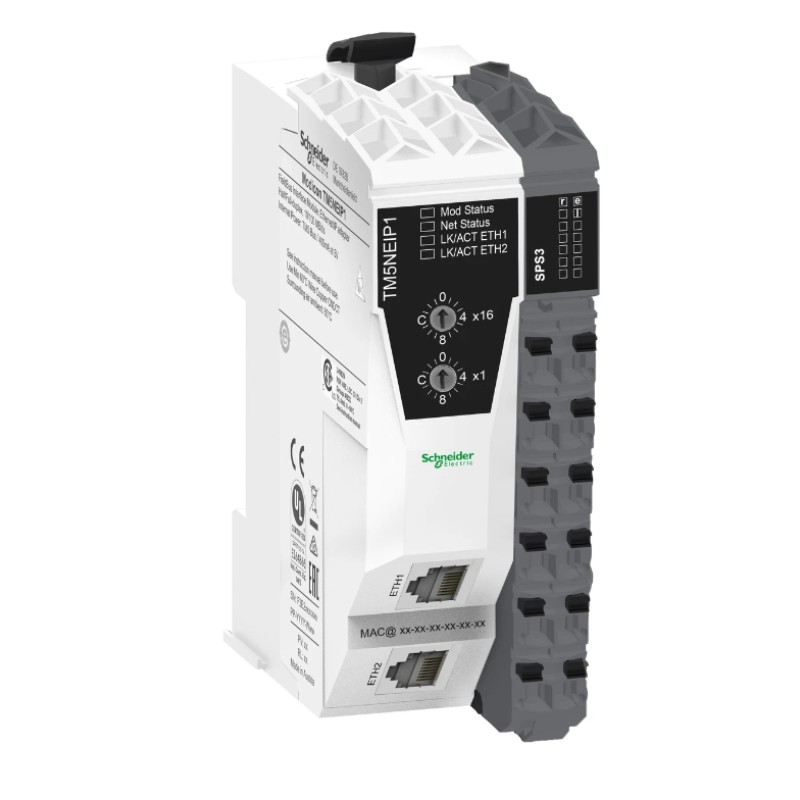
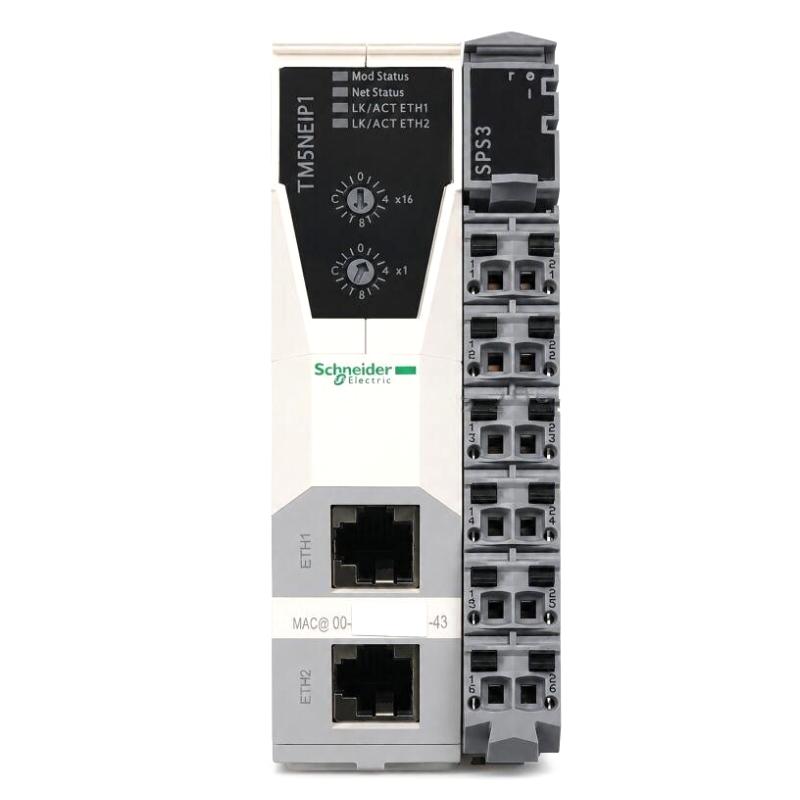
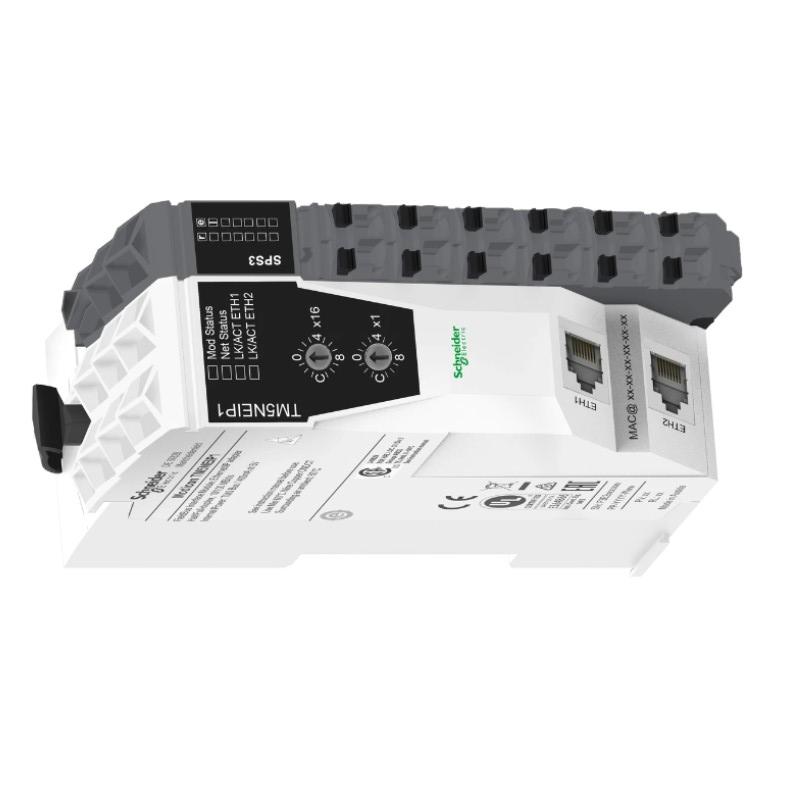
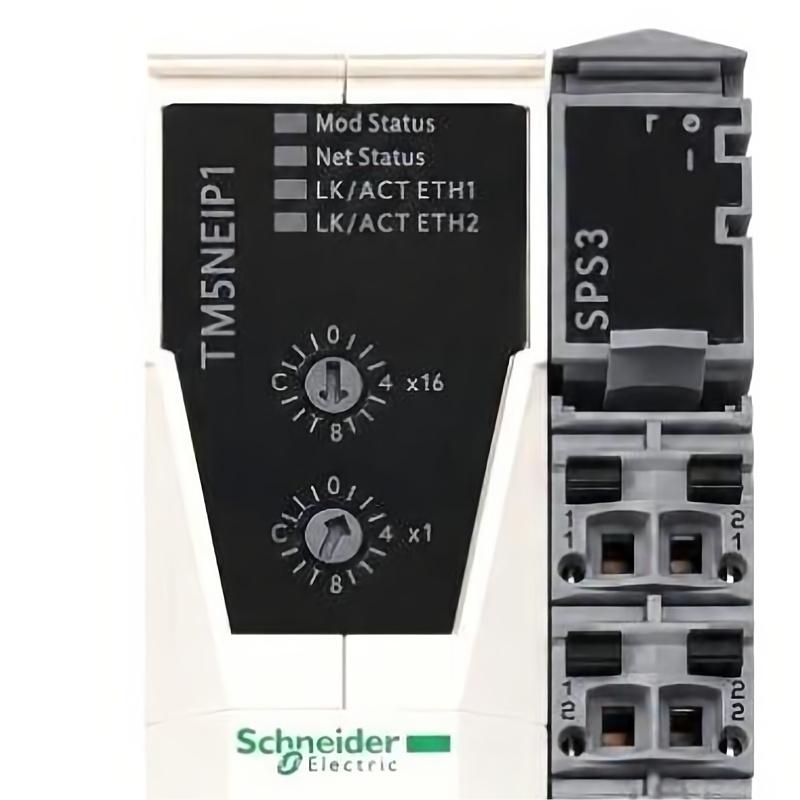
- Schneider
- TM5NEIP1K
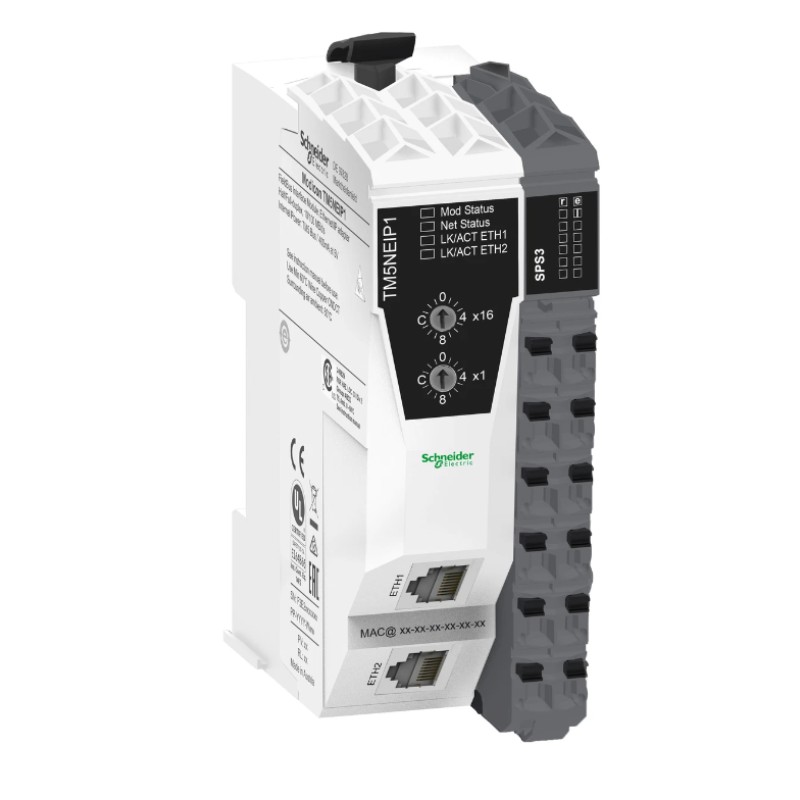
- EtherNet/IP Fieldbus Interface Module
- France
- 99 × 38 × 75 mm
- 0.08 kg
- Xiamen, China
- New & In Stock
- T/T, PayPal, Western Union
- 1 Year
- 1-3 Working Days
- DHL, UPS, TNT, FedEx and EMS.
- 24-Hour Service
- COO
- 4
Our advantage

Global Logistics
We have a 10-year logistics and express cooperation agreement, so our products can be shipped to any place in the world.

Brand new and original
Our products are imported in bulk from the place of origin. Because of the cooperative relationship, our products are all original and 100% new.

24-hour service
We provide 7*24 hours service to our customers. We will be there whenever you need us.

Price advantage
All our products are priced very favorably because we have our own warehouse and supply.
| Company Information | |||
| [email protected] | |||
| Mobile | +8615980777398 | ||
| +8615980777398 | |||
| 15980777398 |
Product Overview
The Schneider Electric TM5NEIP1K EtherNet/IP Fieldbus Interface Module is an industrial automation communication component designed to support network connectivity between compatible control equipment and EtherNet/IP-based automation systems. Fieldbus interfaces play an important role in modern industrial installations by enabling controllers, distributed I/O devices, and other network-compatible equipment to exchange operational data.
In automated manufacturing environments, communication between controllers and field devices is essential for coordinating machine operations, collecting status information, and maintaining consistent process behavior. An appropriate fieldbus interface helps establish the communication path required for data exchange between supported automation components.
The TM5NEIP1K is identified by the supplied product description as an EtherNet/IP fieldbus interface module associated with Schneider Electric’s TM5 automation platform. Its intended role is to support network integration within a compatible control architecture. The exact supported network configuration, device role, connection limits, and hardware compatibility should be confirmed against the complete product designation and applicable system documentation before deployment.
The module has listed dimensions of 99 × 38 × 75 mm and a weight of approximately 0.08 kg. Its compact size can be advantageous in control installations where cabinet space, wiring organization, and modular system design are important considerations.
Technical Specifications
| Parameter | Specification |
|---|---|
| Manufacturer | Schneider Electric |
| Model | TM5NEIP1K |
| Product Type | EtherNet/IP Fieldbus Interface Module |
| Product Family | Schneider Electric TM5 series, as identified by the supplied description |
| Primary Function | Industrial network interface and data exchange |
| Network Technology | EtherNet/IP, as identified by the supplied description |
| System Role | Communication interface for compatible automation equipment |
| Dimensions | 99 × 38 × 75 mm |
| Weight | 0.08 kg |
| Installation | Verify the supported TM5 mounting arrangement |
| Typical Applications | Machine automation, distributed control, and industrial networking |
| Compatibility | Confirm controller, I/O system, firmware, and configuration requirements |
The table reflects the supplied product identification and physical specifications. Additional details—including connector type, supported network role, data rates, connection capacity, diagnostic indicators, power requirements, and firmware compatibility—should be verified for the exact hardware version.
What Is the Schneider TM5NEIP1K?
The TM5NEIP1K is described as an EtherNet/IP fieldbus interface module. In an industrial control system, this type of component provides a defined communication interface through which compatible automation devices can exchange information over an industrial Ethernet network.
EtherNet/IP is an industrial communication technology used to transfer control, status, and diagnostic information between supported devices. It is based on standard Ethernet infrastructure and uses the Common Industrial Protocol (CIP) for industrial data exchange.
Depending on the device architecture, an EtherNet/IP interface may be used to connect controllers with remote I/O, machine subsystems, or other compatible network equipment. The precise role of the TM5NEIP1K in a particular installation must be confirmed before configuring the network.
A typical industrial communication path can be represented as:
Controller → Industrial Ethernet Network → Compatible Fieldbus Interface → Connected Automation Devices
The actual topology and data flow depend on the supported hardware configuration and the control system’s engineering design.
Function and Working Principle
1. Industrial Network Connectivity
The interface module provides the network connection required by the supported automation architecture. This connection allows compatible equipment to participate in the configured industrial communication system.
The physical network must be designed according to the applicable requirements for cabling, connectors, grounding, electrical noise, and environmental conditions.
2. Data Exchange
Industrial automation networks carry information such as device status, input and output data, operating conditions, and diagnostic information. The exact data exchanged through a particular interface depends on the supported device role and configured communication services.
Correct configuration helps ensure that the controller and connected equipment interpret the exchanged data consistently.
3. Communication With the Control System
The interface works as part of a larger automation architecture. The controller executes the application logic, while the communication interface supports the transfer of information required by the configured system.
For example, a machine controller may use network data to monitor a subsystem, coordinate an operating sequence, or determine whether a connected device is available. These functions depend on the application program and the capabilities of the connected equipment.
4. Network Status and Diagnostics
Industrial Ethernet installations require effective methods for identifying communication problems. Depending on the module’s actual diagnostic capabilities, network status information may help maintenance personnel identify link failures, configuration mismatches, or communication interruptions.
The available diagnostic indicators and software tools should be confirmed from the exact hardware documentation.
5. Integration With Machine Automation
When correctly configured, an EtherNet/IP interface can form part of a coordinated machine-control system. Networked devices can exchange information with the controller, allowing the application to respond to equipment status and process conditions.
The interface itself does not replace the PLC program or determine the machine’s complete control strategy. Its role is defined by the supported communication architecture.
Role in Industrial Control Systems
The Schneider TM5NEIP1K is intended to support industrial network integration within a compatible automation installation. Its value depends on how it fits into the complete controller, communication, and I/O architecture.
A typical system may include:
| System Component | Function |
|---|---|
| PLC or Machine Controller | Executes application logic and coordinates equipment |
| EtherNet/IP Interface | Provides the supported network connection |
| Compatible Remote I/O | Acquires field signals or controls outputs |
| Industrial Ethernet Switch | Connects network devices where required by the topology |
| Sensors and Switches | Detect physical conditions and equipment states |
| Actuators and Drives | Perform mechanical or electrical control actions |
| HMI Panel | Displays operating status and alarms |
| Engineering Software | Supports hardware configuration and troubleshooting |
The exact components and connection arrangements depend on the host platform. A product should not be considered compatible solely because it uses EtherNet/IP; the controller, interface role, device profile, and configuration requirements must also match.
Industrial Applications
Machine Automation
EtherNet/IP communication can support information exchange between a machine controller and compatible networked equipment. Applications may include packaging systems, assembly machinery, material handling, and automated production cells.
Distributed I/O Systems
Where supported by the system architecture, industrial network interfaces can connect control equipment with distributed input and output devices. This can help reduce the need for long individual signal runs to a central cabinet.
Packaging and Processing Equipment
Automated packaging and processing machinery often requires coordinated communication between controllers, sensors, actuators, and subsystem equipment. Network interfaces can support the transfer of status and control data used by the machine program.
Material Handling Systems
Conveyors, transfer stations, and handling equipment may exchange operating states and control information over industrial networks. The controller can use this information to coordinate movements and sequence operations.
Industrial Equipment Monitoring
Networked automation systems can collect equipment status and diagnostic information to support maintenance and operational monitoring. The available information depends on the connected devices and the configured application.
System Modernization
When updating an existing automation installation, an EtherNet/IP interface may be considered as part of a compatible network architecture. Before modernization, engineers should assess controller compatibility, network topology, device configuration, and the impact of any hardware changes.
Installation and System Integration
Proper installation and configuration are essential for dependable network communication. Before installing the TM5NEIP1K, verify the exact module identity and its compatibility with the target control system.
Verify the Product Identification
Check the complete model number, TM5NEIP1K, and compare it with the installed hardware records and the applicable Schneider Electric documentation.
Confirm the module’s supported function, hardware revision, required accessories, and permitted mounting arrangement. Similar model numbers do not necessarily have identical communication capabilities.
Confirm System Compatibility
Before integration, verify:
- Compatible controller or processor
- Supported TM5 system configuration
- Required firmware and engineering-software versions
- Supported EtherNet/IP device role
- Network configuration requirements
- Power and mounting requirements
- Supported connected devices and communication services
These checks help prevent configuration errors and unsupported hardware combinations.
Prepare the Network Infrastructure
Select suitable industrial Ethernet cables, connectors, and switching equipment according to the installation requirements. Plan the network topology before connecting the devices.
Keep communication wiring organized and separate from high-power conductors where required by the electrical design. Follow the relevant grounding, shielding, and electromagnetic compatibility practices.
Install the Module
Install the interface using the mounting method specified for the verified product and host system. Ensure that connectors and associated hardware are properly seated and that the installation environment meets the applicable requirements.
Isolate power according to approved procedures before inserting, removing, or servicing hardware unless the system documentation explicitly permits another method.
Configure Network Parameters
Configure the interface and associated controller using the appropriate engineering environment. Network parameters and device definitions must match the actual system design.
Where applicable, verify device identity, IP addressing, network settings, communication configuration, and the controller’s hardware configuration. Avoid assigning duplicate IP addresses or using settings that conflict with the existing network.
Commission Communication
After installation, confirm that the controller recognizes the interface and that the network connection operates as expected.
A commissioning checklist should include:
- Confirming hardware identification
- Checking power and connection status
- Verifying the network configuration
- Confirming communication with the intended devices
- Testing the required data exchange
- Reviewing available diagnostic information
- Recording the final configuration
Test the complete control sequence after communication has been established, rather than treating a successful network connection as proof that the application is fully operational.
Troubleshooting the TM5NEIP1K
Communication faults should be investigated systematically, beginning with the physical network and proceeding to configuration and application behavior.
No Network Communication
Possible causes include a disconnected cable, an incorrect network configuration, an inactive network port, a power issue, or an incompatible device configuration.
Inspect the physical connection and verify the relevant network parameters. Check the controller’s hardware status and any available module diagnostics before replacing hardware.
Intermittent Communication
Intermittent communication may be associated with damaged cables, loose connectors, electrical interference, network congestion, unstable power, or configuration problems.
Inspect the cabling and connectors, review network diagnostics, and check whether the fault occurs under specific operating conditions. If switching equipment is present, verify its port status and configuration.
Device Not Recognized by the Controller
If the controller does not recognize the interface or connected device, confirm the complete product identity and the selected hardware definition.
Check software and firmware compatibility, device configuration, and the required network role. A similar-looking module or related product number should not be assumed to be interchangeable.
Incorrect or Missing Data
When communication appears active but expected data is unavailable, investigate the device configuration, data mapping, connection settings, and controller program.
Confirm that the configured data structure matches the actual device and that the application uses the correct input and output references. The specific troubleshooting procedure depends on the supported device profile and controller platform.
Network Address Conflict
Duplicate IP addresses or incorrect network settings can prevent reliable communication. Verify address assignments and confirm that each network device has the correct configuration for the intended network.
Any address changes should be documented and coordinated with the network administrator or controls engineer to avoid disrupting other equipment.
Repeated Diagnostic Messages
Record diagnostic messages and operating conditions before making configuration changes. Review whether the problem is associated with power cycling, network interruptions, configuration downloads, or changes to connected equipment.
A structured record helps distinguish a persistent hardware fault from a network or configuration issue.
Maintenance Recommendations
Regular inspection and documentation can improve network reliability and simplify future troubleshooting.
Inspect communication cabling: Check for damaged insulation, loose connectors, excessive bending, and other signs of wear.
Maintain clean connections: Keep connectors and associated mounting interfaces in suitable condition and follow the specified handling procedures.
Review diagnostic records: Track recurring communication errors and investigate patterns that may indicate wiring, configuration, or network problems.
Maintain configuration backups: Keep current copies of controller programs, hardware configurations, and relevant network settings.
Control the installation environment: Maintain the cabinet within the environmental limits specified for the installed equipment.
Document hardware changes: Record replacements, configuration modifications, firmware changes, and commissioning results.
Follow safe servicing procedures: Use the required isolation and electrostatic-discharge precautions when handling electronic modules.
Maintenance activities should follow the requirements of the actual hardware and the site’s industrial maintenance procedures.
Compatible System Components
The TM5NEIP1K may be considered within a broader automation system containing compatible network and control components. The following table describes functional categories rather than confirming compatibility with specific model numbers.
| Component Category | Purpose |
|---|---|
| Compatible Schneider Electric Controller | Executes the machine-control program |
| Supported TM5 I/O Components | Interfaces with field signals as permitted by the system design |
| Industrial Ethernet Switch | Provides network connections where required |
| EtherNet/IP-Compatible Devices | Exchange supported data with the control system |
| Industrial Ethernet Cables | Carry network traffic |
| HMI or Operator Interface | Displays machine status and alarms |
| Engineering Workstation | Supports configuration and diagnostics |
| Industrial Power Supply | Provides power according to equipment requirements |
Before selecting any related component, verify the supported system architecture, hardware revision, communication role, and configuration requirements.
Replacement and Procurement Considerations
When purchasing a replacement for the Schneider Electric TM5NEIP1K, verify the complete product designation and its intended role in the existing automation system.
Important checks include:
- Full model number and product label
- Hardware revision
- Supported controller and TM5 configuration
- EtherNet/IP functionality and device role
- Connector and mounting arrangement
- Power requirements
- Firmware and software compatibility
- Availability of required accessories
The supplied physical specifications are 99 × 38 × 75 mm and 0.08 kg. These values are useful for inventory planning and preliminary space assessment, but physical dimensions alone cannot establish functional interchangeability.
For replacement work, record the existing network settings and hardware configuration before removing the original unit. After installation, verify communication and test the application’s required data exchange.
Key Advantages
Industrial Network Integration
An appropriate EtherNet/IP interface helps connect compatible automation equipment within a structured industrial communication architecture.
Support for Coordinated Control
Networked data exchange can help a controller coordinate equipment operations and use remote status information in its application logic.
Compact Physical Design
With supplied dimensions of 99 × 38 × 75 mm and a weight of 0.08 kg, the module has a compact form factor suitable for consideration in space-conscious installations, subject to its verified mounting requirements.
Easier System Diagnostics
When supported by the installed hardware and software, network and device diagnostics can help maintenance personnel identify communication problems and reduce troubleshooting time.
Modular Automation Architecture
A suitable fieldbus interface can form part of a modular control system in which network communication, controller logic, and field I/O perform distinct functions.
Technical FAQs
What is the Schneider TM5NEIP1K?
The TM5NEIP1K is identified in the supplied product description as an EtherNet/IP fieldbus interface module intended for industrial automation network integration.
What is EtherNet/IP used for?
EtherNet/IP is an industrial communication technology used to exchange control, status, and diagnostic information between compatible automation devices.
What are the dimensions of the TM5NEIP1K?
The supplied dimensions are 99 × 38 × 75 mm.
How much does the module weigh?
The supplied weight is approximately 0.08 kg.
Can the TM5NEIP1K connect to any EtherNet/IP device?
Not necessarily. Compatibility depends on the module’s actual communication role, supported device profiles, controller architecture, firmware, and configuration requirements. These details should be verified before integration.
What should be checked if the module cannot communicate?
Check the power supply, cables, connectors, network settings, hardware configuration, device compatibility, and available diagnostics. If the physical connection is working, review the communication configuration and data mapping.
Can another Schneider Electric communication module replace it?
A different communication module should not be assumed to be a direct replacement. Verify its product identity, supported network protocol, device role, mounting arrangement, and controller compatibility.
Does the module perform PLC control logic?
The fieldbus interface supports communication within the automation architecture. The control logic is generally executed by the associated controller, according to the system design.
Conclusion
The Schneider Electric TM5NEIP1K EtherNet/IP Fieldbus Interface Module is described as a compact industrial communication component intended to support network integration in compatible automation systems. Industrial fieldbus interfaces help controllers exchange operational information with supported devices, enabling coordinated machine control, equipment monitoring, and communication-based diagnostics.
With listed dimensions of 99 × 38 × 75 mm and a weight of 0.08 kg, the module offers a compact physical profile for suitable control installations. Its successful use depends on confirming the exact product identity, supported network role, hardware compatibility, and configuration requirements.
For installation, maintenance, or replacement, verify the complete model number and applicable technical specifications before connecting the module to an operating system. Correct network planning, careful commissioning, and accurate configuration records are essential for dependable industrial communication.