

ProductPRODUCT
Featured products
Contact Us
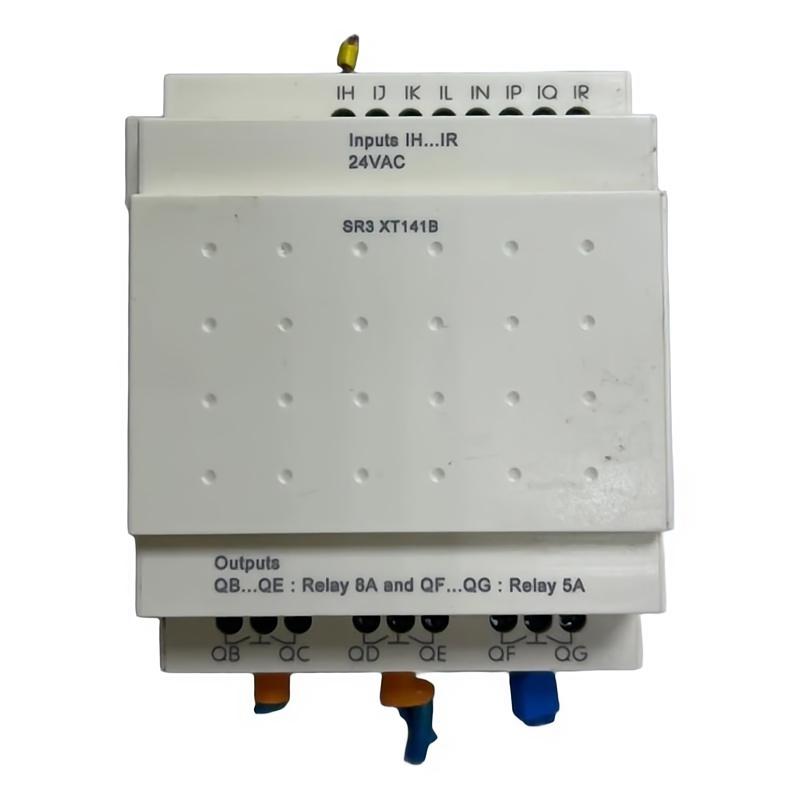
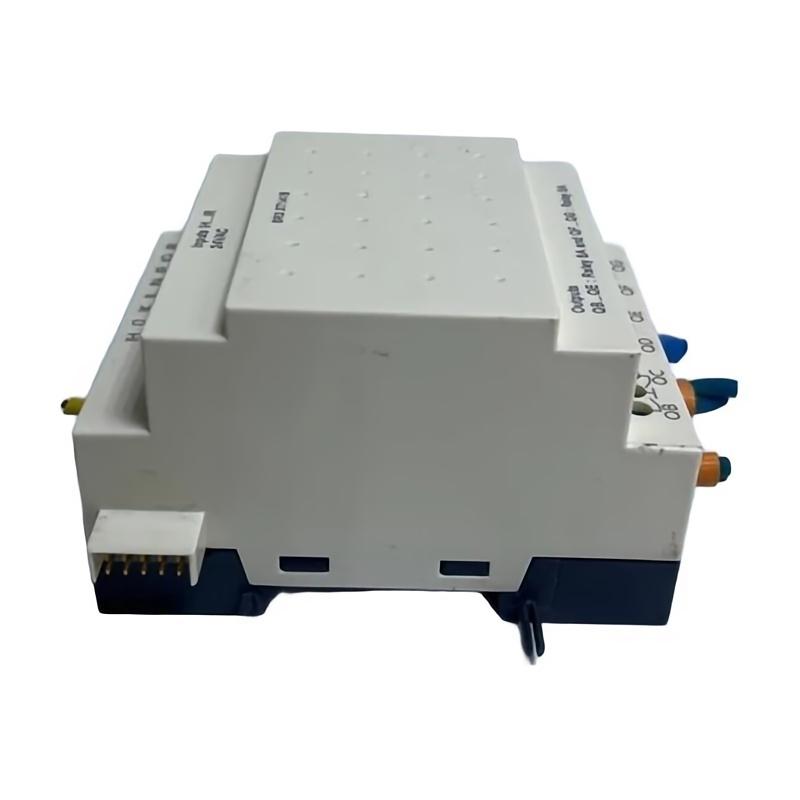
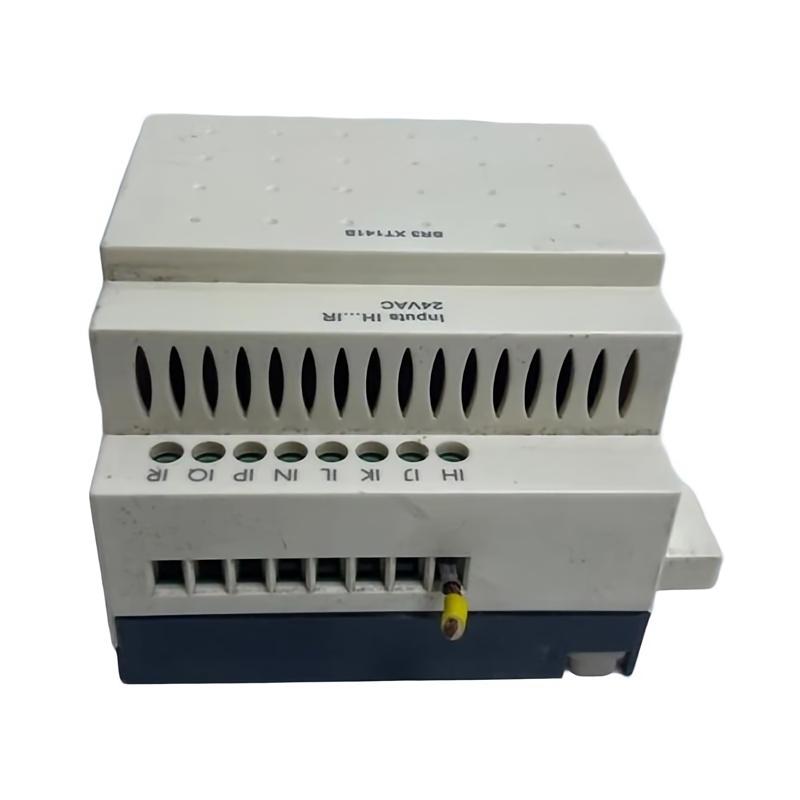
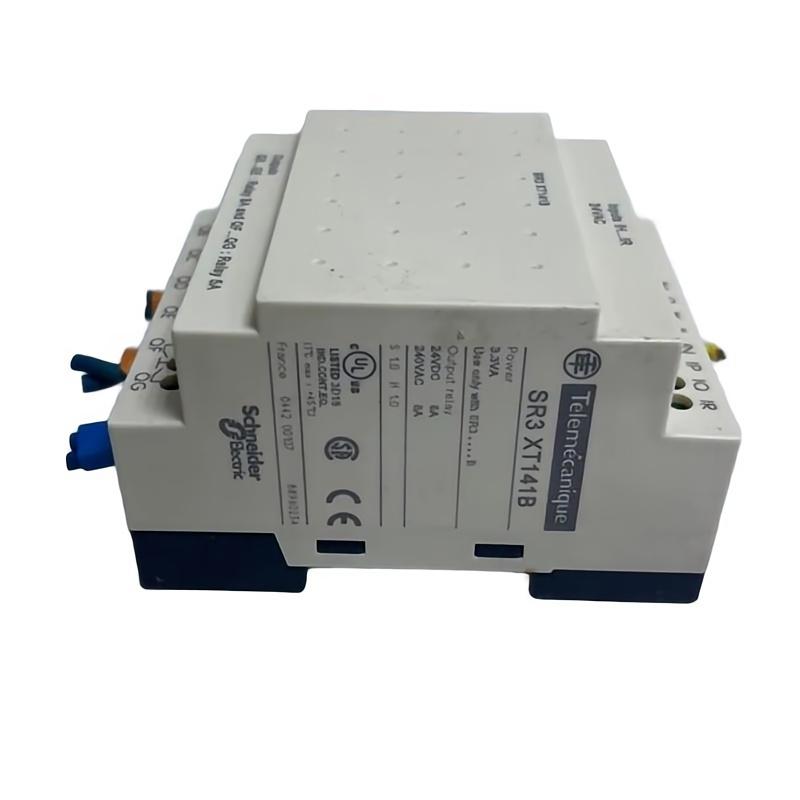
- Schneider
- SR3XT141B
- Discrete I/O Expansion Module
- France
- 107.6 x 72 x 59.5 mm
- 0.22 kg
- Xiamen, China
- New & In Stock
- T/T, PayPal, Western Union
- 1 Year
- 1-3 Working Days
- DHL, UPS, TNT, FedEx and EMS.
- 24-Hour Service
- COO
- 3
Our advantage

Global Logistics
We have a 10-year logistics and express cooperation agreement, so our products can be shipped to any place in the world.

Brand new and original
Our products are imported in bulk from the place of origin. Because of the cooperative relationship, our products are all original and 100% new.

24-hour service
We provide 7*24 hours service to our customers. We will be there whenever you need us.

Price advantage
All our products are priced very favorably because we have our own warehouse and supply.
| Company Information | |||
| [email protected] | |||
| Mobile | +8615980777398 | ||
| +8615980777398 | |||
| 15980777398 |
Product Overview
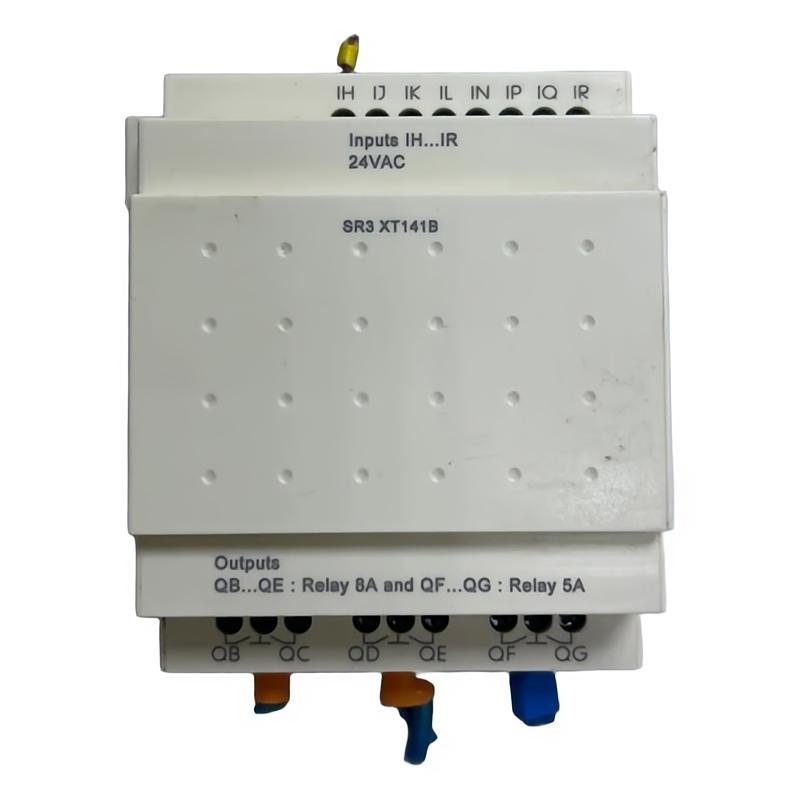
The Schneider Electric SR3XT141B Discrete I/O Expansion Module is an industrial automation accessory designed to extend the input and output capabilities of a compatible control system. In applications using modular smart relays, expansion modules provide additional signal interfaces, allowing a controller to manage more field devices without replacing the entire control unit.
Discrete input and output signals are essential in automated machinery and facility systems. Inputs allow a controller to monitor conditions such as push-button commands, switch positions, sensor states, and equipment feedback. Outputs allow the control system to operate compatible interface devices, relays, indicators, and other loads within the limits of the installed hardware.
By extending the available I/O resources, a suitable expansion module can help simplify control-panel design and support more flexible automation configurations. The exact functions and electrical capabilities of the SR3XT141B should be confirmed against its complete product identification and the documentation for the host controller before installation.
The supplied physical specifications list the Schneider SR3XT141B at 107.6 × 72 × 59.5 mm, with a weight of approximately 0.22 kg. Its compact size can be useful in control cabinets where space, wiring organization, and straightforward maintenance are important considerations.
Technical Specifications
| Parameter | Specification |
|---|---|
| Manufacturer | Schneider Electric |
| Model | SR3XT141B |
| Product Type | Discrete I/O Expansion Module |
| Product Category | Industrial Automation / Smart Relay Accessories |
| Primary Function | Expansion of discrete I/O capabilities in a compatible system |
| Signal Type | Discrete input/output; exact configuration requires verification |
| Dimensions | 107.6 × 72 × 59.5 mm |
| Weight | 0.22 kg |
| Installation | Compatible controller mounting arrangement; verify before installation |
| System Role | Additional field-signal interface |
| Typical Applications | Machine control, equipment monitoring, and compact automation panels |
| Compatibility | Confirm using the exact model number and host-system documentation |
The table reflects the supplied product description and physical measurements. The number of inputs and outputs, electrical ratings, output type, supported supply voltage, terminal arrangement, and compatibility requirements should be verified from the exact Schneider Electric product documentation. These details should not be inferred from dimensions or the general expansion-module designation.
What Is the Schneider SR3XT141B?
A discrete I/O expansion module is used to increase the number of field signals that a compatible controller can manage. In a compact automation system, the primary controller may have a limited number of built-in I/O points. When the application requires additional signals, an approved expansion module can provide a way to extend the system.
For example, a small machine may need to monitor several limit switches, operator push buttons, and equipment-status contacts while also controlling indicator lights and interface relays. An expansion module can help accommodate additional signals when its electrical characteristics and I/O configuration match the application.
The SR3XT141B is identified by the supplied description as a discrete I/O expansion module. Its actual channel configuration and supported host controller should be confirmed before it is selected for a new installation or used as a replacement part.
A typical control arrangement can be represented as:
Field Sensors and Switches → Discrete Inputs → Compatible Controller → Discrete Outputs → Controlled Equipment
The expansion module forms part of this signal path. The controller executes the programmed logic and determines how the system responds to the input conditions.
Function and Working Principle
1. Expanding Available I/O Capacity
The primary purpose of an expansion module is to provide additional signal-handling capacity for a compatible control platform. This can be useful when a machine’s I/O requirements exceed the resources available on the base controller.
Additional I/O capacity may support more field devices, additional operating modes, equipment feedback, and supplementary control functions. The amount and type of expansion available depend on the module and the host system.
2. Receiving Discrete Input Signals
Where the module provides digital inputs, compatible field devices can send discrete status signals to the controller. These may represent a switch being activated, a sensor detecting an object, or an auxiliary contact changing state.
The controller uses these states as conditions in the automation program. Input voltage, polarity, wiring, and signal thresholds must comply with the module’s specifications.
3. Supporting Discrete Output Control
Where discrete outputs are provided, the module can support control commands from the associated controller. Depending on the verified output design, these commands may operate suitable interface devices or indicators.
The permissible load type, voltage, current, switching characteristics, and protective requirements must be confirmed before a load is connected. External relays or other interface components may be necessary for certain applications.
4. Coordinating With the Host Controller
An expansion module does not independently replace the logic-processing role of the main controller. Instead, it works within the supported hardware configuration, allowing the controller to use the additional I/O resources in its program.
Correct system configuration is essential. The module must be recognized by the host platform, and the configured I/O assignments must correspond to the installed hardware.
5. Enabling Integrated Equipment Control
When properly configured, expanded I/O can help a control system coordinate multiple devices and operating conditions. For example, a controller may monitor the state of a machine guard, check a position switch, and operate an indicator according to the programmed sequence.
The precise response depends on the controller program and the connected devices, rather than on the expansion module alone.
Role in Industrial Automation Systems
The Schneider SR3XT141B can be considered part of an I/O architecture in which field signals are collected and used by a compatible automation controller. Its intended role is to expand signal-handling resources, subject to confirmation of the exact product identity and supported configuration.
A typical automation system contains several functional layers:
| System Element | Function |
|---|---|
| Field Sensors | Detect physical conditions or object presence |
| Push Buttons and Selector Switches | Provide operator commands |
| Discrete I/O Expansion Module | Adds compatible signal interfaces |
| Main Controller or Smart Relay | Executes the programmed control logic |
| Interface Relays | Provide suitable switching interfaces where required |
| Contactors and Actuators | Perform control actions on equipment |
| HMI or Indicator Devices | Present machine status and operating information |
| Control Power Supply | Provides appropriately rated electrical power |
This architecture can support a range of small automation tasks, from simple machine sequencing to coordinated equipment monitoring. Each component must be selected according to the system’s electrical, functional, and environmental requirements.
Industrial Applications
Machine Automation
In compact machinery, an I/O expansion module can help accommodate additional switches, position sensors, operator commands, and equipment feedback signals. This can support more detailed machine sequencing without requiring a complete redesign of the control panel.
Packaging Equipment
Packaging machines often depend on discrete signals to identify product presence, detect mechanism positions, and coordinate individual stages of a cycle. Additional I/O resources may be useful when a machine includes multiple stations or auxiliary devices.
Conveyor Systems
Conveyors may use switches and sensors to detect products, monitor travel limits, and provide equipment-status feedback. An appropriate expansion module can support these signals when the host controller and module are compatible.
Pump and Utility Panels
Small utility systems may use discrete signals from float switches, pressure switches, motor-status contacts, and operator controls. Expanded I/O can allow a controller to monitor more conditions and execute corresponding programmed responses.
Building and Facility Equipment
Compact automation controllers are frequently used in equipment panels for ventilation, lighting, access-related status monitoring, and auxiliary systems. A compatible expansion module may help provide the necessary signal capacity for these applications.
OEM Control Panels
Original equipment manufacturers may use modular control systems to create repeatable panel designs for machines and packaged equipment. Expansion modules can support different I/O requirements across product variants, provided that the configuration remains within the controller’s supported limits.
Installation and System Integration
Correct installation requires confirmation of the module’s exact identity, electrical specifications, and compatibility with the host controller. The following procedure provides a general integration framework; the applicable product instructions take precedence.
Confirm the Product Identification
Check the label for the complete model number SR3XT141B and compare it with the existing installation or the intended hardware configuration.
Do not assume that modules with similar SR3 designations have identical functions, electrical ratings, or mounting requirements. Verify the exact model before installation or replacement.
Verify Host-System Compatibility
Confirm that the controller supports the expansion module and that the planned configuration complies with the system’s limits. Check any restrictions involving expansion count, physical arrangement, software configuration, or required accessories.
A module should not be considered compatible merely because it shares the manufacturer’s name or a similar product-series designation.
Isolate Power Before Installation
Disconnect the relevant power sources and follow the equipment’s approved isolation and lockout procedures before handling the module or changing field wiring.
Confirm that the system is in a safe condition before removing an existing unit. Observe the required electrostatic-discharge precautions when handling electronic assemblies.
Prepare the Mounting Location
Check the available mounting space, wiring access, ventilation, and environmental conditions. The supplied dimensions are 107.6 × 72 × 59.5 mm, but installation clearances and mounting orientation must be determined from the applicable documentation.
Keep wiring organized and avoid placing low-level control wiring in close proximity to sources of electrical interference where the installation requirements call for separation.
Connect the I/O Wiring
Use the verified terminal diagram to connect field devices. Check the required input signal type, output load requirements, common terminals, polarity, and protective devices.
Do not connect an output load until its electrical characteristics have been confirmed against the module’s ratings. Incorrect wiring can damage the module or cause unreliable operation.
Configure the Controller
Where configuration is required, use the supported engineering method to identify the expansion module and assign the relevant I/O addresses. Confirm that the software configuration matches the physical hardware.
Check the controller’s status indications and diagnostics before proceeding with functional tests.
Commission the System
Test each connected signal individually. Verify that input states correspond to the field devices and that outputs operate only under the intended control conditions.
Record the I/O assignments and test results for future maintenance. If the module is part of equipment with protective or safety-related functions, ensure those functions are implemented using an appropriate validated design; do not assume an ordinary expansion module provides a certified safety function.
Troubleshooting the SR3XT141B
When an expansion module does not operate as expected, examine the module, field wiring, host controller, configuration, and connected loads as one system.
Expansion Module Is Not Recognized
Possible causes include an incompatible host controller, an incorrect hardware configuration, poor seating or connection, a power problem, or a mismatch between the physical unit and the selected software entry.
Verify the complete product number and the supported system arrangement. Review controller diagnostics and installation records before replacing hardware.
Input Signals Are Not Detected
If an input does not change state, inspect the field device, its power supply, the wiring path, terminal assignments, and the signal level at the module interface.
Confirm that the field signal matches the module’s specified electrical requirements. If the input signal is correct but the controller reports an incorrect state, investigate configuration, addressing, and possible hardware faults.
Output Does Not Operate the Connected Device
A failed output response may result from incorrect wiring, an unsuitable load, missing power to the external circuit, a control-program condition that has not been satisfied, or an output-stage fault.
Check the controller’s commanded output state first. Then verify the external power circuit and load connections using safe, approved test procedures. Do not exceed the module’s specified output ratings.
Intermittent Operation
Intermittent behavior can be caused by loose terminals, damaged conductors, electrical noise, unstable supply voltage, vibration, or a field device that is failing.
Inspect the wiring and connectors, review fault history where available, and observe whether the problem is associated with a particular operating condition. Changes to filtering or configuration should be made only when supported by the actual hardware and application requirements.
Unexpected Input or Output Behavior
Unexpected states may indicate incorrect I/O mapping, wiring errors, an unsuitable field device, an unintended program condition, or a mismatch between the configured and installed hardware.
Compare the physical wiring with the control drawings and verify each I/O assignment. After correcting the issue, repeat the commissioning tests to confirm normal operation.
Maintenance Recommendations
Regular inspection helps keep the expansion module and its associated control system reliable.
Inspect electrical connections. Check terminals and connectors for looseness, corrosion, discoloration, and mechanical damage.
Review wiring condition. Look for damaged insulation, excessive bending, poor cable routing, and incorrect labeling.
Monitor controller diagnostics. Record recurring hardware or configuration faults and investigate repeated signal failures.
Maintain cabinet conditions. Keep the enclosure within the specified environmental limits and protect the equipment from excessive dust, moisture, heat, and vibration.
Verify field-device operation. Test connected switches, sensors, and loads so that faults in external equipment are not mistakenly attributed to the module.
Maintain accurate records. Document the module’s exact part number, I/O assignments, wiring changes, and commissioning results.
Maintenance should follow the applicable equipment instructions and the operating requirements of the installation.
Compatible System Components
The SR3XT141B should be integrated only with equipment verified as compatible with its exact product identity. The following table describes general component categories that may be present in a compact control system; it does not confirm specific model-to-model compatibility.
| Component Category | Purpose |
|---|---|
| Compatible Schneider Electric Controller or Smart Relay | Executes the control program |
| Discrete Sensors and Switches | Provide field input signals |
| Interface Relays | Adapt switching interfaces where required |
| Contactors | Switch suitable electrical loads |
| Indicator Lights | Display operating states |
| Terminal Blocks | Organize control wiring |
| Control Power Supply | Provides correctly rated control power |
| Operator Interface | Allows operators to monitor or command equipment |
| Engineering and Configuration Tools | Support setup and diagnostics |
Before selecting accessories or replacement modules, confirm the host controller’s supported expansion options, wiring arrangement, electrical ratings, and configuration requirements.
Replacement and Procurement Considerations
When sourcing a replacement for the Schneider SR3XT141B Discrete I/O Expansion Module, verify the complete model number against the installed component and system records.
Important checks include:
- Exact model and product designation
- Hardware revision, if applicable
- Number and type of I/O points
- Input voltage and electrical thresholds
- Output type and load ratings
- Terminal arrangement
- Supported host controller
- Mounting requirements
- Required configuration or accessories
The listed dimensions of 107.6 × 72 × 59.5 mm and weight of 0.22 kg can assist with inventory planning and physical installation checks. They do not establish electrical compatibility.
If the module is being replaced in an operating system, record the existing wiring and configuration before removal. Following installation, verify module recognition and test the connected inputs and outputs before returning the equipment to normal operation.
Key Advantages
Expanded Signal Capacity
A compatible expansion module can increase the number of discrete signals handled by a compact controller, helping accommodate additional field devices.
Flexible Control-Panel Design
Expansion hardware can support modular panel layouts and allow I/O capacity to be matched more closely to the requirements of an application.
Better Equipment Monitoring
Additional input points can provide more detailed feedback about machine states, switch positions, and operating conditions.
Support for Automated Sequences
Expanded I/O can help a compatible controller coordinate multiple devices according to its programmed logic.
Compact Physical Dimensions
The supplied dimensions of 107.6 × 72 × 59.5 mm and weight of 0.22 kg provide useful reference information for panel planning, handling, and stock management.
Technical FAQs
What is the Schneider SR3XT141B?
The SR3XT141B is identified in the supplied description as a discrete I/O expansion module intended to extend the signal-handling capabilities of a compatible industrial control system.
What is the purpose of a discrete I/O expansion module?
It provides additional discrete signal interfaces for a supported controller. Depending on the verified module configuration, these interfaces may be used to acquire field inputs, control discrete outputs, or both.
What are the dimensions of the SR3XT141B?
The supplied dimensions are 107.6 × 72 × 59.5 mm.
How much does the SR3XT141B weigh?
The supplied weight is approximately 0.22 kg.
How many inputs and outputs does it provide?
The exact I/O count and configuration should be confirmed using the complete model number and applicable product documentation. They should not be inferred from the product name alone.
Can it be connected to any Schneider Electric controller?
No. Expansion compatibility depends on the controller family, supported hardware configuration, electrical interface, and installation requirements. Confirm compatibility before connecting the module.
What should be checked if the module is not recognized?
Verify the exact product identification, host-controller compatibility, module seating, wiring or connection arrangement, controller configuration, and available diagnostic information.
Can another expansion module replace the SR3XT141B?
A substitute should not be selected solely because it has similar dimensions or belongs to the same manufacturer’s product range. Confirm the I/O configuration, electrical characteristics, terminal layout, and host-controller compatibility.
Conclusion
The Schneider Electric SR3XT141B Discrete I/O Expansion Module is described as an industrial automation component for extending the discrete signal-handling capabilities of a compatible controller. In suitable applications, expansion I/O can support additional field-device connections, more detailed equipment monitoring, and more flexible automated sequences.
With supplied dimensions of 107.6 × 72 × 59.5 mm and a weight of 0.22 kg, the module offers a compact physical profile for control-panel planning and replacement logistics. Reliable operation depends on verifying the exact product identity, selecting a compatible host controller, following the correct wiring diagram, and completing functional commissioning.
For procurement, installation, or maintenance, confirm the full SR3XT141B model designation and all applicable electrical specifications before proceeding. Accurate identification and systematic testing help ensure that the expansion hardware operates correctly within the intended industrial control system.