

ProductPRODUCT
Featured products
Contact Us
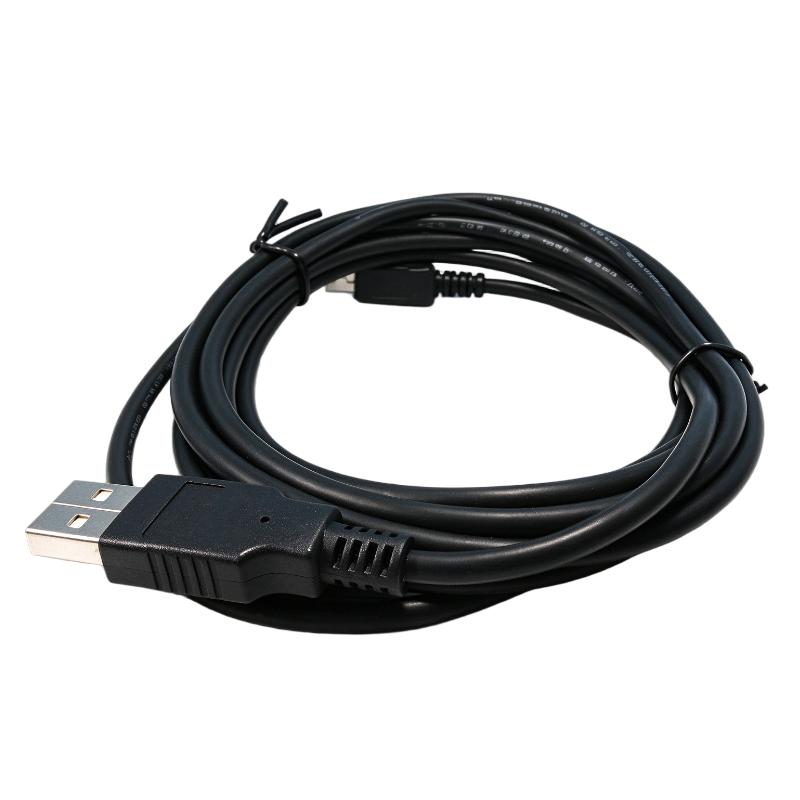
- Honeywell
- USB-301A
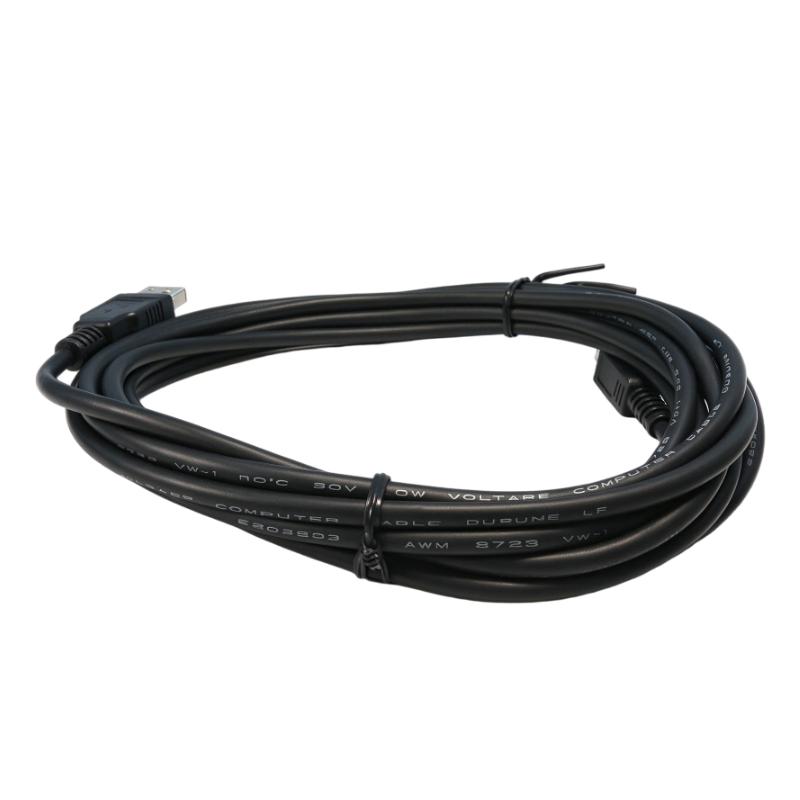
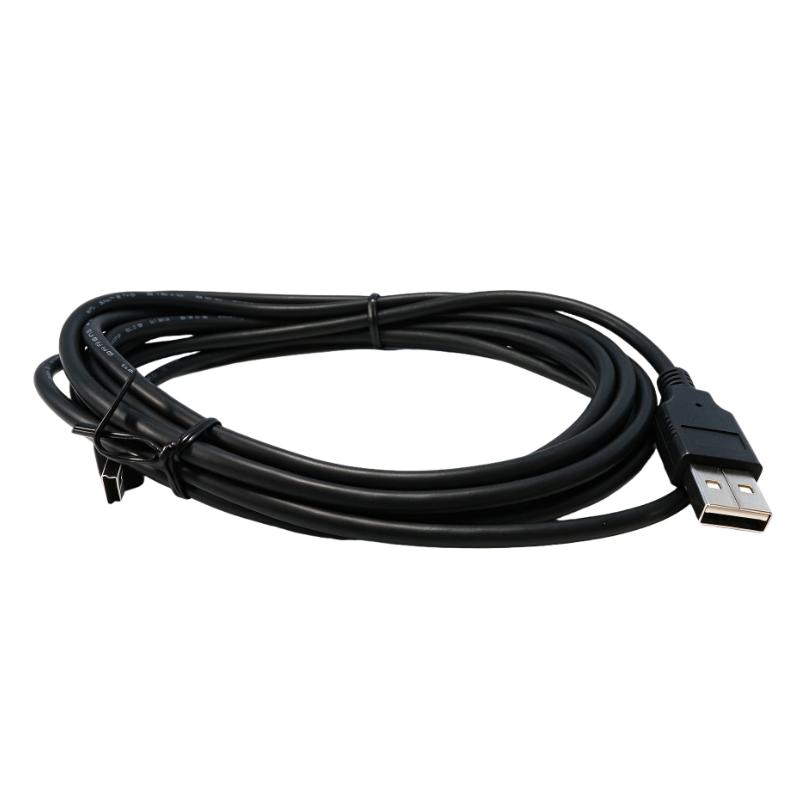
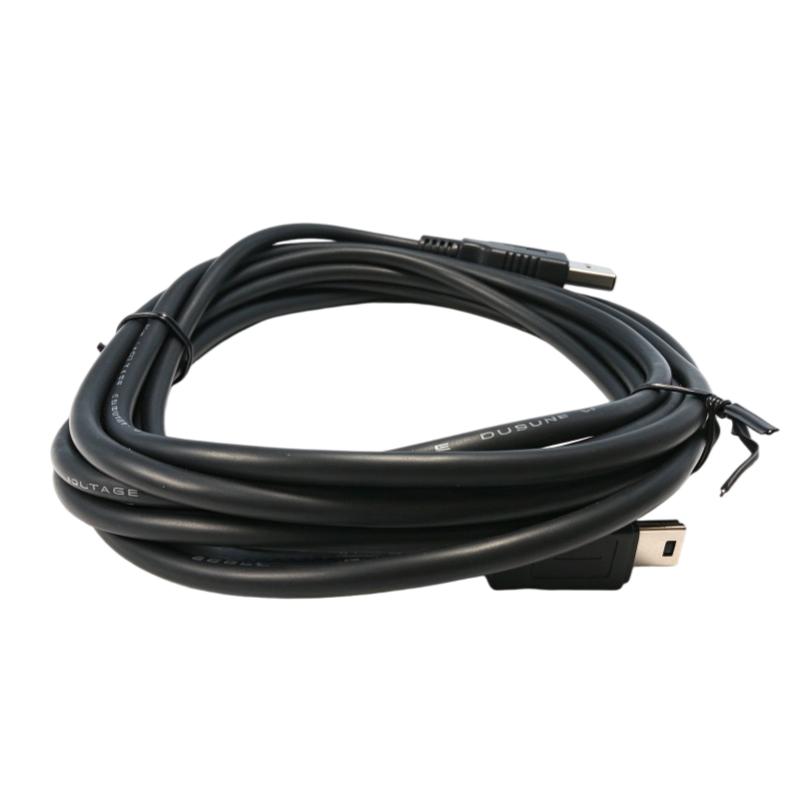
- USB Programming Cable
- USA
- 3 meters
- 3 kg
- Xiamen, China
- New & In Stock
- T/T, PayPal, Western Union
- 1 Year
- 1-3 Working Days
- DHL, UPS, TNT, FedEx and EMS.
- 24-Hour Service
- COO
- 5
Our advantage

Global Logistics
We have a 10-year logistics and express cooperation agreement, so our products can be shipped to any place in the world.

Brand new and original
Our products are imported in bulk from the place of origin. Because of the cooperative relationship, our products are all original and 100% new.

24-hour service
We provide 7*24 hours service to our customers. We will be there whenever you need us.

Price advantage
All our products are priced very favorably because we have our own warehouse and supply.
| Company Information | |||
| [email protected] | |||
| Mobile | +8615980777398 | ||
| +8615980777398 | |||
| 15980777398 |
Product Overview
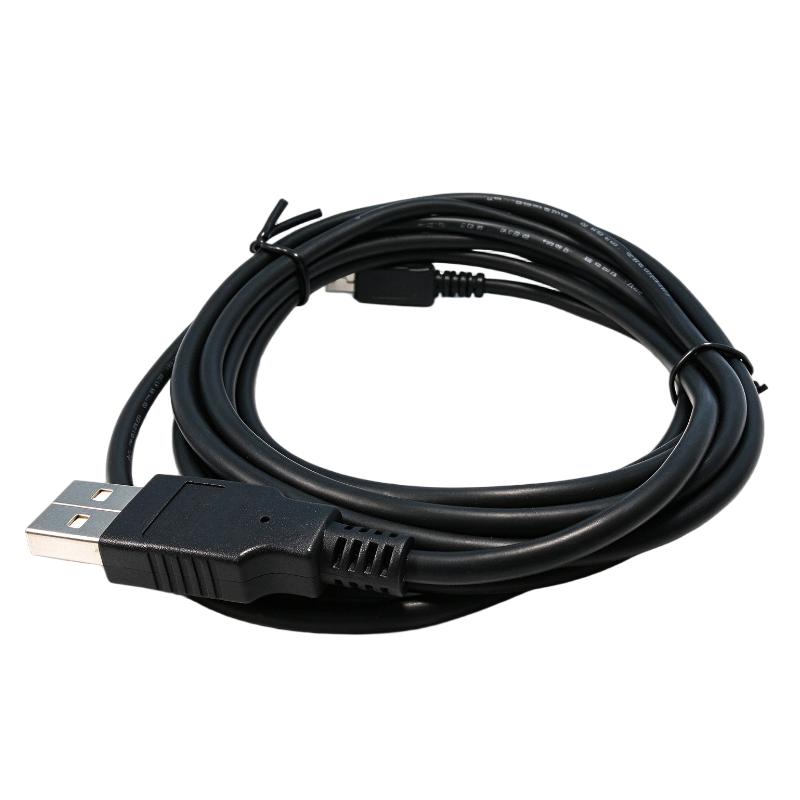
The Honeywell USB-301A is a USB programming cable used with the Honeywell MasterLogic-200 PLC platform. It provides the physical connection between an engineering computer and a compatible PLC controller, allowing technicians and automation engineers to establish a programming interface during system configuration, commissioning, and maintenance.
In a typical PLC installation, engineers need a direct connection to the controller when loading application programs, checking configurations, or performing maintenance work. The USB-301A serves this purpose by providing a USB-based programming connection, eliminating the need to rely solely on the controller’s installed industrial network for local engineering access.
For example, during the commissioning of a production line, an engineer may need to connect a laptop directly to a MasterLogic-200 controller to configure the application before the PLC is integrated into the plant network. The USB-301A can be used for this local programming connection, making it a practical accessory for both initial setup and subsequent maintenance.
The cable is particularly relevant to maintenance teams working with existing MasterLogic installations. When troubleshooting a controller, engineers can establish a direct programming connection to examine the PLC configuration and carry out supported programming operations using the corresponding engineering software.
Honeywell identifies the USB-301A in its MasterLogic-200 technical documentation as a programming cable for a USB port. It is an accessory rather than an independent communication module: it does not process I/O signals, execute PLC logic, or provide an Ethernet network interface.
For replacement and procurement, the USB-301A model designation should be checked carefully. A USB cable with a similar appearance or connector arrangement is not necessarily compatible with the MasterLogic programming interface.
Technical Specifications
| Parameter | Specification |
|---|---|
| Manufacturer | Honeywell |
| Model | USB-301A |
| Product Series | MasterLogic-200 |
| Product Type | USB Programming Cable |
| Cable Category | PLC Programming Cable |
| Connection Type | USB |
| Primary Function | PLC Programming Connection |
| Compatible PLC Platform | Honeywell MasterLogic-200 |
| Cable Length | 3 meters |
| Shipping Weight | 3 kg |
Product Features
- USB Programming Interface: Provides a USB-based connection for programming compatible MasterLogic PLC equipment.
- MasterLogic-200 Compatibility: Listed in Honeywell’s MasterLogic-200 technical documentation as a programming cable.
- Direct Engineering Connection: Supports local connection between an engineering computer and the PLC.
- Commissioning Application: Suitable for establishing the programming connection during initial controller setup.
- Maintenance Accessory: Can be used when engineers need to connect directly to the PLC for maintenance operations.
- Dedicated Model Identification: USB-301A identifies the specific programming cable rather than a generic USB connection cable.
- Portable Engineering Accessory: Can be kept with PLC maintenance equipment for on-site servicing.
- USB-Based Connection: Uses a USB port on the engineering computer for the programming interface.
- Software-Assisted Operation: Works as part of the PLC programming arrangement with compatible engineering software.
- Non-I/O Function: Does not acquire field signals, control actuators, or replace the PLC’s communication modules.
Product Working Principle
The Honeywell USB-301A functions as the physical programming connection between an engineering computer and a compatible MasterLogic-200 PLC controller.
Its operation is based on establishing a communication path that allows the engineering software to interact with the PLC. Once the cable is connected to the appropriate computer and controller interfaces, the engineer can use the supported programming environment to perform controller-related operations.
The basic connection arrangement is:
Engineering Computer → USB-301A Programming Cable → MasterLogic-200 PLC → PLC Programming Environment
During commissioning, the engineer establishes the connection and uses the corresponding programming software to access the controller. Depending on the supported software functions and controller configuration, this connection can be used for application programming and related engineering operations.
The USB-301A is not responsible for executing the control program. The PLC CPU continues to process logic instructions, monitor connected I/O modules, and control field equipment. The cable simply provides the physical programming interface between the engineering workstation and the controller.
This distinction is important during troubleshooting. If the PLC continues to control the process normally but the engineering computer cannot establish a programming connection, the problem may involve the cable, computer USB interface, driver environment, software configuration, or controller connection rather than the PLC’s control logic.
The cable should therefore be treated as part of the engineering access arrangement, separate from the communication network used for normal PLC-to-device data exchange.
Role in Honeywell MasterLogic-200 Control System Architecture
The USB-301A belongs to the engineering and maintenance layer of the MasterLogic-200 automation system.
Unlike the CPU, power supply, and communication modules, it is not permanently involved in the PLC’s normal control process. Its primary role is to establish a direct programming connection when engineers need access to the controller.
A simplified engineering arrangement is:
Engineering Workstation → USB-301A → MasterLogic-200 CPU → PLC Application Program → I/O Modules → Field Equipment
| System Component | Function |
|---|---|
| USB-301A | Provides the USB programming connection to the PLC |
| MasterLogic-200 CPU | Executes PLC application logic and coordinates control operations |
| SSS-MLPT | SoftMaster programming tool for MasterLogic PLC |
| 2MLL-EFMT | Fast Ethernet communication module using CAT 5 media |
| 2MLL-EFMF | Fast Ethernet communication module using multimode fiber-optic media |
| 2MLL-C22A | Serial communication module with two RS-232C channels |
| 2MLL-C42A | Serial communication module with two RS-422/485 channels |
| 2MLL-CH2A | Serial communication module with RS-232C and RS-422/485 channels |
| MasterLogic-200 I/O Modules | Acquire and output industrial process signals |
| Engineering Computer | Runs the PLC programming software and provides the USB connection |
The programming cable and industrial communication modules serve different purposes. The USB-301A is used for engineering access, while Ethernet and serial modules provide communication interfaces for the automation system.
Industrial Applications
The USB-301A is relevant to industrial facilities using Honeywell MasterLogic-200 PLCs, particularly where engineers require direct access to controllers during installation, commissioning, or troubleshooting.
| Industrial Application | Typical Use |
|---|---|
| Oil and Gas Processing | Connecting an engineering computer to PLC controllers during commissioning and maintenance |
| Petrochemical Plants | Accessing controller programs in process automation cabinets |
| Chemical Processing | Establishing a local programming connection for PLC configuration |
| Power Generation | Supporting controller engineering and maintenance activities |
| Water Treatment Facilities | Connecting laptops to PLCs during pump and treatment system commissioning |
| Compressor Stations | Providing direct programming access to equipment control PLCs |
| Refinery Automation | Supporting PLC configuration and troubleshooting in control cabinets |
| Industrial Manufacturing | Connecting engineering workstations to production-line controllers |
| Pipeline Control Systems | Providing local engineering access to installed automation equipment |
| Machine Automation | Supporting PLC programming and configuration during equipment installation |
Installation and Maintenance
- Verify the Cable Model: Confirm that the cable is Honeywell USB-301A and intended for the MasterLogic-200 programming application.
- Check Software Compatibility: Ensure that the engineering computer has the appropriate MasterLogic programming environment installed.
- Inspect the Cable: Examine the cable jacket, connectors, and connection points for visible damage before use.
- Check the USB Port: Confirm that the computer’s USB interface is functioning correctly.
- Identify the PLC Connection: Locate the designated programming interface on the MasterLogic controller.
- Establish the Connection: Connect the USB-301A between the engineering computer and the appropriate PLC programming interface.
- Check Computer Recognition: Verify that the computer recognizes the connected programming hardware.
- Open the Programming Software: Start the compatible MasterLogic engineering application and select the appropriate connection settings.
- Verify PLC Communication: Confirm that the software can establish communication with the intended controller before performing programming operations.
- Protect the Connectors: Avoid pulling the cable by its connector or applying excessive mechanical force during connection and removal.
- Inspect During Maintenance: Check for intermittent connection problems, damaged insulation, or loose connector contacts if communication becomes unstable.
- Store After Use: Disconnect the cable carefully and store it in a clean, dry location to prevent connector contamination and physical damage.
When communication cannot be established, check the USB connection, computer recognition, software configuration, and PLC programming interface separately. Replacing the cable should not be the first troubleshooting step unless physical damage or a cable-related fault has been identified.
Compatible System Components
| Component | Function |
|---|---|
| Honeywell MasterLogic-200 CPU | Main controller hardware accessed through the programming cable |
| Honeywell SSS-MLPT | SoftMaster programming tool for MasterLogic PLC |
| Honeywell 2MLL-EFMT | Fast Ethernet communication module using CAT 5 media |
| Honeywell 2MLL-EFMF | Fast Ethernet communication module using multimode fiber |
| Honeywell 2MLL-C22A | Two-channel RS-232C communication module |
| Honeywell 2MLL-C42A | Two-channel RS-422/485 communication module |
| Honeywell 2MLL-CH2A | Combined RS-232C and RS-422/485 communication module |
| Engineering Workstation | Computer used for PLC programming and maintenance |
Recommended Related Models
| Model / Product | Product Type | Typical Application |
|---|---|---|
| Honeywell 2MLL-EFMT | Fast Ethernet Module | Ethernet communication using CAT 5 cabling |
| Honeywell 2MLL-EFMF | Fast Ethernet Module | Fiber-optic Ethernet communication |
| Honeywell 2MLL-C22A | Serial Communication Module | RS-232C communication |
| Honeywell 2MLL-C42A | Serial Communication Module | RS-422/485 communication |
| Honeywell 2MLL-CH2A | Serial Communication Module | Combined serial communication interfaces |
| Honeywell 2MLL-PMEA | Profibus-DP Master Module | Profibus-DP network integration |
Key Advantages
- USB-based programming connection for MasterLogic-200 PLC.
- Supports local engineering access to compatible controllers.
- Useful during commissioning and maintenance.
- Dedicated programming cable model identification.
- Suitable for PLC configuration work using compatible software.
- Portable accessory for industrial maintenance teams.
- Separate from the PLC’s normal field communication modules.
Technical FAQs
1. What is the Honeywell USB-301A used for?
The USB-301A is a programming cable for the Honeywell MasterLogic-200 PLC platform. It provides a USB-based connection between an engineering computer and the PLC for supported programming and maintenance operations.
2. Which programming software is associated with the USB-301A?
Honeywell identifies SSS-MLPT, also known as the SoftMaster programming tool, as the programming environment for MasterLogic PLC. The software and connection configuration should be matched to the specific controller and installed system version.
3. Is the USB-301A an Ethernet communication cable?
No. The USB-301A is classified as a USB programming cable. It is intended for engineering access to the PLC rather than Ethernet networking between controllers, switches, or other industrial devices.
4. What should be checked if the PLC cannot be accessed through the USB-301A?
First, inspect the cable and connectors for physical damage. Then check whether the computer recognizes the USB connection, whether the appropriate software environment is installed, and whether the correct PLC programming interface and connection settings have been selected. These checks help distinguish a cable problem from a software or controller configuration issue.