

ProductPRODUCT
Featured products
Contact Us
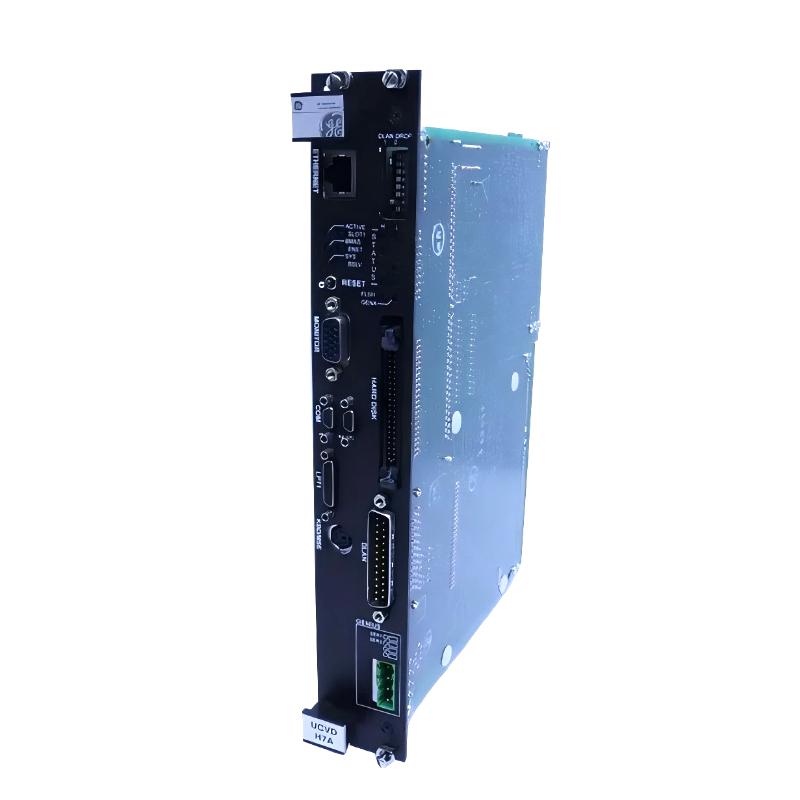
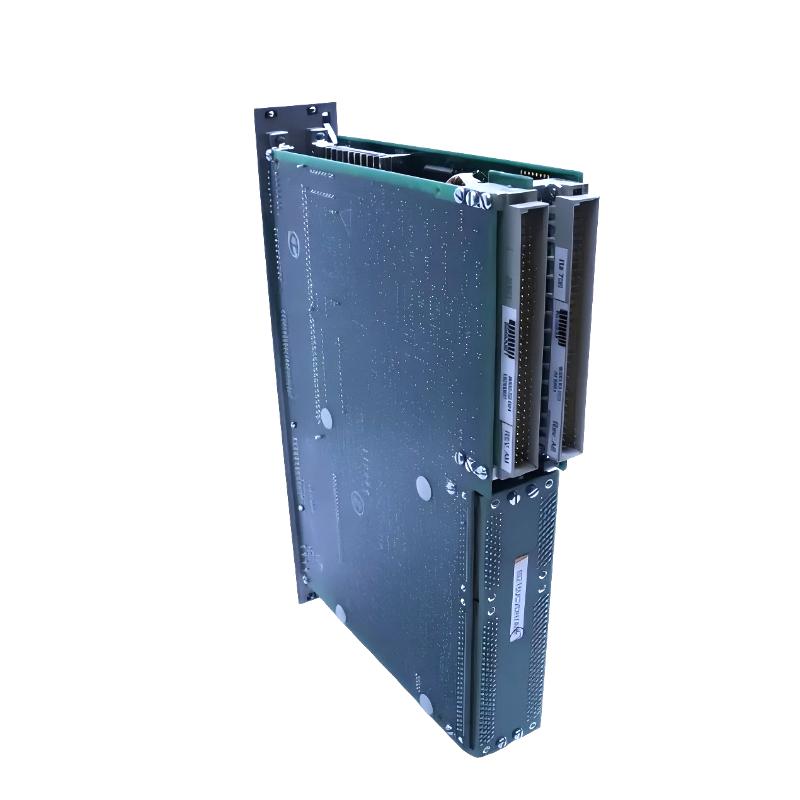
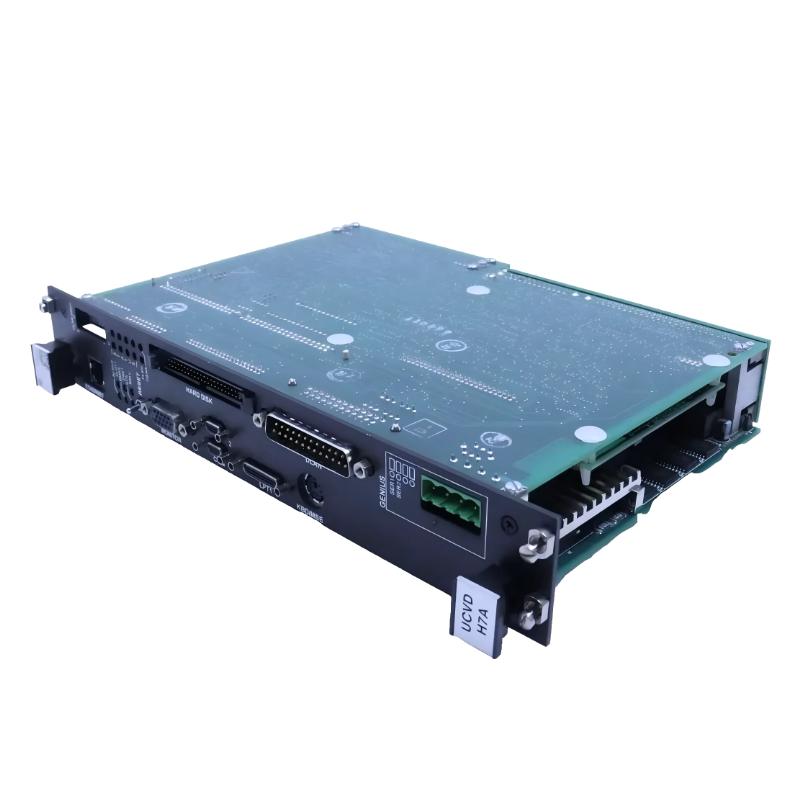
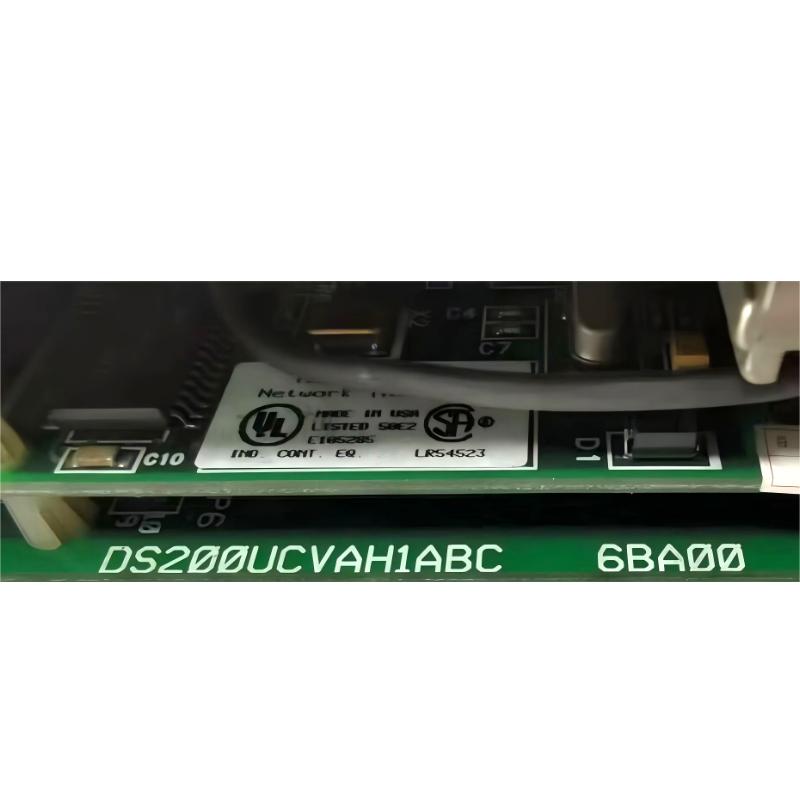
- GE
- IS215UCVDH7AM DS200UCVAH1ABC
- Control Panel
- USA
- 200 × 150 × 30 mm
- 0.5 kg
- Xiamen, China
- New & In Stock
- T/T, PayPal, Western Union
- 1 Year
- 1-3 Working Days
- DHL, UPS, TNT, FedEx and EMS.
- 24-Hour Service
- COO
- 3
Our advantage

Global Logistics
We have a 10-year logistics and express cooperation agreement, so our products can be shipped to any place in the world.

Brand new and original
Our products are imported in bulk from the place of origin. Because of the cooperative relationship, our products are all original and 100% new.

24-hour service
We provide 7*24 hours service to our customers. We will be there whenever you need us.

Price advantage
All our products are priced very favorably because we have our own warehouse and supply.
| Company Information | |||
| [email protected] | |||
| Mobile | +8615980777398 | ||
| +8615980777398 | |||
| 15980777398 |
Product Overview
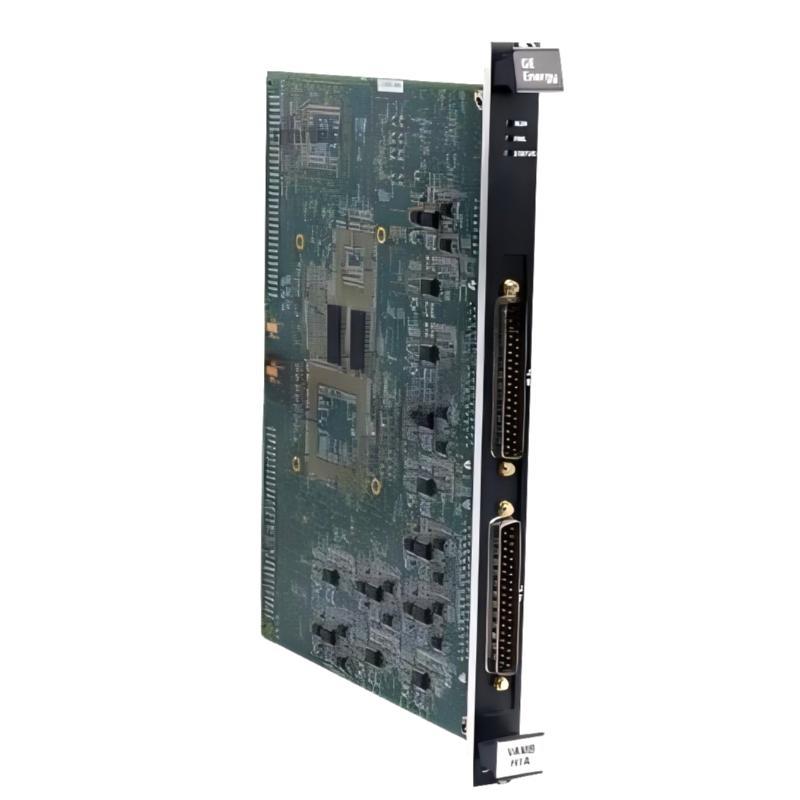
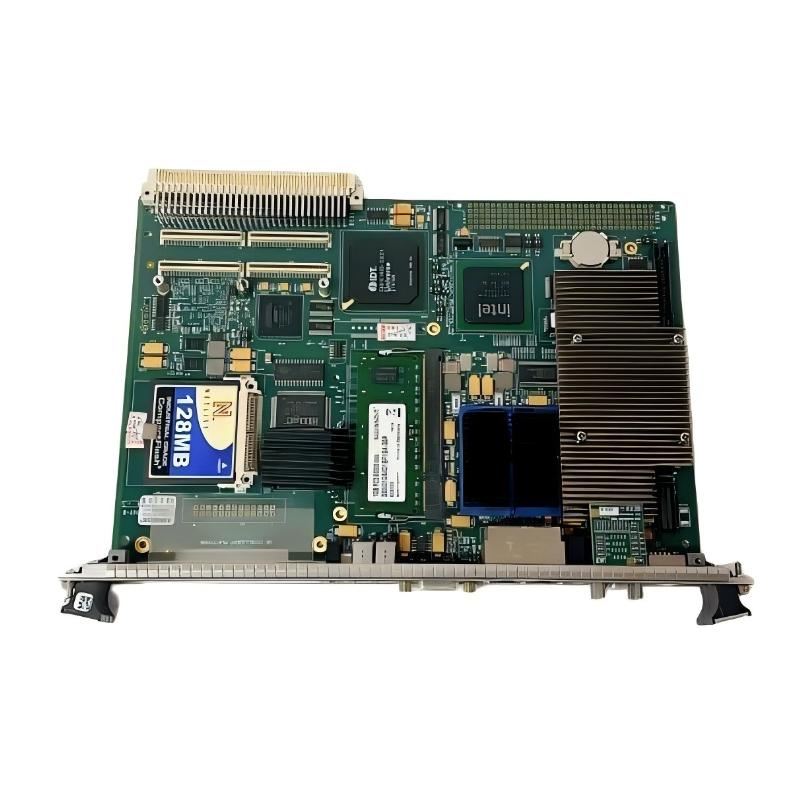
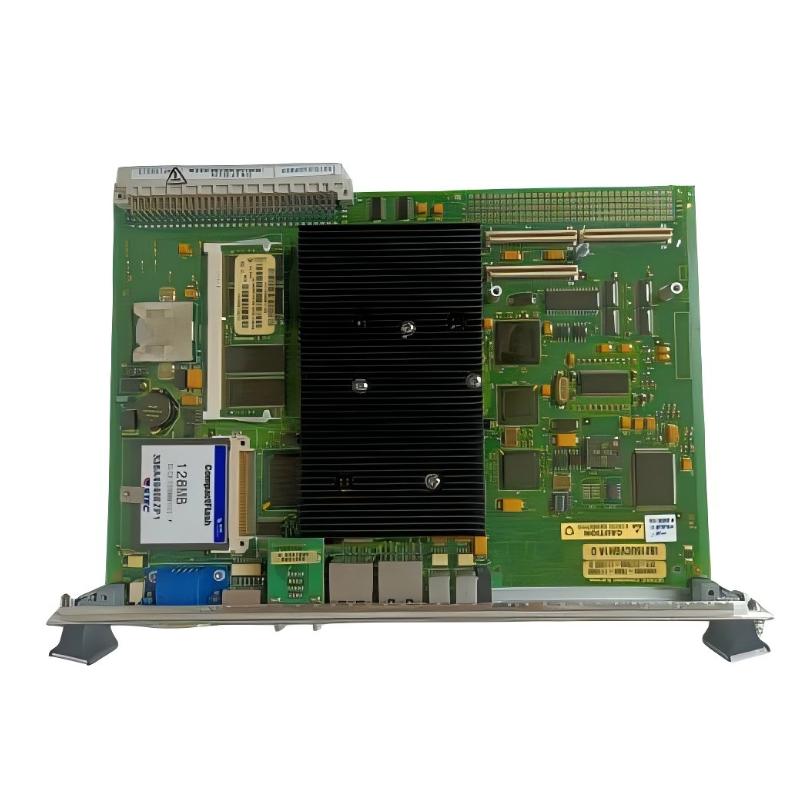
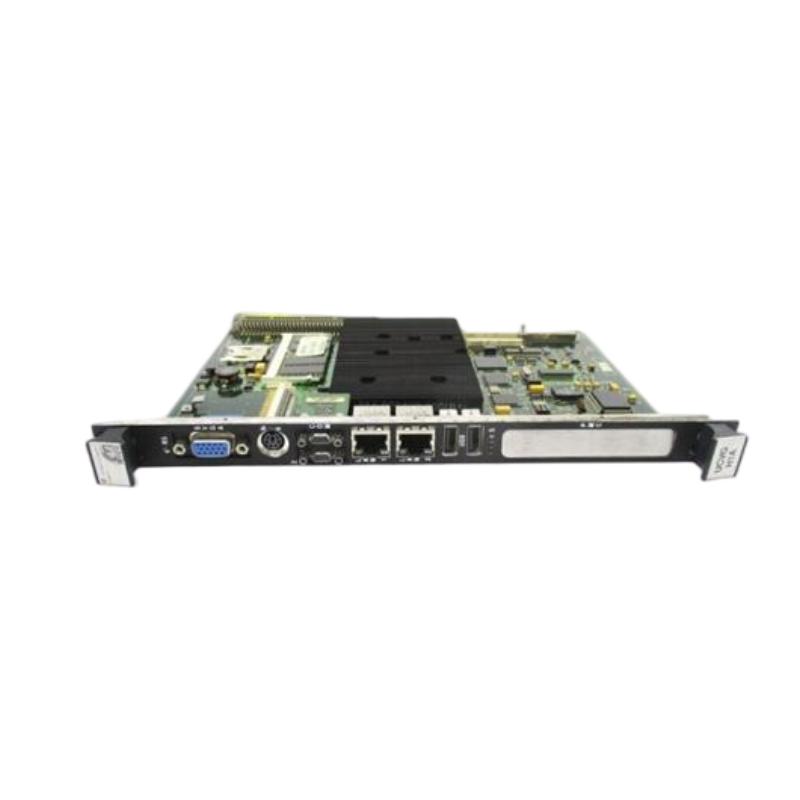
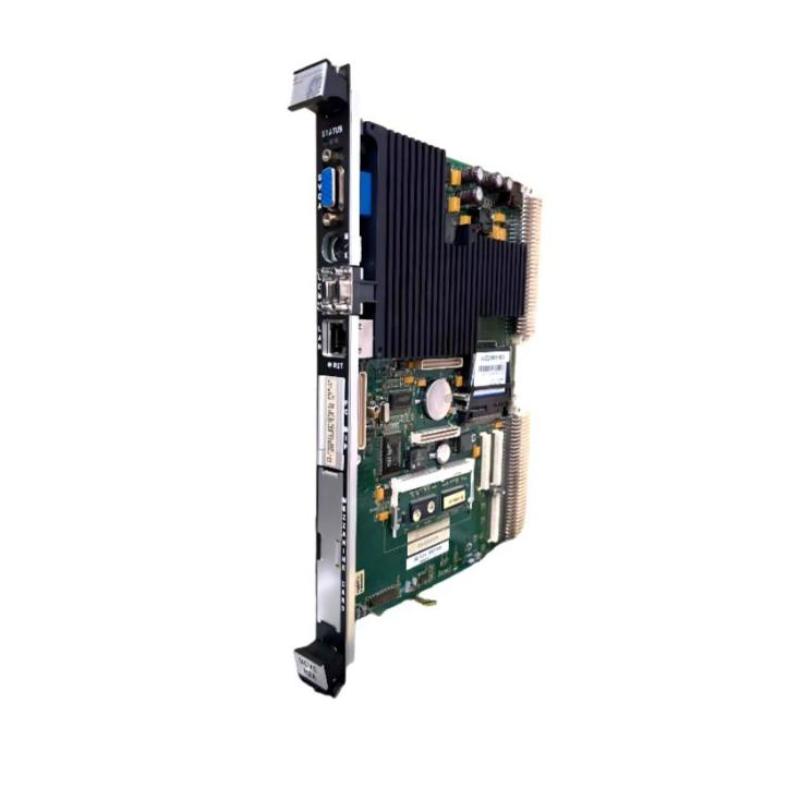
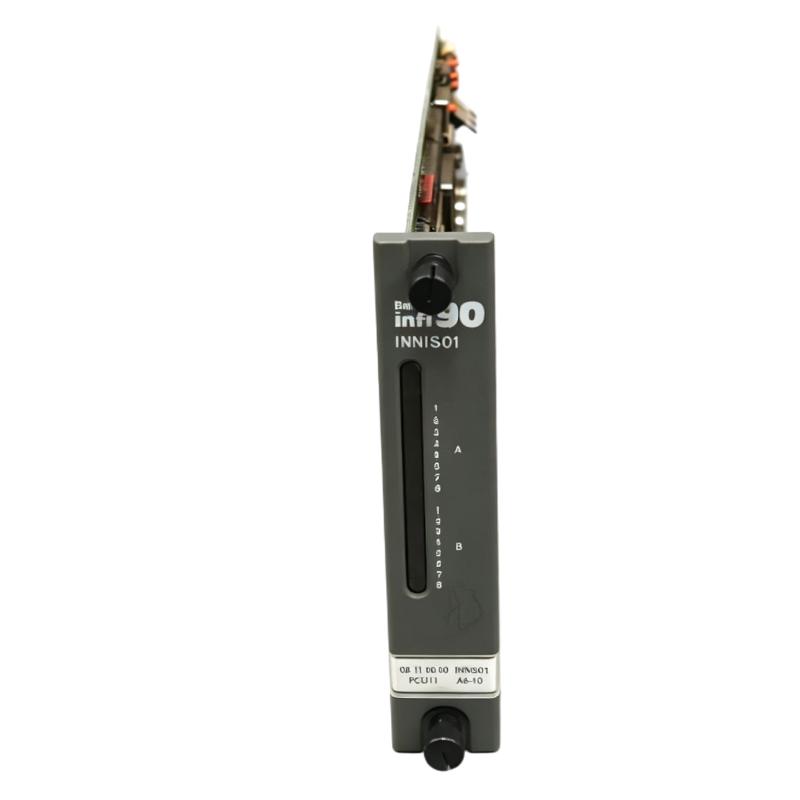
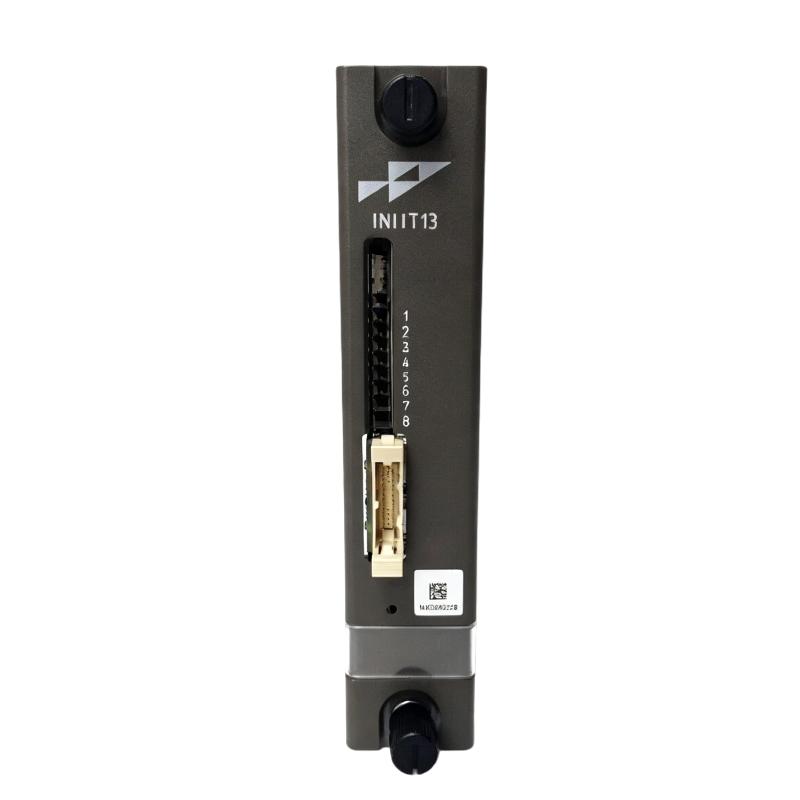
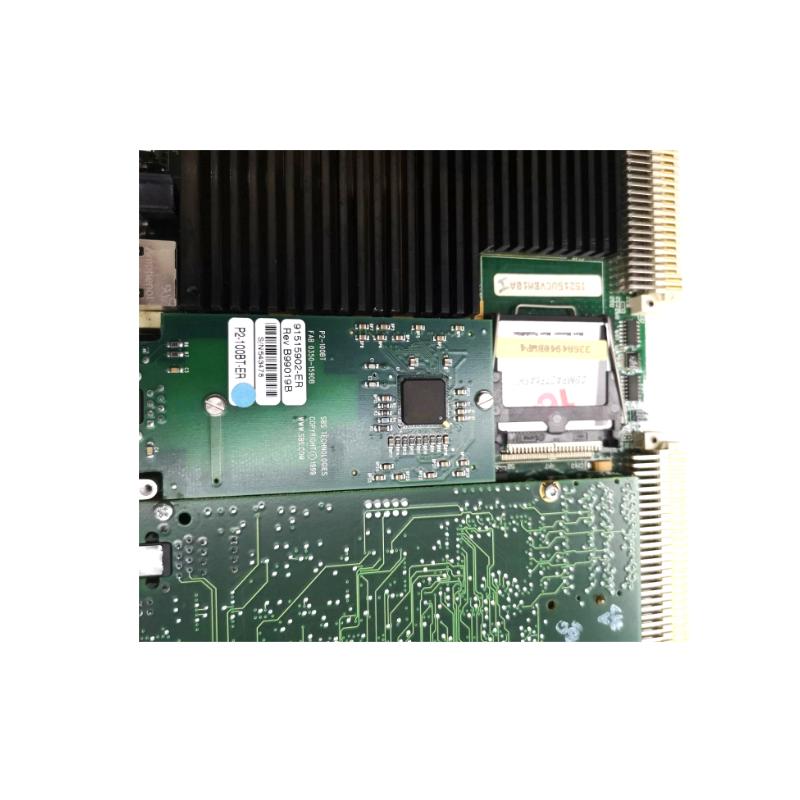
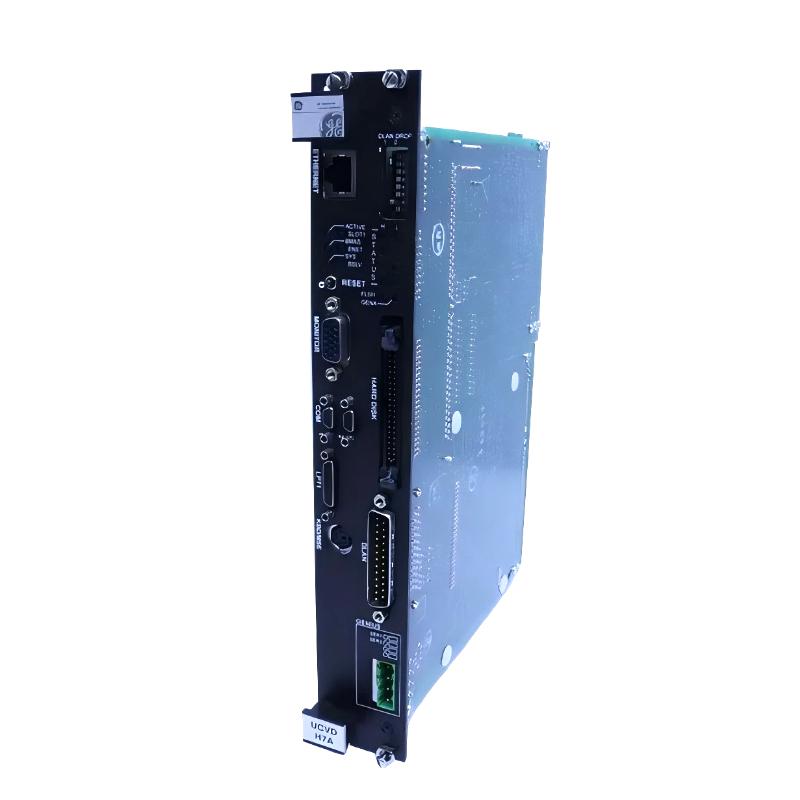
The GE IS215UCVDH7AM DS200UCVAH1ABC Control Panel is an industrial control interface assembly designed for use within compatible GE automation and control equipment. It provides a structured operator and system interface between control electronics and the personnel responsible for monitoring, configuring, and operating industrial equipment.
Control panels are an important part of industrial automation systems because they provide a practical interface for viewing equipment status, accessing operating information, and interacting with control functions. Depending on the host system, a control panel may work together with controller boards, I/O assemblies, communication hardware, displays, switches, indicators, and other electronic components.
The GE IS215UCVDH7AM DS200UCVAH1ABC has listed dimensions of 200 × 150 × 30 mm and a weight of approximately 0.5 kg. Its compact construction allows it to be integrated into industrial control cabinets and equipment where operator interface functions must be provided within a limited installation space.
The complete designation includes both the IS215UCVDH7AM and DS200UCVAH1ABC identifiers. When sourcing or replacing this assembly, the complete marking should be checked carefully because GE industrial control hardware can include closely related boards and panel assemblies with different functions or system configurations.
Technical Specifications
| Parameter | Specification |
|---|---|
| Manufacturer | General Electric (GE) |
| Model / Assembly | IS215UCVDH7AM DS200UCVAH1ABC |
| Product Type | Control Panel |
| Product Family | GE IS215 / DS200 Series |
| Primary Function | Industrial control interface and panel assembly |
| Application | Industrial Automation and Control |
| Dimensions | 200 × 150 × 30 mm |
| Weight | 0.5 kg |
| Installation | Compatible GE industrial control equipment |
| Panel Architecture | Industrial Control Panel |
| Typical Role | Operator / Control Interface |
What Is the GE IS215UCVDH7AM DS200UCVAH1ABC?
The GE IS215UCVDH7AM DS200UCVAH1ABC is a GE control panel assembly intended for integration into compatible industrial control equipment.
In an industrial automation environment, a control panel provides the human-machine interface layer through which operators and maintenance personnel can interact with the control system. Depending on the equipment configuration, this can include monitoring operating conditions, observing alarms, accessing control functions, and viewing system status.
The control panel works together with the underlying control architecture rather than functioning as an isolated automation controller.
A simplified architecture can be represented as:
Process Equipment → Sensors / I/O → Controller → Control Interface → Operator
The controller processes field information while the control panel provides an interface through which users can observe or interact with the system.
The precise functions available on the panel depend on the equipment in which the assembly is installed.
Control Panel Function
Operator Interface
The primary purpose of a control panel is to provide an interface between industrial control equipment and the operator.
Depending on the host equipment, the interface can be used for functions such as:
- Equipment status monitoring
- Control-system interaction
- Alarm observation
- Operating-condition monitoring
- Maintenance access
- System configuration
- Equipment diagnostics
The exact functions should be confirmed from the target GE system configuration.
Status Monitoring
Industrial equipment generates continuous operating information. A control panel can provide a convenient location for operators to observe relevant system conditions.
Monitoring may include information related to:
- Equipment operating state
- Process conditions
- Alarms
- Controller status
- Communication status
- Maintenance conditions
Operator Commands
Where supported by the host system, the control panel can provide an interface for issuing operator commands to the associated control system.
These commands are normally processed by the underlying controller before being transmitted to the relevant equipment.
Maintenance Access
A control panel can also provide maintenance personnel with access to diagnostic information and system-status functions.
This can simplify troubleshooting by allowing technicians to observe system behavior without directly interacting with internal controller hardware.
Role in Industrial Control Systems
The GE IS215UCVDH7AM DS200UCVAH1ABC can serve as part of the operator-interface layer of an industrial automation system.
A typical control architecture can be divided into several levels:
Field Level → I/O Level → Control Level → Interface Level → Supervisory Level
The control panel operates primarily at the interface level.
Field sensors collect process information, while I/O modules transfer this information to the control system. The controller then processes the information and executes the configured control strategy. The control panel provides a means for operators to view system information and interact with appropriate control functions.
This separation allows the operator interface and control-processing functions to work together while maintaining distinct roles within the automation architecture.
Industrial Applications
The GE control panel can be used in compatible industrial control environments where operators need access to equipment information and control functions.
Power Generation
Power-generation systems contain numerous control parameters, equipment states, alarms, and operating conditions.
A control panel can provide operators with access to relevant system information and control functions.
Turbine Control
Turbine systems require continuous supervision of equipment status and operating conditions. A suitable control interface can support operator interaction with the underlying turbine control system.
Industrial Process Control
Process plants use control interfaces to allow operators to monitor production equipment, alarms, process conditions, and equipment status.
Manufacturing Automation
Manufacturing systems can use control panels to provide operators with access to machine status, production information, alarms, and control functions.
Equipment Monitoring
Industrial equipment monitoring systems can use operator interfaces to display diagnostic and operational information collected by the control architecture.
System Architecture
The control panel should be viewed as one part of a larger automation system.
A representative architecture may contain:
| System Layer | Typical Function |
|---|---|
| Sensors | Measure physical process conditions |
| I/O Modules | Interface field signals |
| Controller | Execute control logic |
| Communication Hardware | Exchange system information |
| Control Panel | Operator interaction and monitoring |
| HMI / Supervisory System | Higher-level visualization |
| Actuators | Perform physical control actions |
The exact system architecture depends on the GE equipment in which the IS215UCVDH7AM DS200UCVAH1ABC is installed.
Installation Guidelines
Proper installation is important for reliable operation of an industrial control panel.
Confirm Complete Identification
Before installation or replacement, verify:
- IS215UCVDH7AM identification
- DS200UCVAH1ABC identification
- Revision markings
- Existing panel location
- Connector arrangement
- Associated controller
- Host equipment configuration
The complete assembly identification should be recorded before removing the original unit.
Inspect Connectors
Inspect all mating connectors before installation.
Check for:
- Bent contacts
- Contamination
- Corrosion
- Mechanical damage
- Loose connections
- Signs of overheating
A poor connector connection can cause intermittent panel operation or communication problems.
Check Mechanical Mounting
The panel should be installed securely within the designated equipment location.
The listed dimensions are 200 × 150 × 30 mm, so sufficient clearance should be provided for proper mounting and access.
Observe ESD Precautions
Electronic control-panel assemblies should be handled using appropriate electrostatic-discharge precautions.
Avoid unnecessary contact with exposed circuit-board components and electrical contacts.
Commissioning Procedure
After installation, the control panel should be checked systematically.
Step 1: Verify Physical Installation
Confirm that the panel is securely mounted and correctly aligned.
Step 2: Check Connections
Inspect communication, power, and interface connections associated with the panel.
Step 3: Power the System
Restore system power according to the applicable equipment procedure.
Step 4: Check Panel Status
Observe available indicators, display functions, or other status information.
Step 5: Verify Controller Communication
Confirm that the control panel communicates correctly with the associated control system.
Step 6: Test Operator Functions
Where applicable, verify display, navigation, alarm, and operator-control functions.
Step 7: Confirm Normal Operation
Monitor the equipment under controlled conditions before returning it to normal operation.
Troubleshooting the GE IS215UCVDH7AM DS200UCVAH1ABC
A control-panel problem should be investigated as part of the complete interface and control system.
Panel Does Not Power Up
Possible causes include:
- Power-supply problems
- Loose connections
- Connector faults
- Internal hardware problems
- Incorrect installation
- Host-system issues
Check the associated power and interface connections before determining that the panel itself has failed.
Display or Interface Is Not Responding
If the panel powers up but does not respond correctly, inspect:
- Connections
- Controller communication
- System configuration
- Interface hardware
- Status diagnostics
- Host-system operation
The problem may originate from the controller or communication path rather than the panel.
Intermittent Operation
Intermittent behavior may be caused by:
- Loose connections
- Connector contamination
- Vibration
- Temperature changes
- Power instability
- Communication interruptions
- Hardware degradation
Inspect the physical installation and environmental conditions before replacing the assembly.
Incorrect System Information
If the panel displays unexpected or incomplete information, check:
- Controller operation
- Communication paths
- System configuration
- Associated modules
- Software or configuration data
A panel displaying incorrect information does not necessarily indicate a defective panel.
Preventive Maintenance
Regular inspection can help maintain reliable operation.
Inspect the Panel
Check the assembly for:
- Physical damage
- Cracks
- Loose mounting hardware
- Contamination
- Discoloration
- Signs of overheating
Maintain Clean Connections
Connectors should remain clean and securely seated.
Control the Cabinet Environment
Excessive dust, moisture, vibration, or temperature can negatively affect electronic equipment.
Monitor System Diagnostics
Record recurring communication or interface warnings. Repeated faults may indicate an underlying problem elsewhere in the control system.
Protect the Display and Interface
Where the panel includes operator-accessible controls or display components, avoid excessive mechanical force during operation and maintenance.
Replacement Considerations
When replacing the GE IS215UCVDH7AM DS200UCVAH1ABC Control Panel, the complete part identification should be verified.
Important identification information includes:
- Full model designation
- Revision
- Board or panel markings
- Connector arrangement
- Host equipment
- Installation location
- Associated controller
- System configuration
The listed dimensions are 200 × 150 × 30 mm, and the listed weight is 0.5 kg.
These dimensions are useful for replacement planning, inventory management, cabinet layout, and transportation.
However, physical dimensions alone should not be used to determine compatibility. GE control panels and electronic assemblies with similar dimensions may perform different functions.
Physical Dimensions and Handling
The GE IS215UCVDH7AM DS200UCVAH1ABC has listed dimensions of:
200 × 150 × 30 mm
Its listed weight is:
0.5 kg
The relatively compact form factor allows the assembly to be incorporated into industrial control equipment where panel space is limited.
During storage and transportation, the assembly should be protected from:
- Electrostatic discharge
- Moisture
- Dust
- Mechanical impact
- Excessive vibration
- Contamination
Suitable protective packaging should be used when transporting a replacement control panel.
Integration with Other GE Components
A control panel can operate as part of a larger GE industrial automation architecture containing multiple hardware layers.
Potential associated components include:
- GE controller boards
- Processor boards
- I/O interface boards
- Digital input modules
- Digital output modules
- Analog input modules
- Analog output modules
- Communication boards
- Power supply assemblies
- Backplanes
- Operator interfaces
- Engineering workstations
- Supervisory control systems
The exact compatible components depend on the host GE equipment and system configuration.
Engineering Best Practices
Record the Original Configuration
Before removing the existing control panel, record its model, revision, connectors, mounting position, and associated system hardware.
Verify the Full Part Number
Do not identify the replacement only by the general description “GE control panel.” Verify the complete IS215UCVDH7AM DS200UCVAH1ABC designation.
Protect Electronic Components
Use ESD-safe procedures when handling electronic assemblies.
Check the Associated Controller
If the panel does not communicate correctly after replacement, inspect the associated controller and communication system before replacing the panel again.
Maintain Cabinet Conditions
Keep the installation environment clean, dry, and appropriately ventilated.
Test Before Returning to Production
After installation, verify interface operation, communication, alarms, displays, and relevant operator functions before returning the equipment to normal service.
Recommended Related GE Models
| GE Model | Product Type | General Role |
|---|---|---|
| IS215UCVDH7A | Dual-Slot Controller Board | Industrial control processing |
| IS215UCCAM03 | Compact PCI Processor Board | Control processing |
| IS215UCCCM04A | Compact PCI Controller Board | Controller and system processing |
| IS215ACLEH1BC | Application Control Layer Module | Application-level control |
| IS215ACLAH1AD | Application Control Layer Module | Control-system processing |
| IS215PMVPH1A | I/O Module | Industrial I/O interface |
| IS215REBFH1B | I/O Expansion Board | I/O system expansion |
These are related GE industrial control assemblies, but they should not be considered direct replacements for the IS215UCVDH7AM DS200UCVAH1ABC without confirming system compatibility and configuration requirements.
Key Advantages
The GE IS215UCVDH7AM DS200UCVAH1ABC provides several characteristics relevant to industrial operator-interface applications:
- Dedicated industrial control-panel architecture
- Compact physical construction
- Integration with compatible GE control systems
- Convenient operator and maintenance interface
- Suitable for industrial monitoring and control environments
- Listed dimensions of 200 × 150 × 30 mm
- Listed weight of 0.5 kg
- Compatible with modular industrial control architectures when correctly matched
- Supports operator interaction with the underlying control system
Technical FAQs
What is the GE IS215UCVDH7AM DS200UCVAH1ABC?
The GE IS215UCVDH7AM DS200UCVAH1ABC is a Control Panel designed for use in compatible GE industrial automation and control equipment.
What is the main function of this control panel?
Its primary role is to provide an interface through which operators and maintenance personnel can monitor and interact with the associated industrial control system.
What are the dimensions of the IS215UCVDH7AM DS200UCVAH1ABC?
The listed dimensions are 200 × 150 × 30 mm.
How much does the control panel weigh?
The listed weight is approximately 0.5 kg.
Is the control panel a PLC or controller?
No. The assembly is identified as a Control Panel. Its primary role is the operator/interface layer rather than serving as a conventional standalone PLC.
Can another GE control panel replace the IS215UCVDH7AM DS200UCVAH1ABC?
A replacement should not be selected based only on appearance or physical dimensions. The complete model designation, revision, connector arrangement, host equipment, and system configuration should be verified.
What can cause communication problems with the panel?
Possible causes include loose connections, damaged connectors, controller faults, communication problems, configuration errors, power issues, or faults elsewhere in the automation system.
How should the control panel be maintained?
Maintenance should include physical inspection, connector checks, environmental control, monitoring of system diagnostics, and appropriate ESD protection when servicing electronic components.
Conclusion
The GE IS215UCVDH7AM DS200UCVAH1ABC Control Panel is an industrial interface assembly designed to provide operator and maintenance access to compatible GE control systems. It serves as an interface between personnel and the underlying automation architecture, allowing system information, status conditions, alarms, and applicable control functions to be accessed from the equipment panel.
With listed dimensions of 200 × 150 × 30 mm and a weight of 0.5 kg, the assembly provides a compact solution for industrial control environments where operator-interface functionality must be integrated into limited equipment space.
For replacement and maintenance work, the complete IS215UCVDH7AM DS200UCVAH1ABC designation should be verified together with its revision, connectors, host equipment, installation position, and associated control hardware. Proper installation, ESD protection, connector inspection, environmental control, and post-installation functional testing can help ensure reliable operation of the control panel and the wider industrial automation system.