
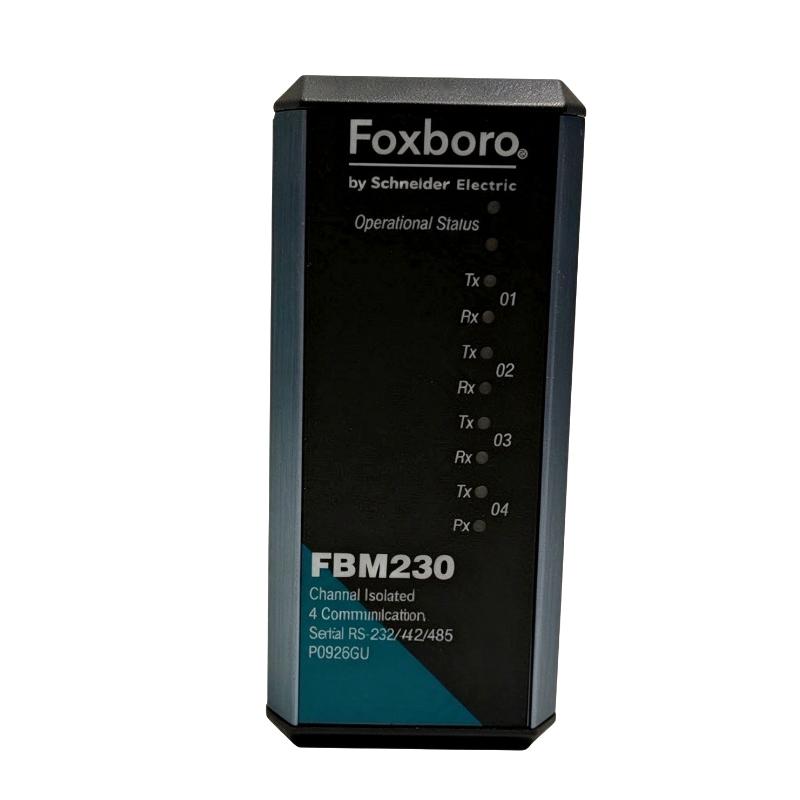
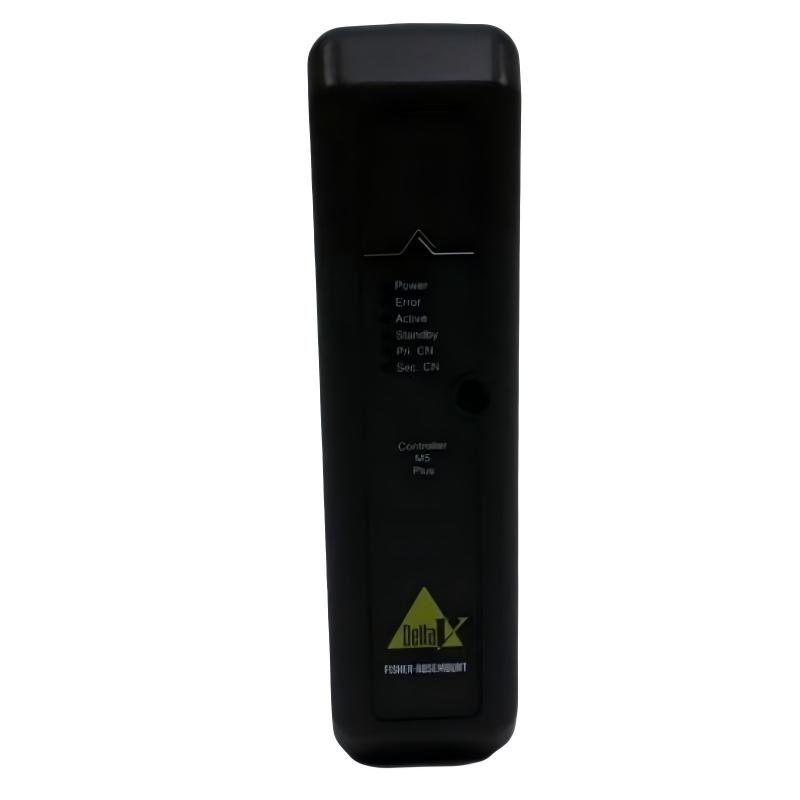
The Emerson KJ2002X1-CA1 M5+ controller module is a controller-level component in the DeltaV distributed control system. When the controller fails to start, becomes unavailable, reports abnormal diagnostics, or loses communication with associated system components, the fault may involve the controller itself, its power supply, LocalBus connection, carrier, configuration, or application environment. This guide explains how to identify common symptoms, isolate possible causes, and perform systematic fault diagnosis before deciding whether controller replacement is necessary.
Contents
- KJ2002X1-CA1 Controller Fault Characteristics
- Common Controller Fault Symptoms
- Step-by-Step Fault Diagnosis
- Power and LocalBus Fault Checks
- Communication and Hardware Recognition Faults
- Configuration and Application Problems
- Redundant Controller Troubleshooting
- Illustrative Engineering Scenarios
- Repair and Replacement Decisions
- Preventive Maintenance
- Troubleshooting FAQs
- Fault Diagnosis Summary
Understanding KJ2002X1-CA1 M5+ Controller Fault Characteristics
The KJ2002X1-CA1 is an Emerson DeltaV M5+ controller module. Unlike an individual analog input or digital output card, it performs controller-level processing and participates in the execution of configured control strategies.
A controller-related problem can therefore affect more than one process signal. Depending on the system architecture, a controller fault may influence application execution, I/O availability, communication with other system components, and the availability of process information at operator stations.
For this reason, troubleshooting should begin by determining the scope of the problem. A single unavailable I/O point does not automatically indicate controller failure. Conversely, multiple unrelated process alarms appearing together may indicate a common controller, power, LocalBus, or communication problem.
Common Emerson KJ2002X1-CA1 Controller Fault Symptoms
| Observed Symptom | Possible Cause | Initial Diagnostic Check |
|---|---|---|
| Controller is not recognized | Incorrect slot, poor seating, incompatible hardware, or carrier issue | Check hardware identity and physical installation |
| Controller fails to start normally | Power problem, hardware fault, or configuration issue | Review power status and system diagnostics |
| Controller reports abnormal status | Internal diagnostic condition, configuration mismatch, or hardware issue | Record diagnostic messages and status information |
| Communication becomes unavailable | Controller, network, LocalBus, or system configuration problem | Identify which communication paths are affected |
| Multiple I/O points become unavailable | Controller execution, I/O communication, or shared hardware fault | Compare affected I/O modules and common connections |
| Controller redundancy is degraded | Standby controller, synchronization, communication, or configuration issue | Check active and standby status |
| Fault appears after module replacement | Incorrect model, product code, revision, or recovery configuration | Compare replacement identity and configuration records |
Step-by-Step Fault Diagnosis for the Emerson KJ2002X1-CA1
A reliable troubleshooting process separates system symptoms from their actual causes. Before changing hardware or configuration, collect diagnostic information and establish whether the problem is limited to one controller or affects a wider part of the DeltaV installation.
Step 1: Record the fault condition
Document the controller’s reported status, alarm messages, affected process areas, and the time when the fault began. If the problem followed a maintenance activity, software change, power interruption, or hardware replacement, record that information as well.
Step 2: Determine the scope
- Is only the KJ2002X1-CA1 affected?
- Are multiple controllers reporting abnormal status?
- Are all I/O modules in the controller’s area affected?
- Is communication lost only with one workstation or network path?
- Does the fault affect both active and standby controller arrangements?
Step 3: Check the power and hardware condition
Review the applicable power supply status, LocalBus connections, carrier condition, and controller seating. Do not immediately remove the controller. First establish whether the receiving hardware can provide the required power and connection conditions.
Step 4: Review controller diagnostics
Use the available DeltaV system diagnostic tools and approved engineering procedures to inspect the controller’s reported condition. Record the exact messages rather than relying on a general description such as controller offline or controller fault.
Step 5: Check configuration and communication
Compare the installed controller identity with the system configuration. Review the controller assignment, application status, and relevant communication paths. If the problem began after a replacement, verify that the complete product identity and hardware arrangement match the approved design.
Step 6: Decide on corrective action
Correct external power, connection, or configuration problems first. Consider hardware replacement only when the available diagnostic evidence indicates that the controller itself is defective and the surrounding system has been checked.
KJ2002X1-CA1 Power and LocalBus Fault Diagnosis
Power-related problems can cause a controller to become unavailable, restart unexpectedly, or report hardware diagnostics. The KJ2002X1-CA1 has documented LocalBus power ratings of 750 mA maximum at 5 V DC and 500 mA maximum at 3.3 V DC.
Check the power supply condition
Review the relevant power supply diagnostics and confirm that the installed supply is operating within the limits specified for the complete DeltaV hardware arrangement. Check for power alarms, unstable supply conditions, loose connections, and evidence of overheating.
Inspect the LocalBus connection
A poor LocalBus connection may interrupt the controller’s relationship with associated hardware. Inspect the carrier and contact surfaces for contamination, damaged pins, or mechanical misalignment. Any inspection requiring module removal must follow the approved isolation procedure.
Look for common power-related symptoms
- Controller status changes after a power interruption.
- More than one module reports abnormal status.
- Hardware recognition becomes intermittent.
- Diagnostics appear after a carrier or power-supply maintenance activity.
- The controller repeatedly fails to reach its expected operating state.
If several modules show similar symptoms, investigate shared power and carrier hardware before assuming that multiple electronic modules have failed independently.
Troubleshooting KJ2002X1-CA1 Communication and Hardware Recognition
Communication problems may occur between the controller and other DeltaV system components. The first diagnostic task is to identify which communication path is unavailable. A controller that is visible in the engineering environment but cannot exchange data with a particular device may have a different problem from a controller that is not recognized at all.
Controller not recognized by the system
Check the physical slot assignment, module seating, hardware identity, and receiving carrier. Compare the installed KJ2002X1-CA1 with the approved system configuration. If the hardware identity or revision does not match the expected arrangement, verify compatibility before making configuration changes.
Communication loss affecting multiple components
When several connected components become unavailable at the same time, investigate common communication infrastructure and controller status. Review the affected network or LocalBus path, system diagnostics, and recent maintenance records.
Intermittent communication
Intermittent faults require attention to physical connections, environmental conditions, and power stability. Check connector retention, cable routing, cabinet temperature, and signs of vibration or mechanical stress. Record the timing of the fault and compare it with other system events.
DeltaV Configuration and Application Troubleshooting
A controller can be physically healthy while the system reports application or configuration problems. This is particularly important after a controller replacement, hardware expansion, or engineering configuration change.
Hardware identity mismatch
Compare the controller model, product number, and revision with the approved system records. Different product-code references may appear in listings for the KJ2002X1-CA1 family. Do not assume that two modules are interchangeable simply because both are described as M5+ controllers.
Control strategy execution problems
If the controller is recognized but assigned control functions do not operate as expected, review the relevant application status and configuration. Confirm that the correct control strategies are associated with the controller and that their required I/O references are available.
Configuration recovery after replacement
A replacement controller may require configuration recovery or other engineering steps before it can perform the intended function. Follow the approved site procedure and verify that the correct application configuration is loaded and associated with the intended controller.
Configuration diagnostic checklist
- Confirm the controller’s assigned system position.
- Compare the hardware type with the installed module label.
- Review controller application and configuration status.
- Check the availability of required I/O references.
- Review recent engineering changes and maintenance records.
- Verify communication dependencies with associated system components.
Troubleshooting Redundant KJ2002X1-CA1 Controller Arrangements
In installations designed with controller redundancy, a fault in one controller may place the system in a degraded operating condition rather than causing an immediate loss of control. The exact behavior depends on the supported hardware configuration and the site’s redundancy design.
Standby controller unavailable
Check the standby controller’s hardware recognition, power condition, diagnostic status, and communication with the active controller. Review any synchronization or configuration messages available in the installed DeltaV system.
Unexpected controller role change
Record the active and standby status before and after the event. Review system diagnostics, power events, and maintenance activity. Do not repeatedly force controller role changes as a troubleshooting shortcut.
Redundancy degraded after replacement
Verify the replacement model, product code, revision, and approved configuration. Check the required synchronization and system status before considering the redundant arrangement fully restored.
Where redundancy is part of a safety or critical-process design, follow the approved functional safety and operational procedures. Never assume that a redundant controller arrangement eliminates the need for process safeguards during maintenance.
Illustrative Engineering Scenarios for KJ2002X1-CA1 Fault Diagnosis
Scenario 1: Controller becomes unavailable after maintenance
Observed condition: The KJ2002X1-CA1 is no longer recognized after work has been carried out on the controller position.
Diagnostic process: The engineer checks the module identity, seating, carrier connection, and hardware diagnostics. The investigation also compares the installed product code with the approved replacement record.
Possible corrective action: If the cause is an incorrect seating or incompatible replacement, correct the hardware arrangement according to the approved procedure and repeat system recognition checks.
Scenario 2: Multiple I/O modules report abnormal status
Observed condition: Several I/O modules associated with a controller report unavailable or abnormal conditions within a short period.
Diagnostic process: Rather than replacing each I/O module, the engineer checks the controller status, shared power supply, LocalBus connections, and common hardware diagnostics.
Possible corrective action: Correct the confirmed shared power or connection issue, then verify the controller and affected I/O modules individually.
Scenario 3: Controller hardware is recognized but application functions are unavailable
Observed condition: The controller appears in the system, but expected control functions are not operating normally after replacement.
Diagnostic process: The engineer reviews the controller’s application status, hardware identity, control strategy assignments, and recovery records.
Possible corrective action: Restore or correct the approved application configuration and verify the affected control functions under the site’s commissioning procedure.
These scenarios are illustrative engineering examples. They are not claims of documented customer incidents or actual repair records.
Repair and Replacement Decisions for the Emerson KJ2002X1-CA1
Controller replacement should be treated as a controlled maintenance action. A fault message alone is not sufficient evidence that the controller module has failed. External power, LocalBus, carrier, configuration, and communication conditions should be checked first.
When external hardware repair is appropriate
If the fault is traced to a loose connection, damaged carrier, unstable power supply, or other external hardware condition, correct that issue using the approved maintenance procedure. Recheck controller recognition and system diagnostics after the repair.
When configuration correction is appropriate
If the controller is recognized but the application or assigned functions are incorrect, review the engineering configuration and recovery records. Configuration changes should be performed by authorized personnel and documented before returning the process to normal operation.
When controller replacement is justified
Replacement may be appropriate when diagnostics and controlled testing indicate an internal controller fault, while the receiving hardware, power supply, LocalBus connection, and configuration have been verified.
Replacement checklist
- Record the complete model, product number, and hardware revision.
- Identify the controller’s role and assigned control functions.
- Confirm the approved replacement and system compatibility.
- Back up or document the required configuration and recovery information.
- Coordinate the maintenance activity with plant operations.
- Follow the approved isolation and replacement procedure.
- Verify power, LocalBus, controller recognition, and diagnostics.
- Confirm application status and affected system functions.
- Record the replacement and commissioning results.
Do not attempt unauthorized component-level repair of the controller. Board-level intervention without the required service procedures and test facilities may create additional faults or compromise system reliability.
Preventive Maintenance for Emerson DeltaV M5+ Controllers
Preventive maintenance should focus on hardware condition, environmental control, diagnostic history, and configuration integrity. Regular review helps identify developing problems before they affect process availability.
- Review controller and system diagnostics during scheduled maintenance.
- Inspect carrier and LocalBus connections for mechanical damage or contamination.
- Check power supply condition and relevant power alarms.
- Maintain cabinet temperature and humidity within the specified operating range.
- Keep controller identity and revision records accurate.
- Maintain current configuration backups and approved recovery procedures.
- Review recurring communication and controller status alarms.
- Verify redundant controller status where redundancy is installed.
- Keep replacement hardware matched to the actual controller family and system configuration.
Technical FAQs About KJ2002X1-CA1 Troubleshooting
1. Why is the Emerson KJ2002X1-CA1 controller not recognized?
Possible causes include incorrect hardware positioning, poor seating, an incompatible controller variant, carrier problems, or power-related issues. Check the complete module identity and physical installation before changing the system configuration.
2. What should be checked when the controller fails to start?
Review the applicable power supply, LocalBus connection, hardware diagnostics, controller identity, and receiving carrier. Follow the approved diagnostic procedure before removing or replacing the module.
3. Can a LocalBus problem affect more than one module?
Yes. A shared LocalBus or carrier issue may affect multiple associated hardware components. When several modules report abnormal status together, investigate common connections and power conditions.
4. Why does the controller appear online but control functions are unavailable?
The hardware may be recognized while the application configuration, control strategy assignment, or required I/O references are not in the expected state. Review application diagnostics and the approved configuration records.
5. What are the KJ2002X1-CA1 LocalBus power ratings?
The documented maximum ratings are 750 mA at 5 V DC and 500 mA at 3.3 V DC. The complete DeltaV power design should be checked against the applicable hardware documentation.
6. Can a replacement KJ2002X1-CA1 automatically restore the original configuration?
Do not assume so. Configuration recovery must follow the installed DeltaV system’s approved engineering procedure. Verify the controller application and assigned functions after replacement.
7. What causes intermittent controller communication?
Possible causes include unstable power, poor hardware connections, communication infrastructure problems, environmental conditions, or configuration issues. Review diagnostic timing and inspect shared components.
8. What should be checked if controller redundancy is degraded?
Check active and standby controller status, power, hardware recognition, communication, synchronization diagnostics, and the compatibility of the installed modules.
9. Should the controller be replaced whenever a controller fault alarm appears?
No. First determine whether the alarm indicates an internal hardware fault, external connection problem, power issue, or configuration condition. Replacement should be based on diagnostic evidence.
10. What information should be recorded after troubleshooting?
Record the controller model and revision, system position, diagnostic messages, affected functions, test results, corrective actions, configuration changes, and final operating status.
Fault Diagnosis Summary for the Emerson KJ2002X1-CA1 M5+ Controller
The Emerson KJ2002X1-CA1 M5+ controller is an important processing component within the DeltaV M-series architecture. Controller-related faults can involve the module itself, LocalBus connections, carrier hardware, power distribution, communication paths, or application configuration.
Effective troubleshooting begins by identifying the scope of the problem and reviewing the available diagnostics. Engineers should check shared hardware and configuration conditions before concluding that the controller has failed. This approach helps avoid unnecessary replacement and reduces the risk of introducing additional problems during maintenance.
Accurate hardware identification, controlled replacement procedures, configuration verification, and documented functional testing are essential for restoring reliable operation of Emerson DeltaV controller systems.