

ProductPRODUCT
Featured products
Contact Us
- Allen Bradley
- 1788-CN2DN
- ControlNet to DeviceNet Linking Device
- USA
- 200 × 87 × 120 mm
- 0.66 kg
- Xiamen, China
- New & In Stock
- T/T, PayPal, Western Union
- 1 Year
- 1-3 Working Days
- DHL, UPS, TNT, FedEx and EMS.
- 24-Hour Service
- COO
- 5
Our advantage

Global Logistics
We have a 10-year logistics and express cooperation agreement, so our products can be shipped to any place in the world.

Brand new and original
Our products are imported in bulk from the place of origin. Because of the cooperative relationship, our products are all original and 100% new.

24-hour service
We provide 7*24 hours service to our customers. We will be there whenever you need us.

Price advantage
All our products are priced very favorably because we have our own warehouse and supply.
| Company Information | |||
| [email protected] | |||
| Mobile | +8615980777398 | ||
| +8615980777398 | |||
| 15980777398 |
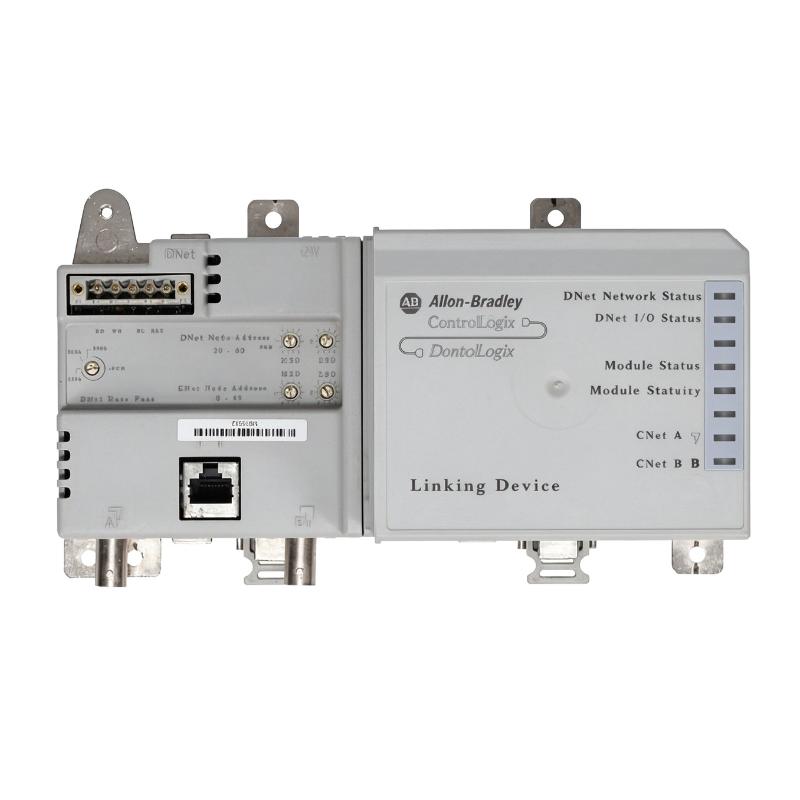
Product Overview
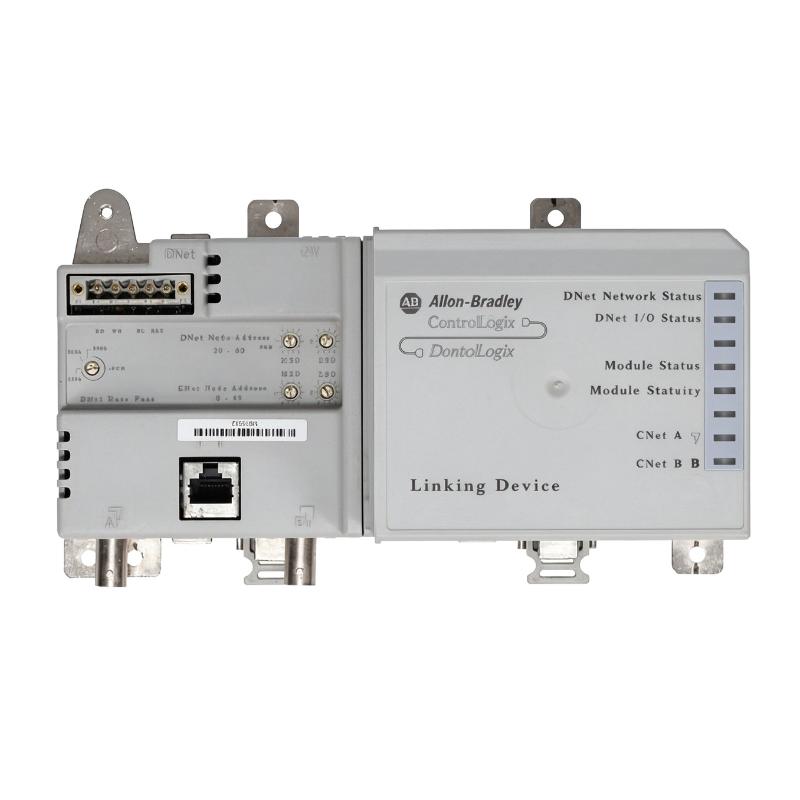
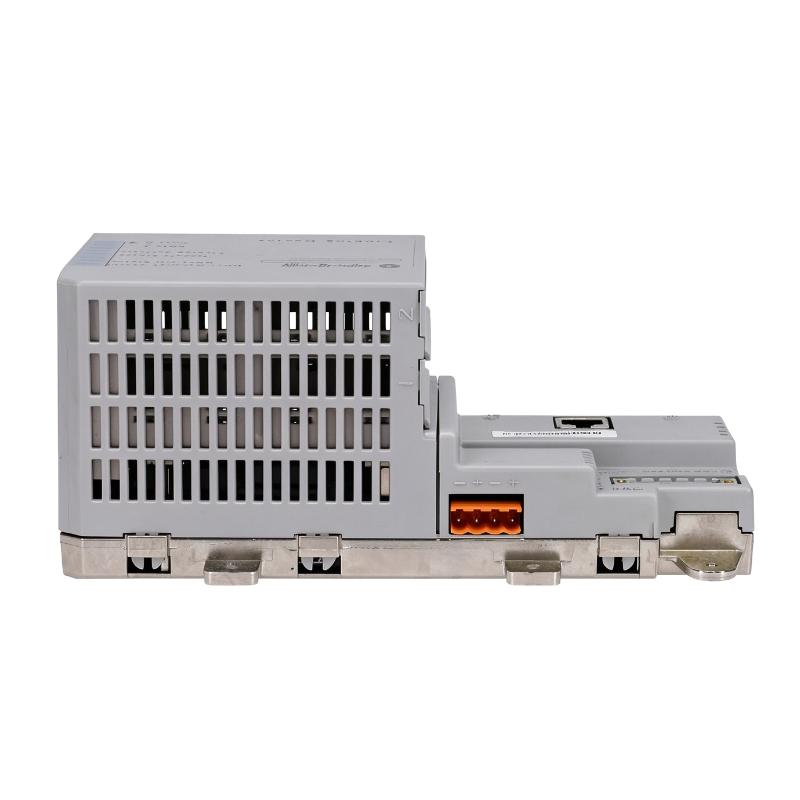
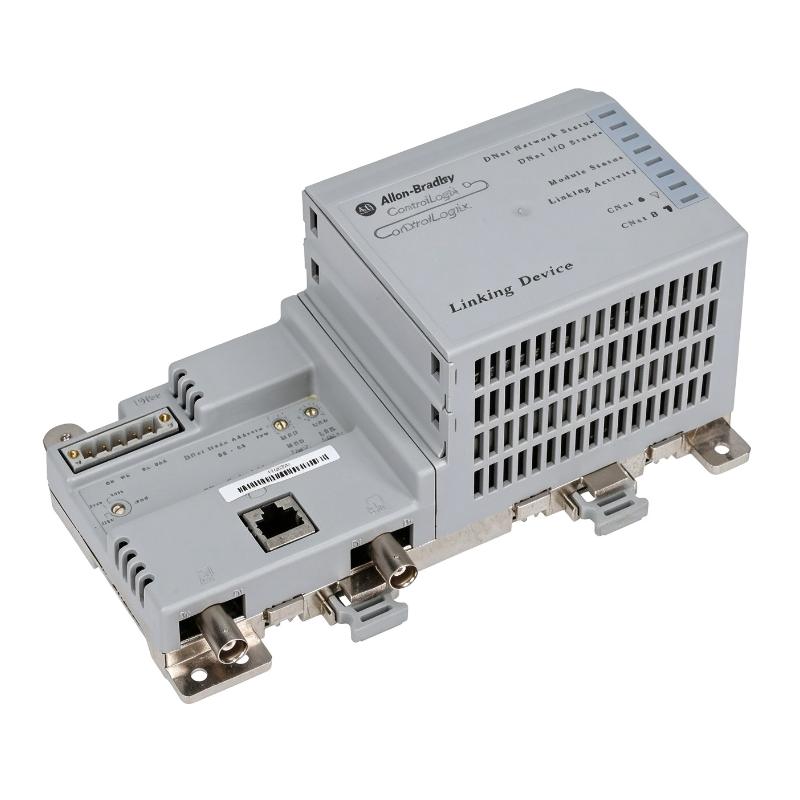
The Allen Bradley 1788-CN2DN is a ControlNet-to-DeviceNet Linking Device designed to connect two different industrial communication networks. It enables data exchange between ControlNet-based automation systems and DeviceNet field devices without requiring the two networks to use the same communication protocol.
The device acts as a bridge between the ControlNet backbone and a DeviceNet network segment. On the ControlNet side, it connects through an RG6 coaxial cable interface. On the DeviceNet side, it provides an open-style connection for a DeviceNet trunk cable.
The 1788-CN2DN is suitable for industrial installations where existing DeviceNet equipment needs to communicate with a ControlNet-based control system. Typical applications include integrating remote I/O, motor control devices, sensors, and other DeviceNet-compatible equipment into a larger automation architecture.
The linking device requires an external 24V DC power supply. It also supplies 24V DC power to the DeviceNet side according to its specified electrical requirements.
With separate network interfaces, communication indicators, and configurable network addresses, the 1788-CN2DN provides a practical solution for connecting legacy DeviceNet installations to ControlNet-based automation systems.
Technical Specifications
| Parameter | Specification |
|---|---|
| Manufacturer | Allen-Bradley |
| Brand Owner | Rockwell Automation |
| Model | 1788-CN2DN |
| Product Series | Bulletin 1788 Linking Devices |
| Product Type | ControlNet to DeviceNet Linking Device |
| Communication Protocol | ControlNet to DeviceNet |
| ControlNet Connection | RG6 Coaxial Cable |
| DeviceNet Connection | Open-Style DeviceNet Connector |
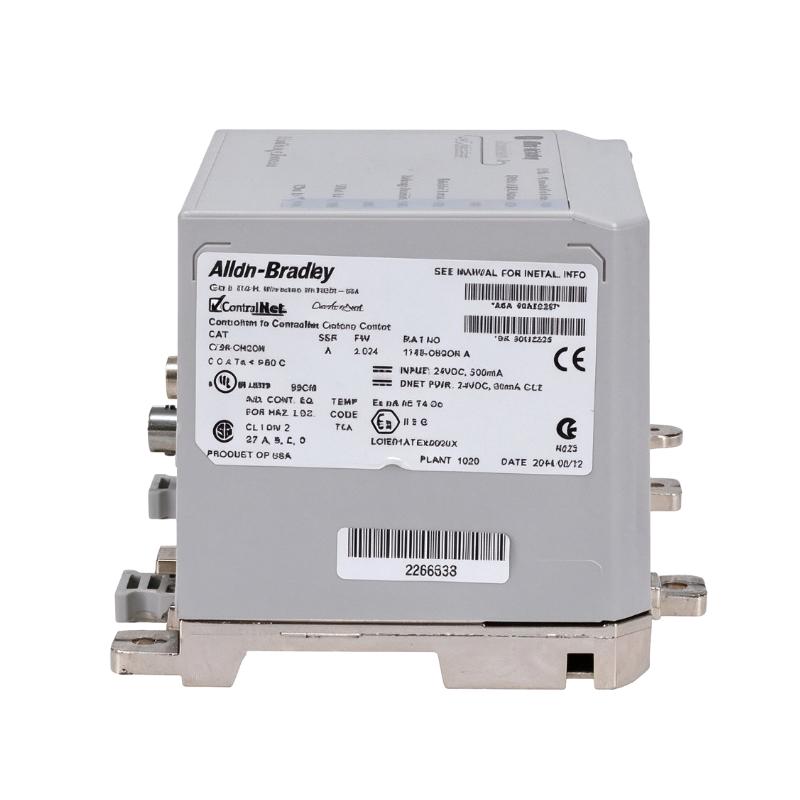
| Power Supply Input | 24V DC, 500 mA |
| DeviceNet Power Output | 24V DC, 90 mA, Class 2 |
| Isolation Voltage | 30V Continuous |
| Isolation Test | 720V DC for 60 seconds |
| Enclosure Type | Open-Style |
| Operating Temperature | 0–60°C |
| Storage Temperature | -40 to +85°C |
| Relative Humidity | 5–95%, non-condensing |
| North American Temperature Code | T4A |
| IEC Temperature Code | T4 |
| Dimensions | 200 × 87 × 120 mm |
| Weight | 0.66 kg |
Product Features
- Dual Network Connectivity: Connects ControlNet and DeviceNet networks through separate communication interfaces.
- ControlNet RG6 Interface: Supports connection to the ControlNet coaxial communication backbone.
- Open-Style DeviceNet Connection: Provides an interface for connecting compatible DeviceNet network cabling.
- 24V DC Power Input: Operates from an external 24V DC power supply with a rated input current of 500 mA.
- DeviceNet Power Output: Supplies 24V DC at 90 mA to the DeviceNet side.
- Network Address Configuration: Supports setting the ControlNet and DeviceNet node addresses for the intended network configuration.
- Communication Status Indicators: Provides LED indicators for monitoring network activity and identifying communication faults.
- Network Isolation: Provides 30V continuous basic insulation between ports.
- Flexible Mounting: Supports DIN rail and panel mounting arrangements.
- Industrial Temperature Operation: Supports operation in ambient temperatures from 0 to 60°C.
Product Working Principle
The 1788-CN2DN functions as a network linking device that transfers communication data between ControlNet and DeviceNet.
The two networks use different communication protocols and physical media. The 1788-CN2DN handles the communication exchange between them, allowing devices on the DeviceNet network to participate in a larger ControlNet-based automation system.
The communication process can be understood in three stages:
1. ControlNet Communication
The ControlNet interface receives communication information through an RG6 coaxial connection. The device communicates with the connected ControlNet network using its configured node address.
2. DeviceNet Communication
The DeviceNet interface connects to the field-level network through the open-style DeviceNet wiring connection. Connected devices can exchange information through the linking device.
3. Cross-Network Data Exchange
The 1788-CN2DN manages communication between the two network segments, allowing information to pass between the ControlNet and DeviceNet sides.
The device also requires a separate 24V DC power input. Its DeviceNet interface provides the specified 24V DC output for the connected network.
A simplified network arrangement is:
ControlNet Network → 1788-CN2DN Linking Device → DeviceNet Network → Field Devices
This arrangement allows existing DeviceNet equipment to remain in service while communicating with a ControlNet-based control architecture.
Role in Allen-Bradley ControlNet and DeviceNet Control Architecture
Within an Allen-Bradley automation system, the 1788-CN2DN acts as the communication bridge between the supervisory ControlNet network and the DeviceNet field network.
ControlNet is commonly used for communication between controllers and other automation system components, while DeviceNet provides connectivity to field-level equipment such as motor starters, sensors, and distributed I/O devices.
The linking device allows these two network levels to exchange information without requiring every field device to be connected directly to ControlNet.
| System Component | Function |
|---|---|
| 1788-CN2DN | Connects ControlNet and DeviceNet networks |
| ControlLogix PLC | Executes automation logic and coordinates system operations |
| 1756-CNB | Provides ControlNet communication for ControlLogix systems |
| 1756-CNBR | Provides redundant ControlNet communication |
| ControlNet RG6 Cable | Connects the linking device to the ControlNet backbone |
| DeviceNet Trunk Cable | Connects DeviceNet field devices |
| DeviceNet Motor Starters | Controls industrial motors through DeviceNet communication |
| DeviceNet Remote I/O | Provides distributed field signal acquisition and control |
| 24V DC Power Supply | Supplies operating power to the linking device |
The 1788-CN2DN is particularly useful when an existing DeviceNet installation must be integrated into a ControlNet-based control system without replacing all field-level devices.
Industrial Applications
The 1788-CN2DN is used in industrial automation environments where ControlNet and DeviceNet equipment need to operate within the same communication architecture.
| Industrial Application | Typical Use |
|---|---|
| Manufacturing Automation | Connecting DeviceNet equipment to ControlNet-based production systems |
| Automotive Production | Integrating DeviceNet motor starters and field devices |
| Packaging Machinery | Connecting distributed DeviceNet equipment to a central control network |
| Material Handling | Linking DeviceNet conveyor controls with ControlNet systems |
| Process Automation | Integrating DeviceNet field equipment into supervisory control networks |
| Water Treatment | Connecting distributed DeviceNet devices to centralized automation systems |
| Industrial Robotics | Supporting communication between ControlNet controllers and DeviceNet equipment |
| Assembly Lines | Maintaining communication between different industrial network segments |
| Power Distribution | Integrating compatible DeviceNet monitoring and control equipment |
| Factory Modernization | Connecting existing DeviceNet installations to ControlNet infrastructure |
Installation and Maintenance
- Verify the Model Number: Confirm that 1788-CN2DN is the required linking device for the intended ControlNet and DeviceNet network configuration.
- Check Network Compatibility: Verify the ControlNet and DeviceNet communication requirements of all connected equipment.
- Inspect the Device: Examine the terminal connections, communication ports, housing, and mounting points for visible damage.
- Prepare the Installation Location: Select a suitable control cabinet location with sufficient ventilation and access for network wiring.
- Mount the Linking Device: Install the unit on a compatible DIN rail or panel mounting arrangement.
- Connect the Power Supply: Wire the external 24V DC supply to the designated power terminals, observing the correct polarity.
- Connect the ControlNet Cable: Attach the RG6 coaxial cable to ControlNet port A. If redundant media is required, connect the second cable to port B according to the installation instructions.
- Connect the DeviceNet Network: Wire the DeviceNet connection using the specified cable and terminal arrangement.
- Configure Network Addresses: Set the ControlNet and DeviceNet node addresses according to the existing network configuration.
- Check Communication Settings: Verify the configured network communication rates and ensure they match the connected network requirements.
- Verify Network Operation: Apply power and inspect the LED indicators to confirm that both network interfaces are operating correctly.
- Perform Routine Maintenance: Periodically inspect the wiring, terminals, communication connections, power supply, and status indicators for signs of deterioration or communication faults.
Compatible System Components
| Component | Function |
|---|---|
| Allen-Bradley 1788-CN2DN | ControlNet to DeviceNet Linking Device |
| Allen-Bradley 1756-CNB | ControlLogix ControlNet Bridge Module |
| Allen-Bradley 1756-CNBR | ControlLogix Redundant ControlNet Bridge Module |
| Allen-Bradley 1786-RG6 | ControlNet Coaxial Cable |
| Allen-Bradley 1786-RG6F | High-Flex ControlNet Coaxial Cable |
| Allen-Bradley 1485C-P1-Cxxx | DeviceNet Trunk Cable |
| Allen-Bradley 1606-XLE240E | 24V DC Power Supply |
| Allen-Bradley DeviceNet Field Devices | Sensors, Motor Starters and Distributed I/O |
Recommended Related Models
| Model | Product Type | Application |
|---|---|---|
| Allen-Bradley 1788-EN2DNR | EtherNet/IP to DeviceNet Linking Device | Connects EtherNet/IP and DeviceNet networks |
| Allen-Bradley 1788-EN2DROM | EtherNet/IP to DeviceNet Linking Device | Connects EtherNet/IP and DeviceNet equipment |
| Allen-Bradley 1756-CNB | ControlLogix ControlNet Bridge Module | ControlNet communication for ControlLogix |
| Allen-Bradley 1756-CNBR | ControlLogix Redundant ControlNet Bridge Module | Redundant ControlNet communication |
| Allen-Bradley 1786-RG6 | ControlNet Coaxial Cable | ControlNet network trunk connection |
| Allen-Bradley 1786-RG6F | ControlNet High-Flex Coaxial Cable | Flexible ControlNet network wiring |
Key Advantages
- Connects ControlNet and DeviceNet communication networks.
- Supports integration of existing DeviceNet field equipment.
- Uses an RG6 coaxial ControlNet interface.
- Provides an open-style DeviceNet connection.
- Supports external 24V DC power.
- Includes network status indicators for troubleshooting.
- Supports DIN rail and panel mounting.
Technical FAQs
1. What networks can the 1788-CN2DN connect?
The 1788-CN2DN connects a ControlNet network to a DeviceNet network. It allows compatible devices on the DeviceNet side to exchange information with equipment connected to the ControlNet system.
2. What power supply does the 1788-CN2DN require?
The linking device requires an external 24V DC power supply with a rated input current of 500 mA. The DeviceNet side also receives a specified 24V DC, 90 mA Class 2 power output.
3. Can the 1788-CN2DN support redundant ControlNet connections?
Yes. The device provides ControlNet ports A and B for network connection arrangements. Port B can be used for redundant ControlNet media when the network is configured accordingly. Only one ControlNet network should be connected at a time.
4. What should be checked if the DeviceNet side cannot communicate with the ControlNet network?
First, check the external 24V DC power supply and the DeviceNet power connection. Then inspect the ControlNet and DeviceNet cables, node addresses, communication rates, and LED status indicators. Incorrect network configuration or wiring problems can prevent communication between the two network segments.