
NewsNEWCENTER
Featured products
Contact Us
ABB 07BE60R1 (GJV3074304R1) 6-Slot Rack Installation Guide
2026-06-05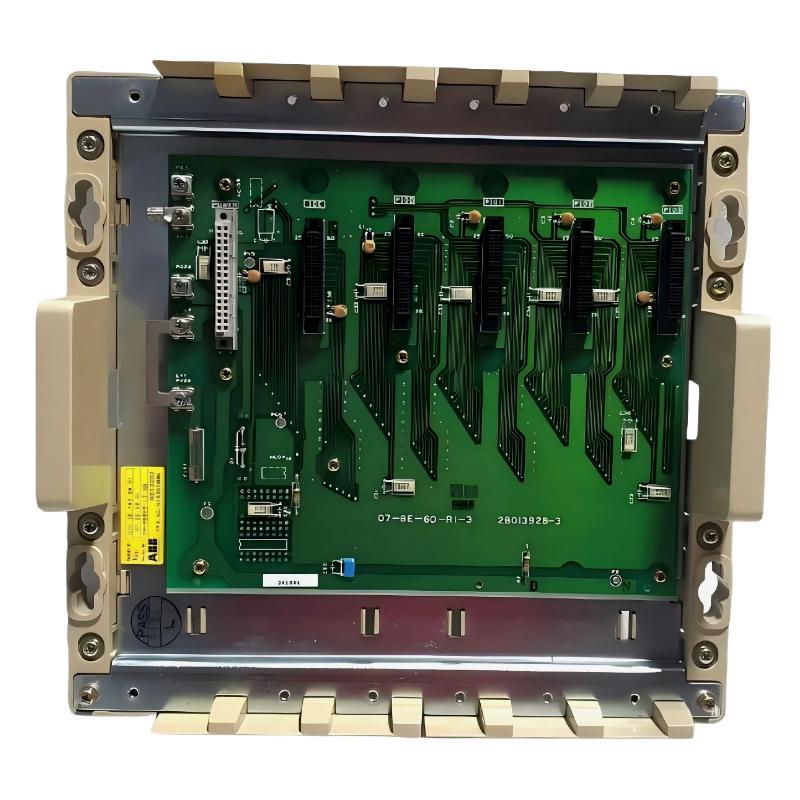
Table of Contents
- Installation Overview of ABB 07BE60R1 6-Slot Rack
- Role of 07BE60R1 Rack in Procontic T200 System
- Preparation Before Installation
- Mechanical Mounting & Cabinet Layout
- Backplane Connection & System Alignment
- System Power-Up & Commissioning
- FAQs on ABB 07BE60R1 Installation
- Engineering Summary & Field Notes
Installation Overview of ABB 07BE60R1 6-Slot Rack
ABB 07BE60R1 (GJV3074304R1) 6-slot rack is a core structural component in the ABB Procontic T200 PLC system. In real industrial installations, improper rack alignment or poor backplane seating often leads to intermittent module recognition failures and unstable I/O communication across the controller system.
Role of 07BE60R1 Rack in Procontic T200 System
The 07BE60R1 rack provides the mechanical and electrical backbone for PLC modules such as CPU, I/O, communication, and power supply units. It ensures synchronized backplane communication and stable module-to-module signal distribution. Field engineers often consider rack integrity the “foundation layer” of system reliability.
Preparation Before Installation
- Confirm control cabinet power is fully isolated (Lockout/Tagout)
- Verify rack model compatibility with Procontic T200 modules
- Inspect mounting brackets and DIN rail or panel support structure
- Check backplane connector pins for dust or oxidation
- Prepare grounding conductor and shielding layout plan
Mechanical Mounting & Cabinet Layout
Correct mechanical installation of ABB 07BE60R1 is critical for long-term system stability.
- Mount the rack securely on cabinet backplate using industrial-grade screws
- Ensure horizontal leveling to avoid module insertion stress
- Maintain sufficient spacing for airflow and thermal dissipation
- Avoid installation near high-vibration components such as transformers or drives
In one commissioning case, a misaligned rack caused intermittent CPU reset due to micro-movement in the backplane connector under vibration load.
Backplane Connection & System Alignment
The ABB 07BE60R1 backplane ensures communication between all installed modules. Any mechanical deviation directly affects system reliability.
- Ensure full insertion of each module into backplane slots
- Verify no bent pins or loose contact points
- Check continuity of grounding across rack frame
- Confirm uniform torque on mounting screws (avoid over-tightening)
Field observation: backplane contact instability can cause random I/O dropout even when modules are fully functional.
System Power-Up & Commissioning
During commissioning, engineers should validate both electrical and communication stability across the rack system.
- Power up system in staged sequence (power supply → CPU → I/O modules)
- Check module recognition in engineering software
- Perform full rack scan for missing or misaligned slots
- Monitor system for first 30–60 minutes under load conditions
In one field project, unstable power sequencing caused temporary slot recognition failure until startup order was corrected.
FAQs on ABB 07BE60R1 Installation
How many modules can the 07BE60R1 rack support?
The rack supports 6 slots, typically for CPU, power supply, and I/O modules in Procontic T200 systems.
Can the rack be installed vertically?
Yes, but thermal management and vibration isolation must be carefully controlled to prevent backplane stress.
What is the most common installation mistake?
Improper alignment during mounting, leading to partial backplane engagement and intermittent communication faults.
Engineering Summary & Field Notes
The ABB 07BE60R1 (GJR5250800R0101) 6-slot rack is a structural backbone of the Procontic T200 PLC system. Field experience shows that most system-level instability originates not from modules themselves, but from rack-level installation issues such as misalignment, grounding inconsistency, and backplane contact degradation. Proper mechanical installation and commissioning discipline are essential for long-term system reliability.