
NewsNEWCENTER
Featured products
Contact Us
Allen-Bradley 1203-FM1 Flex I/O SCANport Communication Module Installation Guide
2026-06-11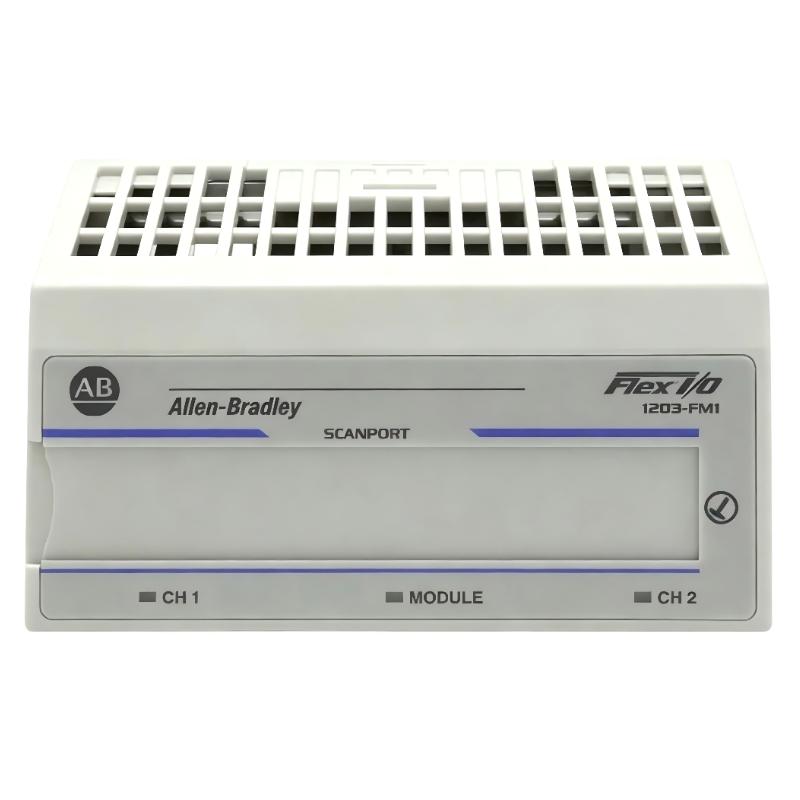
Table of Contents
- Installation Overview of 1203-FM1 Flex I/O SCANport Module
- Role in Flex I/O Network for PLC Control
- Pre-Installation Checks & System Preparation
- SCANport Network Wiring & Cabling Requirements
- Power & Grounding Considerations
- Commissioning & Node Integration
- FAQs on 1203-FM1 Installation
- Engineering Summary & Field Practices
Installation Overview of 1203-FM1 Flex I/O SCANport Module
Allen-Bradley 1203-FM1 Flex I/O SCANport communication module installation is essential for integrating distributed I/O with ControlLogix PLC systems. Correct installation ensures stable network communication and prevents intermittent SCANport errors that are common in industrial environments.
Role in Flex I/O Network for PLC Control
The 1203-FM1 module functions as a SCANport gateway, allowing multiple Flex I/O nodes to communicate with the main PLC. Field experience shows that proper termination and network addressing are critical for avoiding communication dropouts and ensuring accurate I/O updates.
Pre-Installation Checks & System Preparation
- Confirm PLC firmware compatibility with 1203-FM1 SCANport module
- Verify system topology and total number of Flex I/O nodes
- Inspect cabling for damage, correct length, and proper shielding
- Check module part number and firmware revision
- Ensure SCANport terminators are available for network endpoints
SCANport Network Wiring & Cabling Requirements
- Use shielded twisted-pair cables recommended by Allen-Bradley
- Maintain correct SCANport polarity throughout the network
- Install 1203-FM1 at the correct position within the Flex I/O backplane
- Use proper termination resistors at the first and last module in the chain
In one commissioning case, incorrect termination caused intermittent loss of node updates, resolved after installing proper 120Ω terminators at network endpoints.
Power & Grounding Considerations
- Ensure 24V DC supply stability to all Flex I/O modules
- Properly ground the module to prevent EMI from affecting SCANport communication
- Separate SCANport cables from high-power motor or VFD wiring
Commissioning & Node Integration
- Power up the SCANport network and verify module status LEDs
- Assign unique node addresses to all Flex I/O modules
- Use RSLogix/Studio 5000 software to validate communication and I/O mapping
- Perform system-level I/O test for all connected nodes under operational conditions
- Monitor real-time SCANport diagnostics for error indications
SCANPORT_DIAG /MODEL=1203-FM1 /CHECK_NODE /VERIFY_IO /ONLINE
FAQs on 1203-FM1 Installation
Can multiple SCANport modules be used in one PLC system?
Yes, but ensure proper addressing and termination to prevent communication conflicts.
What causes intermittent I/O updates?
Common causes include improper termination, cable length exceeding specification, or EMI interference.
Is firmware update necessary before commissioning?
It is recommended to verify module firmware compatibility with the PLC to prevent communication errors.
Engineering Summary & Field Practices
The Allen-Bradley 1203-FM1 SCANport module is critical for reliable Flex I/O integration with ControlLogix PLCs. Correct installation, including wiring, termination, grounding, and commissioning, ensures consistent I/O performance and prevents intermittent communication failures commonly observed in field operations. Field experience shows that systematic pre-checks and structured commissioning significantly reduce troubleshooting efforts and improve overall system reliability.