

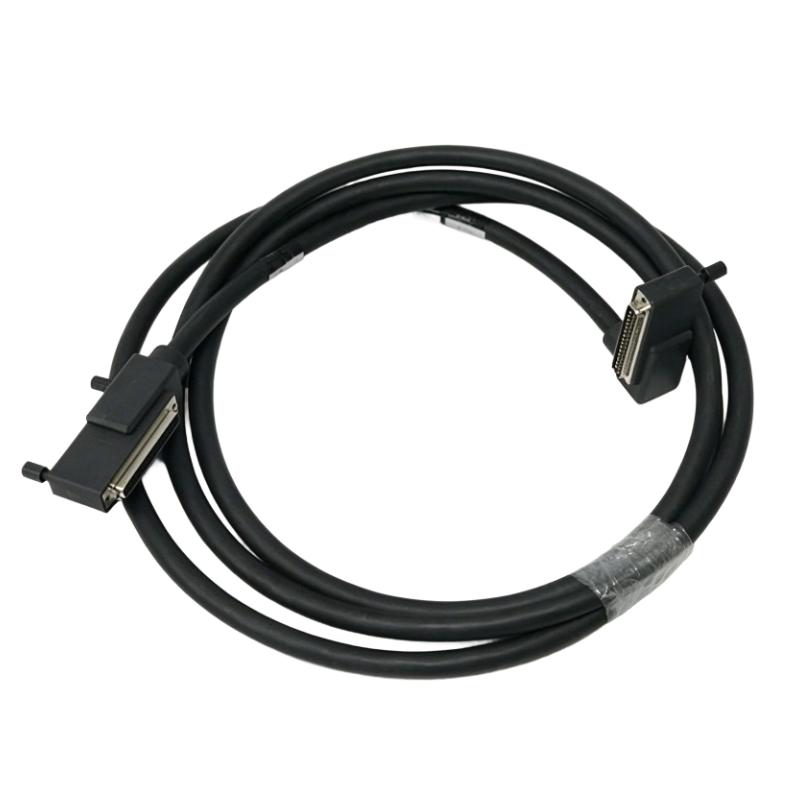
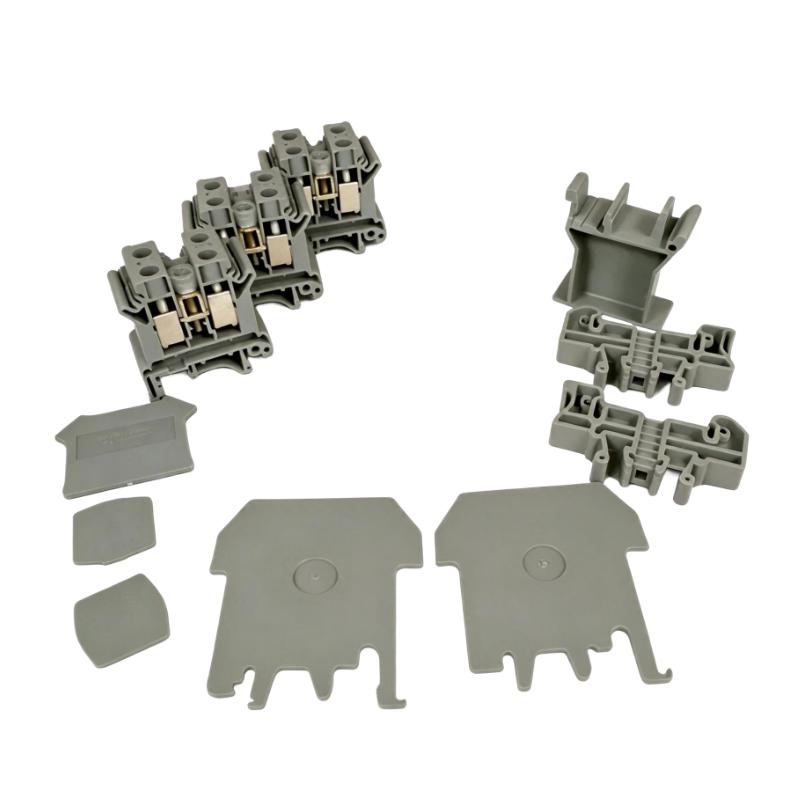
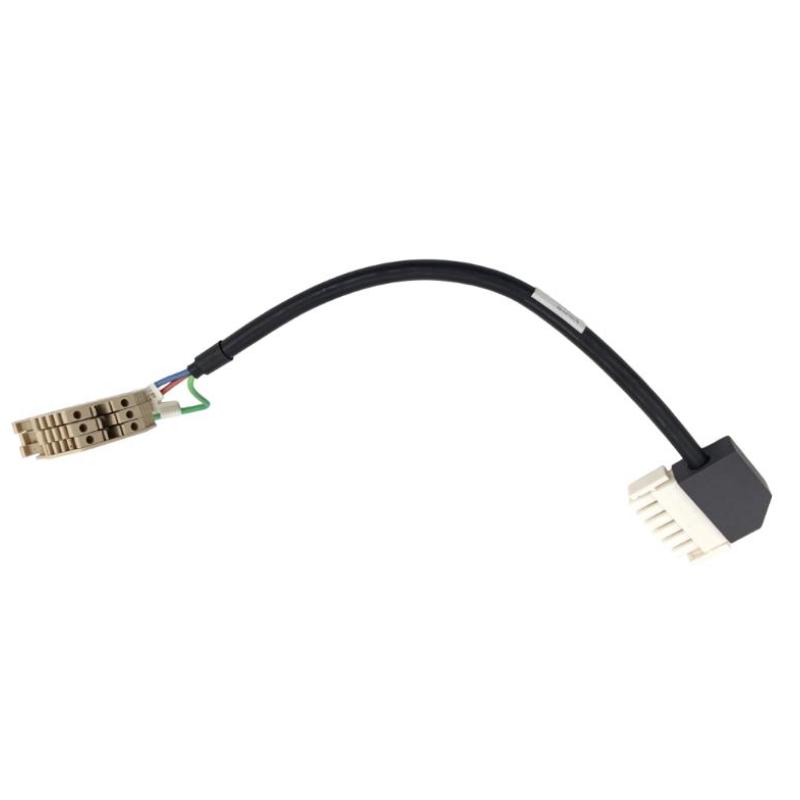

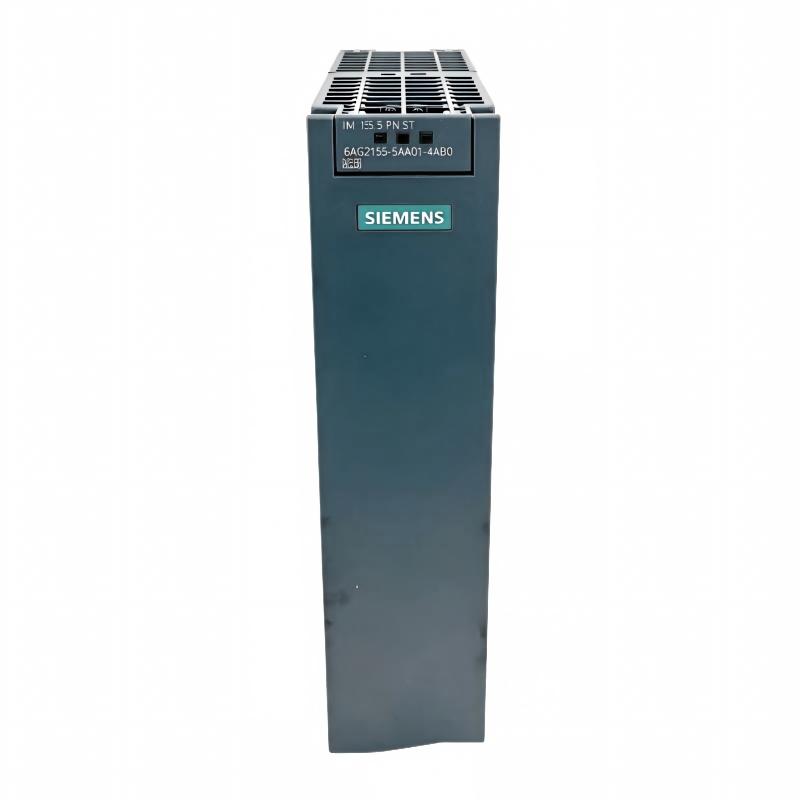
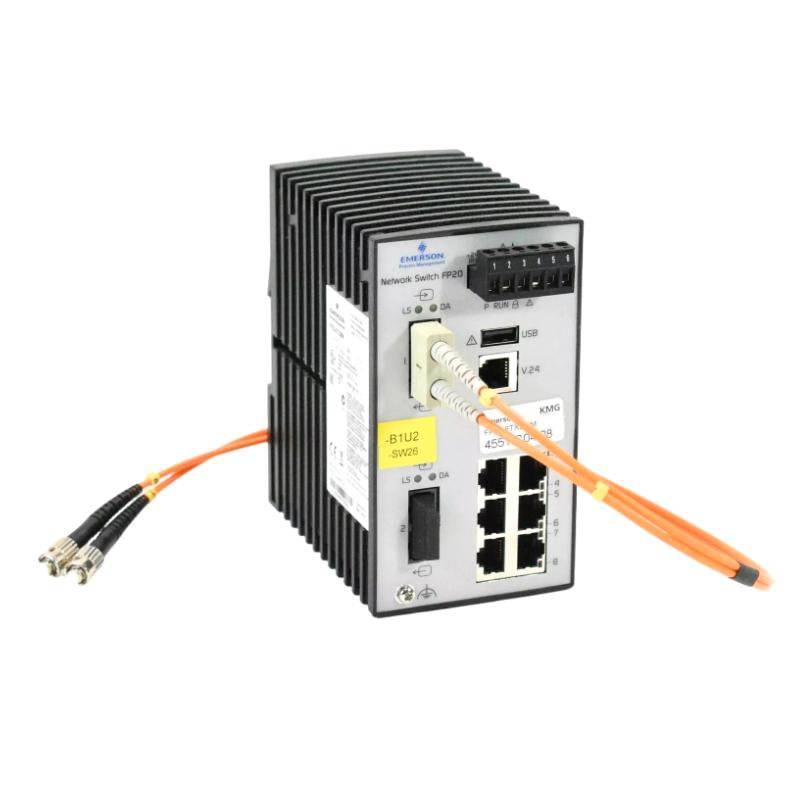
The Emerson KJ1611X1-BE1 Network Switch Module is associated with industrial Ethernet networking in Emerson DeltaV control system environments. Its role is to provide network connectivity between compatible control-system devices and network segments. A reliable installation requires careful verification of the switch assembly, compatible hardware, Ethernet connections, power arrangement, network topology, and system management configuration. This guide covers the practical installation and commissioning checks for the KJ1611X1-BE1 without assuming port specifications or electrical ratings that have not been confirmed for this exact suffix.
Contents
- KJ1611X1-BE1 Network Switch Overview
- Technical Specifications and Identification
- Pre-Installation Preparation
- Hardware Installation Procedure
- Ethernet Network Connections
- DeltaV Network Configuration
- Network Commissioning and Testing
- Network Security and Access Management
- Maintenance Recommendations
- Technical FAQs
- Installation Summary
Understanding the Emerson KJ1611X1-BE1 Network Switch Module
The KJ1611X1-BE1 is identified in industrial automation equipment listings as an Emerson DeltaV network switch module. Network switches are important components in distributed control systems because they manage Ethernet traffic between connected devices. Depending on the approved network architecture, these devices may include controllers, operator workstations, engineering stations, I/O communication equipment, and other supported network components.
Unlike a controller or analog input module, a network switch does not execute process control strategies or directly measure field signals. Its primary responsibility is to provide the required communication path between network devices. Any interruption in that path may affect communication availability even when the connected controllers and I/O hardware remain operational.
Product identification before installation
Verify the complete KJ1611X1-BE1 designation on the product label. Some equipment listings associate this ordering code with the FP20-6TX2MM product reference and 12P4452X052 model designation. These references should be treated as identification cross-checks rather than proof that every similarly described switch assembly is interchangeable.
Before installing a replacement, compare the complete part number, hardware revision, physical connectors, mounting arrangement, and existing system documentation. Network switch variants can differ in port arrangement, media type, management features, and compatibility.
Emerson KJ1611X1-BE1 Technical Specifications and Identification
| Parameter | Information |
|---|---|
| Manufacturer | Emerson |
| Model | KJ1611X1-BE1 |
| Product Type | Network Switch Module |
| Product Family | Emerson DeltaV network equipment |
| Primary Function | Industrial Ethernet network switching |
| Network Application | Connectivity within compatible industrial control networks |
| Associated Product Reference | FP20-6TX2MM is listed as an associated reference; verify against the product label |
| Associated Model Reference | 12P4452X052 appears in equipment listings |
| Physical Dimensions | Confirm using the exact assembly and manufacturer documentation |
| Weight | Confirm using the exact assembly and manufacturer documentation |
| Port Count and Media | Verify from the installed unit’s front panel and hardware documentation |
| Power Requirements | Use the rating marked on the exact unit and its approved installation documentation |
Port count, Ethernet speed, power input, environmental limits, and connector type should not be inferred from another KJ1611X1 suffix. Confirm these details before selecting cables, planning network capacity, or preparing a replacement.
Pre-Installation Preparation for the KJ1611X1-BE1
Before installation, review the network drawings and identify the switch’s intended position. A network switch may serve a local group of controllers or workstations, or it may form part of a larger control network. Understanding its role helps prevent incorrect cable connections and unexpected network interruptions.
Verify system compatibility
- Confirm that the installed DeltaV system supports the intended switch hardware.
- Check the exact switch assembly and its hardware revision.
- Review the existing network topology and connection schedule.
- Verify the required copper or fiber interfaces.
- Confirm that the switch’s power arrangement matches the cabinet design.
- Check whether the switch is managed through the installed DeltaV network management tools.
Prepare the network documentation
Prepare a port assignment schedule showing the connected device, cable identifier, network segment, and intended port. Record any existing uplink, redundant path, or inter-switch connection. This information is especially useful when replacing a switch because it provides a reference for restoring the original network layout.
Check the installation environment
Inspect the cabinet or mounting area for adequate space, ventilation, cable access, and mechanical protection. Confirm that the actual switch temperature and environmental requirements are consistent with the manufacturer’s specifications for the exact unit.
Emerson KJ1611X1-BE1 Hardware Installation Procedure
The physical installation must follow the applicable Emerson hardware instructions and the site’s approved electrical maintenance procedure. The switch should be installed in a location that allows technicians to inspect connectors and status indicators without disturbing adjacent equipment.
- Confirm the maintenance window. Coordinate with plant operations before changing a switch that carries active control-system traffic.
- Identify the existing assembly. Record the full part number, revision, mounting position, connected cables, and visible status indications.
- Inspect the mounting location. Check the enclosure, mounting hardware, grounding arrangement where applicable, and cable entry points.
- Verify the replacement unit. Compare the label and physical interfaces with the approved spare-parts record.
- Isolate power when required. Follow the approved procedure for the exact hardware and network arrangement. Do not assume that energized removal or installation is permitted.
- Mount the switch. Secure the assembly using the specified mounting method and ensure that connectors remain accessible.
- Connect the required power supply. Use only the voltage, polarity, and connection arrangement specified for the exact switch assembly.
- Connect the network cables. Follow the approved port assignment schedule and verify each connector’s mechanical engagement.
- Inspect the completed installation. Confirm that cables are identified, properly routed, and protected from mechanical stress.
Do not energize a switch when its power input, grounding arrangement, or connector assignment remains uncertain. Incorrect power wiring can damage equipment and interrupt the control network.
KJ1611X1-BE1 Ethernet Network Connections
Network cabling is a critical part of switch installation. A physically connected Ethernet cable does not necessarily guarantee correct communication. The connected device, port, cable category, media type, and network configuration must all match the system design.
Verify the cable and interface type
Inspect the switch’s actual connectors and confirm whether the required connection uses copper Ethernet or fiber. For copper connections, use a cable category and shielding arrangement suitable for the specified Ethernet interface and plant environment. For fiber connections, confirm the fiber type, connector format, transceiver compatibility, and optical link requirements.
Follow the approved port assignment
Connect each controller, workstation, or other network device to the designated port. Avoid changing uplink and device connections simply because another port appears available. The original network design may assign specific functions to particular interfaces.
Check cable routing and physical condition
- Keep network cables away from sources of excessive electrical interference where practical.
- Avoid sharp bends and excessive pulling force.
- Protect connectors from dust, oil, moisture, and mechanical damage.
- Use clear cable labels at both ends.
- Maintain separation between network cabling and power conductors according to the site’s wiring standards.
DeltaV Network Configuration for the KJ1611X1-BE1
After the physical connections are completed, verify the switch within the intended DeltaV network. The available management method depends on the switch generation and installed system version. Do not assume that every Emerson switch uses the same commissioning interface.
Check network discovery
Where the installed switch and DeltaV system support managed-switch discovery, use the approved Network Device Command Center or the applicable management application. Check whether the switch is visible and whether its reported identity matches the physical equipment.
Verify network addressing
Confirm the assigned network address, subnet, and management settings according to the approved network plan. Avoid assigning an address based on an informal assumption or copying settings from an unrelated switch.
Review network topology
Check the switch’s relationship with the connected network segments. Confirm that uplinks, inter-switch connections, and redundant paths match the approved design. Do not create additional links or loops without understanding the network’s redundancy and spanning-tree arrangements.
Validate connected devices
After the switch is recognized, verify that the intended controllers, workstations, and other supported devices can communicate. A successful management connection to the switch does not prove that every connected device has a functioning network path.
Commissioning and Network Testing for the KJ1611X1-BE1
Commissioning should establish that the switch powers up normally, establishes the expected Ethernet links, and forwards traffic through the intended network paths. Testing should be coordinated with operations to avoid disrupting live control functions.
Initial power-up inspection
- Check that the switch starts according to its documented startup behavior.
- Observe the available power, status, and port indicators.
- Check for abnormal status indications.
- Confirm that the switch remains stable after startup.
Ethernet link verification
Check each required port and compare its link indication with the connected device. If a port does not establish a link, inspect the cable, connector, device interface, and port assignment. Where supported, use the system management interface to review port status and communication diagnostics.
Network communication testing
Verify communication between the devices that are expected to exchange data through the switch. Use approved diagnostic tools and the site’s network testing procedure. Check both local connectivity and the relevant end-to-end communication path.
Illustrative commissioning checklist
| Test Item | Expected Condition | Recorded Result |
|---|---|---|
| Hardware identification | Matches the approved KJ1611X1-BE1 equipment record | Record actual result |
| Power-up | Normal startup according to product documentation | Record actual result |
| Port link status | Required connected ports establish links | Record actual result |
| Network discovery | Recognized where supported by the installed management system | Record actual result |
| Device communication | Required devices communicate through the intended paths | Record actual result |
| Network topology | Matches approved network drawings | Record actual result |
| Alarm review | No unexplained network or hardware alarms | Record actual result |
This is an illustrative checklist, not a completed test report. Actual acceptance criteria must be defined by the project engineering documents and the installed switch’s specifications.
Network Security and Access Management
Industrial network switches form part of the plant’s operational technology security boundary. Installation and commissioning should therefore include appropriate access control and unused-port management where supported by the switch generation.
Control management access
Use authorized management accounts and follow the site’s password and access-control policy. Do not leave default credentials or undocumented access methods in service. Any change to management access should be recorded in the maintenance documentation.
Review unused ports
Where the installed switch and management software support port lockdown, review unused interfaces and apply the approved security policy. Before disabling any port, verify that it is not used for an uplink, maintenance connection, redundant path, or planned network device.
Maintain configuration records
Keep a record of network identity, management settings, port assignments, firmware information where applicable, and approved changes. These records support troubleshooting and reduce the risk of accidental network reconfiguration.
Preventive Maintenance for Emerson KJ1611X1-BE1 Network Switches
Routine maintenance helps identify physical connection problems and network instability before they develop into communication interruptions.
- Inspect Ethernet and fiber connectors for damage or contamination.
- Check mounting security and cable strain relief.
- Review network alarms and available diagnostic logs.
- Confirm that the enclosure environment remains within the specified limits.
- Maintain an accurate port and cable assignment schedule.
- Review unauthorized or unexpected network connections.
- Back up approved configuration records where supported.
- Keep a verified spare that matches the exact hardware variant.
Technical FAQs About the Emerson KJ1611X1-BE1
1. What is the main function of the KJ1611X1-BE1?
It is identified as an Emerson DeltaV network switch module used for Ethernet connectivity in compatible industrial control network arrangements.
2. Is the KJ1611X1-BE1 a controller module?
No. Its primary function is network switching rather than executing process control strategies.
3. Can the KJ1611X1-BE1 be used with every DeltaV network?
Compatibility depends on the exact hardware variant, system generation, network architecture, and approved application. Confirm these details before installation.
4. How many Ethernet ports does the KJ1611X1-BE1 have?
The exact port count should be verified from the physical unit and its applicable product documentation. Do not use specifications from another KJ1611X1 suffix as a substitute.
5. What power supply does the KJ1611X1-BE1 require?
Use the electrical rating marked on the exact assembly and the corresponding installation documentation. Do not assume a voltage based only on third-party descriptions.
6. What should be checked if an Ethernet port has no link?
Check the cable, connector, connected device, port assignment, and interface compatibility. If the hardware is correct, review the available switch and network diagnostics.
7. Does the switch execute DeltaV control strategies?
No. It provides network connectivity. Control strategy execution remains the responsibility of the appropriate DeltaV controller hardware.
8. Can I connect an additional cable to create a redundant path?
Only when the network design supports the intended topology and the switching configuration is appropriate. An unplanned additional connection can create a network loop or disrupt communication.
9. What should be recorded before replacing the switch?
Record the complete part number, hardware revision, port assignments, cable identifiers, network addressing, connected devices, and relevant diagnostic status.
10. How can the switch be checked after installation?
Verify startup, hardware identity, required port links, network discovery where supported, device communication, network alarms, and consistency with the approved network topology.
Installation Summary for the Emerson KJ1611X1-BE1
The Emerson KJ1611X1-BE1 is identified as a network switch module for compatible DeltaV industrial network applications. Successful installation depends on accurate hardware identification, correct mounting, verified power connections, suitable Ethernet cabling, and compliance with the approved network topology.
Commissioning should confirm not only that the switch powers up, but also that the intended network devices communicate through the correct paths. By documenting port assignments, checking system diagnostics, and maintaining appropriate network security controls, engineers can improve the reliability and maintainability of DeltaV network infrastructure.