

ProductPRODUCT
Featured products
Contact Us
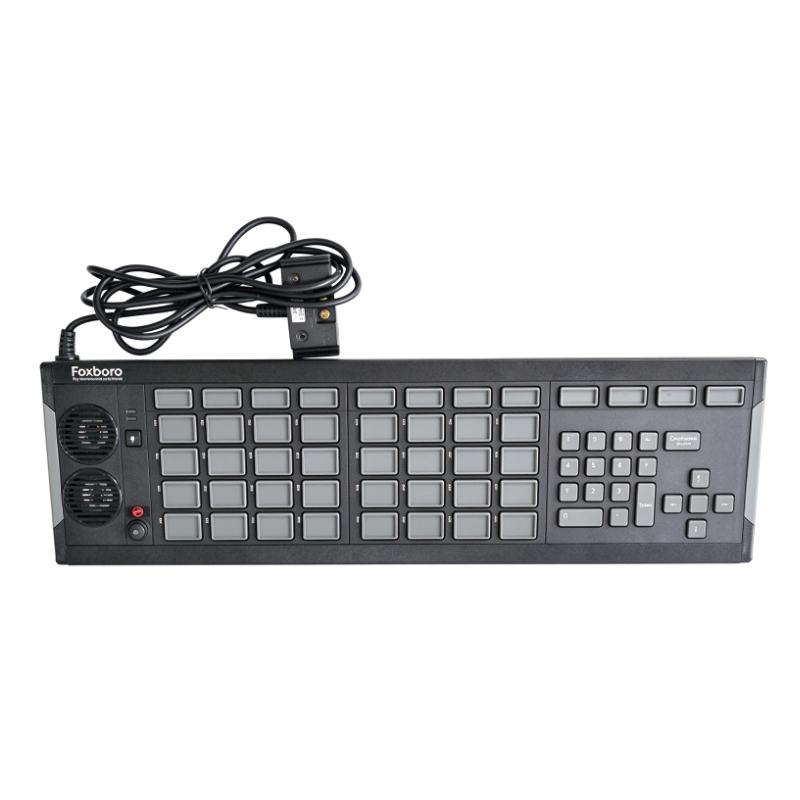
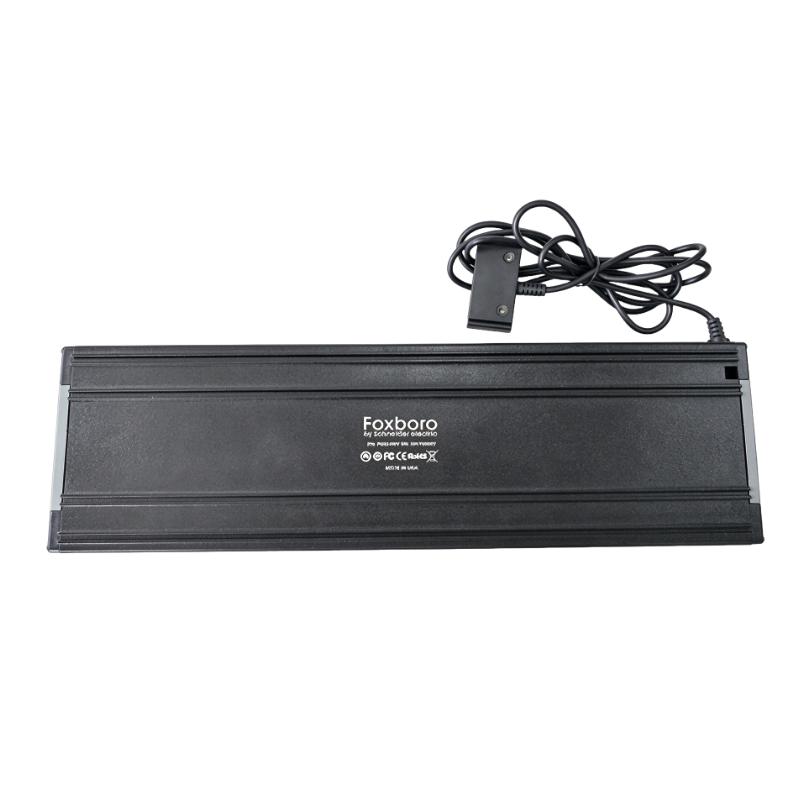
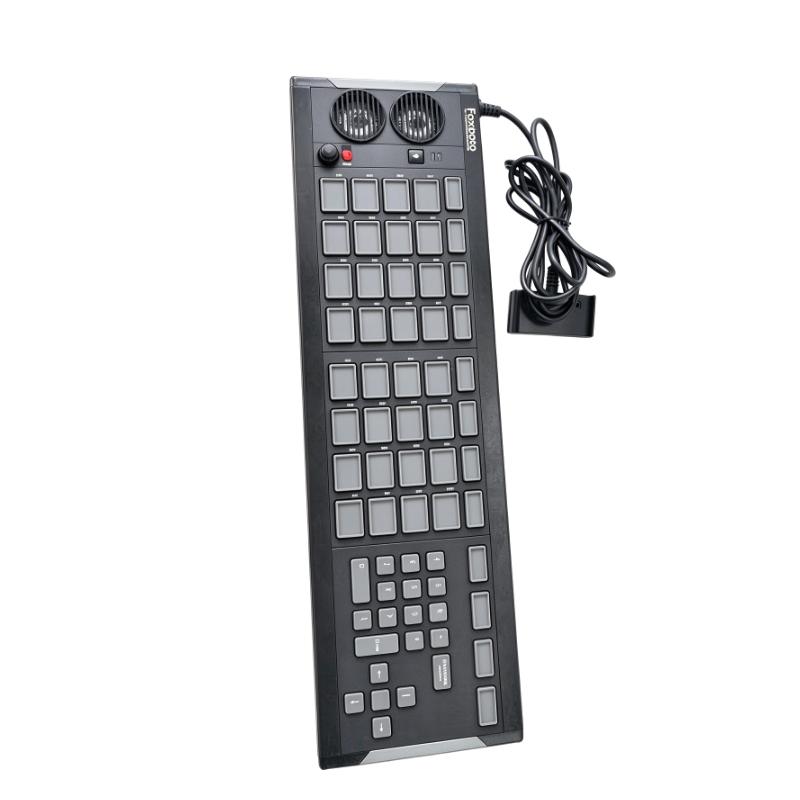
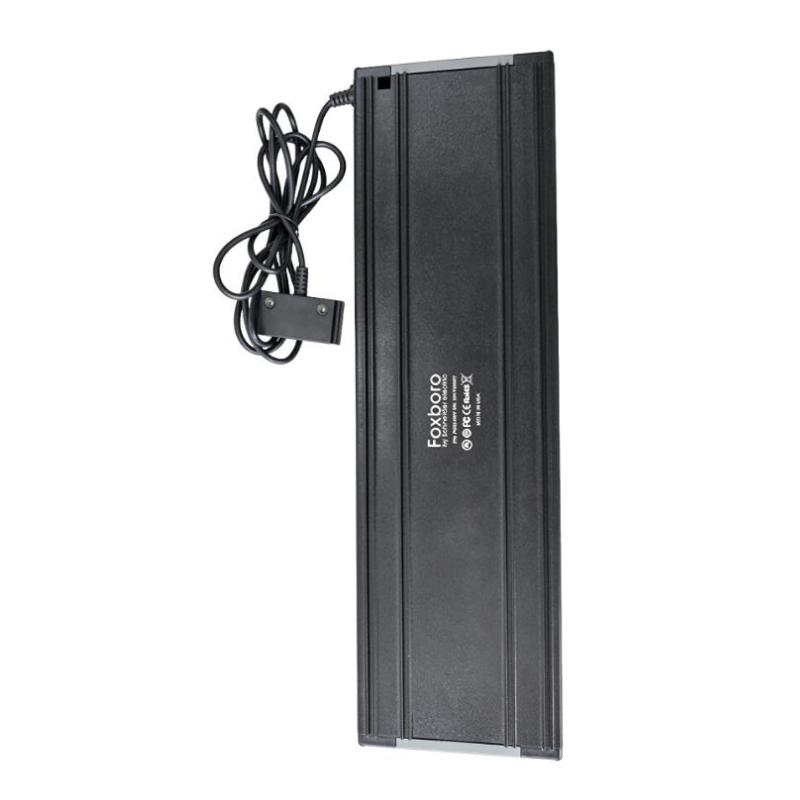
- Foxboro
- P0924WV
- USB Indicator/Numeric Keypad
- USA
- 501.65 x 36.83 x 147.32 mm
- 1.66 kg
- Xiamen, China
- New & In Stock
- T/T, PayPal, Western Union
- 1 Year
- 1-3 Working Days
- DHL, UPS, TNT, FedEx and EMS.
- 24-Hour Service
- COO
- 4
Our advantage

Global Logistics
We have a 10-year logistics and express cooperation agreement, so our products can be shipped to any place in the world.

Brand new and original
Our products are imported in bulk from the place of origin. Because of the cooperative relationship, our products are all original and 100% new.

24-hour service
We provide 7*24 hours service to our customers. We will be there whenever you need us.

Price advantage
All our products are priced very favorably because we have our own warehouse and supply.
| Company Information | |||
| [email protected] | |||
| Mobile | +8615980777398 | ||
| +8615980777398 | |||
| 15980777398 |
Product Overview
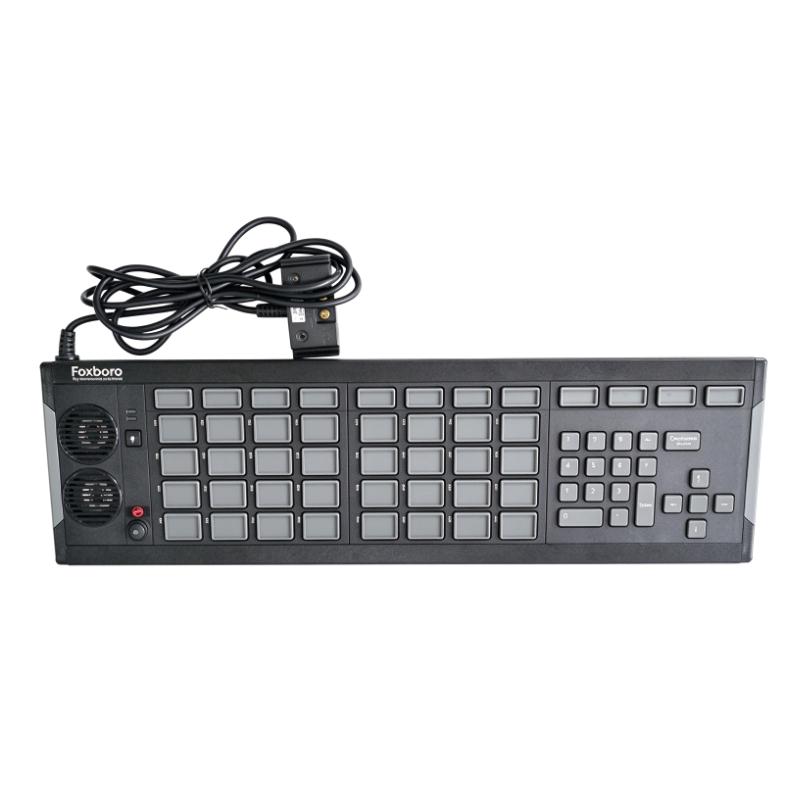
The Foxboro P0924WV USB Annunciator/Numeric Keyboard is an operator input and alarm indication device designed for Foxboro I/A Series and Foxboro Evo distributed control system environments. Manufactured for industrial process-control applications, it combines annunciator functions, numeric data entry, and dedicated operator keys in one workstation peripheral.
In a process control room, operators need to monitor alarms, identify abnormal operating conditions, acknowledge notifications, and enter numerical values into the control system. The P0924WV supports these activities by combining illuminated annunciator keys, audible alarm functions, navigation keys, and a numeric input section.
Unlike a conventional computer keyboard, the P0924WV is designed around the requirements of industrial control-room operation. Its configurable LED indicators can display different alarm or status conditions, while its audible alarm function helps attract operator attention when a process event occurs. Dedicated Silence Horn and Lamp Test buttons provide direct access to important annunciator functions.
The keyboard includes four rows of eight keys, together with a top row of 12 macro keys. Most annunciator keys have associated LEDs, while the macro keys do not. The numeric and navigation section includes arrow keys arranged around a Select key, allowing operators to enter numerical information and navigate supported workstation functions.
The P0924WV connects to a compatible workstation through USB. It can be connected directly to a host USB port or through a suitable USB hub, subject to the system’s installation requirements. Its compatibility restrictions should be considered during workstation planning, particularly where serial cards, GCIO interface modules, or Remote Graphics Units are used.
With its combination of alarm indication and operator input, the Foxboro P0924WV is particularly relevant to existing DCS control rooms that require a dedicated annunciator and numeric keyboard for process monitoring and operator interaction.
Technical Specifications
| Parameter | Specification |
|---|---|
| Brand | Foxboro |
| Manufacturer | Schneider Electric / Foxboro |
| Model | P0924WV |
| Product Type | USB Annunciator / Numeric Keyboard |
| Product Category | DCS Operator Interface Peripheral |
| Compatible Systems | Foxboro I/A Series and Foxboro Evo workstations or servers, subject to system requirements |
| Host Interface | USB |
| Connection Method | Direct USB connection or compatible USB hub |
| Keyboard Layout | Four rows of 8 keys plus 12 top-row macro keys |
| Annunciator Indicators | Configurable LED indicators on annunciator keys |
| LED States | Red, yellow, green, or off |
| Numeric Input | Integrated numeric keypad section |
| Navigation Keys | Four arrow keys and a Select key |
| Dedicated Function Keys | Silence Horn and Lamp Test |
| Audible Alarm | Integrated audible annunciation |
| External Audio | Audio output for a customer-supplied amplifier and speakers |
| Alarm Relay | Two-pole alarm relay |
| Labeling | Provision for polyester key labels |
| Supported Legacy Operating Systems | Windows 7 and Windows Server 2008 R2, as specified in legacy documentation |
| Dimensions | 501.65 × 36.83 × 147.32 mm |
| Weight | 1.66 kg |
| Typical Installation | Operator workstation or control-room console |
Note: Confirm the workstation operating system, DCS software release, USB connection arrangement, and actual unit condition before installation.
Function and Working Principle
The P0924WV combines operator input and alarm annunciation in one USB-connected peripheral. Its functions are designed to help operators recognize system events and perform frequently used actions without relying exclusively on standard keyboard commands.
1. Visual Alarm Indication
The annunciator keys are equipped with configurable LED indicators. Depending on the workstation configuration, these indicators can display red, yellow, green, or off states.
The colors provide a visual method of distinguishing alarm and status conditions. For example, different colors may be assigned to different alarm priorities or process states according to the site’s annunciator configuration.
The exact meaning of each color is determined by the DCS application and its configuration. The keyboard itself does not independently determine the operational priority of a process alarm.
2. Audible Alarm Notification
The keyboard includes an audible alarm function that helps attract the operator’s attention when an alarm condition occurs.
Different audio pitches can be used to distinguish alarm conditions or process priorities when supported by the system configuration. An external audio output jack is also available for connection to a customer-supplied amplifier and speakers.
This arrangement can be useful in larger or noisier control rooms where the built-in audible signal may not be sufficient for every workstation location.
3. Numeric Data Entry
The numeric section allows operators to enter numerical information into supported workstation applications.
This can be useful when changing process setpoints, entering numerical values, or performing other control-system operations that require numeric input. The integrated layout reduces the need to switch between separate annunciator and numeric-input devices.
Actual input behavior depends on the Foxboro workstation software and the functions assigned to the keyboard.
4. Navigation and Select Functions
The P0924WV includes four arrow keys arranged around a Select key. These controls support navigation and selection operations in compatible workstation applications.
Operators can use them to move through supported interface elements and perform selection actions without depending entirely on a standard computer keyboard or mouse.
5. Silence Horn Function
The dedicated Silence Horn key allows the operator to silence the audible alarm signal according to the configured system behavior.
This function is useful when an alarm has already been recognized and the operator needs to reduce the audible notification while continuing to investigate the process condition.
Silencing an audible alarm does not necessarily clear the underlying process alarm. Alarm acknowledgment, alarm reset, and correction of the process condition remain separate operations governed by the DCS configuration.
6. Lamp Test Function
The Lamp Test key provides a way to check the annunciator LED indicators. Activating this function illuminates the LEDs simultaneously so that their operation can be visually inspected.
Regular indicator testing can help identify failed or unresponsive annunciator lights before they are needed during an abnormal process event.
7. Alarm Relay Monitoring
The keyboard includes a two-pole alarm relay. One pole can be used to activate an external device, such as an alarm horn, while the other pole supports internal relay-state detection.
This arrangement allows the relay’s switching operation to be checked as part of the device’s self-test functionality, subject to the configuration and system implementation.
Role in Industrial Control Systems
The Foxboro P0924WV functions as an operator interface peripheral rather than a standalone process controller. It works with a compatible Foxboro workstation or server to support alarm indication and operator input.
DCS Operator Workstation Integration
In a Foxboro DCS installation, the workstation provides the operator with process graphics, alarm information, equipment status, and control functions. The P0924WV supplements this interface with dedicated annunciator and numeric-input keys.
The keyboard connects to a compatible host through USB. The workstation software and configuration determine how the keys and indicators interact with the DCS application.
Alarm Management
Alarm management is a critical part of process automation. Operators need to identify abnormal conditions, understand alarm priorities, and respond according to established procedures.
The P0924WV provides dedicated visual and audible annunciation hardware that can support this workflow. Configurable LED indicators provide local visual information, while the audible alarm helps draw attention to new or active alarm conditions.
Operator Input
The numeric and navigation keys provide a dedicated method of entering information and performing supported interface operations.
This is particularly useful in control rooms where operators regularly work with numerical setpoints, process values, and frequently accessed display functions.
Control-Room Equipment Coordination
The P0924WV is normally used alongside other workstation equipment, such as monitors, host computers, DCS software, pointing devices, and operator consoles.
Its USB connection and compatibility restrictions should be considered as part of the workstation design. In particular, a workstation using this USB annunciator keyboard cannot also use the specified serial card or GCIO interface module arrangement.
Industrial Applications
The P0924WV is designed for process-control environments where operators need dedicated alarm indication and numeric input functions.
1. Petrochemical and Refining Plants
Refineries contain numerous process units, including distillation systems, pumps, compressors, heat exchangers, and storage facilities.
Operators monitor process variables and respond to alarms through centralized DCS workstations. The P0924WV can support this activity by providing visual alarm indicators, audible notifications, and dedicated operator input keys.
2. Chemical Processing Facilities
Chemical plants require continuous monitoring of pressure, temperature, flow, liquid levels, and other process variables.
The annunciator keyboard can provide a dedicated interface for alarm awareness and numerical input at compatible Foxboro operator stations. It can be particularly useful where operators must monitor several process areas from a central control room.
3. Power Generation
Power plants use DCS workstations to supervise auxiliary systems, process equipment, and plant operating conditions.
The P0924WV can support operator alarm notification and workstation interaction in installations using compatible Foxboro systems. Its audible and visual annunciation functions help operators recognize events requiring attention.
4. Oil and Gas Facilities
Oil and gas processing facilities rely on centralized monitoring for pipelines, compression systems, separation equipment, and related process operations.
A dedicated annunciator keyboard can help operators identify workstation alarm activity and perform supported input operations during normal and abnormal operating conditions.
5. Water and Wastewater Treatment
Water treatment facilities monitor pumps, valves, tanks, filtration systems, and chemical dosing equipment.
The P0924WV may be used at compatible Foxboro DCS workstations to support alarm indication and numeric input for process supervision.
6. Pulp and Paper Manufacturing
Pulp and paper production involves continuous processes with interconnected equipment and operating parameters.
In compatible DCS control rooms, the annunciator keyboard can provide dedicated alarm indicators and operator input functions for process monitoring.
Installation and System Integration
The P0924WV should be installed as part of a compatible Foxboro workstation configuration. Before installation, verify the workstation hardware, operating system, DCS software release, and USB interface requirements.
1. Confirm Workstation Compatibility
The keyboard is intended for compatible Foxboro I/A Series or Foxboro Evo workstations and servers.
Legacy product documentation identifies Windows 7 and Windows Server 2008 R2 support. These are older operating systems, so compatibility with a modern workstation should not be assumed.
Check the workstation software release and the applicable Foxboro documentation before connecting the device.
2. USB Connection
The P0924WV can connect directly to a host USB port or through a suitable USB hub.
For longer connections, dedicated extension equipment may be required. Product documentation describes extended connection arrangements from 1.8 m to 30.5 m using the appropriate extension kits.
The keyboard should not be connected through a Remote Graphics Unit (RGU).
3. Observe Workstation Restrictions
A workstation using the P0924WV USB annunciator/numeric keyboard cannot have a serial card installed or use a GCIO interface module under the documented configuration restrictions.
The USB annunciator keyboard and the serial/GCIO annunciator keyboard arrangements should not be treated as interchangeable. Confirm the workstation’s installed hardware before selecting a replacement.
4. Configure Alarm Indicators
The LED indicators should be configured through the supported workstation application.
Assign the appropriate alarm or status functions to the available annunciator keys, and verify that the selected LED colors match the site’s alarm-management conventions.
Key labels should also be prepared so that operators can identify the process point or function associated with each key.
5. Test Audible and Visual Functions
After connecting the keyboard, test the LED indicators using the Lamp Test function. Confirm that the audible alarm operates as expected and that the Silence Horn key performs the configured function.
Where external speakers or alarm devices are connected, verify the audio output and relay wiring separately.
6. Verify Numeric and Navigation Input
Test the numeric keys, arrow keys, and Select key within the supported workstation application.
Confirm that the keys perform the expected actions and that numerical input is correctly interpreted by the DCS software.
7. Check Physical Installation
The supplied dimensions are 501.65 × 36.83 × 147.32 mm, with a listed weight of 1.66 kg.
Provide sufficient space on the operator console or workstation surface. Position the keyboard so that operators can reach the dedicated function keys comfortably without obstructing other control-room equipment.
Compatible System Components
The P0924WV operates as part of a larger Foxboro workstation environment. The following components may be relevant to a typical installation.
| Component | Function | Integration Considerations |
|---|---|---|
| Foxboro I/A Series workstation | Provides the operator interface and DCS application environment | Confirm hardware and software compatibility |
| Foxboro Evo workstation | Supports compatible Foxboro Evo operator functions | Verify the applicable workstation requirements |
| USB host port | Connects the keyboard to the workstation | Confirm port availability and system support |
| Compatible USB hub | Provides an alternative USB connection arrangement | Use a suitable hub supported by the workstation |
| DCS operator software | Handles alarm, display, and input functions | Configure the keyboard functions in the supported software |
| Operator display | Presents process graphics and alarm information | Coordinate the keyboard with the workstation display |
| External amplifier and speakers | Provide additional audible alarm output | Connect through the supported audio output |
| External alarm device | Receives a relay-controlled alarm signal | Verify relay ratings and wiring requirements |
| Operator console | Supports physical installation | Check dimensions, reach, and mounting arrangement |
These are system-level components and are not necessarily supplied with the P0924WV keyboard.
Alternative Models and Replacement Considerations
The P0924WV belongs to a specialized family of Foxboro annunciator peripherals. Replacement selection should consider the required input functions, connection type, workstation compatibility, and annunciator layout.
| Alternative or Related Model | Product Type | Replacement Considerations |
|---|---|---|
| Foxboro P0924TT | USB Annunciator Keyboard | Provides annunciator functions but does not offer the same numeric-keyboard arrangement |
| Foxboro P0903CW | Serial/GCIO Annunciator/Numeric Keyboard | Uses a different connection arrangement and requires compatible workstation hardware |
| Foxboro P0903CV | Serial/GCIO Annunciator Keyboard | Does not provide the same USB interface configuration |
| Foxboro P0924WV | USB Annunciator/Numeric Keyboard | Original model for like-for-like replacement, subject to condition and workstation compatibility |
Before selecting an alternative, compare:
- USB or serial/GCIO connection requirements.
- Annunciator key layout.
- Number and arrangement of macro keys.
- Numeric input and navigation functions.
- LED indicator configuration.
- Audible alarm and relay functions.
- Workstation operating system and DCS software support.
- Physical dimensions and console arrangement.
- Required USB extension equipment.
A different annunciator keyboard may not be a direct substitute even if it belongs to the same Foxboro product family.
Key Advantages
Combined Alarm and Numeric Input Functions
The P0924WV combines alarm indication and numeric data entry in one device, reducing the need for separate operator peripherals.
Configurable LED Indicators
The annunciator keys provide configurable red, yellow, green, or off LED states for visual alarm and status indication.
Integrated Audible Alarm
The audible alarm helps attract operator attention when a configured process or system event occurs.
Dedicated Operator Function Keys
The Silence Horn and Lamp Test keys provide direct access to frequently used annunciator functions.
Navigation and Selection Controls
The arrow keys and Select key support navigation and selection operations in compatible workstation applications.
External Audio Support
The audio output allows connection to a customer-supplied amplifier and speakers where additional audible coverage is required.
Alarm Relay Function
The two-pole relay supports external alarm-device activation and internal relay-state checking.
Dedicated Foxboro Workstation Design
The keyboard is designed for compatible Foxboro I/A Series and Foxboro Evo workstation environments, making it relevant to maintenance and spare-parts requirements in existing installations.
Technical FAQs
1. What is the Foxboro P0924WV?
The P0924WV is a USB annunciator and numeric keyboard designed for compatible Foxboro I/A Series and Foxboro Evo operator workstations. It combines visual alarm indication, audible annunciation, numeric input, and navigation functions.
2. What is the main difference between the P0924WV and a standard USB keyboard?
A standard USB keyboard provides general-purpose computer input. The P0924WV is a dedicated industrial operator peripheral with configurable annunciator LEDs, an audible alarm, Silence Horn and Lamp Test keys, numeric input, and dedicated navigation controls.
3. How many keys does the P0924WV have?
Its documented layout includes four rows of eight keys and a top row of 12 macro keys. The macro keys do not have LEDs. It also includes arrow keys around a Select key and dedicated annunciator function buttons.
4. What LED colors are available?
The annunciator LED indicators can be configured for red, yellow, green, or off states. Their operational meaning depends on the DCS alarm and status configuration.
5. Can the P0924WV connect through a USB hub?
Yes. It can connect directly to a compatible workstation USB port or through a suitable USB hub. The hub and connection arrangement must meet the workstation’s requirements.
6. Can it connect through a Remote Graphics Unit?
No. The documented USB annunciator keyboard connection arrangement does not support connection through a Remote Graphics Unit.
7. Can a workstation use the P0924WV together with a serial card or GCIO interface module?
No. The documented configuration restrictions state that a workstation using the USB annunciator keyboard cannot have a serial card installed or use a GCIO interface module.
8. What is the purpose of the Lamp Test key?
The Lamp Test function illuminates the annunciator LEDs simultaneously so that their operation can be checked.
9. Does the P0924WV support external speakers?
Yes. It has an external audio output jack for connection to a customer-supplied amplifier and speakers. The amplifier and speakers are separate equipment.
10. What should be checked before purchasing a replacement?
Verify the complete model number, physical condition, USB interface, key functions, LED operation, audible alarm, relay function, workstation compatibility, and included accessories. For an existing DCS installation, confirm the workstation software and operating system requirements before replacing the original keyboard.
Procurement and Maintenance Recommendations
When purchasing a Foxboro P0924WV, verify the full model number and confirm that the device is the USB annunciator/numeric keyboard rather than another Foxboro annunciator keyboard variant.
For new surplus, used, or refurbished equipment, request clear photographs of the key layout, USB connector, product label, and housing. Confirm that the annunciator keys, LED indicators, numeric section, navigation controls, Silence Horn button, and Lamp Test button are in acceptable condition.
If the workstation depends on the P0924WV for alarm annunciation, functional testing is especially important. Check the visual indicators, audible alarm, external audio output, and relay operation where applicable. Confirm the supplied accessories and USB connection arrangement before installation.
During routine maintenance, keep the key surfaces and housing clean using an appropriate method. Avoid allowing dust, liquids, or cleaning agents to enter the key openings. Inspect the USB connection and cable for physical damage, and verify the operation of the annunciator functions according to the site’s maintenance procedures.
For replacement planning, document the existing workstation operating system, Foxboro software release, USB configuration, and any connected external alarm equipment. These details can help prevent compatibility problems when installing a replacement keyboard.
Conclusion
The Foxboro P0924WV USB Annunciator/Numeric Keyboard is a dedicated operator interface peripheral for compatible Foxboro I/A Series and Foxboro Evo DCS workstations. By combining configurable LED annunciation, audible alarms, numeric input, navigation keys, and dedicated operator functions, it supports alarm awareness and workstation interaction in industrial control rooms.
Its USB interface and workstation compatibility restrictions are important considerations during installation and replacement. For maintenance teams and industrial spare-parts buyers, verifying the exact model, operating-system support, physical condition, and annunciator functions is essential to maintaining reliable operator workstation operation.