

ProductPRODUCT
Featured products
Contact Us
- Schneider
- PFXGP6600TMA
- Touchscreen
- France
- 315 x 60 x 241 mm
- 2.4 kg
- Xiamen, China
- New & In Stock
- T/T, PayPal, Western Union
- 1 Year
- 1-3 Working Days
- DHL, UPS, TNT, FedEx and EMS.
- 24-Hour Service
- COO
- 1
Our advantage

Global Logistics
We have a 10-year logistics and express cooperation agreement, so our products can be shipped to any place in the world.

Brand new and original
Our products are imported in bulk from the place of origin. Because of the cooperative relationship, our products are all original and 100% new.

24-hour service
We provide 7*24 hours service to our customers. We will be there whenever you need us.

Price advantage
All our products are priced very favorably because we have our own warehouse and supply.
| Company Information | |||
| [email protected] | |||
| Mobile | +8615980777398 | ||
| +8615980777398 | |||
| 15980777398 |
Product Overview
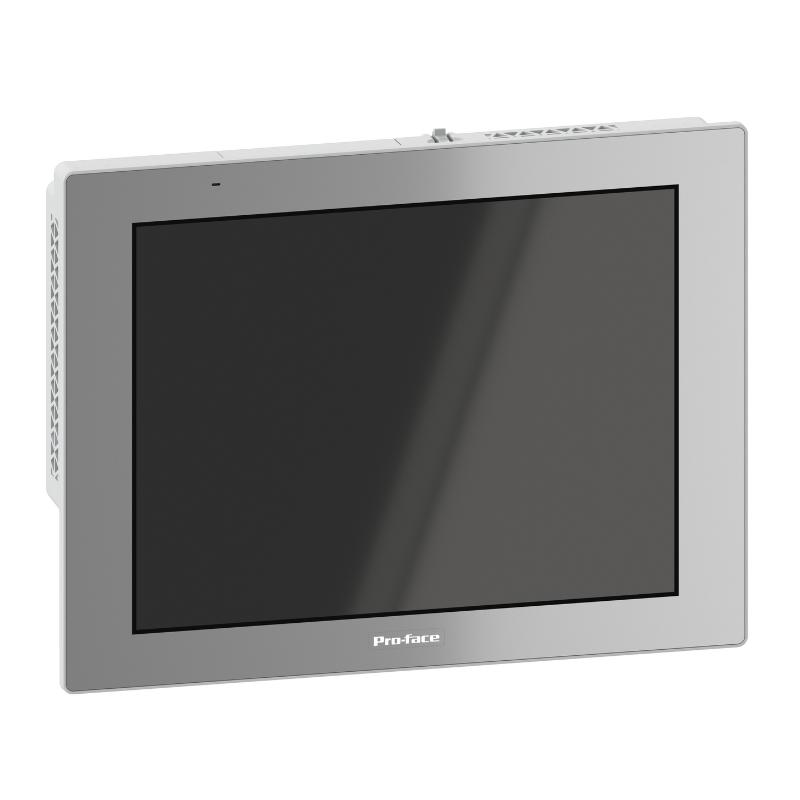
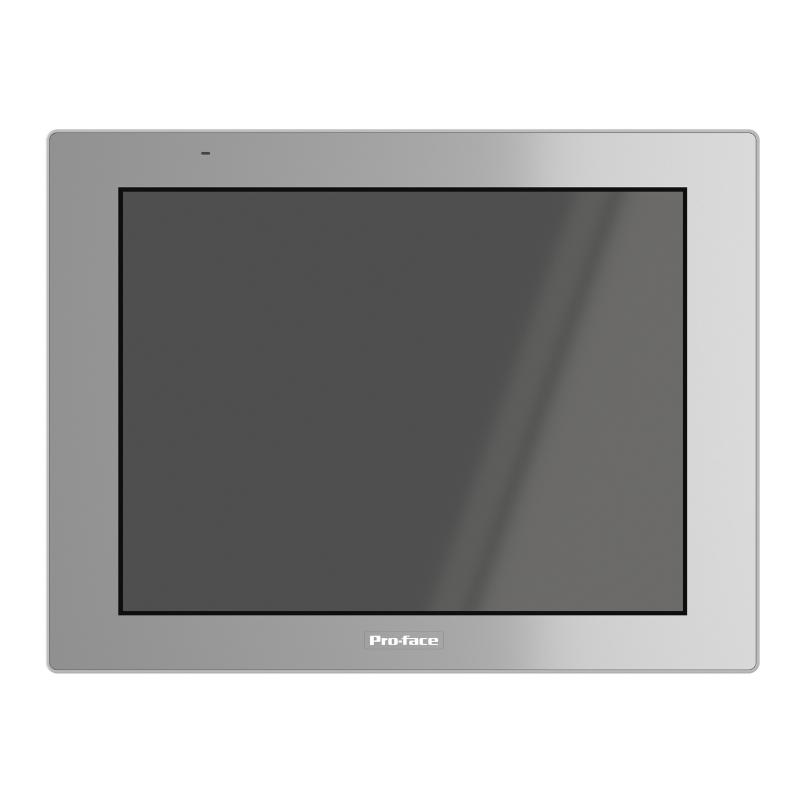
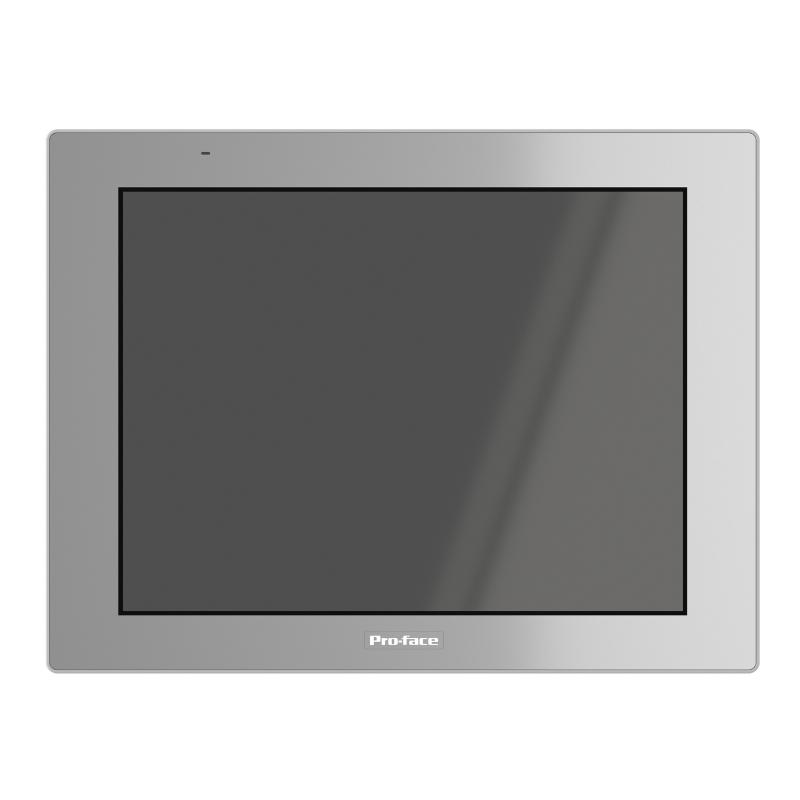
The Schneider Electric PFXGP6600TMA is a 12.1-inch industrial Human-Machine Interface (HMI) touchscreen from the Pro-face GP6000 series. It is designed to provide operators with a graphical interface for monitoring production processes, controlling machinery, viewing equipment status, and interacting with industrial automation systems.
In modern manufacturing environments, an HMI serves as an important communication point between operators and automated equipment. It displays process information collected from PLCs, controllers, sensors, and other devices, allowing operators to monitor operating conditions and issue commands through a centralized interface.
The PFXGP6600TMA features a color TFT LCD with an XGA resolution of 1024 × 768 pixels and support for 16 million display colors. Its matrix-type touch panel provides a practical interface for navigating screen pages, selecting operating parameters, acknowledging alarms, and accessing machine functions.
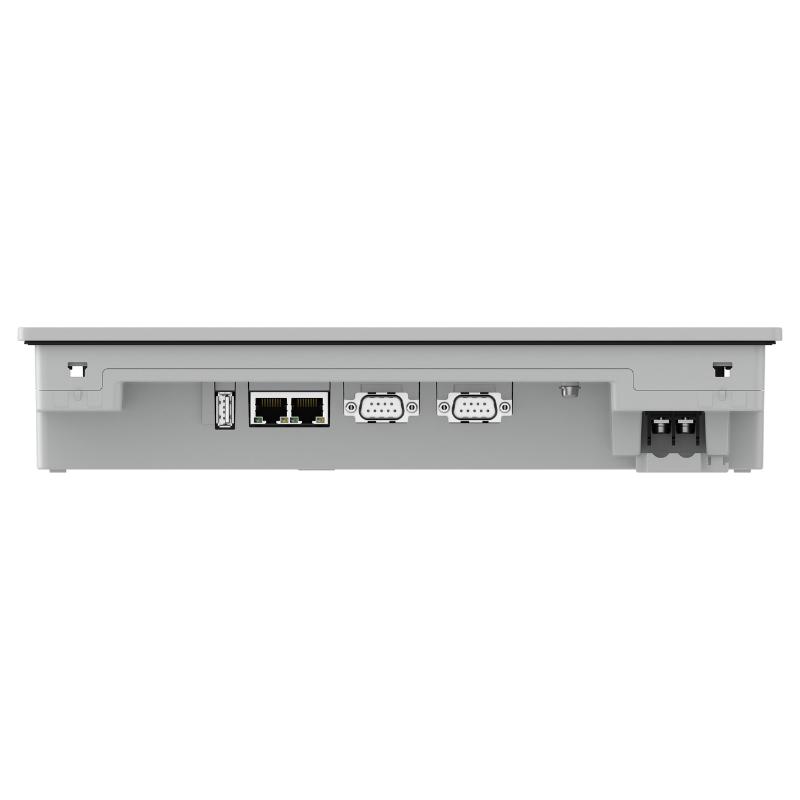
The terminal uses an AC power supply and supports a rated voltage of 100–240 V AC. Its communication interfaces include two serial ports, two Ethernet ports, USB Type-A, USB micro-B, and an SD card interface. These connections provide options for controller communication, project transfer, data handling, and system integration.
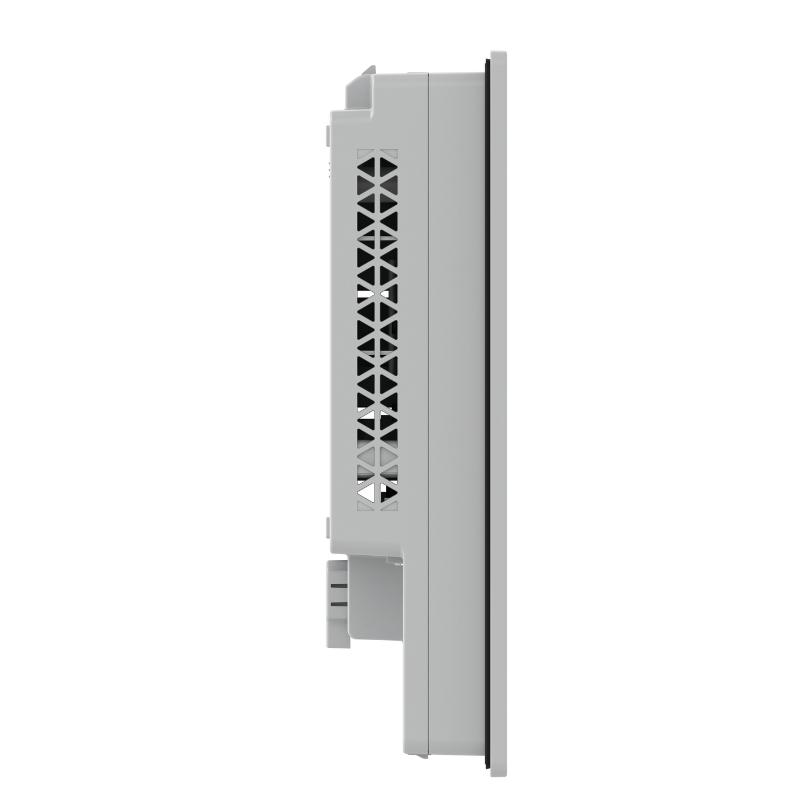
The PFXGP6600TMA is designed for industrial panel installation. Its front panel provides IP65F protection when correctly installed in a suitable enclosure, while its compact design allows it to be incorporated into machine-control cabinets and operator stations.
For engineering and maintenance teams, the complete model number is important when selecting a replacement. The PFXGP6600TMA is an AC-powered matrix-touch model; related GP6000 terminals may use different touch technologies or power-supply configurations.
Technical Specifications
| Parameter | Specification |
|---|---|
| Brand | Schneider Electric |
| Product Brand | Pro-face |
| Model Number | PFXGP6600TMA |
| Product Series | GP6000 |
| Product Type | HMI Touchscreen / Operator Interface Panel |
| Display Size | 12.1 inches |
| Display Type | Color TFT LCD |
| Display Resolution | 1024 × 768 pixels (XGA) |
| Display Colors | 16 million colors |
| Touch Panel Type | Matrix |
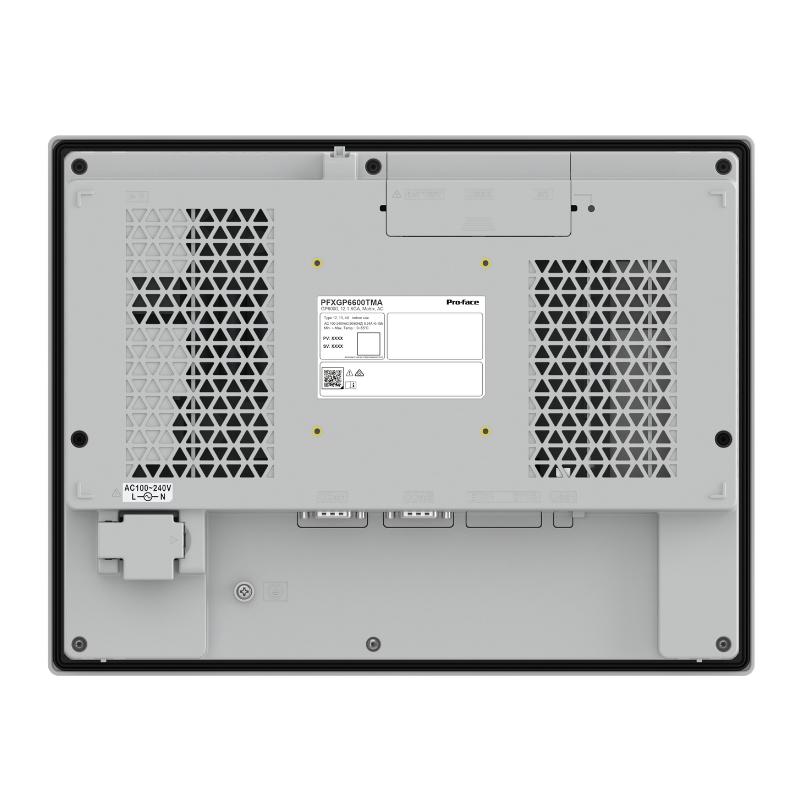
| Rated Supply Voltage | 100–240 V AC |
| Input Voltage Limits | 85–264 V AC |
| Serial Interfaces | 2 × COM |
| COM1 Interface | RS-232C |
| COM2 Interface | RS-422/RS-485 |
| Ethernet Interfaces | 2 × RJ45, 10BASE-T/100BASE-TX |
| USB Interfaces | USB 2.0 Type-A and micro-B |
| Memory | 4 GB built-in flash |
| Backup Memory | 512 KB NVRAM |
| Supported Storage | SD/SDHC/SDXC |
| Configuration Software | GP-Pro EX |
| Cooling Method | Natural air cooling |
| Front Protection | IP65F when installed in an enclosure |
| Operating Temperature | 0–55°C |
| Storage Temperature | -20–60°C |
| Panel Cutout | 301.5 × 227.5 mm |
| Dimensions | 315 × 60 × 241 mm |
| Weight | 2.4 kg |
Display and Touchscreen Performance
The PFXGP6600TMA combines a 12.1-inch display with a matrix-type touch panel to provide a clear and accessible operator interface.
1. 12.1-Inch TFT Color Display
The TFT LCD provides a display area suitable for industrial visualization tasks. Operators can view equipment status, production information, alarm messages, process values, and graphical machine layouts.
The 1024 × 768 XGA resolution provides sufficient screen space for many machine-control applications. Engineers can arrange information into logical sections, helping operators locate important operating parameters without navigating unnecessarily complicated screens.
2. 16 Million Display Colors
Support for 16 million colors allows application designers to use different visual elements to distinguish operating states and process conditions.
For example, screen colors can be assigned to indicate normal operation, warning conditions, equipment faults, or inactive functions. Consistent color usage can improve readability and help operators recognize important information.
3. Matrix Touch Technology
The matrix-type touch panel provides an operator input method for selecting screen objects and navigating configured interface pages.
Typical operations include:
- Selecting machine operating modes.
- Opening equipment status pages.
- Entering numerical parameters.
- Acknowledging alarm messages.
- Accessing maintenance information.
- Navigating production and diagnostic screens.
The actual functions available depend on the HMI project created for the machine.
4. Adjustable Screen Brightness
The terminal provides brightness adjustment through its touch panel and software settings. This allows the display to be adapted to different installation environments and operator viewing conditions.
Appropriate brightness settings can improve visibility while avoiding unnecessarily high display intensity.
Function and Working Principle
The PFXGP6600TMA operates as an operator interface between industrial control equipment and personnel. It does not independently replace the PLC or machine controller. Instead, it communicates with compatible automation devices and presents their data through configured graphical screens.
1. Communication with PLC Controllers
The HMI exchanges data with a PLC through supported serial or Ethernet communication connections.
The PLC executes the machine-control program, processes input signals, and controls output devices. The HMI provides a convenient interface for displaying selected PLC data and allowing authorized operators to enter commands or parameter changes.
Depending on the communication driver and project configuration, the HMI can display:
- Motor operating status.
- Production counts.
- Temperature and pressure values.
- Equipment operating modes.
- Alarm and warning information.
- Process setpoints.
- Machine operating sequences.
2. Graphical Process Visualization
Using GP-Pro EX software, engineers can create graphical screens that represent machine functions and process conditions.
A typical application may include a machine overview page, motor-control page, alarm history page, production monitoring page, and maintenance screen.
The operator can navigate between these pages using configured touch controls. The displayed information is updated through the communication connection with the controller.
3. Operator Command Input
The touchscreen allows operators to interact with the automation system through configured buttons, numeric input fields, selection controls, and other graphical objects.
For example, an operator may select a production mode or enter a temperature setpoint. The HMI transfers the corresponding data to the controller, where the PLC program determines how the command is handled.
Critical machine operations should remain subject to the required PLC interlocks and safety logic. The HMI should not be treated as a replacement for safety-rated control equipment.
4. Alarm and Event Display
Alarm management is an important function in industrial HMI applications.
The PFXGP6600TMA can be configured to display alarm messages and equipment abnormalities communicated by the connected controller. Alarm screens can help maintenance personnel identify the affected equipment and understand the condition requiring attention.
The usefulness of alarm information depends on the quality of the underlying PLC logic, alarm definitions, and HMI project design.
5. Data Storage and Project Management
The terminal provides built-in flash memory and backup NVRAM, along with an SD card interface. These resources support the terminal’s configured application and supported data-handling functions.
USB and SD interfaces can also be used for supported project transfer and maintenance operations. The exact procedure depends on the software version and the selected transfer method.
Role in Industrial Automation Systems
The PFXGP6600TMA is generally installed as part of a PLC-based automation architecture. Its primary purpose is to make machine information accessible to operators and provide a practical interface for authorized control operations.
PLC and HMI Coordination
A PLC is responsible for executing control logic, while the HMI provides visualization and operator interaction.
For example, in an automated packaging system, the PLC controls motors, sensors, conveyors, and actuators. The HMI displays production status, operating speed, alarm conditions, and machine settings.
This division of responsibilities helps maintain a clear separation between machine control and operator interaction.
Connection to Industrial Networks
The two Ethernet ports provide network connectivity for supported industrial communication and system configurations.
The two serial interfaces provide additional options for connecting compatible controllers and other serial devices. Engineers should select the correct communication driver, protocol, wiring arrangement, and port settings for each connected device.
The presence of Ethernet and serial interfaces does not mean that every industrial protocol is automatically supported. Compatibility should be confirmed against the HMI software and device documentation.
Centralized Operator Monitoring
A single HMI terminal can present information from multiple parts of a machine or production process, depending on the controller architecture and application design.
This allows operators to access important information without checking individual control devices throughout the equipment.
Maintenance and Troubleshooting
Maintenance personnel can use configured diagnostic pages to review equipment status, inspect alarms, and check selected process values.
A well-designed HMI project can reduce the time required to identify abnormal operating conditions and support more organized troubleshooting procedures.
Industrial Applications
The Schneider Electric PFXGP6600TMA can be used in a variety of industrial environments where operators need graphical access to machine and process information.
1. Manufacturing Production Lines
In manufacturing facilities, the HMI can provide a centralized display for production equipment.
Operators may use it to monitor production counts, machine operating modes, cycle status, and alarm conditions. The interface can also provide access to selected production parameters.
2. Packaging Machinery
Packaging machines often involve conveyors, filling equipment, sealing mechanisms, labeling systems, and other coordinated devices.
The PFXGP6600TMA can display machine status, operating speed, product settings, and fault messages. Operators can use configured screens to select production recipes or adjust permitted operating parameters.
3. Water and Wastewater Treatment
Water-treatment installations use pumps, valves, sensors, and control systems to manage fluid movement and treatment processes.
An HMI can display tank levels, pump status, pressure readings, and alarm information received from the control system. The terminal can provide operators with an accessible overview of the process.
4. Food and Beverage Processing
Food and beverage production facilities often require continuous monitoring of processing equipment and production conditions.
The HMI can be configured to display temperature readings, equipment status, production stages, and process alarms. Its front-panel protection is useful for suitable panel installations, provided the complete enclosure and cleaning arrangements meet the application’s environmental requirements.
5. Material Handling Systems
Automated material-handling systems may include conveyors, transfer stations, elevators, and sorting equipment.
The PFXGP6600TMA can provide operators with a graphical overview of equipment operation and allow access to configured control functions.
6. Industrial Utility Systems
Industrial utility equipment such as ventilation systems, auxiliary pumps, and compressed-air installations may use HMIs for status monitoring and operator interaction.
The terminal can display selected operating parameters and alarm information from the associated PLC or controller.
Installation and System Integration
Correct installation is essential for maintaining reliable operation and protecting the HMI from environmental and electrical problems.
1. Panel Mounting
The PFXGP6600TMA is designed for panel mounting using four installation fasteners.
Its panel cutout dimensions are 301.5 × 227.5 mm. The supported panel thickness is 1.6–5 mm.
Before cutting the control-panel opening, verify the dimensions against the installation drawing. Adequate clearance should be provided for the rear housing, connectors, and cable routing.
2. AC Power Connection
The terminal uses a rated supply voltage of 100–240 V AC, with specified input limits of 85–264 V AC.
The power supply should be connected according to the manufacturer’s wiring instructions. Protective earth must be connected correctly, and the installation should use appropriate electrical protection.
Do not apply a 24 V DC supply to this AC-powered model. Related GP6000 models may use a different power configuration, so the complete model number must be checked.
3. Ethernet Connection
The two RJ45 Ethernet ports support 10BASE-T/100BASE-TX connections.
They can be used for supported communication with PLCs and other network devices. Network configuration should include appropriate IP addresses, subnet settings, and communication parameters.
For industrial installations, use suitable Ethernet cables and follow the plant’s network segmentation and cybersecurity requirements.
4. Serial Communication Wiring
The terminal provides two serial communication interfaces:
- COM1: RS-232C.
- COM2: RS-422/RS-485.
The correct port must be selected according to the connected controller and communication protocol. Wiring, connector pin assignments, transmission speed, parity, and other communication settings must match the connected device.
5. HMI Project Configuration
GP-Pro EX is the designated software package for developing and configuring the GP6000 HMI application.
The official supported-model information lists PFXGP6600TMA as requiring GP-Pro EX version 5.00.000 or later.
During project development, engineers should configure the screen layout, PLC driver, communication settings, alarm messages, data displays, and operator controls.
Before transferring a project to the terminal, verify the target model and software compatibility.
6. Environmental Conditions
The specified operating ambient temperature range is 0–55°C. The terminal should be installed in a location that maintains adequate ventilation and stays within the manufacturer’s environmental limits.
The front panel provides IP65F protection when installed in a suitable enclosure. This protection rating should not be interpreted as meaning the complete rear assembly is waterproof or suitable for direct exposure to liquids.
Avoid locations with excessive vibration, conductive dust, corrosive gases, or uncontrolled moisture.
Compatible System Components
The PFXGP6600TMA can be integrated with various automation components, subject to communication and electrical compatibility.
| Component | Function | Integration Considerations |
|---|---|---|
| Schneider Electric PLC | Executes machine-control logic | Select a supported communication driver |
| Modicon M221/M241 PLC | Provides machine automation control | Verify protocol, connection method, and driver support |
| Modicon M340 PLC | Controls industrial processes | Confirm Ethernet or serial communication compatibility |
| Modicon M580 PLC | Supports larger automation architectures | Check network configuration and supported HMI drivers |
| Industrial Ethernet switch | Connects network devices | Configure network addressing and access controls |
| Serial communication cable | Connects compatible controllers | Match RS-232C or RS-422/RS-485 wiring requirements |
| GP-Pro EX software | Develops and transfers HMI projects | Use a version compatible with the GP6000 series |
| SD/SDHC/SDXC card | Provides supported removable storage | Confirm media compatibility and supported functions |
| USB storage device | Supports maintenance and file transfer | Follow the terminal’s supported USB procedures |
| Control cabinet | Provides mounting and environmental protection | Maintain the required cutout, clearances, and ventilation |
Compatibility depends on the connected device, communication protocol, software configuration, and system design. The components listed above are examples and are not included automatically with the HMI.
Key Advantages
12.1-Inch Industrial Display
The large TFT LCD provides an operator-friendly viewing area for process information, machine diagrams, alarms, and operating parameters.
XGA Resolution
The 1024 × 768 resolution provides sufficient screen space for detailed industrial visualization and organized HMI page layouts.
Flexible Communication Interfaces
Two Ethernet ports and two serial interfaces provide multiple connection options for compatible industrial controllers and network devices.
AC Power Supply
The 100–240 V AC rated supply allows the terminal to be used in suitable industrial installations with an AC power source.
Multiple Data Interfaces
USB Type-A, USB micro-B, and SD card support provide options for supported project transfer and maintenance activities.
GP-Pro EX Development Environment
The terminal uses GP-Pro EX software, allowing engineers to create graphical operator screens and configure communication with supported controllers.
Front-Panel Protection
The IP65F front-panel rating, when correctly installed in an enclosure, supports use in suitable industrial panel environments.
Compact Panel Installation
With dimensions of 315 × 60 × 241 mm and a net weight of 2.4 kg, the terminal can be incorporated into many industrial operator stations and control cabinets.
Technical FAQs
1. What is the Schneider Electric PFXGP6600TMA?
The PFXGP6600TMA is a 12.1-inch Pro-face GP6000 series HMI touchscreen designed for industrial machine monitoring, process visualization, and operator interaction.
2. What is the display resolution?
It features an XGA resolution of 1024 × 768 pixels and supports 16 million display colors.
3. What power supply does the PFXGP6600TMA require?
It uses a rated supply voltage of 100–240 V AC, with specified input limits of 85–264 V AC. It is not the 24 V DC version of the GP6000 terminal.
4. Which communication interfaces are available?
The terminal provides two serial ports, two Ethernet ports, USB Type-A, USB micro-B, and an SD card interface.
5. Which PLCs can communicate with this HMI?
It can communicate with supported PLCs through compatible serial or Ethernet connections. The exact PLC models and protocols depend on the communication drivers available in the selected GP-Pro EX software version.
6. Which software is used to configure the PFXGP6600TMA?
The terminal uses GP-Pro EX. The official supported-model information specifies version 5.00.000 or later for this model.
7. What is the panel cutout size?
The specified panel cutout dimensions are 301.5 × 227.5 mm. The supported panel thickness is 1.6–5 mm.
8. Does the terminal support Ethernet communication?
Yes. It has two RJ45 Ethernet ports supporting 10BASE-T/100BASE-TX connections. Actual communication functions depend on the configured network and supported drivers.
9. What is the front-panel protection rating?
The front panel is rated IP65F when installed in a suitable enclosure. This does not mean the entire rear assembly has the same protection rating.
10. What should be checked before replacing an existing HMI?
Verify the complete model number, power supply type, display size, resolution, touch technology, panel cutout, connector arrangement, PLC communication protocol, and GP-Pro EX project compatibility. Also confirm that the existing application can be transferred or converted successfully.
Procurement and Maintenance Recommendations
When purchasing the Schneider Electric PFXGP6600TMA, verify the full model number and distinguish it from related GP6000 models. Some versions have different power supplies or touch technologies, even though their external dimensions may be similar.
For replacement projects, compare the existing HMI’s panel cutout, power wiring, serial pin assignments, Ethernet configuration, and project software version. A replacement terminal should not be considered compatible solely because it has the same screen size.
For used or surplus equipment, inspect the display surface, touch response, mounting points, rear connectors, power terminals, and enclosure condition. Request clear photographs of the nameplate and, where possible, confirmation that the unit powers on and displays correctly.
During routine maintenance, keep the front panel clean using appropriate methods and avoid chemicals that may damage the display or sealing materials. Check mounting fasteners, power connections, communication cables, and ventilation conditions.
Back up HMI projects and relevant configuration files. Maintaining an up-to-date project backup can simplify replacement, troubleshooting, and future modifications.
Conclusion
The Schneider Electric PFXGP6600TMA Pro-face GP6000 HMI Touchscreen is a 12.1-inch industrial operator interface featuring an XGA color TFT display, matrix touch technology, and multiple communication interfaces. Its AC power supply, two Ethernet ports, two serial interfaces, and GP-Pro EX software support make it suitable for a range of PLC-based automation and machine-monitoring applications.
With dimensions of 315 × 60 × 241 mm and a net weight of 2.4 kg, the terminal is designed for industrial panel installation. When selecting it for a new system or as a replacement, engineers should verify the power configuration, communication requirements, panel cutout, and software compatibility to ensure reliable integration.