

ProductPRODUCT
Featured products
Contact Us
- Allen Bradley
- 1784-PCC1
- ControlNet PCMCIA Interface Cable
- USA
- 10 feet
- 3 kg
- Xiamen, China
- New & In Stock
- T/T, PayPal, Western Union
- 1 Year
- 1-3 Working Days
- DHL, UPS, TNT, FedEx and EMS.
- 24-Hour Service
- COO
- 6
Our advantage

Global Logistics
We have a 10-year logistics and express cooperation agreement, so our products can be shipped to any place in the world.

Brand new and original
Our products are imported in bulk from the place of origin. Because of the cooperative relationship, our products are all original and 100% new.

24-hour service
We provide 7*24 hours service to our customers. We will be there whenever you need us.

Price advantage
All our products are priced very favorably because we have our own warehouse and supply.
| Company Information | |||
| [email protected] | |||
| Mobile | +8615980777398 | ||
| +8615980777398 | |||
| 15980777398 |
Product Overview
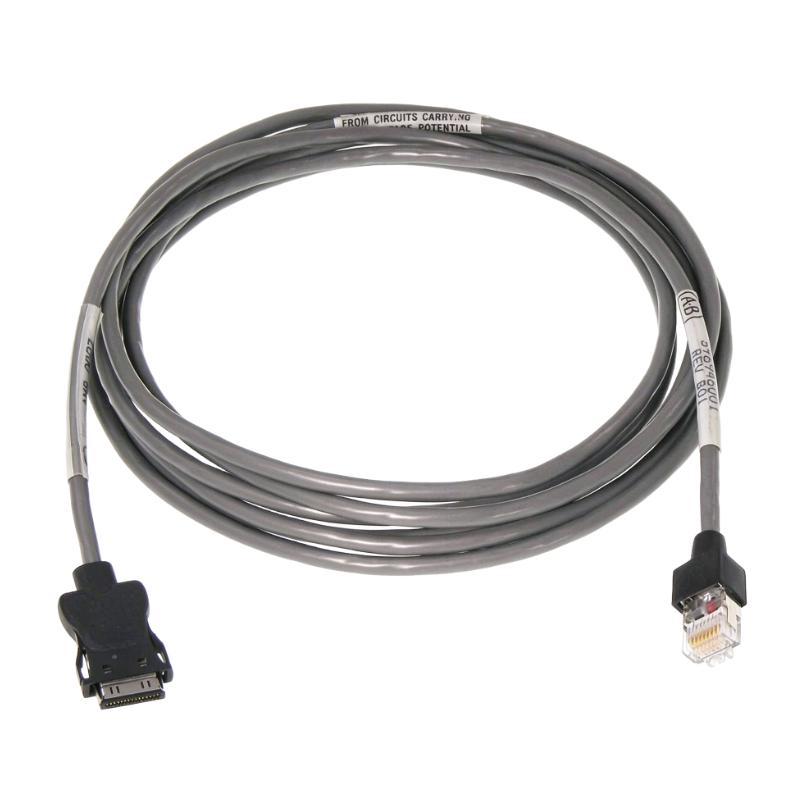
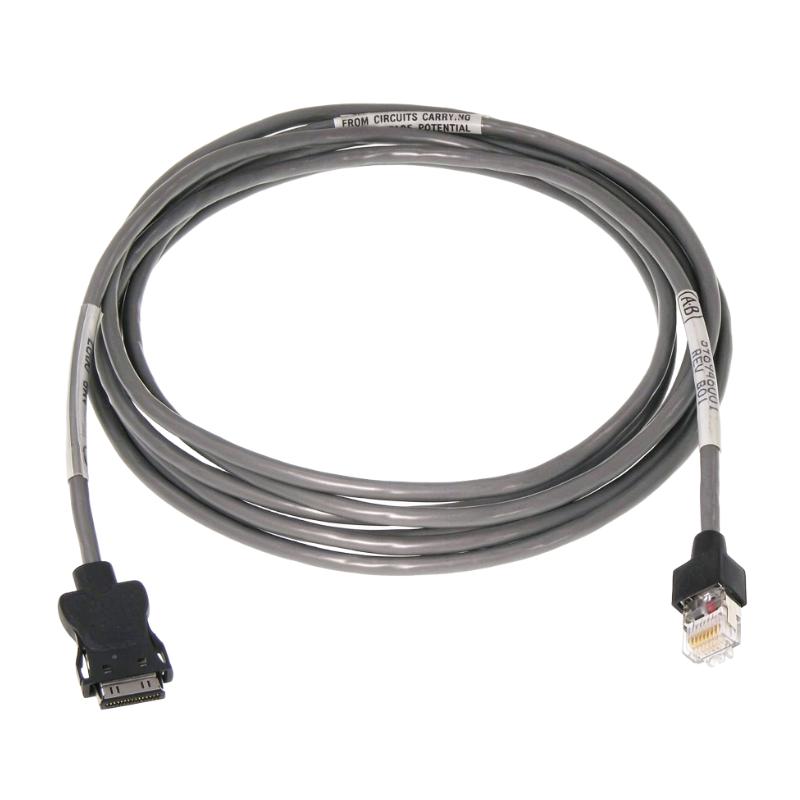
The Allen-Bradley 1784-PCC1 is a dedicated communication cable used with the 1784-PCC ControlNet PCMCIA Communication Card. It connects a programming computer equipped with the 1784-PCC interface card to a ControlNet network through the Network Access Port (NAP) of a compatible network device.
The cable provides the physical communication connection required for a programming workstation to access intelligent devices on a ControlNet network. These devices can include PLC processors, workstations, scanners, and network adapters.
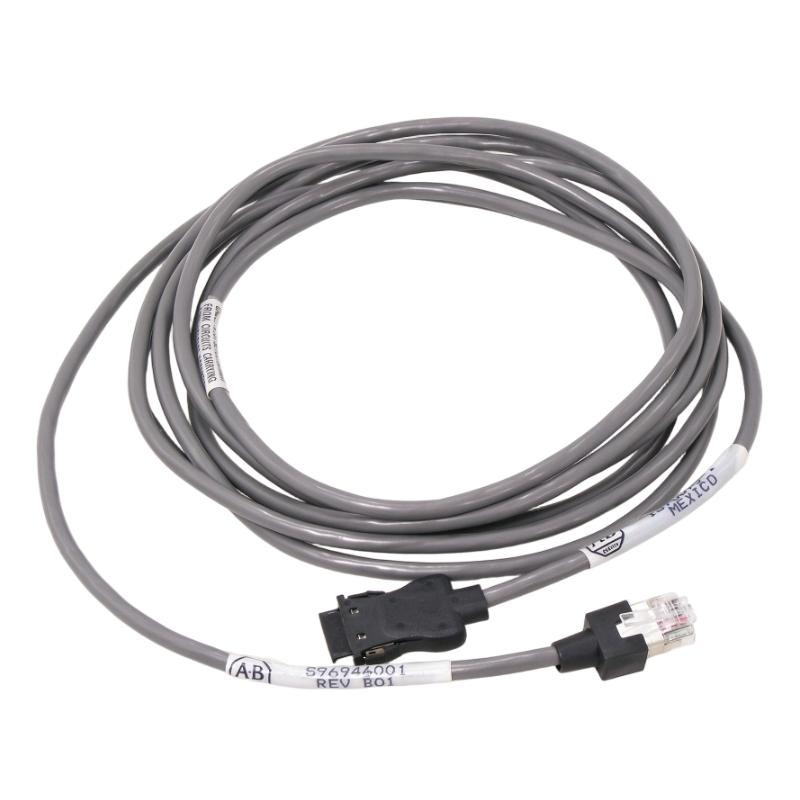
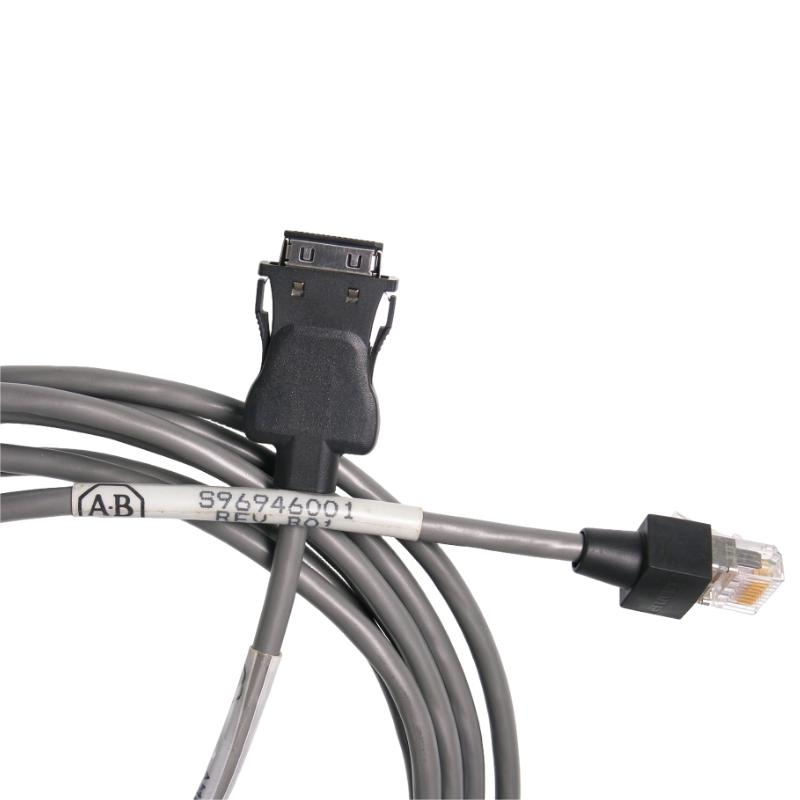
Unlike standard Ethernet patch cables, the 1784-PCC1 has dedicated connectors for the PCMCIA communication card and ControlNet network access interface. Its connection arrangement is specific to the 1784-PCC communication system and should not be substituted with an ordinary Ethernet cable.
In a typical installation, one end connects to the 1784-PCC card installed in a laptop computer, while the other end connects to the Network Access Port of a ControlNet-compatible device. This allows engineering personnel to establish network access for controller programming, configuration, and troubleshooting.
The 1784-PCC1 is particularly relevant to legacy Allen-Bradley automation installations using ControlNet communication. It provides the physical interface needed to connect older programming computers to existing industrial control networks.
Technical Specifications
| Parameter | Specification |
|---|---|
| Manufacturer | Allen-Bradley |
| Model | 1784-PCC1 |
| Product Type | ControlNet PCMCIA Interface Cable |
| Product Family | ControlNet |
| Compatible Interface Card | 1784-PCC |
| Connection Application | PCMCIA Card to ControlNet |
| Network Protocol | ControlNet |
| Computer Interface | PCMCIA |
| Network Connection | ControlNet Network Access Port (NAP) |
| Cable Length | 120 cm (Rockwell official manual specification) |
| User-Supplied Cable Length | 10 ft (3.05 m) |
| Cable Configuration | Dedicated Interface Cable |
| Compatible Programming Interface | 1784-PCC Communication Card |
| Programming Software | RSNetWorx for ControlNet |
| Communication Software | RSLinx |
| PCMCIA Standard | PCMCIA 2.1 (1784-PCC card requirement) |
| Shipping Weight | 3 kg |
Product Features
- Dedicated ControlNet Connection
The cable provides a specific connection between the 1784-PCC PCMCIA communication card and a ControlNet network. It is intended for programming and network access applications involving compatible Allen-Bradley equipment.
- PCMCIA Interface Compatibility
The 1784-PCC1 connects directly to the 1784-PCC communication card installed in a compatible computer. This arrangement allows a programming workstation to access an existing ControlNet installation.
- Network Access Port Connection
The opposite connector interfaces with the Network Access Port of a compatible ControlNet device. This provides a connection point for accessing the network without directly modifying the main network trunk.
- Industrial Controller Communication
The cable supports communication access to intelligent devices such as PLC processors, scanners, adapters, and other compatible ControlNet equipment.
- Programming and Troubleshooting Support
When used with the appropriate communication card and software, the cable supports controller access, network configuration, and troubleshooting activities.
- Application-Specific Connector Design
The dedicated connector arrangement distinguishes the 1784-PCC1 from ordinary Ethernet and general-purpose computer cables. Correct connector orientation is important during installation.
- Legacy ControlNet System Support
The cable is suitable for maintenance and engineering work involving existing ControlNet installations that continue to use the 1784-PCC communication interface.
- Portable Engineering Connection
The cable allows a compatible programming computer to establish a temporary network connection for commissioning, maintenance, and diagnostic work.
Working Principle
The 1784-PCC1 functions as the physical communication link between a 1784-PCC PCMCIA communication card and a ControlNet network.
The 1784-PCC card is installed in the PCMCIA slot of a compatible programming computer. The smaller connector of the 1784-PCC1 is attached to the communication card, while the other connector is connected to the Network Access Port of a compatible ControlNet device.
Once the physical connection is established, the programming computer communicates with the ControlNet network through the 1784-PCC interface. RSLinx provides the communication interface used by supported Rockwell Automation software to access network devices.
RSNetWorx for ControlNet can then be used for supported network configuration and management operations. Engineers can access compatible controllers and other intelligent devices for programming, configuration, and maintenance.
The cable itself does not perform protocol conversion, switching, or signal processing. These functions are handled by the communication card, software, and connected ControlNet equipment.
Typical Communication Sequence:
- Install the 1784-PCC communication card in a compatible computer’s PCMCIA slot.
- Connect the PCMCIA end of the 1784-PCC1 to the 1784-PCC card.
- Connect the opposite end to the Network Access Port of a compatible ControlNet device.
- Establish the communication interface through the supported RSLinx software.
- Configure the required ControlNet communication path.
- Access compatible PLC processors, scanners, or adapters through the network.
- Use RSNetWorx for ControlNet for supported network configuration and maintenance operations.
Role in Allen-Bradley ControlNet Communication Architecture
Within the Allen-Bradley ControlNet architecture, the 1784-PCC1 serves as the physical connection between an engineering computer and the industrial network.
The 1784-PCC communication card provides the computer-side network interface, while the 1784-PCC1 connects that interface to the Network Access Port of a compatible ControlNet device.
This arrangement allows engineering personnel to access the existing network through a local connection point. It is particularly useful when configuring or troubleshooting ControlLogix, PLC-5, and other compatible ControlNet-based automation systems.
The cable works together with the communication card and software rather than operating as an independent network interface.
| Component | Product Description | Function |
|---|---|---|
| 1784-PCC1 | ControlNet PCMCIA Interface Cable | Physical connection to ControlNet |
| 1784-PCC | ControlNet PCMCIA Communication Card | Computer-side network communication |
| 1756-CNB | ControlLogix ControlNet Bridge Module | ControlNet communication |
| 1756-CNBR | ControlLogix Redundant ControlNet Bridge Module | Redundant ControlNet communication |
| 1786-TPR | ControlNet Coaxial Right-Angle T-Tap | Network access connection |
| 1786-CP | ControlNet Programming Cable | ControlNet programming connection |
Industrial Applications
| Application | Typical Use |
|---|---|
| ControlLogix Systems | Accessing compatible ControlNet-connected controllers |
| PLC-5 Automation | Programming and troubleshooting legacy PLC networks |
| Industrial Commissioning | Establishing a programming workstation connection |
| Factory Automation | Accessing distributed ControlNet devices |
| Process Automation | Maintaining ControlNet communication installations |
| Manufacturing Equipment | Connecting engineering computers to machine networks |
| Industrial Maintenance | Troubleshooting connected controllers and adapters |
| Legacy Control Systems | Supporting existing PCMCIA-based ControlNet installations |
| Network Configuration | Accessing devices for ControlNet configuration |
| System Integration | Establishing engineering access during automation projects |
Installation and Maintenance
- Verify Part Number: Confirm that the cable is identified as Allen-Bradley 1784-PCC1 and is intended for use with the 1784-PCC communication card.
- Check Interface Compatibility: Verify that the programming computer supports the required PCMCIA interface and that the 1784-PCC card is compatible with the computer.
- Inspect Cable Condition: Examine the cable covering, connectors, and contact surfaces for damage, contamination, or deformation.
- Identify Connector Orientation: Check the connector arrangement before installation. The silver side of the smaller connector should face upward when attaching it to the 1784-PCC card.
- Connect the PCMCIA Interface: Attach the smaller end of the cable to the 1784-PCC communication card.
- Connect to the Network Access Port: Attach the other end to the Network Access Port of a compatible ControlNet device.
- Avoid Incorrect Port Connections: Do not connect the ControlNet cable end to an ordinary Ethernet port. This is not a compatible connection.
- Install Communication Software: Verify that the appropriate RSLinx and RSNetWorx for ControlNet software versions are installed for the computer’s operating system.
- Configure Network Access: Establish the communication path through RSLinx and confirm that the required ControlNet devices can be accessed.
- Test Communication: Verify communication with the intended PLC processor, scanner, or adapter before carrying out programming or configuration operations.
- Disconnect Carefully: Remove the connectors by their designated housings rather than pulling on the cable itself.
- Document Maintenance Results: Record the cable part number, connected communication card, network access point, and results of communication testing.
Compatible System Components
| Model | Product Description | Application |
|---|---|---|
| 1784-PCC | ControlNet PCMCIA Communication Card | Computer-side network interface |
| 1756-CNB | ControlLogix ControlNet Bridge Module | ControlNet network communication |
| 1756-CNBR | ControlLogix Redundant ControlNet Bridge Module | Redundant network communication |
| 1786-TPR | ControlNet Coaxial Right-Angle T-Tap | ControlNet network access |
| 1786-CP | ControlNet Programming Cable | Programming connection |
| 1786-TPS | ControlNet Straight T-Tap | Coaxial network connection |
Recommended Related Models
| Model | Product Description |
|---|---|
| 1784-PCC | Allen-Bradley ControlNet PCMCIA Communication Card |
| 1786-CP | Allen-Bradley ControlNet Programming Cable |
| 1786-TPR | Allen-Bradley ControlNet Right-Angle T-Tap |
| 1786-TPS | Allen-Bradley ControlNet Straight T-Tap |
| 1756-CNB | Allen-Bradley ControlLogix ControlNet Bridge Module |
| 1756-CNBR | Allen-Bradley ControlLogix Redundant ControlNet Bridge Module |
Key Advantages
- Dedicated interface cable for the 1784-PCC ControlNet communication card.
- Connects a PCMCIA programming interface to a ControlNet Network Access Port.
- Supports communication with compatible PLC processors and network devices.
- Suitable for ControlLogix and legacy ControlNet installations.
- Supports engineering access through RSLinx.
- Compatible with supported RSNetWorx for ControlNet applications.
- Provides a direct physical connection for controller maintenance.
- Useful for commissioning and troubleshooting existing ControlNet networks.
Technical FAQs
1. What is the function of the Allen-Bradley 1784-PCC1?
The 1784-PCC1 connects a 1784-PCC PCMCIA communication card to the Network Access Port of a compatible ControlNet device. It allows a programming computer to access the ControlNet network for controller communication and maintenance.
2. Does the 1784-PCC1 work independently without the 1784-PCC card?
No. The cable requires the 1784-PCC communication card to provide the computer-side ControlNet interface. The cable itself does not contain an independent network communication processor.
3. Which software is used with the 1784-PCC1?
The communication arrangement uses RSLinx to establish access to ControlNet devices. RSNetWorx for ControlNet is used for supported network configuration and management tasks. Software and operating system compatibility should be checked against the 1784-PCC card documentation.
4. Can the 1784-PCC1 be connected to an ordinary Ethernet port?
No. The cable is specifically intended for the ControlNet Network Access Port. Connecting it to an ordinary Ethernet port is incorrect and can generate electrical noise without establishing the intended communication.