
NewsNEWCENTER
Featured products
Contact Us
ABB Robot Data Acquisition Gateway: Core Functions, Technical Specifications, and Industrial Applications
2026-10-26Introduction: Connecting ABB Robots to Smart Manufacturing Systems
As manufacturers accelerate digital transformation, collecting reliable data from industrial robots has become an important part of smart factory development. Production teams need accurate information about robot operating status, digital I/O signals, process events, equipment utilization, and production performance to improve visibility and support maintenance decisions.
ABB provides an IoT Gateway software solution designed to connect compatible ABB robot controllers with higher-level manufacturing and information systems. By supporting standard communication technologies such as OPC Unified Architecture (OPC UA) and Message Queuing Telemetry Transport (MQTT), the solution helps transfer robot data to monitoring applications, Manufacturing Execution Systems (MES), Enterprise Resource Planning (ERP) platforms, and other industrial IoT environments.
The gateway supports ABB IRC5 and OmniCore robot controller families, subject to the applicable RobotWare version and required software options. Its role is to provide a standardized communication interface for robot data, helping system integrators connect robot cells with broader factory information architectures.
For industrial equipment buyers and automation engineers, understanding the gateway’s functions, software requirements, communication capabilities, and integration limitations is essential when planning a robot data acquisition project.
1. What Is the ABB Robot Data Acquisition Gateway?
ABB IoT Gateway is a software-based communication solution rather than a universal standalone hardware gateway. It runs on a compatible Windows computer and provides communication services for supported ABB robot controllers.
The software includes a configuration application for defining robot connections and managing gateway settings. Depending on the selected communication service, connected applications can access robot data through an OPC UA server or receive configured messages through an MQTT publisher.
The gateway can be used in new automation projects and certain retrofit applications. Its suitability depends on the controller generation, RobotWare version, installed options, available network interfaces, and the data required by the application.
Typical data acquisition objectives include:
- Monitoring robot controller status and communication availability.
- Reading supported digital and analog I/O signals.
- Accessing supported RAPID data values.
- Collecting selected controller events and operational information.
- Publishing configured robot data to MQTT-based applications.
- Connecting robot cells to MES, SCADA, manufacturing dashboards, or cloud services through suitable client software and network infrastructure.
The exact data available depends on the controller, configured data model, permissions, and the selected gateway interface. A gateway should not be assumed to expose every internal controller variable automatically.
2. Core Functions of the ABB IoT Gateway
2.1 OPC UA-Based Robot Data Access
OPC UA is a standardized industrial communication technology designed to support data exchange between automation equipment and software applications.
ABB IoT Gateway provides OPC UA server capabilities for supported IRC5 and OmniCore controllers. An OPC UA client can browse the available data address space, subscribe to supported data changes, monitor selected items, and read or write supported values according to the configured interface and permissions.
This architecture is useful when a factory needs a standardized method for exchanging robot information with a supervisory system or industrial application.
Potential applications include:
- Robot status dashboards.
- Production line monitoring.
- Collection of selected I/O signals.
- Process-state tracking.
- Integration with OPC UA-compatible SCADA or MES applications.
- Centralized monitoring of multiple configured robot controllers.
Data access and write permissions must be configured carefully. Reading production information is different from issuing commands that may influence equipment behavior. Any write-capable integration should be validated against the application’s operational and safety requirements.
2.2 MQTT Data Publishing
MQTT is a lightweight publish/subscribe messaging protocol widely used in industrial IoT and distributed monitoring architectures.
ABB IoT Gateway includes an MQTT publisher function that can be configured to publish selected robot information to an MQTT broker. Engineers can configure message triggers, topics, and payload templates to suit the receiving application.
This can help transfer robot information to:
- Factory-wide monitoring platforms.
- Industrial IoT applications.
- Production analytics systems.
- On-premises data platforms.
- Cloud-based data processing services.
For example, a manufacturer could configure a robot-related event to trigger a message containing selected status or process information. The receiving application could then store the message, update a dashboard, or correlate it with production data from other equipment.
The message structure, trigger conditions, and data fields must be configured for the intended use. MQTT support does not automatically mean that every robot variable is published continuously or that a cloud platform is included with the gateway.
2.3 Robot Controller Identification and Configuration
When connecting multiple robots, the gateway configuration application uses aliases to identify the controllers that will be accessed.
An alias provides a recognizable name for a robot connection and helps administrators organize configured devices. Depending on the configuration, the associated information can include controller identity, system name, address, and connection details.
This approach can simplify deployment in production lines where several ABB robots must communicate with a common monitoring application.
Before commissioning, engineers should verify each controller’s identity, network address, software version, installed options, and required data access. Incorrect configuration can result in unavailable data or connections to the wrong device.
2.4 Event-Driven Data Collection
Not every industrial application needs to transfer all available data continuously. Some projects are better served by publishing selected information when an event or configured condition occurs.
The gateway’s MQTT configuration tools support trigger-based publishing. Depending on the configuration and available data, this can help reduce unnecessary message traffic and organize information around relevant operational events.
Examples may include selected controller events, changes in monitored values, or application-defined conditions.
The trigger logic should be designed according to the production process. If an application requires precise event timing, high-frequency sampling, or deterministic control behavior, engineers must verify whether the gateway is suitable for that requirement. A general-purpose data acquisition gateway should not be treated as a real-time motion-control interface.
2.5 Secure Communication and Access Management
Industrial data acquisition systems connect operational technology (OT) with other production and information networks. Security therefore needs to be considered during design and commissioning.
ABB’s IoT Gateway supports OPC UA security features, including certificate-based client authentication and configurable security policies. The OPC UA server also supports user authentication modes documented in the application manual.
A practical deployment should include:
- Network segmentation between robot control networks and enterprise networks.
- Appropriate firewall rules and restricted network access.
- Authentication and certificate management.
- Strong account and password policies.
- Regular security updates for the Windows host.
- Controlled access to configuration files and gateway services.
- Logging, monitoring, and documented recovery procedures.
Security settings should be selected according to the factory’s cybersecurity policy and the supported capabilities of the installed software version. Exposing robot controller services directly to untrusted networks is not recommended.
3. Technical Specifications and System Requirements
ABB IoT Gateway is software-based, so its technical requirements differ from those of a physical Ethernet or fieldbus gateway. The following specifications summarize the requirements documented in ABB’s IoT Gateway application manual, Revision G. The exact requirements should be checked against the software package being installed.
| Parameter | Documented requirement or capability |
|---|---|
| Product type | Software-based robot communication gateway |
| Supported controller families | ABB IRC5 and OmniCore |
| RobotWare compatibility | RobotWare 6 and RobotWare 7.2 or newer, subject to the relevant options |
| Operating system | Windows 10 Anniversary Update or later, 64-bit edition |
| .NET requirement | Microsoft .NET 7.0 or later |
| Processor | 2.0 GHz or faster; multiple cores recommended |
| Memory | 2 GB minimum; 4 GB or more recommended |
| Free disk space | At least 2 GB; SSD recommended |
| OPC UA interface | OPC UA server capabilities |
| MQTT interface | Configurable MQTT publisher |
| Configuration | Windows configuration application and MQTT engineering tools |
| Network | IP-based network connection to supported robot controllers |
| Security | OPC UA authentication and certificate-related security features |
| Installation | Administrative privileges required |
| Physical dimensions and weight | Not applicable to the software itself |
These are software host requirements, not the hardware specifications of an ABB robot controller. The computer selected for a production installation should also meet the site’s reliability, environmental, cybersecurity, and IT support requirements.
RobotWare and Licensing Requirements
Compatibility is not determined by controller model alone. Required RobotWare options vary by software version.
The application manual documents the following requirements:
- OmniCore running RobotWare 7.2 or newer: the
3154-1 IoT Data Gatewayoption is required. - RobotWare 6.12.03 and later: the
1582-1 IoT Data Gatewayoption is required. - RobotWare 6.11 through 6.12.02: the
1582-1 OPC UA Serveroption is required.
For older RobotWare releases, licensing and compatibility should be confirmed with ABB. These requirements should be checked against the exact controller configuration before procurement or installation.
4. OPC UA and MQTT: How Do They Differ?
Although both technologies can support robot data acquisition, they are designed around different communication models.
| Feature | OPC UA | MQTT |
|---|---|---|
| Communication model | Client-server | Publish/subscribe through a broker |
| Primary role in the gateway | Exposes a structured data address space | Publishes configured messages |
| Data access | Browsing, monitoring, reading, and supported writes | Message publication to configured topics |
| Common applications | SCADA, industrial software, data clients | IoT platforms, event pipelines, distributed monitoring |
| Data organization | OPC UA nodes and information models | Topics and message payloads |
| Configuration focus | Endpoints, security, subscriptions, data access | Broker settings, topics, triggers, payload templates |
These protocols are complementary rather than interchangeable in every situation.
An OPC UA-based integration may be suitable when an application needs to browse a structured set of data points and monitor selected values. MQTT may be more suitable when information must be published to a messaging infrastructure for distribution to multiple consumers.
A project may use one or both interfaces, depending on the software configuration and system architecture.
5. Industrial Applications
5.1 Automotive Manufacturing
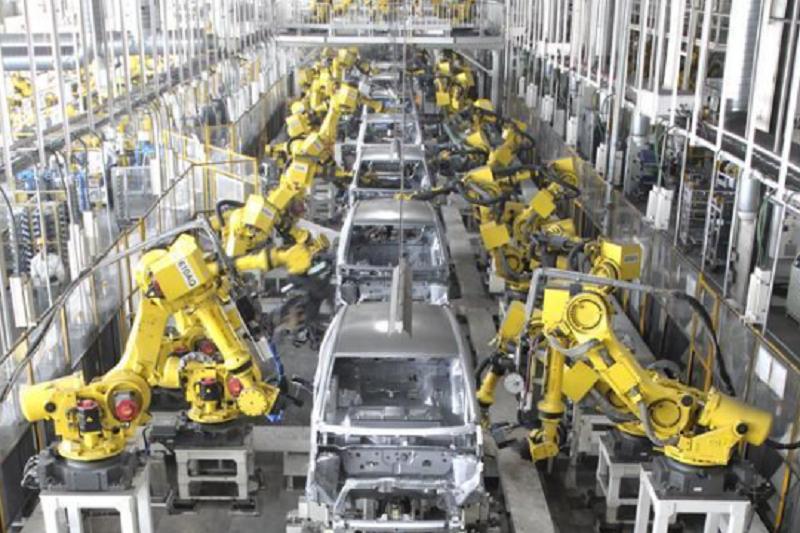
Automotive production lines use robots for welding, material handling, painting, assembly, and other processes. Data acquisition can help supervisors monitor robot availability and selected process conditions across a production line.
When robot data is combined with PLC signals and MES records, production teams can investigate stoppages, compare cycle performance, and identify recurring operational issues.
The gateway provides a communication path for supported robot data; the complete monitoring solution still requires suitable data processing, storage, visualization, and integration software.
5.2 Electronics and Precision Manufacturing
Electronics manufacturing often relies on repeatable robotic handling, assembly, and inspection processes. Collecting selected robot states and process signals can help engineers correlate machine behavior with production results.
For example, a monitoring system may record robot status changes alongside information from a vision system or assembly station. Such integration can improve traceability and help investigate quality issues, provided the relevant data is available and correctly time-correlated.
5.3 Packaging and Material Handling
Robots used in packaging, palletizing, and material handling operate alongside conveyors, sensors, and other automation equipment.
Data acquisition can help production teams identify whether interruptions originate from the robot, upstream material flow, downstream equipment, or communication failures. This requires collecting and correlating information from multiple devices rather than relying on robot data alone.
5.4 Predictive and Condition-Based Maintenance
Robot status information and selected controller events can contribute to maintenance analysis. When combined with maintenance records, cycle counts, operating conditions, and suitable sensor measurements, these data can help engineers identify patterns associated with recurring faults or performance changes.
However, a data gateway does not independently guarantee predictive maintenance. Effective analysis requires appropriate data quality, engineering interpretation, and validated maintenance rules or analytical models.
5.5 Multi-Robot Production Lines
Factories operating multiple compatible ABB controllers can use configured connections to make selected robot data available to central applications.
This can support fleet-level dashboards, production reporting, and comparison of equipment availability. Actual scale and performance depend on the number of controllers, network conditions, polling or subscription configuration, message volume, and host computer resources. A specific maximum robot count should not be assumed without testing the intended configuration.
6. Installation and Integration Considerations
A successful deployment begins with checking compatibility and defining the data required by the receiving application.
Step 1: Identify the robot controller. Record the controller family, RobotWare version, available network interfaces, and installed software options.
Step 2: Confirm the software requirements. Prepare a compatible Windows host and verify processor, memory, disk space, and .NET requirements.
Step 3: Verify licensing and options. Confirm the required IoT Gateway or OPC UA option for the specific RobotWare release.
Step 4: Establish network connectivity. Connect the gateway host and robot controller to the appropriate network and configure the required firewall rules.
Step 5: Install and configure the gateway. Install the software, define the robot aliases, and configure the required OPC UA server or MQTT publisher functions.
Step 6: Configure data access. Select the required data points, subscriptions, triggers, topics, and message templates according to the application.
Step 7: Validate the integration. Confirm data accuracy, update behavior, communication recovery, event handling, access permissions, and system performance.
Step 8: Document and maintain the system. Record configuration settings, software versions, security certificates, backup procedures, and troubleshooting steps.
For production systems, testing should be carried out in a controlled environment before the integration is introduced into live operations.
7. Important Limitations and Engineering Considerations
The ABB IoT Gateway is designed for communication and data access. It should not be confused with a safety controller, a motion-control system, or a universal protocol converter for every industrial device.
Several points deserve particular attention.
Controller compatibility: Older ABB robot generations may require different interfaces or integration methods. Support for IRC5 and OmniCore does not automatically establish compatibility with legacy controllers.
Data availability: The accessible data depends on the supported information model, configured signals, controller options, and software version.
Network performance: The gateway’s update behavior and throughput depend on network quality, subscription settings, host performance, and application design. It should not be assumed to provide deterministic real-time control.
Third-party integration: MES, SCADA, PLC, ERP, and cloud platforms may require additional drivers, OPC UA clients, MQTT brokers, middleware, or custom engineering.
Cybersecurity: Firewall configuration, authentication, certificate management, and network segmentation must be included in the deployment plan.
Performance verification: Projects involving large robot fleets or high-frequency data acquisition should be tested under realistic operating conditions before the architecture is finalized.
These considerations help prevent compatibility problems and ensure that the selected gateway meets the actual requirements of the production environment.
8. Frequently Asked Questions
Q1: Is the ABB robot data acquisition gateway a physical device?
ABB IoT Gateway is a software-based communication solution that runs on a compatible computer. It is not a universal standalone hardware gateway with one fixed enclosure size, weight, or power rating.
Q2: Which ABB robot controllers does it support?
The documented solution supports IRC5 and OmniCore controller families, subject to the applicable RobotWare release and required software options. Confirm the exact controller configuration before installation.
Q3: Does it support OPC UA and MQTT?
Yes. The documented software provides OPC UA server capabilities and a configurable MQTT publisher. The available functions and configuration requirements depend on the installed software version.
Q4: Can the gateway connect a robot to an MES or SCADA system?
It can provide a communication interface for supported robot data. The receiving MES or SCADA system must support the selected protocol or use suitable integration software.
Q5: Does the gateway collect every robot signal automatically?
No. Accessible data depends on the supported information model, configured signals, controller capabilities, and required options. Engineers should identify and test the necessary data points during commissioning.
Q6: Does it replace the robot controller or safety system?
No. The gateway provides communication and data access. Robot motion control and safety functions remain the responsibility of the appropriate controller hardware, software, and validated safety architecture.
Q7: What should buyers confirm before purchasing?
Confirm the robot controller family, RobotWare version, required software options, operating-system compatibility, desired protocol, data requirements, network architecture, and integration scope. These details are more important than assuming the gateway is compatible with every ABB robot.
Conclusion
ABB IoT Gateway provides a software-based approach to connecting supported ABB robot controllers with industrial monitoring and information systems. By offering OPC UA server functionality, MQTT publishing, configurable robot connections, and security-related features, it can help manufacturers make selected robot data available for production monitoring and digital integration.
Its suitability depends on the controller generation, RobotWare version, licensing options, host computer requirements, network design, and intended data acquisition workload. Careful configuration and validation are essential, particularly when connecting operational technology to enterprise or cloud systems.
For automation engineers, system integrators, and industrial equipment buyers, the most reliable approach is to verify the exact controller configuration and required data interfaces before deployment. With the right engineering design, ABB IoT Gateway can support better production visibility and more consistent information exchange across compatible robotic manufacturing environments.
SEO Keywords: ABB robot data acquisition gateway, ABB IoT Gateway, ABB robot data collection, ABB IRC5 gateway, ABB OmniCore connectivity, ABB OPC UA server, ABB MQTT publisher, industrial robot monitoring, robot controller communication, industrial IoT gateway, smart factory integration, robot data monitoring software.